1
FT-817
OPERATING MANUAL
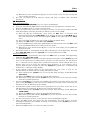
(4) When done, press and hold the [F] key for one second to save the new setting and
exit to normal operation.
6. To practice your CW sending, press the [B](BK) key to disappear the “!” icon. Now,
pressing the key will cause the CW sidetone to be heard, but your radio will not be
transmitting a signal on the air.
7. You can adjust the CW sidetone volume level via Menu #44 (SIDETONE). To adjust the
CW sidetone volume level:
(1) Press and hold in the [F] key for one second to enter the Menu mode.
(2) Rotate the SEL knob to select Menu #44 (SIDETONE).
(3) Rotate the DIAL to select a new level; on the arbitrary scale of “0” ~ “100,” the
default value is “50.”
(4) When done, press and hold the [F] key for one second to save the new setting and
exit to normal operation.
8. You also can adjust the CW sidetone pitch using Menu #20 (CW PITCH). This
adjustment also controls the BFO offset (actual pitch of your transmitted signal relative
to your current receive frequency). To adjust the CW sidetone pitch:
(1) Press and hold in the [F] key for one second to enter the Menu mode.
(2) Rotate the SEL knob to select Menu #20 (CW PITCH).
(3) Rotate the DIAL to select a new pitch tone/BFO offset. The available offset range is
300 ~ 1000 Hz (default value is “700 Hz”).
(4) When done, press and hold the [F] key for one second to save the new setting and
exit to normal operation.
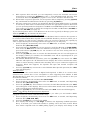
Operation using Built-in Electronic Keyer
The built-in Electronic Keyer provides a convenient method of generating CW. The
Electronic Keyer includes weight and speed adjustment.
1. Connect your keyer paddle’s cable to the KEY jack on the rear panel of the transceiver.
2. Press the MODE(!)/MODE(") key, as needed, to select the CW (CW/CWR) mode.
3. Press the [F] key momentarily, then rotate the SEL knob, as needed, until Operating
Function Row [VOX, BK, KYR].
4. Press the [C](KYR) key to activate the Electronic Keyer. The “!” icon will appears at the
right of the “KTR” indicate.
5. The Keyer speed may be adjusted using Menu #21 (CW SPEED). To adjust the Keyer
speed:
(1) Press and hold in the [F] key for one second to enter the Menu mode.
(2) Rotate the SEL knob to select Menu #21 (CW SPEED).
(3) Press the SEL knob to select between “cpm” and “wpm.”
(4) Rotate the DIAL knob, while sending, to set the desired sending speed.
(5) When done, press and hold the [F] key for one second to save the new setting and
exit to normal operation.
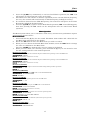
6. The CW hang time, CW sidetone volume level, and CW sidetone pitch may all be
adjusted as described previously.
7. The Dot:Dash weight ratio may be adjusted via Menu #22 (CW WEIGHT). To adjust the
Dot:Dash weight ratio:
(1) Press and hold in the [F] key for one second to enter the Menu mode.
(2) Rotate the SEL knob to select Menu #22 (CW WEIGHT).
(3) Rotate the DIAL knob, while sending, to set the desired weight.
(4) When done, press and hold the [F] key for one second to save the new setting and
exit to normal operation.
8. You may select normal or reverse the paddle polarity via Menu #19 (CW PADDLE).
When this feature The default setting for this feature is “NOMAL.” To change the
paddle polarity:
(1) Press and hold in the [F] key for one second to enter the Menu mode.
(2) Rotate the SEL knob to select Menu #19 (CW PADDLE).
(3) Rotate the DIAL knob to select a new setting.
8