1
• Setting Snapshot Menu
The Snapshot menu allows you to adjust
other capture settings. Some menu functions
may be disabled depending on current scene
mode.
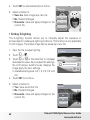
1. Touch
2. Touch
>
or
>
Resolution
10M
Quality
ISO
AUTO
ISO
Metering
.
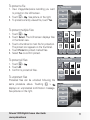
to move to the next/
previous page of menu selection.
3. To select an item, touch the icon.
4. To change the submenu settings, touch
the icon of the desired setting.
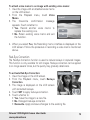
5. Touch
to exit submenu.
1/5
Indicates current page no. /
total no. of menu page.
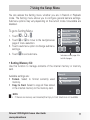
Resolution
Resolution
The Resolution function is used to set the
resolution before you capture the image.
Changing the resolution affects the number
of images that can be stored in your memory
card. The higher the resolution, the more
memory space is required.
12M
4000x3000
3:2
4000x2672
8M
3264x2448
1/3
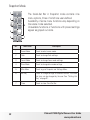
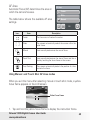
The table below shows the resolution values for still images.
Icon
44
Pixel Size
Icon
Pixel Size
12M
4000 x 3000
3M
2048 x 1536
3:2
4000 x 2672
16:9
1920 x 1080
8M
3264 x 2448
VGA
640 x 480
5M
2592 x 1944
Polaroid t1035 Digital Camera User Guide
www.polaroid.com