1
DS-210D-DC5351-M01 Product Guide
Before Using the Product for the First Time
Follow the steps below to set up this product. For details, refer to the BX-210D-DC5311 user’s manual
on the CONTEC web site.
STEP1
Connect cables.
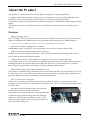
Connect the cable to the necessary external devices, such as a USB keyboard, a USB mouse
and a display.
STEP2
Turn on the power.
Follow these steps in order to power on. If you find any abnormality after turning on the
power, turn it off and check to see if the setup has been performed properly.
- Make sure that the AC power cable is not plugged into a wall outlet.
- Connect the AC power cable to the connector of AC adaptor.
- Connect the DC cable of AC adaptor to the DC power supply connector of DS-210D.
- Plug the AC power cable into a wall outlet.
* This product has no power switch. When turning off, unplug the AC power cable from the
wall outlet.
STEP3
Digtal Signage Player wakes up.
Embedded MIRACLE wakes up.
Component Name
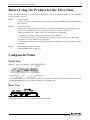
Front View
* Embedded MIRACLE never supports LAN-A. Use LAN-B in order to set up the network connection.
* Embedded MIRACLE never supports SERIAL-A and MiniUSB.
Rear View
* Embedded MIRACLE never supports SERIAL-B and RAS.
3
DS-210D-DC5351-M01