1
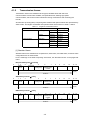
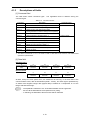
2.3 Switching Communications
2.3.2
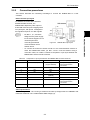
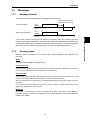
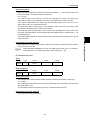
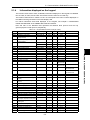
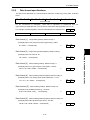
How to switch communications enabled/disabled
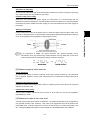
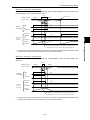
To issue a frequency setting or via-communications operation command and thereby control the
inverter, select 1, 2 or 3 of function code H30: Serial link (function select).
Communications automatically becomes valid when link operation selection is not assigned to
any digital input terminal.
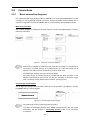
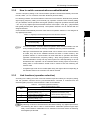
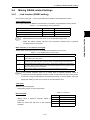
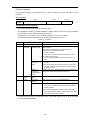
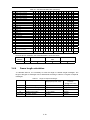
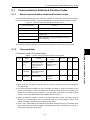
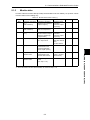
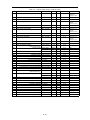
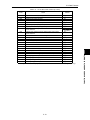
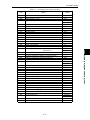
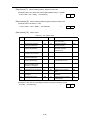
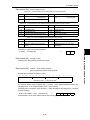
Table 2.3
Digital input terminal settings and communications statuses
Input terminal
Status
OFF
Communications invalid
ON (short-circuited to
the terminal [CM])
2.3.3
Communications valid
-
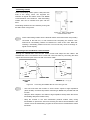
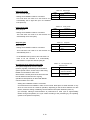
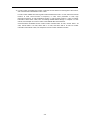
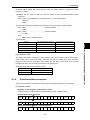
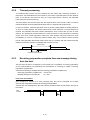
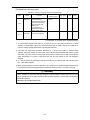
Via-communications command data and operation data must be rewritten from the
host (controller) because the memory is initialized when the power is turned ON.
-
Although command data and operation data can be written even if communications
is invalid, they will not be validated because the switch is made invalid by link
operation selection. If communications is made valid with no operation data written
(operation command OFF, frequency setting = 0Hz) during operation, the running
motor decelerates to a stop and may exert impact on the load depending on the set
deceleration time. Operation can be switched without causing impact to the load by
setting data in communications invalid mode in advance and then switching the
mode to valid.
-
If negative logic is set as Link enable (data 1024), the logical value corresponding to
the ON/OFF status of the command "LE" will be reversed.
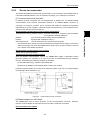
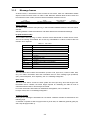
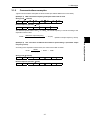
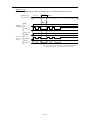
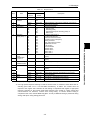
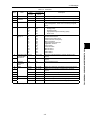
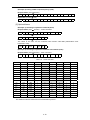
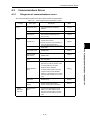
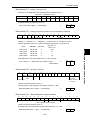
Link functions (operation selection)
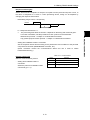
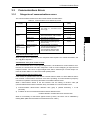
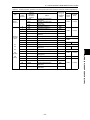
According to the setting of function code H30: Serial link (function select), the frequency setting
and the operation command source (via-communications command or command from the
external signal input) when communications is valid can be selected.
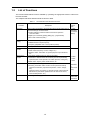
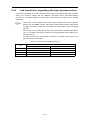
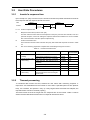
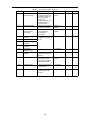
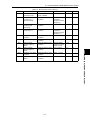
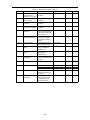
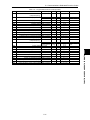
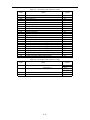
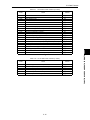
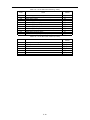
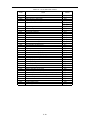
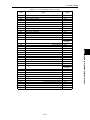
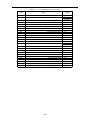
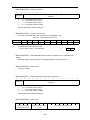
Table 2.4
Link function
H30
Link function (operation selection)
When communications is valid
Frequency setting
Operation command
0
External signal input valid
(frequency setting 1, 2)
1
Communications valid (S01, S05)
2
External signal input valid
(frequency setting 1, 2)
3
Communications valid (S01, S05)
External signal input valid
(Operation command by F02)
(Terminal block digital input valid)
Communications valid (S06)
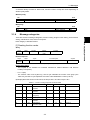
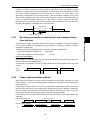
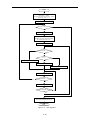
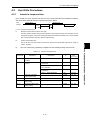
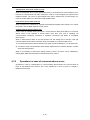
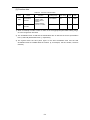
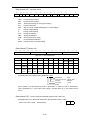
By selecting continuous communications valid without setting any digital input terminal,
and switching the data of H30 to communications valid/invalid (external signal input
valid), communications valid/invalid can be switched in the same manner as switching
at the digital input terminal.
2-9
COMMON SPECIFICATIONS CHAP. 2
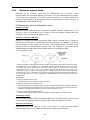
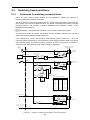
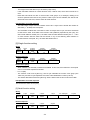
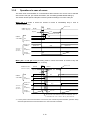
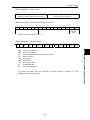
For switching between via-communications control and control from the terminal block (external
signal input) (frequency setting from terminal [12], operation command from terminal [FWD],
etc.) and between remote operation and keypad operation, assign link operation selection (data
= 24: “LE”) to any digital input terminal-related function code of (E01 – E03: [X1] – [X3] terminals,
E98: [FWD] terminal, E99: [REV] terminal). Link operation selection can be switched with the
assigned terminal.