1
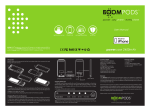
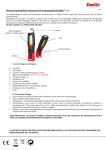
CPB-iPhoneExtra5 Installation: Installing: Place the iPhone® into the back cover of the battery case and then install the frame from top to bottom. Uninstalling: Gently pull the bottom frame up by fingernail at the long side of the phone for easy removal. Notes • When the iPhone® battery is fully drained in battery case, the iPhone® charging icon will revert to its normal usage. • The battery case includes a USB cable. Use the provided USB cable to charge your battery case. Charging your Battery Case and iPhone 5/5S Connect your battery case (iPhone® already installed) to the USB power cable. Connect the USB power cable to any USB power source such as computer to start charging. Charge until the LED indicators read full. Charging your iPhone 5/5S with Battery Case Press the power button (about 3 seconds) to charge your iPhone® in condition of no external USB power sources Press again the power button (about 3seconds) to turn off the battery case when iPhone® is fully charged, which can significantly save the capacity of built-in battery so as to charge the iPhone® next time.