1
RIDE-ST7
Building an application with RBuilder
5.1 About RBuilder for ST7
RBuilder is an application builder based on the ST7 Software Library. It guides you through the
configuration of your project, allowing you to choose the peripherals you want to use and
configure the options for each peripheral.
Once you are done with configuration, RBuilder generates you a project skeleton containing all
the code related to the peripheral initialization. You just need to add your application code and it
is ready to execute.
In the two following sections, we will show you how to use RBuilder.
5.2 Configure a project using RBuilder
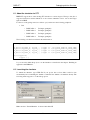
To configure a project using RBuilder, you must have installed a C compiler and started creating
a C project. How to do this is described in these Chapters: "Creating a project using the Cosmic
C toolchain" and "Creating a project using the Metrowerks C toolchain". In the last step of the
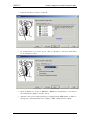
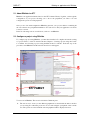
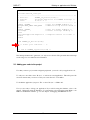
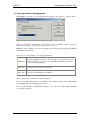
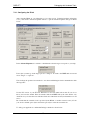
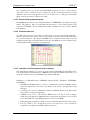
procedure, select RBuilder and the window shown below will appear:
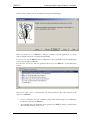
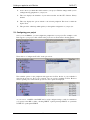
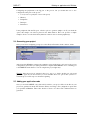
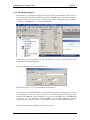
You are now in RBuilder. The screen is divided in 5 different parts:
1.
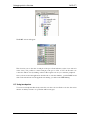
The tree in area 1 shows you the different peripherals associated with the microcontroller
you are using. It is called the project tree. To use and configure a peripheral, select it in the
tree. The options associated with the selected peripheral will be displayed in area 4.
- 21 -