1
5. Setting up the device
Menu level
Parameterisation level
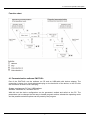
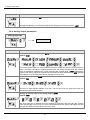
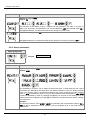
Back to menu group level, rEt:
With [P] the selection is confirmed and the device changes into menu group level „–cod–“.
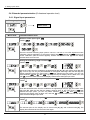
5.4.4. Analog output parameters
Menu group level
Menu level
Menu level
Parameterisation level
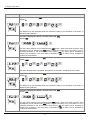
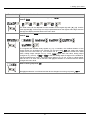
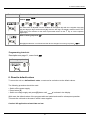
Selection reference analog output, OutPt:
Default: actua
The analog output signal can refer to different functions, in detail this are the current measuring
value, min-value, max-value or totaliser-/sum-function, the sliding average value, the constant
value or the difference between the current value and the constant value. If HoLd is selected the
signal of the analog output will be hold and processed just after deactivation of HOLD. With [P]
the selection is confirmed and the device changes into menu level.
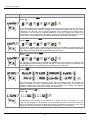
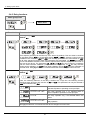
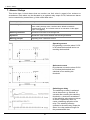
Selection analog output, Out.rA:
Default: 4-20
There are 3 output signals availabe: 0-10 VDC, 0-20 mA and 4-20 mA. With this function the
demanded signal can be selected.
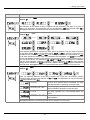
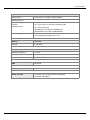
Setting up the final value of the analog output, Out.En:
Default: 10000
The final value can be adjusted from the smallest to the largest digit with [▲] [▼]. Confirm
each digit with [P]. A minus sign can only be parameterized on the highest value digit. After the
last digit, the display switches back to the menu level.
20