1
CMS FED-PMC User Manual
CMS/FED-PMC/2001
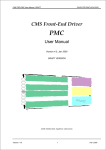
CMS Front-End Driver
PMC
User Manual
Version 5.0, June 2001
PMC
CLRC Rutherford Appleton Laboratory
Version 5.0
1
14/6/01
CMS FED-PMC User Manual
CMS/FED-PMC/2001
1 Contents
1
CONTENTS . . . . . . . . . . . . . . . . . . . . . . . . . . . . . . . . . . . . . . . . . . . . . . . . . . . . . . . . . . . . . . . . . . . . . . . . . . . . . . . . . . . . . . . . . . . . . . . . . . . . . 2
2
FIGURES. . . . . . . . . . . . . . . . . . . . . . . . . . . . . . . . . . . . . . . . . . . . . . . . . . . . . . . . . . . . . . . . . . . . . . . . . . . . . . . . . . . . . . . . . . . . . . . . . . . . . . . . 5
3
TABLES . . . . . . . . . . . . . . . . . . . . . . . . . . . . . . . . . . . . . . . . . . . . . . . . . . . . . . . . . . . . . . . . . . . . . . . . . . . . . . . . . . . . . . . . . . . . . . . . . . . . . . . . . 5
4
DOCUMENT HISTORY. . . . . . . . . . . . . . . . . . . . . . . . . . . . . . . . . . . . . . . . . . . . . . . . . . . . . . . . . . . . . . . . . . . . . . . . . . . . . . . . . . . . . . . 6
5
FOREWORD . . . . . . . . . . . . . . . . . . . . . . . . . . . . . . . . . . . . . . . . . . . . . . . . . . . . . . . . . . . . . . . . . . . . . . . . . . . . . . . . . . . . . . . . . . . . . . . . . . . . 6
6
INTRODUCTION. . . . . . . . . . . . . . . . . . . . . . . . . . . . . . . . . . . . . . . . . . . . . . . . . . . . . . . . . . . . . . . . . . . . . . . . . . . . . . . . . . . . . . . . . . . . . . . 7
6.1
6.2
7
GENERAL DESCRIPTION .................................................................................................................. 7
ARCHITECTURE ............................................................................................................................. 7
FED-PMC HARDWARE . . . . . . . . . . . . . . . . . . . . . . . . . . . . . . . . . . . . . . . . . . . . . . . . . . . . . . . . . . . . . . . . . . . . . . . . . . . . . . . . . . . . . . 9
7.1
7.2
7.3
7.4
7.5
7.6
7.7
7.8
7.9
7.10
8
FRONT PANEL LAYOUT .................................................................................................................. 9
FORM FACTOR .............................................................................................................................. 9
PCI ............................................................................................................................................ 9
ANALOGUE INPUTS .......................................................................................................................10
CLOCK & TRIGGER FRONT PANEL INPUTS.........................................................................................10
ADC..........................................................................................................................................10
FPGA & CPLD...........................................................................................................................10
EPROMS....................................................................................................................................10
JUMPERS .....................................................................................................................................11
LEDS .........................................................................................................................................11
FED-PMC FUNCTIONALITY . . . . . . . . . . . . . . . . . . . . . . . . . . . . . . . . . . . . . . . . . . . . . . . . . . . . . . . . . . . . . . . . . . . . . . . . . . . . . . 1 2
8.1
8.2
8.3
8.4
8.5
8.6
8.7
8.8
8.9
9
MEMORY REQUIREMENTS ..............................................................................................................12
ADC..........................................................................................................................................12
TRIGGER.....................................................................................................................................12
CLOCK .......................................................................................................................................13
LATCHED TIMING COUNTERS .........................................................................................................13
HARDWARE TRIGGER THROTTLE .....................................................................................................13
READOUT BUFFERS .......................................................................................................................14
FIRMWARE AND VERSION INFORMATION...........................................................................................15
RESETS.......................................................................................................................................15
FED-PMC SOFTWARE. . . . . . . . . . . . . . . . . . . . . . . . . . . . . . . . . . . . . . . . . . . . . . . . . . . . . . . . . . . . . . . . . . . . . . . . . . . . . . . . . . . . . . 1 6
9.1
SOURCE FILES .............................................................................................................................17
9.2
USER LEVEL ROUTINES API ...........................................................................................................17
9.3
PCI CONFIGURATION AND ADDRESS MAP.........................................................................................17
9.3.1
PCI Configuration.................................................................................................................19
9.3.2
Bridge Configuration..............................................................................................................20
9.3.3
FED Initialisation..................................................................................................................20
9.3.4
Readout ...............................................................................................................................22
9.3.5
Miscellaneous.......................................................................................................................24
10
EXAMPLE PSEUDO-CODE FOR READOUT. . . . . . . . . . . . . . . . . . . . . . . . . . . . . . . . . . . . . . . . . . . . . . . . . . . . . . . . . 2 6
11
CARRIER CONFIGURATIONS. . . . . . . . . . . . . . . . . . . . . . . . . . . . . . . . . . . . . . . . . . . . . . . . . . . . . . . . . . . . . . . . . . . . . . . . . . 2 9
11.1
11.2
11.3
11.4
CES RIO2/RTPC RUNNING LYNXOS (TRACKER CERN BEAM TEST).....................................................29
MOTOROLA MVME2600 SERIES RUNNING LYNXOS...........................................................................29
CARRIERS USING UNIVERSE VME-PCI BRIDGE...................................................................................29
PC RUNNING LINUX (TRACKER MODULE TEST STATIONS)...................................................................29
Version 5.0
2
14/6/01
CMS FED-PMC User Manual
11.5
11.6
12
CMS/FED-PMC/2001
PC RUNNING WINDOWSNT............................................................................................................30
OTHER CARRIERS. ........................................................................................................................30
HARDWARE LEVEL DESCRIPTION . . . . . . . . . . . . . . . . . . . . . . . . . . . . . . . . . . . . . . . . . . . . . . . . . . . . . . . . . . . . . . . . . . 3 1
12.1
DIGITAL .....................................................................................................................................31
12.1.1
Dual-Port Memory.................................................................................................................31
12.1.2
PCI Bridge ...........................................................................................................................31
12.1.2.1
12.1.2.2
12.1.3
PCI Configuration Registers ...............................................................................................3 1
Local Configuration Registers .............................................................................................3 2
CPLD .................................................................................................................................32
12.1.3.1
12.1.3.2
12.1.4
Configuration Sequencing ..................................................................................................3 2
Serial Configuration Interface..............................................................................................3 2
FPGA .................................................................................................................................35
12.1.4.1
12.1.4.2
12.1.4.3
12.1.4.4
12.1.4.5
i960 Interface..................................................................................................................3 5
DPRAM Interface .............................................................................................................3 5
Registers .......................................................................................................................3 5
Trigger and Buffer Management............................................................................................3 9
Event Counters and Event FIFO ............................................................................................4 0
12.2
CPLD CONFIGURATION.................................................................................................................40
12.2.1
Lattice download cable............................................................................................................40
12.3
FPGA READ-BACK.......................................................................................................................41
12.4
BOARD SET-UP.............................................................................................................................41
12.4.1
PCI 9080 configuration ..........................................................................................................41
12.4.2
FPGA Configuration..............................................................................................................41
12.4.2.1
12.4.2.2
PCI space .......................................................................................................................4 1
Flash EEPROM ................................................................................................................4 1
12.5
BOARD OPERATION.......................................................................................................................42
12.5.1
Boot-up ...............................................................................................................................42
12.5.2
Runtime ..............................................................................................................................42
13
13.1
13.2
13.3
13.4
13.5
13.6
FIRMWARE VERSION 2 . . . . . . . . . . . . . . . . . . . . . . . . . . . . . . . . . . . . . . . . . . . . . . . . . . . . . . . . . . . . . . . . . . . . . . . . . . . . . . . . . 4 3
APV HEADER FINDING .................................................................................................................43
FRAME AND FRONT PANEL TRIGGER COUNTERS ................................................................................44
FRONT PANEL TRIGGER FILTER ......................................................................................................44
BX COUNTER HARDWARE RESET ....................................................................................................44
DAQ PATTERN TEST MODE ............................................................................................................44
FAST TRIGGERS BX FIFO ..............................................................................................................45
14
FED OPERATING MODES. . . . . . . . . . . . . . . . . . . . . . . . . . . . . . . . . . . . . . . . . . . . . . . . . . . . . . . . . . . . . . . . . . . . . . . . . . . . . . . 4 5
15
SETTING UP APV HEADER FINDING. . . . . . . . . . . . . . . . . . . . . . . . . . . . . . . . . . . . . . . . . . . . . . . . . . . . . . . . . . . . . . . . 4 6
16
FED-PMC HARDWARE VERSIONS . . . . . . . . . . . . . . . . . . . . . . . . . . . . . . . . . . . . . . . . . . . . . . . . . . . . . . . . . . . . . . . . . . . 4 8
17
FED-PMC FIRMWARE VERSIONS . . . . . . . . . . . . . . . . . . . . . . . . . . . . . . . . . . . . . . . . . . . . . . . . . . . . . . . . . . . . . . . . . . . . 4 9
18
DMA READOUT. . . . . . . . . . . . . . . . . . . . . . . . . . . . . . . . . . . . . . . . . . . . . . . . . . . . . . . . . . . . . . . . . . . . . . . . . . . . . . . . . . . . . . . . . . . . 5 0
19
RUNNING WITHOUT APVMUX . . . . . . . . . . . . . . . . . . . . . . . . . . . . . . . . . . . . . . . . . . . . . . . . . . . . . . . . . . . . . . . . . . . . . . . . 5 0
20
PLX SERIAL EPROM. . . . . . . . . . . . . . . . . . . . . . . . . . . . . . . . . . . . . . . . . . . . . . . . . . . . . . . . . . . . . . . . . . . . . . . . . . . . . . . . . . . . . 5 0
21
EXPERT DEBUGGING TOOLS. . . . . . . . . . . . . . . . . . . . . . . . . . . . . . . . . . . . . . . . . . . . . . . . . . . . . . . . . . . . . . . . . . . . . . . . . . 5 0
22
INSTALLING A NEW FED-PMC. . . . . . . . . . . . . . . . . . . . . . . . . . . . . . . . . . . . . . . . . . . . . . . . . . . . . . . . . . . . . . . . . . . . . . . . 5 1
22.1
22.2
22.3
23
INSTALLATION & JUMPER SETTINGS ................................................................................................51
CARRIER CONFIGURATIONS............................................................................................................51
WHAT NEXT?...............................................................................................................................52
FAQS . . . . . . . . . . . . . . . . . . . . . . . . . . . . . . . . . . . . . . . . . . . . . . . . . . . . . . . . . . . . . . . . . . . . . . . . . . . . . . . . . . . . . . . . . . . . . . . . . . . . . . . . . 5 3
Version 5.0
3
14/6/01
CMS FED-PMC User Manual
23.1
23.2
24
24.1
24.2
24.3
24.4
24.5
24.6
CMS/FED-PMC/2001
HOW DO I UPDATE THE FIRMWARE?.................................................................................................53
WHAT CLOCK SPEED CAN I RUN THE FED AT? ....................................................................................53
TROUBLE SHOOTING . . . . . . . . . . . . . . . . . . . . . . . . . . . . . . . . . . . . . . . . . . . . . . . . . . . . . . . . . . . . . . . . . . . . . . . . . . . . . . . . . . . . 5 3
LED DOES NOT COME ON AT POWER ON? ..........................................................................................53
FED HANGS AFTER ENABLING EXTERNAL CLOCK? ..............................................................................53
BUFFER OVERFLOWS OR NUMBER OF FILLED BUFFERS IS NOT AS EXPECTED?...............................................53
SAME EVENT IS READOUT MORE THAN ONCE IN SCOPE MODE?...............................................................54
NO EXTERNAL HARDWARE TRIGGERS? ..............................................................................................54
THE DPM IS FULL OF VALUES LIKE 256,257 OR 0?..............................................................................54
25
DOCUMENT SERVERS. . . . . . . . . . . . . . . . . . . . . . . . . . . . . . . . . . . . . . . . . . . . . . . . . . . . . . . . . . . . . . . . . . . . . . . . . . . . . . . . . . . 5 5
26
CONTACTS & ORDERING INFORMATION . . . . . . . . . . . . . . . . . . . . . . . . . . . . . . . . . . . . . . . . . . . . . . . . . . . . . . . . . 5 5
27
APPENDIX A: FED-PMC MK1. . . . . . . . . . . . . . . . . . . . . . . . . . . . . . . . . . . . . . . . . . . . . . . . . . . . . . . . . . . . . . . . . . . . . . . . . . 5 6
28
APPENDIX B: CERN TEST BEAM HISTORY . . . . . . . . . . . . . . . . . . . . . . . . . . . . . . . . . . . . . . . . . . . . . . . . . . . . . . . 5 6
29
APPENDIX C: PMC J4 AUX CONNECTOR. . . . . . . . . . . . . . . . . . . . . . . . . . . . . . . . . . . . . . . . . . . . . . . . . . . . . . . . . . 5 7
30
REFERENCES . . . . . . . . . . . . . . . . . . . . . . . . . . . . . . . . . . . . . . . . . . . . . . . . . . . . . . . . . . . . . . . . . . . . . . . . . . . . . . . . . . . . . . . . . . . . . . 5 9
Version 5.0
4
14/6/01
CMS FED-PMC User Manual
CMS/FED-PMC/2001
2 Figures
FIGURE 1 PHOTOGRAPH SHOWING BOTH SIDES OF THE FED-PMC (MK3) ................................................................ 7
FIGURE 2 BLOCK DIAGRAM OF THE FED-PMC ................................................................................................... 8
FIGURE 3 FED-PMC FRONT PANEL LAYOUT .................................................................................................... 9
FIGURE 4 EVENT FORMAT IN DPM .................................................................................................................15
FIGURE 5 LAYERED SOFTWARE DESIGN ...........................................................................................................16
FIGURE 6 FED ADDRESS MAP (ASSUMES USER ALLOCATES CONTIGUOUS PCI MEMORY BASE ADDRESSES) ......................18
FIGURE 7 HEADER FINDING THRESHOLDS .........................................................................................................43
3 Tables
TABLE 1 CLOCK DELAY SETTINGS ...................................................................................................................13
TABLE 2 READOUT SAMPLE SIZES....................................................................................................................14
TABLE 3 PCI BRIDGE CONFIGURATION REGISTERS .............................................................................................31
TABLE 4 LOCAL BRIDGE CONFIGURATION REGISTERS..........................................................................................32
TABLE 5 SERIAL CONFIGURATION COMMANDS ..................................................................................................33
TABLE 6 SERIAL CONFIGURATION REGISTERS ....................................................................................................33
TABLE 7 CLOCK DELAY SETTINGS ...................................................................................................................34
TABLE 8 CLOCK SOURCE SELECTION................................................................................................................34
TABLE 9 SERIAL SUB-COMMANDS ....................................................................................................................34
TABLE 10 SERIAL STATUS REGISTER ................................................................................................................34
TABLE 11 DPM ADDRESS MAP........................................................................................................................35
TABLE 12 FED REGISTER MAP........................................................................................................................36
TABLE 13 FIFO CONTENTS ............................................................................................................................40
TABLE 14 FIRMWARE DESIGNS .......................................................................................................................49
TABLE 15 EXAMPLE JUMPER SETTINGS FOR VME PMC CARRIERS .........................................................................51
Version 5.0
5
14/6/01
CMS FED-PMC User Manual
CMS/FED-PMC/2001
4 Document History
v 3.0 : First public release describes Mk1 and Mk2 cards with Scope Mode firmware design.
v 4.0 : Added more detailed description of hardware registers.
v 5.0 : Updated to describe PMC Mk3 and Header Finding firmware design.
5 Foreword
This document is intended for the general user of the CMS Front-End Driver PMC.
It should contain sufficient information to install and operate FED-PMC cards.
If you are a new user of the FED-PMC please take a look at section 22.
If you are upgrading to the Header Finding firmware design take a look at section 13 which describes t h e
new features introduced in this design.
All FED-PMCs are thoroughly tested before delivery.
New users should try out the example readout program to verify the FED-PMC is operational in their
DAQ system.
The firmware and software referred to in this document along with additional documentation can be
obtained from our public web site:
http://cmsdoc.cern.ch/~jcough/fed_www/fed_pmc_home.html
or directly from our anonymous ftp server:
ftp://ftp.te.rl.ac.uk/cms/fed/fed_pmc/
Please send any comments on the contents of this document to the editor [email protected]
Please Note: This is a working document and is subject to revision.
Version 5.0
6
14/6/01
CMS FED-PMC User Manual
CMS/FED-PMC/2001
6 Introduction
6.1
General Description
The FED-PMC [1] is a prototype of the CMS silicon microstrip tracker Front-End Driver (FED). It is
implemented as an 8 channel ADC with in a PCI Mezzanine Card (PMC) format [2] (Figure 1).
Figure 1 Photograph showing both sides of the FED-PMC (Mk3)
The choice of the PMC format, which interfaces via the popular PCI bus, allows the FED-PMC to be used
on a wide variety of commercial off-the-shelf VME carrier boards and in desktop PCs. The FED-PMC is
thus intended to provide a cost effective solution to the prototyping requirements of the Tracker
community. The FED-PMC “package” also includes all the necessary software for FED set-up and
readout.
Although designed for the CMS experiment, the card has also been used successfully in other DAQ
systems.
6.2
Architecture
A diagram indicating the basic functional units of the FED-PMC is shown in Figure 2. The card has 8
electrical input channels which can be configured at assembly to receive either differential or singleended inputs. Each channel utilises a commercial ADC and is capable of digitising 9 bits1 at clock speeds
between 2 and 40 MHz.
The captured data is stored in a Dual Ported Memory (DPM). The DPM provides each ADC channel with
a 64K sample deep buffer. The DPM is thus capable of holding the raw data from up to 256 APV frames
at any given time. The FED is read out (at the same time as ADC capture) over the PCI bus via a 32 bit, 33
MHz commercial bridge interface. The bridge is also equipped with DMA engines for an optional high
speed readout mode. A FIFO provides storage for event timing information.
1
ADC’s are 10 bit devices, LSB is not readout
Version 5.0
7
14/6/01
CMS FED-PMC User Manual
CMS/FED-PMC/2001
A CPLD implements the clock and trigger control. Trigger and clock (LVDS) signals are brought in on t h e
front panel. The fine adjustment of the clock phase with respect to the data can be set under software
control in order to obtain the optimum sampling point at the ADC. For testing purposes triggers can also
be generated internally by software and the card can run from the internal PCI clock (33 MHz).
address
FIFO
Channel 0
+
Net
op-amp
ADC
Dual
Ported
Memory
screen
Channel 7
+
Net
~
~
~
~
op-amp
FPGA
Xilinx
XC 4036
PCI
interface
PLX
9080
J1
J2
ADC
screen
TTC interface
address
Trigger +
LVDS
receiver
Clock +
LVDS
receiver
Trigger
CPLD
Phase Control
LVDS
receiver
J4
Clock
Figure 2 Block diagram of the FED-PMC
At the heart of the FED-PMC design is an FPGA. This permits a large fraction of the card’s functionality
to be re-configurable in firmware and thereby maintains a flexible hardware architecture.
The current firmware design configures the FED-PMC to provide raw data capture. VHDL blocks
implement the following functions:
- Local data and address bus (slave)
- DPM interface
- Event buffer management
- APV Header Finder
- External trigger filter
- FIFO and counters control
- Register interface
- Test functions
During normal operation the FPGA is loaded on power up under software control from an on-board Flash
memory.
Version 5.0
8
14/6/01
CMS FED-PMC User Manual
CMS/FED-PMC/2001
7 FED-PMC Hardware
7.1
Front Panel Layout
The arrangement of the analogue and trigger/clock inputs (with polarities) is shown in Figure 3.
TOP
Analogue Input #7
1
2
Analogue Input #6
Analogue Input #5
1 Inverting input
2 Non inverting input
Analogue Input #4
Clock& Trigger Input
4
3
1
2
Analogue Input #3
Analogue Input #2
1 CLK_FP+
Analogue Input #1
2 CLK_FP3 TRIG_FP -
Analogue Input #0
4 TRIG_FP +
Figure 3 FED-PMC Front Panel Layout
7.2
Form Factor
Single PMC
7.3
75 x 150 mm
PCI
Connector
Clock Speed
Switching regime
Bus width
Bridge
PCI Specification
Version 5.0
PMC J1, J2
< 33MHz
5V
32 bit
PLX PCI 9080 [5]
v 2.1
9
14/6/01
CMS FED-PMC User Manual
7.4
CMS/FED-PMC/2001
Analogue Inputs
The Analogue Inputs can be configured as either differential or single ended at assembly.
NB By default all Mk2 and Mk3 cards are delivered with the same configuration as those used in the
CMS Tracker test beam in April 1999 i.e. Differential inputs ±0.75V with an internal amplifier gain of 2
(to match full ADC range 0-3V).
(Alternative assembly instructions can be implemented on request.)
Number
8
Cable Connector 2-pin : LEMO part no. FGG.00.302.CLADnn (CERN stores SCEM = 09.31.28.001.8)
Differential range ±0.75V max (CMS Standard)
Single Ended Range±0.75V typ ± 1.50 V max2
Termination
7.5
100Ω
50Ω
differential
single ended
stp
co-ax
Clock & Trigger Front Panel Inputs
Cable Connector 4-pin : LEMO part no. FGG.00.304.CLADnn (CERN stores SCEM = 09.31.28.010.7)
Levels
LVDS [3]
CLK
TRIG
7.6
2MHz to 40MHz (matches ADC sampling rate)
synchronous to CLK (25 nsec width pulse)
ADC
Device used
Conversion rate
Max Resolution
7.7
SPT 7861 [4]
2MHz - 40MHz continuously sampling
9 Bit (10 Bit Converter - LSB is not used)
FPGA & CPLD
XILINX XC4036XL [6].
LATTICE CPLD ispLSI 1032E.
7.8
EPROMs
There are 2 EPROMs on the FED-PMC.
1. PLX serial EPROM containing PCI configuration parameters. All Mk3 cards are manufactured with
this EPROM. Some Mk1 and Mk2 cards have had this EPROM added later.
2. FPGA Flash EPROM containing Xilinx FPGA design file.
2
Single ended input range is controlled by the gain of the input amplifier which is set during assembly.
Version 5.0
10
14/6/01
CMS FED-PMC User Manual
7.9
CMS/FED-PMC/2001
Jumpers
There are 3 jumpers on the Mk2 and Mk3 PMCs which select power supplies.
Single PL1 : ON => 3.3V is taken from the carrier
OFF => 3.3V is derived by an on board regulator.
Pair PL10&PL11 : ON => V_IO is taken from 5V supply.
OFF => V_IO is taken from carrier.
(Jumper location of PL1 is slightly different on Mk2 and Mk3 cards).
(On Mk1 PMCs both 3.3V and V_IO must be supplied by carrier.)
See section 22.1.
7.10 LEDs
The FED-PMC has a red LED located at the top right of the side without connectors (i.e. the side still
visible when plugged on the carrier).
The LED should come ON when the card is powered up. It should go OFF again after the FPGA has been
loaded successfully.
LED also comes on briefly during a reset.
Version 5.0
11
14/6/01
CMS FED-PMC User Manual
CMS/FED-PMC/2001
8 FED-PMC Functionality
The use of FPGA devices means that the FED-PMC functionality is re-configurable in firmware.
This section describes the functionality of the FED-PMC with the following FPGA firmware:
Version
2
Revision
40
In order to guard the user from future modifications in the firmware, the provided library of C routines
should be used to configure and readout the FED.
The current software release is designed to be compatible with all versions of the Firmware.
8.1
Memory Requirements
The precise arrangement of registers in memory is subject to change.
All access should be made using the software routines provided.
The card has the following PCI space requirements:
PCI Configuration Space
64 bytes
PCI Bridge (see [5] for configuration registers description)
PCI Memory Space
1 MByte
DPM
256 bytes
Registers & FIFO
256 bytes
PCI Bridge
+ (1 MByte - 512 bytes) reserved.
TOTAL = 2 MBytes
PCI I/O Space is not used.
PCI Interrupts are not used.
8.2
ADC
The 8 ADC channels are grouped into 4 pairs. The outputs of each pair can be enabled or disabled.
Normally ALL 8 channels should be enabled.
8.3
Trigger
There are 2 standard Trigger sources:
1. External Front Panel LVDS (Trigger pulse width = 25 nsec) used in Header Finding and Scope modes.
2. Software trigger (used for local tests).
Version 5.0
12
14/6/01
CMS FED-PMC User Manual
8.4
CMS/FED-PMC/2001
Clock
There are 2 standard clock sources:
1. Front Panel LVDS (nominal 40 MHz).
2. PCI clock internal (33 MHz) (always available).
NB The selected clock is used to drive most of the logic circuits of the FED and must ALWAYS be running
(i.e. if the external clock is selected it should NOT be interrupted)
A delay can be introduced into the clock signal path (in 10 steps of 25 nsec) which allows the phase of t h e
clock relative to the data to be adjusted.
Delay Setting3
1
2
3
4
5
6
7
8
9
10
Delay register (nsec)
2.5
5.0
7.5
10.0
12.5
15.0
17.5
20.0
22.5
25.0
Table 1 Clock delay settings
8.5
Latched Timing Counters
Two counters are used to record timing information (analogous to TTC timing information). Their contents
are latched and stored in a FIFO on each trigger:
Event counter => counts Triggers.
Bunch Crossing (BX) counter => counts Clocks.
Both counters are 16 bit wrap around. NB the BX counter will therefore wrap around every 1.6 msec when
running with a 40MHz clock. It is planned to increase this limit in a future version of the firmware.
8.6
Hardware Trigger Throttle
If the number of occupied event buffers exceeds a programmable limit, a hardware signal FAST_WARN
(see Appendix C: PMC J4 Aux Connector) routed via J4 connector can be generated. This signal can be used
by the trigger source logic to inhibit further triggers.
3
as passed to fedpmc_init() routine.
Version 5.0
13
14/6/01
CMS FED-PMC User Manual
8.7
CMS/FED-PMC/2001
Readout Buffers
On receipt of a data capture signal (APV frame in Header Finding mode or Trigger in Scope mode) t h e
data from all 8 ADC channels for a pre-set number of samples is captured in the DPM.
IMPORTANT: Only certain buffer sizes are permitted (see Table 2). Illegal buffer sizes will result in
unpredictable readout contents.
Number Samples
Number Bytes/Buffer
Max # Events in DPM
16
256
4K
32
512
2K
64
1K
1K
128
2K
512
256
4K
256
512
8K
128
1K
16K
64
2K
32K
32
4K
64K
16
8K
128K
8
16K
256K
4
32K
512K
2
Table 2 Readout sample sizes
The data from triggers are stored in the DPM in consecutive, contiguous buffers. The data from the 8 ADC
channels of each sample are interleaved. Therefore it is not possible to suppress the readout from
individual ADC channels.
In Scope mode and software trigger mode each buffer is completely filled on each capture with data.
In Header Finding mode only the exact number of samples corresponding to an APV frame are captured in
the buffer (the buffer size should be chosen to exceed the APV frame size.) Unused samples in the buffer
are simply ignored by the readout software.
NB If all buffers are filled with events subsequent captures will overwrite the first buffers. It is t h e
responsibility of the user to ensure event buffers are readout before they are overwritten.
The format of an event (with 512 samples) in the DPM is shown in Figure 4.
The fill state of the buffers is polled by the readout process. In standard readout mode the FED-PMC acts
as a PCI target (slave) and is readout under the control of the readout process. In DMA readout mode t h e
FED-PMC (PLX DMA engine) pushes data out to a PCI address provided by the readout process.
Because the DPM data buffer is Dual Ported, events can be readout over PCI bus at the same time as new
event data is being captured by the front end thereby maximising the sustained readout rate.
Version 5.0
14
14/6/01
CMS FED-PMC User Manual
CMS/FED-PMC/2001
Bit#
DPM Address $
31
16
24
8
0
0000
0000000
1
0000000
0
0004
0000000
3
0000000
2
0008
0000000
5
0000000
4
000C 0000000
0010 0000000
7
0000000
6
1
0000000
0
0014
0000000
3
0000000
2
0018
0000000
5
0000000
4
001C 0000000
7
0000000
6
1FF0 0000000
1
0000000
0
1FF4 0000000
3
0000000
2
1FF8 0000000
1FFC 0000000
5
0000000
4
7
0000000
6
........
Sample #
1
2
.
512
Next Event starts at $2000
Figure 4 Event Format in DPM
8.8
Firmware and Version Information
The contents of the FPGA are stored permanently in a Flash EEPROM.
The firmware version can be read back by software.
The FED-PMC hardware serial number can also be read back (it is stored in a spare location of the Xilinx
Flash EPROM).
8.9
Resets
There are 3 levels of FED-PMC reset:
1. Power off/on cycle. Resets all registers and clears current FPGA load.
2. PCI reset (e.g. RIO2 reset) resets all registers but preserves the current FPGA load. Recovers all clock
related errors.
3. Software reset. Resets internal FED registers. Recovers most error conditions but not clock related
errors.
Version 5.0
15
14/6/01
CMS FED-PMC User Manual
CMS/FED-PMC/2001
9 FED-PMC Software
The FPGA-based open hardware architecture is complemented by the design of the software architecture
which forms an integral part of the delivered FED-PMC package. The software design follows a layered
approach from the lowest-level drivers right up to a full graphical user interface.
A layered design (Figure 5) has several advantages for the end user:
- It abstracts the details of the hardware implementation. At the simplest level a handful of routine
calls are required for card configuration and readout operation.
- It removes the need to rewrite code which has already been debugged in parallel with the hardware
- It permits upgrades to the firmware to be transparently implemented. The firmware contains a version
identifier permitting the software to recognise the design currently installed and operate accordingly.
GUI
Future Extensions
Network Layer
Calling Sequence
Network Layer
Entry Level
User
GUI
High-Level VIs
Programmer
Low-Level VIs
C Library
Low-Level C Primitives
Expert
Platform-Dependent Primitives
(BErr, Block Move…)
Front-End Driver PMC
Figure 5 Layered Software Design
The software is implemented by a comprehensive library of (open source) C routines which allow for a l l
aspects of card configuration and readout operation. This allows the FED-PMC to be integrated into a
custom system without first having to understand all the aspects of the hardware. The software assumes
the FED-PMC is memory mapped onto the host processor’s address space. Example programs showing
how to set-up and readout the card are also provided.
A low level monitor debugger program (for CES RIO2 only) and a general high-level graphical user
interface for the FED-PMC, implemented using LabView, have also been developed for the test bench a t
RAL.
Version 5.0
16
14/6/01
CMS FED-PMC User Manual
9.1
CMS/FED-PMC/2001
Source Files
All the necessary source and header files are available from the anonymous ftp server: ftp.te.rl.ac.uk
in directory : cms/fed/fed_pmc/software/
The core library files are :Header files:
fedpmc_defs.h
fedpmc.h
fedpmc_xilinx.h
fedpmc_pci9080.h
fedpmc_carriers.h
routine declarations
register definitions
FPGA definitions
PCI bridge specific definitions
PMC carrier specific definitions
Source files:
fedpmc.c
fedpmc_regs.c
fedpmc_fpga.c
fedpmc_pci9080.c
fedpmc_util.c
fedpmc_carriers.c
highest level user routines
low level FED register routines
FPGA specific routines
PCI bridge specific routines
utility routines
PMC carrier specific routines (e.g. for Universe bridge based carriers).
Additional files are provided for building example programs and drivers.
See the help files for details.
NB The current software lib release v 2.15 (or later) is designed to be compatible with all versions of t h e
Firmware.
The FED-PMC has a wide community of users employing a diverse range of PMC carriers, host processors
and Operating Systems. The user Libraries have therefore been written to be as simple and portable as
possible.
The core routines required to set up and readout the FED are written in ANSI C and do not rely on
processor/OS specific calls or even on the C library functions. Where ANSI C library functions are used
this is clearly indicated.
Access to the FED is via a simple memory map.
The FED does not make use of interrupts.
9.2
User Level Routines API
The routines described in this section should be sufficient for normal user operation of the FED-PMC.
An example of their use in a simple readout system is given in section 10.
9.3
PCI Configuration and Address Map
The FED-PMC resources are located in 3 distinct PCI memory spaces (section 12.1.2.1). Before the FED
routines can be used the memory mapping to these spaces has to be set up on the bridge chip of the FEDPMC4.
4
Note that most Mk1 and Mk2 PMC’s are not equipped with a serial EEPROM attached to the PCI bridge. Therefore all the
configuration information, including address space sizes, required by the host must also be explicitly set up. Some
special handling may be necessary for certain BIOS’s eg Linux.
Version 5.0
17
14/6/01
CMS FED-PMC User Manual
CMS/FED-PMC/2001
The routine described in section 9.3.1 used to configure the PCI bridge has been tailored to specific PMC
carriers where necessary. This routine arranges the 3 spaces to be contiguous as shown in Figure 6. In some
set ups the OS e.g. Linux allocates the memory base addresses. In this case the spaces may not be
contiguous. However, the chosen mapping is hidden from the user by using the appropriate address
structure.
All other routines depend on this memory mapping and are passed a structure containing the base
addresses to allow access to the FED resources.
The address path between the host processor and the FED will also depend on the precise configuration of
the carrier. Hence the configuration routines are carrier dependent.
PCI Address
Local Bus
Address
FED Base = PCIBAR2
$00’0000
FED DPM
(1 MB)
PCIBAR3
(= PCIBAR2 + $10’0000)
PCIBAR0
(= PCIBAR2 + $10’1000)
$10’0000
FED FIFO (128 Bytes)
FED Registers (128 Bytes)
$10’0080
$10’1000
Bridge Local Registers
(256 Bytes)
$10’0200
Reserved
(1 MB - 512 Bytes)
$20’0000
Figure 6 FED Address Map (assumes user allocates contiguous PCI memory base addresses)
Version 5.0
18
14/6/01
CMS FED-PMC User Manual
9.3.1
CMS/FED-PMC/2001
PCI Configuration
The first step is to set the PCI Memory base address registers for the FED. These registers are located in
standard PCI configuration space (section 9.3). FED library routines expect a specific mapping which is
set up in the following routine.
The 3 PCI memory area base addresses are stored in the a structure of type FEDPMC_BASE.
On systems requiring drivers (e.g. Linux, WNT in PC), the OS allocates the PCI base addresses and t h e
driver returns them to the FED software. The driver mechanisms are OS dependent and not described
here.
On systems NOT requiring drivers (e.g. LynxOS on RIO2), the user allocates the PCI base addresses (i.e.
the user knows where free memory can be allocated for the FED). This is achieved with the following
routine:
fedpmc_config_memory() should continue be used with CES RIO or Motorola PPC carriers.
(For carriers employing the Tundra Universe VME-PCI bridge chip (e.g. MIDAS20) see section 11.3).
long fedpmc_config_memory(
long pci_cfg_base, long abs_pci_mem_base, long carrier, long device_number)
pci_cfg_base:
abs_pci_mem_base:
carrier:
device_number
return_value:
Base address in PCI configuration space for PMC slot (as seen by HOST).
Base address chosen for PCI memory space for FED (ABSOLUTE address!).(1)
Carrier board type:
1 = CES RIO2/RTPC
2 = Motorola PPC MVME2600 series
PCI device number (Carrier & PMC slot dependent):
0
OK.
(1) The corresponding address as seen by H OST = fedpmc_base is passed to all other FED_PMC routines.
IMPORTANT: The USER must ensure this space is not used by any other PCI devices.
Example: CES RIO2/RTPC lower PMC slot:
pci_cfg_base = 0x80802000 (assumes processor has direct h/w access)
abs_pci_mem_base = 0x01000000 (located in unused pci space on RIO2)
carrier = 1
device_number = 0 (unused)
This routine initialises the PCI bridge configuration registers.
It sets up the memory mapped base addresses for all subsequent routine calls.
It MUST be the first call after a reset of the card.
NB This is the ONLY routine which accesses PCI configuration space (i.e. all other routines access PCI
memory space only).
The routines described in the following sections should be employed by systems with or without OS
drivers.
Version 5.0
19
14/6/01
CMS FED-PMC User Manual
CMS/FED-PMC/2001
long fedpmcBaseSetGeneral(FEDPMC_BASE fedpmc_base, long bridgeBase,
long dpmBase, long regBase)
fedpmc_base:
bridgeBase:
dpmBase:
regBase:
FED
base
base
base
base addresses structure.
of PLX local registers (PCIBAR0):
of DPM (PCIBAR2):
of FED internal registers (PCIBAR3):
This routine fills the base address structure FEDPMC_BASE passed to all fedpmc lib routines.
9.3.2
Bridge Configuration
long fedpmc_config_bridge(FEDPMC_BASE fedpmc_base)
fedpmc_base:
return_code:
FED base addresses in PCI memory space (as seen by HOST).
0
OK
This routine completes the configuration of the PCI bridge local bridge registers.
It should be called after fedpmc_config_memory().
9.3.3
FED Initialisation
long fedpmc_status_fpga(FEDPMC_BASE fedpmc_base)
fedpmc_base:
return_code:
FED base addresses in PCI memory space (as seen by HOST).
0
FPGA IS already Loaded.
1
FPGA is NOT yet Loaded.
This routine returns the load status of the FPGA.
NB After loading the contents in FPGA are only lost again when power is turned OFF, i.e. they are NOT
lost after a Reset.
void fedpmc_config_fpga(FEDPMC_BASE fedpmc_base)
fedpmc_base:
FED base addresses in PCI memory space (as seen by HOST).
This routine causes the firmware (permanently stored) in Flash EEPROM to be loaded into the FPGA.
The operation takes about 5 seconds. (The LED should go OFF once FPGA is loaded.)
long
long
long
long
fedpmc_init(FEDPMC_BASE fedpmc_base,
clock_source, long clock_delay, long ext_trigger_source, long trigger_mode,
adc_chan_mask, long adc_sample_freq, long adc_samples,
trigger_throttle_enable, long trigger_throttle_threshold)
fedpmc_base:
clock_source:
Version 5.0
FED base addresses in PCI memory space (as seen by HOST).
0 => PCI internal (33 MHz)
20
14/6/01
CMS FED-PMC User Manual
CMS/FED-PMC/2001
2 => Front Panel (1)
clock_delay:
[0..10] (for corresponding delay values see Table 1).
ext_trigger_source: 0 => Front Panel (don’t change)
trigger_mode:
0 => Start Digitisation (don’t change)
adc_chan_mask: [$0..$f]
bit #0 = 1/0 enables / disables ADC pair 0 & 1
bit #1 = 1/0 enables / disables ADC pair 2 & 3
bit #2 = 1/0 enables / disables ADC pair 4 & 5
bit #3 = 1/0 enables / disables ADC pair 6 & 7
adc_sample_freq:
0
No down-sampling (captures on every clock)
1
Down-sample (captures on every 2nd clock)5
adc_samples:
[16..32K] = Number of ADC samples/ event buffer (2)
trigger_throttle_enable:
0
h/w throttle signal disabled
1
h/w throttle signal enabled
trigger_throttle_threshold:
Number of occupied buffers at which hardware throttle
signal appears.
return_code:
0
8
11
OK
error invalid number of ADC samples (2)
error can’t initialise during digitisation run.
(1) NB User must ensure the Front Panel clock is running BEFORE selecting it or FED will hang up.
(2) ONLY certain values are allowed (see Table 2).
This routine should be called to configure the FED PMC registers prior to run start.
void fedpmc_set_apv_sync_thresholds(FEDPMC_BASE fedpmc_base,
long high_thresh, long low_thresh)
fedpmc_base:
high_thresh:
low_thresh:
FED base addresses in PCI memory space (as seen by HOST).
APV digital high threshold
APV digital low threshold
In Header Finding mode use this routine to set APV thresholds.
void fedpmc_reset_counters(FEDPMC_BASE fedpmc_base)
fedpmc_base:
FED base addresses in PCI memory space (as seen by HOST).
This routine resets the event and bunch crossing counters.
void fedpmc_soft_reset(FEDPMC_BASE fedpmc_base, long delay )
fedpmc_base:
delay:
5
FED base addresses in PCI memory space (as seen by HOST).
= 0 standard reset.
= 1 hold reset on for a few seconds (allows LED to be seen).
adc_samples parameter must be adjusted accordingly.
Version 5.0
21
14/6/01
CMS FED-PMC User Manual
CMS/FED-PMC/2001
This routine sends a software reset. This resets registers to their default values and clears most error
conditions. Red LED comes on during reset period.
9.3.4
Readout
long fedpmc_set_runmode(FEDPMC_BASE fedpmc_base, long runmode )
fedpmc_base:
runmode :
FED base addresses in PCI memory space (as seen by HOST).
1 => Header Finding mode
2 => Scope mode
3=> Software trigger mode.
This routine selects the run mode.
void fedpmc_reset_counters(FEDPMC_BASE fedpmc_base)
fedpmc_base:
FED base addresses in PCI memory space (as seen by HOST).
This routine resets the event and bunch crossing latched counters.
long fedpmc_purge_buffers(FEDPMC_BASE fedpmc_base)
fedpmc_base:
return_value:
FED base addresses in PCI memory space (as seen by HOST).
Number of buffers that were purged.
This routine clears all pending events in the DPM.
(It does this by flushing the FED FIFO. The buffer occupancy counter is not reset to 0 until the start of t h e
next run).
In order to ensure clean buffer situation it is recommended it be called before each new digitisation run.
(It can also be called during a digitisation run.)
void fedpmc_start_digitisation(FEDPMC_BASE fedpmc_base)
fedpmc_base:
FED base addresses in PCI memory space (as seen by HOST).
This routine enables data capture.
Capture is initiated on receipt of either an APV frame, an external or software trigger depending on t h e
run mode.
(Note The ADCs actually run continuously. This routine enables the capture of ADC output in the DPM)
void fedpmc_stop_digitisation(FEDPMC_BASE fedpmc_base)
fedpmc_base:
FED base addresses in PCI memory space (as seen by HOST).
This routine disables data capture.
(Note The ADCs run continously. This routine disables the capture of ADC output in the DPM)
Version 5.0
22
14/6/01
CMS FED-PMC User Manual
CMS/FED-PMC/2001
void fedpmc_occupied_buffers(FEDPMC_BASE fedpmc_base,
long* filled_buffers)
fedpmc_base:
filled_buffers:
FED base addresses in PCI memory space (as seen by HOST).
Returns number of occupied buffers.
This routine returns the number of occupied buffers i.e. number of pending events for readout.
(The buffer occupancy is reset to 0 at the start of each run).
long fedpmc_readout_event(FEDPMC_BASE fedpmc_base,
long dest, long* evt_size, long* event, long* bunch_crossing,
long* number_samples, long* buffer_address, long format_flag,
long dma_address, l ong reserved, long skip_begin, long skip_end)
fedpmc_base:
dest:
evt_size:
event:
bunch_crossing:
number_samples:
buffer_address:
format_flag:
dma_address:
reserved:
skip_begin:
skip_end:
return_code:
FED base addresses in PCI memory space (as seen by HOST).
Destination address for readout data (as seen by HOST).
Returns total number of bytes readout (including formatting data).
Returns latched event number counter. (1)
Returns latched bunch crossing number counter. (1)
Returns number of samples/buffer requested for this event.
Returns buffer address in DPM (for debugging purposes).
set bit #16 = 1 for DMA readout.
PCI absolute address corresponding to dest value.
= 0 if not using DMA readout.
Unused.
Number of samples to skip in readout at beginning of data. (3)
Number of samples to skip in readout at end of data.(3)
0
OK
11
No events pending.
22
Event FIFO empty.
33
Error Illegal buffer pointer.
(1) event and bunch_crossing counters are 16 bit values (which wrap around).
(2) DMA readout engine requires absolute PCI addresses of destination buffer.
(3) Useful for removing empty samples around APV frame and hence speeding up readout.
This routine reads out the next event in the DPM putting the readout data at address “dest”.
It can be called inside OR outside a digitisation run.
NB The act of reading out a buffer frees the DPM memory occupied by that event.
Version 5.0
23
14/6/01
CMS FED-PMC User Manual
9.3.5
CMS/FED-PMC/2001
Miscellaneous
These routines may be useful for testing FED-PMC status & debugging user code.
long fedpmc_status(FEDPMC_BASE fedpmc_base,
long* clock_source, long* clock_delay, long* ext_trigger_source,
long* trigger_mode, long* adc_chan_mask,
long* adc_sample_freq, long* event_size,
long* trigger_throttle_enable, long* trigger_throttle_threshold)
fedpmc_base:
clock_source:
FED base addresses in PCI memory space (as seen by HOST).
0 => PCI internal
2 => Front Panel
clock_delay:
[0..10].
ext_trigger_source: 0 => Front Panel
trigger_mode:
0 => Start Digitisation
adc_chan_mask: [$0..$ff] (1)
adc_sample_freq:
0
No down-sampling (sample every clock)
1
Down-sample (sample every 2nd clock)6
adc_samples:
[16..32K] = Number of ADC samples to readout per event
trigger_throttle_enable:
0
Throttle signal disabled
1
Throttle signal enab led
trigger_throttle_threshold:
Number of occupied buffers at which throttle signal appears.
This routine simply gives the status of the fed settings set-up in fedpmc_init().
(1) adc_chan_mask returns contents of physical register and will NOT agree with value set in
fedpmc_init()
void fedpmc_enable_test_mode(FEDPMC_BASE fedpmc_base)
fedpmc_base:
FED base addresses in PCI memory space (as seen by HOST).
This routine enables “Test Mode”.
This ENABLES software triggers and DISABLES External triggers.
void fedpmc_software_generate_trigger(FEDPMC_BASE fedpmc_base)
fedpmc_base:
FED base addresses in PCI memory space (as seen by HOST).
This routine generates a software trigger.
void fedpmc_disable_test_mode(FEDPMC_BASE fedpmc_base)
fedpmc_base:
6
FED base addresses in PCI memory space (as seen by HOST).
adc_samples parameter should be adjusted accordingly
Version 5.0
24
14/6/01
CMS FED-PMC User Manual
CMS/FED-PMC/2001
This routine disables “Test Mode”.
void fedpmc_read_serial_number(FEDPMC_BASE fedpmc_base,
long* serial_number)
fedpmc_base:
serial_number:
FED base addresses in PCI memory space (as seen by HOST).
Returns hardware serial number => -1 = Undefined.
This routine returns the PMC serial number (stored in Flash EEPROM).
Value should agree with label on PMC.
Please note that some of the first PMC’s delivered did not have this information stored.
void fedpmc_read_xilinx_version(long fedpmc_base
long* xilinx_version, long* xilinx_revision, long* xilinx_prototype)
fedpmc_base:
xilinx_version:
xilinx_revision:
xilinx_prototype:
FED base addresses in PCI memory space (as seen by HOST).
Returns FPGA load version => -1 = Undefined (1).
Returns FPGA load revision => -1 = Undefined (1).
Returns FPGA load prototype flag (0/1).
This routine returns version information on the firmware loaded in FPGA.
void fedpmc_read_lib_version(FEDPMC_BASE fedpmc_base,
long* lib_version)
fedpmc_base:
lib_version:
FED base addresses in PCI memory space (as seen by HOST).
Returns software library revision (as packed characters).
This routine returns version information on the software library.
long fedpmc_plx_eprom_status(FEDPMC_BASE fedpmc_base,
long* plx_eprom_status)
fedpmc_base:
plx_eprom_status:
FED base addresses in PCI memory space (as seen by HOST).
Returns status =>
0 = EPROM programmed OK
2 = No EPROM present
4 = EPROM not programmed
6 = EPROM with non-standard contents
10 = unknown status
This routine returns the status of the PLX serial EPROM.
Version 5.0
25
14/6/01
CMS FED-PMC User Manual
CMS/FED-PMC/2001
10 Example Pseudo-code for Readout
The following “pseudo-code” illustrates the use of the software routines (described in the previous
section) to set-up and readout a FED-PMC (assuming an external trigger source).
Before you ask…of course this psuedo-code won’t compile, neither does it check for error conditions! A full
working example of a FED-PMC readout program “fedpmcReadoutE” is provided on the ftp server.
-------------------------------------------------------------------------------------------The following headers should be included.
include “fedpmc_defs.h”
include “fedpmc.h”
1.
// routine declarations.
// fed register definitions.
After power on or a PCI reset the first step is to set up the PCI configuration memory mapping.
NB The mechanisms for accessing PCI configuration space and assigning memory base addresses are
carrier and OS dependent (e.g. This step is done by the driver under Linux.)
A lot of the complications of the example code are caused by having to cope with the various and
idiosyncratic carrier/OS PCI configuration mechanisms!
See the example program code for the gory details.
In some set ups the OS will automatically allocate the base addresses of the 3 PCI memory areas of t h e
FED-PMC (section 9.3)
If not , the user must assign the necessary base addresses (to some known free PCI memory areas) with:
fedpmc_config_memory();
The 3 chosen base addresses must then be filled into the structure of type FEDPMC_BASE which is passed
in all subsequent routines as the first argument:
If an OS has allocated the base addresses the associated driver will have to return these addresses.
fedpmcBaseSetGeneral();
Under Linux this step is carried out with the routine DoMapping().
That’s the Carrier/OS dependent par t of the set up done.
The remaining steps described below are common to all set ups…
2. Configure the Local PCI bridge.
fedpmc_config_bridge();
This step sets up various local bridge options for access to FED-PMC register space.
Version 5.0
26
14/6/01
CMS FED-PMC User Manual
CMS/FED-PMC/2001
3. Load the Xilinx FPGA.
The FPGA is loaded from the Xilinx file permanently stored in a Flash EEPROM.
It is only necessary to load the FPGA once after power up. (i.e. contents are not lost after PCI reset)
The loading takes a couple of seconds and in practice we poll on the FPGA status until it’s ready.
Once the FPGA is correctly loaded the LED (which came on at Power up) should go OFF.
fedpmc_config_fpga();
// start load of FPGA
After the FPGA is loaded we can access the internal registers of the FED.
E.g. we can now check the FED-PMC configuration to verify that we have latest firmware and software.
fedpmc_read_serial_number();
fedpmc_read_xilinx_version();
fedpmc_read_lib_version();
fedpmc_plx_eprom_status();
//
//
//
//
which card are we using.
which firmware is loaded.
which software is being used.
is the plx eprom programmed.
4. Initialise the FED.
First do a software reset which clears up any pending conditions from previous runs. This also resets a l l
the counters. NB there is no longer the need to reset various counters explicitly.
fedpmc_soft_reset();
Most of the parameters are passed by the next routine…
fedpmc_init();
This step selects the running conditions of the FED.
i.e. selects clock & trigger source, number of ADC samples to capture etc...
If Header Finding mode will be used we also need to set the APV thresholds:
fedpmc_set_apv_sync_thresholds();
5. Start a Run.
Select the type of Run; either Header Finding/Scope/Software trigger mode:
fedpmc_run_mode();
fedpmc_start_digitisation();
// starts data capture.
6. Poll on pending events in the DPM buffers. Readout and process event data.
NB The user has to pass a valid address where the data from the DPM should be transferred to.
If we are using software triggers we must also send them explicitly!
while ( run == ON )
{
fedpmc_occupied_buffers();
if ( occupied_buffers > 0 )
{
Version 5.0
// check for events in buffers
27
14/6/01
CMS FED-PMC User Manual
CMS/FED-PMC/2001
// copy DPM contents to user specified address
fedpmc_readout_event();
}
.... user’s own code to process APV data can go here.
}
Note that readout can continue at the same time as the arrival of new data.
7. Stop the run. Do any clean up that’s needed.
fedpmc_stop_digitisation(); // stops data capture.
In header finding mode check that the following frame and external trigger counters are the same.
fedpmc_apv_sync_counter_read();
fedpmc_fp_trigger_counter_read();
Now we are ready for another run...e.g. go back to step 4 change conditions and start another run.
Version 5.0
28
14/6/01
CMS FED-PMC User Manual
CMS/FED-PMC/2001
11 Carrier Configurations
The great advantage of the PMC format is that it can be placed on a great variety of carrier boards.
The great disadvantage of the PMC format is that is can be placed on a great variety of carrier boards!
Here are a few hints on how to get going with various PMC carriers.
Please also refer to the documentation of your own carrier board and OS.
The necessary software, makefiles for these systems are available from the ftp server.
11.1 CES RIO2/RTPC running LynxOS (Tracker CERN beam test).
All FED-PMC cards will run on CES RIO2/RTPC [7].
An example readout program and makefile with instructions are provided on the ftp server.
A driver for LynxOS is also provided (only needed for PEB extension cards).
11.2 Motorola MVME2600 series running LynxOS.
All FED-PMC cards will run on Motorola PPC [8].
An example readout program and makefile with instructions are provided on the ftp server.
11.3 Carriers using Universe VME-PCI bridge.
Several dumb PMC carriers are based on the Tundra Universe VME-PCI bridge chip.
E.g. VMETRO MIDAS
ESD CADDY
The file fedpmc_carriers.c contains routines needed to set up the Universe bridge for the FED-PMC.
The fedpmcReadoutE program shows how these routines are used.
11.4 PC running Linux (Tracker Module Test Stations).
FED-PMC cards can be put inside desktop PCs using a PMC-PCI adaptor card. Several commercial
adaptor cards are available, e.g. TechnoBox, and the CMS CERN group have also produced such a card.
IMPORTANT: Only FED-PMCs equipped with a programmed PLX serial EPROM (all Mk3 and some Mk2
cards) will function with Linux. Linux demands PCI configuration parameters to be known at boot time.
A Linux driver for the FED-PMC is required. This driver has been written by the CMS Lyon group.
Full details of this driver can be found at:
ftp://lyoftp.in2p3.fr/cms/Daq/daq_guide.html
A version is also available from the FED ftp server.
Version 5.0
29
14/6/01
CMS FED-PMC User Manual
CMS/FED-PMC/2001
11.5 PC running WindowsNT.
FED-PMC cards can be put inside desktop PCs using a PMC-PCI adaptor card. Several commercial
adaptor cards are available, e.g. TechnoBox, and the CMS CERN group have also produced such a card.
All FED-PMC cards will run under WNT (i.e. PLX serial EPROM is NOT required).
A WNT driver for the FED-PMC is required. This is available from the ftp server.
11.6 Other Carriers.
FED-PMC cards have been used successfully on a variety of other carrier/OS configurations.
contact the author if your set up is different from those listed above.
Version 5.0
30
Please
14/6/01
CMS FED-PMC User Manual
CMS/FED-PMC/2001
12 Hardware Level Description
This section is optional and is intended for those users who wish to understand the FED-PMC at t h e
detailed hardware register level.
12.1 Digital
The digital portion of the design comprises 5 parts : dual-port memory, PCI Bridge (PLX 9080), FPGA,
CPLD, and clock selection and distribution. Each of these parts will be described separately.
12.1.1
Dual-Port Memory
The dual-port memory is implemented as 4 Motorola MCM69D618 64K x 18 bit 3.3V synchronous
memories. The ‘X’ data port of each of these memories is connected to two ADCs, by means of registered
buffers. Bits [9:1] of even-numbered ADCs are connected to bits [8:0] of memories; bits [9:1] of oddnumbered ADCs are connected to bits [17:9]. The ‘Y’ data port of each of the memories is connected to t h e
FPGA.
The ‘X’ address bus is common across all the memories, as is the ‘Y’ address bus - both are generated by
the FPGA. Each memory has individual connections to the FPGA for enable, ‘X’ port write enable and
pass-through, ‘Y’ port output enable and write enable.
12.1.2
PCI Bridge
The PLX PCI 9080 PCI bridge has been chosen to simplify the design of the PCI interface.
12.1.2.1
PCI Configuration Registers
The PLX PCI 9080 incorporates a standard set of PCI configuration registers.
Registers that need programming, and their required values are detailed in the table below.
Register
Name
Vendor ID
Device ID
PCICR
PCI-CFG
address
$00
$02
$04
Value
Comments
$10DC
$fed0
$0007
PCIBAR0
$10
PCIBAR2
$18
PCIBAR3
$1C
System
Defined
System
Defined
System
Defined
CERN ID. Value read from serial EPROM.7
Value read from serial EPROM
Card needs to respond to PCI memory space accesses, and needs
PCI master capability for DMA.
Base Address Register for PCI memory space accesses to
PCI9080 Bridge local registers.
Base Address Register for PCI memory space accesses to FED
DPRAM
Base Address Register for PCI memory space accesses to FED
Registers.
Table 3 PCI Bridge Configuration Registers
RAL is not currently a member of PCISIG, and thus does not have a PCI Vendor ID. The default (Vendor
ID = 10B5) will be read.
The base addresses used by the FED User library routines are described in section 9.3.
7
RAL is not currently a member of PCISIG, and thus does not have a PCI Vendor ID. If there is no serial EPROM on the FED
the default (Vendor ID = 10B5 ; Device ID = 9080 ) will be read.
Version 5.0
31
14/6/01
CMS FED-PMC User Manual
12.1.2.2
CMS/FED-PMC/2001
Local Configuration Registers
Local configuration registers (offset relative to PCIBAR0). All values taken from EPROM at boot time.
Please note that if there is no serial EEPROM attached to the PCI Bridge (e.g. on Mk1 and some Mk2
PMCs the following registers must be explicitly programmed as part of the configuration process).
Register
Name
Value
Comments
LAS0RR
PCI
address
offset
$00
$FFF00000
LAS0BA
LBRD0
$04
$18
$00000001
$030300C3
LAS1RR
$F0
$FFFFFF00
LAS1BA
$F4
$00100001
LBRD1
$F8
$00000243
Value copied into PCIBAR2 to specify size of window to
DPRAM.
Maps base of DPRAM window to local address $0.
Ignore expansion ROM bus region descriptor
Enable BTERM# input, enable prefetch, enable bursting, enable
extra-long serial EEPROM load.
Value copied into PCIBAR2 to specify size of window to FEDspecific registers.
Maps base of FED-specific registers window to local address
$00100000.
Disable BTERM# input, disable prefetch, disable bursting.
Table 4 Local Bridge Configuration Registers
12.1.3
CPLD
The CPLD performs configuration sequencing functions, implements a serial configuration interface, and
provides an easy means of ‘hard wiring’ several PCI 9080 configuration pins
12.1.3.1
Configuration Sequencing
The CPLD takes the PCI RST# signal as an input, and distributes reset signals to the PCI 9080 and t h e
FPGA as appropriate.
When RST# is released, the CPLD releases the PCI-side reset input to the PCI 9080, and awaits a
command from the serial interface as to how the FPGA is to be configured (from the Flash EEPROM or t h e
serial interface).
Once the FPGA has been configured. The CPLD expects to receive a command from the serial interface to
enter runtime mode, a command which may be preceded by commands to configure the clock sources and
delays.
12.1.3.2
Serial Configuration Interface
The serial configuration interface is designed to be used for clock source and delay configuration, and for
control of FPGA configuration. It takes advantage of the fact that there are two output pins and one input
pin on the PCI 9080 that are connected directly to a register. The input pin is USERI, the output pins are
USERO and LRESETo#; the register to which they are connected is CNTRL, at PCI address PCIBAR0 +
$6C.
Usage of LRESETo# in this manner is justified as the software reset clears the Local Configuration8 and
DMA registers, leaving the PCI Configuration and Shared Runtime registers unaffected. CNTRL[16]
(USERO) corresponds to clock for the serial interface, CNTRL[30] (LRESETO#) corresponds to serial data
out, CNTRL[17] (USERI) to serial data in.
The commands available from this interface are as follows (shifting LSB first):
8
These registers must therefore be re-initialised after each use of the serial interface.
Version 5.0
32
14/6/01
CMS FED-PMC User Manual
Code
CMS/FED-PMC/2001
Function
Data
Length
Comments
100
Write FPGA
Configuration Header
40
101
Write FPGA
Configuration Data
469
110
Write FPGA
Configuration Footer
Write Configuration
register
Read Status register
Read Configuration
register
16
Write header portion of FPGA configuration
bitstream to FPGA. See Xilinx Data book for further
details.
Write a single data block of FPGA configuration
bitstream to FPGA. The length of this data
accompanying this command is specific to the
XC4036XL. See Xilinx Data book for further details.
Write footer portion of FPGA configuration bitstream
to FPGA. See Xilinx Data book for further details.
lsb
011
111
010
8
2
8
Table 5 Serial Configuration Commands
Registers available through the serial interface have the following structure
Configuration Register (8 bits shifting LSB first):
Field
Description
Read
Write
Reset
Value
7:6
Sub-command
No
Yes
n/a
5:2
Clock Delay value
Yes
Yes
0
1:0
Clock Source selection
Yes
Yes
0
Table 6 Serial Configuration Registers
The following table shows the correlation between the clock delay value and the actual approximate
clock delay. All delays are to an accuracy of 1.0ns.
Clock Delay
Clock Delay
Value
(nsec)
lsb
Comments
0000
2.5
0001
5.0
0010
7.5
0011
10.0
0100
12.5
0101
15.0
0110
17.5
0111
20.0
1000
22.5
1001
25.0
1010
0
Bypass delay line
1011
0
Bypass delay line
Version 5.0
33
14/6/01
CMS FED-PMC User Manual
CMS/FED-PMC/2001
1100
X
Disable clock
1101
X
Disable clock
1110
X
Disable clock
1111
X
Disable clock
Table 7 Clock Delay Settings
The following table details the clock source selection options:
Clock Source
Clock Source
Value
lsb
Comments
00
PCI clock
Used for testing
01
PCI clock
10
Front Panel clock
11
J4 clock
Table 8 Clock Source Selection
The write only sub-command field is used to perform configuration state transitions. Note that a write to
the sub-command field is a write to the whole register.
Sub-command Description
lsb
01
Go into clock configuration mode. In this mode the FPGA is held reset whilst
clock sources and delays are changed, so as to minimise the likelihood of
unpredictable behaviour.
10
Exit clock configuration mode. De-asserts FPGA reset, and enters runtime mode.
Maintain LRESETO# low after this command has been executed.
11
Load FPGA from Flash EEPROM. Executing this command will enable t h e
automatic load of the FPGA from the Flash EEPROM. If this command is not
executed, the FPGA will need to be loaded directly via the serial interface.
Table 9 Serial Sub-commands
The status register gives some information as to the configuration state of the FPGA - it is recommended
that this register is read after the execution of each FPGA configuration write command.
Status Register (2 bits shifting LSB first):
Field
Description
Read
Write
Reset
Value
0
INIT pin value from FPGA - value of ‘0’ indicates that there
has been an FPGA configuration error.
Yes
No
0
1
DONE pin value from FPGA - value of ‘1’ indicates that
FPGA configuration has been completed successfully.
Yes
No
0
Table 10 Serial Status Register
Version 5.0
34
14/6/01
CMS FED-PMC User Manual
12.1.4
CMS/FED-PMC/2001
FPGA
The FPGA performs all of the runtime functions - memory interface, registers, buffer management etc.
12.1.4.1
i960 Interface
A conventional i960-compatible, burst capable slave interface has been implemented. The FPGA holds
i960 bus mastership following reset, although all that the arbitration logic will do is grant bus
mastership unconditionally to the PCI 9080. Various address lines are latched internally for memory
access and resource decoding - control signals are latched on input and relayed to the various internal
interfaces for modularity. The slave state machine controls the READYi# output to the PCI 9080,
indicating that data written by the PCI 9080 to the FPGA has been latched successfully, and that data
read from the FPGA by the PCI 9080 is valid. Each internal interface to the i960 bus has its own
connection to this state machine, thus facilitating the addition of extra internal interfaces without t h e
necessity for significant redesign of existing ones.
12.1.4.2
DPRAM Interface
The DPRAM interface provides a highly-pipelined interface from the 32 bit internal data bus to a 72 bit
memory port, divided into four blocks of 18 bits. The DPRAM interface is a longword-only port, byte and
halfword accesses to DPRAM will produce undefined results. Only bits 8:0 and 24:16 of the internal data
bus are mapped onto memory - bits in other locations will be ignored during a write to DPRAM; a read
returns all zeros on unimplemented bits.
Mapping of the internal bus onto the memory port is as follows
Address 7:0
internal bits
external bits
xxxx00xx
8:0
8:0
24:16
17:9
8:0
26:18
24:16
35:27
8:0
44:36
24:16
53:45
8:0
62:54
24:16
71:63
xxxx01xx
xxxx10xx
xxxx11xx
Table 11 DPM Address Map
12.1.4.3
Registers
The FED incorporates the following registers, which are mapped with a granularity of one byte.
LAS1BA +
byte offset
Byte
enable
Register
$00
0
1
2
3
FED_CTRL
ADC_CHAN_CTRL
TRIG_MODE
SAMPLE_FREQ
$04
[1:0]
[3:2]
TRIG_THROT_THRESH
Reserved
$08
0
1
FED_TEST
FLASH_PORT
Version 5.0
Comments
Write Only
35
14/6/01
CMS FED-PMC User Manual
CMS/FED-PMC/2001
[3:2]
Reserved
$0C
[1:0]
[3:2]
EVENT_SIZE
Reserved
$10
[1:0]
BUFFER_OCC
Read Only
$14
$18
$1C
$20
$24
$28
$2C
$30
$34
[3:0]
[3:0]
[3:0]
[3:0]
[3:0]
[3:0]
[3:0]
[3:0]
[3:0]
HDR_THRESH_HIGH
HDR_THRESH_LOW
FRAME_CTR
FED_SYNC_CTRL
FP_TRIG_CTR
Reserved
FRAME_SIZE
FRAME_TIMEOUT
TICK_TIMEOUT
* Firmware
* Firmware
* Firmware
* Firmware
* Firmware
* Firmware
* Firmware
* Firmware
* Firmware
$78
$7C
[3:0]
[3:0]
FIRMWARE_DEVELOPER
FIRMWARE_VERSION
* Firmware V2 Only
Read Only. Fixed at FPGA load time.
V2
V2
V2
V2
V2
V2
V2
V2
V2
Only
Only
Only
Only
Only
Only
Only
Only
Only
Table 12 FED Register Map
FED_CTRL; LAS1BA + $00
Field
Description
Read
Write
Reset
Value
7:6
Reserved.
Yes
No
0
5
TT_EN Enables trigger throttling. If this bit is set, and the
buffer occupancy (register BUFFER_OCC) is greater than
the value in TRIG_THROT_THRESH, the trigger throttle
output is asserted.
Yes
Yes
0
4
TEST_EN. Enables test mode. If this bit is set, TTC signals
can be mimicked in software through register FED_TEST. If
this bit is not set, writing to FED_TEST has no effect.
Yes
Yes
0
3:1
Reserved.
Yes
No
0
0
FED_EN. Enable FED. Setting this bit enables digitisation
mode, and prevents the modification of certain other
registers.
Yes
Yes
0
ADC_CHAN_CTRL; LAS1BA + $01 FED_CTRL[0] must be clear to enable writing to this register.
Field
Description
Read
Write
Reset
Value
7:0
To be completed.
Yes
Yes
0xff
TRIG_MODE; LAS1BA + $02 FED_CTRL[0] must be clear to enable writing to this register.
Field
Description
Read
Write
Reset
Value
7:4
Reserved.
Yes
No
0
3:2
TR_SRC
00
front panel
01
10
J4 LVDS trigger
Yes
Yes
0
Version 5.0
36
14/6/01
CMS FED-PMC User Manual
11
1:0
CMS/FED-PMC/2001
J4 TTL trigger
TR_MODE
00
Start Digitisation
01
Reserved
10
Reserved
11
Reserved
Yes
Yes
0
SAMPLE_FREQ; LAS1BA + $03 FED_CTRL[0] must be clear to enable writing to this register.
Field
Description
Read
Write
Reset
Value
7:0
Number of clock cycles between samples. On receiving
trigger, wait for this number of clock cycles before capturing
first sample; leave this number of clock cycles between
subsequent samples.
Yes
Yes
0
TRIG_THROT_THRESH; LAS1BA + $04
Field
Description
Read
Write
Reset
Value
15:0
Trigger throttle threshold. Value above which the buffer
occupancy must rise for the trigger throttle output to be
asserted.
Yes
Yes
0x1fff
FED_TEST; LAS1BA + $08
Field
Description
Read
Write
Reset
Value
7:3
Reserved.
Yes
No
0
2
EV_CR. Writing ‘1’ to this bit causes a software reset of the
bunch crossing counter when FED_CTRL[4] is set.
No
Yes
0
1
BX_CR. Writing ‘1’ to this bit causes a software reset of the
event counter when FED_CTRL[4] is set.
No
Yes
0
0
TRIG. Writing ‘1’ to this bit causes a software trigger if the
FED is in ‘start digitisation’ trigger mode and FED_CTRL[4]
is set.
No
Yes
0
FLASH_PORT; LAS1BA + $09
Field
Description
Read
Write
Reset
Value
7:4
Reserved.
Yes
No
0
3
CP_SDI. Connection to serial data input of Flash EEPROM
via CPLD. Can be used to program Flash EEPROM in
conjunction with CP_SCLK when CP_FLASH is set.
Yes
No
0
2
CP_SDO. Connection to serial data output of Flash
EEPROM via CPLD. Can be used to read Flash EEPROM in
conjunction with CP_SCLK when CP_FLASH is set.
No
Yes
0
1
CP_SCLK. Connection to serial clock input of Flash
EEPROM via CPLD.
Yes
Yes
0
0
CP_FLASH. Connection to enable input of Flash EEPROM
via CPLD.
Yes
Yes
1
EVENT_SIZE; LAS1BA + $0C FED_CTRL[0] must be clear to enable writing to this register.
Version 5.0
37
14/6/01
CMS FED-PMC User Manual
CMS/FED-PMC/2001
Field
Description
Read
Write
Reset
Value
15:0
Number of samples to capture after each trigger. Permitted
values are shown in Table 2.
Yes
Yes
0xff
BUFFER_OCC; LAS1BA + $10
Field
Description
Read
Write
Reset
Value
15:0
Number of events pending readout in DPM.
Yes
No
0
HDR_THRESH_HIGH; LAS1BA + $14
Field
Description
Read
Write
Reset
Value
31:0
APV Header finding High Threshold
Yes
Yes
0x3ff
HDR_THRESH_LOW; LAS1BA + $18
Field
Description
Read
Write
Reset
Value
31:0
APV Header finding Low Threshold
Yes
Yes
0x3ff
FRAME_CTR; LAS1BA + $1C
Field
Description
Read
Write
Reset
Value
31:0
APV Frame counter
Yes
No
0
FED_SYNC_CTRL; LAS1BA + $20
Field
Description
Read
Write
Reset
Value
31:9
Reserved.
Yes
No
0
8
BX_FIFO_DISABLE. Setting this bit disables the internal
FIFO (this FIFO permits v. fast triggers ie. closer than 7 BX
apart).
Yes
No
0
7
SCOPE_MODE. Setting this bit enables Scope mode.
Yes
Yes
0
6
FEND_DISABLE. Setting this bit disables front end ADC
data inputs to DPM.
Yes
Yes
0
5
TRIG_FILTER_DISABLE. Setting this bit disables
validation filter on front panel trigger.
Yes
Yes
0
4
Reserved.
Yes
No
0
3
FP_TRIG_CTR_RESET. Setting this bit resets the register
FP_TRIG_CTR.
Yes
Yes
0
2
SYNC_DEFAULT_OVERRIDE. Setting this bit causes
header finding logic to use values in registers
FRAME_SIZE, FRAME_TIMEOUT and TICK_TIMEOUT
instead of default values.
Yes
Yes
0
1
FRAME_CTR_RESET. Setting this bit resets the register
FRAME_CTR.
Yes
Yes
0
0
SYNC_EN. Enable SYNC logic. Setting this bit enables
header finding logic mode.
Yes
Yes
0
Version 5.0
38
14/6/01
CMS FED-PMC User Manual
CMS/FED-PMC/2001
FP_TRIG_CTR; LAS1BA + $24
Field
Description
Read
Write
Reset
Value
31:0
Front panel validated trigger counter
Yes
No
0
FRAME_SIZE; LAS1BA + $2C
Field
Description
Read
Write
Reset
Value
31:0
Override Parameter related to length of Frame used by
Header Finding logic. The value of this register is only used
if bit SYNC_DEFAULT_OVERRIDE in FED_SYNC_CTRL
is set.
Yes
Yes
0xff
FRAME_TIMEOUT; LAS1BA + $30
Field
Description
Read
Write
Reset
Value
31:0
Override Frame Timeout parameter used by Header Finding
logic. The value of this register is only used if bit
SYNC_DEFAULT_OVERRIDE in FED_SYNC_CTRL is set.
Yes
Yes
0xff
TICK_TIMEOUT; LAS1BA + $2C
Field
Description
Read
Write
Reset
Value
31:0
Override Tick Timeout parameter used by Header Finding
logic. The value of this register is only used if bit
SYNC_DEFAULT_OVERRIDE in FED_SYNC_CTRL is set.
Yes
Yes
0xff
FIRMWARE_DEVELOPER; LAS1BA + $2C
Field
Description
Read
Write
Reset
Value
31:0
Firmware developer identifier.
Yes
No
0x1
FIRMWARE_VERSION; LAS1BA + $7C
Field
Description
Read
Write
Reset
Value
31:20
Firmware fed magic number.
Yes
No
0xfedxxxxx
19:8
Firmware Version.
Yes
No
7:1
Firmware Revision.
Yes
No
0
Firmware prototype flag.
Yes
No
12.1.4.4
Trigger and Buffer Management
The only trigger mode implemented on the FED version 1.0 is ‘Start Digitisation’. In this mode, a trigger
pulse causes the number of samples given in register EVENT_SIZE to be digitised after a latency of
(number) clock cycles. Additionally, these samples may be separated by the number of clock cycles given
by register SAMPLE_FREQ.
Samples from each trigger are stored in dual port memory in consecutive, contiguous buffers
Version 5.0
39
14/6/01
CMS FED-PMC User Manual
12.1.4.5
CMS/FED-PMC/2001
Event Counters and Event FIFO
The FED incorporates two event counters for eventual compatibility with the CMS TTC system. The
Bunch Crossing Counter counts clock cycles, the Event Number Counter counts triggers. On detection of a
trigger, both counters a copied to a temporary register - a few clock cycles later, the counters are copied
into the Event FIFO when the trigger is qualified. Trigger qualification is necessary when header
detection is implemented so as to ensure that the whole digital header from the APV6 is captured.
In addition to the two counters, a pointer to the buffer in which the current event is being stored is also
copied to the FIFO. The FIFO is 9 bits wide, data is copied bytewise into the 8 least significant bits. The
order of the data copied is as follows:
Write Buffer Number [15:8]
Write Buffer Number [7:0]
Event Number [15:8]
Event Number [7:0]
Bunch Crossing Number [15:8]
Bunch Crossing Number [7:0]
For the first five bytes, the MSB of the FIFO data is written ‘0’, for the last, the MSB is written ‘1’.
The interface between the Read port of the FIFO and the internal bus is 32 bits wide. The FIFO is located
at address (LASB1R + offset) - it is a non-prefetchable, read-only resource; attempted writes to this
address will be ignored. The structure of the 32 bit word read is given
31:18
17
16
15:0
$0
If set, FIFO is empty, and data on bits
[15:0] is invalid
If set, FIFO is nearly
empty
Data
Table 13 FIFO Contents
A read of the bunch crossing number causes the buffer in which the data to which the bunch crossing
number is related to be made available. A suggested algorithm to read out data from memory is given
below:
Read BUFFER_OCC : IF != 0 then events are stored in memory
Read FIFO to get pointer to buffer in which next available event is stored
Read FIFO to get event number of data in this buffer
Calculate address of buffer and read data from it (multiply buffer number by EVENT_SIZE, and add
base address of memory window)
Read FIFO to get bunch crossing number, and thus to free the buffer.
Note that events received when all buffers are occupied will over write previous events - it is
recommended that the trigger throttle output be used to prevent this scenario occurring.
12.2 CPLD configuration
12.2.1
Lattice download cable
The lattice CPLD is configured using the software and cable supplied by Lattice - it will be necessary to
modify the standard lattice cable to have connectors compatible with the SMOX test points that are used
for CPLD configuration.
Note The CPLD is configured at RAL prior to distribution. It’s firmware is fixed (c.f. FPGA contents
which can be updated for firmware releases). The CPLD cannot be reconfigured without the appropriate
Lattice tools.
Version 5.0
40
14/6/01
CMS FED-PMC User Manual
CMS/FED-PMC/2001
12.3 FPGA Read-back
Interfaces are incorporated to allow the use of the Xilinx XCHECKER system for FPGA download and
readback. The readback mode supported is Synchronous, with the clock generated by the download cable.
This will enable stepping of the clock to the FPGA and the local interface of the PCI 9080.
12.4 Board Set-up
There are several steps required to configure the FED. Some are only relevant to production, some
constitute part of the boot-up sequence.
12.4.1
PCI 9080 configuration
The PCI configuration registers must be set up in software from PCI during the boot sequence.
The PLX bridge local registers are loaded from the PLX serial EPROM if it is present. Otherwise, they
are also set up by software.
12.4.2
FPGA Configuration
As the FPGA is implemented in SRAM technology, it will require configuring as part of the boot sequence.
12.4.2.1
PCI space
Using the serial configuration interface built into the CPLD, the FPGA can be configured by software using
the PCI bridge local registers.
12.4.2.2
Flash EEPROM
The Flash EEPROM can be used for FPGA configuration. For this mode, the FPGA will have had to be
configured as described in 12.4.1, and then the EEPROM port in the FPGA registers used to program t h e
EEPROM by ‘bit-stuffing’. Reference [N] gives details of commands for reading and writing the Flash
EEPROM.
The FPGA configuration should be stored starting at address 0. To start FPGA configuration from Flash
EEPROM, a suitable serial command is issued
Note that memory in Flash EEPROM that is not used for FPGA configuration data can be used for serial
numbers, or any other miscellaneous information - areas other than that occupied by FPGA configuration
data are only accessible for read and write in software.
Version 5.0
41
14/6/01
CMS FED-PMC User Manual
CMS/FED-PMC/2001
12.5 Board Operation
12.5.1
Boot-up
Configure PLX bridge
Configure FPGA
Configure Clocks
Enter Runtime
12.5.2
Runtime
Set up trigger mode and source
Enable appropriate channels
Set up event size
Set up sample frequency
Set up trigger throttle threshold
Set Frame finding thresholds
Enable FED
Capture Data
Version 5.0
42
14/6/01
CMS FED-PMC User Manual
CMS/FED-PMC/2001
13 Firmware Version 2
The principal change introduced by this design was the ability to start data capture on recognition of an
APV frame header. This design was also optimized for operation at the CERN X5 25 nsec test beam.
The current revision of this design is:
Revision # 40 : Same as design used in 25 nsec test beam (May 2000), but with improvement so that it will
recognize both APV6 and APV25 frame headers.
In standard Header Finding mode operation raw data capture (for ALL 8 ADC channels) is automatically
started on recognition of a valid APV frame header on ADC Channel # 0. Capture then continues for t h e
length of an APV frame.
Triggers can arrive with a minimal separation of 75nsec (i.e. 3 LHC bunch crossings).
In particular, “back to back” APV frames can be processed.
In order to facilitate setting up and special tests, the FED-PMC can be also be programmed to act in:
Software Trigger mode where capture starts by writing to a register and continues for a programmable
number of clock cycles
Scope mode where capture starts on receipt of an external trigger and continues for a programmable
number of clock cycles
N OTE : All features that were available in Firmware version 0 are also available in version 2 (although
some of the setting up details are different this is hidden from the user by using the software routines
provided).
The following sections describe the new features introduced in more detail.
13.1 APV Header Finding
In Header Finding mode data capture starts when the FED recognizes a valid APV(25 or 6) frame header
arriving on channel 0. The raw data, corresponding to that APV frame, is then is then stored for all 8
ADC channels. This means that the samples of the frames arriving on all channels should be aligned in
time for capture to work properly.
Figure 7 Header Finding Thresholds
Version 5.0
43
14/6/01
CMS FED-PMC User Manual
CMS/FED-PMC/2001
The header finding logic requires 2 threshold parameters (High and Low) to be set as shown (Figure 7 ):
i.e. The low threshold should be roughly 30% above the baseline and the high threshold roughly 30%
below the header level. The exact values don’t matter too much.
You can measure the digital header and baseline levels by capturing at the Ticks which come from t h e
APV on channel 0 when there are no triggers (the digital Tick level is same as Header level). You can
capture a sample of ticks using software trigger mode.
The header finding logic enables the capture of “back to back” APV frames. These are generated when
triggers arrive closer than about 7 µsecs.
It is important to remember that the FED must ALSO receive a valid external (i.e. front panel) trigger
with each APV frame (arrival time of trigger with respect to frame is not critical). The timing
information recorded with the trigger is used to identify the buffer in which the APV frame has been
stored. Without a valid external trigger it won’t be possible to readout the captured data reliably.
13.2 Frame and Front Panel Trigger Counters
Two new 16 bit counters have been added. As the names suggest the Frame counter counts each recognized
APV frame and the Front Panel Trigger counter counts validated triggers (see section 13.3).
Note that unlike the Event and BX counters (section 8.5), the contents of these new counters are NOT
latched with every event. Also, as in practice triggers arrive slightly ahead of frames, the instantaneous
values of the 2 counters may differ. At the end of a run, however, the values of the 2 counters should be
the same.
13.3 Front Panel Trigger Filter
The Front Panel trigger filter will only accept legal CMS trigger patterns i.e. single trigger pulse of width
25 nsec with no immediate neighbouring pulses.
E.g. patterns :
‘0000100000’
=> counts as 1 trigger
‘0010010010’
=> counts as 3 triggers
‘0011000000’
=> counts 0 triggers (calibration request to APV)
‘0010100000’
=> counts 0 triggers (reset to APV) but resets FED BX counter (section 13.4).
After a reset the filter is ON by default.
13.4 BX Counter Hardware Reset
On receiving a Front Panel trigger pattern of ‘101’ the Bunch Crossing counter is reset to 0. This
corresponds to the same trigger reset sequence used by the APVs. This hardware reset mechanism permits
the BX counters of several FEDs to be reset synchronously (c.f. software BX counter reset function).
13.5 DAQ Pattern Test mode
The front end readout from ADCs to DPMs can be disabled for special DAQ tests. This permits contents of
DPM to be filled over PCI with known patterns which can then be readout and cross-checked by the DAQ.
Version 5.0
44
14/6/01
CMS FED-PMC User Manual
CMS/FED-PMC/2001
13.6 Fast Triggers BX FIFO
An additional FIFO was added to the design to cope with the highest permitted input trigger sequences,
i.e. triggers arriving 3BX apart. The FED can thereby handle short bursts (up to 256 triggers) a t
theoretical maximum CMS trigger rates. This feature is useful for pileup studies.
14 FED Operating modes
To summarize, there are 3 major modes of operation :
2.
3.
4.
Header Finding mode : Standard ; Capture starts with APV header and ends at end of APV data
frame.
Software Trigger mode : Capture starts on software trigger and ends a programmable number of
samples later.
Scope mode : Capture starts on external trigger and ends a programmable number of samples later.
The mode can be selected by software (see section 9.3.4).
In all 3 modes raw data, starting with APV Header, from all 8 ADC channels is stored.
In all 3 modes it is possible to skip the first of each pair of APV samples as described in section 19 (useful
if no APVMUX is present.)
Version 5.0
45
14/6/01
CMS FED-PMC User Manual
CMS/FED-PMC/2001
15 Setting up APV Header Finding
1. If you don't have header finding firmware installed in the FED-PMC follow the instructions to update t h e
Firmware to version 2 revision 40 ( Firmware file : fpgav2r40p.rbt on ftp server).
2. Connect a running APV (ie. chip is sending ticks) to channel 0 of the FED-PMC. Header finding for all 8
channels is triggered by channel 0 only. The user should therefore ensure that the
frames arriving on the other 7 channels (if used) are aligned in time with channel 0.
3. Connect the cable with external 40 MHz clock and trigger to the FED. But don't send any external triggers
yet.
4. Use the example readout program "fedpmcReadoutE" on the server to take a couple of events with the FED
in Software Trigger mode (select run type 3 when asked). (Don't select down-sampling
and you should see both samples from the APV. Remember the APV ouputs at 20MHz and the FED is clocked
at 40MHz)
4. In the (time stamped) output file produced by the program examine the ticks seen in the data on channel 0
to ascertain the 2 threshold levels for header finding. Set high and low thresholds to about 70% and 30%
levels between base and tick level respectively. (APV frame header will be at same levels as ticks).
5. Take another run with the readout program in Header Finding mode (select run type 1) and set the 2
thresholds measured in step 3. When the run is active (ie. FED is waiting for events) send an external trigger
to the APV and the FED (the FED needs this trigger signal to label the event in it's memory buffer). For each
trigger sent you should capture an APV frame.
Check the counters for APV Frames and External Triggers. They must agree. The example produces printout
showing the counter values.
In the file produced you should see raw APV frame data (ie. header and following data samples). Data is
double sampled by default. There may be some zeros at the end of the frame which
can be ignored.
Tips & Hints
Try starting with a slow rate of triggers first. ie single frames. Then steadily increase the rate.
The logic can also recognise back to back APV frames (triggers arriving less than 7 µsec apart). Of course a t
high rates the number of events that can be stored in the FED is limited (to ≈ 256 at any moment).
An external trigger must be sent to the FED for each APV frame that arrives. (ie. FED must see the same
number of triggers as the APV).
Problems
If there are problems finding frames:
Try varying the clock skew delay (0-10 steps of 2.5 nsec). You are asked for a value by the example program a t
each run start. At some skew values frames and or triggers may be missed.
If the APV Frame counter is less than the Trigger counter:
Check the APV is really sending ticks and frames with a scope and that the header levels aren't shifting
from event to event.
Version 5.0
46
14/6/01
CMS FED-PMC User Manual
CMS/FED-PMC/2001
Check that the FED clock is 40 MHz. Ticks should look like the figure above (ie. 2 samples per tick).
If the APV frame counter is greater than the Trigger counter:
Check that the Trigger pulse width is 25 nsec. Other widths can appear as illegal patterns and will be
rejected by the trigger filter.
Version 5.0
47
14/6/01
CMS FED-PMC User Manual
CMS/FED-PMC/2001
16 FED-PMC Hardware Versions
There are 3 versions of the FED-PMC hardware:
Mk1 : Production in 1998. Serial numbers 1-12. These are fully functional FED-PMCs suitable for
laboratories and beam tests. Some cards were configured for single-ended inputs.
Mk2 : Production in 1999. Serial numbers 13-39. Same as Mk1, except added Voltage regulator to derive
onboard 3.3 V supply (some rare carriers did not supply 3.3V).
Mk3 : Production in 2001. Serial numbers >39. Same as Mk2, except with additional serial EPROM for
storing PLX bridge parameters, providing true PCI "Plug & Play" behaviour.
Comments: For Linux based set-ups only cards fitted with PLX serial EPROM should be used i.e. any Mk3
but only some Mk2/Mk1 cards (together with the Linux driver). All other set-ups can use either Mk1, Mk2
or Mk3 cards.
All 3 versions of the FED-PMC card can be loaded with any version of the FPGA Firmware.
All FED-PMCs delivered to CMS have identical specifications as those used at the CERN test beams X5
in 2000: i.e. Analogue Inputs are Differential +/- 0.75 V with a gain of 2.
Version 5.0
48
14/6/01
CMS FED-PMC User Manual
CMS/FED-PMC/2001
17 FED-PMC Firmware Versions
The actual functionality of the FED-PMC is determined by the design file loaded in the Xilinx FPGA.
The firmware is permanently stored on the card in a Flash EPROM connected to the Xilinx FPGA.
The download from Flash to FPGA takes place (under software control) as part of the FED-PMC
configuration process.
The currently recommended Firmware load for CMS is version 2 revision 40 (see section 13).
All Mk3 cards are delivered with this firmware installed.
It should be used together with the software libraries v 2.14 or later. N.b. This software is compatible
with this and all earlier versions of the firmware.
Earlier public releases of the Firmware are shown in Table 14.
Firmware Design
Description
Version 0 Revision 2
Scope mode design. No header finding. Used during
1999 CERN beam tests.
Version 2 Revision 34
Header Finding mode for APV6. With Trigger filter
and fast trigger FIFO. Used during 25 nsec beam tests
CERN May 2000.
Version 2 Revision 40
As v2r34 but also with Header Finding for APV25.
Table 14 Firmware Designs
Cards loaded with earlier versions of the firmware can be updated by the user by following t h e
instructions on our web pages.
Version 5.0
49
14/6/01
CMS FED-PMC User Manual
CMS/FED-PMC/2001
18 DMA Readout
In normal running the FED-PMC is configured as a PCI target (i.e. slave) and readout is carried out by
simple PCI single cycle reads. For most systems the sustained readout speed which is achieved in this
mode is adequate (event rates of a few tens of Hz).
For systems requiring extremely high data rates, the DMA engines on the PLX bridge chip can be
employed (with FED-PMC acting as PCI Initiator). The set up is relatively straightforward, but does
require a knowledge of the absolute PCI address of the readout destination buffer. The example readout
program shows how to set up DMA transfers under LynxOS on RIO2 and Linux on PC. Sustained event
readout rates of several kHz can be obtained with DMA readout.
Both normal and DMA readout is achieved using the same routine fedpmc_readout_event().
19 Running without APVMUX
In normal CMS operating conditions each FED-PMC ADC channel samples at 40 MHz and is designed to
receive the outputs from 2 APVs (each driven at 20MHz) multiplexed by the APVMUX chip. In particular,
the header finding logic is designed to work with or without APV multiplexing.
If there is only a single APV its output frame will therefore be effectively double sampled by the FED.
In this situation, it is possible to configure the FED (via a software switch) to ignore the first of each pair of
samples, so called down-sampling option. This option reduces the event size at the FED memory level
thereby enabling more events to be stored in the FED at any given moment. Down-sampling is possible in all 3
FED operating modes. NB When down-sampling is enabled the sample size of the buffers should be halved
and the Header finding parameters must be adjusted accordingly as shown in the example readout program.
20 PLX Serial EPROM
In order to operate the FED-PMC on PCs running Linux a serial EPROM containing the default PCI
configuration parameters for the PLX bridge was added to the design of the Mk3 cards. This EPROM was
also post-fitted to many of the existing Mk1 and Mk2 cards.
21 Expert Debugging Tools
A monitor/debugger program “fedmon” which provides a set of low-level tools for expert FED debugging
and FPGA development is available from the web server. This program only runs on CES RIO2/RTPC
carriers and is at present the only means of updating the contents of the Flash EEPROM (and hence t h e
FPGA firmware).
A LabView application has also been developed to aid FED-PMC production testing at RAL.
Note : These specialist tools are NOT required by the general FED user. The standard User Libraries are
sufficient for normal operation of the FED-PMC.
Version 5.0
50
14/6/01
CMS FED-PMC User Manual
CMS/FED-PMC/2001
22 Installing a new FED-PMC
The FED-PMC is delivered in a box/plastic bag with protection from electrostatic discharge.
It is strongly recommended to observe ESD precautions when handling the FED-PMC and associated
carrier boards.
Verify which hardware version of the card you have. The reference number printed on the card is
PC3109M/X for MkX cards X = 1/2/3.
A label showing the serial number should also be clearly visible.
22.1 Installation & Jumper Settings
The FED-PMC Mk2 is capable of being plugged on to all standard VME PMC carrier boards.
Before placing the PMC on the carrier please check the following 2 static options:
1. Jumper PL1 (the single jumper)
This jumper is normally ON. If the VME carrier does NOT supply 3.3 V this jumper should be OFF in order
to enable the onboard supply.
2. Jumpers PL10 & Pl11
These jumpers are usually OFF. If the VME carrier does NOT supply V_IO both jumpers should be ON
(jumpers are placed VERTICALLY)
NB If your FED-PMC does NOT have these 3 jumpers then you have a Mk1 card (see Appendix A).
VME Carrier
Mk1 Usable
Jumper PL1
Jumpers PL10 & PL11
CES RIO8060/RTPC
YES
ON
ON
CES RIO8062
YES
ON
OFF
Motorola MVME2600
YES
ON
OFF
VMETRO MIDAS-20
NO
OFF
ON
Interphase 6200
NO
OFF
ON
ESD Caddy
YES
ON
ON
Table 15 Example Jumper settings for VME PMC carriers
Table 15 shows some standard carrier configurations. For other cases please refer to the documentation
provided with your carrier.
The PMC has one indicator red LED (location top right of visible side of PMC when mounted).
On power up the LED should come ON. If the LED fails to come on it is likely the PMC is not receiving t h e
3.3 V supply. (NB after the FPGA is loaded the LED goes OFF).
22.2 Carrier Configurations
The FED-PMC is capable of being used on all standard VME PMC carrier boards.
At the time of writing it has been operated with the following Carrier/OS configurations:
CES RIO2/RTPC
Motorola MVME2600 series
Version 5.0
PowerPC SBC running LynxOS or VxWorks.
PowerPC SBC running LynxOS
51
14/6/01
CMS FED-PMC User Manual
VMETRO MIDAS-209
Interphase 620010
ESD Caddy
CMS/FED-PMC/2001
Dumb Carrier
Dumb Carrier
Dumb Carrier
Refer to section 11 for examples of how to use these carriers with the FED-PMC.
An example readout program is available which will run on most carrier/OS configurations.
22.3 What next?
Once you are satisfied that the PMC is powered and happy on your carrier go to the ftp server and try out
the example readout program fedpmcReadoutE on your system.
9
MIDAS-20 does not supply 3.3 V
Interphase 6200 does not supply 3.3 V
10
Version 5.0
52
14/6/01
CMS FED-PMC User Manual
CMS/FED-PMC/2001
23 FAQs
Here are some answers to questions often posed...
23.1 How do I update the Firmware?
Read the instructions on our web pages.
23.2 What clock speed can I run the FED at?
The CMS standard clock rate is of course 40.08 MHz. The PCI clock (supplied by carrier) runs at 33 Mhz.
The ADCs are specified to run between 2 and 40 MHz. We guarantee correct operation between these
limits. However, the PMC has been operated successfully in beam tests at up to 50 MHz.
24 Trouble Shooting
Here are a few hints on what might go wrong and what to look for.
24.1 LED does not come on at Power on?
The single red LED (location top right of visible side of PMC when mounted) should come on when t h e
FED-PMC is powered on.
Possible reason is missing 3.3 V supply.
Verify that your carrier supplies 3.3 V
If it DOESN’T (e.g. VMETRO MIDAS-20):
If you have a Mk2 or Mk3 card remove the jumper PL1.
If you have a Mk1 card you cannot use it with this carrier (without patching a 3.3 V supply).
24.2 FED hangs after enabling external clock?
The FED circuitry relies on selected clock ALWAYS running.
Check that external clock is running.
24.3 Buffer overflows or number of filled buffers is not as expected?
The FED is designed to be readout in parallel with data capture. If the readout stops there are 2 limits to
the number of events that can be stored in the FED before it fills.
The DPM will overflow if the number of pending events exceeds the maximum permitted for a given
sample size (see Table 2). In this case old events will simply be overwritten in memory.
A FIFO which stores internal pointers to the event data will overflow after approx. 680 events. If t h e
FIFO overflows the buffer management breaks down and the run must be stopped and restarted.
Recovery procedure:
Stop the run. Purge the buffers. Ensure the external trigger is correctly set-up. Restart the run.
Version 5.0
53
14/6/01
CMS FED-PMC User Manual
CMS/FED-PMC/2001
NB One common cause of overflow is caused by a missing external trigger. If a run is started (with
external triggers selected) and the external trigger is missing (e.g. cable removed) a large number of
spurious triggers are received which immediately overflows the FED buffers.
24.4 Same event is readout more than once in Scope mode?
On receipt of a trigger pulse a pre-set number of samples S is digitised and stored in the DPM.
This storage operation takes S x clock periods to complete.
However, if N further triggers arrive during the data storage period (of the first trigger) the data from
these N later trigger will be LOST.
It will appear as if the data from the first trigger has been stored 1 + N times in the DPM!
Vetoing subsequent triggers avoids this problem:
E.g. If sample size is 512 and clock frequency is 40 MHz then minimum separation of triggers should be
approx. 512x25 nsec ≈ 12.8 µsec
24.5 No external hardware triggers?
Check triggers are arriving at front panel.
Software Trigger run mode must be disabled and a run must be on before triggers can be received.
24.6 The DPM is full of values like 256,257 or 0?
If inputs are differential and no input is connected to a channel you should read half full scale on a l l
channels and for all samples
i.e. 0.5 x 512 ≈ 256.
If inputs are single-ended and no input is connected to a channel you should read ≈ 0.
Version 5.0
54
14/6/01
CMS FED-PMC User Manual
CMS/FED-PMC/2001
25 Document Servers
FED-PMC firmware, software and documentation referred to in this document can be obtained from our
public web site:
http://cmsdoc.cern.ch/~jcough/fed_www/fed_pmc_home.html
or directly from our anonymous ftp server:
ftp://ftp.te.rl.ac.uk/cms/fed/fed_pmc/
26 Contacts & Ordering Information
Further information concerning the FED-PMC can be obtained from the following web site:
http://cmsdoc.cern.ch/~jcough/fed_www/fed_pmc_home.html
All queries concerning the operation of the FED-PMC and its associated software should be addressed to:
Dr John Coughlan
CLRC Rutherford Appleton Laboratory
Chilton
Didcot
Oxfordshire
OX11 0QX
UK
email : J.Coughlan@ rl.ac.uk
Orders for FED-PMCs from the CMS Tracker community should be addressed to Prof. Geoff Hall a t
Imperial College, London (contact : [email protected]).
All other orders should be addressed to the RAL Instrumentation group (contact : [email protected]).
Version 5.0
55
14/6/01
CMS FED-PMC User Manual
CMS/FED-PMC/2001
27 Appendix A: FED-PMC Mk1
IMPORTANT: The Mk1 FED-PMC (serial numbers 1-12) does NOT have the option of an on-board 3.3 V
supply (NB There are no Jumpers on Mk1 card). Therefore it cannot be operated on carriers which do not
provide 3.3V (such as VMETRO MIDAS-20).
(NB Mk1 cards CAN be used on CES RIO2/RTPC and Motorola PowerPC SBC’s).
In ALL other respects the Mk1 card is functionally IDENTICAL to the Mk2 card.
28 Appendix B: CERN Test Beam
History
1. The FED-PMC was first commissioned during the October 1998 Tracker test beam run at CERN in T9
area.
2. FED-PMC’s were used during the 1999 T9 and X5 test beam runs under the following conditions:
Total of 4 x FED-PMC Mk2 providing a total of 32 APV [9] channels.
Carrier 2 x RIO2 running LynxOS.
FED-PMC was interfaced to APV via the TRI card from Perugia.
FED-PMC inputs were configured for Differential inputs ±0.75V with an internal amplifier gain of 2.
Clock frequency = 40 MHz. Therefore APV frame (running at 20MHz) was double sampled.
Trigger source external via TTC system.
Sample size = 1024 ( necessary to capture APV frame arriving much later than external trigger).
FPGA firmware used :
version 0; revision 2 (original scope mode)
3. Starting with the 25 nsec test beam in May 2000 the 4 FED-PMCs used Header Finding firmware:
Version 2 ; revision 34
Down-sampling was enabled. DMA was not used.
Optical analogue data from was converted to electrical in separate VME module before arriving at t h e
FED-PMCs.
Version 5.0
56
14/6/01
CMS FED-PMC User Manual
CMS/FED-PMC/2001
29 Appendix C: PMC J4 Aux Connector
NB The J4 Interface signals are NOT yet implemented in the Mk2 PMC FPGA Firmware.
The PMC Aux connector (J4) is used to optionally receive the TTC signals [6] from a VME transition module
mounted on the VME backplane.
The following signals are provided:
Trigger LVDS
Trigger TTL
Clock LVDS
Additionally there is an optional output fast warning signal, so called “ trigger throttle”, to the DAQ
system to signal that the buffers are becoming full.
When the PMC is mounted on a suitably equipped VME module the PMC standard routes the 64 Pins of
the J4 PMC Auxiliary connector to the VME J2 spare pins. The pin-out of the PMC J4 and mapping to t h e
VME J2 on CES RIO2/RTPC [7] is given in Appendix A.
Connectors PMC J4 on CES RIO2/RTPC [7]
CLK_J4
TRIG_J4
Other Signals
Version 5.0
LVDS
LVDS
CMOS
57
14/6/01
CMS FED-PMC User Manual
SIGNAL NAME
CLK_J4+
TRIG_J4+
CLK_J4TRIG_J4GND
GND
TRIG_J4_TT
GND
GND
BXCNTRES
SINERRSTR
GND
GND
EVCNTRES
DBERRSTR
GND
GND
SER_B_CHAN
GND
GND
FAST_WARN#
nc
GND
nc
nc
nc
nc
nc
nc
nc
nc
nc
Version 5.0
CMS/FED-PMC/2001
PMC #2
J4=JN24
33
34
35
36
37
38
39
40
41
42
43
44
45
46
47
48
49
50
51
52
53
54
55
56
57
58
59
60
61
62
63
64
VME64
P2
1C
1A
2C
2A
3C
3A
4C
4A
5C
5A
6C
6A
7C
7A
8C
8A
9C
9A
10C
10A
11C
11A
12C
12A
13C
13A
14C
14A
15C
15A
16C
16A
58
PMC #1
J4=JN14
33
34
35
36
37
38
39
40
41
42
43
44
45
46
47
48
49
50
51
52
53
54
55
56
57
58
59
60
61
62
63
64
VME64
P2
17C
17A
18C
18A
19C
19A
20C
20A
21C
21A
22C
22A
23C
23A
24C
24A
25C
25A
26C
26A
27C
27A
28C
28A
29C
29A
30C
30A
31C
31A
32C
32A
14/6/01
CMS FED-PMC User Manual
CMS/FED-PMC/2001
30 References
[1]
“A PMC based ADC card for CMS Tracker Readout”, Fifth Workshop on Electronics for
LHC Experiments, CERN/LHCC/99-33.
[2]
PMC
IEEE P1386 Draft 2.0 PCI Mezzanine Card Specification
[3]
LVDS
http://www.national.com/appinfo/lvds/
[4]
ADC SPT7861
http://www.spt.com/datasheets/datasht1.html
[5]
PLX PCI 9080
http://www.plxtech.com/products/prodset.htm
[6]
XILINX 4036XL
http://www.xilinx.com/products/xc4000xl.htm
[7]
CES RIO2/RTPC
http://www.ces.ch/Products/Products.html
[8]
Motorola PPC SBC
http://www.motorola.com
[9]
APV6 User Manual
ftp://ftp.te.rl.ac.uk/apv6/user_manual/apv6_user_manual_2.0.ps
Version 5.0
59
14/6/01