1
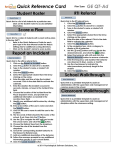
Quick Reference Card
Spot Check
Home Quick Link
Return to the Dashboard.
Score Plan Quick Link
Links to plan scoring.
Report an Incident Quick Link
Links to incident reporting.
View Reports Quick Link
Links to reports.
Reset to Default
Used to reset the widgets on the
Dashboard to the default.
Add Widget
Used to add a widget to the Dashboard.
Edit
Used to customize a widget.
Remove
Used to remove a widget from the
Dashboard.
Help
Used to access the online user manual
and help content that corresponds to
the specific content the user is viewing.
View
Used to view information.
Edit
Used to edit informtion.
Plan Type
Used to access and identify a student’s
plan type.
Go Back
Used to return one navigation level.
Help Options
Online Help
4.
GE QT-T
Special Icons
Quick link to the Spot Check template.
• Allows the user to see a roster of their students
and to quickly indicate those students who are
struggling with the established classroom rules,
procedures, and appropriate interactions.
• The student data is pre-populated based on the
class roster(s). Only those students that struggle
with an area of behavior are noted on the Spot
Check.
• Save the data entered by clicking the Save
button.
1.
2.
3.
Plan Type:
Click on the Help & Settings tab.
Choose Contact Support from the dropdown.
Enter a subject. Give a detailed description of the
issue, your name, phone number, and school in the
Message section.
Click the Send button.
Phone Help
Contact Technical Support toll free at 1-877-411-7360.
© 2011 Psychological Software Solutions, Inc.