1
Extend Transmission Distance Between Accessories and
Control Panel
When the Repeater Unit is in learn/delete mode, press the
learn/delete button, then trigger a Wireless Sensor (e.g. press any
button on the Remote Control or trip the Sensor). The blue LED
lights up for 2 seconds and goes off, then the Repeater Unit goes
back into learn/delete mode and the blue LEDs flash alternately. You
can repeat the above operation to add more accessories.
Plug-in Wireless
Signal Repeater
RT101
Note: If the Repeater Unit exits learn/delete mode, switch off and then switch on the
Repeater to re-enter the learn/delete mode. Then repeat the above operation to add
more accessories.
User Manual
Workflow:
Signal transmitting
Trigger Sensor or activate
Remote Control
Description
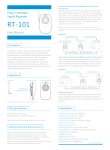
The RT101 Plug-in Repeater Unit is designed to increase the
transmission range of your alarm system. The Repeater receives the
signal from a distant Transmitter (e.g. a PIR or Door/Window Sensor or
Remote Control, etc) and re-transmits the signal to your Receiver (e.g.
a Control Panel, Solar Siren, etc).
The Repeater Unit is suitable for use with any miGuard 433MHz Alarm
System.
Ideally, the Repeater Unit should be installed mid-way between the
Transmitting Device and the Receiver (Control Panel).
Appearance
Signal transmitting
Repeater Unit
receives signal
Max. distance
(in open area)≤ 90m
Control Panel
receives signal
Max. distance
(in open area)≤ 300m
Extend Transmission Distance Between Control Panel and Siren
When the Repeater Unit is in learn/delete mode, press the
learn/delete button. Press the ARM button on the G5 Control Panel, for
all other System Control Panels press the SOS Button, successful
connection of the Repeater Unit to the Control Panel is made after the
blue LED lights up for 2 seconds and goes off, and then the green
and blue LEDs flash alternately.
Workflow:
Signal transmitting
Antenna
Power ON/OFF
Learn/Delete Button
Signal transmitting
Repeater Unit
receives signal
Control Panel arm/
disarm/alarm
Siren receives
signal
Interface for
External Antenna
Max. distance
(in open area)≤ 90m
Max. distance
(in open area)≤ 300m
Deleting Accessories
Note: For optimum performance extend the antenna
LED Indication
Green LED on: working status
Blue LED flashes once: signal transmitting
Green and blue LEDs flash alternately: in learn/delete mode
When the Repeater Unit is in learn/delete mode, press and hold the
learn/delete button for 5 seconds, the Repeater Unit disconnects
from all accessories after the blue LED lights up for 2 seconds and
goes off. Then the green LED stays on.
Specifications
Power Supply: AC 110V-240V, 50/60Hz
Wireless Transmitting Range: ≤300m
Wireless Receiving Range: ≤90m
Radio Frequency: 315MHz or 433MHz (±75KHz)
Adding and Deleting Accessories
Static Current: ≤ 15.5mA
Transmitting Current: ≤ 1.1A
Maximum Accessories Suppor table: 40 PCS
When adding or deleting accessories, the Repeater Unit must be in
learn/delete mode. Firstly, turn the switch from OFF to ON (if the
Repeater is in ON mode, switch it to OFF first and then switch it to
ON), the Repeater will enter learn/delete mode for one minute, as
indicated when the green and blue LEDs flash in turn.
Back-up Batter y: 3.7V 600mAh Lithium Batter y, 2.22Wh
Housing Material: ABS plastic
Operation Condition:
Temperature:-10°C ~ +55°C
Relative Humidity: ≤ 80% (non-condensing)
Dimension(L x W x H): 140x86x87mm
GUARANTEE
The product is guaranteed for one year from the date of purchase against faulty materials and
workmanship. No liability can be accepted for any problems caused by fair wear and tear,
buyer’s negligence, improper fitting or use, wilful or accidental damage, or any consequential
loss or damage howsoever caused. This guarantee does not affect your statutory rights and is
valid for UK and EIRE only.
If you believe the product to be faulty or in the unlikely event of the product developing a fault
during the warranty period, then please contact our Technical Support Team (contact details
shown below) for product assistance. Product repair or replacement will be offered for faulty
products only with our prior agreement. Should you need to return a product then:
1. Contact the Helpline on the number below to obtain a Return Authorisation Number
2. Return your product adequately packaged, ideally in its original packaging to prevent damage
in transit, and include the following:
a. A copy of your original invoice/receipt
b. A covering letter giving your full contact details, including email address (if applicable)
c. A description of the fault or problem
Disposal and Recycling
Disposal of this product is covered by the Waste Electrical or Electronic Equipment (WEEE)
Directive. It should not be disposed of with other household or commercial waste.
At the end of its useful life the packaging and product should be disposed of via a suitable
recycling centre. Please contact your local authority or the retailer from where the
product was purchased for information on available facilities.
Customer Helpline
0345 257 1000
“ whatever your question, we’re just a phone call away “
lines open 0900 to 1700 Monday to Friday
www.responseelectronics.com
Response Electronics Limited
Roman House, Lysons Avenue, Ash Vale, Surrey, GU12 5QF
email: [email protected]
miGuard is a trademark of Response Electronics Limited
© copyright 2014
All rights reserved
MG-RT101-1433