1
FriendlyARM English User Manual
Rev.01 (20090909)
2.6.4 Serial Communication Test
Description: The development board provides the BSP contains three standard serial
drivers, serial 2, 3 to test the need for the use of string extend the small plate.
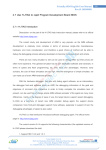
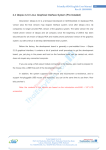
System Startup, click on the desktop is running the "serial debugging assistant", run
interface, like the left figure below:
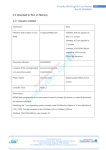
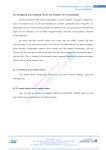
Point of the "Settings" button, open the settings window, set the serial number is COM2,
baud rate to 115200, and other established home figure (upper right), determined to return to
the main window.
At the same time, the expansion board connected to the PC end of the COM2 and PC
client to the appropriate settings for the same serial port.
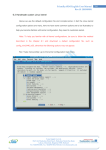
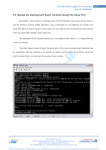
The mid-point in the main window, "Open Port" button, the button will now become "offport" in the "Send zone" Enter some characters, point "send" button, like the left figure below,
when in the PC side of the serial port the terminal receives from the development board to send
to the characters, such as the bottom right:
Venus Supply Co., Ltd.
196/1, Soi Thedsaban-Nimit-Nau 8, Thedsaban-Nimit-Nau Road,
Ladyao, Chatuchak, Bangkok, 10900, Thailand
Tel. +(66)2954-2408 , Fax. +(66)2953-8443, Website: www.thaieasyelec.com
167