1
Grounding MOXA EtherDevice Switch
Grounding and wire routing help limit the
effects of noise due to electromagnetic
interference (EMI). Run the ground
connection from the right most of 3-contact
terminal block to the grounding surface prior
to connecting devices.
This product is intended to be mounted to a
well-grounded mounting surface such as a metal panel.
Wiring the Power Inputs
The two left-most contacts of the 3-contact terminal block connector on
EDS’s top panel are used for EDS’s DC or AC inputs. Top and front
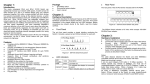
views of one of the terminal block connectors are shown here.
STEP 1: Insert the negative/positive DC
wires into the V-/V+ terminals.
STEP 2: To keep the DC wires from pulling
loose, use a small flat-blade screwdriver to
tighten the wire-clamp screws on the front of
the terminal block connector.
STEP 3: Insert the plastic terminal block
connector prongs into the terminal block
receptor, which is located on EDS’s top
panel.
Communication Connections
EDS-205 has five 10/100BaseT(X) Ethernet ports.
10/100BaseT(X) Ethernet Port Connection
The 10/100BaseT(X) ports located on EDS’s front panel are used to
connect to Ethernet-enabled devices.
Below we show pinouts for both MDI (NIC-type) ports and MDI-X
(HUB/Switch-type) ports, and also show cable wiring diagrams for
straight-through and cross-over Ethernet cables.
—5—