1
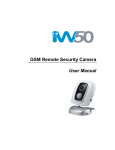
GSM REMOTE CAMERA
User Manual
Manual version 3.0
GSM REMOTE CAMERA USER MANUAL
TUTA Series GSM Remote Camera
Thank you for purchasing the TUT A camera. This camera is a remote controlled
image-capturing device consisting of a microphone, infrared lights and a high quality
300,000-pixel camera lens. The TUT A camera c an capture images accor ding to a
pre-programmed remote command and then s end it to your multimedia messaging
(MMS) enabled mobile phone with color displa y, or to an e-mail address. Y ou can
control and change the camera settings via SMS command.
The MMS sent by the TUT A camera can be viewed on your mobile phone. Y ou also
can opt to view a slide of consecutive photos taken by the GSM Remote camera.
The built-in high-light infrared LED allows the camera to capture clear images even in
dark environment.
The TUTA camera is comp atible with st andard 433MHz wireless sensors such as
PIR-, door magnet- and smoking sensors.
As soon as the wireless sensor triggers the camera alarm, you or your families and/or
your guards can thus receive the ala rm message via SMS, MMS or st andard calls,
according to the pre-programmed.
However, the camera can perform it s duty well without any wireless sensor too. The
TUTA has an integ rated infrared body
detector. It will therefore detect any
unauthorized entry into your house and notif y you via SMS, MMS, st andard calls or
E-mail.
All services and functions need to be supported by the GSM network and a SIM card.
This brochure suits for model.
Details of the functioning and advanced operation of this camera are described in this
instruction manual.
2
28-0014 GSM REMOTE CAMERA USER MANUAL
CONTENTS
For your safety ........................................................................................................................................ 5 Exception clause ..................................................................................................................................... 5 Chapter 1 Structure instruction .................................................................................................................. 6 1.1 Package contents ............................................................................................................................... 6 1.2 Products features ............................................................................................................................... 6 1.3 TUTA-B2 mounting bracket ............................................................................................................. 7 1.4 Remote control instruction................................................................................................................ 7 1.5 Light indicator .................................................................................................................................. 8 Chapter 2 Installation................................................................................................................................... 9 2.1 Install the SIM card .......................................................................................................................... 9 2.2 Install the host mounting bracket ...................................................................................................... 9 2.3 Connecting to power adapter .......................................................................................................... 10 2.4 Mounting the TUTA camera ........................................................................................................... 10 2.5 Power on/ off .................................................................................................................................. 10 Chapter 3 Define the user and basic settings ........................................................................................ 11 3.1 User authorization level .................................................................................................................. 11 3.2 Setup master number ...................................................................................................................... 12 3.2.1 Add a master number to the camera ............................................................................. 12 3.2.2 Change the master number ............................................................................................ 13 3.2.3 Change password ............................................................................................................ 13 3.3 Define family user .......................................................................................................................... 13 3.3.1 Add a family number ........................................................................................................ 13 3.3.2 Delete family number ....................................................................................................... 13 3.4 Define Guest user ........................................................................................................................... 14 3.5 Network parameter settings ............................................................................................................ 14 3.6 Camera language ............................................................................................................................ 14 Chapter 4 Operations and settings.......................................................................................................... 14 4.1 Call the camera to listen in ............................................................................................................. 14 4.2 Capture images ............................................................................................................................... 15 4.2.1 Capture images to mobile phone ................................................................................... 15 4.2.2 Capture images and send to user’s E-mail address ................................................... 15 4.2.3 Timing send images to mobile phone ........................................................................... 16 4.3 Arming or disarming TUTA camera ............................................................................................... 16 4.3.1 Arming TUTA camera....................................................................................................... 16 4.3.2 Camera alarm ................................................................................................................... 17 4.3.3 Disarming TUTA camera ................................................................................................. 17 4.3.4 Timed arming the camera ............................................................................................... 17 4.4 Emergency alarms........................................................................................................................... 18 4.5 Remote control................................................................................................................................ 18 4.5.1 Pairing remote control ..................................................................................................... 18 4.5.2 Remote control instruction .............................................................................................. 18 3
28-0014 GSM REMOTE CAMERA USER MANUAL
4.5.3 Removing remote control from the camera .................................................................. 19 4.6 Infrared body detector..................................................................................................................... 19 4.7 Wireless sensor ............................................................................................................................... 19 4.7.1 Loading sensor onto the camera ................................................................................... 19 4.7.2 Removing sensor ............................................................................................................. 20 4.8 Image size setting ........................................................................................................................... 20 4.9 Warning tone upon alarm triggering ............................................................................................... 21 4.10 SMS notification upon alarm triggering ....................................................................................... 21 4.11 Call notification upon alarm triggering ......................................................................................... 21 4.12 Turn on/off LED indicator on the camera ..................................................................................... 21 4.13 Check status .................................................................................................................................. 21 4.14 Getting help .................................................................................................................................. 22 4.15 Resetting the camera ..................................................................................................................... 22 Chapter 5 General Troubleshooting ........................................................................................................ 22 Chapter 6 Main technical parameters ..................................................................................................... 23 Appendix: SMS commands list ................................................................................................................ 24 4
28-0014 GSM REMOTE CAMERA USER MANUAL
1. Purchase a GSM SIM card (mobile phone card) from GSM netw
ork
service and install it in the camera. This SIM card number is referred as
TUTA camera number on this brochure.
2. The user needs to activate the MMS function and Caller ID Presentation
function of SIM card, and deactiva te PIN code of the SIM. Cont act with
GSM network service for support.
3. Change the original password at the beginning use. Be sure to keep the
password and SIM card number secret. Do not disclose this information
to anyone other than the authorized users in order to ensure your safety.
For your safety
This product is a wireless signal tr
ansmission device. Keep it away from
electronic equipment likely to interfere wit h the wireless signals, in order to
avoid signals interference.
Switch off your TUT A and mobile phone when entering areas marked
"Explosive", "Might explode", "Closed wireless transceiver devices" etc.
Do not cast this product in a fire, as this may cause the battery to explode.
This product should only be operated from power approved by the product
manufacturer. The use of any other types of power may damage the product.
Keep the product and its accessories out of the children reach.
Exception clause
1. We operate on a policy of continuous
development. We reserve the right t o
make changes and improvement s to any of the product s described in this
document without prior notice.
2. For the latest product informati on, please visit: http://www.i-tuta.com. We don’t
guarantee for the document veraci ty, reliability or any c ontent except regulate in
proper laws. Including no guarantee for produc t suitable market or suit able area
promise.
3. Use only this product according to the law
. Respect one another ’s privacy.
Neither monitor another ’s home nor privat e. We hold no responsibility for the
illegal use of this product.
4. We hold no responsib ility for any loss of data or income; or any special,
5
28-0014 GSM REMOTE CAMERA USER MANUAL
incidental, consequential or indirect damages howsoever caused.
5. The content s of this document are pr ovided “as is” . Except as required by
applicable law, no warranties of any kind, ei ther expressed or implied, including,
but not limited to the accuracy, reliability or contents of this document. We reserve
the right to revise this document or withdraw it at any time without prior notice.
Chapter 1 Structure instruction
1.1 Package contents
1. Remote camera
1 unit
2. Power adapter(5.5V/2A)
1 unit
3. Remote control
2 units
4. User manual
1
5. Mounting bracket
unit
1
set
1.2 Products features
Figure 1: TUTA camera instructions
1. Power switch
2. Infrared body detector
3. Indicator
4.Camera
5. Infrared lights(12 pcs)
6. Mirror and Microphone
7. Reset key
8. Set key
9. Mini USB(rubber cover)
10. Hanging hole 1
11. Power Interface
12. Back board (SIM card slot inside)
13. Hanging hole 2
6
28-0014 GSM REMOTE CAMERA USER MANUAL
Tip: Keep the camera lens clean to insure best imaging quality.
1.3 Mounting bracket
1.4 Remote control instruction
Figure 2: Remote control Instruction
1. Antenna
3. Arm the camera button
2. Remote control indicator
4. Disarm the camera button
5. Emerge ncy button
Battery: One 27A/12V battery.
Note: There is battery holder on the rear of the remote control. When this battery is running out of
power, TUTA camera will emit “Beep, beep” wa
rning tone a nd then send a SMS no tification
7
28-0014 GSM REMOTE CAMERA USER MANUAL
message to Master user.
1.5 Light indicator
Color
Red
Action
Flash slowly
Searching the network.
Flash quickly
Sensor alarm, infrared body detector alarm.
Constant Light
Not installed SIM card, or the remote camera damaged.
Constant Light
Armed status.
Flash twice per
Green
Status
2 seconds
Arming command received. TUT A camera will enter
arming mode after 20 seconds.
The camera is at the alarm-suspension situation.
Flash slowly
Disarmed status.
Flash quickly
Processing data.
Light 2 seconds
Successfully reset factory setting, or loading sensor.
Orange
Flash
Loading remote control status.
Red and
Two color lights
Green
alternately
Loading sensor
Note: Slow flash 1 time per second, quick flash 2 times per second.
8
28-0014 GSM REMOTE CAMERA USER MANUAL
Chapter 2 Installation
2.1 Install the SIM card
•
Remove the back board from the rare of TUTA camera.
•
Insert the SIM card into the slot.
•
Get back the back board of TUTA camera.
2.2 Install the host mounting bracket
9
28-0014 GSM REMOTE CAMERA USER MANUAL
2.3 Connecting to power adapter
•
Connect the adapter to an AC power
, and connect the plug to the power
interface of the TUTA camera .(See Figure 1 TUTA camera Instruction)
•
This camera has a built-in rechargeable Lithium battery.
•
The camera will notify the user when t he power changes. For example, if the
power adapter is disconnected or failu
re of the A C power occurs, TUT A
camera will notify the user “External pow er cut. The device is operating on
battery.”
•
If TUTA camera is again connec ted to the external power, or the AC power is
available again, the notification will be sent to the user, i.e.” The device is now
resuming the use of external power source.”
•
Low battery: The configure setting can not be saved when TUT A camera is
operating on low battery.
2.4 Mounting the TUTA camera
TUTA camera can be mounted on a wall (verti cally with the screws) or put down on
any suitable horizontal surface.
How to choose the Installing place:
In order to capture better image quality, avoid any areas where bright light will
be irradiated directly into the lens of the camera on the camera.
In order to avoid backli ghting photography, it is suggested that the camera is
located at the place where can look
down the monitoring plac e with the
minimum angel 30°.
The GSM network’s signal strength ma y affect the image, live voice quality
and MMS transmission speed. Therefore, upon installation, the user should
ensure that TUTA camera is located in an area with a strong network signal.
After installation, the user should perform a test-run by taking several images
and sending it to the user ’s mobile phone. Th is allows the user to check the
image quality of the camera. The positi
on of TUT A camera can then be
adjusted until a satisfactory image quality level is reached.
2.5 Power on/ off
Power on:
Operation
Turn the power
switch to “On”
Indicator light
Red light is on for 3-5 seconds.
Red light flashing slowly for about
10
Status
28-0014 GSM REMOTE CAMERA USER MANUAL
position.
35 seconds.
A “Beep…” tone will be heard.
Green light flash slowly, or
TUTA camera is
green light be on constantly.
disarmed, or armed.
Power off:
Turn the power switch to downside “Off” position.
Chapter 3 Define the user and basic settings
3.1 User authorization level
There are three levels, each with a di
fferent authorization level, namely Master,
Families and Guest.
Table 3.1 the difference in authority for Master, Families and Guests users:
User Type
Master
Families
Guests
YES
NO
NO
Receive SMS
YES
NO
NO
Automatic
Receive MMS
YES
NO
NO
Alarm
Receive alarm calling
YES
YES
NO
Get images by E-mail
YES
NO
NO
Receive SMS
YES
NO
NO
Receive MMS
YES
NO
NO
Receive emergency calling
YES
YES
NO
Call the camera to listen in live voice
YES
YES
NO
Get work status, images, help and
instruction by sending SMS command
YES
YES
YES(Password)
Get images by E-mail
YES
YES
NO
Set remote camera by SMS command
YES
YES
NO
Add, modify or delete sensor
YES
YES
NO
Camera language setting
YES
NO
NO
Set infrared body detect function
YES
YES
NO
Functions
Change authority, password
Emergency
alarm
Note
11
28-0014 GSM REMOTE CAMERA USER MANUAL
•
Any MMS enabled mobile phone can rece ive the images captured by TUT A
camera by sending SMS command with password.
•
Any SMS enabled mobile phone can cont rol TUTA camera with the p assword
command.
All the settings of TUTA camera can be set or adjusted via a SMS command.
About the SMS Command:
1) Master and families users’ SMS command format: #code#content#.
2) Guest users’ SMS command format: #code#password#content#.
3) The password must be a four-digit number.
4) The original password is 1234.
5) The maximum digits that are allows for the phone number is sixteen.
6) TUTA camera will reply to the user after it receives the SMS command.
Note
• The “#” symbol must not be ignored when typing an SMS command.
• No allow any space within the commands.
3.2 Setup master number
Master user has all the right
s of changi ng camera settings and receives alarm
messages from camera. In order to enable
all the f unctions on the camera, the
Master user must store his/ her mobile num ber in the camera’ s memory. Only one
Master’s mobile number (Master number) is allowed for a camera.
3.2.1 Add a master number to the camera
Authority: Master user.
Description
If TUTA camera is being used for the first time, or TUTA camera has been reset,
the master user ’s number must be progr ammed into the camera, in order to
ensure activation. The following methods can be used:
² Method
The user must edit and send the following
SMS (text message) to camera from
mobile phone (the phone number will be the Master number) to:
Setup master number: #00# SIMnumber#
(1)
The SIMnumber is the camera inst alled SIM ca rd number, it need to add countr y
code in front of the SIM number
, for example #00#+49123456789# (+49 is the
12
28-0014 GSM REMOTE CAMERA USER MANUAL
country code of Germany, 123456789 is SIM number).
If the camera reply master number alr eady exists, please refer the Reset Factory
Setting parts to delete old master number.
3.2.2 Change the master number
Master user sends following SMS message in order to:
Change the master user’s number:
#14#NewMasterNumber#
(2)
3.2.3 Change password
In order to ensure your priv acy and safety during the use of this camera, change the
password once start to use TUTA camera.
Master user sends following SMS message to:
Change the password:
#04#oldpassword#newpassword#
(3)
• The password is a four digit number.
• The original password is 1234.
3.3 Define family user
Family users have the author ity to listen in on the came ra, receive images, load the
sensors and remote controls to the ca
mera, and receive not ification when the
integrated infrared body detector be triggered. The family user’s mobile numbers are
set by the Master user. The family users should remember and safeguard the
camera’s SIM number.
3.3.1 Add a family number
Master user sends following SMS message in order to:
Add a family number:
#06#FamilyNumber#
Add several family numbers: #06#FamilyNumber#...#FamilyNumber#
(4)
(5)
• Up to 10 family users’ number can be stored on one camera.
3.3.2 Delete family number
Master user sends following SMS message in order to:
Delete a family number:
#113#FamilyNumber#
Delete several family numbers simultaneously:
(6)
(7)
#113#FamilyNumber#…#FamilyNumber#
Delete all family numbers:
#113#
13
(8)
28-0014 GSM REMOTE CAMERA USER MANUAL
3.4 Define Guest user
Any selected person can operate in the Guest category if they know the p assword
and the SIM number. The Guest user(s) can then use their mobile phones to send a
SMS command including p assword to TUT A camera in order to obt ain an MMS
image.
3.5 Network parameter settings
Normally the camera will preset local oper ator MMS settings on the firmware. Users
needn’t to setup the MMS p arameters. But if the GS M operator changes t he MMS
parameters or the local MMS settings do not preset on the firmware, users will receive
SMS when they request MMS images: Sorry, the network is busy, MMS sending failed.
Master number can setup the MMS parameters manually by following method.
Six MMS p arameters be requested on the camera. Master user send two SMS
commands to the camera as follow.
Set MMS center:
(9)
#124#MMScenter#
Set APN parameters:
(10)
#125#Proxy IP#WAPProxyPort#HTTPProxyPort#APN#Username#Pssaword#
Check the current operative network parameter settings:
#55#
•
The MMScenter should be the MMS center address of GSM provider.
•
For example: #124#http://mmsc.monternet.com#
(11)
#125#10.0.0.172#9201#80#cmwap#wap#wap#
3.6 Camera language
Each camera support s two default languages, Englis h and S panish. The user can
send following SMS command to switch language:
Spanish language:
(12)
#127#0#
English language(Default): #127#1#
(13)
Chapter 4 Operations and settings
4.1 Call the camera to listen in
Master and family user calls TUTA camera after which it will answer automatically .
The user can then listen in the live audio in the monitoring area. Only one line can be
connected to TUTA camera at a time.
14
28-0014 GSM REMOTE CAMERA USER MANUAL
4.2 Capture images
Authority:
Master/ family / guest send SMS to the ca mera to get the MMS image or send the
image(s) to an appointed mobile or E-mail address.
Master/ family member call the camera to get the images.
Master/ family send SMS command to the camera to send MMS image to an E-mail
address (Need to pre-set E-mail address).
4.2.1 Capture images to mobile phone
Method 1:
•
Master or family user calls the camera and hand up upon hearing the ringing
tone (within 10 seconds).
•
TUTA camera will reply SMS not ification: “Image capturing request received.
The camera is busy sending the MMS messages.”
•
The user will then receive the MMS message momentarily.
Method 2:
The user sends following SMS message in order to:
Capture one image and send to the user mobile:
(14)
For master and family users: #03#
For guest users:
#03#
password#
(15)
Capture images and send to the user mobile:
For master and family users:
#03#ImageQuantity#
(16)
For guest users:
#03#Password#ImageQuantity#
(17)
•
Image quantity should be in the range of 1-8 when the image size is set at
160×128 or 320×240, be in 1-2 when 640×480. (Refer 4.4 image size setting.)
The default image size is 320×240(QVGA).
4.2.2 Capture images and send to user’s E-mail address
This function should be suppor ted by the local network provider. The E-mail address
must be set at first. Each user number
can set only one E-mail address to receiv e
images. The user sends following SMS message in order to:
Setup/modify E-mail address:
#108#EmailAddress#
Capture image(s) and send to pre-set E-mail: #03#ImageQuantity#1#
•
(18)
(19)
Image quantity should be in the range of 1-8 when the image size is set at
160×128 or 320×240, be in 1-2 when 640
320×240(QVGA).
15
×480. The default image size i s
28-0014 GSM REMOTE CAMERA USER MANUAL
4.2.3 Timing send images to mobile phone
The user sends following SMS message in order to:
Enable timing sends MMS images:
(20)
#115#1#
Set time period to auto-send MMS image:
(21)
#116#WorkDay#StartTime1#EndTime1#IntervelTime1#...#StartTime3#EndTi
me3#IntervelTime3#
Disable timing send MMS image:
•
#115#0#
(22)
Max allow 3 periods per workday. Each period ti me should s et by start time,
end time and interval.
•
WorkDay: one digit, the values lie in the range of “0” to “9”.
The following table contains the descriptions of each value:
Value
Corresponding day
0
Sunday
1
Monday
2
Tuesday
3
Wednesday
4
Thursday
5
Friday
6
Saturday
7
Everyday
8
Monday to Friday
9
Monday to Saturday
•
•
StartTime and EndTime: Be consists of 4 digit s (hh:mm) and w orks on a 24
hour clock. For example: 0000 means time 00:00(hh:mm), 2359 means time
23:59(hh:mm). The StartTime and EndTime should be in the same day , and
the EndTime must be later than StartTime.
•
IntervalTime: This consists of 2 or 3 digits and has values in the range of “10”
to “480” minutes.
4.3 Arming or disarming TUTA camera
4.3.1 Arming TUTA camera
•
When user arm the TUTA camera, the built-in infrared body detector (PIR) will
start working and detecting bod y heat. TUTA camera will autom atically send
alarm message or making a phone call once it be triggered.
•
TUTA camera has 20 seconds alarm-suspension period after it be armed. The
16
28-0014 GSM REMOTE CAMERA USER MANUAL
user can leave the camera place during this time to avoid misalarm.
Method 1:
The user sends following SMS message in order to:
Arming TUTA camera manually:
(23)
#01#
Method 2:
Press
on the remote control, whilst poi
nting it in the di rection of TUT A
camera. TUTA camera will emit a “Beep” tone, to indicate that arming TUT
A
camera is successfully. (Refer remote control instruction parts)
4.3.2 Camera alarm
Once the camera be triggered, the LED will flash fast in green, then turn red and flash
fast. It will sendin g alarm SMS, MMS or make voice calling acc ording to the setting.
After it finish alarm process, ca mera will enter 20 seconds alarm-suspension period
and then it can alarm again.
4.3.3 Disarming TUTA camera
When user disarm the TUT A camera, all l oaded wireless sensor, integrated infrared
body detector could not work. But it can send alarm only when the
button on
remote control is pressed.
Method 1:
The user sends following SMS message in order to:
Disarming TUTA camera manually:
(24)
#02#
Method 2:
button on the remote control, t he camera will emit a BEEP tone and
Press the
the indicator light will flashing green to sh ow the TUTA disarm successfully. (Refer
remote control instruction parts.)
4.3.4 Timed arming the camera
Master and family users send following SMS message in order to:
Enable timing arms the camera:
(25)
#128#1#
Set time period to arm the camera:
(26)
#129#WorkDay#ArmTime1#DisarmTime1#...#ArmTime3#DisarmTime3#
Disable timing arm the camera:
#128#0#
•
WorkDay: The value description is same with command 21.
•
Up to 3 periods be allowed per workday
17
(27)
. Each period time should set by
28-0014 GSM REMOTE CAMERA USER MANUAL
ArmTime, DisarmTime.
•
ArmTime and DisarmTime: Be consists of 4 digit s (hh:mm) and works on a
24 hour clock. For example: 0000 m eans time 00:00(hh:mm), 2359 mean s
time 23:59(hh:mm). The ArmTime and DisarmTime should be in the same day,
and the DisarmTime must be later than ArmTime during the same period.
4.4 Emergency alarms
The user press the remote control emergency button
to make TUTA camera
alarm. TUTA camera will stop any other operation once it receive emergency alarm
signal, and start emergency alarm process. TUTA camera will dial the Master number
not more than 3 times until someone answers. If, after 3 attempts, there is no answer,
TUTA camera will automatically stop dialing and revert to its preset mode. Master can
listen in the live audio by answering the call. (Refer remote control instruction parts.)
4.5 Remote control
4.5.1 Pairing remote control
Normally the remote control was paired in factory. if the remote camera can not work
with TUTA camera, user should pair the remote control separately. A camera can pair
up to 5 remote controls.
Camera indicator
Operations
Status
Green, flashing or
1. Press and hold the Set key Indicator light turns to orange
constantly light.
for 2 seconds
(Learning mode)
2. Press any button o n the
Orange, flashing
remote control (with battery
inside) to send a
signal to
TUTA.
Orange, flashing
3. Repeat step2 to
TUTA will emit a “Beep” tone
and indicator will turn green for
2S. (Added successfully.)
load
another new remote control.
4. Press th e Set key to ex it Indicator
Orange, flashing
light turns green,
the learning mode or waiting
flashing or constantly light. (Exit
for 15 seconds to auto-exit.
learning mode)
4.5.2 Remote control instruction
There are three buttons on the remote control:
18
28-0014 GSM REMOTE CAMERA USER MANUAL
A.
Arm TUTA camera : When
is pressed, the indicator light on TUT
A
camera will turn green. This indicates that TUTA camera is in armed mode.
B.
Disarm TUTA camera : When
is pressed, the indicator light on TUT A
camera will slowly flash green. This indicates that TUTA camera is in disarmed mode.
C.
Emergency button : When
is pressed, the indicator light on TUT
A
camera will rapidly flash green. Then TUTA camera will dial the master user’s number.
Live audio stream can be heard upon answering the emergency call.
4.5.3 Removing remote control from the camera
Master or family user sends following SMS message in order to:
Remove all remote controls from the camera:
#111#
(28)
4.6 Infrared body detector
Master or family user sends following SMS message in order to:
Activate infrared body detector (default):
Deactivate infrared body detector:
#1
#1
18#1#
(29)
18#0#
(30)
4.7 Wireless sensor
Standard 433MHz wireless sens or, such as infrared body sensor , wireless door
magnet, wireless smoke detector etc. can be set as an alarm sensor of the camera.
Up to 15 wireless sensors and wireless p anic buttons can be loa ded onto one TUTA
camera.
There are two modes for wireless sensor:
Arming-alarm mode: sensor only alarm when the camera in arm mode, normally
,
door sensor, infrared sensors work with this mode.
Always-alarm mode: sensor will always alarm once t he sensor triggered even th e
camera disarm, normally smoke detector , gas detector, panic button work with this
mode.
4.7.1 Loading sensor onto the camera
1. Power on the wireless sensor.
2. Master or family user sends following SMS message to make TUTA camera
enter loading mode:
Arming-alarm mode:
#05#SensorDescription#
19
(31)
28-0014 GSM REMOTE CAMERA USER MANUAL
Always-alarm mode:
•
(32)
#196#SensorDescription#
SensorDescription is used for identify dif ferent sensors af filiated with eac h
camera. It can be numbers and letters.
•
SensorDescription could be empty . For #05#, TU TA camera will name the
sensors with Sensor and number such as : Sensor1, Sensor2, Sensor3. For
#196#, TUTA camera will name the sensors with SO S and num ber such as
SOS1, SOS2, SOS3.
•
Up to 9 characters can be included in the SensorDescription
•
Sensor alarm default only send SMS, if user want the camera sending SMS &
MMS of this sensor alarm, it need to add * in front of sensor description, such
as #05#*door#.
3. When TUTA camera received the SMS command, it will emit a BEEP tone and
the indicator will flash red and green alternately. TUTA camera will then send a
notification SMS to the user : Camera pairing sensor, activate sensor then wait
for confirmation SMS.
4. The user needs to make the sensor wo rk and transmit signal to be studied by
TUTA camera.
5. When TUTA camera receives the sens or signal, it will emit a Beep tone an d
send a notification message via SMS: Sensor*** successfully paired.
6. To exit the loading mode manually, press the set key of the camera, TUTA
camera will emit a Beep tone and exit the loading mode.
4.7.2 Removing sensor
Master and family user sends following SMS message to TUTA camera:
Remove a sensor:
#112#SensorDescription#...#SensorDescription#
Remove all wireless sensors:
•
(34)
#112#
Sensor description should be the existing sensor
(33)
which the user want s to
remove.
4.8 Image size setting
The master or family user sends following SMS message to TUT A camera in order
to:
Change the image size:
•
(35)
#32# value#
If the value is 1, the image size is 160 ×128(pi xels). It’s for a st andard small
screen mobile phone. The size of one MMS image file is 4K.
•
If the value is 2, the image size is 320×24 0(QVGA default). The size of one
MMS image file is 9K.
20
28-0014 GSM REMOTE CAMERA USER MANUAL
•
If the value is 3, the image size is 640 ×
480 (VGA). The size of one MMS
image file is 33K.
4.9 Warning tone upon alarm triggering
TUTA camera will emit a Beep tone upon alarm activation. The master or family user
sends following SMS message to TUTA camera in order to set:
Warning tone upon alarm triggering:
(36)
#130#1#
No warning tone upon alarm (Default):
(37)
#130#0#
4.10 SMS notification upon alarm triggering
The master or family user sends following SMS message to TUTA camera in order to
set:
No SMS notification upon alarm triggering:
#1 1#0#
(38)
SMS notification upon alarm (Default):
#11#1#
(39)
4.11 Call notification upon alarm triggering
The master or family user sends following SMS message to TUTA camera in order to
set:
No call notification upon alarm triggering(Default):
Call notification upon alarm:
#13#0#
(40)
(41)
#13#1#
TUTA camera will call the master and the family user ’s numbers for not more than 3
times. If it is still no one answer s the call, TUTA camera will the n exit dialing mode
automatically.
4.12 Turn on/off LED indicator on the camera
If the LED indicator is on, it will display in different ways to show the working status. If
it turns off, it can make TUTA camera private and avoid to be found easily.
The Master or family user sends following SMS message in order to:
Turn off indicator:
(42)
#143#0#
Turn on indicator(Default):
(43)
#143#1#
4.13 Check status
The user sends following SMS message in order to:
Check the present settings and work status of TUTA camera:
•
For master and family users:
•
For guest users:
(44)
#07#
#07#
password#
21
(45)
28-0014 GSM REMOTE CAMERA USER MANUAL
4.14 Getting help
The user sends following SMS message in order to:
Getting normal command list via SMS:
•
For master and family users:
•
For guest users:
(46)
#09#
#09#
(47)
password#
4.15 Resetting the camera
User can reset the camera to factory setting if the user fo rgot the master number or
camera do not work normally.
After reset factory setting, camera will de lete all setting numbers and setting values,
user need to setup master number from beginning.
Method 1: Reset via the camera
•
Switch TUTA camera off. It must remain off for a minimum of 20 seconds.
•
Press and hold the Reset button and then switch TUTA camera back on.
•
The indicator light will be green for 2-4 seconds after which it will flash red.
•
If the resetting of TUTA camera is successful, a “Beep …” tone will be emitted.
Method 2: Reset via SMS command
The user sends following SMS message to TUTA camera in order to:
Reset the camera:
(48)
#08#password#
Chapter 5 General Troubleshooting
No.
1
General Trouble
Can’t
start
camera
(Indicator is working)
Possible Reason
Other master is already set in the
Recover to factory default
camera.
setting.
Caller ID presentation or MMS
2
All functions disable
functions of the SIM card do not
(Indicator is working)
active, insufficient fee of the SIM
card.
3
Indicator constant light
in red color.
response of any
Can’t find or identify the SIM card.
for the card.
Power off the camera and
check it again.
Switch off the power, check
TUTA camera work abnormally.
operation.
5
Contact network provider to
active SIM card function. Pay
SIM card no install properly:
Camera didn’t
4
Solution
SIM card, or reset factory
setting.
After starting the
Network signal weak or network
Place the camera at other
camera, indicator
busy.
place with strong signal and
22
28-0014 GSM REMOTE CAMERA USER MANUAL
No.
General Trouble
Possible Reason
Solution
flashed in red color
try again.
and can not turn to
green.
SIM card PIN code actives.
Close the PIN code.
Contact with local operator to
SIM card invalid.
Connect external power to
Camera low power.
Remote control can’t
6
check of it.
work. Or action slowly.
recharge the battery.
Change remote control
Remote control low power.
Or control distance
range shortened.
battery.
Two remote controls work
Try only one remote control.
simultaneously.
The
control
or wirele
control or sen
sor
already studies successfully.
Can’t add new remote
7
remote
The sensor quantity is alre
ss
sensor
ady
Exit the loading status.
Delete old sensors before add
reaches its max number.
new sensor.
Didn’t set master user number
Set master number before
add sensor.
Can’t start the camera
8
Battery runs out of power.
Connect
the
camera
to
after long time supply
external AC power and charge
with the battery.
for at least one ho
ur, then,
restart camera.
Note: If the problem can’t be
solved with above guidelines, cont act to your loc al
distributor or after service center.
Chapter 6 Main technical parameters
Power adaptor
Input:
100V~240V/50Hz Output: 5.5V DC
Operating temperature
-10
℃~+45℃
Store temperature
-20℃~+60℃
Relative humidity
10-90%,without condensation
Working band
Communication protocols
EGSM900,DCS1800 (GSM850,PCS1900 Optional)
GS
M PHASE 2/2+ (including data operation)
Wireless sensor receiving code
ASK
Wireless sensor receiving band
433MHz
Max. wireless sensors
15 units
Remote control receiving band
433MHz
Effective distant of the remote control
Image format
Image resolution
6
meters (wide area)
JPEG
160
×128,QVGA320×240,VGA640×480
23
28-0014 GSM REMOTE CAMERA USER MANUAL
Camera pixel
300K
Camera Shooting angel
pixel
68
degree
Best shooting distance at night
≤8 meters
Detect distance of build-in PIR sensor
≤9 meters
Listen in distance
≤6 meters
Lithium battery (Inner)
800mAh
Battery standby time
12
hours(Affected by network)
Appendix: SMS commands list
Category
Function
Add a master number to the
Master
(2) #14#NewMasterNumber#
Master
Change the password
(3) #04#oldpassword#newpassword#
Master
Add a family number
(4) #06#FamilyNumber#
Master
Add several family numbers
(5) #06#FamilyNumber#...#FamilyNumber#
Master
Delete a family number
(6) #113#FamilyNumber#
Master
(7) #113#FamilyNumber#…#FamilyNumber#
Master
Delete all family numbers
(8) #113#
Master
Set MMS center
(9) #124#MMScenter#
Master
Change the master user’s
number
user
Delete several family
numbers simultaneously
Network
parameter
settings
Set APN parameters
Check the current operative
setting
images
Master
(12) #127#0#
Master
English version
(13) #127#1#
Master
Capture one image and send
(14) #03#
The user’s first language (or
Spanish) version
Capture images and send to
the user mobile
Setup/modify E-mail address
Capture image(s) and send
to pre-set E-mail
Timing
Port#APN#Username#Password#
Master
to the user mobile
Capturing
(10)#125#ProxyIP#WAPProxyPort#HTTPProxy
(11) #55#
network parameter settings
Language
User
(1) #00#+CountryCodeSIMNumber#
camera
Define the
Command
Enable timing sends MMS
(15) #03#password#
(16 #03#ImageQuantity#
(17) #03#Password#ImageQuantity#
(18) #108#EmailAddress#
Master
Family
Guest
Master
Family
Guest
Master
Family
(19) #03#ImageQuantity#1#
Master
(20) #115#1#
Master
24
28-0014 GSM REMOTE CAMERA USER MANUAL
Category
send
images
Function
Set time period to auto-send
Disable timing send MMS
image
Arming TUTA camera
manually
Disarming TUTA camera
Arming or
manually
disarming
Enable timing arms the
camera
camera
Time3#
(22) #115#0#
(23) #01#
(24) #02#
(25) #128#1#
Activate infrared body
detector (default)
Deactivate infrared body
detector
(27) #128#0#
(28) #111#
(29) #118#1#
(30) #118#0#
Make TUTA camera enter
loading mode and set
(31) #05#SensorDescription#
corresponding alarm mode
Make TUTA camera enter
loading “wireless pacnic
Master
Family
Master
Family
No SMS notification upon
alarm
SMS notification upon alarm
(Default)
Family
Master
Family
Master
Family
Master
Family
Master
Family
Family
(35) #32#value#
(Default)
Master
tion#
Image size
No warning tone upon alarm
Family
Master
(34) #112#
triggering
Master
(33)#112#SensorDescription#...#SensorDescrip
Remove all wireless sensors
Warning tone upon alarm
settings
(32) #196#PanicDescription#
button” mode
Remove a wireless sensor
Alarm
Family
Family
from the camera
Image
Master
Master
Remove all remote controls
sensor
Master
..#ArmTime3#DisarmTime3#
control
Wireless
Master
(26)#129#WorkDay#ArmTime1#DisarmTime1#.
Remote
detector
ervelTime1#...#StartTime3#EndTime3#Intervel
camera
camera
body
(21)#116#WorkDay#StartTime1#EndTime1#Int
Set time period to arm the
Disable timing arm the
Infrared
User
images
MMS image
TUTA
Command
(36) #130#1#
(37) #130#0#
(38) #11#0#
(39) #11#1#
25
Master
Family
Master
Family
Master
Family
Master
Family
Master
Family
Master
Family
28-0014 GSM REMOTE CAMERA USER MANUAL
Category
Function
No call notification upon
alarm (Default)
Indicator
light
Check
status
Getting help
Resetting
Command
(40) #13#0#
Call notification upon alarm
(41) #13#1#
Turn off indicator light
(42) #143#0#
Turn on indicator light
(43) #143#1#
Check the present settings
and work status of the
(44) #07#
camera
(45) #07#password#
Getting normal command list
(46) #09#
via SMS
Resetting the camera
User
Master
Family
Master
Family
Master
Family
Master
Family
Master
Family
Guest
Master
Family
(47) #09#password#
Guest
(48) #08#password#
Master
26