1
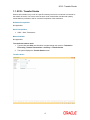
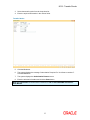
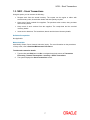
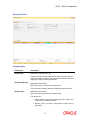
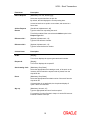
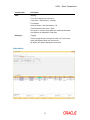
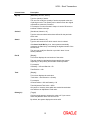
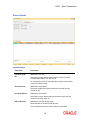
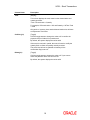
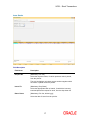
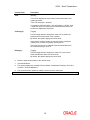
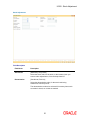
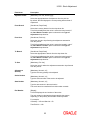
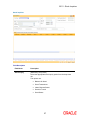
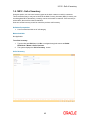
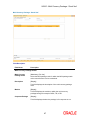
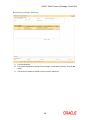
Oracle FLEXCUBE Inventory User Manual Release 5.0.1.0.0 Part No E52128-01 Inventory User Manual Table of Contents (index) 1. Inventory..................................................................................................................................... 3 1.1. 9019 - Transfer Stocks ......................................................................................................... 4 1.2. IV001 - Stock Transactions .................................................................................................. 7 1.3. IV002 - Stock Adjustment ................................................................................................... 20 1.4. IV011 - Stock Inquiries ....................................................................................................... 26 1.5. IV005 - Inventory PIN Maintenance ................................................................................... 38 1.6. IV012 - Sell of Inventory ..................................................................................................... 42 1.7. IVM10 - Multi Currency Package - Stock Xref ................................................................... 46 1.8. IV004 - Inventory Lost Report Registration Maintenance .................................................. 50 1.9. MCA80- Inquiry of Sold / Issued Inventory ........................................................................ 55 Inventory 1. Inventory Inventory of a bank is a valuable commodity and proper tracking needs to be in place to check its fraudulent usage. The bank has to maintain the stock record of each inventory to initiate the tracking system. Each stock in the inventory list has to be given a unique code, which can be used to identify the stock with the issuer, currency and inventory type. Printed inventories are procured from external agencies that are appointed by the bank, for which the bank needs to maintain the identification of the suppliers. 3 9019 - Transfer Stocks 1.1. 9019 - Transfer Stocks When a teller initiates a buy or sell of a specific inventory item/s to the vault teller it is termed as the transfer of stocks. You have to enter the stock code, denomination and the total quantity he/she wants to purchase or sell for successful completion of the transaction. Definition Prerequisites Not Applicable Other Prerequisites IV001 - Stock Transactions Modes Available Not Applicable To transfer the balance stock 1. Type the fast path 9019 and click Go or navigate through the menus to Transaction Processing > Internal Transactions > Inventory > Transfer Stocks. 2. The system displays the Transfer Stocks screen. Transfer Stocks 4 9019 - Transfer Stocks Field Description Field Name Description Transfer Option [Mandatory, Drop-Down] Select the transfer option from the drop-down list. The options are: Stock Code Sell to Vault: Select this option to initiate a purchase of stocks. Buy from Vault: Select this option to initiate a sale of stocks. [Mandatory, Drop-Down] Select the stock code, for the stock or inventory item, which you want to transfer, from the drop-down list. Denomination Code [Mandatory, Pick List] Select the denomination code, for the stock code being transferred, from the pick list. The denomination needs to be selected for inventory items such as traveler’s cheque, etc. which are tracked denomination wise. Series No [Mandatory, Alphanumeric, 12] Type the number of the series from which the denominations starts. Quantity [Mandatory, Numeric, 10] Type the number of stocks that are being transferred. For example, 50 units of banker's check. It can be 50 leaves or booklets of banker's cheque. Start No [Mandatory, Numeric, 10] Type the start number in the stock series. This number onwards the stock has to be transferred. End No [Display] This field displays the end number of the series. The end number is calculated and generated by the system depending on the quantity and the start number specified. For example, If Quantity = 100 and Start No = 50 Then End No = 149 Narrative [Mandatory, Alphanumeric, 40] Type the narration, based on the transaction. By default the system displays narration depending on the transaction. 5 9019 - Transfer Stocks 3. Select the transfer option from the drop-down list. 4. Enter the required information in the various fields. Transfer Stocks 5. Click the Ok button. 6. The system displays the message "Authorization Required. Do You Want to continue?". Click the OK button. 7. The system displays the Authorization Reason screen. 8. Enter the relevant information and click the Grant button. Note: For information on Authorization transactions, refer to theFLEXCUBE Introduction User Manual. 6 IV001 - Stock Transactions 1.2. IV001 - Stock Transactions Using this option you can execute the following : Request stock from the central inventory: The request can be regular or adhoc with stock/inventory code, denomination details and total quantity required. Keep track of stock ordered from suppliers: The purchase order number, date, purchase and inventory details. Keep record of stock received from the suppliers: The receipt date and the received inventory details. Issue stock to branches: The issued date, branch and the issued inventory details. Definition Prerequisites Not Applicable Modes Available Add, Modify, Delete, Cancel, Amend, Authorize, Inquiry. For more information on the procedures of every mode, refer to Standard Maintenance Procedures. To add stock transaction details 1. Type the fast path IV001 and click Go or navigate through the menus to Transaction Processing > Internal Transactions > Inventory > Stock Transactions. 2. The system displays the Stock Transactions screen. 7 IV001 - Stock Transactions Stock Transactions Field Description Field Name Description Transaction [Mandatory, Drop-Down] Select the appropriate transaction option from the drop-down list. The options are: Request Stock Order Stock Receive Stock Issue Stock Based on the transaction type selected the tab for the respective transaction will be activated. 3. Click the Add button. 4. Select the appropriate transaction from the drop-down list. 5. The system enables the corresponding tab depending on the transaction type selected. 8 IV001 - Stock Transactions Request Stocks Field Description Field Name Description Request No. [Mandatory, Alphanumeric, 10] Type the request number, which will be used to track the request status by the bank or branch and to place the purchase order with supplier by central inventory department. Requesting Branch [Mandatory, Drop-Down] Select the branch code from the drop-down list. This is the bank or branch that has initiated request for the stock. Request Type [Mandatory, Drop-Down] Select the request type from the drop-down list. The options are: Adhoc: When a request is placed before the re-order level is reached it is termed as Ad-hoc. Regular: When a request is placed after re-order alert is generated. 9 IV001 - Stock Transactions Field Name Description Date of Request [Mandatory, Pick List, dd/mm/yyyy] Select the request date from the pick list. By default, this field displays the current posting date. It must be less than or equal to current date, and cannot be a future date. Ad-hoc Request Reason [Conditional, Alphanumeric, 40] Type the reason for requesting the stock. This field is enabled if the user selects the Adhoc option in the Request Type field. Reference No 1 [Optional, Alphanumeric, 12] Type the first reference number. Reference No 2 [Optional, Alphanumeric, 12] Type the second reference number. Column Name Description Srl No. [Display] This column displays the system generated serial number. Request id [Display] This column displays the request ID. Stock catalog Code [Mandatory, Drop-Down] Select the appropriate stock catalogue code, of the stock or the inventory item for which the request order is placed, from the drop-down list. Denm. [Mandatory, Drop-Down] Select the appropriate denomination value of the stock from the drop-down list. If denomination is not applicable, the drop-down displays 0 option. Select 0 in this case. Qty req. [Mandatory, Numeric, 10] Type the appropriate amount of stocks required. For example, 50 units of banker's cheque. It can be 50 leaves or booklets of banker's cheque. 10 IV001 - Stock Transactions Column Name Description Total [Display] This column displays the total value. Total Value = Denomination * Quantity For example, If Denomination = 100 and Quantity = 20 Then Adjustment Total value = 2000 Only stock or inventory items which are tracked denomination wise will have an Adjustment Total value. Delete(y/n) [Toggle] Click the toggle status to change the value to Y if you want to delete the particular stock item from the list. By default, the system displays the value as N. Order Stocks 11 IV001 - Stock Transactions Field Description Field Name Description Purchase Order No. [Mandatory, Alphanumeric, 10] Type the unique purchase order number, which is used to track the purchase order status. On receipt of the stock from supplier this purchase order number is used to indicate receipt. Request No. [Mandatory, Pick List] Select the request number, for which purchase order needs to be placed, from the pick list. The pick list displays only those request numbers against which there are no orders placed or partial orders are placed. Date of order [Mandatory, Pick List, dd/mm/yyyy] Select the date of request from the pick list. This date must be a current or previous date and cannot be a future date. Supplier code [Mandatory, Drop-Down] Select the supplier code from the drop-down list. The drop-down list displays the list of all approved suppliers. Reference no. 1 [Optional, Alphanumeric, 12] Type the first reference number. Reference no. 2 [Optional, Alphanumeric, 12] Type the second reference number. Column Name Description Srl No. [Display] This column displays the system generated serial number for each stock item. Request id [Display] This column displays the request ID for each stock item in the list. Stock catalog Code [Display] This column displays the stock catalogue code of the stock or the inventory item for which the request order is placed. Denm. [Display] This column displays the denomination value of the requested stock. 12 IV001 - Stock Transactions Column Name Description Qty req. [Mandatory, Numeric, Seven] Type the quantity of stocks. The user can modify the quantity of stocks requested at the time of placing an order. The quantity can be reduced from the original requested but cannot be increased. For example, 50 units of banker's cheque. It can be 50 leaves or booklets of banker's cheque. Series # [Conditional, Numeric, 10] Type the series number that has been defined for the particular stock code. Start # [Conditional, Numeric, 10] Type the start number from which a stock item is ordered. If the Auto- Serial No flag is on, then system automatically generates the Start No by incrementing the highest number of the current stock. The user can modify the Start No or provide it when it is not already available. End # [Display] This column displays the end number of the series. The end number is calculated and generated by the system depending on the quantity and the start number specified. For example, If Quantity = 100 and Start No = 50 Then End No = 149 Total [Display] This column displays the total value. Total Value = Denomination + Quantity For example, If Denomination = 100 and Quantity = 20 Then Adjustment Total value = 2000 Only stock or inventory items which are tracked denomination wise will have an Adjustment Total value. Delete(y/n) [Toggle] Click the toggle status to change the value to Y if you want to delete the particular stock item from the list. By default, the system displays the value as N. 13 IV001 - Stock Transactions Receive Stocks Field Description Field Name Description Purchase Order No. [Mandatory, Pick List] Select the purchase order number, which is used to track the purchase order status, from the pick list. On receipt of the stock from supplier this purchase order number is used to indicate receipt. Received From [Mandatory, Drop-Down] Select the supplier from whom the stock is received from the drop-down list. Inventory Branch [Mandatory, Drop-Down] Select the inventory branch that has placed the request for the stock from the drop-down list. Date of Receipt [Mandatory, Pick List, dd/mm/yyyy] Select the date of receipt from the pick list. The receipt date cannot be greater than the current date. 14 IV001 - Stock Transactions Column Name Description Srl No. [Display] This column displays the system generated serial number for each stock item in the list. Request id [Display] This column displays the request ID for each stock item in the list. Stock catalog Code [Display] This column displays the stock catalogue code of the stock or the inventory item for which the request order is placed. Denm. [Display] This column displays the denomination value of the requested stock. Qty req. [Display] This column displays the quantity of stocks. In case of partial receipt for the stock request, the user can modify the original values to reflect the received stock values. The quantity can be reduced from the original requested but cannot be increased. For example, 50 units of banker's cheque. It can be 50 leaves or booklets of banker's cheque. Series # [Conditional, Numeric, 10] Type the series number that has been defined for the particular stock code. Start # [Conditional, Numeric, 10] Type the start number. The stock item is ordered from this value onwards. End # [Display] This column displays the end number of the series. The end number is calculated and generated by the system depending on the quantity and the start number specified. For example, If Quantity = 100 and Start No = 50 Then End No = 149 15 IV001 - Stock Transactions Column Name Description Total [Display] This column displays the total, based on the denomination and quantity specified. Total = Denomination + Quantity For example, If Denomination = 100 and Quantity = 20Then Total = 2000 Only stock or inventory items tracked denomination wise will have an Adjustment Total value. Confirm (y/n) [Toggle] Click the toggle status to change the value to Y to confirm the physical receipt of either full or partial stock. By default, the system displays the value as N. If the stock is received in partial, the user will need to modify the quantity field, to reflect the quantity actually received. The stock level will not be updated at inventory till the confirmation flag is set to Y. Delete(y/n) [Toggle] Click the toggle status to change the value to Y if you want to delete the particular stock item from the list. By default, the system displays the value as N. 16 IV001 - Stock Transactions Issue Stocks Field Description Field Name Description Request No. [Mandatory, Pick List] Select the request number, for which purchase order is placed, from the pick list. The pick list displays only those request numbers against which full orders or partial orders are placed. Issued To [Mandatory, Drop-Down] Select the appropriate bank or branch, for which the inventory bank had placed the request for stock, from the drop-down list. Date of Issue [Mandatory, Pick List, dd/mm/yyyy] Select the date of issue from the pick list. 17 IV001 - Stock Transactions Column Name Description Srl No. [Display] This column displays the system generated serial number for each stock item in the list. Request id [Display] This column displays the request ID for each stock item in the list. Stock catalog Code [Display] This column displays the stock catalogue code of the stock or the inventory item for which the request order is placed. Denm. [Display] This column displays the denomination value of the requested stock. Qty req. [Display] This column displays the quantity of stocks. In case of partial receipt for the stock request, the user can modify the original values to reflect the received stock values. The quantity can be reduced from the original requested but cannot be increased. For example, 50 units of banker's cheque. It can be 50 leaves or booklets of banker's cheque. Series # [Display] This column displays the series number that has been defined for the particular stock code received. Start # [Display, Numeric, Seven] Type the start number, from which a stock item is received. End # [Display] This column displays the end number of the series. The end number is calculated and generated by the system depending on the quantity and the start number specified. For example, If Quantity = 100 and Start No = 50 Then End No = 149 18 IV001 - Stock Transactions Column Name Description Total [Display] This column displays the total, based on the denomination and quantity specified. Total = Denomination * Quantity For example, If Denomination = 100 and Quantity = 20Then Total = 2000 Only stock or inventory items tracked denomination wise will have an Adjustment Total value. Confirm(y/n) [Toggle] Click the toggle status to change the value to Y to confirm the physical issue of stock either in full or partial. By default, the system displays the value as N. If the stock is issued in partial, the user will need to modify the quantity field, to reflect the quantity actually issued. The stock level will not be updated at the issue bank/branch till the confirmation flag is set to Y. Delete(y/n) [Toggle] Click the toggle status to change the value to Y if you want to delete the particular stock item from the list. By default, the system displays the value as N. 6. Enter the required information in the various fields. 7. Click the Ok button. 8. The system displays the message "Record Added...Authorization Pending...Click Ok to Continue". Click the Ok button. 9. The stock transaction details are added once the record is authorised. Note: Click Add button to add request stocks. 19 IV002 - Stock Adjustment 1.3. IV002 - Stock Adjustment Using this option you can adjust/amend the stock status to reflect the correct position of instruments that have been cancelled, returned, torn, lost in transit, etc. Other than the issue and use of stock status for everyday transactions, the teller or vault teller can maintain other statuses such as Rejected, Torn, Canceled, Lost/Misplaced, etc. to indicate the position of stocks in hand. e.g. The Central Inventory department required USD traveler's cheque of denomination 100. However the supplier issued INR traveler's cheque of denomination 100 that were marked as received. This traveler’s cheque can be marked as rejected. Stock adjustment will be allowed to the teller who have TIL linked to it and the status will be updated in the TIL accordingly. The ‘To Teller’ to whom the transfer is made should also have TIL linked. Definition Prerequisites IV001 - Stock Transactions Modes Available Not Applicable To adjust the balance stock 1. Type the fast path IV002 and click Go or navigate through the menus to Transaction Processing > Internal Transactions > Inventory > Stock Adjustment. 2. The system displays the Stock Adjustment screen. 20 IV002 - Stock Adjustment Stock Adjustment Field Description Field Name Description Stock Code [Mandatory, Drop-Down] Select the stock code, for the stock, or the inventory item you want to make adjustment to, from the drop-down list. Denomination [Conditional, Pick List] Select the denomination code, for the stock code being transferred, from the pick list. The denomination needs to be selected for inventory items such as traveler’s check, etc. which are tracked. 21 IV002 - Stock Adjustment Field Name Description Type of Adjustment [Mandatory, Drop-Down] Select the type of adjustment from the drop-down list. It is the status the user wants to amend the inventory item to. The options are: Cancelled: A teller can mark a reversed banker's cheque issue transaction as Cancelled. Since the instrument has already been marked as Used, the system does not update the status of the instrument. Duplicate: If a customer reported a TD certificate as lost and has a duplicate issued, the teller can mark it as duplicate. Since the original certificate has already been marked as Used, the system does not update the status of the instrument. Found: If a branch is able to locate the lost inventory item, it is marked as Found. Lost: During the receipt, if an inventory item is found lost, it is marked as Lost. Returned: When an inventory item is returned on an account that it is above the excess level, it is marked as Returned. For example, excess inventory at branch level for stock code A is 100 units. Branch Z holds 102 units. Branch Z will mark 2 units of stock A as Returned. Intra Branch Transfer: If this option is selected, transfer between Tellers of same branch is allowed. Torn: If a check book is found to be torn after receipt, the teller can mark it as Torn. Used: If the instrument serial number is wrongly entered during an offline transaction, then the actual instrument number used can be updated with the used status. Rejected: If a stock item is not issued as per the request order it can be rejected. For example, if the central inventory department requested USD TC of denomination 100, and the supplier issued INR TC of denomination 100 that were marked as received, then these TCs can be marked as rejected. Destroyed: This status is marked by HO when inventory supplied by supplier is not in good order. Voided: This status is marked by branches when inventory supplied by supplier is not in good order. Returned by Customer: This option can be used if the customer wants to return the cheque. 22 IV002 - Stock Adjustment Field Name Description Adjustment Date [Mandatory, Pick List, dd/mm/yyyy] Select the appropriate date of adjustment from the pick list. By default, this field displays the current posting date as date of adjustment. From Branch [Conditional, Drop-Down] Select the inventory branch from the drop-down list. This field is disabled and the value is set as the home branch if the Intra Branch Transfer option is selected in the Type of Adjustment drop-down list. From User [Conditional, Pick List] Select the user who is performing the adjustment transaction from the pick list. This field is disabled and the value is set as the logged in user if the Intra Branch Transfer option is selected in the Type of Adjustment drop-down list. To Branch [Conditional, Drop-Down] Select the appropriate to branch from the drop-down list. This field is disabled and the value is set as the home branch if the Intra Branch Transfer option is selected in the Type of Adjustment drop-down list. To User [Mandatory, Pick List] Select the user for whom the adjustment transaction is performed from the pick list. Adjustment Quantity [Mandatory, Numeric, 10] Series Number [Mandatory, Numeric, 12] Type the inventory quantity to be adjusted. Type the series number of the stock to be adjusted. Start Number [Mandatory, Numeric, 10] Type the start number in the stock series. The stock has to be transferred from this number onwards. End Number [Display] This field displays the end number of the series. The end number is calculated and generated by the system, depending on the quantity and the start number specified. For example, If Quantity = 100 and Start No = 50 Then End No = 149 23 IV002 - Stock Adjustment Field Name Description Adjustment Total Value [Display] This field displays the adjustment total value, based on the denomination and quantity specified. Adjustment Total Value = Denomination + Quantity For example, If Denomination = 100 and Quantity = 20 Then Adjustment Total value = 2000 Only stock or inventory items tracked denomination wise will have adjustment total value. Reason For Adjustment [Mandatory, Alphanumeric, 40] Type the reason for adjusting the stock or the inventory item. 3. Select the stock code from the drop-down list. 4. Enter the required information in the various fields. Stock Adjustment 6. Click the OK button. 7. The system displays the "Authorization Required. Do You Want to continue?" message. Click the OK button. 24 IV002 - Stock Adjustment 8. The system displays the Authorization Reason screen. 9. Enter the required information and click the Grant button. 10. The system displays the message "Stock Adjustment Completed Successful". Click the OK button. Note: For information on Authorisation transactions, refer to the FLEXCUBE Introduction User Manual. 25 IV011 - Stock Inquiries 1.4. IV011 - Stock Inquiries Using this option you can perform several inquiries to assist in tracking inventory items or stock. Inquiries can be performed at the following levels: Central Inventory Department: Branch details related to the central inventory department and the branch can be viewed Branch Level: Only branch level details can be viewed Teller Level: Only teller level details can be viewed Three types of Inquiries that aid in inventory tracking are: Indent Requests Status Balance on hand Stock Transactions Definition Prerequisites IV001 - Stock Transactions Modes Available Not Applicable To inquire on stock 1. Type the fast path IV011 and click Go or navigate through the menus to Transaction Processing > Internal Transactions > Inquiries > Stock Inquiries. 2. The system displays the Stock Inquiries screen. 26 IV011 - Stock Inquiries Stock Inquiries Field Description Field Name Description Stock Inquiry [Mandatory, Drop-Down] Select the appropriate stock inquiry option from the drop-down list. The options are: Balance On Hand Stock Transactions Indent Request Status Stocks in Transit Stock Status 27 IV011 - Stock Inquiries Field Name Description Branch [Conditional, Pick List] Select the branch code from the pick list. This is the inventory bank that has placed the request on behalf of the allowed branch. This field is disabled if the Stocks in Transit option is selected in the Stock Inquiry drop-down list. To Branch [Conditional, Pick List] Select the To branch code from the pick list. It is the branch to which the stocks are being transferred. This field is enabled if the Stocks in Transit option is selected in the Stock Inquiry drop-down list. From Branch [Conditional, Pick List] Select the From branch code from the pick list. It is the branch from which the stocks are being transferred. This field is enabled if the Stocks in Transit option is selected in the Stock Inquiry drop-down list. Stock Code [Mandatory, Drop-Down] Select the stock code, if you want to perform the inquiry based on the status of a particular stock or inventory item, from the dropdown list. Stock Number [Optional, Numeric, 20] Type the stock number of which status is to be inquired. User ID [Conditional, Drop-Down] Select the user ID, if you want to perform the inquiry based on the user who has placed the request, from the drop-down list. This field is disabled if the Stocks in Transit option is selected in the Stock Inquiry drop-down list. 28 IV011 - Stock Inquiries Field Name Description Trans. Type [Conditional, Drop-Down] Select the transaction type from the drop-down list. The options are: All: Will display stock transactions in all statuses Receipts: Will display all stock that is in Receive status Issues: Will display all stock that is in Issued status Orders: Will display all stock for which purchase order is placed Requests: Will display all stock for which request is placed This field is enabled only if the Stock Transactions option is selected in the Stock Inquiry drop-down list. Date From [Conditional, Pick List, dd/mm/yyyy] Select the date from which you want to perform the inquiry from the pick list. This field is enabled only if the Stock Transactions option is selected in the Stock Inquiry drop-down list. Date To [Conditional, Pick List, dd/mm/yyyy] Select the date up to which you want to perform the inquiry from the pick list. This field is enabled only if the Stock Transactions option is selected in the Stock Inquiry drop-down list. Indent Request Reference # [Conditional, Pick List] Select the indent request reference from the pick list, to view the stock status based on the indent request reference. The result for indent request reference will show the supplier code, the date of order placement in the Purchase Detail tab. This field is enabled only if the Indent Request Status option is selected in the Stock Inquiry drop-down list. Purchase Order Reference # [Conditional, Pick List] Select the purchase order reference from the pick list, to view the stock status based on the purchase order reference. The result for purchase order reference will show the supplier code, the date of order placement in the Purchase Detail tab. This field is enabled only if the Indent Request Status option is selected in the Stock Inquiry drop-down list. Current Balance (# of units) [Optional, Numeric, 22] Type the number of inventory units that are currently available. 29 IV011 - Stock Inquiries Field Name Description Denomination Balance (# of units) [Optional, Numeric, 22] Type the number of denomination units that are available. 3. Select the stock inquiries from the drop-down list. 4. The system enables the corresponding fields and tab depending on the stock inquiries selected. 5. Enter the required information in the various fields. Stock Inquiries 6. Click the Ok button. 7. The system enables the Details tab. 30 IV011 - Stock Inquiries Details Field Description Column Name Description Stock Code [Display] This column displays the stock code. Stock Name [Display] This column displays the stock name. Branch Name [Display] This column displays the branch code. User ID [Display] This column displays the ID of the user who has placed the request. This column is displayed if Stock Transaction option is selected in the Stock Inquiry drop-down list. Issuer [Display] This column displays the issuer bank name. 31 IV011 - Stock Inquiries Column Name Description Currency [Display] This column displays the currency in which the stock is issued. Txn Date [Display] This column displays the transaction date. This column is displayed if the Stock Transactions option is selected from the Stock Inquiry drop-down list. Req Date [Display] This column displays the request date. This column is displayed if the Indent Request Status option is selected from the Stock Inquiry drop-down list. Req Type [Display] This column displays the request type. This column is displayed if the Indent Request Status option is selected from the Stock Inquiry drop-down list. Req Flag [Display] This column displays the request flag type. This column is displayed if the Indent Request Status or Stock Transactions option is selected from the Stock Inquiry dropdown list. Purchase ID [Display] This column displays the purchase ID. This column is displayed if the Indent Request Status option is selected from the Stock Inquiry drop-down list. Qty [Display] This column displays the quantity ordered. Recorder Level [Display] This column displays the recorder level. This column is displayed if the Balance on Hand option is selected from the Stock Inquiry drop-down list. 8. Double-click a record to enable the Denomination Details tab. 32 IV011 - Stock Inquiries Denomination Details Field Description Column Name Description Denomination [Display] This column displays the denomination value in words. Currency Short Name [Display] Denomination Value [Display] Denomination Balance [Display] 9. This column displays the currency code in which the denomination is made. This column displays the denomination value in numbers. This column displays the denomination balance available in the inventory. Double-click a record to enable the Stock Details tab. 33 IV011 - Stock Inquiries Stock Details Field Description Column Name Description Denomination Value [Display] Denomination Balance [Display] Denomination [Display] This column displays the denomination value. This column displays the denomination balance. This column displays the denomination in words. Series [Display] This column displays the series. Start No. [Display] This column displays the inventory start number. End No. [Display] This column displays the inventory end number. 34 IV011 - Stock Inquiries Column Name Description Stock Ccy [Display] This column displays the stock currency. Current Series Total Value [Display] This column displays the current series total value. 35 IV011 - Stock Inquiries Purchase Details Field Description Column Name Description Purchase Order [Display] This column displays the purchase order number. Request No. [Display] This column displays the request number. Supplier [Display] This column displays the name of the supplier. Date of Order [Display] This column displays the date on which the order was placed. 36 IV011 - Stock Inquiries Stock Status Column Name Description Stock Number [Display] This field displays the stock number for which inquiry is done. Stock Code [Display] This field displays the stock code of the stock number. Description [Display] This field displays the description of the stock code. Status [Display] This field displays the status of the stock number. 10. Click the Ok button to return to the Details tab. 11. Click the Close button. Note: The results of the query are based on the requesting location and the Inputs. The pending orders are displayed. If no input specified, all pending orders and their details are displayed. 37 IV005 - Inventory PIN Maintenance 1.5. IV005 - Inventory PIN Maintenance This option is used for inventory PIN maintenance. The screen maintains the PIN of passbook and CD, assigns the initial PIN, register, reset, unlock and change the PIN etc. Definition Prerequisites 8053 - Customer Addition IVM01 - Stock Codes IVM10 - Multi Currency Package - Stock Code Cross Reference Inventory linked to a CASA, RD or TD account Modes Available Not Applicable To maintain the inventory PIN 1. Type the fast path IV005 and click Go or navigate through the menus to Global Definitions > Master > Inventory PIN Maintenance. 2. The system displays the Inventory PIN Maintenance screen. Inventory PIN Maintenance 38 IV005 - Inventory PIN Maintenance Field Description Field Name Description Search Criteria [Mandatory, Drop-Down] Select the search criteria, to search for the customer, from the drop-down list. The options are: Search String Customer short name Customer IC- Identification criteria (IC) Customer ID [Mandatory, Alphanumeric, 20] Type the search string corresponding to the search criteria selected. This field list out all customers that were found to be matching the value entered in the search string corresponding to the option chosen in the search criteria. If the search criterion is specified as customer’s short name or IC then any of the letter(s) of the short name or IC can be entered. The system displays the pick list of all those customers having those letters in their respective criteria. Choose the appropriate customer from the existing customer list. For example, The customer's short name is George Abraham. One can search the above customer by entering ‘Geo’ in the search string field. ID [Display] This field displays the customer ID of the selected customer. A customer ID is an identification number, generated by the system after customer addition is completed successfully. This running number, unique to a customer across the system, is generated after the system has identified the Customer IC and Customer Category combination to be nonexistent in the system. This ID is used for searching and tracking the customer in the system. IC [Display] This field displays customer IC of the selected customer. A customer IC along with customer type is a unique method of customer identification across the bank (covering all branches). Based on the combination, the system can identify the customer as an existing customer even when the customer opens a new account in another branch. A social security number, passport number, birth certificate or corporate registration can be used as a customer IC. Full Name [Display] This field displays the full name of the selected customer. 39 IV005 - Inventory PIN Maintenance Field Name Description Inventory No. [Mandatory, Pick List] Select the inventory number from the pick list. The pick list displays all the inventories having ‘Password Applicable’ attribute as true which are issued to the selected customer. Stock code [Mandatory, Pick List] Select the stock code for the inventory being reported as lost from the pick list. Stock code is a manually generated unique number, which enables the bank to track the inventory. A stock code has to be unique in the system. PIN Status [Display] This field displays the PIN status of the selected inventory. If the inventory selected doesn't have any PIN, PIN status will be displayed as 'No PIN'. Action [Mandatory, Drop-Down] Select the action to be done related to the PIN for the selected inventory from the drop-down list. The options are: Initial PIN Register PIN Reset PIN Unlock PIN Change PIN Assign Initial PIN [Conditional, Alphanumeric, 20] Type the initial PIN for the selected inventory. This field is enabled if Action is selected as Assign Initial PIN. 3. Select the search criteria from the drop-down list. 4. Type the search string and press the <Tab> key. The system displays a list of customer's that match the search criterion. 5. Select the customer from the pick list. The customer details are displayed in the screen. 6. Select the action from the drop-down list. 7. Enter the other required information. 40 IV005 - Inventory PIN Maintenance Inventory PIN Maintenance 6. Click the Ok button. 7. The system displays the message "Transaction Successful". 41 IV012 - Sell of Inventory 1.6. IV012 - Sell of Inventory Using this option, user can issue inventory types to the bank customer or walk in customers. These inventories may or may not be linked to the Multi Currency Accounts (MCA). Inventory can be sold against MCA. Alternatively, inventory can be sold to walk in customer. If the inventory is sold to MCA, then it will be linked to that MCA. User can sell the inventory as well as cancel the previous sold inventory. Definition Prerequisites List of inventories which are of sell category Modes Available Not Applicable To sell the inventory 1. Type the fast path IV012 and click Go or navigate through the menus to Global Definitions > Master > Sell of Inventor. 2. The system displays the Sell of Inventory screen. Sell of Inventory 42 IV012 - Sell of Inventory Field Description Field Name Description Transaction Type [Mandatory, Drop-Down] Select the transaction type from the drop-down list. The options are: User Reference Number Sell of inventory Cancellation of Sell of Inventory [Mandatory, Numeric, 25, Pick List] Type the user reference number for sell of inventory. Select the user reference number from the pick list. If Transaction Type is Cancel Sell of Inventory, then this field becomes a pick list. The user reference number is assigned to identify the transaction. Sell Type [Mandatory, Drop-Down] Select the sell type to sell the inventory to MCA or CASA account or walk in customer from the drop-down list. The options are: MCA Number Sell to MCA None [Conditional, Numeric, 20] Type the CASA multi currency account number. The system displays the MCA name in the adjacent field. This field is enabled if the Transaction Type is Sell of Inventory. Stock Code [Conditional, Alphanumeric, 10] Type the valid stock code for the inventory being reported as lost. The system displays the stock code description in the adjacent field. If the stock code is not valid, system will give error message. This field is enabled and mandatory if the Transaction Type is Sell of Inventory. Stock code is a manually generated unique number, which enables the bank to track the inventory. A stock code has to be unique in the system. Inventory Start Number [Conditional, Alphanumeric, 20] Type the inventory start number. Inventory Start Number should exist in the inventory under the Stock Code+Stock Series number combination [TABOUT]. This field is enabled and mandatory if the Transaction Type is Sell of Inventory. 43 IV012 - Sell of Inventory Field Name Description Inventory End Number [Conditional, Alphanumeric, 20] Type the inventory end number. Inventory end number will be computed as: Inventory Start Number +Quantity -1 This field is enabled and mandatory if the Transaction Type is Sell of Inventory. Quantity [Displays] This field displays the quantity of the inventory to be sold. If the inventory end number is entered, then the system will compute the quantity and displays. Quantity will be computed as: Inventory End Number - Inventory Start Number +1 This field will be displayed if the inventory start number and inventory end number is entered. This field is disabled if the Transaction Type is Cancel Sell of Inventory. 3. Select the transaction type from the drop-down list. The system enables the corresponding fields depending on the transaction type selected. 4. Enter the user reference number. 5. Select the sell type from the drop-down list. 6. Enter the required information in the various fields. 44 IV012 - Sell of Inventory Sell of Inventory 6. Click the Ok button. The system displays the message "Transaction completed successfully" 45 IVM10 - Multi Currency Package - Stock Xref 1.7. IVM10 - Multi Currency Package - Stock Xref Using this option, user can make the cross reference between multi currency package and stock code. While issuing inventory to the MCA or account, system will check that cross reference is maintained between the multi currency package and stock code. If the cross reference is not maintained, system will not allow to issue the inventory to the MCA opened under that multi currency package or issue an inventory to the account opened under the MCA which is linked to the multi currency package. To allow inventory issuance, facility should be made available in the product master as well there should exist the MCA package and stock code cross reference. Note: Multi currency account will be opened under multi currency package and account will be opened under MCA. Definition Prerequisites CHM01 - CASA Product Master Maintenance TDM01 - TD Product Master MCA01 - Multi Currency Package Definition Modes Available Add, Modify, Delete, Cancel, Amend, Authorize, Inquiry. For more information on the procedures of every mode, refer to Standard Maintenance Procedures. To add stock code details for cross reference 1. Type the fast path IVM10 and click Go or navigate through the menus to Global Definitions > Master > Multi Currency Package - Stock Xref. 2. The system displays the Multi Currency Package - Stock Xref screen. 46 IVM10 - Multi Currency Package - Stock Xref Multi Currency Package - Stock Xref Field Description Field Name Description Multi Currency Package Details Multi Currency Package Code [Mandatory, Pick List] Description [Display] Select the MCA package code for which the MCA package stock code cross reference is to be maintained. This field displays the description of the multi currency package code. Module [Display] This field displays the module to which the multi currency package belongs for example CASA, TD, or RD. Corporate Package [Display] This field displays whether the package is for corporate or not. 47 IVM10 - Multi Currency Package - Stock Xref Column Name Description Stock Code Details Stock Code [Mandatory, Pick List] Select the stock code which is available for link with MCA or account from the pick list. If the stock code is already linked to MCA Package, then system will give error message on selection [TABOUT]. For a given multi currency package, only those stock codes can be linked which are created under stock type having attribute value ‘Y’ for the attribute ‘Linked to Account’ in the Inventory Attribute table. Stock code is a manually generated unique number, which enables the bank to track the inventory. A stock code has to be unique in the system. Stock Code Description [Displays] Stock Type [Displays] This field displays the name of the stock code. This field displays the stock type under which the stock code is created. Stock Type Description [Displays] Delete(Y/N) [Toggle] This field displays the name of the stock type. If the field is marked as Y then the stock code details set for the customer will get deleted. 3. Click the Add button. 4. Select the multi currency package code from the pick list. The system displays the multi currency package details. 5. Click the + button to add the stock code details. 6. Select the stock code from the pick list. The system displays the stock code details. 48 IVM10 - Multi Currency Package - Stock Xref Multi Currency Package - Stock Xref 9. Click the Ok button. 10. The system displays the message "Record Added...Authorisation Pending". Click the Ok button. 11. The stock code details are added once the record is authorised. 49 IV004 - Inventory Lost Report Registration Maintenance 1.8. IV004 - Inventory Lost Report Registration Maintenance This screen is used to maintain the lost report. User can register the new lost report and cancel the lost report or maintain the release of lost report. Temporary lost for corporate inventory is registered using this option. In the inventory attribute table, term for expiry period for temporary lost report is maintained that will automatically gets canceled on term expiry or on maturity of the deposit linked to the inventory. System always consider bank calendar maintained using the option Bank Calendar Maintenance (FP: BA090) for computing the lost report expiry date and for running the cancellation of job during the EOD. Definition Prerequisites MCA03 - Multi Currency Account Opening MCA04 - RD Account Opening under MCA MCA07 - TD Account Opening under MCA PS005 -Passbook - Multi Currency Account Linkage CM13 - Card - Muti Currency Account Linkage Modes Available Add, Modify, Delete, Cancel, Amend, Authorize, Inquiry. For more information on the procedures of every mode, refer to Standard Maintenance Procedures. To maintain the inventory lost report 1. Type the fast path IV004 and click Go or navigate through the menus to Global Definitions > Master > Inventory Lost Report Register Maintenance. 2. The system displays the Inventory Lost Report Register Maintenance screen. 50 IV004 - Inventory Lost Report Registration Maintenance Inventory Lost report Register maintenance Field Description Field Name Description Action Details Action [Mandatory, Drop-Down] Select the action from the drop-down list. The options are: Register Lost Report Lost Report of Lost Report Application Form 51 IV004 - Inventory Lost Report Registration Maintenance Field Name Description Loss Report Type [Conditional, Drop-down] Select the loss report type for the lost report from the drop-down list. The options are: Temporary Loss Inventory Loss Password Loss Inventory and Password Loss This field is enabled and mandatory when Register Lost Report is selected from Action drop-down list. Input Parameters Stock Code [Mandatory, Pick List] Select the stock code for the inventory being reported as lost. If the stock code is not valid, system will give error message. Stock code is a manually generated unique number, which enables the bank to track the inventory. Inventory number [Mandatory, Numeric, 20] Type the inventory number for the inventory being reported as lost. If the inventory is not available under the stock code + stock series number, system will give error message. If the lost report type is temporary lost report then the status of the inventory should either be 'Normal' or 'Temporary Lost'. Lost Report Register No. [Optional, Pick List] Select the lost report register number from the pick list. The system generates this number, when a new lost report is registered. If the Action is Lost Report for Lost Report Application Form, then this field is mandatory. Home Branch [Display] This field displays the home branch of the inventory issued. Lost Report Details Received Channel [Optional, Drop-Down] Select the channel used for registering the lost report from the dropdown list. The options are: Branch 52 IV004 - Inventory Lost Report Registration Maintenance Field Name Description Reporting branch [Optional, Pick List] LR Register Date [Display] LR Expiry Date [Display] Select the branch code in which lost report is being registered, if the reporting branch is not same as transaction branch from the pick list. This field displays the lost report registration date. This date will be the system process date. This field displays the lost report expiry date. Lost report expiry date is calculated as: System process date + The number of days mentioned in the field ‘Term for Temporary Lost Report’. Term for temporary lost report is parameterized and the parameter is available in the Inventory Attribute table (day 0). LR Release Term Date [Mandatory, Pick List, DD/MM/YYYY] Select the lost report release term date from the pick list. LR release term date is computed as system process date + the number of days mentioned in the field Term For Release of LR. LR release term date can be less than or greater than date computed by the system but can not be less than the system process date. Telephone no [Optional, Alphanumeric,30] Reason [Optional, Alphanumeric,120] Type the telephone number used for registering the lost report. Type the reason for the registering the lost report. LR Register Status [Display] This field displays the status of the lost report. Status of the LR can be Open Canceled Released by Account Closure Release by Reissue of Inventory 3. Click the Add button. 4. The system displays the message "This action will clear all data on the screen. Do you want to continue?". Click the Yes button. 5. Select the action and lost report type from the drop-down list. If the lost report type is ‘Temporary Loss', system will display the lost report expiry date. 6. Select the stock code from the pick list. The system displays the LR register date, LR expiry date and LR register status. 7. Select the LR release term date from the pick list. 53 IV004 - Inventory Lost Report Registration Maintenance 8. Enter the other required information in the various fields. Inventory Lost report Register maintenance 6. Click the Ok button. 7. The system displays the message "Record Added...Authorisation Pending..Click Ok to continue". Click the Ok button. 54 MCA80- Inquiry of Sold / Issued Inventory 1.9. MCA80- Inquiry of Sold / Issued Inventory Using this screen user can Inquire about Sold / Issued Inventory based on either Account Number or Stock Number. In case account no option is chosen, all the fields except stock number will be enabled. Stock number field will be disabled. If stock no option is chosen, all the fields except stock number will be disabled. Stock number field will be enabled in this case. The grid displays stock code, description, stock status and linked (Y/N) along with the account details. If more than one certificate (replaced and issued status) were linked to deposit, then the user can inquire about details of both the certificates. If stock is sold to non customer, then only stock details will be displayed. Account related columns will remain blank. Linked column will have value ‘N’ for sold inventory. Definition Prerequisites Not Applicable Modes Available Not Applicable To Enquire about Sold/ Issued Inventory 1. Type the fast path MCA80 and click Go or navigate through the menus to Global Definitions > Master > Inquiry of Sold / Issued Inventory. 2. The system displays the Inquiry of Sold / Issued Inventory screen. 55 MCA80- Inquiry of Sold / Issued Inventory MCA80 - Inquiry of Sold/ Issued Inventory Field Description Field Name Description Inquiry based on [Alphanumeric, Drop Down, 9] Select the option based on the basis of inquiry. If account no option is chosen, MCA No, Sub account no and deposit no field will be enabled, stock number field will be blank and disabled. MCA Number [Mandatory, Numeric, Text box, 15] Type the 15 digit Multi Currency Account Number. MCA title [Display, Text box, 15] This field displays the Title for the MCA entered in MCA number field Sub account No [Pick list, 16] All the sub accounts opened under MCA will be shown in pick list. User will select one of the sub accounts for inquiry. Currency [Display] This field will display Currency of the sub account. 56 MCA80- Inquiry of Sold / Issued Inventory Field Name Description Deposit No [Pick list, 2 ] The pick list will show all the deposits opened under sub account. User will select a deposit number for which stock inquiry is to be done Stock Number [Text box, 20 ] Enter stock number in this field if inquiry is based on stock number. Column Name Description Reno. [Display] This Field Displays the Serial Number of the Row Displayed. MCA Number [Display] This field will display the MCA number to which stock number is attached. Sub account No [Display] This field will display Sub account number to which stock number is attached. If stock is attached to MCA directly, then this field will be blank. Deposit No [Display] This field will display the Deposit number to which stock number is attached. Stock Number [Display] This field will display the Number of the stock which is attached to MCA/Sub account/Deposit. Stock Code [Display] This field will display Stock code of the stock number. Description [Display] This field will display Description of the stock code. Status [Display] This field will display the Status of the stock number. 57 MCA80- Inquiry of Sold / Issued Inventory Field Name Description Linked Y/N [Display] If stock number is linked to the MCA/sub account/deposit, then this field will display value 'Y' else it will display value 'N' 3. 4. 5. 6. Type the MCA Number, MCA Title Details will auto populate. Select the Sub Account Number using the respective Pick list present on the Screen , this will display / populate the currency on the screen Now select the Deposit Number using the pick list. Click on OK button, the system will display the enquired details in the table, as shown above. 58 Inventory User Manual July 2013 Version: 5.0.1.0.0 Oracle Corporation World Headquarters 500 Oracle Parkway Redwood Shores, CA 94065 U.S.A. Worldwide Inquiries: Phone: +1.650.506.7000 Fax: +1.650.506.7200 www.oracle.com/ financial_services/ Copyright © 2013 Oracle and/or its affiliates . All rights reserved. No part of this work may be reproduced, stored in a retrieval system, adopted or transmitted in any form or by any means, electronic, mechanical, photographic, graphic, optic recording or otherwise, translated in any language or computer language, without the prior written permission of Oracle Financial Services Software Limited. Due care has been taken to make this document and accompanying software package as accurate as possible. However, Oracle Financial Services Software Limited makes no representation or warranties with respect to the contents hereof and shall not be responsible for any loss or damage caused to the user by the direct or indirect use of this document and the accompanying Software System. Furthermore, Oracle Financial Services Software Limited reserves the right to alter, modify or otherwise change in any manner the content hereof, without obligation of Oracle Financial Services Software Limited to notify any person of such revision or changes. All company and product names are trademarks of the respective companies with which they are associated.