1
Scope of This User Guide
The goal of this user guide is to explain the steps needed to install
the ColorBlast 12 fixture, and assure peak performance. Its intended use is for reference only, by persons who are fully qualified.
This document should never be considered a substitute for any provisions of a regulation or any applicable state or local code.
C olorBlas t 1 2
u s e r
g u i d e
Identification and Warnings of Safety Hazards
In accordance with ANSI Z535.4-2002 the following system of
identifying the severity of the hazards associated with the products
is used:
Color Kinetics Incorporated
10 Milk street, Suite 1100
Boston, MA 02108 USA
Tel 888 Full RGB
Tel 617 423 9999
Fax 617 423 9998
[email protected]
www.colorkinetics.com
ITEM# 116-000012-00
116-000012-01
116-000012-02
116-000012-03
DRY
DAMP
WET
(White, Frosted Lens)
(Black, Frosted Lens)
(White, Clear Lens)
(Black, Clear Lens)
This product is protected by one or more of the following patents: U.S. Patent Nos.
6,016,038, 6,150,774 and other patents listed at http://colorkinetics.com/patents/.
Other patents pending.
©2005-2006 Color Kinetics Incorporated. All rights reserved. Chromacore,
Chromasic, Color Kinetics, the Color Kinetics logo, ColorBlast, ColorBlaze,
ColorBurst, ColorCast, ColorPlay, ColorScape, Direct Light, iColor, iColor Cove,
iPlayer, Optibin, Powercore, QuickPlay, Sauce, the Sauce logo, and Smartjuice are
registered trademarks and DIMand, EssentialWhite, eW, IntelliWhite, iW, and Light
Without Limits are trademarks of Color Kinetics Incorporated.
PUB-000138-00 Rev.02
Specifications subject to change without notice.
Introduction
Color Kinetics® ColorBlast® 12 offers wall-washing, wall-grazing,
spot lighting and large alcove lighting in an easy-to-install fixture.
This user guide contains important information about proper installation and safe operation of your new ColorBlast 12 light fixture.
Included in This Box
•C
olorBlast 12 and preassembled base with 60 ft (18.3m) 3C
18AWG SJTW Cable.
• (2) #8-32 UNC x 1.25" (31.75mm) LG pan head drive screws
for indoor installation.
• (4) #10-24 UNC x .75" (19mm) LG pan head drive screws for outdoor installation.
• User Guide.
•O
utdoor JBox Gasket.
•H
ex key.
Additional Items Needed
•4
” (10.2cm) Electrical junction box (rated for your application)
with 3.5” (8.9cm) center to center distance for mounting
locations.
•2
4VDC power/data supply—PDS-150e (Item # 109-000008-01)
or PDS-60 24V (Item # 109-000017-00/01/02).
• Controller—Color Kinetics or DMX compatible.
• L ight addressing tool: Color Kinetics Zapi
(Item# 103-000005-00, US/103-000005-01, EU) or Serial
Addressing Software (SAS) with iPlayer 2 or Smart Jack 3.
•A
djustable wrench.
•P
hilips-head drive screwdriver.
Optional Items
•3
/16" OD braided safety cable and hardware, as required.
“danger” Imminently hazardous situation which, if not avoided,
will result in death or serious injury.
“warning” Potentially hazardous situation which, if not avoided,
could result in death or serious injury.
“caution” Potentially hazardous situation which, if not avoided,
may result in minor or moderate injury or property damage. Also used to alert against unsafe practices.
ignoring a hazard will void any warranty.
danger: Ensure that the main power supply is off before installing
or wiring the ColorBlast 12 and power/data supply.
warning: The ColorBlast 12 and power/data supply must be
installed by a qualified professional in accordance with NEC and
relevant local codes.
warning: Do not attempt to install or use the ColorBlast 12 or
power/data supply until you read and understand the installation
instructions and safety labels.
caution: The ColorBlast 12 has no serviceable parts. Do not
attempt to open the fixture.
caution: Do not modify, alter, or attempt to service the
ColorBlast 12.
caution: Never lengthen the ColorBlast 12 cable.
caution: You must use the cable provided with the unit.
caution: Do not use sharp tools near or on the fixture lens.
caution: Do not hot swap. Ensure the power supply is off before
connecting or disconnecting fixtures.
caution: Do not overload the power/data supply.
note: The instructions and precautions set forth in this installation
guide are not necessarily all-inclusive, all-conceivable, or relevant to
all applications as Color Kinetics cannot anticipate all conceivable
or unique situations.
Owner/User Responsibilities
It is the responsibility of the contractor, installer, purchaser, owner
and user to install, maintain, and operate the ColorBlast 12 in such
a manner as to comply with all state and local laws, ordinances,
regulations, and the American National Standard Institute (ANSI)
Safety Code.
Planning the Installation
The ColorBlast 12 installation requires planning to ensure a timely,
successful installation with minimal complications and down time.
Planning Suggestions
When planning a ColorBlast 12 installation, Color Kinetics suggests
doing the following:
•Consult an Electrical Inspector to review all wiring plans.
• Refer to local and state codes for installation compliance.
• Create a Layout Plan drawing.
• Create a Mapping Grid. Use this grid to record serial numbers
for easy reference and addressing.
•C
onsult Color Kinetics Application Engineering Services as needed at www.colorkinetics.com/support.
• Get detailed wiring diagrams and additional support from www.
colorkinetics.com/support.
Installation Considerations
• L ocation of the power/data supplies in relationship to
lights. Each ColorBlast 12 comes with a 60 ft (18.3m) power/
data cable. Therefore, the power/data supply must be located
within 60 feet (18.3m) of the supported fixtures.
• Location of the fixture and method of mounting. The
ColorBlast 12 can be installed indoors or outdoors on a wall, ceiling, or floor. Junction boxes and mounting methods vary according to location.
STEPS TO A SUCCESSFUL INSTALLATION
1. Record the serial numbers and identify fixtures as you unpack
them.
2. Install the power/data supplies.
3. Address the lights.
4. Install the fixtures.
5. Make electrical connections.
Recording Serial Numbers
1. Record the serial numbers as you unpack the fixtures. Each
ColorBlast 12 has a unique serial number programmed at the
time of manufacture.
2. Write the serial numbers onto a Mapping Grid or use a bar
code scanner along with Color Kinetics Serial Addressing
Software to record each serial number.
Color Kinetics Serial Addressing Software and instructions are
located at www.colorkinetics.com/support.
3. Using the Layout Plan, assign the fixture to a layout position in
the installation.
4. Using a weatherproof label, identify the fixture's installation
position based on the Layout Plan. Place the identifying label in
an inconspicuous location noting the order or placement in the
installation. This step not only minimizes installation mistakes, but
aids in post-installation programming of your lightshows.
Installing Power/Data Supplies
Following the Layout Plan, install the PDS-150e or PDS-60 24V
power/data supplies according to state and local codes. Refer to
the product's Installation Guide for complete instructions.
Remember:
• Consult an Electrical Inspector to review all wiring plans.
• PDS-150e or PDS-60 24V must be located within 60 feet
(18.3m) of the ColorBlast 12 fixtures.
3. Using Zapi or Serial Addressing Software (SAS) set the light
address for each fixture by entering the serial number.
4. Using Light System Composer software, discover and address all
lights attached to the Ethernet system.
pre - installation using zapi or sas
1. With power disconnected, connect a single ColorBlast 12 fixture
or a series of fixtures to a power/data supply.
2. A
ttach the DMX interface (Zapi, iPlayer 2, or Smart Jack 3) to the
DMX IN port on the power/data supply.
3. C
onnect power to the power/data supply.
4. Use Zapi or Serial Addressing Software (SAS) to set the light
address for each serial number.
5. If addressing individual fixtures, disconnect power and then disconnect the addressed fixture(s). Repeat steps 1 through 5.
note: Serial addressing gives you the option of post-installation
addressing multiple fixtures through a single power/data supply or
multiple power/data supplies using the recorded serial numbers.
Refer to the Zapi User Guide or SAS Instruction Guide for details.
Installing the Fixtures
danger:
Ensure that main power supply is off before installing
or wiring the ColorBlast 12 and power data supply. Failure to
adhere to these instructions will result in death or serious injury,
and will void the warranty.
warning: The ColorBlast 12 and the power/data supply must be
installed by a qualified professional in accordance with NEC and
relevant local codes. Failure to comply could result in death or
serious injury, and will void the warranty.
This fixture must be installed by a qualified electrician in accordance with NEC and relevant local codes for Class 2 power sources. The ColorBlast 12 can be installed indoors or outdoors. When
mounting on walls and ceilings, use an electrical junction box rated
for your application.
Through-Base Cable Assembly
For all installations where the cable must go through the canopy
base, follow the directions below to prevent cable damage and to
create a water-tight seal for outdoor installations.
1. Screw the liquid-tight fitting into the canopy base. The O-ring
must be seated against the canopy opening to ensure a watertight seal.
2. Insert the fixture cable through the dome nut. Loosen the dome
nut if necessary. Pull the cable through the fitting. Leave enough
cable above the fitting to ensure full fixture head rotation.
3. Tighten dome nut to seal the cable. After 24 hours, tighten the
dome nut again to ensure proper sealing force and water-tight
seal (see Fig. 1).
Fig. 1
Addressing the Lights
Important: Before you begin the installation, consider the scope of
your lighting application and installation. Your ColorBlast 12 is set
to light number one at the factory.
Setting the DMX Address
post - installation : zapi , sas , or light system composer
1. After installing the ColorBlast 12, connect power to the power/
data supply.
2. A
ttach the DMX interface (Zapi, iPlayer 2, or Smart Jack 3) to the
DMX/Ethernet IN port on the power/data supply;
or attach the Light System Manager Ethernet system to the
Ethernet network.
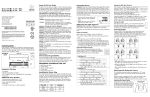
CABLE
LIQUID-TIGHT
FITTING
O-RING
CANOPY BASE
DOME NUT
Indoor: Wall or Ceiling Mount
1. Ensure the junction box is located within 60 feet (18.3m) of the
power/data supply. Pull the fixture leader cable through the
junction box.
caution:
Do not overload the power/data supply. Doing so will
result in product failure and void the warranty.
note: Each light must receive power directly from a power/data
supply. You cannot daisy chain power from one ColorBlast 12 to
another. The ColorBlast 12 cable contains three color-coded wires:
(Fig. 6)
Fig. 4
2. Using the provided screws, attach the mounting bracket of
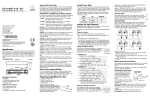
ColorBlast 12 to the junction box (Fig. 2)
Aim fixture and
lock in place.
Fig. 2
FRONT VIEW
•B
lack = Common
•W
hite = Data
• Red = +24 VDC
Fig. 6
COM
BLK
DATA
WHT
24V
RED
caution:
Rotate fixture at base,
lock in place.
Fastening Screws
Included
Attaching the Safety Cable
Each fixture is designed for use with a safety cable. When required
by local or state code, or by a Structural Engineer, attach a safety
cable from the fixture to the mounting surface.
Gasket
Included
3.5” Center-to-center
mounting hole spacing
Outdoor electrical
junction box
Not included
Floor Mount
When used indoors, ColorBlast 12 can be mounted without a junction box. Ensure that the fixture sits flush to the surface and use
mounting hardware suitable for the mounting surface.
Positioning the Fixture
Rotate the light fixture to the desired position. Using the provided
hex key, tighten the set screws located on the base to lock in place.
Tilt the fixture to the desired angle and tighten the set screws located
on the front of housing to lock. See Fig. 4 for location of set screws.
note:
For permanent installations, use thread locker to prevent
loosening.
24V
DATA
COM
24V
DATA
COM
24V
DATA
COM
FUSE
24V
DATA
COM
24V
DATA
COM
FUSE
DIAGNOSTIC
INDICATOR
LIGHTS
PDS-150e
Safety cables used in the installation must meet the following
minimal requirements:
material: 316 Stainless Steel
size: 5/64-inch (0.78-inch nominal diameter) or
larger, minimum break load must be greater than 400 pounds. Maximum diameter is 3/16-inch.
construction: 7 x 7 (49 wires) preformed stranded
end terminations:
Determined by installer and/or owner
mounting method: Determined by installer or owner
Making Electrical Connections
ColorBlast 12 is compatible with Color Kinetics power/data
supplies.
Connecting Power
ColorBlast 12 requires 24VDC. After installing the light fixtures,
connect the power/data cable to the power/data supply. The
PDS-150e supports three ColorBlast 12 fixtures. Wire one fixture
per terminal group, see Fig. 7. Each PDS-60 24V supports one
ColorBlast 12.
power requirement
power consumption
24V
DATA
COM
24V
DATA
COM
FUSE
24V
DATA
COM
24V
DATA
COM
FUSE
24V
DATA
COM
24V
DATA
COM
ETHERNET
Color Kinetics data interface system
Color Kinetics controllers or other DMX512 (RS485)
compatible if using Color Kinetics power/data supply
electrical Specifications
power supply
DIAGNOSTIC
INDICATOR LIGHTS
1. Locate the safety cable bracket on rear of the ColorBlast 12
(Fig. 5).
2. Remove the two screws that attach the cable bracket to the fixture. Loop the safety cable over the cable bracket and reattach
to the fixture. Add thread locker for additional securement of
hardware.
3. Attach the safety cable to the mounting surface. Consult a
Structural Engineer and refer to applicable standards for your
specific application to determine the proper method for mounting
the safety cable to the installation surface.
Color Kinetics
Controller CAT 5/RJ45
Data Cable
control
PDS-150e
END USER SPECIFIES
REQUIRED END TERMINATOR
AND ANCHORING
data interface
AUX IN
Loop out connection
for multiple power/
data supplies
16.7 million (24-bit) additive RGB colors;
continuously variable intensity output range
source High intensity power light emitting diodes (LEDs)
beam angle 23º Beam angle (frosted), 10º (clear)
housing Die Cast Aluminum in black or white finish
lenses Soft-focus tempered glass or clear tempered glass
connectors 60 foot (18.3cm) Unified power and data cable
listings UL/cUL, CE
communication Specifications
100 to 240VAC
ETHERNET
SAFETY CABLE
Fig. 3
Included
DMX IN DMX DMX OUT
LOOP REPEATER
OUT
DATA
TERMINATOR
1. Ensure that the junction box is located within 60 feet of the
power/data supply. Thread the leader cable through provided
gasket. Pull fixture leader cable through the junction box.
Fastening Screws
FUSE
24V
DATA
COM
Fig. 5
Outdoor: Wall or Ceiling Mount
For outdoor installations, ColorBlast 12 must be used with an
outdoor-rated junction box and the gasket must be used to ensure a
watertight seal.
2. Using the provided screws, attach the mounting bracket of
ColorBlast 12 to the outdoor rated junction box (Fig. 3).
Power/Data Cable
(18AWG/.82mm2 CSA)
Maximum cable run from
PDS 150e to Lights: 60 feet
FUSE
Indoor electrical
junction box
Not included
ColorBlast 12 specifications
color range
Fig. 7
DMX IN DMX DMX OUT
LOOP REPEATER
OUT
3.5” Center-to-center
mounting hole spacing
You must use the cable provided with the unit. Use of
other cables may result in light failure.
Temperature Monitoring
For protection from extreme temperatures, ColorBlast 12 has been
designed with a temperature monitoring feature. If operating temperatures rise to an unsafe level, a compensation circuit is triggered
and the ColorBlast 12 operation is interrupted, causing the lights to
turn dull red. After 30 minutes the lights will auto-cycle and return to
full intensity. To prevent additional power shut-downs, determine the
cause of the overheating and correct the problem.
If any problems occur during usage, unplug the product immediately
and call Color Kinetics Technical Support Group: 1-888-FULL RGB
or 617-423-9999 or email us: [email protected].
100 to 240VAC
Environmental Specifications
temperature range
AUX IN
24VDC
50W Max. at full intensity (full RGB)
PDS-150e (ITEM# 109-000008-01); PDS-60 24V
(ITEM# 109-000017-00/01/02)
protection rating
-40ºF to 122ºF (-40ºC to 50ºC) operating temperature
-4ºF to 122ºF (-20ºC to 50ºC) starting temperature
IP66
LED Source Life
In traditional lamp sources, lifetime is defined as the point at which 50% of the lamps fail. This is also
termed Mean Time Between Failure [MTBF]. LEDs are semiconductor devices and have a much longer
MTBF than conventional sources. However, MTBF is not the only consideration in determining useful
life. Color Kinetics uses the concept of useful light output for rating source lifetimes. Like traditional
sources, LED output degrades over time (lumen depreciation) and this is the metric for SSL lifetime.
ROUTINE MAINTENANCE
Cleaning: Use a soft cloth. Clean surface with mild soap and
water or window cleaner.
Lubrication: As needed, apply light household oil to the hinges.
IMPORTANT INFORMATION
Strobe Warning
There is anecdotal evidence which suggests that strobe lighting
may induce epileptic symptoms in certain susceptible individuals, although no associated product warnings have been issued
by the United States government according to the Food and Drug
Administration.
If strobe lights are used, some international regulatory agencies¹
recommend keeping flicker rates at or below four flashes per second (as less of the flicker-sensitive population will then be at risk of
an attack). This flicker rate applies only to the overall output of any
group of lights in direct view. However, when more than one strobe
light is used, the flashes should be synchronized. End users should
also consider issuing a warning, alerting audience or viewers to the
presence of strobe lighting.
LED lumen depreciation is affected by numerous environmental conditions such as ambient temperature, humidity, and ventilation. Lumen depreciation is also affected by means of control, thermal
management, current levels, and a host of other electrical design considerations. Color Kinetics
systems are expertly engineered to optimize LED life when used under normal operating conditions.
Lumen depreciation information is based on LED manufacturers’ source life data as well as other third
party testing. Low temperatures and controlled effects have a beneficial effect on lumen depreciation.
Overall system lifetime could vary substantially based on usage and the environment in which the
system is installed.
Temperature and effects will affect lifetime. Color Kinetics rates product lifetime using lumen depreciation to 50% of original light output. When the fixture is running at room temperature using a color
wash effect, the range of lifetime is in the range of 80,000-100,000 hours. This is LED manufacturers’
test data. High output is defined as any LED device that is 1/2 watt or above. For more detailed information on source life, please see www.colorkinetics.com/lifetime.
Warranty
This product is sold pursuant to CK’s Standard Terms and Conditions (the “T&Cs”) which may be
found at http://colorkinetics.com/howtobuy/buy/terms and which contain important provisions,
including, among others, Limited Warranty, exclusions and limitations on CK’s liability for damages,
and restrictions on the remedies that are available to you.
1.
Guide to Health, Safety and Welfare at Pop Concerts and Similar Events, HMSO Publications (UK)