1
Installation
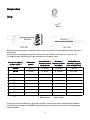
Connect all components as depicted below:
USB
VGA / HDMI
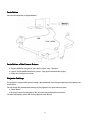
Installation of the Camera Drivers
1. Plug the USB drive into your PC, then choose “Open” resp. “Explorer”.
2. Launch “Install_DAVID-CCD-Camera_Driver“ (may require administrator rights).
3. Follow the instructions on screen.
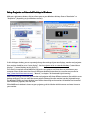
Projector Settings
The projector is shipped with optimal settings. We recommend not to change anything in the projector's onscreen menu.
You can restore the recommended settings in the projector's on-screen menu any time:
1. Select “Reset“
2. Be sure to switch “Auto Keystone“ OFF, and set the manual Keystone value to 0.
For more information, please refer to the projector's User Manual.
5