1
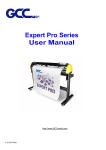
Expert 24 user manual
Table of Contents
Important Information
1. General Information
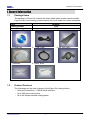
1.1 Package Items
1.2
Product Features
1.3
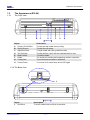
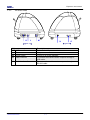
The Appearance
2. Installation
2.1
Precaution
2.2
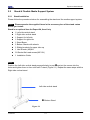
Stand & Flexible Media Support System
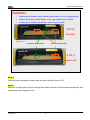
2.3 Blade Installation
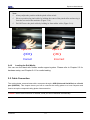
2.4 Media Loading
2.5
Cable Connections
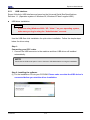
2.5.1 USB Interface
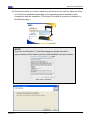
2.5.2 How to switch the USB mode
2.5.3 RS-232 Interface
3.Operation
3.1
3.2
3.3
3.4
The Control Panel
VLCD
File Uploader
Data Transmission
1-1
1-1
1-2
2-1
2-2
2-5
2-7
2-9
2-10
2-13
2-13
3-1
3-2
3-5
3-6
4. Basic Maintenance
4.1
Cleaning the cutting Plotter
4.2
Cleaning the Grid Drum
4.3
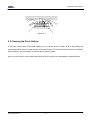
Cleaning the Pinch Rollers
4-1
4-1
4-2
5. Trouble Shooting
5.1
What if Expert 24 cannot Operate?
5.2
Light Indicators
5.3
Cutting Quality Problems
5.4
USB Connection problems
5-1
5-1
5-4
5-5
Appendix
I
A-I
Table of Contents
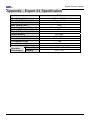
Expert 24 Specification