1
mitex FI
LED 1 x 8
Alphanumeric LED Display with Profibus Interface
3.7 Hardware Self-Test
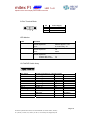
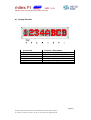
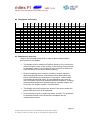
The hardware self-test can be activated with the DIP switches. A
checkerboard pattern is displayed during the hardware self-test, which is
continuously intensified.
The display blinks at a rate of approx. 1 Hz at full brightness. The DIP
switch setting is only read in at reset, and remains active until the next
hardware self-test reset.
3.8 Software Self-Test and Start-Up Performance
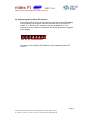
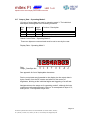
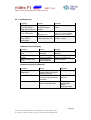
Sweeping rows are displayed during the software self-test and device
start-up:
Overall duration: approx. 15 seconds.
The software self-test is performed automatically each time operating
power is switched on, or can be run continuously in operating modes 2
and 3, in which case it is initialised via device control data by setting the
corresponding bits at the Profibus DP master.
During the software self-test immediately after start-up, the display is
illuminated at full brightness (100%). However, the brightness level
selected via control data is taken into consideration during the software
self-test which is initialised by the Profibus DP master. The blink function
is suppressed.
The software self-test is interrupted as soon as Profibus DP data are
available.
Page 8
microSYST Systemelectronic GmbH, Zur Centralwerkstätte 10, D-92637 Weiden, Germany
Tel. (+49-961) 3 91 66-0, Fax (+49-961) 3 91 66-10, www.microsyst.de, [email protected]