1
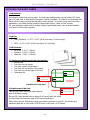
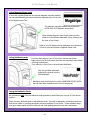
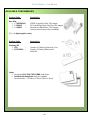
ID Card Printer – User Manual CHOOSING THE RIGHT CARDS Card material Not all white plastic Cards are the same. For best image quality always use high quality PVC Cards. Pure PVC card stock or laminated PVC/polyester Cards are available. The latter are more durable and better suited to heavy use and heat lamination when required. For access control and Smart Card applications, your Dealer should provide the appropriate type for “direct to Card” printing. For good consistent results, stick to a single variety of good quality cards, such as those available from your ID Card Printer’s supplier. Card size CR80 (Standard) = 3.375” x 2.125” (86.50 mm wide x 53.98 mm high). CR79 = 3.03” x 2.051” (83.90 mm wide x 51.0 mm high). Card thickness Minimum - 0.015” ( 0.38mm). Standard - 0.030” ( 0.76mm). Maximum - 0.063” ( 1.60mm). To obtain good quality prints the Card must be : Glossy white. Free from dirt and grease. Free from surface contamination. Free from pits and bumps in the surface. Free from burrs at the edge of the Card. Completely flat. CR80 - 1016 pixels CR79 - 990 pixels CR80 - 53.98mm (2.125”) CR79 - 51mm (2.051”) CR80 - 642 pixels CR79 - 601 pixels ISO Standard Cards Sizes Printable area of the Card Printable area of the Card CR80 - 85.6mm (3.375”) This ID Card Printer offers high quality edge to edge (Full Bleed) printing. CR79 - 83.9mm (3.303”) Die cut PVC Cards typically have an edge roll off (bevel) which can result in a fine white line around the edge of full bleed printed Cards. When setting up your Card design (using your graphics software on your PC), you should use a maximum page size of 1016 pixels (3.45”/87.5mm) x 642 pixels (2.13”/54mm). - 18 -