1
CHAPTER 2. BUILDING APPLICATIONS WITH VTY-UI
2.3
11
Focus Groups and Focus Changes
Graphical interfaces allow the user to change focus between all of the primary interface
input elements, usually with the Tab key. The same is true in vty-ui, except that because
any widget can accept events – and because you decide which widgets are “focusable”
– the library cannot automatically determine which widgets should get the focus, or the
order in which focus should be received. As a result, vty-ui provides a type called a
”focus group.”
A focus group is just an ordered sequence of widgets that should get the user’s focus as
the Tab key is pressed. Widgets receive focus in the order in which they are added to the
group, and the first widget to be added automatically gets the focus when it is added.
Creating a focus group is simple:
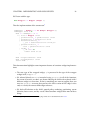
fg <- newFocusGroup
Adding widgets to focus groups is also straightforward:
w <- someWidget
addToFocusGroup fg w
A widget’s “focused behavior” depends entirely on the widget’s implementation. Some
widgets, when focused, provide a text cursor; others merely change foreground and background color. In any case, the widgets that the user can interact with should be in the
interface’s focus group.
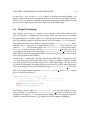
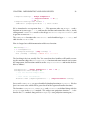
Once widgets are added to the focus group, you won’t have to manage anything else; the
Tab key event is intercepted by the FocusGroup itself, and user input events are passed
to the focused widget until the focus is changed.
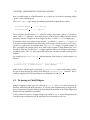
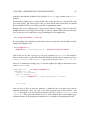
If, for some reason, you would like to be notified when a widget receives or loses focus,
you may register event handlers for these events on any widget:
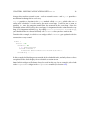
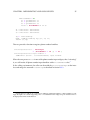
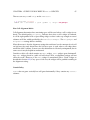
w <- someWidget
w ‘onGainFocus‘ \this -> ...
w ‘onLoseFocus‘ \this -> ...
In both cases above, the this parameter to each event handler is just the widget to which
the event handler is being attached (in this case, w). Many event handlers follow this
pattern.







![Defining Event Handlers [Backbase Manual]](http://vs1.manualzilla.com/store/data/005692904_1-d6f01c41c66ce6049d8fb6a78592ae1b-150x150.png)