1
Bills and Collections User Guide Oracle FLEXCUBE Universal Banking Release 12.1.0.0.0 Part No. E64763-01 September 2015 Bills and Collections User Guide September 2015 Oracle Financial Services Software Limited Oracle Park Off Western Express Highway Goregaon (East) Mumbai, Maharashtra 400 063 India Worldwide Inquiries: Phone: +91 22 6718 3000 Fax:+91 22 6718 3001 www.oracle.com/financialservices/ Copyright © 2007, 2015, Oracle and/or its affiliates. All rights reserved. Oracle and Java are registered trademarks of Oracle and/or its affiliates. Other names may be trademarks of their respective owners. U.S. GOVERNMENT END USERS: Oracle programs, including any operating system, integrated software, any programs installed on the hardware, and/or documentation, delivered to U.S. Government end users are "commercial computer software" pursuant to the applicable Federal Acquisition Regulation and agency-specific supplemental regulations. As such, use, duplication, disclosure, modification, and adaptation of the programs, including any operating system, integrated software, any programs installed on the hardware, and/or documentation, shall be subject to license terms and license restrictions applicable to the programs. No other rights are granted to the U.S. Government. This software or hardware is developed for general use in a variety of information management applications. It is not developed or intended for use in any inherently dangerous applications, including applications that may create a risk of personal injury. If you use this software or hardware in dangerous applications, then you shall be responsible to take all appropriate failsafe, backup, redundancy, and other measures to ensure its safe use. Oracle Corporation and its affiliates disclaim any liability for any damages caused by use of this software or hardware in dangerous applications. This software and related documentation are provided under a license agreement containing restrictions on use and disclosure and are protected by intellectual property laws. Except as expressly permitted in your license agreement or allowed by law, you may not use, copy, reproduce, translate, broadcast, modify, license, transmit, distribute, exhibit, perform, publish or display any part, in any form, or by any means. Reverse engineering, disassembly, or decompilation of this software, unless required by law for interoperability, is prohibited. The information contained herein is subject to change without notice and is not warranted to be error-free. If you find any errors, please report them to us in writing. This software or hardware and documentation may provide access to or information on content, products and services from third parties. Oracle Corporation and its affiliates are not responsible for and expressly disclaim all warranties of any kind with respect to third-party content, products, and services. Oracle Corporation and its affiliates will not be responsible for any loss, costs, or damages incurred due to your access to or use of third-party content, products, or services. Contents 1. Preface ...................................................................................................... 1-1 1.1 1.2 1.3 1.4 1.5 1.6 2. 1-1 1-1 1-1 1-1 1-2 1-3 Bills and Collections - An Overview ...................................................... 2-1 2.1 2.2 2.3 3. Introduction.............................................................................................................. Audience.................................................................................................................. Documentation Accessibility.................................................................................... Organization ............................................................................................................ Glossary of Icons..................................................................................................... Related Documents ................................................................................................. Introduction.............................................................................................................. 2-1 Operations on a Bill ................................................................................................. 2-2 Interest and Charge Liquidation .............................................................................. 2-4 Maintenance ............................................................................................. 3-1 3.1 3.2 3.3 3.4 3.5 3.6 3.7 3.8 3.9 Bills and Collections Document Code Maintenance................................................ 3-1 3.1.1 Maintaining Bills and Collections Documents Code Clauses ..................... 3-1 3.1.2 Fields Button............................................................................................... 3-4 3.1.3 Operations on the Document Code Maintenance Screen .......................... 3-4 Bills and Collections Commodity Code Maintenance .............................................. 3-5 3.2.1 Maintaining Bills and Collections Commodity Codes ................................. 3-5 3.2.2 Fields Button............................................................................................... 3-7 3.2.3 Operations on the Goods/Commodity Maintenance Record ...................... 3-7 Bills and Collections Instruction Code Maintenance................................................ 3-7 3.3.1 Maintaining Bills and Collections Instruction Codes ................................... 3-8 3.3.2 Fields Button............................................................................................... 3-9 3.3.3 Operations on the Instructions Code Maintenance Records .................... 3-10 Bills and Collections Free Format Code Maintenance .......................................... 3-10 3.4.1 Maintaining Bills and Collections Free Format Texts (FFT) ..................... 3-10 3.4.2 Fields Button............................................................................................. 3-12 3.4.3 Operations on the FFT Maintenance Record ........................................... 3-12 Bills and Collections Discrepancy Code Maintenance .......................................... 3-12 3.5.1 Maintaining Bills and Collections Discrepancy Codes.............................. 3-13 3.5.2 Fields Button............................................................................................. 3-14 3.5.3 Operations on the Discrepancy Code Maintenance Record .................... 3-15 Bills and Collections Insurance Company Maintenance........................................ 3-15 3.6.1 Maintaining Bills and Collections Insurance Company Details ................. 3-15 3.6.2 Fields Button............................................................................................. 3-17 3.6.3 Operations on Insurance Company Record ............................................. 3-17 Bills and Collections Exchange Rate Type Maintenance ...................................... 3-17 3.7.1 Maintaining Bills and Collections Exchange Rate Type ........................... 3-17 3.7.2 Fields Button............................................................................................. 3-19 Bills and Collections INCO Term Document Maintenance .................................... 3-20 3.8.1 Maintaining Bills and Collections INCO Term Document ......................... 3-20 3.8.2 Operations on an INCO Term .............................................. 3-22 Bills and Collections Branch Parameters Maintenance......................................... 3-22 3.9.1 Maintaining Bills and Collections Branch Parameters .............................. 3-22 4. Defining Attributes of a Bills and Collection Product .......................... 4-1 4.1 5. Processing Bills ....................................................................................... 5-1 5.1 5.2 5.3 6. Bills and Collections Product Definition ................................................................... 4-1 4.1.1 Defining Bills and Collection Product Details.............................................. 4-1 4.1.2 Accounting Roles Button ............................................................................ 4-7 4.1.3 Event Button ............................................................................................... 4-8 4.1.4 Branch and Currency Button ...................................................................... 4-8 4.1.5 Customer Button......................................................................................... 4-8 4.1.6 MIS Button.................................................................................................. 4-8 4.1.7 Preferences Button..................................................................................... 4-8 4.1.8 Discount Accrual Button ........................................................................... 4-24 4.1.9 Tracers Button .......................................................................................... 4-24 4.1.10 Free Format Text Button .......................................................................... 4-26 4.1.11 Document Button...................................................................................... 4-28 4.1.12 Interest Button .......................................................................................... 4-29 4.1.13 Charge Button .......................................................................................... 4-30 4.1.14 Tax Button ................................................................................................ 4-30 4.1.15 Status Button ............................................................................................ 4-31 4.1.16 Setting up a Product for Bill Forfeiting ...................................................... 4-36 Introduction.............................................................................................................. 5-1 Bills and Collections Contract Input Details............................................................. 5-2 5.2.1 Creating a Bills Contract............................................................................. 5-2 5.2.2 Main Tab..................................................................................................... 5-6 5.2.3 Details Tab ............................................................................................... 5-14 5.2.4 Additional Tab........................................................................................... 5-19 5.2.5 Parties Tab ............................................................................................... 5-24 5.2.6 Documents Tab ........................................................................................ 5-31 5.2.7 Exception Tab........................................................................................... 5-35 5.2.8 Discrepancies Tab.................................................................................... 5-40 5.2.9 Rollover Tab ............................................................................................. 5-42 5.2.10 Drafts Tab................................................................................................. 5-44 5.2.11 Insurance Tab........................................................................................... 5-45 5.2.12 Invoice Tab ............................................................................................... 5-45 5.2.13 Packing Credit Tab ................................................................................... 5-46 5.2.14 Purchase Details Tab ............................................................................... 5-49 5.2.15 Multi Tenor Tab ........................................................................................ 5-52 5.2.16 Viewing Bills and Collections Contract Input Details ................................ 5-56 Multi Tenor Bills ..................................................................................................... 5-57 5.3.1 Operations on Multi Tenor Bills ................................................................ 5-58 5.3.2 Processing Interest for Multi Tenor Bills ................................................... 5-58 5.3.3 Amending Multi Tenor Bills....................................................................... 5-59 5.3.4 Processing MT Messages for Multi Tenor Contracts................................ 5-60 5.3.5 Liquidating Back Dated Bills ..................................................................... 5-60 Capturing Additional Details .................................................................. 6-1 6.1 Additional Details..................................................................................................... 6.1.1 Maintaining Additional Details .................................................................... 6.1.2 Events Button ............................................................................................. 6.1.3 Advices/FFT Button .................................................................................... 6.1.4 Settlement Button ....................................................................................... 6-1 6-1 6-3 6-5 6-8 6.2 6.3 6.4 6.5 6.6 6.7 6.8 6.9 7. Defining Discount Accrual Fee Classes ................................................ 7-1 7.1 7.2 8. 6.1.5 Split Settlement Button ............................................................................... 6-9 6.1.6 Loan Preference Button............................................................................ 6-11 6.1.7 Effective Interest Rate Button................................................................... 6-15 6.1.8 Interest Dates Button................................................................................ 6-16 6.1.9 Finance/Loan Accounts Button................................................................. 6-17 6.1.10 Brokerage Button...................................................................................... 6-17 6.1.11 Charges Transfer Button .......................................................................... 6-20 6.1.12 Drawer/Drawee IC Button......................................................................... 6-21 6.1.13 Message Preview Button.......................................................................... 6-27 6.1.14 All Messages Button................................................................................. 6-29 6.1.15 Import License Button............................................................................... 6-30 6.1.16 OFAC Check Button ................................................................................. 6-32 6.1.17 Collateral Button ....................................................................................... 6-32 6.1.18 Linkage Details Button.............................................................................. 6-34 6.1.19 FX Linkage Button .................................................................................... 6-35 6.1.20 Change Log Button................................................................................... 6-36 Bill Liquidation ....................................................................................................... 6-37 6.2.1 Liquidating Receivable Components of a Bill ........................................... 6-37 6.2.2 Reversing Liquidation Entries................................................................... 6-38 6.2.3 Partial Payment of Discounted Bills.......................................................... 6-38 BC Authorize Contract Details............................................................................... 6-39 6.3.1 Authorizing BC Contracts ......................................................................... 6-39 6.3.2 Multilevel Authorization of a Contract ....................................................... 6-40 Customer Address Maintenance ........................................................................... 6-40 6.4.1 Viewing the Media Addresses of a Customer........................................... 6-41 BIC Code Details ................................................................................................... 6-41 6.5.1 Capturing the BIC Details of a Customer ................................................. 6-41 Bills and Collections Contract Reassign................................................................ 6-42 6.6.1 Reassigning a Contract to another User .................................................. 6-42 Outstanding Items Report...................................................................................... 6-43 6.7.1 Generating Outstanding Items Report...................................................... 6-43 6.7.2 Selection Options ..................................................................................... 6-44 6.7.3 Contents of the Report ............................................................................. 6-44 Bills and Collections Payment Input Details .......................................................... 6-44 6.8.1 Liquidating Overdue Components ............................................................ 6-45 Bills and Collections Document Arrival Notice Input.............................................. 6-46 6.9.1 Maintaining Document Arrival Details....................................................... 6-46 6.9.2 Document Details Tab .............................................................................. 6-47 6.9.3 Goods Tab................................................................................................ 6-48 Discount Accrual Fees............................................................................................. 7.1.1 Processing Discount Accrual Fees............................................................. 7.1.2 Defining a Discount Accrual Fee Class ...................................................... 7.1.3 Associating Discount Accrual Components to Products............................. Computation of Net Discount Accrual Amount for a Processing Day...................... 7.2.1 Computing Net Discount Accrual Amount .................................................. 7.2.2 IRR calculation and IRR Re-calculation ..................................................... 7-1 7-1 7-1 7-4 7-8 7-8 7-9 Registration of a Collection Bill ............................................................. 8-1 8.1 Bills and Collections Registration Input ................................................................... 8-1 8.1.1 Maintaining Bills and Collections Registration Details of a Bill ................... 8-1 8.1.2 8.1.3 9. Main Tab..................................................................................................... 8-2 Parties Tab ................................................................................................. 8-5 Automatic Processes .............................................................................. 9-1 9.1 9.2 9.3 9.4 9.5 9.6 Mandatory Batch Program Maintenance ................................................................. 9-1 9.1.1 Maintaining Bills Batch Process ................................................................. 9-2 Bills and Collections Branch Parameter Maintenance............................................. 9-3 9.2.1 Maintaining Branch Parameters ................................................................. 9-3 9.2.2 Specifying the User Defined Fields ............................................................ 9-6 Processes Run during Beginning of Day (BOD)...................................................... 9-7 9.3.1 Automatic Liquidation of Bills...................................................................... 9-7 9.3.2 Tracer Generation ...................................................................................... 9-9 9.3.3 Automatic Accrual of Interest.................................................................... 9-10 9.3.4 Automatic Status Changes ....................................................................... 9-11 9.3.5 Floating Rate Change............................................................................... 9-12 Status Change Batch............................................................................................. 9-12 9.4.1 Processing Status Change Batch (CSDSTBTC) ...................................... 9-13 9.4.2 Changing from Acceptance to Advance Automatically............................. 9-13 9.4.3 Generating Advices Automatically............................................................ 9-14 Straight through Processing of SWIFT Messages................................................. 9-14 9.5.1 STP SWIFT Messages ............................................................................. 9-14 9.5.2 STP of MT202 and MT203 ...................................................................... 9-15 9.5.3 STP of MT754 - Advice of Payment/Acceptance/Negotiation .................. 9-16 9.5.4 STP of MT400 – Advice of Payment ........................................................ 9-18 9.5.5 STP of MT410 (Acknowledgement Received).......................................... 9-20 9.5.6 STP of MT430 – Amendment of Instructions............................................ 9-21 9.5.7 STP of MT742 – Reimbursement Claim ................................................... 9-21 9.5.8 Deriving Maturity Date of Bills .................................................................. 9-23 Receivable Liquidation (LQ) EOD Batch ............................................................... 9-23 9.6.1 Processing LQ EOD Batch ....................................................................... 9-23 10. Annexure A ............................................................................................. 10-1 10.1 Free Format Texts (FFTs) ..................................................................................... 10-1 10.2 BC SDEs ............................................................................................................... 10-4 11. Annexure B - Accounting Entries and Advices ................................. 11-1 11.1 11.2 11.3 11.4 11.5 Accounting Entries and Advices for Bills ............................................................... 11-1 Events.................................................................................................................... 11-1 Amount Tags ......................................................................................................... 11-2 Accounting Roles................................................................................................... 11-3 Event-wise Accounting Entries for Products.......................................................... 11-4 11.5.1 Outgoing Documentary Sight Bills Under LC On Collection ..................... 11-4 11.5.2 Outgoing Documentary Sight Bills Under LC On Negotiation ................ 11-10 11.5.3 Outgoing Clean Sight Bills Under LC On Collection............................... 11-18 11.5.4 Outgoing Clean Sight Bills Under LC On Purchase ............................... 11-23 11.5.5 Outgoing Documentry Usance Bills Under LC On Discount.................. 11-29 11.5.6 Outgoing Documentary Usance Bills Under LC On Acceptance .......... 11-36 11.5.7 Outgoing Clean Usance Bills Under LC On Acceptance........................ 11-45 11.5.8 Outgoing Documentary Usance Bills Under LC On Collection .............. 11-51 11.5.9 Outgoing Documentary Sight Bills Not Under LC On Collection ............ 11-57 11.5.10 Outgoing documentary Sight Bills Not Under LC On Purchase ........... 11-64 11.5.11 Outgoing Clean Sight Bills Not Under LC On Collection ....................... 11-70 11.5.12 11.5.13 11.5.14 11.5.15 11.5.16 11.5.17 11.5.18 11.5.19 11.5.20 11.5.21 11.5.22 11.5.23 11.5.24 11.5.25 11.5.26 11.5.27 11.5.28 11.5.29 11.5.30 11.5.31 11.5.32 11.5.33 Outgoing Clean Sight Bills Not Under LC On Purchase........................ 11-75 Outgoing Documentary Usance Bills Not Under LC On Discount ....... 11-83 Outgoing Documentary Usance Bills Not Under LC On Acceptance . 11-90 Outgoing Clean Usance Bills Not Under LC On Acceptance ................ 11-94 Outgoing Clean Usance Bills Not Under LC On Discount .................. 11-100 Incoming Sight Bills Under LC Advance.............................................. 11-103 Incoming Sight Bills Under LC Payment.............................................. 11-109 Incoming Sight Bills Under LC Payment.............................................. 11-115 Incoming Sight Bills Under LC Clean Collection.................................. 11-120 Incoming Sight Bills Not Under LC Collection ..................................... 11-124 Incoming Usance Bills Under LC Acceptance ..................................... 11-130 Incoming Usance Bills Under LC Clean Acceptance........................... 11-134 Incoming Usance Bills Under LC Clean Discount ............................... 11-137 Incoming Usance Bills Not Under LC Acceptance .............................. 11-141 Incoming Usance Bills Not Under LC Clean Acceptance .................... 11-145 Incoming Usance Bills Not Under LC Clean Discount......................... 11-148 Incoming Usance Bills Under LC Acceptance ..................................... 11-153 Incoming Sight Bills Under LC Payment.............................................. 11-156 Incoming Sight Bills Not Under LC Collection ..................................... 11-160 Incoming Usance Bills Not Under LC Acceptance .............................. 11-165 Incoming Usance Bills Under LC Acceptance ..................................... 11-169 Accounting Entries for Multi Tenor Contracts ...................................... 11-175 12. Annexure C - Error Codes and Messages ........................................... 12-1 12.1 Error Codes and Messages................................................................................... 12-2 13. Annexure D - SWIFT Message Fields ................................................... 13-1 13.1 SWIFT Advices in BC Module ............................................................................... 13-1 13.2 Details of SWIFT Messages for Bills and Collections............................................ 13-5 13.2.1 MT202 (General Financial Institution Transfer) ........................................ 13-5 13.2.2 MT752 (Authorization to Pay/Accept/Negotiate) ...................................... 13-7 13.2.3 MT400 (Advice of Payment) ..................................................................... 13-8 13.2.4 MT410 (Acknowledgement).................................................................... 13-10 13.2.5 MT412 (Advice of Acceptance) .............................................................. 13-11 13.2.6 MT416 (Advice of Non-Payment/Non-Acceptance)................................ 13-12 13.2.7 MT420 ( Acceptance Tracer).................................................................. 13-13 13.2.8 MT420 (Payment Tracer) ....................................................................... 13-14 13.2.9 MT420 (Rel of Res Tracer)..................................................................... 13-16 13.2.10 MT420 (Payment Fate Tracer) .............................................................. 13-16 13.2.11 MT420 (Acceptance Fate Tracer).......................................................... 13-18 13.2.12 MT420 (Discrepancy Approval Tracer).................................................. 13-19 13.2.13 MT422 (Principal Fate - Advice of Fate and Request for Instructions).. 13-20 13.2.14 MT422 (Acceptance Fate) ..................................................................... 13-20 13.2.15 MT430 (Amendment of Instructions) ..................................................... 13-21 13.2.16 MT732 (Reserve Release) .................................................................... 13-22 13.2.17 MT734 (Payment Refusal)..................................................................... 13-23 13.2.18 MT734 (Accept Refusal)........................................................................ 13-25 13.2.19 MT742 ( Reimbursement Claim) ........................................................... 13-26 13.2.20 MT750 (Advice of Discrepancy ) ........................................................... 13-27 13.2.21 MT754 (Advice Payment Accepted) ...................................................... 13-28 13.2.22 MT756 (Reimbursement Payment Advice)............................................ 13-30 14. Reports ................................................................................................... 14-1 14.1 Bills in User Defined Statuses Report ................................................................... 14-1 14.1.1 Generating Bills in User Defined Statuses Report.................................... 14-2 14.1.2 Selection Options ..................................................................................... 14-2 14.1.3 Contents of Report ................................................................................... 14-3 14.2 Bills and Collections Daily Activity Report ............................................................. 14-4 14.2.1 Generating Bills and Collections Daily Activity Report ............................. 14-4 14.2.2 Selection Options ..................................................................................... 14-4 14.2.3 Contents of Report ................................................................................... 14-5 14.3 Overdue Payments Report .................................................................................... 14-6 14.3.1 Generating Overdue Payments Report .................................................... 14-6 14.3.2 Selection Options ..................................................................................... 14-7 14.3.3 Contents of Reports.................................................................................. 14-8 14.4 Overdue Acceptances Report ............................................................................... 14-8 14.4.1 Generating Overdue Acceptances Report................................................ 14-8 14.4.2 Selection Options ..................................................................................... 14-9 14.4.3 Contents of Reports................................................................................ 14-10 14.5 Finalization Overdue Days Report....................................................................... 14-10 14.5.1 Generating Finalization Overdue Days Report....................................... 14-11 14.5.2 Selection Options ................................................................................... 14-11 14.5.3 Contents of Report ................................................................................. 14-12 14.6 BC Automatic Processing Exceptions Report ..................................................... 14-13 14.6.1 Generating BC Automatic Processing Exceptions Report...................... 14-13 14.6.2 Contents of Report ................................................................................. 14-14 14.7 BC Contracts Overrides Report........................................................................... 14-14 14.7.1 Generating BC Contracts Overrides Report ........................................... 14-14 14.7.2 Selection Options ................................................................................... 14-15 14.7.3 Contents of the Report ........................................................................... 14-15 14.8 List of Bills with Pending Documents Report....................................................... 14-16 14.8.1 Generating List of Bills with Pending Documents Report ....................... 14-16 14.8.2 Selection Options ................................................................................... 14-17 14.8.3 Contents of Report ................................................................................. 14-18 14.9 Bills under Protest Report.................................................................................... 14-18 14.9.1 Generating Bills under Protest Report.................................................... 14-18 14.9.2 Selection Options ................................................................................... 14-19 14.9.3 Contents of Report ................................................................................. 14-19 14.10 Bills to be Protested Report................................................................................. 14-20 14.10.1 Generating Bills to be Protested Report ................................................ 14-21 14.10.2 Contents of Report ................................................................................ 14-21 14.11 Bills and Collections Contract Maturing Bills Report ........................................... 14-22 14.11.1 Generating Bills and Collections Contract Maturing Bills Report........... 14-22 14.11.2 Selection Options .................................................................................. 14-23 14.11.3 Contents of the Report .......................................................................... 14-23 14.12 List of Bills Eligible for Rediscounting Report ...................................................... 14-24 14.12.1 Generating List of Bills Eligible for Rediscounting Report ..................... 14-25 14.12.2 Contents of Report ................................................................................ 14-25 14.13 List of Bills Under Reserve Report ...................................................................... 14-26 14.13.1 Generating List of Bills Under Reserve Report...................................... 14-26 14.13.2 Contents of Report ................................................................................ 14-27 14.14 Multi Tenor Bills Report ....................................................................................... 14-28 14.14.1 Generating Multi Tenor Bills Report ...................................................... 14.14.2 Contents of the Report .......................................................................... 14.15 Bills Static Maintenance Reports......................................................................... 14.15.1 Generating Bills Static Maintenance Report.......................................... 14-28 14-29 14-29 14-30 15. Function ID Glossary ............................................................................. 15-1 1. Preface 1.1 Introduction This manual is designed to help you to quickly get familiar with the Bills and Collections module of Oracle FLEXCUBE. It provides an overview to the module and takes you through the various stages in processing a bill or collection. You can further obtain information specific to a particular field by placing the cursor on the relevant field and striking <F1> on the keyboard. 1.2 Audience This manual is intended for the following User/User Roles: 1.3 Role Function Back Office Trade Finance Department Clerks BC Contract Input functions except Authorization Back Office Trade Finance Department Officers BC Contract Authorization, maintenance of static data specific to the BC module Front end Trade Finance Product Managers BC Product definition functions excluding authorization. BC Report/Query functions End of Day Operators End and beginning of day related processing functions. BC Report/Query functions Bank’s Financial Controller/Trade Finance Department Manager Branch level processing related setup for BC module and Authorization of the same Authorization of BC product definitions/amendments. BC Report/Query functions MIS Department Officers BC Query/Report functions Documentation Accessibility For information about Oracle's commitment to accessibility, visit the Oracle Accessibility Program website at http://www.oracle.com/pls/topic/lookup?ctx=acc&id=docacc. 1.4 Organization This manual is organized into the following chapters: Chapter Description Chapter 1 About this Manual gives information on the intended audience. It also lists the various chapters covered in this User Manual. Chapter 2 Bills and Collections - An Overview offers a snapshot of the features of the entire module. 1-1 1.5 Chapter 3 Maintenance details the procedure to set up static information related to the module. This includes the maintenance of Goods, Documents, Instructions, Free format text (FFT), Clause codes, and their corresponding description. Chapter 4 Defining Attributes of a Bills and Collection Product describes the procedure to define attributes specific to Bills and Collection products. Chapter 5 Processing Bills deals with the sequence of events involved, to process a bill. Chapter 6 Capturing Additional Details explains about the various links provided in the Bills and Collection (BC) Contract screen and the options to provide additional details pertaining to the processing of a BC Contract. Chapter 7 Defining Discount Accrual Fee Classes explains discount accrual processing for bills. Chapter 8 Registration of a Collection Bill details the procedure involved in registering a collection bill. Chapter 9 Automatic Processes explains the processes that automatically run periodic activities. Chapter 10 Annexure - A contains details of the FFTs that are shipped along with the module. Chapter 11 Annexure - B contains a list of suggested accounting entries and advices that can be set up for the BC module. Chapter 12 Annexure C - Error Codes and Messages lists all the error messages that you can encounter while working with Oracle FLEXCUBE. Chapter 13 Annexure D- SWIFT Message Fields lists the SWIFT messages supported by BC module and the mapping between the fields in the messages and Oracle FLEXCUBE. Chapter 14 Reports provides a list of reports that can be generated in this module and also explains their contents. Chapter 15 Function ID Glossary has alphabetical listing of Function/Screen ID's used in the module with page references for quick navigation. Glossary of Icons This User Manual may refer to all or some of the following icons. Icons Function Exit Add row Delete row Option List 1-2 1.6 Related Documents The Procedures User Manual The Core Services User Manual The Letters of Credit User Manual The Central Liability User Manual 1-3 2. Bills and Collections - An Overview 2.1 Introduction A bill, as an instrument of international trade, is the most commonly used method for a seller to be paid through banking channels. Besides credit risk considerations, bills are the customary business practice for trade and a particularly important fee-earning service for any bank. The Bills and Collections (BC) module supports the processing of all types of bills, both domestic and international. It handles the necessary activities during the entire lifecycle of a bill once it is booked. In an effort to empower your bank in handling a high volume of credit and to enable you to provide superior services to the customers of your bank, Oracle FLEXCUBE provides you with the following features: The Bills and Collections module supports the processing of all types of international and domestic bills like: – Incoming Bills under LCs – Incoming Bills not under LCs – Outgoing Bills under LCs – Outgoing Bills not under LCs – Incoming Collections – Outgoing Collections – Usance or Sight Bills – Documentary or Clean Bills You can create a new product or copy the details of an existing bill on to a new one and modify it to suit your requirements. This renders the input of the details of a bill faster and easier. You have the flexibility to create and customize a product to suit almost any requirement under a bill. The bills associated with the product will bear characteristics that you define for it. The BC module is designed to handle the interest, charges, or fees related to a bill and record amendments to the original terms of the bill. The BC module actively interacts with the LC module of Oracle FLEXCUBE. This enables easy retrieval of information for bills drawn under an LC that was issued at your bank. Most of the details maintained for the LC will be defaulted to the bill when you indicate the reference number of the LC involved in the bill. This eliminates the need to re-enter the details of the LC all over again. The Central Liability sub-system automatically controls the booking of a bill against the credit lines assigned to the customer before the bookings are made. Oracle FLEXCUBE also supports tracking your bank’s exposure for a bill to several parties. You have the option to automate periodic processes such as: – The application of floating interest rates to the components of a bill as and when they change – The movement of a bill from a given status to another – Accrual of interest due to a bill – Liquidation of bills on the liquidation date that you indicate – Generation of tracers on the due date 2-1 These will be processed as part of the batch processes run at BOD or EOD. The system automatically calculates the date on which the events should take place, based on the frequency and the date specified for the bill. The module also supports automated follow-up and tracer facility for payments and acceptance. Tracers can be automatically generated at an indicated frequency until a discrepancy is resolved. When a repayment against the bill, is not made on the due date, you may want to do an aging analysis for the bill. You can define the number of days that the bill should remain in a given status, the sequence in which a bill should move from one status to another and also indicate the direction of movement (forward or reverse). You can follow-up on the repayment of a bill by generating reports which detail the status of aging bills. Depending on the processing requirements of your bank, you can define and store the standard documents, clauses, and instructions and free format texts. These details can be incorporated and printed onto the output document of the bill, by entering the relevant code. This eliminates entering the details of standard components of a bill every time you need to use them. Bills can be carried over several stages during the day. After a bill has been entered, it can be verified and authorized on-line before further processing. Information services for managerial and statistical reporting such as on-line transactions, status report and the immediate retrieval of information of the bills processed at your bank can be generated. Oracle FLEXCUBE’s Graphic User Interface (GUI) facilitates ease of input. Option lists are provided wherever possible. This makes the module both efficient and easy to use. The media supported include Mail, Telex and SWIFT. The BC module supports and handles the following functions: – Open/Amend a bill – The authorization of bill contracts – The reversal and liquidation of interest and charges – Customer inquiries – The generation of tracers and advices – The generation and printing of reports On-line help - indicates that you can invoke global help by making use of the Help option in the Menu bar. You can also invoke on-line context sensitive help, which is made available to you, if you strike the hot key <F1> while in the application. A window pops up displaying information associated with the field from which you invoked it. This chapter contains the following sections: 2.2 Section 2.1, "Introduction" Section 2.2, "Operations on a Bill" Section 2.3, "Interest and Charge Liquidation" Operations on a Bill The operations that you can perform on a bill depend on the trade finance product type you are processing. Further, the messages and advices that are generated for the bill are determined by the operation you perform on the bill. The interest, charges or fees can be different for each operation that you perform on the bill. In Oracle FLEXCUBE, all types of bills are classified in to two categories. They are: Import Bills 2-2 Export Bills All types of incoming bills (international and domestic) financed by your bank are termed Import bills. Similarly, all outgoing bills (international and domestic) financed by your bank are termed Export bills. The operations that you can perform on a bill have been diagrammatically represented below: The system allows you to effect a change of operation for the following operation types: Acceptance to Advance (automatic facility provided) Acceptance to Discount Collection to Purchase For instance, while processing an acceptance bill, which needs to be discounted, you need not enter a new bill to discount the bill. You need to just amend the operation type from acceptance to discount. SWIFT Messages for an Import Bill The messages that are generated for an Import bill depend on the operation you perform on the bill. The following are the SWIFT messages that are supported for an Import bill. Description SWIFT code Acknowledgement MT410 Acceptance Advice MT412 Payment tracer MT420 Acceptance tracer MT420 Advice of Payment for a Collection bill MT400 Advice of fate (principal and acceptance) MT422 2-3 Refusal Advice (payment and accept) MT734 Discharge Advice MT732 Tracers that are generated MT420 Authorization to pay, accept or negotiate MT752 Advice of Payment for import bills under LC MT756 SWIFT Messages for an Export Bill The messages that are generated for an Export bill depend on the operation you perform on the bill. The following are the SWIFT messages that are supported for an Export bill. 2.3 Description SWIFT Code Acknowledgement MT410 Acceptance Advice MT412 Payment tracer MT420 Acceptance tracer MT420 Refusal Advice (payment and accept) MT734 Discharge Advice MT 732 Amendment of instruction MT 430 Reimbursement claim MT 742 Discrepancy Requirement MT 750 Tracers that are generated MT 420 Interest and Charge Liquidation The BC module has a flexible mechanism for raising, tracking and controlling the interest that you collect and the charges that you levy. These may be on a cash or account receivable basis. They can be collected either in advance or in arrears and can be accrued or nonaccrued. Interest can be collected either as a rate or as a flat amount. Standard Interest rates can be defined for each bill type. Changes that you effect to fields like the base date, exchange rate or account numbers require reversal entries The system generates reversal entries for the corrected amount, account, rate etc. 2-4 3. Maintenance The Bills module requires certain basic information to be set up before becoming fully operational. You can maintain details for the following: Document details Clause details Commodity Instruction codes Free Format Texts Parameters for your branch Insurance Company Details Exchange Rate Type maintenance for different transaction amount slabs INCO Terms This chapter contains the following sections: 3.1 Section 3.1, "Bills and Collections Document Code Maintenance" Section 3.2, "Bills and Collections Commodity Code Maintenance" Section 3.3, "Bills and Collections Instruction Code Maintenance" Section 3.4, "Bills and Collections Free Format Code Maintenance" Section 3.5, "Bills and Collections Discrepancy Code Maintenance" Section 3.6, "Bills and Collections Insurance Company Maintenance" Section 3.7, "Bills and Collections Exchange Rate Type Maintenance" Section 3.8, "Bills and Collections INCO Term Document Maintenance" Section 3.9, "Bills and Collections Branch Parameters Maintenance" Bills and Collections Document Code Maintenance This section contains the following topics: 3.1.1 Section 3.1.1, "Maintaining Bills and Collections Documents Code Clauses" Section 3.1.2, "Fields Button" Section 3.1.3, "Operations on the Document Code Maintenance Screen" Maintaining Bills and Collections Documents Code Clauses There are certain standard documents that are required under a documentary bill. As these documents are standard and common to most countries, you need not specify the details of the document each time you need to use it for a bill. Instead, you can maintain its details in the ‘Bills and Collections Document Master Maintenance’ screen. The advantage of maintaining document details is that, at the time of creating a product or at the time of entering the details of a bill, you need only specify the code assigned to the document. All the details maintained for the document will be automatically picked up. This reduces effort taken as there is no need to enter the contents of the document every time you use it. You can invoke the ‘Bills & Collections Document Code Maintenance’ screen by typing ‘BCDDOCCD’ in the field at the top right corner of the Application tool bar and clicking the 3-1 adjoining arrow button. If you are maintaining the details of a new document, click the new button on the Application toolbar. The screen is displayed without any details. If you are calling a document maintenance record that has already been defined, double click on a document code from the summary screen. Document Details You can maintain the following details related to the documents in the ‘Bills and Collections Document Code Maintenance’ screen. Document Code In Oracle FLEXCUBE, each document that you maintain is identified by a 12-character code called a document code. One of the characters of the code should be a letter of the English Alphabet. You can follow your own conventions for devising this code. The code should be unique as it is used to identify the document. While creating a product or at the time of entering the details of a bill, where you need to specify the documents that should accompany a bill, you need to only specify the code assigned to the document. The document details will be automatically picked up and defaulted. Language Code Specify the language code using which all the correspondences with the party should be carried out. The adjoining option list displays all available language codes. You can choose the appropriate one. Document Type Select the document type from the drop-down list. The available options are Transport, Insurance, Invoice, and Others. Validate Shipping Guarantee To track the documents captured during booking of import bill against shipping guarantee issued based on the same set of documents select the ‘Validate Shipping Guarantee’ option 3-2 in the screen. The tracking will be based on document reference captured in the documents screen of LC and BC contract online. By default, this field will be unchecked and can be changed before you save the record. This field can be modified at any time using unlock operation. During Copy operation the value of this field will be copied to the new document code. Bill of Lading Check this box to validate the reference number used in the bill against the shipping guarantee Bill of lading reference number. Document Short Description The documents required under a bill are sometimes large and hence difficult to identify. Therefore you can specify a short description or a title, which will enable quick identification of the document. The short description specified is for information purposes only and will not be printed on the document. Document Long Description Specify the complete description of the document. This option allows you to enter a maximum of 255 characters. Clause Details A clause is a statement that can accompany a document sent under a bill. Instead of specifying the details of a clause each time you need to use it, you can maintain a list of the standard clauses, which can accompany the documents sent under a bill, in the Bills and Collections Document Code Maintenance screen. The advantage of maintaining clause details is that at the time of creating a product or at the time of entering a bill, you need to only specify the code assigned to the clause. All the details maintained for the clause will be automatically picked up. This reduces the effort involved in entering the contents of the clause each time you use it. You can capture the following details related to the clause: Clause Code Each clause maintained is identified by a four-character code called a Clause code. One of the characters of the clause code should be a letter of the English Alphabet. You can follow your own convention for devising the code. This code should be unique as it is used to identify the clause. While creating a product or at the time of entering the details of a bill, instead of specifying the clauses that should accompany a document, you need to only specify the code assigned to the clause. The clause details will be automatically picked up and defaulted. Description After specifying a code for the clause, you can proceed to maintain a detailed description of the clause. The description carries the contents of the clause and they will be printed on the documents that are required for the bill. The clause description can contain a maximum of two thousand characters. 3-3 3.1.2 Fields Button You can specify values for user defined fields in the ‘User Defined Fields’ screen. To invoke this screen, click ‘Fields’ button. Note Value for UDF can be made mandatory or non-mandatory as maintained in the ‘User Defined Fields Maintenance’ screen. After you have entered the details of the document and clause you should save the record. Click ‘Exit’ or ‘Cancel’ button to exit the screen. 3.1.3 Operations on the Document Code Maintenance Screen On an existing Document Maintenance record, you can perform any of the following operations (if any function under the application toolbar is disabled, it means that the function is not allowed for the record): Amend the details of a document Authorize a document Copy the details of a document on to a new document Close the document Reopen the document Print the details of a document Delete the details of a document On an existing Clause Maintenance record, you can perform any of the following operations (if any function under the Application toolbar is disabled, it means that the function is not allowed for the record): Amend the details of the record Authorize the record Copy the details of a clause on to a new record Close the record Reopen the closed record 3-4 Print the details of a record Delete the record Please refer to the User Manual on Common Procedures for details of these operations. 3.2 Bills and Collections Commodity Code Maintenance This section contains the following topics: 3.2.1 Section 3.2.1, "Maintaining Bills and Collections Commodity Codes" Section 3.2.2, "Fields Button" Section 3.2.3, "Operations on the Goods/Commodity Maintenance Record" Maintaining Bills and Collections Commodity Codes A bill is an instrument used for trade payments and trade involves merchandise. There are certain standard goods or commodities that are transacted under bills. Instead of specifying details of the merchandise each time they are traded, you can maintain the details of the standard goods in the ‘Bills & Collections Commodity Code Maintenance’ screen. The advantage of maintaining goods details is that at the time of entering the details of a bill, you need to only specify the code assigned to the goods. All the details maintained for the goods code will be automatically picked up. This reduces your effort, as you do not need to enter the description of the goods each time you need to use it. The details of the standard goods transacted under a bill can be maintained using the ‘Bills & Collections Commodity Code Maintenance’ screen. You can invoke this screen by typing ‘BCDCOMCD’ in the field at the top right corner of the Application tool bar and clicking on the adjoining arrow button. If you are maintaining details of a commodity for the first time, click new icon. The ‘Bills & Collections Commodity Code Maintenance’ screen is displayed without any details. 3-5 If you are calling a goods maintenance record that has already been defined, double click on a commodity code from the summary screen. Goods Details You can capture the following details related to the standard goods: Goods Code In Oracle FLEXCUBE, goods are identified by a 12 character code called a ‘Goods Code’. One of the characters of the goods code should be an alphabet. You can follow your own conventions for devising the code. The goods code that you specify should be unique as it is used to identify the goods. While creating a product or at the time of entering a bill, instead of defining details of the goods transacted under the bill, you need to only specify the code assigned to the goods. The details of the goods will automatically be picked up and defaulted. Language Code Specify the language code using which all the correspondences with the party should be carried out. The adjoining option list displays all available language codes. You can choose the appropriate one. Goods Short Description Give a brief description of the goods. You can enter a maximum of 255 characters in this field. Goods Description After assigning a code to the goods, you can proceed to maintain a detailed description of the goods. The goods description can contain a maximum of 6500characters. While specifying details of the goods transacted under a bill, you can edit the description that is defaulted to suit the requirements of the bill you are processing. You can also use it to enter specifications such as the quality and quantity of the merchandise. Goods Classification Select the type of the goods from the adjoining drop-down list. the options are: 3-6 General Licensed Prohibited Goods classification is mandatory. 3.2.2 Fields Button You can specify values for user defined fields in the ‘User Defined Fields’ screen. To invoke this screen, click ‘Fields’ button. Value for UDF can be made mandatory or non-mandatory as maintained in the ‘User Defined Fields Maintenance’ screen. After you have entered the details of the document and clause you should save the record. Click ‘Exit’ or ‘Cancel’ button to exit the screen. 3.2.3 Operations on the Goods/Commodity Maintenance Record On an existing Goods maintenance record, you can perform any one of the following operations (if any function under the Application toolbar is disabled, it means that the function is not allowed for the record): Amend the details of a record Authorize a record Copy the details of a commodity on to a new record Close a record Reopen a closed record Print the details of a record Delete a record Refer to the chapter on common procedures for details of these operations. 3.3 Bills and Collections Instruction Code Maintenance This section contains the following topics: 3-7 3.3.1 Section 3.3.1, "Maintaining Bills and Collections Instruction Codes" Section 3.3.2, "Fields Button" Section 3.3.3, "Operations on the Instructions Code Maintenance Records" Maintaining Bills and Collections Instruction Codes You can register the standard set of instructions or statements that are applicable to the bills that you issue. These standard instructions can be made to appear in the correspondence and messages sent to the parties involved in a bill. Instead of specifying details of an instruction each time you to use it, maintain its details in the ‘Bills and Collections Instruction Codes Maintenance’ screen. The advantage of maintaining Instruction Codes is that at the time of creating a product or while entering the details of a bill, you need to only specify the code assigned to the Instructions. All the details maintained for the instruction code will be automatically picked up. This reduces considerably reduces time and effort as there is not need to enter the description of an instruction each time you use it. You can invoke the ‘Bills & Collections Instruction Code Maintenance’ screen by typing ‘BCDINSCD’ in the field at the top right corner of the Application tool bar and clicking on the adjoining arrow button. If you are maintaining the details for an instruction for the first time, click the new button on the Application toolbar. If you are calling an instruction maintenance record that has already been defined, click on an instruction from the summary screen to open it. Instructions Code Details You can capture the following details. Instructions Code In Oracle FLEXCUBE, each instruction that you maintain is identified by a four-character code called an Instruction Code. One of the characters of this code should be a letter of the English Alphabet. You can follow your own conventions for devising the code. 3-8 The code that you specify should be unique as it is used to identify the instruction. While creating a product, or at the time of entering the details of a bill instead of specifying the Instructions required under a bill, you need to only specify the code assigned to the instruction. The instruction details will be automatically picked up and defaulted. In order to process MT734, you need to maintain the following instruction codes and link them to PAYMENT_REFUSAL advice: NOTIFY – This indicates that documents are held until the issuing bank receives a waiver from the applicant and agrees to accept it, or it receives further instructions from the presenter prior to agreeing to accept a waiver. PREVINST – This indicates that the issuing bank is acting in accordance with instructions previously received from the presenter. These codes are captured in field 77B of MT734. You can link these instruction codes to the advice in the ‘Advices/Free Format Text’ screen that can be invoked from the ‘Bills and Collections – Contract Input’ screen by clicking ‘Advices / FFT’ button. Refer the section ‘Specifying instructions for a bill’ in the chapter ‘Processing Bills’ of this User Manual for details about instruction code linkage. Language Code Specify the language code using which all the correspondences with the party should be carried out. The adjoining option list displays all available language codes. You can choose the appropriate one. Instructions Text After assigning a code to identify an instruction, you can proceed to maintain the description of the instruction. The contents of the instruction that you define can contain text up to 2000 characters. 3.3.2 Fields Button You can specify values for user defined fields in the ‘User Defined Fields’ screen. To invoke this screen, click ‘Fields’ button. Value for UDF can be made mandatory or non-mandatory as maintained in the ‘User Defined Fields Maintenance’ screen. After you have entered the details of the document and clause you should save the record. Click ‘Exit’ or ‘Cancel’ button to exit the screen. 3-9 3.3.3 Operations on the Instructions Code Maintenance Records On an existing Instruction Maintenance record, you can perform any one of the following operations (if any function under the Application toolbar is disabled, it means that the function is not allowed for the record): Amend the details of the record Authorize the record Copy the details of an FFT on to a new record Close the record Reopen the closed record Print the details of a record Delete the record Please refer to the chapter on common procedures for details of these operations. 3.4 Bills and Collections Free Format Code Maintenance This section contains the following topics: 3.4.1 Section 3.4.1, "Maintaining Bills and Collections Free Format Texts (FFT)" Section 3.4.2, "Fields Button" Section 3.4.3, "Operations on the FFT Maintenance Record" Maintaining Bills and Collections Free Format Texts (FFT) Free Format Texts (FFT’s) may be a set of instructions or statements that are applicable to the bills that you process. There are several standard free format texts that should appear in the correspondence and messages sent to the parties involved in the bill. Instead of specifying the details of the FFT each time you need to use it, you can maintain them in the FFT Maintenance screen. The advantage of maintaining FFT details is that at the time of creating a product or while entering the details of a bill, you need to only specify the code assigned to the FFT. All the details maintained for the FFT code will be automatically picked up. This reduces your effort, as you do not need to enter the description of the FFT each time you use it. You can invoke the ‘Bills & Collections Free Format Code Maintenance’ screen by typing ‘BCDFFTCD’ in the field at the top right corner of the Application tool bar and clicking on the adjoining arrow button. 3-10 If you are maintaining the details for the FFT for the first time, click the new button on the Application toolbar. The ‘Bills & Collections Free Format Code Maintenance’ screen is displayed. If you are calling an FFT maintenance record that has already been defined, click on FFT from the summary screen to open it. Free Format Text Code Details You can capture the following details related to the Free Format Text Code here. Text Code In Oracle FLEXCUBE, each FFT that you maintain is identified by a 12-character code called an FFT code. One of the characters of this code should be a letter of the English Alphabet. You can follow your own conventions for devising the code. The code that you specify should be unique as it is used to identify the FFT. While creating a product, or at the time of entering the details of a bill instead of specifying the FFTs required under a bill, you need to only specify the code assigned to the FFT. The FFT details will be automatically picked up and defaulted. Language Code Specify the language code using which all the correspondences with the party should be carried out. The adjoining option list displays all available language codes. You can choose the appropriate one. Free Format Text After you have assigned a code to identify an FFT, you can proceed to maintain the description of the FFT. The Description that you specify can contain text up to 2500 characters. After you have made the required mandatory entries you can save the record. On saving the record, your User ID will be displayed in the Input By field at the bottom of the screen. The date and time at which you saved the record will be displayed in the Date/Time field. 3-11 A record that you have created should be authorized by a user bearing a different login Id, before the EOD is run. Once the record is authorized the Id of the user who authorized the record will be displayed in the Auth By field. The date and time at which the record has been authorized will be displayed in the Date/Time field positioned next to the Auth By field. The status of the record will be displayed in the check box marked Authorized The field will remain unchecked until the record is authorized. 3.4.2 Fields Button You can specify values for user defined fields in the ‘User Defined Fields’ screen. To invoke this screen, click ‘Fields’ button. Value for UDF can be made mandatory or non-mandatory as maintained in the ‘User Defined Fields Maintenance’ screen. After you have entered the details of the document and clause you should save the record. Click ‘Exit’ or ‘Cancel’ button to exit the screen. 3.4.3 Operations on the FFT Maintenance Record On an existing FFT Maintenance record, you can perform any one of the following operations (if any function under the Application toolbar is disabled, it means that the function is not allowed for the record): Amend the details of the record Authorize the record Copy the details of an FFT on to a new record Close the record Reopen the closed record Print the details of a record Delete the record Please refer to the chapter on common procedures for details of these operations 3.5 Bills and Collections Discrepancy Code Maintenance This section contains the following topics: 3-12 3.5.1 Section 3.5.1, "Maintaining Bills and Collections Discrepancy Codes" Section 3.5.2, "Fields Button" Section 3.5.3, "Operations on the Discrepancy Code Maintenance Record" Maintaining Bills and Collections Discrepancy Codes You can register the standard discrepancy codes that are applicable to the bills you process. Instead of specifying the details of the discrepancy each time you need to use it, you can maintain them in the BC Discrepancy Codes Maintenance screen. The advantage of maintaining Discrepancy codes is that at the time of creating a product or while entering the details of a bill, you need to only specify the code assigned to the discrepancy code. All the details maintained for the discrepancy code will be automatically picked up. This reduces your effort, as you do not need to enter the description of the discrepancy each time you use it. You can invoke the ‘Bills & Collections Discrepancy Code Maintenance’ screen by typing ‘BCDDISCD’ in the field at the top right corner of the Application tool bar and clicking on the adjoining arrow button. If you are maintaining the details for an instruction for the first time, click the new button on the toolbar. If you are calling a discrepancy maintenance record that has already been defined, double click on a discrepancy code of your choice from the summary screen. Discrepancy Code Details You can capture the following details related to the Discrepancy Codes here. Discrepancy Code In Oracle FLEXCUBE, each discrepancy that you maintain is identified by a 12-character code called a Discrepancy Code. One of the characters of this code should be a letter of the English Alphabet. You can follow your own conventions for devising the code. 3-13 The code that you specify should be unique as it is used to identify the discrepancy. While creating a product, or at the time of entering the details of a bill, instead of specifying the discrepancy codes applicable to a bill, you need to only specify the code assigned to the discrepancy. The details maintained for the discrepancy code, will be automatically picked up and defaulted. Language Code Specify the language code using which all the correspondences with the party should be carried out. The adjoining option list displays all available language codes. You can choose the appropriate one. Description After you have assigned a code to identify a discrepancy, you can proceed to maintain the description of the discrepancy. The contents of the discrepancy that you define can contain text up to six thousand five hundred characters. After making the mandatory entries you can save the record. On saving the record, your User ID will be displayed in the Input By field at the bottom of the screen. The date and time at which you saved the record will be displayed in the Date/Time field. A record that you have created should be authorized by a user bearing a different login Id, before the EOD is run. Once the record is authorized, the Id of the user who authorized the record will be displayed in the Auth By field. The date and time at which the record has been authorized will be displayed in the Date/Time field positioned next to the Auth By field. The status of the record will be displayed in the check box marked Authorized. The field will remain unchecked until the record is authorized. 3.5.2 Fields Button You can specify values for user defined fields in the ‘User Defined Fields’ screen. To invoke this screen, click ‘Fields’ button. Value for UDF can be made mandatory or non-mandatory as maintained in the ‘User Defined Fields Maintenance’ screen. After you have entered the details of the document and clause you should save the record. Click ‘Exit’ or ‘Cancel’ button to exit the screen. 3-14 3.5.3 Operations on the Discrepancy Code Maintenance Record On an existing Discrepancy Code maintenance record, you can perform any one of the following operations (if any function under the Application toolbar is disabled, it means that the function is not allowed for the record): Amend the details of the record Authorize the record Copy the details of a discrepancy code on to a new record Close the record Reopen the closed record Print the details of a record Delete the record Refer to the Procedures User Manual for details of these operations. 3.6 Bills and Collections Insurance Company Maintenance This section contains the following topics: 3.6.1 Section 3.6.1, "Maintaining Bills and Collections Insurance Company Details" Section 3.6.2, "Fields Button" Section 3.6.3, "Operations on Insurance Company Record" Maintaining Bills and Collections Insurance Company Details A bill, as an instrument used for trade payments involves the shipment of large merchandise over long distances. To cover the loss or damage of the goods during transition, most merchandise that is traded is covered under an insurance policy. You can maintain the details of different Insurance Companies in Oracle FLEXCUBE. At the time of capturing the details of a Bill contract in the system, you can associate the appropriate Insurance Company Code with the contract. Upon selection of the code, all the details maintained for the selected code will be automatically picked up by the system. Subsequently, on receipt of the insurance policy from the company, the insurance policy number can also be captured in the relevant contract. You can maintain the details of an insurance company through the ‘Bills & Collections Insurance Company Maintenance’ screen. You can invoke this screen by typing ‘BCDINSCO’ 3-15 in the field at the top right corner of the Application tool bar and clicking on the adjoining arrow button. Company Details In this screen, you can maintain the following details of Insurance Companies: Insurance Company Code Specify a unique code for each insurance company being defined in the system. The insurance company will be identified by this code throughout the system. This is mandatory information and if not provided, you will not be allowed to save the details of the company. You can use a maximum of 9 alphanumeric characters to create the company code. Insurance Company Name After specifying a unique code for the company, you can also specify the full name of the insurance company. Address Specify the mailing address of the insurance company being defined. You can maintain a maximum of four lines of address. Each line of address can accommodate a maximum of 105 alphanumeric characters. Telephone Number You can also capture the telephone number of the insurance company. Fax Number Specify the Fax number of the insurance company. Note The insurance company will be available for association with Bill contracts only after you authorize the company details. 3-16 3.6.2 Fields Button You can specify values for user defined fields in the ‘User Defined Fields’ screen. To invoke this screen, click ‘Fields’ button. Value for UDF can be made mandatory or non-mandatory as maintained in the ‘User Defined Fields Maintenance’ screen. After you have entered the details of the document and clause you should save the record. Click ‘Exit’ or ‘Cancel’ button to exit the screen. 3.6.3 Operations on Insurance Company Record In addition to creating the details of an insurance company, you can perform the following operations on an existing record: Unlock the record (to amend the details) Delete an unauthorized record Close the record Reopen the closed record Refer to the Procedures User Manual for details of these operations. 3.7 Bills and Collections Exchange Rate Type Maintenance This section contains the following topics: 3.7.1 Section 3.7.1, "Maintaining Bills and Collections Exchange Rate Type" Section 3.7.2, "Fields Button" Maintaining Bills and Collections Exchange Rate Type Oracle FLEXCUBE allows you to apply different exchange rates based on the amount involved in the transaction. The cut-off amount slabs are maintained in the local currency of your bank. 3-17 If the transaction currency is not the local currency, the system will first convert the transaction amount into the local currency equivalent using the Standard Mid Rate. This is necessary as the cut-off amount slabs are maintained in the local currency. The system will then validate the converted amount against the different amount slabs to determine the appropriate rate type. This is the rate type that will be used for the actual conversion of the transaction currency into the local currency equivalent. You can capture the exchange rate types for different amount slabs through the ‘Bills and Collections Exchange Rate Type Maintenance’ screen. You can invoke this screen by typing ‘BCDAMTEX’ in the field at the top right corner of the Application tool bar and clicking on the adjoining arrow button. In this screen, you can specify the amount slabs for a branch, module and product combination. Branch, Module and Product Code Each branch of your bank is identified by a unique code. All authorized and active branch codes are available in the option list. You can select the appropriate branch code from the list. Like wise, all the modules (like Loans & Deposits, Letters of Credit, Bills & Collections, Funds Transfer etc) available in your bank are also displayed in an option list. All active and authorized records are available for selection. You can select the appropriate module code from the list. The various products/services offered by your bank are also available in an option list. Select the product code from the list. Alternatively, you can also maintain the cut-off amounts that will be applicable for all the branches, modules, and products of your bank. You can make the following selections to do this: Branch Code – ALL (all branches) Module Code – AL (all modules) 3-18 Product Code – ALL (all products) Amount Tag Amount tags identify the various components (eg Bill Amount, Loan Principal, LC Amount etc.) involved in a contract. You can maintain the cut-off amount slabs for: 1. All Amount Tags: The maintenance will be applicable to all the amount tags available in the system (Module tags and Non-module tags). 2. Module Tags: The amount tags that are specific to a particular module are known as Module Tags. For eg the amount tag PRINCIPAL is specific to the Loans module, BILL_AMOUNT is defined for the Bills module and so on. 3. Non-Module Tags: The amount tags that are internally created by the system are referred to as Non-Module tags. The system will automatically create the amount tags for the Interest, Tax, Charge, and Commission components that you define for a product. Exchange Rate Maintenance Basis Amount You can maintain the different amount slabs in this field. Specify the lower limit of the amount slab here. For the first slab, the floor basis amount will always be maintained as zero. Amount To Specify the upper limit of the slab. The upper limit of the previous amount slab gets defaulted as the Floor Basis Amount. Click add icon to capture each subsequent amount slab. Currency Rate Type You can associate a different exchange rate type with each cut-off amount slab that you have maintained. All authorized and active rate types defined in your system are available in the option list. Select the appropriate rate type for each amount slab. 3.7.2 Fields Button You can specify values for user defined fields in the ‘User Defined Fields’ screen. To invoke this screen, click ‘Fields’ button. 3-19 Note Value for UDF can be made mandatory or non-mandatory as maintained in the ‘User Defined Fields Maintenance’ screen. After you have entered the details of the document and clause you should save the record. Click ‘Exit’ or ‘Cancel’ button to exit the screen. For example, you have maintained the following cut-off amount slabs, and the corresponding exchange rate types & exchange rates to be applied on Bill contracts processed at your bank: Cut-Off Amount Slabs (in Local Ccy - USD) Exchange Rate Type Exchange Rate (for GBP to USD conversion) 0-25,000 STANDARD 1.684 >25,000 COUNTER 1.897 Let us assume that you are processing a Bill for GBP 20,000. The local currency of your bank is USD. In such a case, the system will first convert GBP 20,000 into the local currency equivalent using the Standard mid rate. Assuming that the mid rate is 1.5, the converted amount works out to USD 30,000. The system will then validate the converted amount against the cut-off amount slabs maintained. USD 30,000 (converted amount) falls in the second slab (>25,000). The exchange rate type maintained for this slab is ‘COUNTER’ and the corresponding exchange rate is 1.897. The actual conversion of the transaction amount takes place using the COUNTER rate of 1.897. Therefore, the USD equivalent of 20,000 GBP works out to 37,940. 3.8 Bills and Collections INCO Term Document Maintenance This section contains the following topics: 3.8.1 Section 3.8.1, "Maintaining Bills and Collections INCO Term Document" Section 3.8.2, "Operations on an INCO Term" Maintaining Bills and Collections INCO Term Document You can associate documents and clauses to INCO terms as part of a one-time maintenance for your bank. You can do this through the ‘INCO Term Document Maintenance’ screen. 3-20 You can invoke this screen by typing ‘BCDINCOD’ in the field at the top right corner of the Application tool bar and clicking on the adjoining arrow button. Here, you need to specify the following: INCO Term The following are the INCO terms for which you can maintain documents and clauses: CIFC C&I CANDI CANDF EXM EX-work FOR EX-Delv This maintenance is factory-shipped for your bank. Document Code You need to associate a valid document to an INCO term. All valid document codes maintained (through the ‘Bills and Collections Document Master Maintenance’ screen) in your current branch are made available here for selection. You can associate any number of valid documents to an INCO term. Description A brief description of the chosen document is displayed here. 3-21 Clause Details Clause Code To each document associated with an ‘INCO Term’, you need to associate a clause. The adjoining option list displays all clause codes maintained in through the ‘Clause Maintenance’ screen. You can choose the appropriate one. To each document associated with an ‘INCO Term’, you can associate any number of clauses. Description A brief description of the chosen clause is displayed here. Click ‘Exit’ or ‘Cancel’ button to exit the screen. 3.8.2 Operations on an INCO Term On an existing INCO term maintenance record, you can perform any one of the following operations (if any function under the Application toolbar is disabled, it means that the function is not allowed for the record): Create a record Unlock and amend the details of the record Delete the record During the ‘amend’ operation, you can amend the clause code only. Refer to the chapter on common procedures for details on each of these operations. 3.9 Bills and Collections Branch Parameters Maintenance This section contains the following topics: 3.9.1 Section 3.9.1, "Maintaining Bills and Collections Branch Parameters" Maintaining Bills and Collections Branch Parameters You can maintain bills and collections details specific to a branch using the ‘Bills and Collections Branch Parameters’ screen. These parameters can be maintained for each branch of your bank. 3-22 You can invoke this screen by typing BCDBRPRM in the field at the top right corner of the Application tool bar and clicking on the adjoining arrow button. The following details can be captured here: Branch Details Branch Specify the branch code for which you need to maintain specific parameters. Alternatively, you can select the branch code from the adjoining option list also. All branch codes maintained in the system will be available in the list of values for selection. Branch Name The branch name is defaulted based on the branch code selected. Batch Processing Process till next working day Check this box to indicate that Commission Accrual and Liquidation calculation has to be done based on this setting. Use User Reference NO in Messages Check this box to include User Reference number in messages. If you check this box then system will display the User Reference Number in the ‘User Ref No’ column of the account statement for the BC contract. Note For the user reference to be picked up in the account statement, the new tag ‘Userrefno’ is included in the account statement format. 3-23 User Ultimate Parent User Reference for Child Contracts Check this box to indicate that the Master/Parent contract Reference number has to be displayed on messages generated for Child contracts. If the box is left unchecked, the user reference number of the child will be displayed for the child contracts. Accrual Level Select the option to indicate the level at which accrual has to be done and entries have to be passed. The options available are: Product Contract Liquidate Bill on Incoming MT202 Indicate if the bill should be liquidated on incoming MT202. You have the following options: Yes – If you select this option, then system will liquidates the Bill on receiving MT202 No - If you select this option, then the current flow of creating FT contract will be continued Auto Authorize liquidated bill Indicate if the Bill liquidated out of incoming 202 should be automatically authorized or not. This parameter determines whether the Bill liquidated out of incoming 202 to be automatically authorized or not. Tolerance for Nostro Shortage Specify the tolerance for Nostro shortage in percentage. This value can not be more than 100. This option will be mandatory, if you check the ‘Liquidate Bill on Incoming MT202’ option. MT742 Preferences Advise on Receiving Claim before Reimbursement Auth Check this box to generate advice message MTN99 even if message MT742 is received before message MT740. If you check this option, the system will generate MTN99 to the issuing bank and the claiming bank on receipt of reimbursement claim before the reimbursement authorization. If multiple claims are received without reimbursement authorization, the system places the claims in ‘Pending Auth’ status. Such claims are processed after receiving the corresponding message MT740. The claims are processed in an order based on their date of receipt. No. of Times Advice to be Sent Specify the number of working days during which the advice message MTN99 should be generated to the issuing bank and claiming bank. If you check the option ‘Advise on Receiving Claim before Reimbursement Auth’, it is mandatory to indicate the number of times. While manually entering a Bill contract for MT742, you need to manually choose the corresponding LC contract. In case the LC contract is not available, you need to manually generate and send the advice message MTN99 to the claiming bank and the issuing bank. Message Types The system uses the following message types: Message Type Description SWIFT Msg Type 3-24 Trigger Event Recipient REIM_PRE_AD V Reimbursement pay advice 799 When BC contract is booked Issuing Bank LIQ_FAIL_ISB Liquidation failure 799 BC auto liquidation failure Issuing Bank LIQ_FAIL_CLB Liquidation failure 799 BC auto liquidation failure Claiming Bank NO_AUTH_CLB Reimbursement authority not available 799 When reimbursement authority is not available Claiming Bank NO_AUTH_ISB Reimbursement authority not available 799 When reimbursement authority is not available Issuing Bank AUTH_SRT_ISB Reimbursement authority is short 799 When reimbursement authority is short Issuing Bank While generating MT799, you need to maintain the template ID as the message type. Although the SWIFT message type is maintained as 799, the system will generate 999 if the required SWIFT Key arrangement does not exist. 3-25 4. Defining Attributes of a Bills and Collection Product In this chapter, we shall discuss the manner in which you can define attributes specific to a Bill and Collections product. This chapter contains the following section: 4.1 Section 4.1, "Bills and Collections Product Definition" Bills and Collections Product Definition This section contains the following topics: 4.1.1 Section 4.1.1, "Defining Bills and Collection Product Details" Section 4.1.2, "Accounting Roles Button" Section 4.1.3, "Event Button" Section 4.1.4, "Branch and Currency Button" Section 4.1.5, "Customer Button" Section 4.1.6, "MIS Button" Section 4.1.7, "Preferences Button" Section 4.1.8, "Discount Accrual Button" Section 4.1.9, "Tracers Button" Section 4.1.10, "Free Format Text Button" Section 4.1.11, "Document Button" Section 4.1.12, "Interest Button" Section 4.1.13, "Charge Button" Section 4.1.14, "Tax Button" Section 4.1.15, "Status Button" Section 4.1.16, "Setting up a Product for Bill Forfeiting" Defining Bills and Collection Product Details You can create a Bills and Collections (BC) product in the ‘Bills and Collections Product Definition’ screen. You can invoke this screen by typing ‘BCDPRMNT’ in the field at the top right corner of the Application tool bar and clicking on the adjoining arrow button. In this 4-1 screen, you can enter basic information relating to a BC product such as the Product Code, the Description, etc. The primary attribute of a product is whether the bills linked to it are either: Import Bills under LCs Import Bills not under LCs Export Bills under LCs Export Bills not under LCs Incoming Collections Outgoing Collections Usance or Sight Bills Documentary or Clean Bills The first attribute you define for a product is its Type. Once you have made this basic classification you can tailor the product to suit your requirements. To explain further, within the broad categories of the type of Bills listed above you can further define attributes that are characteristic to each type. Each of these types that you define, with its distinctive features, constitutes a Product in Oracle FLEXCUBE. Since you define products for convenience, all the Bills involving the product inherit the attributes defined for the product. Yet, you have room for flexibility. You can change the inherited attributes of a specific bill to suit your requirement at the time of processing it. For any product you create in Oracle FLEXCUBE, you can define generic attributes, such as branch, currency, and customer restrictions, interest details, tax details, etc., by clicking on 4-2 the appropriate icon in the horizontal array of icons in this screen. For a BC product, in addition to these generic attributes, you can specifically define other attributes. These attributes are discussed in detail in this chapter. You can define the attributes specific to a BC product in the BC Product Definition Main screen and the BC Product Preferences screen. In these screens, you can specify the product type and set the product preferences respectively. For further information on the generic attributes that you can define for a product, please refer the following Oracle FLEXCUBE User Manuals under Modularity: 4.1.1.1 Product Definition Interest User Defined Settlements Defining a Product The characteristics that you define for a product helps distinguish it from another. The entries that are passed, the messages that are generated and the processing of bills involving this product is determined by the characteristics that you define for it. You can indicate characteristics like: Product Code Select the product code from the option list provided. Description Specify a description for the product. Slogan Here you can specify a slogan for the product, if required. Product Group Select the group to which the product is associated, from the option list provided. Start Date Specify the start date for the product. End Date Specify the end date for the product. Remarks Enter any remarks related to the product, if required. Operation This indicates the operation that is allowed for the bills linked to a product. The operation that you can select for the product is determined by the type of bill product you define (import, export, and collection). The operation type selected for the bill determines the type of accounting entries passed and the messages that are generated. You can select an operation from the option list available. The type of operation that you can perform on a bill has been represented below: Incoming (International and Domestic) Outgoing (International and Domestic) 4-3 Advance Negotiation Payment Payment Discounting Discounting Collection Collection Acceptance Acceptance Purchase If you need to finance an LC Bill, partially, then you can book the bill under ‘Collection’ operation and move it to ‘Discount’ operation with partial discount. Note ‘Payment’ operation is not supported for Multi-Tenor products. If you need to process a payment for multi-tenor, you need to book the product under ‘Collection’ operation and then liquidate it. Product Type An important detail in defining a product is to specify the type of product you are creating. A Bill product that you create in Oracle FLEXCUBE can be of the following types: Import Export The type of bill product you are creating determines the operations that can be performed on a bill. Tenor Code The tenor that you define indicates when the bills linked to the product will be paid (immediately or after a usance period). The bills linked to a product can be paid either at: Sight – Select if you want to pay the bill immediately Usance – Select if you want to pay the bill after a usance period Multi-Tenor – Select if you want to pay the bill in multiple tenors Document A bill that is drawn under an LC issued at your bank or at another bank can be either clean or documentary. If you indicate that bills under an LC can be processed using the product, you can also indicate the type of LC that the bill was drawn under. The options available are: Clean - indicating that no documents are required to process the bills linked to this product Documentary - indicating that documents are required for the processing of bills linked to this product Under Letter of Credit The bills that you process at your bank can be drawn under an LC that was issued at your bank or at another bank. You can indicate whether bills drawn under an LC can be processed using the product you are creating. 4-4 Reimbursement Claim Check this option to indicate that the product is applicable for processing reimbursement claims. This field is enabled only when the operation is chosen as ‘Payment’ and the type is specified as ‘Import’. Note The system validates, if this check box is enabled for products with ‘Tenor Code’ maintained as ‘Multi-Tenor’. 4.1.1.2 Indicating whether a change of Operation is allowed In addition to indicating the operation that is allowed for the bills linked to a product, you also have an option to indicate whether a change of operation is allowed for the bills linked to the product. Acceptance to Advance If you are creating a product with operation type ‘Acceptance’ you can also indicate that the bills, which are processed using this product can be advanced as well. Acceptance to Discount If you are creating a product with operation type ‘Acceptance’ you can indicate that the bills, which are processed using this product, can also be discounted also. Collection to Purchase If you are creating a product with operation type ‘Collection’ you can indicate that the collection bills processed using this product can be purchased as well. Discount to Collection If you are creating an export bill product with operation type ‘Discount’ click here to indicate that discounted bills processed using this product can be booked for collection also. If you select this option, you should also maintain accounting entries for the events ‘BCOL’ and ‘LCOL’. While processing a bill involving the product, you need to book a bill under Discount. If you change the Operation to Collection, the accounting entries defined for BCOL will be passed. When the bill is liquidated, the accounting entries defined for LCOL will be passed. This operation type is treated as a foreclosure and outstanding discount accruals are completed unconditionally when the operation is carried out before the maturity date of a BC contract linked to the product. You can refer to the chapter titled ‘Defining Discount Accrual Fee Classes’ for more information on discount accruals. Purchase to Collection If you are creating an export product with operation type ‘Purchase’ click here to indicate that purchase bills processed using this product be changed to Collection also. If you select this option, you should also maintain accounting entries for the event ‘BCOL’ and ‘LCOL’. This operation type is treated as a foreclosure and outstanding discount accruals are completed unconditionally when the operation is carried out before the maturity date of a BC contract linked to the product. You can refer to the chapter titled ‘Defining Discount Accrual Fee Classes’ for more information on discount accruals. 4-5 Acceptance To Forfeiting – If you are creating an export product of Bills under LC with Tenor as ‘Usance’, you can indicate that the bills coming under this product can be forfeited, by checking this option. This option will be available only if the selected operation for the product is ‘Acceptance’. The system will trigger the event FACP if the bill operation changes from ‘Acceptance’ to ‘Forfeiting’. Discount To Forfeiting - If you are creating an export product of Bills under LC with Tenor as ‘Usance’, you can indicate that a discounted bill coming under this product can be forfeited, by checking this option. This option will be available only if one of the two cases is true: The selected operation for the product is ‘Discount’. The selected operation for the product is ‘Acceptance’ with the change preference ‘Acceptance to Discount’ checked. The system will trigger the event FDIS if the bill operation changes from ‘Discount’ to ‘Forfeiting’. If the initial operation for an export bill with tenor ‘Usance’ is set as ‘Acceptance’ then you can change the operation to ‘Acceptance to Discount’. If ‘Acceptance to Discount’ is chosen, then you will be able to select any one of the following operations: Discount to Collection Discount to Forfeiting On save of the product, the system will check whether the bill product was saved initially with the Forfeiting operations or not. If the product had been saved earlier with any of the forfeiting operations, the system will not allow you to save the product. The process for changing a bill status is given below: 1. First you have to unlock the contract 2. Secondly, you have to change the operation code 3. Specify the limits tracking parameters for the changed contract Collection to Transfer Check this box to indicate that the operation for the contracts created under this product can be changed from Collection to Transfer. You can do this operation only for Collection Bills. After you save the changes, a BCOL (Collection of Bill under Purchase/Advance/Discount) event is passed for the transaction. During BCOL event, the system will: Reverse all the purchased/discounted/advanced assets Execute a complete interest accrual Pass collection contingent entries Pass interest liquidation entries – if interest collection is of arrears type If there is any penalty, then it will also be liquidated Partially liquidated contracts can also be reverted to collection operation. Also, this can be done before/on/after maturity date. In case it is done after the maturity date and if there is any penalty due and penalty accounting entries are defined in BCOL event of product, then it will 4-6 liquidate the penalty as well. Limits utilization will get matured on triggering the BCOL event. Following are the accounting entries passed during the BCOL: Accounting Role Amount Tag Dr./Cr. BC CUSTOMER BILL_OS_AMTEQV DR BILLSPURCHASED/DISCOUNT BILL_OS_AMTEQV CR CONT GL BILL_OS_AMTEQV DR CONT OFFSET GL BILL_OS_AMTEQV CR BC CUSTOMER INT_LIQD DR RECIEVABLE GL INT_LIQD CR BC CUSTOMER PENINT_LIQD DR RECIEVABLE GL PENINT_LIQD CR Note Last two entries of interest liquidation should be defined only for arrears type collection products. Following are the accounting entries passed during LCOL: Accounting Role Amount Tag Dr./Cr. Indicator CONT GL BILL_LIQ_AMTEQ CR CONT OFFSET GL BILL_LIQ_AMTEQ DR BC CUSTOMER BILL_LIQ_AMTEQ DR NOSTRO ACCOUNT BILL_LIQ_AMTEQ CR For forfeited bills, BCOL entries should be defined with MRG_AMT_EQUIV tag instead of BILL_OS_AMTEQV. In LCON event, MRG_LIQ_AMOUNT should be used in place of BILL_LIQ_AMTEQ. Collection to Discount Check this box if you want to change the operation from ‘Collection’ to ‘Discount’. If an under LC Bill needs to be partially financed, the same can be booked under Collection and then moved to Discount operation with partial Discount. Payment Operation is not supported for multi-tenor products; however, a multi-tenor contract can be booked with collection operation and then liquidated when it has to be marked as payment 4.1.2 Accounting Roles Button Click ‘Accounting Roles’ button to define accounting roles for the product you are creating. In the screen that corresponds to this icon you can map Accounting Roles to Accounting Heads. 4-7 4.1.3 Event Button Click ‘Events’ button to invoke the events screen. Through this screen, you can specify the details of the Accounting Entries and Advices that have to be generated for the events that take place during the life cycle of a bill. 4.1.4 Branch and Currency Button Click ‘Branch & Currency’ button to invoke the product branch and currency restrictions screen. In this screen you have the option of allowing all the branches of your bank to use the product or restricting its use to only some branches. By default when a new product is created no branches will be disallowed. You can also specify the currencies allowed or restricted for the product. This currency corresponds to the Bill currency. By default when a new product is created no currencies will be disallowed. 4.1.5 Customer Button Click ‘Customer’ button to invoke the product customers and categories screen. In this screen you can specify the categories of customers or the customers themselves with whom you can enter into bills involving the product. 4.1.6 MIS Button Click ‘MIS’ button to define Management Information Details (MIS) details for the product you are defining. Refer the User Manual on MIS under Modularity for further details. 4.1.7 Preferences Button Preferences are the options available to you for defining attributes that will help distinguish a product. The preferences that you state will ultimately shape the product. 4-8 By default, a bill involving a product inherits all the attributes defined for the product. The attributes defined as the product’s preferences can be changed for a bill. Click ‘Preferences’ button to invoke the’ Bills and Collections Product – Preferences’ screen. Through this screen you can define preferences for the product you are creating. The Preferences that you define for a product will be made applicable to all Bills involving the product. The preferences that you can define for a product are discussed below. 4.1.7.1 Main Tab You can specify the following Main preferences related to the Bills and Collections product. Limits Monitoring Details You can capture the following details regarding Limits Monitoring. Track Accrued Amounts You have to specify whether the accrued interest of bills that have not yet been paid should also be considered as the utilized amount for the purpose of credit administration. You can make more than one interest type of component applicable to a bill product. In such a case, one type is designated as the main interest. The following example illustrates how this concept works. For example, You have purchased a bill worth 100,000 from Mr. Sam Brown on June 1, 1999. You have specified that the bill should be liquidated automatically on the maturity date may 31, 1999. The central liability limit assigned to Mr. Sam Brown is USD 110,000. On 31, December 1999, Mr. Brown approaches you to discount a bill for USD 10000. 4-9 If you had opted to track the accrued interest, his total liability to the bank on December 31, 1999 is USD 110,167 (USD 100,000 + USD11, 167 as of December 31 - Interest calculation method Actual/365). Since the utilized amount is above the central liability limit of USD 110,000, Mr. Brown will not be eligible to discount his bill with the bank. If you had chosen not to track the accrued interest on the bill, he would have been eligible for the discounting of the second bill of USD10, 000. As only the bill amount will be considered for Central Liability tracking. Tracking Bill Amount for Discounted Bills Under a discounted bill, the interest that is calculated for the bill is deducted at the time of initiating the bill. For the purpose of limits tracking, you should indicate whether the actual bill amount or the discounted amount should be tracked, against the limit assigned to the customer under a Credit Line. Check against this field, to indicate that the actual bill amount should be considered for the purpose, of limits tracking. Leave it unchecked to indicate that the discounted amount should be considered. For example, You are discounting bill of USD 100,000 and the interest component amounts to USD1000. Under the discounted type of interest payment, the total interest calculated until the maturity date of the bill (USD1000), is deducted from the nominal (USD 100,000) and then advanced to Mr. Brown. If you check against this field, USD 100,000 will be tracked against the credit limit assigned to Mr. Brown. If you leave it unchecked, USD 90,000 will be tracked against his credit limit. Limits Tenor Calculation Type For tenor based bills you can indicate the type or manner in which the bill needs to be tracked. The tenor calculation type can be either of the following: Fixed Rolling If you indicate fixed, a tenor-based bill will through out its tenor be tracked against the relevant credit line. For example, Mr. Brown has requested your bank to discount his bill worth USD 100,000. The tenor of the bill is 60 days. You have also assigned Mr. Brown credit limits, under the following tenor based sub-lines, for the Main Line Bills: Credit Line Tenor Bill30 30 days Bill45 45 days Bill60 60 days Bill90 90 days Mr. Sam Brown has been assigned a credit limit under all the sub-lines under the Main Line Bills. 4-10 For fixed tenor type If you specify the tenor calculation type as Fixed, the bill that has been discounted will be tracked under the credit line ‘Bill60’ throughout its tenor. For rolling tenor type If you specify the tenor calculation type as revolving, the bill that has been discounted will be tracked under the credit line Bill60 when it is initiated. After 15 days of discounting the bill, the bill amount will be automatically be tracked under the credit line Bill45. Similarly after 30 days, it will be tracked under the sub-line Bills30 and so on until the bill is liquidated. Loan Preferences You can capture the following loan preferences here: Advance by Loan Checking on the option ‘Advance by Loan’ allows you to book a loan. Loan booking is allowed only during final liquidation and is not allowed during partial liquidation of bill. Once you have opted for this option, you need to specify the loan product and the bridge GL in the consecutive fields. Note You are allowed to create a loan for import bills that are of Acceptance type and also for Usance and Sight import bills for both under LC and not under LC. Loan Product After opting to book a loan, you need a loan product to create a loan. Choose the loan product from the option list. The loan will be created using this product at the time of liquidating the bills. Note Only Loan products will be displayed in the option list. Suspense General Ledger To create a loan, you need to transfer the principal from Bills to Loans. For this purpose, a Bridge GL has to be specified in this field. Select the GL from the option list. Note The system displays only GL’s in the option list and will not display any customer accounts. Batch Processing Preferences You can specify the following preferences related to Batch Processing: Auto Liquidate BC Contracts Components of a bill can be liquidated automatically or manually. In the Product Preferences screen, you can indicate whether you need to liquidate the BC Contracts automatically. If the automatic mode of liquidation is specified, a bill will be automatically liquidated on the day it falls due, by the Contract Auto Liquidation function run as part of the BOD processing. 4-11 If a bill for which you have specified auto liquidation matures on a holiday, the bill will be processed based on your holiday handling specifications in the Branch Parameters table. If you have specified that the processing has to be done on the last working day before the holiday, a bill maturing on a holiday will be liquidated during the End of Day processing on the last working day. If you have specified that the processing has to be done only up to the system date, the bills maturing on a holiday will be processed on the next working day, during the Beginning of Day process If you do not specify Auto Liquidation, you have to give specific instructions for liquidation through the Manual Liquidation screen on the day you want to liquidate the bill. Auto Liquidate Retry Count Specify the number of retry counts for auto liquidation of the bills under reimbursement LC. The system will try to auto liquidate the bill contract until it completes the number of attempts specified here. If the bill has not been auto liquidated even after these many attempts, the system triggers LIQF event. You need liquidate the bill manually in that case. This is applicable to bills contracts under reimbursement LC only. Other bills contracts are liquidated as part of auto liquidation batch. Verify Funds Check this option to check the available balance in settlement account of a bills contract during its auto liquidation. If you check this option, the system verifies the balance only to cover the bill amount. Charges associated with the bill liquidation will not be considered. If the account has insufficient funds during manual liquidation of a bills contract, the system does not generate advices to issuing bank and claiming bank. An error message is displayed in such instances. Auto Status Change A status change is one in which the status of a bill changes from one to the next. If you specify that status changes have to be carried out automatically, the status of the bill will be changed after the specified number of days. If not, you have to change the status of a bill, through the bill processing function. In the Bills - User Defined Status Maintenance screen, you can specify whether the status change should be in the forward or reverse direction. Other details related to the status change can also be specified here. Even if automatic status change has been specified for a product and therefore a bill involving it, you can manually change the status of a bill, before the automatic change is due. It can be done through, the Contract On-line Details screen. If a product has been specified with manual status change, you cannot specify automatic status change, for a bill involving the product. Note You will be allowed to specify whether automatic status change should be in the forward or reverse direction in the status maintenance screen only if you specify that automatic status change is allowed for the product. Auto Change from Acceptance to Advance A product to cater to the acceptance type of bills is being created. You can indicate whether the bills linked to this product, should be automatically converted into an Advance type of bill, on its liquidation date. 4-12 Upload Security This needs to be checked if the Bills contract is to be considered as Banker’s Acceptance and uploaded as an instrument into the Securities module. The value date of the Bill would be the issue date of the Security and maturity date will be mapped to the redemption date of the security. The Bill amount will be uploaded as the initial and current Face Value of the security Past Due Reckoning Status The Past Due Status preferences that you define for a product default to the bills processed under it. By Goods Arrival Date In the BC Product Preferences screen, you can indicate if the past due status (of bill contracts entered under the product) should be determined with respect to the Goods Arrival Date. Days after Goods Arrival If you opt to determine the past due status with respect to the Goods Arrival Date, you can enter the number of days vis-à-vis the Goods Arrival Date that should determine the past due status. The following example illustrates what this implies. For example, when building a Bills product, you opt to determine the Past Due Status of bills entered under it with respect to the Goods Arrival Date. You can specify this in the BC Product Preferences screen. Setting up: Choose the ‘By Goods Arrival Date’ option by clicking on the check box adjacent to it. In the Days after Goods Arrival field, specify the number of days after the goods arrival date that should determine the past due status, say, ‘4’. Implication on bill contracts entered under the product: When capturing the details of a bill contract, you specify the Goods Arrival Date as 25 May 1999. If this bill is not settled by 29 May 1999 (25 May 1999 plus ‘4’ days), the bill will be moved, automatically, to the Past Due Status. INCO Term Specify the INCO term related to goods that are a part of the LC instrument. You can select one of the following values from the adjoining option list: CIFC C&I CANDI CANDF EXM EX-work FOR EX-Delv Liquidate Using Collateral Check this box to indicate that the bill should be liquidated using the collateral account instead of customer account if the collateral account has sufficient funds. 4-13 Transfer Collateral from LC Check this box to indicate that the collateral amount obtained during LC creation should be transferred to the Bill availed under LC proportionately. This flag is defaulted from product level and can be modified at contract level after which it cannot be changed. Authorization Re-key Requirements All operations on a bill (input, modification, manual liquidation etc.) have to be authorized by a user other than the one who carried out the operation. Authorization is a way of checking the inputs made by a user. All operations on a bill, except placing it on hold, should be authorized before you can begin the End of Day operations. As a cross-checking mechanism to ensure that you are invoking the right bill for authorization, you can specify that the values of certain fields should be entered before the other details are displayed. The complete details of the bill will be displayed only after the values to these fields are entered. This is called the rekey option. The fields for which the values have to be given are called the rekey fields. Required You can indicate whether re-key option is required or not by clicking the ‘Yes’ or ‘No’ option respectively. If you indicate positively for the cross-checking mechanism, you should also specify the fields that will have to be re-keyed at the time the contract is authorized. You can specify any or all of the following as re-key fields: Amount Value date Customer Currency Total Paid Maturity date If no re-key fields have been defined, the details of the bill will be displayed immediately once the authorizer calls the bill for authorization. This facility has been incorporated as a safety measure. It is advisable to indicate positively in these fields as the possibility of human error cannot be discounted. For instance, let us assume that the value date has been input incorrectly for an bills contract. You have specified ‘Yes at the Re-key Required field and checked on Value date under it. At the time when the contact is being authorized this field will have to be re-keyed and the error that could have otherwise been overlooked can be corrected. Pay Due Advice Specify the following details. Required While creating a bill product, you can indicate whether a Payment Due advice should be generated for bills involving the product by selecting this check box. Before/After If you indicate that a Payment due Advice should be generated, you need to indicate whether it is to be generated before or after bill maturity. 4-14 Notice Days Specify the number of days before/after maturity when the advice should be generated. The advice will be automatically generated as part of BOD for all Incoming Collections associated with the product based on the preferences that you specify. Acceptance Commission Preferences For incoming bills in the acceptance stage, you can collect Acceptance commission. This is different from main interest and penalty interest applicable to advance bills. Acceptance interest can be either fixed interest or floating interest or special interest. Interest Component To compute and accrue acceptance commission, you need to associate an interest component. Select the interest component from the option list. All interest components maintained through the product ‘ICCF Details’ screen are made available here. During acceptance, you have not funded your customer. If you select an acceptance interest commission component here and select ‘Authorize’ from the Application toolbar or click authorize icon, the system will check whether the ‘Consider as Discount’ option is checked at the corresponding product ‘ICCF Details’ screen. If checked, system does not allow you to save the same. It gives you an error message. This is because you do not compute IRR during the acceptance stage. Advance/Arrears After choosing the interest component, you need to specify the mode in which the Interest is to be collected. Indicate this by choosing one of the following options: Advance Arrears Note Acceptance commission fields are enabled only for ‘Incoming Acceptance’ Bills. Acceptance Commission is not considered as the Main Interest component or the Penalty component. Rollover Preference For a Bills product, you can specify whether bill contract can be rolled over into a new bill if it is not liquidated on its Maturity Date. Allow Rollover Checking this box will indicate that the rollover is allowed for the bill, involving the product you are defining. Once you specify this option, the system allows you to change/extend the rollover to a new maturity date. Rollover is possible on maturity date or after maturity date. Rollover option is enabled only when: The BC product is an import bill with operation as ‘Advance’ The BC product is an import bill with operation as Acceptance and Acceptance to Advance option is enabled. The bill can be rolled over only when the current operation is advance and not when it is in the acceptance stage. 4-15 Both the above products have interest collection type specified as ‘Arrears’ For handling Rollover, you will have to maintain two events and associate the relevant accounting roles and amount tags while defining the Bills Product. The two events are: ROLL – Triggered on Old Bills Contract INIT – Triggered on New Bills Contract The system posts the following accounting entries when rollover is initiated manually on the bills contract: Event Dr./Cr. Accounting Role Amount Tag ROLL DR ROLL_BRIDGE_GL PRINCIPAL_ROLL ROLL CR ADV UNDER LCS PRINCIPAL_ROLL INIT DR ADV UNDER LCS PRINCIPAL_ROIN INIT CR ROLL_BRIDGE_GL PRINCIPAL_ROIN Note Allow Rollover check box is not applicable for Multi-Tenor Bills. Discounting Method As a product preference, you have to specify the discounting method that would be applicable when discounting a bill. The following options are available: Discounted (Straight Discounting basis) - The following formula will be used for calculating the discounted value: In the formula above, – DV = Discounted Value – FV = Face Value – R = Discount Rate – DTM = Days to Maturity/Number of Days – DTY = Number of Days in a year For example, assume that you have purchased a bill for USD 100,000. The other details of the bill are as follows: Discount Rate - Number of days till maturity - 31 Interest basis Actual /360 - 10% Discounted Value = 99138.89 (substituting the above values in the formula) Discount Amt. = 100, 000 – 99138.89 (Bill Amt. – Discounted Value) = 861.11 4-16 The following accounting entries will be passed during the initiation event: Accounting Role Amount Tag Bill Asset Bill_Amount 100, 000 Dr Customer Bill_Amount 100, 000 Cr Customer Interest_liqd 861.11 Dr RIA Interest_liqd 861.11 Cr Amount Dr/ Cr True Discounted (Discount to Yield basis) - In the Discount to Yield method, the following formula will be used: Here, – DV = Discounted Value – FV = Face Value – R = Discount Rate – DTM = Days to Maturity/Number of Days – DTY = Number of Days in a year In the True Discounted method, the interest will be computed on the discounted value and not on the Bill Amount. For example, consider the example discussed above, Discounted Value = 99146.24 (substituting the values in the formula above) Discount Amt. = 100, 000 – 99146.24 (Bill Amt. – Discounted Value) = 853.76 The following accounting entries will be passed during the initiation event: Accounting Role Amount Tag Bill Asset Bill_Amount 100, 000 Dr Customer Bill_Amount 100, 000 Cr Customer Interest_liqd 853.76 Dr RIA Interest_liqd 853.76 Cr Amount 4-17 Dr/ Cr Note This option will be available for selection only if you choose the ‘Interest Collection Type’ as ‘Advance’. Charge Claim Advice Claim Advice in Swift Check this box to indicate that the Charge Claim Advice (CHG_CLAIM_ADV) that gets generated as part of LQ EOD batch should be in Swift MT799/MT499 Format. Brokerage Preference Allow Brokerage Check this box to indicate that brokerage should be applicable to all the contracts under this product. Linked Loan Preferences for Export Bills You can specify your preference for linked loans. Link to Loan Check this box if you want to link an export bill to a loan. Note This is enabled only for export type of bills. 4-18 4.1.7.2 Interest and Charge Details Tab You can specify the Interest and Charge Details in the ‘Interest and Charge Details’ tab. Specifying the Interest, Commission, Charges and Fees preferences Accrual Frequency Apart from the bill amount, a bill can have other components, such as interest, charges or fees. They can be accrued over the tenor of the bill. The frequency, at which these components should be accrued, can be specified as a Product Preference. The attributes of the other components are defined in the ICCF sub-system of Oracle FLEXCUBE. The frequency with which the components should be accrued is specified in this screen. The system carries out automatic accruals at the frequency specified by you, as part of the End of Cycle processing. If the accrual date falls on a holiday, the accruals are done as per your holiday handling specifications in the Branch Parameters screen: You could have specified that automatic events for a holiday(s) are to be processed on the working day before the holiday. The accruals falling due on a holiday(s) will be then processed during End of Day processing on the last working day before the holiday. You could have specified that the automatic events for a holiday(s) are to be processed on the working day following the holiday; the automatic events falling due on a holiday(s) will be processed on the next working day, during the Beginning of Day processing. 4-19 The frequency can be one of the following: Daily Monthly Quarterly Half yearly Yearly In the case of monthly, quarterly, half yearly or yearly accruals, you should specify the date on which the accruals have to be done during the month. For example, if you specify the date as 30, accruals will be carried out on that day of the month, depending on the frequency. If you want to fix the accrual date for the last working day of the month, you should specify the date as 31 and indicate the frequency. If you indicate the frequency as monthly, the accruals will be done at the end of every month. That is, on 31st for months with 31 days, on 30th for months with 30 days and on 28th or 29th, as the case may be, for February. If you specify the frequency as quarterly and fix the accrual date as 31, the accruals will be done on the last day of the month at the end of every quarter. It works in a similar manner for half-yearly and yearly accrual frequency. If you set the accrual frequency as quarterly, half yearly or yearly, you have to specify the month in which the first accrual has to begin along with the date. For example, you have selected the half-yearly option, specified the start date as 31 and the start month as June. In this case, the system will make the first accrual on June 30, 1999 for the period from January 1 to June 30, 1999. The second accrual will be on December 31, 1999, for the period from July 1, 1999 to December 31, 1999. Accrual Start Day In the case of monthly, quarterly, half yearly or yearly accruals, you should specify the date on which the accruals have to be done during the month. For example, if you specify the date as 30, accruals will be carried out on that day of the month, depending on the frequency. Accrual Start Month If you set the accrual frequency as quarterly, half yearly or yearly, you have to specify the month in which the first accrual has to begin along with the date. Grace Days The grace period specifies the period after the repayment date, within which the penalty interest (if one has been defined for the product) will not be applied, even if the repayment is made after the due date. This period is defined as a specific number of days and will begin from the date the repayment becomes due. Penalty interest will be applied, on a repayment made after the grace period. The penalty interest will be calculated for the entire period it has been outstanding (that is, from the date the payment was due). For example, The repayment on Mr. Sam Brown’s bill is due on June 15, 1999. You have specified a grace period of 5 days, after which a penalty interest of 2% will be imposed. Bill repayment made within the grace period Now, if Mr. Brown makes the payment on June 18, which falls within the grace period, he will not have to pay penal interest. Bill repayment made after the grace period 4-20 But if he makes the payment after the expiry of the grace period, that is, after June 20, then he will be charged penal interest starting from June 16 (the repayment date) and not from June 20, the day the grace period expires. Interest Components to be collected in You can have the interest collected in one of the following ways: Advance - When interest is to be collected in advance, it will be collected at the time of initiating the bill. For example, you have purchased a bill on Jan 10th and set it up as having interest to be collected in advance. In this case 10th is the transaction date of the bill. Therefore, the interest amount due on the bill is collected on Jan 10th. Note If you opt to collect interest in advance, you can also specify the discounting method applicable on the bill. This is discussed in the section titled ‘Specifying the Discounting Method’ of this chapter. Arrears - If the interest component of a bill is to be collected in arrears, the interest is collected on the maturity date of the bill. For example, you have discounted a bill on 10 January 1999, which matures on 31 April 1999. You have specified that the bill is to be collected in arrears. In this case, on 31 April 1999, which is the expiry date of the bill, the interest amount due on the bill, will be collected. Allow Prepayment of Interest If this option is checked at the product level, payment of interest is allowed even before the due date is reached. Capturing Forfeiting Details Here you need to capture the interest component. Forfeiting Interest Component For bills that can be forfeited, you need to specify the interest component at the product preference level. The adjoining option list displays all the interest components (except the main interest component) attached to the product. You can select the appropriate one. You can specify the interest collection preference in the ‘Interest Component’ screen. To invoke this screen, click ‘Interest’ button in the ‘Bills and Collections – Product Preferences’ screen. Specifying Tenor Details You can set the Standard, Minimum and the Maximum limits for tenor based bills. The tenor details that you specify for a bill product, is always expressed in days. Maximum You can fix the maximum tenor of a product. The tenor of the bills that involve the product should be less than or equal to the Maximum tenor that you specify. 4-21 Minimum You can fix the minimum tenor of a product. The tenor of the bills that involve the product should be greater than or equal to the Minimum tenor that you specify. Standard The standard tenor is the tenor that is normally associated with a bill, involving a product. The standard tenor of a bill is always expressed in days and will apply to all bills involving the product. If you do not specify any specific tenor while processing a bill, the standard tenor will be applicable to it. The standard tenor applied on a bill can be changed during bill processing. You can create a product with the standard tenor as zero. While processing a bill involving such a product, you will need to specify the maturity and the expiry date of the bill. If you attempt to save the bill without entering the expiry or maturity date you will be prompted for an override. For example, you have defined a bill product to cater to tenor based discounted bills. The minimum tenor specified for this product is 100 days and the maximum tenor is 1000 days. You have also specified a standard tenor that is 500 days. For this product, you can process bills with a tenor between 100 and 1000 days. As you have specified the standard tenor as 500 days, by default, a bill involving this product will have a 500 day tenor. At the time of processing the bill you can change this tenor to any period between the Minimum and Maximum tenor limits specified. Transit Days The transit days is used to compute the maturity date of the bill. Enter the transit days for the bill. The system does not allow you to save the record in case the transit day exceeds the standard tenor. Specifying Rate Code Details Enter the following details: Mid Rate or Buy/ Sell Rate If it is a cross currency bill the exchange rate that has to be used for conversion can be mentioned as MID/BUY/SELL rate. Select ‘Mid Rate’ option if you want to specify the exchange rate as Mid rate. Select ‘Buy/Sell Rate’ option if you want to specify Buy/Sell rate for exchange. Note In case of charges, if the charge currency and the settlement currency are different, system applies ‘Mid Rate’. Free Collection Check this option if you wish to use the product for free collection. Specifying Exchange Rate Related Details You can capture the details regarding the exchange rate here. Default Rate Type You can specify the exchange rates that are to be picked up and used for, liquidating the Bill Amount, Interest and Charge components of a bill. You can indicate that the standard rate prevailing, as of the issue date of the bill should be used. You can also specify an exchange rate of your choice. 4-22 The possible values for the rate pickup are: As per Standard rate As input in the Contract If you specify as input in the contract, then the system computes the components of the bill, based on your input in the Exchange rate field, in the Bills Contract Main screen. If you choose As per standard rate the system computes the applicable components, by picking up the exchange rates as of the transaction date, from the Currency table maintained in the Core Services module of Oracle FLEXCUBE. Override Variance Limit For a Bills product, you can specify the exchange rate type to be used to process the bill amount, the interest, charge or fee components of the bill. At the time of entering a contract involving a product, you have the option of, changing the exchange rate defaulted from the product and specifying an exchange rate, of your choice. The exchange rate variance is applicable only if you have decided to change the standard rate defaulted from the currency table and if the contracts linked to the product involve a foreign currency. You can specify the minimum and maximum limit by which, the exchange rate entered for contracts involving this product can exceed the standard exchange rate. In the Override Variance Limit field specify the minimum percentage over which you can exceed the normal exchange rates. Maximum Variance In the Maximum Variance field specify the maximum percentage upto which you can exceed the normal exchange rate. For example, let us assume that for a product you have specified the override range to be between 7% and 30%. In such a case the entries in these fields would read: Rate Override Limit - 7% Rate Stop Limit - 30% You enter a bill involving this product. This is a cross currency contract and involves the American and the Australian dollar. Also assume that the Standard mid-rate for the currency pair is 1.25. If you wish to override the existing rates for the currency pair, the permissible override would range between 7% and 30%. We shall examine the three possible situations that you can encounter. Below the override limit - Let us assume that for the bill, you have specified the exchange rate as1.2. Here the exchange rate exceeds the standard rate by 4%. The bill will be processed. Within the override limit - In this case, let us now assume that you had specified the exchange rate to be 2.0. Here you have exceeded the standard rate by 20%. You will be prompted to confirm the override. If you confirm the override, the bill will be processed using these rates. Above the override limit - Let us assume a situation in which you have specified the exchange rates to be 2.5. In this case you have exceeded the standard rate by 100%. An error message will be displayed and you will not be allowed to continue with processing the bill, until the exchange rate you specify is within the permissible limit of 7-30%. Their Charges Here you can define the charge component for the charges that are due to the counterparty bank. 4-23 4.1.8 Discount Accrual Button Click ‘Discount Accrual’ button to define the discount accrual preferences. Refer to the Discount Accrual chapter in this User Manual for more details. 4.1.9 Tracers Button Tracers are reminders, sent to various parties involved in a bill indicating that an exception that has occurred, while processing the bill. In this screen you can capture tracer details for the following exception events: Payment Exception Acceptance Exception Charge Exception Reserve Exception Reserve Exception – sent by negotiating bank (for bills under LC), if discrepancies are noted and negotiation is done under reserve (right of recourse). The tracers are for reminding resolution of the discrepancies and get stopped when the respective discrepancy is marked as resolved The details specified for the product involved in the bill will be defaulted to the contract. You can change the defaults to suit the requirements of the bill you are processing. Click ‘Tracers’ button in the ‘Bills and Collections Product Definition’ screen and invoke the following screen. 4-24 If you have checked the option ‘Reimbursement Claim’ in the ‘Bills and Collection Product Definition’ screen, you will not be able to save details in this screen. The system will display an error message while saving the product if you have entered details in this screen. You can specify the following details here: Tracer Generation You can indicate whether the exception tracer (for reserve, acceptance, payment and charges) is applicable to the bill you are processing. You can select one of the following options: 1. Required -If you specify that a tracer is applicable to a bill, you should also specify the number of tracers that should be generated, for the exception. 2. Not Required -You can select this option to indicate that the exception tracer is not applicable, to the bill you are processing. 3. Till resolved -If you indicate that the tracer should be generated until the exception is resolved, you need not specify the number of tracers that should be sent. This is because the tracer will be generated at the frequency that you specify, until the exception is resolved. Number of Tracers Required If you have indicated that the tracer is applicable, to the bill you are processing, you should also specify the maximum number of tracers that should be generated, for each of the exception events. By default, the first tracer for all authorized bills linked to this product, will be sent after the number of days that you prescribe, for the product. Start Tracer after Days Exception tracers can be generated, only after the maturity date of the bill. While creating a product, you have also indicated the number of days that should elapse after the Bill matures on which the first tracer should be generated. Generation Frequency Days You can specify the frequency (in days), with which the tracer should be sent to the concerned parties, involved in the bills linked to this product. 4-25 Preferred Tracer Medium For each of the exception tracers that you specify, indicate the preferred medium through which the tracer should be generated to the concerned party. For a bill involving the product, you can change the medium that is defaulted. The medium you specify here is only the preferred medium, for the exception tracer. Template ID Specify the template related to MT799 or MT499 message types. The adjoining option list displays all the templates related to MT799 (if it is under LC) or MT499 (if it is not under LC) message types defined in the ‘Swift FFT Template Screen Maintenance’ screen. You can choose the appropriate one. This field is mandatory if the ‘Tracer Generation’ is indicated as ‘Required’ and ‘Preferred Medium’ as ‘SWIFT’. This Template id is used while generating Charge and Commission Tracer (CHG_COM_TRACER) in MT799/MT499 swift format as part of LQ EOD Batch if the ‘Preferred Medium’ is ‘SWIFT’. For further details on Swift FFT Template Screen Maintenance screen, refer the section ‘Maintaining SWIFT FFT Template’ in the ‘Defining Free Format Messages‘ chapter in the ‘Messaging System’ User Manual. 4.1.10 Free Format Text Button In this screen specify the FFTs that are applicable, to the bills product you are creating. Text Code A list of the standard FFTs that can accompany a bill is maintained in the ‘Free Format Text Maintenance’ screen. You can select an FFT code from the pre-defined list of FFTs. Description The description associated with the FFT code you have selected will be displayed. More than one of the predefined FFTs can be specified for the product you are creating. The FFTs, including the other details that you define for it will be defaulted to all bills involving this product. While entering a bill contract involving this product, you can add to or delete from the defaulted list of FFTs. Advice Code You have an option to specify whether the FFT or instruction is for the internal reference of the bank or should it appear on the advices generated, for the bills linked to the product. If you do not specify an advice code for an FFT or instruction it is assumed that it is for the internal reference of the bank. If the FFT is to appear on the advices, you can specify the advice on which, the FFT or Instruction should be printed. Select an advice code from the list of the advices that you specified for the product, in the Advices screen. After you have specified details for an FFT, click add icon to add it to the list of FFTs, for the product. Click delete icon to delete an FFT from the screen. 4.1.10.1 Specifying instruction Details Through this screen, you can specify the instructions that are applicable to the Bills product you are creating. 4-26 Text Code A list of the standard instructions that can accompany the bill is maintained in the ‘Instructions Codes Maintenance’ screen. Select an Instruction code from the list of instructions maintained earlier. More than one of the predefined Instructions can be made applicable to the product you are creating. The instructions, including the other details that you define for it, will be defaulted to all bill contracts, involving this product. While entering a bill involving this product, you can add to or delete from the defaulted list of instructions. Description The description associated with the instruction code you have selected will be displayed. Advice Code You have the option to specify whether the instruction is for the internal reference of your bank or should it appear on the advices generated for the bills linked to the product. If you do not specify an advice code for an instruction it is treated as an internal instruction. If the Instruction is to appear on the advices, you can specify the advice on which, the Instruction should be printed. You can select an advice code from the list of the advices in the Advices screen. After you have specified details, of the Instructions applicable to a product, click add icon to add it to the list of instructions, for the product. Click delete icon to delete an instruction from the screen. 4.1.10.2 Specifying the clauses that should accompany the document A clause is a statement that can accompany a document, sent under a bill. After indicating the documents applicable to a product, you can specify the related clauses that should accompany the document. Clause Code A list of the standard clauses that can accompany a document required under a bill is maintained in the ‘Clauses Maintenance’ screen. From the pre-define list of clauses select the clauses applicable. You can attach more than one clause, to a document that you have specified, for a bills product. Description The description associated, with the code you have selected will be displayed. By default, all the clauses including the number of copies that you specify for the product will be sent for all bills involving this product. While entering a bill, you can add to or delete, from the defaulted list of clauses. After you have specified details of the clause, click add icon to add it to the list of clauses, for the document. Click delete icon to delete a clause from the screen. 4-27 4.1.11 Document Button Click ‘Document’ button in the ‘Bills and Collection Product Definition’ screen and invoke the following screen. Document codes and clause codes applicable to the product you are creating can be defined here. The documents that can be associated with a bill are broadly classified into: Transport documents Insurance documents Invoices Other documents (includes packaging list, certificate of origin, etc.). There are certain standard documents that are required, under a documentary bill. You can specify the documents that are applicable to the bills that are linked to the product. Document Code A list of the standard shipping documents that can accompany the bill is maintained in the Documents Maintenance screen. Along with these documents, you will also be provided with a pre-defined list of documents. Select a document code from the list of documents maintained earlier. Document Type and Description The description and the document type associated, with the code you have selected will be displayed. You can specify more than one of the predefined documents, for the product you are creating. All the documents that you define for the product will be defaulted to all the bills involving this product. While entering a bill you can add to or delete, from the defaulted list of documents. 4-28 After you have specified details of the document, click add icon to add it to the list of documents, applicable to the product. Click delete icon to delete a document from the product. 4.1.12 Interest Button Click ‘Interest’ button to define the Interest that is to be collected for Bills involving this product. Here you can capture details about interest computation, accrual and liquidation for all contracts under the product. Collection Method Indicate the method for collecting interest for the components by choosing one of the following: Advance Arrears Refer the User Manual on Interest under Modularity for further details. 4-29 4.1.13 Charge Button Click ‘Charges’ button to define the Charges or Fees that are to be collected for Bills involving this product. Refer the User Manual on Charges and Fees under Modularity for further details. 4.1.14 Tax Button Click ‘Tax’ button to indicate the tax schemes that are applicable to the product you are creating. Refer the User Manual on Tax under Modularity for further details. 4-30 4.1.15 Status Button An Active status is automatically allotted to a bill on its initiation. A bill on which payment has not been made, on the due date can pass through more than one status. Click ‘Status’ button and invoke the following screen. You can define attributes for each status through the User Defined Status Maintenance screen. These attributes are: The number of days for which a bill should stay in a particular status, after its repayment date has been reached Whether the GL under which it is reported should be changed when there is a status change The new GL under which it should be reported Status This is the sequence in which, a bill should move to the status you are defining. Usually, more than one status is defined for a product. In this context, you should indicate the sequence in which a bill moves from status to status. You can also specify the number of days after a repayment falls due that a component has to be moved to the status you are defining. Incase of a component for which repayment is due, you can specify the number of days after the Maturity date, on which the component should be moved, to the status being defined. For example, you define the following status for the product, Export Bills Discounted - 45 days: Past Due Obligation (PDO) Non-accrual basis (NAB) Write-off (WO) 4-31 You want a bill under this product, to move from one status to another in the order in which they are listed above. For such a condition, the status sequence has to be defined as follows: PDO - 1 NAB - 2 WO - 3 Based on the default number of days defined for each component, a bill will first move from Active status to PDO, then to NAB and lastly to WO status. Transaction When the GL under which a component is reported is changed along with the status of a bill, an accounting entry is passed. This accounting entry will be to transfer the component from one GL to another. A Transaction Code is associated with every accounting entry in Oracle FLEXCUBE. You should indicate the Transaction Code to be used for the GL transfer entries, involved in the status change. Stop Accrual You can indicate that accruals (on all accruable components of the bill), should be stopped, when the bill moves to the status being defined. By doing so, you can ensure that your Receivable accounts, for interest and other components, are not updated for a bill on which repayment has been defaulted. For example, In our example of Export Bills Discounted - 45 days, the following status codes are involved: Past Due Obligation (PDO). Non-accrual basis (NAB). Write-off (WO). For this product, you can specify that when the bill moves to PDO status, accruals can continue. Accruals have to stop when the bill moves to NAB status. Reverse Accrual You can indicate that the outstanding accruals (where a component has been accrued but not paid) on the bill should be reversed when it moves to the status that you are defining. If you specify so, the accrual entries passed on the bill, will be reversed when the status change is carried out. Future accruals should necessarily be stopped if accruals, done till the date of status change, have to be reversed. For example, In our example of the product for Export Bills Discounted - 45 days, the following status are involved: Past Due Obligation (PDO) Non-accrual basis (NAB) Write-off (WO) Accruals on a bill should be stopped when it moves to NAB. We can specify that, besides stopping accruals, the accruals done so far have to be reversed. In such a case, the accruals 4-32 done on the bill (for all accruable components), on which a payment has not been made, will be reversed. Suppose a bill under this product was initiated on 01 June 1999, with the following details: Value (Initiation) Date - 01 June 1999 Maturity Date - 14 July 2000 Interest Rate - 20% Repayment - Payment of principal and interest, on the maturity date. In this case, there is a default on the repayment. The bill moves to PDO status on 1 March 1999 (15 days after the maturity date) and to NAB status on 16 March 1999 (30 days from the maturity date). Since the product has been defined for reversal of accruals along with status movement to NAB, the accruals for the 30 days of default will be reversed. Complete Accrual Check this option to complete accruals. 4.1.15.1 Indicating if status changes have to be carried out automatically Indicate the movement preference for statuses. Forward A forward status change is one in which the status changes from one to the next. In our example, the movement from Active to PDO, PDO to NAB and NAB to Write Off are forward changes. Reverse A reverse status change is one in which the status changes from present status to the previous. Such a situation arises when a payment is made on a bill with a status other than Active. If you specify that forward changes have to be carried out automatically, the status of the bill will be changed, after the specified number of days. If not, you have to change the status of a bill through the bill processing function. Even if automatic status change has been specified for a product and therefore a bill involving it, you can manually change the status of a bill before the automatic change is due. You can do it through the, Contract On-line Details screen. If a product has been specified with manual status change, then you cannot specify automatic status change for a bill involving the product. If you specify, that reverse changes have to be carried out automatically, the status will be changed when a payment is made on a bill with a status, other than Active. If you specify that reverse changes should not be automatic, the status remains unchanged, even if a repayment is made on the bill. The status has to be changed by you through the, Contract Processing function. A reverse change may also become necessary, when the number of days of default is increased for a product. If you specify that forward changes or reverse changes have to be carried out automatically, the status changes will be carried out by the Automatic Contract Update function during BOD processing. This is done on the day the change falls due. If the day on which the forward or reverse status change is due happens to be a holiday, then, the processing would depend upon your specifications in the Branch Parameters screen. 4-33 If you have not specified that the forward or reverse changes should be carried out automatically, the status remains unchanged till you change it for a bill, through the Contract Processing function. Advices to be generated for a status change You can specify whether an advice has to be generated to inform the customer about the status change of the bill. Message You can also specify the kind of advices, to be generated. You can generate advices, to notify the customer of the forward status change and possibly urge him to take action, to make the payments for liquidating the outstanding components. You can specify the advice or message that you want sent to the customer, when a bill moves automatically (forward) into the status you are defining. These messages or advices are maintained by the messaging sub-system of Oracle FLEXCUBE. 4.1.15.2 Derivation Rule You can use the following fields to define derivation rules: Derivation Rule If you have opted for automatic status change, specify the criteria (rules) based on which the system will perform the status change. A bill is said to be in a specific status if any one of the five conditions associated with the status holds true. If all the conditions are false, the bill will automatically move to the next available status for which the condition is true. You can define five conditions for each status. The conjunctions ‘AND’ and ‘OR’ can be used to create multiple conditions. Use those buttons appropriately between each condition. Elements Select element based on which you need to build a condition for automatic status change of bill. The drop-down list displays the following elements: Credit Rating Transfer Days Maturity Days Choose the appropriate one. Operators Select the operator for building a condition for automatic status change. You can use multiple elements, in conjunction with the functions and arithmetic operators. The drop-down list displays the following operators: + (add) - (subtract) * (multiply) / (divide) Choose the appropriate one. Logical Operators Select the logical operator for building a condition for automatic status change. The system uses the logical operators in combination with the elements for creating derivation rules. The drop-down list displays the following logical operators: > (greater than) 4-34 >= (greater than or equal to) < (less than) <= (less than or equal to) = (equal to) < > (not equal to) Choose the appropriate one. The ‘Customer Credit Rating’ field at the Customer level will be used as a SDE CUSTOMER_CREDIT_RATING for defining status change rules. This will also be available for provision rule definition at the CL product level. Enter the following details. Component Specify the component for which the status is being defined. Transfer Days The number of days after which, a component should be moved to a particular status can vary for each of the components of the bill. The number of days is always counted as calendar days, from the maturity date specified for the bill. The following example illustrates how this concept works: For example, In the example of Export Bills Discounted - 45 days, the following status are involved: Past Due Obligation (PDO). Non-accrual basis (NAB). Write-off (WO). For PDO status, the number of days that should result in a status change, for the different components is defined as follows: Component Number of Days Interest 15 days Principal 30 days Charges and Fees 45 days You enter a bill involving the product. The repayment on this bill is defaulted. The status of the bill moves to PDO status after 15 days of default, in interest payment. A bill involving this product is moved to PDO status after 15 days of default in interest payment. The report on the bills with PDO status will indicate that for this bill only the interest component is in PDO status. The principal, of the bill will be reported to PDO for both interest and principal 30 days after the maturity date. Similarly, for charge and fees, it will be reported after 45 days. If the customer pays back the interest and keeps the principal outstanding, the bill will be moved to PDO only after 30 days of default, in principal repayment. 4-35 If you are defining varying number of days for the different components to move into a particular status, each component will be in a different status at a given time. You may tend to be more lenient with the repayment of the principal (since the principal earns interest). You may specify a greater number of days for the principal to move from Active to PDO, than you would, for the main interest component. You may specify 15 days for the principal to move from Active status to PDO, while you specify just 5 days for the interest to move from Active to PDO. 4.1.15.3 Indicating Movement Details You may have a GL structure under, which bills in the Active status are reported in on GL, while those with defaulted payments are in different GLs, depending on their status. For example, the GL structure for discounted bills for 45 days could be as follows: Status GL Active 1001ASSF PDO 1001ASSF NAB 1110ASSC WO 1111ASSE Upward/Downward Movement From GL For each component, you should indicate the GL from which it has to be moved, when there is a status change. Upward/Downward Movement To GL For each component, you should indicate the GL to which it has to be moved, when there is a status change. For principal, the GL will be changed, while for the other components, the receivable accounts will be moved to the new GL. Accounting Role Specify the accounting role (asset, liability, contingent asset, etc), for the GL into which the bill has to be transferred, when its status changes. Account Head Also specify the new GL (accounting head), under which the bill has to be reported. Select an option from the option list, which displays the description of the GL. 4.1.16 Setting up a Product for Bill Forfeiting In order to perform bill forfeiting, you need to maintain specific products with the following setup: 4-36 Invoke the ‘Bills and Collections Product Definition’ screen. Operation Select ‘Acceptance’ or ‘Discount’ from the option list. Change of Operations Allowed You can check the following options: Acceptance to Discount (Only if operation chosen is ‘Acceptance’) Discount to collection Discount to Forfeiting 4-37 4.1.16.1 Interest Button Invoke the ‘Interest Details’ screen. You need to set up the following interest components: Main interest Forfeiting interest component – This component should be linked to events FACP or FDIS. Rebate interest component – This should be linked to event FACP or FDIS. Collection Method You need to specify ‘Advance’ for the forfeiting and rebate interest components. You need to indicate the collection method as ‘Arrears’ for the main interest component. Rate Type The forfeiting interest component should not be of type ‘Special’. 4-38 4.1.16.2 Accounting Roles Button Invoke the ‘Product Event Accounting Entries Maintenance’ screen. You need to set up the accounting entries for the main and normal interest components for the following events: INIT FACP FDIS BDIS The accounting entries for forfeiting and rebate interest components should be defined for the following events: FACP FDIS Note If interest component is linked to the event ‘BDIS’, the collection method is set as ‘Arrears’ and the bill is forfeited, the interest can be collected when the ‘FDIS’ event is triggered as there won’t be any further processing on the bill. 4-39 5. Processing Bills 5.1 Introduction A contract is an instruction, wherein, a customer (drawer) approaches your bank to purchase, negotiate, discount, or send for collection, a financial instrument called a bill. This written instrument is an instruction instructing the drawee of the bill to pay a certain sum of money in favour of your bank or at the order of your bank. Such an instruction involves a sequence of events, but is treated as one contract in Oracle FLEXCUBE. For example, Ms Keturah Smith (exporter or drawer) in India draws a bill on Mr. Silas Reed (importer or drawee) stationed in Paris in which the exporter Keturah Smith instructs Mr. Silas Reed to pay the amount quoted on the bill to her bank Midas Bank, India, (exporters bank) or to the order of Midas Bank. Midas Bank after endorsing the bill in favour of Mr. Reed’s bank - Berliner Bank (collecting bank) sends the bill for collection. The collecting bank, on receiving the bill and it’s supporting documents, requests Mr. Reed to make a payment against the bill. Berliner Bank will then remit the bill amount to Midas Bank (issuing bank), and debit Mr. Reed’s account. The collecting bank releases the documents to Mr. Reed, allowing him to claim the merchandise. The sequence of events involved, to affect the bill can be considered a bill contract. Thus, the specific bills processed for the customers of your bank can be defined as a contract. A Bills Contract would, therefore, require information on: Who is the Drawer of the bill? Who is the Drawee of the bill? Is the bill drawn under an LC? Is it a Sight or Usance or multi-tenor bill? The operation that your branch is performing on the bill The amount for which the bill is drawn and the currency in which it is expressed Details of the parties involved in the bill Details of the collecting bank (for export bill) or the remitting bank (for import bills) Details of the merchandise that was traded The documents that should accompany the bill Specifications for the transportation of the consignment The Insurance Company and the Policy Number You have defined products to group together or categorize bills, which share broad similarities. Under each product that you have defined, you can enter specific bills, based on the needs of your customers. Each of these will constitute a contract. While products provide a general framework and serve to classify or categorize bills, contracts are customer specific. By default, a bill inherits all attributes of the product to which it is associated. This means that you will not have to define these general attributes, each time you input a bill involving a product. 5-1 This chapter contains the following sections: 5.2 Section 5.1, "Introduction" Section 5.2, "Bills and Collections Contract Input Details" Section 5.3, "Multi Tenor Bills" Bills and Collections Contract Input Details This section contains the following topics: 5.2.1 Section 5.2.1, "Creating a Bills Contract" Section 5.2.2, "Main Tab" Section 5.2.3, "Details Tab" Section 5.2.4, "Additional Tab" Section 5.2.5, "Parties Tab" Section 5.2.6, "Documents Tab" Section 5.2.7, "Exception Tab" Section 5.2.8, "Discrepancies Tab" Section 5.2.9, "Rollover Tab" Section 5.2.10, "Drafts Tab" Section 5.2.11, "Insurance Tab" Section 5.2.12, "Invoice Tab" Section 5.2.13, "Packing Credit Tab" Section 5.2.14, "Purchase Details Tab" Section 5.2.15, "Multi Tenor Tab" Section 5.2.16, "Viewing Bills and Collections Contract Input Details" Creating a Bills Contract You can invoke the ‘Bills and Collections - Contract Input - Detailed’ screen by typing ‘BCDTRONL’ in the field at the top right corner of the Application tool bar and clicking on the adjoining arrow button. The ‘Bills and Collections - Contract Input - Detailed’ screen will be displayed. Click the new button on the toolbar. 5-2 If you are calling a contract that has already been entered, double click on a contract from the summary screen. Through the screens that follow in this section you can process all type of bills - Import and Export (both domestic and international). You can choose to enter the details of a contract either by: Copying the details, from an existing contract and changing only the details that are different for the contract, you are entering Using your keyboard and the option lists that are available at the various fields, to enter the details of the bill afresh To facilitate quick input, you only need to enter the product code. Based on the product code you choose, many of the fields will be defaulted. You can over write these defaults to suit your requirement. You can also add further, which are specific to the bill like the bill amount. Product Code Enter the code of the product to which you want to link the contract. You can select an authorized product code from the adjoining option list. The contract will inherit all the attributes of the product you have selected. Product Description This is a description of the product code that you have selected. Contract Reference The Contract Reference Number identifies a contract uniquely. It is automatically generated by the system for each contract. The Contract Reference Number is a combination of the branch code, the product code, the date on which the contract is booked (in Julian format) and a running serial number for the booking date. 5-3 The Reference Number consists of a three-digit branch code, a four-character product code, a five-digit Julian Date and a four-digit serial number. The Julian Date has the following format: YYDDD Here, YY stands for the last two digits of the year and DDD for the number of day(s) that has/ have elapsed, in the year. User Reference In addition, a contract is also identified by a unique User Reference Number. By default, the Contract Reference Number generated by the system will be taken as the User Reference Number. But you have the option to change the User Ref Number. Oracle FLEXCUBE also provides you the facility to generate the user reference number in a specific format. However, the number, thus generated will be non-editable. Note You can specify a format for the generation of the User Reference Number in the ‘Sequence Generation’ screen available in the Application Browser. Refer to the Core Services User Manual for details on maintaining a sequence format. Characteristics Characteristics of the product are displayed here. Stage Select the stage at which your branch is processing the bill from the drop-down list. The options available are: Initial Final Registered Use the ‘Initial’ stage of processing if the documents received are pending approval from the applicant. When a bill is processed in the Initial stage, no accounting entries will be passed. You can indicate ‘Registered’ only if you are processing a collection. Operation The operations that you can perform on a bill are determined by the type of bill you are processing and on the operation you perform on the bill. The operation that you perform on a bill, also determines the accounting entries, that are passed and the messages that will be generated. You can select an operation from the option list available. The type of operation that you can perform on a bill has been listed below: Incoming (International and domestic) Outgoing (International and domestic) Advance Negotiation Payment Payment Discounting Discounting 5-4 Collection Collection Acceptance Acceptance Purchase Transfer ‘Transfer’ (TRF) operation indicates transfer of bills to third party. If you check the ‘Collection to Transfer’ option, then this operation will be listed in the operation option list. You can select this operation during Amendment, where the current operation is ‘Collection’ and the bill is in Initial Stage. This operation will be listed even if the ‘Collection to Transfer’ flag at the product level is not checked. A validation will be made during save if this operation is selected when the product level flag is unchecked. On save of the contract, TRFB event will be fired. The accounting entries posted as part of book event gets reversed. Additionally, the following entries are passed as part of TRFB event for charges: Accounting Role Amount Tag Dr/Cr Receivable A/c <Comp>_LIQD Dr Income <Comp>_LIQD Cr The Bills Contract Details screen contains a header and a footer that has containing fields specific to the contract you are entering. Besides these, there are six tabs and a vertical array of five icons through which, you can enter details of the bill. Contract details are grouped into the various screens according to the similarities they share. The Bills Contract Screen is designed to contain seven tabs along the lines of which, you can enter details of the contract. The seven tabs are: Tabs Description Main Click on this tab to enter the essential details of the bill you are processing. Details In this screen you can enter the fields that provide detailed information about the contract. Additional Click this tab capture the processing details Parties In the screen that corresponds to this tab, you can enter details of all the parties involved in the bill. This screen along with its fields have been detailed under the head Entering Party Details Document/ Shipments In the screen corresponding to this tab you can enter details of the documents required under a bill and the clauses that should accompany the documents. You can also specify details, of the merchandise that was traded and the shipping instructions based on which, the goods were transported. 5-5 Exceptions Click on this tab to enter details of the exception tracers that should be generated for the exceptions that occur while processing the bill. Discrepancies In the screen that corresponds to this tab, you can enter details of the discrepancies that occur while processing the bill. The screen also captures details of the tracers that should be generated for Reserve exceptions. Rollover Click on this tab to maintain rollover details for the bill. Drafts Click this tab to view the components that make up the Bill Amount. Insurance Click this tab to associate the appropriate Insurance Company with the Bill contract. Invoice Click this button to define the invoice margin that should be withheld whenever an invoice is raised against a discounted bill. Packing Credit Click this tab to specify Pre Shipment Loan details and view Linked or Settled loans Purchase Details In the screen that corresponds to this tab, you can enter details for a Bill purchase. Multi Tenor Click this tab to maintain multi tenor details. In the Contract Detailed screen there is a horizontal toolbar. The buttons on this toolbar enable you to invoke a number of functions that are vital to the processing of a bill. Enter valid inputs into all the mandatory fields; or to save the contract. The contract can be saved by either by selecting ‘Save’ from the Application tool bar or clicking save icon. On saving the contract, your User ID will be displayed in the Entry By field at the bottom of the screen. The date and time at which you saved the record will be displayed in the Date/Time field. A contract that you have entered should be authorized by a user, bearing a different login Id, before the EOD is run. Once the contract is authorized, the ID of the user who authorized the contract will be displayed in the Auth By field. You can authorize a payment by clicking the ‘Authorize’ icon on the Application toolbar. Click ‘Exit’ or ‘Cancel’ button to go back to the Application Browser. 5.2.2 Main Tab While defining a product, you have already defined a broad outline that will be applicable to all bills involving the product. However, while processing a bill involving a product, you need to enter information specific, to the bill you want to process. This information is captured 5-6 through the ‘Bills and Collections - Contract Input - Detailed’ screen. Click on the tab titled ‘Main’ to capture the essential details of the bill. You can capture the following details related in this ‘Main’ tab. Customer Details Enter the following details. LC Customer Specify the customer in whose name the LC was drawn. LC Customer Name The system displays the name of the LC customer. LC Reference If the export or import bill is under an LC that was advised by your bank, you can enter the Reference number assigned to the LC, by your bank. The adjoining option list will display LC contracts with Credit Mode as ‘Mixed Payment’ for a Multi Tenor Bill Contract.. If the bill is linked to a product for which the ‘Reimbursement Claim’ option is checked, the system will display only the LC contracts under the operation ‘Reimbursement’. If the linked LC is backed by an open insurance policy, the system will check if the option ‘Update utilization Automatically’ is checked for the policy or not. If the option is checked, the system will re-instate the available amount on the policy to the extent of the bill amount and correspondingly decrease the utilization on the policy. Similarly, if the bill contract is reversed or a reversal is deleted, the policy utilization amount will be increased or decreased respectively to the extent of the bill amount. 5-7 If the LC module of Oracle FLEXCUBE has been installed at your bank, you can enter the contract reference number assigned by the system to the LC. In which case the following should be true of the LC: The status of the LC should be open It should be authorized The amount for which the bill is raised should be available under the LC All the related details of the LC will be automatically picked up and defaulted to the relevant fields of the Bills -Contract details screens. Note If the bill amount that you specify is greater than the amount available under the LC to which it is associated, you will not be allowed to proceed with the processing of the bill. Customer ID In the Contract screen, you can capture details of the party who is your customer. The details of the other parties involved in the bill are captured in the parties' screen. Customer Name The system displays the name of the specified customer ID based on the details maintained at ‘Customer Maintenance’ level. Party Type Specify the Party Type of the customer. In the case of an Import bill, you should specify details of the Drawee of the bill. If the Drawee is a customer of your bank you should specify the customer reference, assigned to the customer, in the Customer Information File (CIF) of the Core Services module of Oracle FLEXCUBE. The other details of the customer will be automatically picked up. If you are processing an Export bill, you should specify details of the Drawer of the bill. If the drawer is a customer of your bank, you should specify the customer reference assigned to the customer, in the Customer Information File (CIF) of the Core Services module of Oracle FLEXCUBE. The other details of the customer will be automatically picked up. If you are processing a reimbursement claim bill, the system will display only ‘ISSUING BANK’ in the adjoining option list. Collection Reference If you are entering the details of a bill that was registered earlier, you should indicate the reference number assigned to the collection, when it was registered. All the details that you specified for the collection, during registration will be defaulted to the Contract screen. For example, a customer of your bank has requested you to collect a sum of money due to him under a bill. You have registered the bill and sent it for collection. The reference number assigned to the bill is - 000COB7993630007. When you receive the sum due on the bill, you need to liquidate the bill. While doing this, you need to specify the reference number allotted to the collection by Oracle FLEXCUBE when it was registered i.e., 000COB7993630007. Bill Details Currency Specify the currency in which the bill is drawn. 5-8 Amount Specify the amount for which the bill is drawn. While uploading an MT430, the system amends the bill amount as per fields 33A or 33K of the incoming message and displays the new bill amount in this field. If the bill is under an LC that is linked to an open insurance policy, the system will re-instate the policy utilization with the bill amount. On saving the transaction after entering all the required details in the system, the system validates the value of the transaction amount against the following: Product transaction limit User Input limit If the transaction currency and the limit currency are different, then the system converts the amount financed to limit currency and checks if the same is in excess of the product transaction limit and user input limit. If this holds true, the system indicates the same with below override/error messages: Number of levels required for authorizing the transaction Transaction amount is in excess of the input limit of the user Amount in Local Currency System displays the amount for which the bill is drawn, in terms of the local currency. Outstanding Amount The outstanding amount which is the amount that is yet to be liquidated under the bill is automatically displayed. In the case of a collection it is computed as follows: Outstanding Amount = Bill Amount - Liquidation Amount Rebate Amount Specify the rebate amount for the reduction of bill amount. You can enter the rebate amount only when the mode is Unlock and the stage is Final. Transaction Details Enter the following details: Base Date Code Specify a valid base date code which provides additional information for the maturity period, from the adjoining option list. Base Date Description Enter a description for the Base Date. Note For multi tenor bills, the system generates the base date code from multi tenor tab Base Date The base date is the date from which, the tenor specified for the bill becomes effective. The base date is used to calculate, the maturity date of the bill. In effect the tenor of the bill will begin from this date. 5-9 Note For multi tenor bills, the system defaults the base date with the earliest base date specified in the multi tenor tab. For example, you indicate the base date of a bill to be 01 January 1999 and the tenor of the bill as 45 days. The 45-day tenor of the bill will begin from 01 January 1999. If you are processing a sight bill, the base date is the lodgment date and for a usance bill it can be, the Invoice or the Shipping Date. You have the option to change the Base date specified for the bill. The maturity date of the bill is automatically updated using the new base date. Note When you accept an Inward Bill of Usance without specifying the Base Date, an Acceptance Advice in an MT 499 format will be generated. When you enter the Base Date for the bill, the Acceptance Advice will be generated in an MT 412 format. Tenor Days Usance bills are generally associated with a tenor. The tenor of a bill is always expressed in days. The tenor that you specify for a bill should be within the minimum and maximum tenor specified for the product, to which the bill is linked. The standard tenor defined for the product associated with the bill is defaulted. You can change the default and specify a tenor, to suit the bill you are processing. If the product to which the bill is associated is defined with the standard tenor as zero, you need to specify the maturity and the expiry date of the bill. If you attempt to save the bill without entering the expiry or maturity date you will be prompted for an override. Note The tenor of a sight bill is always defaulted to zero days. You do not have an option to change it. For multi tenor bills, the system defaults the Maximum Tenor entered in multi-tenor tab Transit Days The transit days refer to the notional period for the realization of the proceeds of a sight or matured usance bill. The transit days will be used in the computation of the maturity date, of the bill. Maturity Date The maturity date is the date on which the bill falls due, for payment. The maturity date is calculated in the following manner, based on the entries made to the previous fields. Note For multi tenor bills, the system defaults the Maximum maturity date entered in multi-tenor tab in case of multi tenor bills Maturity Date = Base date + Tenor + Transit days 5-10 You can change the maturity date of a bill that is arrived at using the above method. However, the maturity date that you specify should be later than or equal to the Value date specified for the bill. While uploading an MT430, the system amends the bill maturity date as per fields 33A or 33K of the incoming message and displays the new date in this field. The system displays override messages: If the BC expiry date is later than any of the linked collateral’s expiry date. If the Maturity date extended as part of amendment is later than any of the limit line’s expiry date. Note The system will validate when a new limit line is attached during actions other than New. For a BC product under which you may be creating a contract here, you may have chosen the ‘Consider as Discount’ option (specified through the ‘ICCF Details’ screen) and you may have specified the interest collection method to be advance (specified through the ‘Bills and Collections Product - Preferences’ screen). In such a case, you cannot change the ’Maturity Date’ here. If we modify the maturity date for a sight bill, the transit days gets adjusted accordingly, displaying an override. Similarly, for a usance bill, the tenor gets adjusted. An override is displayed for the same. For discounted export bills, you have the option to amend the maturity date of the bill. This could mean a pre closure or extending the maturity date of the bill. If you extend the maturity date of the LC, additional interest for the extended period will be charged. Transaction Date The transaction date is the date on which, the bill was entered into Oracle FLEXCUBE. The system automatically defaults the transaction date to today’s date. You cannot amend or change the date that is defaulted. Value Date The Value date of a bill, is the date from which a bill becomes effective. The accounting entries triggered off by events like input, amendment and liquidation hitting the Nostro and the customer accounts will be passed as of the value date. The Value date should be earlier than or the same as today’s date. The Value date can be one of the following: Today’s Date A date in the past A date in the future (you can enter a date in the future only if future dating has been allowed for the product) If you do not enter a value date for a bill, the system defaults to today’s date. Note The Value date of a bill should not be earlier than the Start Date or later than the End Date specified for the product, involved in the bill. For multi tenor bills, the system generates value date from the multi-tenor tab 5-11 Debit Value Date For accounting entries hitting nostro or customer accounts, you can specify a debit and credit value date that is different from the value date specified for the bill. The value date of the Bill will be defaulted as the Debit and Credit value date. You have an option to change it to suit the requirement of the bill you are processing. In this case, the value date of the bill will be used only for debiting and crediting GLs involved in the bill. Credit Value Date Specify the date on which credit entries should be posted. LC Details LC Issue Date Specify the date on which the LC was issued. LC Amount The Letter of Credit Amount gets defaulted from the LC Contract. This is a display only field. LC Liability Amount The Letter of Credit Liability Amount also gets defaulted from the LC Contract. This is a display only field. For a collection bill, most of its details are captured during registration. The details of the collection will be displayed in the respective fields of this screen, when you specify the collection reference. Their LC Reference If you are processing an outgoing bill, under an LC, that was issued by another bank, you can enter the Reference number assigned to the LC by the other bank. Reimbursement Days Enter the reimbursement days for the bill you are processing. The Reimbursement Claim for the bill will be automatically generated on reimbursement (working) days prior to the Maturity Date. Assume that the Maturity Date of a bill is March 23, 2001. You specify the Reimbursement Days as ‘2’. Two working days prior to the Maturity Date (that is, March 21, 2001), as part of the BOD process, the Reimbursement Claim (MT 742) for the bill will be automatically generated. Confirmed Amount When you book a bill contract under a letter of credit, the system displays the current confirmed amount of the letter of credit contract. Available Confirmed Amount When you book a bill contract under a letter of credit, the system displays the current available confirmed amount of the letter of credit contract. Unconfirmed Amount When you book a bill contract under a letter of credit, the system displays the current unconfirmed amount of the letter of credit contract. Available Unconfirmed Amount When you book a bill contract under a letter of credit, the system displays the current available unconfirmed amount of the letter of credit contract. 5-12 Liquidation Details Liquidation Amount On selection of 'Liquidate' option in tool bar, user can enter the bill amount to be liquidated. This is a display only field which shows the actual bill amount which is liquidated once a bill is liquidated. Note For multi tenor bills, the system defaults the sum of total liquidation amount from multi-tenor tab in case of multi tenor bills Liquidation Date A liquidation date is meaningful, if you have specified that the bill should be automatically liquidated. By default, the liquidation date of a bill is taken to be the maturity date specified for the bill. The Auto liquidation function will automatically liquidate the bill on the liquidation date that you specify. Note Suppose you are processing an acceptance bill, for which you had specified automatic change of operation from acceptance to advance. Then the automatic processes run as part of EOD or BOD will automatically change the operation of the bill from Acceptance to Advance on it’s liquidation date. Their Charge Currency You can capture the charge details of other banks (for instance, the charge levied by the remitting bank on an import bill) in the ‘Their Charge’ fields. In this field you can specify the charge currency. Their Charge Amount Specify the charge amount here. In a phased manner, you can settle this charge by debiting your customer and crediting the correspondent bank. Interest Liquidation Mode At the time of final liquidation of principal, you have the option of either recovering interest immediately or later. The interest liquidation mode with ‘immediate’ and ‘deferred’ values are enabled only at the time of final liquidation of principal. If ‘immediate’ option is selected at the time of final liquidation, of principal, the entire outstanding interest will be liquidated along with the principal and the contract status becomes ’liquidated’. If ‘deferred’ option is chosen at the time of final liquidation of principal, only principal gets liquidated and recovery of interest gets deferred. The contract status would remain ‘active’. The outstanding interest can be liquidated later either partially in stages or fully through BC interest payment screen. Once the entire outstanding interest gets liquidated, contract status will be shown as ‘liquidated’. In case the rollover of the bill is specified after the maturity date of the bill, the contract will have interest components along with penalty interest on principal as outstanding. You need to specify the mode in which the system liquidates both the interest components i.e. Normal and Penal components by choosing either of the following: 5-13 Immediately: At the time of final liquidation, the system liquidates all outstanding interest components and transfers the outstanding Principal to new Bills Contract. Deferred: At the time of final liquidation, the system only transfers the outstanding Principal to new Bills contract without liquidating the interest components. These interest components can be liquidate partially or fully using Bills Payment Online. Note Oracle FLEXCUBE does not support backdated or future dated rollover. The value date for the Rollover event will always be the current system date. In case of auto liquidation, the system will apply ‘Immediate’ mode to liquidate the bill. 5.2.3 Details Tab Click the ‘Details’ tab and invoke the following screen. Interest Details From Date Enter the date from which all tenor-based components of the bill should be calculated. The ‘from’ date that you enter should not be later than today’s date. It is mandatory for you to enter a start date for all bills, with at least one tenor based interest component. To Date Enter the date upto which the tenor based components of the bill should calculated. These components will be calculated for the period between the Interest ‘From’ date and the ‘to’ 5-14 date. This date should be later than or equal to today’s date. If the non-penalty interest components of the bill are to be collected in advance, it is mandatory for you indicate a ‘To date’. The tenor based interest components of the bill will be calculated for the period between the ‘Interest From date’ and the ‘To date’. Note For a BC product under which you may be creating a contract here, you may have chosen the ‘Consider as Discount’ option (specified through the ‘ICCF Details’ screen) and you may have specified the interest collection method to be advance (specified through the ‘Bills and Collections Product - Preferences’ screen). In such a case, you cannot change the Interest ‘To Date’ here. Grace Days The grace period indicates the period, after the To date specified for a bill within which the penalty interest (if one has been defined for the product to which the bill is linked) will not be applied. This period is defined as a specific number of days and will begin from the date the repayment becomes due. If the repayment is made after the due date, but within the grace period, penalty is not changed. Penalty interest will be applied on a repayment made after the grace period. The penalty interest will be calculated for the entire period it has been outstanding (that is, from the date the payment was due). For example, the repayment on Mr. Silas Reed’s bill is due on June 15, 1999 (maturity date). You have specified a grace period of 5 days, after which a penalty interest of 2% will be imposed. Bill repayment made within the grace period Now, if Mr. Reed makes the payment on June 18, which falls within the grace period, he will not have to pay penal interest. Bill repayment made after the grace period If he makes the payment after the expiry of the grace period, that is, after June 20, then he will be charged penal interest right from June 16 onwards (the repayment date) and not from June 20, the day the grace period expires. Note The penalty type Interest Components of a bill will become applicable after the To date + No of Grace days, for penalty defined for the bill. Allow Prepayment Check this box to allow prepayment Refund Interest Check this box to refund interest for the following: Reduction of Bill Amount as Rebate Reduction of Maturity Date Back dated liquidation Early Liquidation 5-15 Recovery Interest Rate Specify the recovery interest rate to capture interest rate during refund of interest due to rebate. Recovery Interest Rate Code Specify the recovery interest rate code. Note If the recovery interest rate and recovery interest code is not specified then the rate applicable for the interest component is considered as recovery interest rate. Acceptance Commission Details For Incoming Bills in Acceptance stage you can specify the dates for calculating the commission components. Indicate the From date and To date in the respective fields. From Date The system starts the computation of commission from the date specified here. This date must be later than or equal to the base date. To Date Indicate the end date for calculating the commission. The minimum/maximum tenor specified in the product underlying the contract has to be adhered to. Based on the preferences for acceptance commission, the system calculates the commission: In case the Acceptance commission is collected in Advance, the system liquidates the commission during the INIT event. On moving a bill from acceptance to advance, the pending accruals are passed as part of Acceptance to Advance (BADV) event. In case the Acceptance commission is calculated in Arrears, the system liquidates the commission during BADV event. However, in case of no change in the operation, the system liquidates the commission during LIQD event. Acceptance commission is always calculated based on the original bill amount and ‘From’ and ‘To’ dates specified for acceptance commission irrespective of BADV/Liquidation date and Mode of liquidation (Partial or Full liquidation). Cash Collateral Details When your bank accepts discounts or advances a bill on behalf of its customers, the bank in reality undertakes to pay even if the confirming bank does not fulfil its obligation, under the bill. Thus, accepting or advancing a bill is a liability for your bank. Ideally, you would track your exposure to the credit-seeking customer, under a Credit Line. The credit granted to a customer under a Credit Line can be backed by Collateral that the customer offers. Often you may accept cash, as collateral for the bill. Collateral Description Here you can enter collateral details that are specific to the bill you are processing. Enter a description of the collateral in the dialog box that pops up. These details are intended for the internal reference of your bank and will not be printed on any of the advices generated for the bill. 5-16 Collateral Currency This is the currency in which the cash collateral account is opened. Select a valid currency code from the option list of currencies allowed for the product, which the bill involves. Note Collateral currency will be defaulted to LC collateral currency if ‘Transfer Collateral from LC’ option is checked in Bills Preference and cannot be modified. Collateral Amount Here you can express the value of cash collateral in the currency specified in the previous field. Transferred Collateral Amount Specify the transferred collateral amount. Outstanding Collateral Amount Outstanding Collateral amount is sum of collateral amount and transferred collateral amount. Outstanding collateral will be updated with Bills Collateral Amount, when you save the contract. This is a display field. Field ‘Outstanding Collateral’ will be updated with remaining collateral amount, after each Bill liquidation. Transfer Collateral from LC This is defaulted from the product. However, you can modify it at contract level during bill booking. Later this cannot be changed. This indicates that the collateral amount may be collected from LC as part of Bill availed under LC. Transferred Collateral gives the LC collateral amount in LC collateral currency to the extent of Bill Booked is transferred to bill. Liquidate Using Collateral This is defaulted from the product. However, you can modify this at any point in time prior to bill liquidation. If this is checked, it indicates that the bill should be liquidated using the collateral amount. If ‘Liquidate Using Collateral’ is checked, then proportionate collateral amount will be used for bill liquidation. Charge Details Enter the following details. Pass Our Charges to Drawee/Drawer During initiation of a bill, you can indicate that the drawer’s charges can be passed on to the drawee. Check against this option to indicate that the remitting bank can pass on our charges to the drawee. Pass Interest to Drawee/Drawer Check this option to indicate that the drawer’s interest can be passed on to the drawee. Our Charges Refused During liquidation of an incoming bill, the drawee may refuse to pay the drawers charges. Check against this option to indicate the same. Your Charges Refused During liquidation of an incoming bill, the drawee may refuse to pay the charges due. Check against this option to indicate that the drawee has refused to pay the charges due. 5-17 Claim Advice in Swift Check this box to claim advice in swift. Template ID The system displays the template ID. Document Details Enter the following details. Letter Dated Specify the date printed on the covering letter of the documents based on which the contract was entered. This date can be used to retrieve information on pending documents. Note that this date cannot be greater than the application date. Document Original Received This field is applicable only to Documentary bills. Here you can indicate whether the original set of documents that are required under the bill have been received. Document Duplicate Received This field is applicable only to Documentary bills. Here you can indicate whether the duplicate set of documents that are required under the bill have been received. If you had indicated negatively in the ‘Document Original Received’ field you should indicate positively in this field. This is because the bill contract should be entered based on the first set of documents that are received. Acknowledgement Received Check this option to indicate that an acknowledgement has been received from the collecting bank to confirm the receipt of collection. For an existing contract, if you check this option, the system will trigger the ACKB event. Acknowledgement Date If you have checked the option ‘Acknowledgement Received’, specify the date on which acknowledgment is received. These fields get updated during an upload of MT410. During contract amendment too, these fields can be modified. The system will trigger the ACKB event on saving. Other Details Collect LC Advising Charges From Specify the bank from which the LC advising charges should be collected. The drop-down list displays the following options: Issuing Bank – If you choose this, the system derives the counterparty details for ISB based on the linked LC and applies LC advising charges accordingly. Beneficiary Bank – If you choose this, the system deducts the advising charges from the reimbursement claim and processes the remaining amount. This amount will be mentioned in MT756. None – If you choose this, the system will not impose any advising charges Choose the appropriate one. The amount shown in MT756 is dependent on the bank chosen here. Hence, while generating MT756, the system observes this field and updates the field ‘Amount’ accordingly. 5-18 Note This field is applicable to reimbursement bills only. Further Identification Select further identification from the adjoining drop-down list. the options available are: Debit Negotiate Accept Reimburse Remitted Check Number In case the payment for the bill has been made by cheque, specify the cheque number here. Parent Contract Reference You can view the reference number of the parent contract if the current contract is a child contract. Loan Contract Reference This is the reference number of the loan that is created automatically at the time of liquidation of the Bill. You will not be allowed to change this reference number. Provision Amount Specify the amount set aside for provisioning. Internal Remarks You can enter information describing the contract details here. This will be available when you retrieve information on the contract. These remarks will not be printed on any of the advices generated for the bill. Contract Status Details While defining a product, you have also specified the various stages or status that the bill should pass through, if repayment is not made on the due date against a bill. These details are defaulted to all the bills that involve the product. The current status of a bill will be displayed along with the date on which the bill moved into the status. Status as of Date The system displays the contract status. If you have specified the status change as a manual event, you can change the status of a bill from one status to another in this screen. The option list available for this field contains all the lists of Status codes, defined for the product, to which this contract is linked. User Defined Status Specify the status of the bills contract. The option list displays all valid statuses that are applicable. Choose the appropriate one. Contract Derived Status The system displays the derived status of the bills contract. You cannot modify this. 5.2.4 Additional Tab There are some events that triggered automatically, when the batch process is run as part of the EOD or BOD. Batch processing preferences for a product is specified in the Bills - Product 5-19 Preferences screen. The preferences indicated for the product involved in the bill will be defaulted. Click ‘Additional’ tab to change these defaults to suit the requirements of the bill you are processing. Specify the following details: Product Defaults Details Auto Status Control A status change is one in which the status of a bill changes or moves, from one defined status to another. In the Bills - Product Preferences screen, you can indicate whether the bills linked to the product, should move from one status to another, automatically or manually. The preference indicated for the product involved in the bill, will be defaulted. You can change the default for the bill. If you specify that status changes have to be carried out automatically, the status of the bill will be automatically changed, after the specified number of days. If not, you have to change the status of a bill through the Bills -Contract Details screen. You can indicate other preferences for the status change like should the change be in the forward or reverse direction, through the Bills - User Defined Status Maintenance screen. Even if the product, to which a bill is associated, is specified with automatic status change, you can manually change the status of the bill, before the automatic change is due. However, if a product associated with the bill has been specified with manual status change, you cannot specify automatic status change for the bill. 5-20 Note You will be allowed to specify whether automatic status change should be in the forward or reverse direction in the Status Maintenance screen, only if you specify that automatic status change is allowed. Auto Liquidate The components of a bill can be liquidated automatically or manually. In the Bills - Product Preferences screen you can indicate the mode of liquidation. The preference indicated for the product involved in the bill, will be defaulted. You can change the default. If you choose the automatic mode of liquidation, the bill will be automatically liquidated, on the day it falls due, by the Contract Auto Liquidation function run as part of the BOD processing. If a bill for which you have specified auto liquidation matures on a holiday, the bill will be processed based on your holiday handling specifications, in the Branch Parameters table. If you have specified that the processing has to be done on the last working day before the holiday, a bill maturing on a holiday will be liquidated during the EOD processing, on the last working day before the holiday. If you have specified that the processing, has to be done only up to the system date, then the bills maturing on a holiday will be processed on the next working day after the holiday, during the BOD process If you do not specify auto liquidation, you have to give specific instructions for liquidation through the Manual Liquidation screen, on the day you want to liquidate the bill. Link to Loan Check this box if you want to link an export bill contract to a loan. This is defaulted from the product level. You are allowed to modify this. Advance By Loan Oracle FLEXCUBE provides the facility to book a loan through the Bills module. Check this option to book a loan while liquidating the import bills. Once you have selected this option, you need to specify the loan product and the bridge GL in the consecutive fields. Note You are allowed to create a loan only for import bills that are of Acceptance type and for Usance and Sight import bills for both under LC and not under LC. In BC module, creation of the loan is possible only at the time of Final liquidation and not during Auto or Partial Liquidation. In case you delete the Bill, the loan that is created through the bills contract will also be automatically deleted. However, deletion o the loan alone is not possible. In case of reversal of a bill, the system displays an override. You cannot authorize the new loan contract outside the bill contract. When the liquidation of the bill is authorized, the loan also gets authorized. Allow Rollover Specify whether the Bill contract can be rolled over into a new bill. This field is enabled only if you have opted for the rollover option at the product level. You can choose to change this option during initiation or amendment of the Bill. 5-21 Note If the box is unchecked, the Bill contract will not be rolled over even though rollover is specified at the product level. Settle Available Amount Oracle FLEXCUBE allows you to check if there are sufficient funds available in the customer’s account. The system will settle the acceptance to the debit of whatever funds are available in the account and auto creates a loan for the shortfall amount. If there is no sufficient balance available in the customer’s account even after considering the OD limits, then the loan will be created for the entire Bill Liquidation amount. Check this box to verify the customer balance and in turn to create the loan for the shortfall amount during liquidation. You can also amend the settlement account. Note This field is enabled only if the ‘Advance by Loan’ field is checked. The customer balance check and loan creation is not applicable during Auto liquidation and will be applicable only for Manual Liquidation. Use LC Reference in Message Choose this option if you would like to furnish the Related LC Reference Number in the messages generated for the bill. If you do not choose this option, Field 20 of the SWIFT messages and the mail messages generated for the bill will furnish the Bill Reference Number. Note On liquidation of the bill, the advising charges transferred from export LC to the bill will be liquidated. If you check this option, then, the User LC Reference Number is populated to field 20 of the SWIFT messages generated for the bill. LC Detail in Payment Message If this option is checked then MT756 (Advice of reimbursement or Payment) is generated with tag32B containing the LC Contract Currency and Amount. Available for Rediscount A discounted bill, which is in the final stage, can be made available for re-discounting. You can indicate that a bill is eligible for rediscounting, by checking the field. The discounted bill will be reported available for rediscounting, when they are in final stage but not yet matured. Note No processing will be done, based on your specifications to this field. It only helps retrieve information, on discounted bills available for rediscounting. The Bills eligible for Rediscounting report, lists the bills that are eligible for rediscounting. Based on the report you can send a discounted bill for rediscounting. Auto Change of Operation Acceptance to Advance If you are processing an acceptance type of bill, you can indicate whether the bill should be automatically converted, into an advance type of bill on its liquidation date. 5-22 Brokerage Details Allow Brokerage This preference is defaulted from the product screen. Brokerage To Be Paid By Us Check this box to indicate that the brokerage will be paid by the importer or exporter depending on the bill product. Note that this field will be enabled only if the box ‘Allow Brokerage’ is checked. ICCF Pickup Details For any export purchases, you can indicate whether you want to levy the charges and interest in the ICCF pickup currency or the contract currency for the customer. ICCF Pickup Currency Indicate the currency in which interest and the charge pick-up will happen for the contract. Exchange Rate Specify the exchange rate between ICCF pick-up currency and contract currency. You are not allowed to change the ICCF pickup currency for EIM (Effective Interest Method) contracts. It gets defaulted to the contract currency and will be disabled here. You have to manually select the settlement account for BC module tags in the ICCF pickup currency. Settlement pickup of ICCF and charge tags will happen based on the ICCF pickup currency. In case where the charges and interest are based on ICCF pickup currency, you have to maintain the ICCF rule as follows: Currency Type ICCF Rule Transaction currency (Rule currency) ICCF Pickup Currency Basis Amount Currency ICCF Pickup Currency Charge Currency ICCF Pickup Currency Booking Currency Charge Currency For example, let us assume the following: Bill Currency = USD ICCF Pickup Currency = GBP Exchange Rate = 12 So the ICCF rule will be as follows: Currency Type Currency Transaction currency (Rule currency) GBP Basis Amount Currency GBP Charge Currency GBP 5-23 Booking Currency GBP or USD Floating rate pickup and customer margin pickup for interest components will be based on ICCF pickup currency. So, you need to maintain the floating rate code and customer margin for the respective ICCF pickup currency. Also, if you want to apply charges in ICCF pickup currency, then you have to define the charge component with amount tags suffixed by _ICCY. If charge components are defined with normal bills amount tags, then charges will be computed in contract currency. Thus, you can apply charges in contract currency or ICCF pickup currency based on basis amount tag of a charge component. Margin Details Liquidated Amount While liquidating a bill, the margin you retain for a bill during the discount is proportionally released and displayed here. Outstanding Amount The Outstanding Margin Amount applicable to the bill at any point in time is displayed here. The margin that you liquidate should be less than or equal to the outstanding margin amount.Forfait Details You can specify the following details: Request Date Specify the date on which your customer requests for bill forfeiting. Document Submission Date The requestor of forfeiting will invariably submit a document. This may or may not happen on the date of request. So you can capture the date of submission of the forfeiting document here. Note These two fields are only meant for information purpose. The system performs no processing or validation on them. 5.2.5 Parties Tab In the Bills Contract Input screen, you have already specified details for the Counterparty of the bill. The Parties screen can be used to record details pertaining to, all the parties involved 5-24 in a bill. The documents, tracers, advices and messages that are generated for the bill, will be sent to the concerned parties based on the details you specify in this screen. You can capture the following details of the parties involved in the bill you are processing: The party type of the customer The CIF ID assigned to the party The country to which the party belongs The party’s mail address The language in which tracers and messages should be sent to the party The party reference The media through which all tracers and advices should be routed The party’s address(es) for the given media Party Limits Limit Amount: the amount for which the Limit needs to be tracked against each party. 5-25 Note When a Bill is booked by linking an LC which is partially confirmed, you can specify the amount confirmed against the Issuer and track the limits for the same. During Transfer operation, you can maintain the Transferee Bank (TRB) using the party type. You can amend the Parties Tab. You can add a new party towards the third Bank (Transferee Bank). Party details related to same shall also be added. The following table contains a list of party types that can be involved in all types of bills: Party Type Party Description DRAWER Drawer DRAWEE Drawee ISSUING BANK Issuing Bank NEG BANK 1 Negotiating Bank 1 NEG BANK 2 Negotiating Bank 2 BENEFICIARY Beneficiary ACCOUNTEE Accountee CASE NEED Case Need GURANTOR Guarantor ACCEPTING BANK Accepting Bank DISCNTING BANK Discounting Bank REMITTING BANK Remitting Bank COLLECTING BANK Collecting Bank REIMBURSING BANK Reimbursing Bank CONFIRMING BANK Confirming Bank FORFAITING HOUSE Forfaiting Bank/Institution CLB Claiming Bank The parties that can be involved in a bill depend on the type of bill you are processing and on the operation that you perform on the bill. The following table indicates the parties that can be involved based on the operation that you perform on the bill: Bill Type Operation Parties Applicable 5-26 Incoming Pay and Advance Accountee (if different from Drawee) Issuing Bank (your bank) Negotiating Bank Reimbursing Bank Drawer Drawee Incoming Acceptance Accountee (if different from Drawee) Issuing Bank (your bank) Negotiating Bank Accepting Bank (your bank) Drawer Drawee Incoming Discount Beneficiary Accountee (if different from Drawee) Discounting Bank Negotiating Bank Reimbursing Bank Remitting Bank Drawer Drawee Outgoing Negotiation Negotiating Bank 1 Negotiating Bank 2 Reimbursing Bank Confirming Bank Issuing Bank Drawer Drawee Outgoing Pay Negotiating Bank 1 Negotiating Bank 2 Reimbursing Bank Confirming Bank Drawer Drawee 5-27 Outgoing Acceptance Accepting Bank Issuing Bank Reimbursing Bank Negotiating Bank 1 Negotiating Bank 2 Confirming Bank Drawer Drawee Outgoing Discounting Discounting Bank Issuing Bank Reimbursing Bank Negotiating Bank Confirming Bank Drawer Drawee Incoming and Outgoing Collection Through Bank Guarantor Collecting Bank Remitting Bank Drawer Drawee Incoming and Outgoing Reimbursement Claiming Bank of the LC In case of a reimbursement claim, the following parties are mandatory: Negotiation Bank Issuing Bank While processing an outgoing collection bill, you have the option to change the party that you specified earlier as the: Collecting Bank Drawee To change the collecting bank you need to first change the Party Type of the previous collecting bank to ‘Prev Collecting Bank’. Thereafter, select the new collecting Bank from the option list. An amendment advice is sent to the previous collecting bank requesting them to transfer the documents to the new collecting bank and a remittance letter is generated to the new collecting bank. To change the Drawee of a collection bill, you need to change the party type of the previous Drawee to ‘Prev Drawee’ and select a new drawee from the option list. Similarly, to change the Drawee of a Incoming Bill, you need to change the party type of the previous Drawee to ‘Prev Drawee’ and select a new drawee from the option list. 5-28 Note You can use a particular CIF ID only once in a bill that you process. The details on central liability tracking that feature on this screen have been covered in the chapter titled Specifying Central Liability tracking details Limit Specify the following details: Serial Number Specify the serial number of the limit. Operation When you click ‘Default’ button, the system defaults the operation specified in the main screen. Party Type This indicates the type of the party whose credit limits need to be tracked. If you click ‘Default’ button, in the first row, the system defaults the party type based on the details maintained under ‘Parties’ tab of ‘BC Contract Details’ screen. However, you need to make sure that the mandatory party details have been maintained under ‘Parties’ tab of the screen. When you add another row to the list, you can manually select the party type as required. If you leave it blank, the system will automatically update the party type when you save the contract. Customer No Specify the customer number of the party whose credit limits need to be tracked. The option list displays the customer numbers of all the parties selected under ‘Parties’ tab. Choose the appropriate one. You need to make sure that the customer number corresponds to the party type selected above. If the customer number and party type do not match, the system displays an error. JV Parent When you click ‘Default’ button, the system defaults the joint venture customer number of the party. This customer number is defaulted based on the details maintained in ‘Joint Venture’ sub-screen of ‘Customer Maintenance’ screen. Liability Number When you click ‘Default’ button, the system defaults the liability number from ‘Joint Venture’ sub-screen of ’Customer Maintenance’ screen. Type Specify the linkage type. The drop-down list displays the following options: Facility (Credit Line) Collateral Pool Choose the appropriate one. 5-29 Linkage Reference No Specify the reference number that identifies the facility or collateral pool. The option list displays all valid facilities and collateral pools specific to the liability. Choose the appropriate one. In case you choose the same linkage reference for more than one record in the list, the system displays an override message. You may choose to cancel or proceed with the selection. % Contribution Specify the proportion of limits to be tracked for the credit line or collateral pool for the joint venture customer. When you click ‘Default’ button, the system defaults the percentage of contribution maintained under ‘Joint Venture’ sub-screen of ‘Customer Maintenance’ screen. It is mandatory to indicate the percentage of contribution if the party is a customer under joint venture. This is not applicable to customers who are not a part of joint venture. Note For one joint venture, the total percentage of contribution in all applicable credit lines together cannot be more than 100%. Amount Tag Specify the amount tag. The system tracks the limits for non joint venture customers based on the amount tag. The amount tags applicable to BC contracts are listed below: Bill Amount Amount Purchased Confirmed Amount Unconfirmed Amount Choose the appropriate one. If you do not specify the amount tag, the system will track the limits based on the bill amount or the amount purchased for a combination of customer, liability and facility. For joint venture customers, you need to choose ‘Bill Amount’ as the amount tag. Other amount tags are not applicable to joint ventures. Limit Amount When you click ‘Default’ button, the system defaults the amount tracked for each credit line. In case of joint venture customers, the system derives the amount as follows: In case PUR and DIS operations, amount is derived on the basis of the Amount Purchased In case of other operations, amount is derived on the basis of the Bill Amount In case of non joint venture customers, the amount is calculated based on the percentage of contribution. For joint venture customers, the total bill amount is shared by different facilities/pools based on the percentage specified. The total percentage of contribution for the joint venture customers need to be 100%. Otherwise, the system displays the error message as “(EL-CUST01) Sum total of limits percentage contribution should be 100” For non joint venture customers, the system tracks the limits based on the amount tag. 5-30 5.2.5.1 Updating Limits on Reversal or Deletion of Bills Contract Oracle FLEXCUBE allows you to reverse or delete a Bills contract. On reversal or deletion of a bill, the limits tracked for all joint venture customers are reduced proportionately. The limits tracked for non joint venture customers are reduced to the extent to which it was tracked. When a BC contract is reversed, limit update happened during BC contract booking will also be reversed. The available amount of the limit line will be reinstated to the extent of LC availment amount and the matured amount of the limit will be reduced to the extent of LC availment amount. When a BC contract booked under an LC is reversed, the following events will be triggered in the same sequence. 1. RAVL-Triggered on the LC contract for reversal of the corresponding availment 2. RVSG- Triggered on the LC contract for reversal of the cancellation of the Shipping Guarantee, when an SG is linked 3. RVCA- Triggered on the shipping guarantee contract for roll back of cancellation of the Shipping Guarantee, when an SG is linked 4. REVR-Triggered on the BC contract for reversal of the contract 5.2.5.2 Updating Limits on Liquidation of Bills Contract On liquidation of a Bills contract, the limits tracked for all joint venture customers are reduced proportionately. The limits tracked for non joint venture customers are reduced to the extent to which it was tracked. 5.2.6 Documents Tab A bill, as an instrument of trade finance, involves trade transactions. Such transactions involve merchandise, a mode of transportation and documents that accompany the goods in the case of a documentary bill. You can specify document, goods and shipping details only for documentary bills under an LC or not under an LC. You can specify these details in the ‘Bills and Collections - Contract Input - Detailed’ screen by clicking on the tab titled ‘Document/Shipment’. If the LC module of Oracle FLEXCUBE has been installed at your bank, and the documentary bill is under an LC, then the document, goods and shipping details will be automatically picked up on specifying the reference number of the related LC. You will not be able to amend the details, defaulted from the related LC. If the bill is under a reimbursement claim, you will not be able to save details in this screen. The system will display an error message while saving the contract if you have entered details in this screen. 5-31 For the documentary bills that are processed at your branch, you can keep track of the documents that are required under the bill. You can indicate: If the original set of documents that are required under the bill have been received (and the number of copies of the same) If the duplicate set of documents that are required under the bill have been received The date printed on the covering letter of the documents based on which the contract was entered. This date can be used to retrieve information on pending documents. Documents Details There are some standard documents that may be required under a documentary bill. For documentary bills not under an LC, the documents specified for the product to which the bill is linked, will be defaulted to this screen. The details specified for these documents like the document type, description, the clauses specified for the document are also defaulted from the product. You can edit the list of documents, as well as the contents of the documents to suit the bill you are processing. As two sets of documents are sent or received for a bill, there is a provision to capture details regarding the documents sent in both mails. The first set is recorded as I Mail and the second as II Mail. In this field you can also capture the number of documents issued along with the number of documents required. The data is captured in NN/MM format where NN denotes number of documents required and MM signifies number of documents issued. 5-32 If the LC module of Oracle FLEXCUBE has been installed at your bank, and the documentary bill is under an LC, the documents picked up, when you specify the reference number of the related LC. You will however, not be able to amend the list of documents defaulted from the related LC. The BC Contract online function will validate whether the supplied document reference has a shipping guarantee against it. This will be done only for import bills and if the ‘Validate shipping guarantee’ field is checked for the document code in the document codes maintenance. The following processing will be carried out after capturing the document reference in documents screen of import bills. For the document code, Oracle FLEXCUBE will check if the validate shipping guarantee flag is ‘Y’ in the document code maintenance If the above condition is satisfied, the system will check if the document reference exists in any of the shipping guarantee for the same document code. If a document reference exists then the system gives an override ‘ Document reference exists for the shipping guarantee’ If a document reference is not found then the system gives an override ‘ Document reference does not exist for the shipping guarantee’ Note BC Upload processing will validate the document reference against shipping guarantee documents if the bill is import LC and validate shipping guarantee for the document code is ‘Y’. You can add to or delete from the list of documents that are defaulted from the product. To add to the list of documents defaulted for a bill, click add icon and select the code that identifies the document, from the list of document codes maintained in the Documents Maintenance screen. The other details of the document will be defaulted to this screen. To delete a document, that is not required for the bill you are processing, highlight the document code and click delete icon. Clause There are some standard clauses, which should appear on the documents that are required under a documentary bill. In this screen you can indicate the clauses that should accompany a document For documentary bills not under an LC, the clauses that you specified for a document, while defining the product are defaulted to this screen. In addition, the details specified for these clauses, like it’s description, are defaulted from the product. When you highlight a document code, all the clauses defined for the document are displayed. You can add to or delete from the list of clauses that are defaulted. To add to the list of clauses defaulted for a bill, click add icon and select the code that identifies the clause, from the list of clauses maintained, in the Clause Maintenance screen. The description of the clause will be displayed, based on the clause code that you select. To delete a clause that is not required for the bill you are processing, highlight the clause code and click delete icon. If the LC module of Oracle FLEXCUBE has been installed at your bank, and the documentary bill is under an LC, then the clauses specified for documents will be automatically picked up, when you specify the reference number of the related LC. You will not be able to amend the list of clauses, defaulted from the related LC. 5-33 Shipment Details There are certain standard requirements and conditions associated with the shipment of the merchandise, based on which the bill was drawn. You can specify the following shipping details for a bill. The location from which the goods transacted under the bill were shipped The destination to which the goods transacted under the bill were dispatched or transported The latest date by which shipment should be made The date on which the shipment was made The carrier that carried the goods The date on which the goods arrived at its destination. Besides these details, you can also specify details like: – Was trans-shipment allowed – Was partial shipment of the goods allowed The INCO term for the bill Note The system will display an override message if the shipment date is later then the latest shipment date of the LC Contract. When you specify the import or export bill details, the system will verify if the Bill Amount is lesser than linked LC amount. If you have not checked ‘Partial Shipment Allowed’ field, then the system will display the following override message: – LC is not fully availed though partial shipment is disallowed. Goods Details A bill is an instrument of payment, for trade transactions. Trade transactions involve goods that are transported from one destination to another. You have maintained the list of standard goods that are traded, in the Goods Maintenance screen. In this screen, you can specify a description of the goods that were traded for the payment of which the bill was raised. After you select the code that identifies the goods, its description (which contains details of the merchandise traded) will be picked up and displayed automatically. You can edit the description that is defaulted to suit the requirements of the bill you are processing. Your can also enter specifications such as the quality and quantity of the merchandise. If the LC module of Oracle FLEXCUBE has been installed at your bank, and the bill is under an LC, the goods will be defaulted, when you specify the reference number of the related LC. You will however, not be able to amend the list of clauses defaulted from the related LC. These details are used only for information purposes. The system will not validate the date you capture here If the bill is not under LC, the INCO Term will be defaulted from linked product. The document and clause details will be displayed based on the maintenance for the INCO term in the ‘INCO Term Maintenance’ screen If the bill is under LC, the INCO term, document and clause details will be displayed from the linked LC contract. 5-34 5.2.6.1 For bills under LC, you cannot modify the INCO term. The system will show an override/ error message while saving the contract if you attempt changing the defaulted INCO term. SWIFT Messages for the Documents Received When you receive a document for Usance LCs, an Authorization to Reimburse Advice in an MT 740 format will be generated. While indicating the messages that should be generated at the event (INIT), you should also associate the pre-shipped advice tag LC_AUTH_REIMB to the event. When the Bills Contract is authorized, the MT 740 is generated from the Outgoing Message Browser with the bills contract reference number and it displays all the details of the LC contract excluding the credit amount. The expiry date of LC contract and maturity date from Bills contract are also displayed in the generated MT740 message. For swift MT740 message, the 31D field will display the expiry date specified in the LC contract and 42P field will display the maturity date specified in the BC contract. But for mail MT740, the system will display both LC and BC dates. The bill amount that is defaulted includes the contract and its currency. However, the BC amount will be converted to LC contract currency equivalent using STANDARD mid rate in case the LC contract currency is different from the bill contract currency. 5.2.7 Exception Tab Tracers are reminders, sent to various parties involved in a bill indicating that an exception that has occurred, while processing the bill. To specify the tracers that should be generated for each exception, click on the tab titled ‘Exceptions’ in the ‘Bills and Collections - Contract Input - Detailed’ screen. If the bill is under a reimbursement claim, you will not be able to save details in this screen. The system will display an error message while saving the contract if you have entered details in this screen. 5-35 In this screen you can capture tracer details for the following exception events: Payment Exception Acceptance Exception The details specified for the product involved in the bill will be defaulted. You can change the defaults to suit the requirements of the bill you are processing. There are two types of messages that can be sent, each time an exception tracer is generated. One to the party who needs to be reminded, to take action to resolve the exception (exception tracer) and the another to the party, who needs to be informed about the current status of the exception (advice of fate tracer). In this screen, you can specify details for the generation of both types of messages. Pay Exception Tracer Required You can indicate whether the exception tracer is applicable to the bill you are processing. You can select one of the following options: Required -If you specify that a tracer is applicable to a bill, you should also specify the number of tracers that should be generated, for the exception. Not Required -You can select this option to indicate that the exception tracer is not applicable, to the bill you are processing. Till resolved -If you indicate that the tracer should be generated until the exception is resolved, you need not specify the number of tracers that should be sent. This is because the tracer will be generated at the frequency that you specify, until the exception is resolved. 5-36 Tracers to be Sent If you have indicated that the tracer is applicable, to the bill you are processing, you should also specify the maximum number of tracers that should be generated, for each of the exception events. The number of copies specified for the product to which the bill is linked will be displayed. You can change the default and specify a number, to suit the bill you are processing. If you have indicated that the tracer should be generated until the bill is resolved, the value 9999 is displayed, indicating that the tracer will be generated until the exception is resolved. Tracer Medium For each of the exception tracers that you specify for a bill, you can also indicate the medium through which the tracer should be generated. The preferred medium specified for the product to which the bill is linked is defaulted. The media supported include: Mail Telex SWIFT If the tracer is generated through SWIFT an MT420 will be generated. Tracer Frequency You can specify the frequency (in days) with which, the tracer should be generated to the concerned parties (after the Start days) involved in the bill. Tracers Sent The system displays the number of tracers that have been sent. Tracer Receiver You can specify details of the party, who needs to be reminded to take action to resolve the exception. Select the party type from the option list that is available. The tracer will be generated to the customer linked to the party type, in the Parties screen. Tracer Start Date Exception tracers can be generated, only after the maturity date of the bill. While creating a product, you have also indicated the number of days that should elapse after the Bill matures on which the first tracer should be generated. By default, the system calculates the date on which the first tracer should be generated, based on the maturity date specified in the contract screen and on the number of days specified for the product, involved in the contract. You can change the default and specify a start date, to suit the requirement of the bill you are processing. The system also displays the number of tracers, already sent to the concerned party. Previous Tracer Date This is the date on which the last tracer was sent to the party indicated in the tracer Receiver field. Next Tracer Date This is the date on which the next tracer will be generated to the party indicated earlier. 5-37 Pay Message Date Enter the date on which you send the acceptance message to the remitting bank (in the case of an Import bill). In the case of an export bill this is the date specified on the acceptance message received from the collecting bank. This field is for information purposes only. Non Pay Message Date Enter the date on which you send the non-payment message to the remitting bank in the case of an export bill. In the case of an export bill this is the date specified on the non-payment message received form the collecting bank. On entering the non-payment message date the event -- REFP (refusal to pay) is triggered. The accounting entries defined for the event will be passed and the advices will be generated. Under Protest Check this option to indicate that you want to protest the bill. Protest Date When the exception has not been resolved by the concerned party, even after a number of tracers have been sent, you may want to protest the bill. You can specify the date on which the protest advice needs to be generated, to the concerned party. 5.2.7.1 Viewing Tracer Updates You can visit this screen to view the current status of the tracers generated for the bill. The system displays the following information: The date on which the last tracer was sent. The date on which the next tracer will be generated. The number of tracers that have been sent to the concerned party, till date. Advice Fate of Acceptance The advice of fate is sent, to keep a party involved in the bill, informed about the current status of an exception. An advice of fate is generated, along with the exception tracer and at the frequency specified for, the exception tracer. You can specify the following preferences for the generation of an: Advice of Fate (payment) Advice of Fate (acceptance) Advice Required You can indicate whether the advice of fate should be generated, to a party involved in the bill. You can indicate one of the following options: Required -If you specify that a tracer is applicable to a bill, you can also specify the number of tracers that should be generated. This option is defaulted while processing an Import Bill. Not Required - You can select this option to indicate that the exception tracer is not applicable to the bill you are processing. This option is defaulted while processing an Export Bill. Till Resolved -If you indicate that the tracer should be generated until the exception is resolved, you need not specify the number of tracers that should be sent. This is so because the tracer will be generated until the exception is resolved. 5-38 Note While processing an export bill the Advice of Fate Required field is automatically defaulted to ‘Not Required’. Advice Medium For each of the advice of fate that should be generated for a bill, you can indicate the medium through which the advice should be generated. You can select a media type from the option list available. The valid media include Mail Telex SWIFT If the advice is generated through SWIFT an MT422 will be generated. Receiver of Advice You can specify details of the party, who needs to be informed, about the current status of the exception. Select the party type from the option list of valid parties that you specified, in the parties screen. The advice will be generated to the customer, linked to the party type, in the Parties screen. Manually Generate An advice of fate tracer is generated at the frequency with which, the related exception tracer is generated. If you want to generate the advice of fate immediately, check against manually generate. If you do not check against it, the message will be generated automatically, as part of the end of day processes on the day it falls due. 5.2.7.2 Viewing Advice Updates You can visit this screen, to view the current status of the advices of fate generated for the bill. The system displays the following information: 5.2.7.3 The number of tracers that have been sent to the concerned party, till date The date on which the last tracer was sent The date on which the next tracer will be generated Pre-closure of the Bill You also have the option to bring the maturity date of a discounted bill forward. The excess interest collected for the bill can be returned to the customer, if you defined the relevant accounting entries for the product associated with the bill. Note – Contingent entries are reversed as part of the liquidation event as well as part of CLOS event. In case of full liquidation (both collection and under LC products) the close function is inactive. This is because the whole bill amount has already been liquidated and the outstanding amount is zero. – In case of partial liquidation (both collection and under LC products) the close function is not available because you register the bill for the value (as you would like to liquidate partially) and this amount will be liquidated totally. So the amount of this partial bill will be zero as well and there is no value to book with contingent entries. 5-39 5.2.8 Discrepancies Tab You can register the discrepancies that you encounter while processing a bill, in the Discrepancies screen. To invoke this screen click on the tab titled ‘Discrepancies’ from the ‘Bills and Collections - Contract Input - Detailed’ screen. If the bill is under a reimbursement claim, you will not be able to save details in this screen. The system will display an error message while saving the contract if you have entered details in this screen. Discrepancies are likely to be found, while processing Incoming or Outgoing bills that are under LCs. Reserve Exception You have specified the discrepancies and assigned codes to them, in the Discrepancy Code Maintenance screen. In this screen, you can select the discrepancies that are applicable to the bill you are processing. The description associated with the discrepancy code will be automatically picked up from the discrepancy code maintenance screen. This value is captured in field 77J of an outgoing MT734 in the following format: 70*50. In this screen, you can also indicate whether the discrepancy, has been resolved. The date on which it was resolved will be automatically displayed. Tracer Required You can indicate whether the reserve exception tracer is applicable, to the bill you are processing. You can indicate one of the following: Required -If you specify that a tracer is applicable to a bill, you can also specify the number of tracers that should be generated for the exception. Not Required -You can select this option to indicate that the exception tracer is not applicable to the bill you are processing. 5-40 Till resolved -If you indicate that the tracer should be generated until the exception is resolved, you need not specify the number of tracers that should be sent. This is so, because the tracer will be generated until the exception is resolved. Tracer Frequency You can specify the frequency (in days) with which the tracer should be generated to the concerned parties (after the Start days) involved in the bill. Trace Receiver Party Type You can specify details of the party, who needs to be reminded to take action to resolve the exception. Select the party type of the party, from the option list that is available. The tracer will be generated to the customer linked to the party type, in the Parties screen. Tracer Medium For each of the exception tracers that you specify for a bill, you can also indicate the medium through which, the tracer should be generated. The preferred medium specified for the product, to which the bill is linked, is defaulted. The media supported include: Mail Telex SWIFT If the tracer is generated through SWIFT an MT420 will be generated. An override message is displayed if you enter an export bill in final stage with unresolved discrepancies. Similarly if you attempt to move a bill that has unresolved discrepancies to the final stage, an override is sought. Tracers to be sent Specify the number of tracers that can be sent. Tracers Sent The system displays number of tracers that have been sent. Previous Tracer Date This is the date on which the last tracer was sent to the party indicated in the tracer Receiver field. Reserve Release Date Enter the date on which the reserve was released that is the date on which you received the reserve advice from the Issuing bank or the Drawee. Under Reserve Check this option to indicate that the discrepancy is under reserve. Tracer Start Date Exception tracers can be generated for a bill, only after the maturity date of the bill. While creating a product, you have indicated the number of days that should elapse after the Bill matures, on which the first tracer should be generated. By default, the system calculates the date, on which, the first tracer should be generated, based on the maturity date specified in the contract screen and on the number of days specified, for the product involved in the contract. 5-41 You can change the default and specify a start date, to suit the requirement of the bill you are processing. The system also displays the number of tracers already sent to the concerned party. 5.2.8.1 Viewing Tracer Updates You can visit this screen, to view the current status of the reserve exception. The system displays the following information: The date on which the last tracer was sent The date on which the next tracer will be generated The number of tracers that have already been sent, to the concerned party till date Note The system will display an override if the discrepancies are added to the bills after the discrepancy notice period. You can capture this period in the ‘Letters of Credit-Branch Parameters’ screen. This period is calculated from the booking date of the bills contract. For details on ‘Letters of Credit-Branch Parameters’ screen, refer the ‘Automatic processes’ chapter of the Letters of Credit (LC) User Manual. 5.2.9 Rollover Tab A contract that is marked for rollover will be rolled over with all the terms of the original contract. However, you can change certain terms by specifying them in the Rollover Details tab. In the ‘Bills and Collections - Contract Input - Detailed’ Screen, click the ‘Rollover’ tab. You need to specify the following additional details for the rollover of the bill: 5-42 Transaction Details Base Date The base date is used to calculate the maturity date of the bill. In effect the tenor of the bill will begin from this date. The current system date will be displayed in this field and you cannot change the default value. Base Date Description The description of the instruction will be automatically picked up and displayed. You can edit the description of base date that is defaulted, to suit the requirements of the bill you are processing. Bill Tenor Specify the number of days for the tenor. The system will use the number of days to arrive at the maturity date for each tenor. The minimum/maximum tenor specified in the product underlying the contract has to be adhered to. Transit Days The transit days will be used in the computation of the maturity date, of the bill. Enter the transit days for the bill. Maturity Date The maturity date is the date on which the bill falls due, for payment. The maturity date is calculated in the following manner, based on the entries made to the previous fields: Maturity Date = Base date + Tenor + Transit days You can change the maturity date of a bill that is arrived at using the above method. However, the maturity date that you specify should be later than or equal to the value date specified for the bill. Base Date Code Indicate the date from which the tenor specified for the bill should become effective. The base date is used to calculate the maturity date of the bill. In effect the tenor of the bill will begin from this date. If you are processing a sight bill, the base date is the lodgement date and for a usance bill, it can be the Invoice date or the Shipping Date. Interest Rollover Details Interest Liquidation Mode Interest components of a bill can be liquidated immediately or deferred to a later date. In the Roll Over Preferences screen, you can indicate whether the mode of liquidation is to be immediate or deferred. Choose ‘Immediate’ to liquidate the interest components at the time of Rollover. If you choose ‘Deferred’ from the option list, the system defers the liquidation of interest components to a later date. You can choose to pay the interest components fully or partially subsequently. From Date The system starts the computation of interest from the date specified here. To Date Once you have specified the start date for interest computation, you have to indicate the end date for calculating the interest. The minimum/maximum interest rate specified in the product underlying the contract has to be adhered to. 5-43 5.2.9.1 Rollover of a Contract The roll over of a bills contract is possible only if: It is an import advance bill The bill is in the final stage Rollover is initiated on or after the maturity date of the bill The contract status is active and authorized ‘Allow Rollover’ option is maintained for the bill at the product level The event roll is maintained for the product If you have marked a bill for roll over, the system liquidates the original bill and creates a new rolled over bill based on the details you have maintained through the Rollover screen. A new event Roll will be triggered when a bill is rolled-over and the system: Routes the outstanding principal through the roll over Bridge GL. In case the liquidation mode is ‘Immediate’ for the contract, the outstanding interest is collected in the ROLL event. Passes entries for the principal amount in the INIT event. If a bill has to be rolled-over: 5.2.10 The Maturity Date should be past its Base date The value of date of the bill should not be null or less than the ‘From date’ maintained in the ‘Rollover details’ screen Drafts Tab You can capture amounts for the different components of a bill. Click ‘Drafts’ tab in the Contract Online screen to capture the different component amounts. The components for which you can capture this information are: Cost of goods Insurance amount Interest amount 5-44 5.2.11 Freight charges Insurance Tab You can associate the name of an insurance company to the bill contract being processed. Click ‘Insurance’ tab in the contract screen and invoke the ‘Insurance Details’ screen. Select the appropriate insurance company code from the option-list. The list will display all authorized and active company codes. Upon selection of the company code, the following details will be automatically displayed by the system: Insurance Company Name Address of the company Telephone Number Fax Number On receiving the policy, you can also specify the Insurance Policy Number in this screen. The Reference Number of the bill contract will also be defaulted to the screen. Note You can also choose to associate an Insurance Company that is not maintained in the system. When you are specifying a company code that does not exist, the system will display an override (The override can be configured to be an ignore or an error message depending on your requirement). On confirmation of the override, the company code will be automatically changed to ‘XXXXXXXXX’. The system will not perform any validations. Subsequently, you can specify any company name to be associated with the contract. However, no details will be populated in this case. 5.2.12 Invoice Tab When an invoice is raised against a discounted bill, you can specify a margin of the invoice amount that should be withheld. Click ‘Invoice’ tab in the Bills contract screen and invoke the ‘Invoice Details’ screen. 5-45 You need to specify the following details of the invoice you are raising for the bill: The identification number of the Invoice that you are entering The date on which the invoice was raised The amount for which the invoice was raised The invoice amount is taken to be in the currency of the bill against which it was raised. You can enter several invoices against a bill. However the total invoice amount should be greater than or equal to the Bill amount of the bill against which the invoice is raised. Percentage The system will always calculate the margin amount on the bill amount. You can indicate the manner in which the margin to be discounted should be derived. You can express the margin as: A percentage of the bill amount A flat amount If you specified percentage, indicate the percentage of the bill amount that should be retained as a margin. If you specified amount, indicate the margin amount. If a margin is applicable, the system will arrive at the ‘Eligible Amount’ by subtracting the ‘Margin Amount’ from the bill amount. The bill amount will not be considered as the eligible amount. The outflow on the value date (the date on which the accounting entry is passed pertaining to the day you actually fund your customer) is the eligible amount. The following example will illustrate the calculation: For example, a bill contract has the following details: Bill Amount – 1000 Total Invoice – Amount Margin Percentage – 10% Calculation will be as follows: Margin Amount – 10% of Bill Amount = 100 Hence, Eligible Amount = Bill Amount - Margin Amount = (1000 – 100) = 900 The Bill Amount will not be altered and remain at 1000. On the maturity date of the contract, the inflow is the bill liquidation amount and the outflow is the margin amount. The sum of the invoice amounts that you specify can be greater than or equal to the total bill amount. 5.2.13 Packing Credit Tab Packing Credit is a Loan or Cash Credit facility sanctioned to an exporter at the Pre Shipment stage to facilitate purchase of raw materials at competitive rates, produce goods per requirement of the customer and finally organize packing for onward export. 5-46 You can capture credit details in the ‘Packing Credit’ tab of the BC contract screen. To invoke this screen, in the ‘Bills and Collections - Contract Input - Detailed’ Screen, click the ‘Packing Credit’ tab. The Packing Credit Subsystem includes the following as detailed under. BC-CL Linkage/Settled Loans Sequence Number Specify the order in which the system liquidates attached multiple loans. You need not maintain bridge GLs within CL Products which allow creation of these CL accounts as the system replaces the credit settlement bridge with the bridge GL that the BC product maintains, automatically. CL Account Number Select the CL Account Number from the option list provided. Event Code The system defaults the appropriate event code while attaching CL for liquidation and attempting to save. These include INIT (in case of initial Discount, Purchase or Negotiation operation) and LIQD, BPUR, BDIS, LPUR and LDIS events. Outstanding Amount The system displays the outstanding amount of the CL contract while attaching the same. Click ‘P’ to populate information to the field. Currency The system displays the outstanding currency of the CL contract while attaching the same. Click ‘P’ to populate information to the field. 5-47 Settled Amount The system displays the loan amount settled against each event in the CL currency, while liquidating the loan from the bill. 5.2.13.1 Processing Packing Credits You can attach Packing Credits during purchasing, discounting or liquidation of an Export Bill. The Oracle FLEXCUBE system throws an error if you attempt to attach CL accounts during any other event than the latter ones or INIT events on account of direct purchases, discounts and negotiations. The system allows linking only active and authorized CL accounts created with the ’Packing Credit’ flag enabled at the contract level. You cannot enable auto liquidation for these accounts. Further these accounts need to have an outstanding CL amounts as greater than zero. The counterparty involved remains as the one on the bill .The system also allows linking of multiple bills to the same account. Note You must enter Pre-Payment Details for Products with the Packing Credit flag enabled to avoid a CL error on attempting to save. If the total value of a CL contract attached to a bill exceeds the Purchase or Liquidation amount, the system displays an override on attempting to save. In case of change of operation from Discount to Collection or Purchase to Collection, another override is displayed on saving that event to manually reverse CL Payments in the contract. If you create a Bill under the product with the flag ‘link to loans’ enabled, you can attach the Packing Credit during the BPUR or LIQD events only if no BLNK event has been fired in the CL contract failing which an error is thrown on attempting to save. You can link the Bill to the CL after attaching the Packing Credit to the latter. You cannot create a CL where its value is greater than difference of the Outstanding Bill Amount and the Purchase Amount. During the LPUR event an override alerts you of the soft linked outstanding loans. You need to handle this operationally by manually liquidating the loan outstanding and then input such liquidation amount in BC. Alternatively the system credits the customer’s CASA account with such difference liquidation amount. When the system authorizes the event in which the CL is linked, the LIQD event in CL is also authorized. Some limitations in this regard though are noteworthy: If at anytime the event linking the CL to the Bill is deleted, the corresponding Loan event in the CL is also deleted .It is not possible though to delete such Liquidation Event from the CL Payments screen. If a Bill is reversed the system does not reverse the Loan but rather it displays an override to manually reverse of the Loan on saving, if CL linkages exist in the contract. On linking and saving a BC contract liquidation of the linked CL Account is triggered. You do not require maintaining a separate Bridge GL in the CL Product, as the system automatically replaces the Credit Settlement Bridge with the Bridge GL in the BC Product. In case of a Purchase or Discount operation the system converts the purchase amount to CL currency and credits the same into the Bridge GL maintained in the BC Product. 5.2.13.2 Liquidating a Packing Credit Loan In BC Products when FX is linked but the CL Account attached is in the LCY of the branch the effective LCY exchange rate is used for Loan liquidation, In case multiple FX contracts are used, the system arrives at an effective Purchase or Liquidation rate by using the method of 5-48 weighted averages. If the Loan currency is different from the Bill currency, then the Interest Rate from the Rate Type at the Product level is used. The Loan liquidation happens to the extent of the Purchase Amount and the excess amount if any is credited to the customer’s account. Again during Bill Purchase or Discount Liquidation, when funds are received from a Nostro Account if a CL is attached, the system liquidates any Loan attached per the effective LCY Collection Rate or the Rate Type at the product level in that order, if in LCY. The effective Purchase or Liquidation Rate used during Bills Purchased Asset creation is again used during Asset Liquidation. The excess proceeds then if any are credited to the customer in that order. Again when no Purchase, Discount or Negotiation occurs the system directly liquidates any existing Loans and credits excess proceeds to the customer. Note The Tag ‘LOAN_LIQD_AMT’ includes both the Outstanding Principal and Interest components put together while the system uses the Tag ‘AMT_PURCHASED’ if the customer’s CASA account needs to be credited. Let us illustrate accounting entries for appropriate events using conditions bulleted below: 5.2.14 Pre-Shipment finance offered in LCY = 9,000 INR Loan Outstanding to date (Principal + Interest) = 10,000 INR Bill Amount = 600 USD Effective LCY Exchange Rate (effective purchase or liquidation rate) USD/INR = 50 Purchase Amount = 300 USD Purchase Details Tab Purchase details of a bill can be captured in the ‘Purchase Details’ tab. To invoke this screen, in the ‘Bills and Collections - Contract Input - Detailed’ Screen, click the ‘Purchase Details’ tab. Note The packing credit subsystem is available through the BC Contract Online screen. 5-49 You can link pre-shipment loans availed by exporters such that they be adjusted against outgoing Bills, Discounting of Bills or Purchase of Bills .The system then liquidates the loan and credits only the remaining proceeds to the exporter's settlement account. You can also allow CL accounts linkages and purchase details only for export bills i.e. for product of type ‘E’. Further you can link CL accounts using the ‘Packing Credit’ subsystem during the following events: Purchase (BPUR) Discount (BDIS) Liquidation of purchase and discount(LPUR and LDIS) Liquidation (LIQD) event INIT event of the BC but only where initial operation is ‘PURCHASE’ or ‘DISCOUNT’ or ‘NEGOTIATION’ You can also select the ‘Packing Credit Product’ check box under ‘Account Preferences’ in the CL Product Preferences Screen to allow linking with bills. CL account creation also involves the packing credit field, the value of defaults from the one maintained at CL Products. Note The system throws an error if you enter purchase details for events other than Purchase (BPUR), Discount (BDIS), Liquidation of Purchase and Discount (LPUR and LDIS), Liquidation (LIQD) and ‘INIT’ in BC when the initial operation are ‘PURCHASE’, ‘DISCOUNT’ or ‘NEGOTIATION’ only. You can attach a CL to multiple bills such loan to the bill linking is possible only during the final stages. You can modify a linked CL account only in attached corresponding events before saving, Post authorization de-linking or modifications are not possible at any stage of the contract. Liquidation of an attached CL during a corresponding event is possible either to the extent of the purchase amount (in case of purchase and discount) or the liquidation amount (in case of liquidation of bill) while the amount in excess is credited to the customer. You can attach the same CL that is linked to BPUR and BDIS events for liquidation to LPUR and LDIS events if the outstanding CL amount is not zero. You can also attach another active and authorized CL account having a non-zero outstanding amount to another bill belonging to the same customer, Such CL accounts are not enabled for auto liquidation or attached to any other bill. You cannot validate a CL Contracts and Bills against their creation dates. The following amount tags are available in this module. Module Amount Tag Description BC LOAN_LIQD_AMT Loan liquidated amount BC AMT_PURCHASED Amount tag used during customer CASA credit BC COLL_LIQ_AMT Amount tag used for Nostro debit to be credited to the customer BC COLL_LIQ_AMTEQ Amount tag used for credit to the customer. 5-50 Purchase Amount Specify the value of the Bill purchased. Partial purchases are allowed where the amount tag ‘AMT_PURCHASED‘ indicates the amount used for the purchase. Note For multi tenor bills, the system defaults the sum of total discounted amount from multitenor tab. Unlinked FX Rate Specify the unlinked FX rate. This is the rate at which the system liquidates an LCY Loan utilizing a part purchase amount to which no FX is attached. Effective Purchase or Liquidation Rate This rate is defaulted by the Oracle FLEXCUBE system if FX is linked to BC. You can use this rate to liquidate a CL in the LCY of that branch. The Oracle FLEXCUBE system finally arrives at the Effective Purchase /Liquidation rate by using the method of weighted averages. The FX sequence used for arriving at the Effective FX rate remains in the sequence used while initially attaching the same. Let us assume the existence of three FX deals Fx1, Fx2 and Fx3. Fx contract 1 USD/INR @ 50 for USD 200 Fx contract 2 USD/INR@49 for USD 200 Fx contract 3 USD/INR@48 for USD 200 In case of a purchase of say USD 600, the effective exchange rate would be calculated as: Effective exchange rate = ((200*50+200*49+200*48))/600 = 49 Therefore in case of a LCY loan where INR is the local currency of the branch, the CL loan will get liquidated during purchase at the rate of 49 per USD/INR. The liquidation of this purchase, negotiation or discount (LPUR or LDIS or LIQD event of INIT), is also completed at the same exchange rate, where the’ INIT’ event is triggered by the liquidation operation, Effective Collection Liquidation Rate This rate is also defaulted if FX is linked to BC and is applied in case of liquidation of CL when it is in the LCY of the branch. The liquidation event of the bills (LPUR, LDIS and LIQD events) are triggered during subsequent to the initial operations of bill purchase, discount, negotiation or normal liquidation events during the life cycle of the BC if a loan is attached. The effective collection liquidation rate is arrived at by the weighted average method discussed in the example of effective purchase or liquidation rate mentioned above. 5-51 5.2.15 Multi Tenor Tab Multi Tenor details of a bill can be captured in the ‘Multi Tenor’ tab. To invoke this screen, in the ‘Bills and Collections - Contract Input - Detailed’ Screen, click the ‘Multi Tenor’ tab. You can maintain the following multi tenor parameters here: Serial Number Serial number for each split is incrementally defaulted here. Base Date Specify base date of the split from the adjoining calendar. You can modify the base date even after first authorization. Base Date Code Specify a valid base date code which provides additional information for the maturity period, from the adjoining option list. Value Date Specify value date of the split from the adjoining calendar. You can modify the value date even after first authorization. Note Value date for all the splits should be the same. Tenor Specify tenor of the split in days. You can modify tenor days even after first authorization. Transit Days Specify transit days of the split. You can modify transit days even after first authorization. Maturity Date Specify maturity date of the split from the adjoining calendar. You can modify the maturity date even after first authorization. Maturity date is calculated as the sum of Base Date + Tenor + Transit Days for each split. 5-52 Note Tenor entered across multiple splits must be unique. The system will not allow saving of multi tenor bill with more than one split having the same maturity date While liquidating multi tenor contracts, the system liquidates the splits of different tenors in the ascending order of their maturity dates. Split Percentage Specify percentage of the split you need to use to calculate the Bill Amount. Note If the bill amount is directly entered and the split % is not maintained, then the system will not compute split % by default. If both the split % and bill amount are maintained, then the system recalculates the bill amount based on the split % maintained. Bill Amount System calculates and displays the bill amount of the bill based on the split % maintained; however, you can directly specify bill amount, if needed. Note If you specify bill amount and split % is already maintained, then the system recalculates the bill amount based on the split % maintained. Discount Amount Specify discount amount of the bill discounted by the bank, if a multi tenor contract operation is maintained as ‘Discount’ directly or when the multi tenor contract operation is changed from ‘Collection’ or ‘Acceptance’ to ‘Discount’ due to amendment. You can specify the discount amount for each split; however, it is mandatory to specify at least for a single split. Rebate Amount Specify amount which you need to reduce as a rebate from the split amount, during amendment of the bill. Note You can either decrease or increase bill amount at the initial stage; however, at the final stage you can only decrease the bill amount and is treated as ‘Rebate’ given to the customer. Exchange Rate Specify exchange rate for each split, if the operation ‘Discount’ or ‘Negotiation’ and the bill currency is different from the local currency. Note The weighted average of the exchange rate maintained for all the splits is considered while financing. 5-53 Discounted Amount Total amount discounted for each split is defaulted here. Liquidation Amount Specify liquidation amount for each split you need to liquidate. Note During liquidation, if the liquidation amount is not maintained for any of the splits, then the system displays an error message. Liquidated Amount Total amount liquidated till date for the split is displayed here, for each split. From Calculation Date Specify date from when you need to compute interest for the split. System validates the date to be later than the value date of the split. If it is earlier, then the system displays an error message. If the date is not entered, then the system defaults the value date of the split here. You can specify the date even when the operation is changed to ‘Discount’. System validates the date to be later than the application date of the split. If it is earlier then the system displays an override message. If the date is not entered, then the system defaults the application date of the split here. To Calculation Date Specify date till when you need to compute interest for the split. System validates the date to be earlier than the maturity date of the split. If it is later, then the system displays an error message. If the date is not entered, then the system defaults the maturity date of the split here. User Defined Status Specify contract status of the split for each split. The option list displays all valid statuses of the split. Select the appropriate one. However; if it is a new action, then the system defaults the status as ‘NORM’. Status can be different for each split as the due date is different. The worst status is updated in ‘Details’ section of the contact. Status as of Date Status of the split as of date is displayed here and is updated when the status changes. If the action is new, then it is defaulted with value date of the split. Note When an auto status change batch is run and the status of a split in multi tenor bill is prior to the status manually updated in the ‘Details’ tab, then the system considers the status of the bill for GL movement. Under Protest Check this box if you need to generate ‘PROTEST_NONPAY’ advice for a split. If this check box is checked, then while generating the advice the system will provide the split bill amount and not the total bill amount. 5-54 Protest Date Specify date when the protest was generated. 5.2.15.1 Validating Multi-Tenor Details As the values maintained in Multi Tenor tab are not applicable for other tabs, the system defaults and validates the following values maintained for multi tenor bills in Multi Tenor tab when a Bill is saved: Defaults the base date with the earliest base date maintained for splits in the Multi Tenor tab. Defaults the base date code with the base date code for the earliest base date maintained for splits in the Multi Tenor tab. Defaults the value date with the earliest value date maintained for splits in the Multi Tenor tab. Recalculates the tenor based on the base date and maturity date updated in the main screen. Defaults the value of ‘Transit Days’ as Zero, which cannot be amended later. Defaults the maturity date with the latest maturity date maintained for splits in the Multi Tenor tab. Defaults the purchase and discount amount with the sum total of the discount amount maintained for each split, if the operation is ‘Discount’. Defaults the negotiation amount with the total bill amount maintained, if the operation is ‘Negotiation’. Defaults the liquidation amount with the sum total of the liquidation amounts maintained for each splits. Defaults the liquidation date with the earliest maturity dates of the split, if date is not maintained. If the liquidation date is not maintained, then the system validates for the maturity date to be the earliest of the maturity dates maintained for the splits and displays an error message if it is later than the earliest maturity date. Note You will not be able to amend these fields later. 5-55 5.2.16 Viewing Bills and Collections Contract Input Details You can view the BC contract using ‘Bills and Collections - Contract Input - Summary’ screen. To invoke this screen, type ‘BCSTRONL’ in the field at the top right corner of the Application tool bar and click the adjoining arrow button. You can click ‘Search’ button to view all the pending functions. However, you can to filter your search based on any of the following criteria: Authorization Status Select the authorization status of the contract from the drop-down list. Contract Ref No Select the contract reference number from the option list. Product Select the product code from the option list. Branch Specify the branch code on which you want to query for contract details, from the adjoining option list. This list displays all valid branch codes maintained in the system. You can select the appropriate one. Contract Status Select the status of the contract for which you want to check the pending function from the drop-down list. User Reference Select the contract amount from the option list. Counterparty Select the contract amount from the option list. When you click ‘Search’ button the records matching the specified search criteria are displayed. For each record fetched by the system based on your query criteria, the following details are displayed: Authorization Status Contract Status 5-56 Contract Ref No User Reference Product Counterparty Branch Bill Currency Bill Amount Rebate Amount Click ‘Advanced Search’ to display the screen below: You can query a contract based on any of the following details: 5.3 Authorization Status Contract Status Contract Ref No User Reference Product Counterparty Branch Multi Tenor Bills This section contains the following topics: Section 5.3.1, "Operations on Multi Tenor Bills" 5-57 5.3.1 Section 5.3.2, "Processing Interest for Multi Tenor Bills" Section 5.3.3, "Amending Multi Tenor Bills" Section 5.3.4, "Processing MT Messages for Multi Tenor Contracts" Section 5.3.5, "Liquidating Back Dated Bills" Operations on Multi Tenor Bills Operations on multi tenor bills are similar to those on the normal bills; however with minimal changes as listed below: Discount When an operation on a multi tenor is maintained as ‘Discount’, the system discounts the amount for those splits with a tenor greater than zero. Splits can be discounted either partially or fully. The system updates the ‘Purchase Amount’ in the ‘Purchase Details’ tab with the sum total of discount amount maintained for all the splits. Negotiation The system will not allow negotiation of a bill for partial amount. Also, for a cross currency bill exchange rate has to be maintained for each split and the system considers weighted average rate as the exchange rate average rate. Liquidation The system provides an option to maintain liquidation amount for single split or multiple splits. The system also allows partial liquidation of each split and updates the ‘Liquidation Amount with the sum total of the amount liquidated till date. If ‘Liquidate using Collateral’ check box is checked, then the system utilizes the collateral while processing the first liquidation. However; if the collateral amount is more than the first splits liquidation amount, then the system adjusts the balance towards subsequent splits. If ‘Advance by Loan’ check box is checked, then the system liquidates one or more splits and creates a loan to the extent of liquidated amount. Partial auto-liquidation of a multi tenor is enabled, that is, liquidation of only a portion of Bill Amount that falls due for the day. Note When an operation is changed from acceptance to advance automatically, the system processes the contracts for which the latest maturity date of the splits in a multi tenor contract is less than or equal to the application date. 5.3.2 Processing Interest for Multi Tenor Bills The system processes interest components assigned to the respective event as below: Interest Liquidation, Interest Accrual & OD Accrual ‘From Date’ and ‘To Date’ maintained in the ‘Details’ tab is considered for interest calculation and ‘From Date’ and ‘To Date’ maintained in the ‘Multi Tenor’ tab is considered for other components. Interest components are maintained at the product level for a Multi Tenor contract. In the interest subsystem, based on the number of splits available, different subcomponents are defaulted internally for each split with different ‘From Date’ and ‘To Date’. 5-58 Initially, interest rate maintained for a component at the product level is defaulted for each sub-component; however, you can modify or waive off the same for each split, if needed. Finally, the sum total of the subcomponent interest amount is computed as the interest component maintained for the product. If the basis amount tag for an interest component is BILL_ELG_AMT, then the margin amount is adjusted to the bill amount of all the splits, proportionally. Overdue interest components are split as component + Split Serial number. The accrual interest is calculated and the corresponding accounting entries are posted. If the bill is not liquidated, then the penalty interest components are accrued. Penalty start date for each split component is computed based on the grace days on interest end date of each split. You can view the details of the sub components in the Interest sub screen of the contract. Floating Type of Interest The system defaults the floating rate of each component based on the split amount and split tenor. The sub-components are processed with the corresponding split amount and split tenor to get floating interest rate. If customer Margin is maintained for the customer and currency combinations, then the system will process the bill amount for each split to derive the customer margin to be applied for the interest component calculated for the respective split. Handling Refund of Interest Oracle FLEXCUBE facilitates refund of interest for the following. – Reduction of Bill Amount for a Split – Reduction of Maturity Date for a Split – Liquidation of a Split prior to its maturity date – Back dated Liquidation of a Split The system calculates the interest amount for refund for the respective split based on the serial number of the split changed. Effective Interest Rate & Discount Accrual If an Interest component is marked as discount, then the system calculates the effective interest rate and the daily discount accrual based on the intermediate cash flows for different tenors and amount dues. 5.3.3 Amending Multi Tenor Bills After a multi tenor contract is authorized for the first time, addition and deletion of splits is disabled. However; Bill amount of the Multi Tenor Bills can be amended at the initial stage using Bills Online Screen. Also, you can amend rebate amount at the split level at the final stage. To amend bill amount, the changed amount needs to be entered at each split level. Then the system defaults this amount as the bill amount in the main tab. When a contract is saved, the system reduces Bill Amount of the contract and the respective split by the Rebate Amount. Rebate on a split bill amount is collected from the customer’s account, if it is processed on a discounted or negotiated portion. After an amendment is saved, the system validates for the changed split amount of each split to be lesser than the liquidated amount of the split. If so, then the system will display an error message. 5-59 If ‘Recovery Interest Rate’ or ‘Recovery Rate Code’ is specified at the contract level and there is a Rebate on Split Bill Amount, then the interest is refunded or recollected for each split. 5.3.4 Processing MT Messages for Multi Tenor Contracts When an MT202 is received with an amount lesser than the due amount of the split with earlier maturity date and if the amount is more than the tolerance level, then the system moves the message to ‘Pending Liquidation’ status. When an MT202 is received with an amount greater than the due amount of the split, then the system adjusts the remaining amount towards the subsequent splits. When an MT430 is received for a Multi Tenor contract, the message will be logged as repair contract with the following repair reason: Multi Tenor contract. This message has to be processed manually. 5.3.5 Liquidating Back Dated Bills Oracle FLEXCUBE has the facility to create a loan for sight Import bills before maturity on the manual liquidation by creating a loan automatically with liquidating bill. You can change the interest calculation on this bill from the date of creation of loan. In this case, the penalty is calculated after 30 days of creation of loan. Also, system allows liquidation of back dated bill for sight Export bill as well. You can liquidate the back valued sight Export/Import bill in the ‘Bills and Collection Contract Detailed’ screen. You can specify the same date as the Debit Value Date and Credit Value date. System posts the accounting entries on the value dates mentioned in these fields. In Import Bill, if you check the ‘Advance by loan’ option, a loan will be created as of the Application date. Select the Loan product and the Suspense General Ledger at the ‘Bills and Collections Product – Preferences’ screen. System creates the loan account and liquidates the bill contract. System creates the loan as of the date mentioned under ‘Dr Value date’. For further details on the ‘Bills and Collections Product – Preferences’ screen, refer the ‘Specifying Preferences for a product’ section in the ‘Defining Attributes of a Bills and Collection Product’ chapter in this User Manual. The interest start for the loan will be the loan creation date. Interest start date will not be few days prior or later than the loan creation date. For calculating the penalty on the loan after specific number of days of the loan creation irrespective of the interest start date, the following actions takes place: You can maintain an UDE, PENAL_START_DAYS for the loan products for which the Penal Interest is calculated after specific number of days. You can maintain the default number of days (for e.g. 30 days) at the loan product level. At the bill contract level, the penal Interest is defaulted along with the UDE, PENAL_START_DAYS with the default values maintained at the Loan product. While calculating the Penal Interest, system calculates the Effective Date as Loan Creation Date + the days mentioned in PENAL_START_DAYS System applies the PENAL_START_DAYS for all the Penal UDEs For the Penal UDEs, system uses the calendar days to arrive at the effective date 5-60 For example, a loan product CLBC has been created with the below UDEs: PENAL_START_DAYS PENAL_INT1 30 5 (Percent) On 10-Jan-2010, a bill is created with Advance by Loan option checked. At the Bill product level, the Loan Product CLBC has been maintained and hence it is defaulted at the contract level. The UDE IDs, PENAL_START_DAYS & PENAL_INT1 is defaulted along with the values, 30 & 5 respectively under Loans sub-screen in the Bill Contract. While creating the Loan contract for the Penal Interest, PENAL_INT1, system inserts a row as below: Component Effective Date Rate PENAL_INT1 9-Feb-2010 5 (Percent) Effective from 9-Feb-10 (after 30 days of Loan creation), the Penal Interest will start calculating at 5 %. The system will calculate the penalty based on the loan creation date. That is, even if the value date is different from the loan creation date, the penalty will be calculated after the expiry of the penal start days counted from the date of creation of the loan. You can manually change the number of penal value days in order to start applying the penalty from a different date. The following example illustrates it. For example, consider a bill with the following particulars: Particulars Value Bill Amount GBP 10000 Value Date 01-Aug-2010 Maturity Date 31-Aug-2010 Loan Creation Date/Liquidation Date 31-Aug-2010 Dr. Value Date 25-Aug-2010 Loan Value Date 25-Aug-2010 Penal Start Days 30 Days In this case, the system will calculate the penal interest from 30-Sep-2010. This date is derived by adding 30 penal start days to the loan creation date of 31-Aug-2010. You can change the penal interest start date by manually changing the number of penal start days. That is, in the above case, you can set the penal start days as 24 and as a result, the effective date for the penalty will be set to 24-Sep-2010. 5.3.5.1 Interest Adjustment When the Import/Export Bill is liquidated with back value date, the Interest is adjusted accordingly as below: 5-61 In case of Interest with Advance, system does a refund for the additional amount received In case of Arrears with accrual option checked, system does the reversal of the interest accrual for the excess days and collects interest only for actual period (Liquidation Value Date - Transaction Value Date) If the Arrears with accrual option is unchecked, system will calculate the interest only for the actual period (Liquidation Value Date - Transaction Value Date) A new Amount tag, REFUND_INTEREST will be introduced When the Interest Component is defined, the amount tag REFUND_INTEREST is automatically created as <Component>_DECR. This is used to park the refund amount during the intermediate partial liquidations. 5-62 6. Capturing Additional Details This chapter contains the following sections: 6.1 Section 6.1, "Additional Details" Section 6.2, "Bill Liquidation" Section 6.3, "BC Authorize Contract Details" Section 6.4, "Customer Address Maintenance" Section 6.5, "BIC Code Details" Section 6.6, "Bills and Collections Contract Reassign" Section 6.7, "Outstanding Items Report" Section 6.8, "Bills and Collections Payment Input Details" Section 6.9, "Bills and Collections Document Arrival Notice Input" Additional Details This section contains the following topics: 6.1.1 Section 6.1.1, "Maintaining Additional Details" Section 6.1.2, "Events Button" Section 6.1.3, "Advices/FFT Button" Section 6.1.4, "Settlement Button" Section 6.1.5, "Split Settlement Button" Section 6.1.6, "Loan Preference Button" Section 6.1.7, "Effective Interest Rate Button" Section 6.1.8, "Interest Dates Button" Section 6.1.9, "Finance/Loan Accounts Button" Section 6.1.10, "Brokerage Button" Section 6.1.11, "Charges Transfer Button" Section 6.1.12, "Drawer/Drawee IC Button" Section 6.1.13, "Message Preview Button" Section 6.1.14, "All Messages Button" Section 6.1.15, "Import License Button" Section 6.1.16, "OFAC Check Button" Section 6.1.17, "Collateral Button" Section 6.1.18, "Linkage Details Button" Section 6.1.19, "FX Linkage Button" Section 6.1.20, "Change Log Button" Maintaining Additional Details The links on the contract screen enable you to invoke a number of functions vital to the processing of a BC Contract. These buttons have been briefly described below: Links Description 6-1 Events Click this link to view details of the events, accounting entries and Messages generated for each event in the lifecycle of a bill. Advices / FFT In the screen corresponding to this link, you can view, suppress and prioritize the advices that are to be generated for a contract. You can also specify the FFTs and Instructions that should accompany the advices generated for the bill. Settlement Invokes the Settlement screens. Based on the details that you enter in the settlement screens, the bill will be settled. The details of these screens have been discussed in the Settlements manual. Split Settlements Click on this link to specify split settlement details of the bill. Collateral In the screen that corresponds with this button, you can reduce the cash offered as collateral for the LC to which the Bill is associated. Interest This link invokes the Interest and Charges or Fees (ICCF) service. The Processing Interest manual deals with the application of interest on a bill. Charges Click this link to invoke the Contract Charge Details screen. The Charges and Fees manual details the entire procedure of applying charges to a bill. Tax This link invokes the Tax services. On invoking this function you can define a tax scheme, the rule details and the amount details of the contract. The Processing Tax manual details the entire procedure of maintaining tax rules and schemes. It also deals with the linking of a tax scheme to a product and the application of the scheme on a bill’. Import License Click this link to capture import license details, MIS Click this button to define MIS details for the bill. Loan Preference Click on this link to invoke the Loan Preference screen. You can maintain the details of the Loan. Drawer/Drawee IC Click this link to invoke the ‘Drawer/Drawee Interest and Charges’ screen. You can define the charge and interest components at the time of initiation of contract. Brokerage Click this link to specify the details of the broker and brokerage. Linkages Details Clicking this link invokes the Contract Linkages screen. Here, you can link the bill to funds available in an account or deposit. FX Linkage This link invokes a screen in which you can link a bill involving a specific counterparty with FX deals involving the same counterparty. Fields Click this link to enter values for custom fields associated with the bill. Effective Interest Rate Click on this link to specify effective interest rate details. 6-2 6.1.2 Interest Dates Click on this link to capture forfeiting interest computation dates. Finance/Loan Accounts Click on this link to preview the linked loan details. Charges Transfer Click this link to invoke the ‘Deferred Charge Component’ screen. Message Preview Click this link to view the messages or advices generated for the contract. All Messages Click this link to view all messages associated to contract. Events Button Click ‘Events’ button in the ‘Bills and Collections - Contract Input - Detailed’ screen and invoke the ‘Event Details’ screen. The details of events, that have already taken place on the contract, will be displayed along with pending events. The date on which the event took place will also be displayed. Click ‘Accounting Entries’ button to view the accounting entries for the event. Click ‘Message’ button to view the messages applicable to the event. Click ‘Exit’ or ‘Cancel’ button to return to the Bills Contract Detailed screen. 6.1.2.1 Viewing the Accounting Entries Passed for the Bill From the ‘Event Details’ screen, click ‘Accounting Entries’ button and view the ‘View Details’ for the event. The details of the accounting entries that were passed for the event can be viewed here. The accounting entries that are passed depend on the type of bill you are processing. 6-3 The following information is provided for each event: Branch Account Dr/Cr indicator All the overrides that were allowed for an event will also be displayed 6-4 6.1.2.2 Viewing Advices Click ‘Message’ button from the ‘View Events’ screen and view the list of advices applicable to a particular event in the lifecycle of the bill. The following details of a message are displayed: The message type The Name and ID of the recipient of the message and The status of the message To view the text of a message, highlight the message and click ‘Message’ button. Click ‘Exit’ or ‘Cancel’ button to exit the screen. 6.1.3 Advices/FFT Button The advices that have to be generated for an event during the lifecycle of a bill are specified for the Product involved in the bill. While processing a bill, you can: Specify the advices that should be generated for the bill Suppress the generation of any of the advices not applicable to the bill Indicate the priority with which the advice should be generated Indicate the Free Format Texts and Instructions that should accompany the advices 6-5 From the ‘Bills and Collections - Contract Input - Detailed’ screen, click ‘Advices / FFT’ button. The ‘Advices / Free Format Text’ screen is displayed. 6.1.3.1 Specifying Advice Details The advices inherited from the product involved in the bill you are processing will be displayed in the Advice Code field. Suppress By default, all the advices that have been defined for a product will be generated for the bills involving it. As certain advices may not be applicable to the bill you are processing, you can suppress its generation by indicating the same in this screen. Priority For messages sent through media like SWIFT or TELEX, you can specify the priority with which the advice should be generated. By default, the priority of all advices is marked as Normal. You have the option to prioritize advices to one of the following options: Normal Medium High However, you can change the priority of an advice to Urgent only for Payment Advices. Medium If advices are to be generated, for the bill you are processing, it is mandatory for you to also specify the medium through which an advice is to be transmitted. An advice that is generated can be transmitted Mail, TELEX, or SWIFT. You can select the appropriate medium code from the option list. Advice Code This is the code that identifies the advice that can be generated for a bill. All the advices specified for the product to which the bill is linked will be displayed in this screen. If the advice 6-6 is not applicable to the LC you are processing you can suppress its generation in the corresponding fields on this screen. Party Type and Identification This is the type of party involved in the bill. For example, drawee, drawer etc. The party type is displayed based on your specifications in the Parties screen. Party Name This is the name of the party involved in the bill to whom the advice is to be sent. 6.1.3.2 Specifying FFTs for a Bill Free Format Texts (FFTs) may be a set of statements that should be printed on the advices generated to the parties, involved in the bill. Additional information that should be a part of the bill instrument can be entered in the form of an FFT. While defining a product, you also specify the FFTs that should accompany an advice generated for a bill, involving the product. These FFTs will appear when you select an advice code. This indicates that the FFTs that you specify will appear on the advice which is highlighted. If the Applicable Rule in the ‘LC Product Preferences’ screen is selected as ‘OTHR’, you need to specify a rule narrative for the LC Product. If the Rule Narrative exceeds the limit predefined (35 characters), the same can be defined as a Free Format Text. For BC contracts, FFT codes are associated with advices in the LC contract. The 47A and 47B tags are linked to FFT codes. The message types supported by 47A tag are: MT700 MT710 MT720 Message Types supported by 47B tag are: MT701 MT711 MT721 You can add to or delete from the list of FFTs that are defaulted from the product involved in the bill. To add an FFT to the list, click add icon and select the code that identifies the FFT, from the option list. The description of the FFT is automatically picked up and displayed. You can edit the FFT description that is defaulted to suit the requirements of the bill you are processing. To delete an FFT from the list, highlight the code that identifies the FFT and click delete icon. Note For the values of Field 72, Field 75 and Field 76 to be populated in MT 422, it is mandatory that you enter a description for the following FFT codes: SNDRRCVRINFO (FIELD 72) ADVFATEPQRY (FIELD 75) ADVFATEPANS (FIELD 76) 6-7 6.1.3.3 Specifying Instructions for a Bill You have defined instructions and assigned them codes, in the Instruction Code Maintenance screen. These instructions can be sent, along with the advices that are generated, to the parties involved in the bill. When you select an advice code, the advice code is displayed in the Instruction section, of the screen. This indicates that the Instructions that you choose will appear on the advice, which is displayed. The Instruction Codes indicated for the product to which the bill is associated will be defaulted to this screen. You can add or delete instruction codes, from the defaulted list of Instructions that accompanies an advice generated for the bill. You can add to or delete from the list of Instructions, defaulted from the product involved in the bill. The list of instructions associated with an advice is displayed. You can add to or delete from the list of defaulted instructions. To add an Instruction to the list, click add icon and select the code that identifies the instruction from the option list. The description of the instruction is automatically picked up and displayed. You can edit the description that is defaulted. To delete an instruction from the list, highlight the code that identifies the Instruction and click delete icon. 6.1.4 Settlement Button You can capture the settlement details of a bill in ‘Settlement Details’ screen. Click ‘Settlement’ button in ‘Bills and Collections - Contract Detailed’ screen to invoke the ‘Settlement Details’ screen. The bill gets settled based on the details specified in the settlement screen. For more details on this screen, refer the section titled ‘Processing Settlements’ in Settlements user manual. 6-8 6.1.5 Split Settlement Button You can capture split settlement details for the bill using the ‘Split Details’ screen by clicking ‘Split Settlements’ button in the ‘Bills and Collection - Contract Input - Detailed’ screen. On clicking the Split Settlement button, if you have checked the ‘Settle Available Amount’ box in the ‘Additional’ tab of the Contract screen, then the system will check for the customer balance. If there is no sufficient balance in the Customer account including the OD limit, then the available amount will be adjusted towards the Bill Liquidation Amount. 6.1.5.1 Basis Details Amount Tag The bill amount tag defined for the current event in the bills contract is displayed here. It is picked up from those defined for the INIT event. You cannot change them. CCY The currencies associated with the amount tags (as picked up from the INIT event) are displayed here. You cannot change them. Amount The amount for each amount tag (picked up from the INIT event) is displayed here. You cannot change them. 6.1.5.2 Split Details S. No The system generates a running sequence number for each split record. You cannot modify it. The system automatically generates the sequence number on introducing a new split. 6-9 Amount Tag The selected amount tag in the basis details section is displayed here in the split details section. If there are no settlement tags for the event being processed, the system will display an error. Amount Specify the split amount for the split amount tag. The sum of amount should not be greater than the basis amount. The system calculates the amount on the basis of the split percentage. You cannot leave this field blank. Percentage of Proceeds Specify the split percentage of the Bill Amount for each account. The sum of split amounts should be equal to the total amount specified for the corresponding basis amount tag. You cannot leave this field blank. Customer Specify the customer to whom the split amount should be assigned. The adjoining option list displays all the customers maintained in the system. You can select the appropriate one. Branch The system displays the branch where the settlement account for the split amount tag resides. The adjoining option list displays all the valid branches in the system. You can choose the appropriate one. Account Currency The settlement account currency for the split amount tag is defaulted based on the settlement account chosen. You cannot change it. Account Select a valid account for the specified settlement account branch, from the option list. Loan Account Check this box if you want the split amount to be booked as a loan. The split settlement amount entered as the Loan Amount is used to create the loan contract. You can select more than one Account as Loan account. This is enabled only for settlement tags BILL_LIQ_AMT or BILL_LIQ_AMTEQ. Exchange Rate If the basis amount currency is different from the settlement account currency, you need to specify the exchange rate that should be used for conversion. Negotiated Cost Rate Specify the negotiated cost rate that should be used for foreign currency transactions between the treasury and the branch. You need to specify the rate only when the currencies involved in the transaction are different. Otherwise, it will be a normal transaction. The system will display an override message if the negotiated rate is not within the exchange rate variance maintained at the product. Negotiated Reference Number Specify the reference number that should be used for negotiation of cost rate, in foreign currency transaction. If you have specified the negotiated cost rate, then you need to specify the negotiated reference number also. 6-10 Note Oracle FLEXCUBE books then online revaluation entries based on the difference in exchange rate between the negotiated cost rate and transaction rate. 6.1.6 Loan Preference Button From the ‘Bills and Collections - Contract Input - Detailed’ screen, click ‘Loan Preference’ button. The ‘Loan Preference’ screen is displayed. In this screen you can maintain the details for the loan. To recall, you have the option to create a loan from bills module. In case you opt for this option, the preferences you maintain in this screen will be used to create a loan during liquidation of bills. Contract Reference Number The system displays the contract reference number. Currency The system will display the local currency of the Branch in which the loan is initiated. You cannot change this value. Tenor Here you need to indicate the tenor for each loan being maintained. The tenor is expressed in days. The minimum/maximum tenor specified in the loan product underlying the contract has to be adhered to. Line This is the credit line against which the loan is issued to the customer. The adjoining option list displays a list of GL codes maintained in the GL Module. Highlight the line you want to assign to this loan and click ‘Ok’ button to select the line. 6-11 Rate Select the rate to be applied for the conversion. The options available are Buy rate, Mid Rate or the Sell Rate. Rate Code The rate code will be used to pick up the exchange rate. The rate codes maintained through the ‘Standard Rate Code Maintenance’ screen will be available for selection in the option list provided. Select the appropriate rate code for the loan. Exchange Rate For a customer availing any Relationship Pricing scheme, the customer specific exchange rate derived by adding the original exchange rate and the customer spread maintained for the relationship pricing scheme gets displayed here. If Relationship Pricing is not applicable, Exchange Rate will be the same as the Original Exchange Rate. For more details on customer specific exchange rates, refer the section titled ‘Specifying Pricing Benefit Details’ in Relationship Pricing user manual. Rate Type The Rate Type indicates whether the rate to be applied for the conversion is the Buy rate, Mid Rate or the Sell Rate. Select the appropriate rate type from the drop down list. Original Exchange Rate The base/actual exchange rate between the Contract currency and Collateral currency gets displayed here. Loan Value Date The system displays the debit value date. However, you can amend this field. For tracking the receivable from the current date, the system will create the loan one day prior to the debit value date and liquidate on the debit value date. In such cases, you can specify the loan value date as 1 day prior to the debit value date, so that, the system will create the loan (having 1 day as tenor) as of that date and will mature on the debit value date. Maturity Account You should specify the settlement account for the loan. You can choose a valid account number from the list of values that is available. Event Sequence Number The system displays the event sequence number. Customer The system displays the contract customer ID. Customer Name The system displays the contract customer name. Currency Description The system displays the description of the currency. Units Specify the units in which the tenor is specified. While creating a loan from the bills module, the system defaults the interest rate and exchange rate specific to the customer. These rates are taken from the section ‘Promotion 6-12 Maintenance’ of the ‘Customer Maintenance’ screen. In case the default rates are not available, the system defaults the standard mid rate. The system will calculate the penalty based on the loan creation date. That is, even if the value date is different from the loan creation date, the penalty will be calculated after the expiry of the penal start days counted from the date of creation of the loan. You can manually change the number of penal value days in order to start applying the penalty from a different date. The following example illustrates it. For instance, consider a bill with the following particulars: Particulars Value Bill Amount GBP 10000 Value Date 01-Aug2010 Maturity Date 31-Aug2010 Loan Creation Date/Liquidation Date 31-Aug2010 Dr. Value Date 25-Aug2010 Loan Value Date 25-Aug2010 Penal Start Days 30 Days In this case, the system will calculate the penal interest from 30-Sep-2010. This date is derived by adding 30 penal start days to the loan creation date of 31-Aug-2010. You can change the penal interest start date by manually changing the number of penal start days. That is, in the above case, you can set the penal start days as 24 and as a result, the effective date for the penalty will be set to 24-Sep-2010. 6.1.6.1 Indicating Preferences for the Interest Components Component The component gets defaulted from the BC product level. Description The description for the component also gets defaulted from the product level. Rate Type You can indicate the interest rate type that is to be picked up and applied to the loan contracts involving the product. The options available for the rate type are: Fixed Floating Special Choose the appropriate option from the drop down list. 6-13 Rate Code Interest of the contract is computed on the basis of the Rate code associated with it. This field is enabled only if you have opted for ‘Floating’ rate type for the loan. Basis The interest basis indicates the method in which the tenor for interest has to be calculated, if their application is tenor based. It could be one of the following: (Euro)/360 (US)/360 Actual/360 (Euro)/365 (US)/365 Actual/365 (Euro)/Actual (US)/Actual Actual/Actual The Interest Basis defined for the product involved in the contract will be displayed. You can change it here to suit the bill you are processing. The minimum/maximum rate specified in the loan product underlying the contract has to be adhered to. Rate In case you choose the rate type as Fixed, you can specify the rate that is to be used for computing the interest of the contract. Usage The usage indicates the time at which the rate change has to be applied to the loan contract in case the interest is floating rate type. The options available are: Auto - rate change is triggered automatically when the rate associated with a rate code changes. Periodic – rate change is triggered at pre-defined dates. Spread You have to indicate the spread that can be applied on the floating rate. Amount In the case of ‘Special’ rate type, the interest component is expressed as an amount and not as a rate. This amount should be specified when the loan is liquidated. When a new loan contract is created the following accounting entries are passed: Event Code Dr/Cr Indicator Accounting Role Amount Tag DSBR DR LOAN ASSET GL PRINCIPAL DSBR CR BRIDGE GL PRINCIPAL 6-14 If a bill contract is booked with ‘Advance by Loan’ option is not checked at the contract level, then the following accounting entries are passed: Event Code Dr/Cr Indicator Accounting Role Amount Tag LIQD DR BC CUSTOMER BILL_AMOUNT (or) BILL_AMT_EQUIV LIQD CR NOSTRO BILL_AMOUNT (or) BILL_AMT_EQUIV If a bill contract is booked with ‘Advance by Loan’ option is checked at the contract level, then the following accounting entries are passed: Event Code Dr/Cr Indicator Accounting Role Amount Tag LIQD DR BRIDGE GL BILL_LIQ_AMT (or) BILL_LIQ_AMTEQ LIQD CR NOSTRO BILL_LIQ_AMT (or) BILL_LIQ_AMTEQ When a loan is booked against a bill the event ‘BLNK- Bill Linkage to Loan’ is triggered. There will be no advice or accounting entries passed for this event. If the loan linked with the bill is reversed then the event ‘BLRV- Bill Linkage reversal to Loan’ is triggered. You cannot reverse a bill if there is a Loan linked to the bill that has not been reversed. Once the loan is reversed you will be allowed to reverse the bill. 6.1.7 Effective Interest Rate Button You can view the effective interest rates applied for the contract through the ‘Effective Interest Rate’ screen. Click ‘Effective Interest Rate’ button to invoke the screen. In this screen you will be able to view the Effective Interest Rate and the date from which interest rate is effective. 6-15 6.1.8 Interest Dates Button Forfaiting refers to purchasing of an exporter's receivables (the amount importer owes the exporter) at a discount by paying cash. The purchaser of the receivables (forfaiter) becomes the entity to whom the importer is obliged to pay his/her debt. You bank can process such transactions for export bills under an LC and Usance export bills. As mentioned in the earlier chapters, you can specify the change of operations for such bills at the product level. While entering a bills contract, you can capture forfaiting interest details in the ‘Interest Computation Dates’ screen. Click ‘Interest Dates’ button in the ‘Bills and Collections – Contract Input - Detailed’ screen and invoke this screen. Interest Component Specify the interest components. You can choose the appropriate one from the adjoining option list. The forfaiting and rebate interest components will be displayed in this list only if the bill operation has changed to ‘Forfaiting’. Calculate From Date You can specify the start date for interest computation. The start date for the main interest component and acceptance interest components are defaulted from the ‘Bills and Collections - Contract Input - Detailed’ main screen. However, for the main component, you can specify the base date. The start date for forfaiting and rebate interest components is defaulted as the current date. However, you can change this. For components that have already been liquidated, you cannot change this date. The start date for all interest components can be less than or equal to the current date. You cannot input a date in the future. Calculate To Date Specify the end date for interest computation. This date for the main interest component and acceptance interest components are defaulted from ‘Bills and Collections - Contract Input’ main screen. However, for the main component, you can specify the date corresponding to the base date + bill tenor. The system defaults the end date for the forfaiting and rebate interest components as the contract maturity date. However, you can change this. For components that have already been liquidated, you cannot change this date. 6-16 The end date for all interest components should be greater than the start date. Oracle FLEXCUBE supports the upload of component-level interest start and end dates. 6.1.9 Finance/Loan Accounts Button You can preview the details of the loan linked to the bills contract by clicking ‘Finance/Loan Accounts’ button in the Contract Online screen. The details of the loan are displayed in the ‘Finance Account’ screen. The following details are displayed here: 6.1.10 All the Loan Account Numbers which are linked to bill The Amount Financed for the loan account The currency of the loan account Brokerage Button You can capture the brokerage details for a BC contract and set your preferences for sharing the brokerage amount among multiple brokers using ‘Brokerage’ screen. To invoke the screen, click ‘Brokerage’ button on ‘Bills and Collections Contract Detailed’ screen. 6-17 Contract Reference The system displays the reference number of the contract. Contract Currency The system displays the currency of the bills contract. You cannot modify the contract currency. Brokerage Percentage Specify the percentage of the contract amount that should be paid as brokerage. Based on the percentage set here, the system calculates the brokerage amount. The brokerage amount calculation takes place at the Bills contract level. In case of Bills contracts, you may directly enter the brokerage amount. However, if you specify the brokerage percentage as well as the amount, the system ignores the amount and calculates it afresh based on the percentage specified here. Brokerage Amount Specify the brokerage amount to be paid. However, if you have entered the brokerage percentage, the system ignores the amount mentioned here and calculates it afresh based on the brokerage percentage. You can directly enter the contract amount for Bills contracts only. In case of LC contracts, the system displays the amount based on the brokerage percentage and contract amount. You cannot modify the brokerage amount in that case. Brokerage Details You can share the brokerage amount among multiple brokers. Click add button to add more brokers to the list.You can define the percentage of brokerage amount to be paid to each broker selected under this list Broker Specify the broker ID. The option list displays all valid broker IDs maintained in the system. Choose the appropriate one. You can maintain multiple records for the same broker ID. 6-18 Broker Name Based on the broker ID selected, the system displays the name of the broker. Broker Account Specify the broker account. The option list displays all valid accounts maintained for the selected broker along with the Nostro accounts and GLs for which posting is allowed. Choose the appropriate one. Broker Currency The system displays the currency of the selected broker account. Percentage Specify the percentage of total brokerage amount that should be paid to the selected broker. This will make the selected broker eligible for that percentage of the total brokerage amount shown above. You can allot a specific percentage of the brokerage to each broker selected here. The system will verify whether the percentages allotted for all brokers together equals to 100 or not. Amount in Account Currency The system displays the portion of brokerage amount allotted to the selected broker in terms of local currency. Exchange Rate The system displays the exchange rate between the local currency and the account currency. This rate is used to convert the brokerage amount into the account currency. You can modify the exchange rate. Amount in Contract Currency The system calculates and displays the portion of brokerage amount allotted to the selected broker in terms of contract currency. Original Exchange Rate The system displays the actual exchange rate. This rate is inclusive of all available customer spreads. Negotiated Rate Specify the rate of exchange agreed upon after the negotiations with the broker. The system will display an override message if the negotiated rate is not within the exchange rate variance maintained at the product. Negotiation Reference Number Specify the negotiation reference number. Once you have captured the details, save the contract. The system allows modification of brokerage details until its liquidation. The system will default the brokerage details to the bill contracts associated with this LC. You may modify the brokerage details at the bills contract level. You can use ‘Exchange Rate’ button to get the exchange rates between the broker account currency and bill currency for all the brokers listed in the screen. The system defaults the brokerage details in ‘Spilt Settlements’ screen. Those details are then used in settlements. You can enter the routing details for the messages in case the settlement 6-19 takes place through Nostro account. If you modify the default brokerage details in ‘Split Settlements’ screen, the system displays an error message. During liquidation of the brokerage, the system generates credit advices for each of the brokers involved. 6.1.11 Charges Transfer Button Click ‘Charges Transfer’ button to invoke the ‘Charges Transfer’ screen. This screen displays charge components transferred from export LC and component wise outstanding charges for the LC against which the Bill is being availed. Following details are displayed: Reference Number Contract Amount Counterparty Currency LC Reference Number Component Component Currency Amount Transferred The total amount transferred onto the Bill for a component is internally allocated amongst the various events of the LC during which the component was charged. System transfers the charge from LC completely and the same gets marked as liquidated. If export LC is not linked to import bill, system displays a message instructing you to visit linkages screen to link export LC to a bill and then visit ‘Charges Transfer’ screen. This screen does not display any waived components. 6-20 6.1.11.1 Accounting Entries for Charges as a part of Bills During LC charges transferred from the LC, the following accounting entries will be passed as a part of Bill Liquidation: Dr/ Cr Accounting role Amount tag propagated from LC Dr BC Customer LC_CHG_TFR Cr Income LC_CHG_TFR The system will not pass any accounting entries with regards to transfer of charge onto bills if the corresponding account entries are not maintained in the LIQD event of Bill. System settles the charges transferred completely in bills. 6.1.12 Drawer/Drawee IC Button For inward and outward bills collection, system records and displays the Presenting Bank’s additional charges and interest on advice, as claimed by the drawer. System can record charges and interest with interest rate and other details i.e. interest rate, start date and basis of calculation (360/365) and against this charge component, you have to mention the following in the system: whether charges to be collected from the drawer or drawee whether charges/interest can be waived or cannot be waived You can view all these details on the advice and upon the settlement of the bill. System populates and validates all the data. For instance, in normal scenario drawer’s bank charges are collected from the drawer and drawee bank’s charges are collected by the drawee. However, some time drawer’s bank ask their charges also from the drawee only and additionally, drawer also will like to collect some interest as well along with the invoice value. System records the details of this charges/ interest and mentions if these charges can be waived or not. 6-21 Click ‘Drawer/Drawee IC’ button to invoke the ‘Drawer/Drawee Interest and Charges’ screen. In this screen, you can define the charge and interest components at the time of initiation of contract. Specify the following details in this screen: Contract Reference Number Contract Reference Number is displayed. Start Date Specify the Start date for interest details. Start date cannot be less than bill booking date. 6.1.12.1 Interest Tab Specify the following details pertaining to interest: Interest Details 1 Specify the following details: Component Specify the interest component. Component Description Specify the description of the interest component. Component Currency Specify the currency of the interest component. Interest Details 2 Specify the following details: Component Specify the interest component. Component Description Specify the description of the interest component. 6-22 Component Currency Specify the currency of the interest component. Interest Details 3 Specify the following details: Component Specify the interest component. Component Description Specify the description of the interest component. Component Currency Specify the currency of the interest component. Interest Rate Specify interest rate. Interest rate cannot be greater than 100. Interest Basis Select the interest basis from the drop-down list. You have the following options: Actual/360 Actual/365 Actual/364 30(Euro)/360 30(US)/360 30(Euro)/365 30(US)/365 30(Euro)/Actual 30(US)/Actual Actual/Actual 30(Euro)/364 30(US)/364 Interest Amount The interest amount is the interest to be levied on drawer. Waive Select the waiver from the drop-down list. You have the following options: Yes - If you select this option, then there will be no implications of calculated interest amount No - If you select this option, then you can modify the calculated interest amount System considers the period between the start date and the date of liquidation for calculating interest amount. During liquidation, system calculates and displays the amount for each of the defined component. 6.1.12.2 Charge Tab In the ‘Drawer/Drawee Interest and Charges’ screen click ‘Charge’ tab to maintain the charge details. 6-23 Specify the following details pertaining to the charges: Charge Details 1 Specify the following details: Component Specify the charge component. Component Description Specify the description of the charge component. Component Currency Specify the currency of the charge component. Charge Details 2 Specify the following details: Component Specify the charge component. Component Description Specify the description of the charge component. Component Currency Specify the currency of the charge component. Charge Details 3 Specify the following details: Component Specify the charge component. 6-24 Component Description Specify the description of the charge component. Component Currency Specify the currency of the charge component. Waive Select the waiver from the drop-down list. You have the following options: Yes - If you select this option, then there will be no implications of calculated charge amount No - If you select this option, then you can modify the calculated charge amount Charge Percentage Specify charge percentage. It cannot be greater than 100. System calculates the final charge based on this value. Charge Amount The charge amount is the charge to be levied on drawer. In case of Partial Liquidation, system calculates the drawer’s/drawee’s Interest and Charges in full and recovers during the first liquidation. Interest is calculated till maturity date of bill. During liquidation the remaining Bill amount, the drawer’s/drawee’s Interest and Charges are not applicable. During liquidation, system calculates and displays the amount for each of the defined component. In the BC module the initial operations include Purchase, Discount and Negotiation (BPUR, BDIS and INIT) events are shown below: FCY Amount Exc h. LCY Amount Dr/ Cr Account role code Amount tag Dr BILLS PURCHASED LOAN_LIQD_ AMT 200 USD 50 10000 7-SEP09 Cr BRIDGE GL LOAN_LIQD_ AMT 200 USD 50 10000 7-SEP09 Dr BILLS PURCHASED AMT_PURCHASED 100 USD 50 5000 7-SEP09 Cr CUSTOMER AMT_PURCHASED 100 USD 50 5000 7-SEP09 Rate Date The corresponding events in CL would trigger the LIQD event in the CL module, whose appropriate accounting entries are as seen under: Dr/ Cr Account role code Amount tag LCY Amount Dr BRIDGE GL PRINCIPAL_LCRY 9000 7-SEP09 Cr ASSET GL PRINCIPAL_LCRY 9000 7-SEP09 6-25 Date Dr BRIDGE GL <INTEREST>_LCRY 1000 7-SEP09 Cr INTERESTREC <INTEREST>_LCRY 1000 7-SEP09 In addition to the above events, the system maintains normal LIQD accounting tags for any further Manual Liquidations in the CL module. For example, let us illustrate accounting entries for the additional events using conditions bulleted below: – Funds received in NOSTRO = USD 600 – Bill Amount = USD 600 – Loan Outstanding in LCY(Principal and Interest) = INR 10,000 – Bills Purchased = USD300 – Effective LCY Exchange Rate USD/INR =50 The table below shows LPUR/LDIS/LIQD events in the BC module: FCY Amoun t Exch . LOAN_LIQD_ AMT 200 USD 50 10000 10SEP-02 BRIDGE GL LOAN_LIQD_ AMT 200 USD 50 10000 10SEP-02 Dr NOSTRO AMT_PURCHASED 300 USD 50 15000 10SEP-02 Cr BILLS PURCHASED AMT_PURCHASED 300 USD 50 15000 10SEP-02 Dr NOSTRO COLL_LIQ_AMT 100 USD 50 5000 10SEP-02 Cr CUSTOMER COLL_LIQ_AMTE Q 100US D 50 5000 10SEP-02 Dr/ Cr Account role code Dr NOSTRO Cr Amount tag Rate LCY Amount Date In case of the event LIQD you need not maintain accounting entries pertaining to Purchase. In case of Normal Liquidation without any Purchase or Loan linkages, you need to maintain the existing tags ‘BILL_LIQ_AMT’ and ‘BILL_LIQ_AMTEQ’. Finally in case or Loan or Purchase Liquidation, the excess funds are linked to the ‘COLL_LIQ_AMT ‘tag. The order for Liquidation Proceeds is Loan Asset, Bills Purchased Asset and then Customer.The corresponding event in the CL module triggers a Loan LIQD event shown in the table below: Dr/ Cr Acc-role Amount tag LCY Date Dr BRIDGE GL PRINCIPAL_LCRY 900 0 10-SEP02 6-26 Cr ASSET GL PRINCIPAL_LCRY 900 0 10-SEP02 Dr BRIDGE GL <INTEREST>_LCRY 100 0 10-SEP02 Cr INTERESTREC <INTEREST>_LCRY 100 0 10-SEP02 Again more then the above the system maintains normal LIQD accounting tags for any further manual liquidations in the CL module. 6.1.13 Message Preview Button You can preview the messages or advices that will be generated for the contract using ‘Message Preview’ screen. To invoke this screen, click ‘Message Preview’ button. For the contract, you can view the following details of the messages: The document number generated for the message/advice Type of message generated for the event Customer ID of the receiver of the message/advice Name of the receiver of the message/advice Media of transmitting the message/advice (Mail/SWIFT) SWIFT message type of the message Status of the message/advice If the contract is authorized. you cannot use the message preview feature. The ‘Message Preview’ button will be disabled in that case. Message preview functionality is available on save for all the BC transactions. Along with the preview option, you will be allowed to print the required message/advice from the preview screen. 6-27 6.1.13.1 Viewing Message/Advice Select a message/ advice and click ‘View’ button to view the complete message/advice. The system will display the following details in a new window. You can view the following details: Reference number of the message/advice Document number generated for the message/advice Version number of the message/advice Receiver/sender of the message Type of the message Type of the SWIFT message Complete text of the message/advice Remarks, if any Reject reason, if any Message trailer 6.1.13.2 Printing Message/Advices From the ‘Message Preview’ screen, you can print or spool a message/advice using ‘Report Options’ screen. Select the message/advice and click ‘Print’ button to print the message/ advice. 6-28 6.1.14 All Messages Button Click ‘All Messages’ button to invoke the ‘View Message’ screen. This screen displays all the incoming and outgoing messages associated to the contract. The following details are displayed: Contract reference number Displays Reference number of the contract, for which messages are generated. Message Date Displays the message generation date or received date Direction Displays whether the message is an incoming or outgoing message DCN Displays document reference number of a contract. Media Displays whether the message is a swift message or mail message Message Type Displays the type of message Swift Message Type Displays the Swift MT number of the message sent or received Receiver/Sender Displays Receiver or Sender ID. Name Displays the name of the Sender or Receiver Message Status Displays current status of message 6-29 Test Status Displays the test status Authorized System displays whether the status is authorized or unauthorized. Acknowledgement Status Displays the Ack/Nack status of a message PDE Flag Displays the PDE flag Select a message and click on Message button to view details of the message. 6.1.15 Import License Button You can link the import license to an import BC contract and update the utilization amount or quantity for the linked import licenses. Click on ‘Import License’ to view the import license details. Import License No Select the import license number from the adjoining option list.The import licenses maintained for the party type ‘Applicant’ in the Import License Maintenance screen is displayed in the option list. Goods Code Select the goods code from the adjoining option list. Goods Short Description The system displays the goods code description maintained in the ‘Bills and Collections Commodity Code Maintenance’ screen. UoM/Currency The system displays the unit of measurement or currency captured for the goods code of import license. Note If the basis is ‘Quantity’, then the system displays the UoM maintained for the goods code. 6-30 If the basis is ‘Amount’, then the system displays the currency maintained for the import license. Qty/License Amount The system displays the Quantity or License Amount captured for the goods code of import license. Qty/License Amt Already Utilized The system displays the sum total of Quantity or License Amount already utilized for the goods code. Qty/License Amt Already Reinstated The system displays the sum total of Quantity or License Amount already reinstated for the goods code. Available Qty/License Amt The system displays either the Available Quantity or Available License Amount for the goods code. Qty/License Amt Utilized Specify the quantity or the license amount utilized. Note If the license utilization basis is Quantity, then the system defaults the License Amount Utilized as Quantity Utilized * Rate/Unit. Qty/License Amt Reinstated Specify the quantity or the license amount reinstated. Note – If the License Amount Utilized is maintained for an goods code of an import license, then the system allows reinstatement of the license amount. – The ‘Qty/License Amt Reinstated’ should be less than or equal to the sum total of Qty/License Amount Utilized - Qty/License Amt Reinstated. – You can enter either Qty/License Amount Utilized or Qty/License Amt Reinstated for a goods code. If a goods code is classified as licensed or prohibited and is captured for an import LC or BC contract and if the import license details are not specified, then on save the system displays an override message as 'Import License Details are not entered for the contract'. After authorization, you cannot modify or delete import licenses linked to a BC contract. Note If the good is classified either as Licensed or as Prohibited and the import licence details are not entered in the LC or BC contract screens, then the system displays an override message as ‘Import license details are not entered for the contract’. 6-31 6.1.16 OFAC Check Button OFAC check enables the application to call an external web service to perform black list check for customer and customer accounts and give warnings appropriately while transacting with black listed customers. You can also capture your remarks before overriding the black list warning. Click ‘OFAC Check’ button in ‘Bills and Collections - Contract Input - Detailed’ screen to view the OFAC check response in the ‘External System Detail’ screen On clicking ’OFAC Check’ button, system will build the request XML and call the web service. The ‘External System details’ screen displays the response is received from the external system and you will be also allowed to enter your remarks in this screen. The response received will also be sent to Oracle FLEXCUBE Database layer for any further interpretations of the same. This button can be made visible while carrying out the actual customization. Request building response interpretation in the database layer needs to be done as part of customization to enable this. Here, you can view /capture the following details: External System Response The response from the external system regarding the black listed customer is displayed here. User Remarks Specify your remarks regarding the black listed customer here. 6.1.17 Collateral Button While processing a bill against an LC, you can reduce the cash offered as collateral for the LC. 6-32 In the ‘Bills and Collections - Contract Input - Detailed’ screen, you need to click ‘Collateral’ button. The ‘LC Cash Collateral’ screen is displayed. You can reduce the cash collateral amount by the amount being availed through the bill. If you make an availment against an LC and do not reduce the cash collateral, an override message is displayed. Oracle FLEXCUBE will not automatically reverse the cash collateral when an availment is made against an LC. 6.1.17.1 Linking Contracts to Accounts and Deposits You can ‘link’ a deposit or an account to a bill contract. Linking a deposit or account to a bill means: Type of Linkage Linking a deposit Linking an account It Implies The entire bill amount, or a portion of it, can be linked to a deposit. The outstanding amount in the deposit should always be greater than or equal to the outstanding bill amount. A deposit can be linked to more than one contract provided funds are available in the deposit. You can link the entire contract amount, or a portion of it, to a savings or current account that is maintained with you. The available balance in the account should always be equal to or greater than the contract amount that is outstanding. An account can be linked to any number of contracts provided a balance greater than or equal to the total amount outstanding in the linked contracts is available. Please note that the entire contract amount, or a portion of it, can be linked to any number of deposits and accounts, or both. From the ‘Bills and Collections - Contract Input - Detailed’ screen you can invoke the ‘Contract Linkages’ screen by choosing the ‘Linkages’ button. In 6-33 this screen, you can specify any account maintained with you and indicate the funds that you would like to block. 6.1.18 Linkage Details Button In the Contract Details screen, you can specify the type of linkage. The bill can be linked to a: Deposit Customer account Shipping Guarantee Export LC For export LC, note the following: ‘Export type of LC’ is the only option displayed in the option-list. System allows Export LC for linkage only for bills under reimbursement type of LC. An override message is displayed if any outstanding advising charges are to be collected at the time of bill lodgement or liquidation. This override message is only for Import Bills under LC. You can link the export LC from the ‘Linkages Details’ screen and perform the charges transfer Note For shipping guarantee, if bill amount is less than the shipping guarantee amount, an error will be displayed. In case bill amount is more than the shipping guarantee amount, an override message will be displayed. Specifying the Details of the Linkage If the bill you are processing is linked to a deposit, you should enter the Reference Number of the deposit. The deposit should be a valid contract in Oracle FLEXCUBE, with a Value Date that is earlier than, or the same as the Value Date of the bill, and a Maturity Date that is the same as, or later than that of the bill. If you link the bill to an account, you must specify the account number. The account has to be a Current or Savings Bank account. Version Number The version number of the bill on which you are working is displayed in this field. 6-34 Currency The currency of the linkage type to which the bill is linked is displayed once the linkage details are specified. Exchange Rate If the currency of the bill is different from the currency of the deposit or account to which it is linked, the mid-rate for the day will be picked from the Exchange Rate table, and displayed in the screen. Linked Amount In this screen, you should also indicate the contract amount that has to be linked to the deposit or account. This amount can be the entire bill amount, or a portion of it. The ‘amount available for linkage’, in the specified deposit or account, is arrived at taking into account the other linkages and uncollected funds, and the unauthorized balance (in case an account). The system will display the following amounts, once you specify the Linked Amount: Amount linked to each contract or account The contract amount that has not been linked, in the case of a partial linkage Type This is the type or nature of the document that you have specified in the Document code field. This field is defaulted based on the document code you have selected. The documents required under a bill can be of the following types: Transport documents Insurance documents Invoices Other documents (including packaging list, certificates of origin, etc.) Linked to Reference Number Account Specify the contract/account to which you wish to link the bill. Converted Linked Amount If the linked contract is in a different currency (than that of the bill), the system will convert the account/contract amount into the bill currency and display it here. Available Amount The system displays the amount available in the linked contract/amount. 6.1.19 FX Linkage Button Oracle FLEXCUBE allows you to link a bill involving a specific counterparty with FX deals involving the counterparty. This feature guards you against exchange rate fluctuations. For instance, in case cross currency settlements are made for a bill, you would, typically, enter into a forward deal with the counterparty (or ask the counterparty to enter into a forward deal). 6-35 Click ‘FX Linkage’ button from the Contract screen. The ‘FX Linkage’ screen is displayed. You can link one or more FX deals to a bill. The value of an FX deal should not exceed the value of the bill it hedges. If you link several FX deals to a bill, the total value of all the deals should not exceed the bill amount. 6.1.20 Change Log Button You can view the values that were modified in a specific version of a bills contract. In the Contract Details screen, click ‘Change Log’ button to see the changes made at a specific version. The values that changed in the version will be displayed in a screen, as follows: 6.1.20.1 Viewing Different Versions of a Bill When you enter a bills contract, it is allotted the version number 1. From then on, each amendment that you make to the contract results in the next version of the contract being created. In Detailed View screen of a contract the latest version will be displayed. To navigate between the various versions, use the arrow buttons to view the previous and next versions. 6-36 6.1.20.2 Indicating Advice Processing Charge Collection Preference Oracle FLEXCUBE provides you with the facility to automatically debit customers of the charges you incur in sending them advices over different media types. When creating a product, you can set up these charges. However, when processing a contract, you can opt to waive these charges. At the time of saving a contract, the system displays the ‘Product Event Advices Maintenance’ screen wherein you will be allowed to: Suppress an advice from being sent Change the Priority of the advice Indicate that charges have to be collected from the receiving party If you indicate that the customer is the receiver of charges, the system automatically locates the relevant Receiver, Media and Country combination from the available Charge Maintenance Details records, and deducts the charge amount associated with the particular combination. The Charge amount is deducted from the customer account in the specified currency. If you have not maintained a Charge Maintenance Details record for the particular customer, the system uses the wildcard entry type record to deduct the charge amount. 6.2 Bill Liquidation This section contains the following topics: 6.2.1 Section 6.2.1, "Liquidating Receivable Components of a Bill" Section 6.2.2, "Reversing Liquidation Entries" Section 6.2.3, "Partial Payment of Discounted Bills" Liquidating Receivable Components of a Bill The components of a bill can be liquidated either automatically or manually. The receivable components of a bill, however, will have to be liquidated manually. This is because when a component is due from a customer, and the customer is unable to pay, you debit your interest receivable account and credited the income account. 6-37 When the customer pays you can liquidate the receivable outstanding components of the bill from the Bills and Collections Contract screen either by selecting ‘Liquidate’ from the Application toolbar or clicking liquidate icon. Enter the liquidation amount and save the liquidation. The contract will be liquidated. 6.2.2 Reversing Liquidation Entries You can reverse the authorized accounting entries that were passed when you liquidated an outstanding receivable component of a bill. You can reverse the accounting entries passed for the liquidation of an outstanding component of a bill through the Receivable Liquidation screen. Specify the Contract Reference Number of the bill. All the outstanding components of the bill that were paid from a receivable account will be displayed. Query the component whose liquidation entries you want to reverse. Choose Reverse form the Processing sub-menu of the Application toolbar. The system will prompt you to indicate whether you want to reverse the liquidation entries passed for the outstanding component or make the component outstanding again. If you indicate that the entries should be reversed, the accounting entries that were passed earlier will be reversed. However, you will not be able to pass further entries for the payment of that component at a future date. If you indicate that the component should be made outstanding, the accounting entries that were passed earlier will be reversed and the component will become outstanding again. The reversal of the liquidation of a component may sometimes entail a change in the status of the bill. If the contract is set for automatic status change, this change will be made by the system automatically. For further details on generic attributes that you can define for liquidation of a BC contract, please refer the ‘Liquidation’ User Manual under Modularity. 6.2.3 Partial Payment of Discounted Bills For discounted export bills you can partially liquidate the principal before the maturity date of the bill. In this case, correction entries will be passed for the: Interest that has been collected in advance and Interest receivable in the future along with the respective accruals/amortization as the case may be For example, you have entered a bill worth USD 20000 in Oracle FLEXCUBE on 1 February 2001. The bill expires on 31 March 2001. Original Interest calculation period: 01 Feb to 31 March 2001 On 08 Feb you partially liquidate USD 8000 of the Original Bill Amount. The excess interest that should be refunded to the customer is derived as follows: Interest collected in advance on USD 20000 = X Interest on 20000 between 1 Feb to 7 Feb 01 = Y Interest on 12000 between 1 Feb to 7 Feb 01 = Z Excess interest refunded to the customer = X - (Y+Z) Accrual adjustment entries as on 11 Feb 2001 (the liquidation date) Accruals already done on interest between 1 Feb to 10 Feb 2001 = A Interest calculated on 20000 between 1 Feb 01 to 7 Feb 01 = B Interest calculated on 12000 between 8 Feb 01 to 11 Feb 01 = C Accrued interest after partial liquidation = (B + C) – A 6-38 6.3 BC Authorize Contract Details This section contains the following topics: 6.3.1 Section 6.3.1, "Authorizing BC Contracts" Section 6.3.2, "Multilevel Authorization of a Contract" Authorizing BC Contracts You can use the ‘BC Authorize Contract’ screen to authorize BC contract registration, input, amendment and payment operations. You can invoke this screen by typing ‘BCDTRAUT’ in the field at the top right corner of the Application tool bar and clicking on the adjoining arrow button. The screen is displayed below: Specify the following details: Contract Reference Specify the contract number which you are authorizing. Generate Message Check this option to generate the messages. Rekey Fields Rekey the following details for authorizing a contract. 6-39 Bill Currency Bill Amount Customer ID Value Date Maturity Date Total Paid Change Log Details If there are any values changed in the contract, then the following details are displayed here: Field Description Old Value New Value Overrides The following override details of the contract for all operations is displayed here: Confirmed Override text Authorized By Authorized Date Status Note 6.3.2 – If the contract has multilevel of authorization pending – if the level of authorization is greater than or equal to ‘N’ and if the authorisation limit of the authoriser is less than the difference of contract value and sum of authorisation limit of authorisers (if multiple users are authorizing the contract) involved in authorization. – If the transaction amount is greater than the authoriser limit in case of single authoriser. Multilevel Authorization of a Contract OLE_LINK4OLE_LINK3High value transactions may require multilevel of authorization. The levels of authorizations are defined in the ‘Product Transaction Limits’ screen. You can use the ‘Multilevel Authorization Detailed’ screen for authoring a contract n-1 times. However, final authorization can take place only in the contract screen. For more details, refer the ‘Multilevel Authorization of Contract/Loan Account’ section in the ‘Procedures’ User Manual. 6.4 Customer Address Maintenance This section contains the following topic: Section 6.4.1, "Viewing the Media Addresses of a Customer" 6-40 6.4.1 Viewing the Media Addresses of a Customer When you specify the CIF ID of the counterparty involved in a bills contract, the Media Address details that you have maintained for the customer will be displayed. These details are displayed in the ‘Customer Address Maintenance’ screen. You can invoke this screen by typing ‘MSDCUSAD’ in the field at the top right corner of the Application tool bar and clicking on the adjoining arrow button. When you specify the CIF ID, the system checks whether you have maintained multiple media addresses for the customer. If you have maintained multiple media addresses, a list of all the media addresses will be displayed in a separate window. 6.5 BIC Code Details This section contains the following topic: 6.5.1 Section 6.5.1, "Capturing the BIC Details of a Customer" Capturing the BIC Details of a Customer When the media type of the party is SWIFT, and the customer address you have specified happens to be a BIC customer, the system automatically displays the related BIC details in 6-41 the ‘BIC Code Details’ screen. You can invoke this screen by typing ‘ISDBICDE’ in the field at the top right corner of the Application tool bar and clicking on the adjoining arrow button.I 6.6 Bills and Collections Contract Reassign This section contains the following topic: 6.6.1 Section 6.6.1, "Reassigning a Contract to another User" Reassigning a Contract to another User A contract can be deleted only by the user who entered it. If a contract has to be deleted and the user who input the same is not available to do it, you can reassign the contract to another user so that the other user can delete it. Typically, this situation may arise during EOD operations, when a contract that is not authorized has to be deleted and the user who input it has left office for the day. 6-42 You can invoke the ‘Bills & Collections Contract Reassign’ screen by typing ‘BCDTREAS’ in the field at the top right corner of the Application tool bar and clicking on the adjoining arrow button. To reassign a contract to another user, the following steps are required: 1. Step 1 - Indicate the product associated with the bill. You can select a product code from the option list, which contains a list of the authorized products that you have created. 2. Step 2 - Indicate the contract reference number of the bill you wish to reassign, to another user. You can select a reference number from the option list, which contains a list of all the active bills. 3. Step 3 -Select the User ID of the user to whom you, are assigning the contract. Note This user to whom you reassign a contract should have access rights to enter bill contracts. Your User ID will be defaulted from the login screen. Select ‘Save’ from the Application toolbar or click save icon to save the specifications you have made. Click ‘Exit’ or ‘Cancel’ button if you do not want to save the details that you entered. 6.7 Outstanding Items Report This section contains the following topics: 6.7.1 Section 6.7.1, "Generating Outstanding Items Report" Section 6.7.2, "Selection Options" Section 6.7.3, "Contents of the Report" Generating Outstanding Items Report This report lists all the outstanding items (including commissions and charges), which have been debited to a GL account, which is normally the accounts receivable ledger. The items are marked as outstanding. This report is available in the Application Browser under LQ (indicating liquidation). 6-43 6.7.2 Selection Options The report is sorted on the basis of currency. It is listed in the serial order of the Accounts receivable account under the currency type. Ap11s the sequence of this report is by the Accounts Receivable account, a bill may be reported in more than one place i.e., different charges and interest items were booked to different GLs. This report highlights the necessary details for collection or payment of the outstanding amount, so that the required action may be taken. 6.7.3 Contents of the Report The report contains the following information: Field Description Party CIF ID This is the ID assigned to the customer in the Customer Information File (CIF) of the Core Services module of Oracle FLEXCUBE. Party Name The short name of the Customer maintained in bill will be printed. For all credits which have been opened at your branch, the name of the applicant is printed here. For those credits which have been advised or confirmed (i.e., the original operation was advise, advise & confirm or confirm) the name of the beneficiary bank is printed in this field. 6.8 Party Type This is the party type assigned to the customer in the Parties screen. Ac CCY This is the currency of the outstanding amount. Module This is the module to which the outstanding receivable component belongs. Contract Ref No This is the reference number of the contract whose outstanding receivable components are overdue. Event Code This is the event under which the Outstanding component should have been paid. Booking Date This is the date on which the original entry was passed. Receivable Ac Code This is the account that is to be credited when the customer pays the outstanding component. Ac Branch This is the branch to which the account belongs. Amount This is the amount of the outstanding component that is to be received from the customer. Amount Tag This is the amount tag of the component. Description This is a description of the amount tag. Bills and Collections Payment Input Details This section contains the following topics: Section 6.8.1, "Liquidating Overdue Components" 6-44 6.8.1 Liquidating Overdue Components You can liquidate the overdue components i.e. Normal and Penal components partially or fully through the ‘Payment Input’ screen. You can invoke the ‘Bills & Collections Payment Input’ screen by typing ‘BCDTRPAY’ in the field at the top right corner of the Application tool bar and clicking on the adjoining arrow button. Specify the following in this screen: Contract Reference Specify the contract you want to liquidate. You can also select the contract from the adjoining option list. The list displays all the active contracts with bill amount ‘zero’. Total Due Amount Total due amount of all the sub-components of a multi tenor contract is displayed here. However, for a non-multi-tenor contract, the system displays the total amount due for all the components. Click ‘P’ button to display the outstanding amount. This screen also displays all the overdue interest and penalty interest on Principal. On clicking ‘L’ button, the system will allocate the payment amount towards each component. On clicking ‘S’ button, the system displays the total amount paid and this total amount will be displayed in the ‘Total Paid’ field. The following details are displayed in ‘Payment Breakup’ section of the screen: Component Amount Due 6-45 Currency Amount Prepaid Note – You can choose to liquidate the overdue components only if the interest component is specified as Arrears – For a multi tenor contract, sub-components are populated as components This provision is applicable for incoming advance bills where interest is collected in arrears and outgoing discounted/purchased bills (penalty interest is always collected in arrears). In case the components are liquidated, the screen amends the status of the contract as liquidated. You can also reverse the interest component that is liquidated. On saving the transaction, the bill amount is validated against the product transaction limit and the user input limit maintained in the system. The system displays an appropriate override/ error message if the amount exceeds the allowed input limit. It also indicates the level of authorisation required if the transaction the amount is in excess of the transaction limit maintained. The system converts the bill amount using the standard mid rate to the transaction limit currency and check against the transaction limit amount maintained for the product if the bill currency is different from the transaction limit currency. 6.9 Bills and Collections Document Arrival Notice Input This section contains the following topics: 6.9.1 Section 6.9.1, "Maintaining Document Arrival Details" Section 6.9.2, "Document Details Tab" Section 6.9.3, "Goods Tab" Maintaining Document Arrival Details Document arrival notice message is generated whenever the documents arrive after the payment is made for a Bill under LC. Oracle FLEXCUBE does not allow you to capture the document details of a contract after making a payment in contract online screen. Hence, whenever the documents arrive after the payment, the same details are captured in the ‘Bills & Collections Document Arrival Notice Input’ screen. You can invoke this screen by typing 6-46 ‘BCDTRDOC’ in the field at the top right corner of the Application tool bar and clicking on the adjoining arrow button. The screen is displayed below: Specify the following details: Contract Reference Specify the contract number for which you are maintaining the document details. You can also select the contract details from the adjoining option list. The list displays all the authorised contracts maintained in the system. Latest Event Sequence Number The system displays the latest event number. Click the ‘Default’ button to display the documents details maintained for the contract. 6.9.2 Document Details Tab Specify the following details: Document Details Specify the following document details: Document Code – the document code Description – the description of the document code 6-47 Document Type – the type of document First Mail Original – the first original mail Second Mail Original – the second original mail First Mail Copy – the first mail copy Second Mail Copy – the second mail copy Reimbursing Bank Copy – the reimbursing bank copy Document Reference – the document reference number Document Date – the document date Covering Letter Reference – the covering letter reference Covering Letter Date – the covering letter date Clause Details There are some standard clauses, which should appear on the documents that are required under a documentary bill. In this screen you can indicate the clauses that should accompany a document. 6.9.3 Goods Tab You can maintain the goods details by clicking the ‘Goods’ tab. 6-48 7. Defining Discount Accrual Fee Classes In Oracle FLEXCUBE, you can define the different types of charges or fees that apply on a product as ‘classes’. A charge class is a specific type of charge component (E.g. ‘Charges for amending the terms of a loan’). When defining a product, you merely have to attach the required classes. In this manner, a contract processed under a particular product acquires the classes (components) associated with the product. A discount accrual fee class can be made applicable for loans and bills processed in Oracle FLEXCUBE. To apply a discount accrual fee, you should first define attributes for each of the components. This chapter contains the following sections: 7.1 Section 7.1, "Discount Accrual Fees" Section 7.2, "Computation of Net Discount Accrual Amount for a Processing Day" Discount Accrual Fees This chapter contains the following sections: 7.1.1 Section 7.1.1, "Processing Discount Accrual Fees" Section 7.1.2, "Defining a Discount Accrual Fee Class" Section 7.1.3, "Associating Discount Accrual Components to Products" Processing Discount Accrual Fees The following steps are involved in processing discount accrual fees: 1. Defining discount accrual fee classes 2. Associating discount accrual fee classes with a product 7.1.2 Defining a Discount Accrual Fee Class A discount accrual fee class specifies the accrual parameters for interest, charges and fees. You can define the attributes of a discount accrual fee class in the ‘Discount Accrual Class Maintenance’ screen. You can invoke this screen by typing ‘DADACRCL’ in the field at the top right corner of the Application tool bar and clicking on the adjoining arrow button. 7-1 Before defining the attributes of a discount accrual fee class, you should specify the following: Class Code Specify a unique identifier for the class. Description Enter a brief description for the class. A description would help you easily identify the class. Module Specify the module to which the class is associated. Module Description A brief description of the module is displayed here. 7.1.2.1 Specifying Accrual Preferences When building a discount accrual fee class, you define the following attributes: Discount Accrual Required Specify whether Discount accrual should be performed for the class. Accrual Frequency Specify the frequency at which discount accrual should be performed. This can be either Daily or Monthly. For monthly accruals, the discount accrual will be done on the last day of the month. 7-2 Acquisition Type The Acquisition Type determines whether the initial cash flows for a C contract can be more (Premium) or less (Discount) or equal (Par) to the bill amount. The ‘Acquisition Type’ is determined by the cash flows of interest, charges and fees for which 'Consider as Discount' option is checked. The drop down list comprises of the following values: Par Par/Discount Par/Premium Par/Discount/Premium If the incoming cash flows of all the above components are greater than outgoing cash flows considering Incoming flow as Positive (In case of bills), the acquisition type is considered as Discount. If the incoming cash flows of all the above components are less than outgoing cash flows considering Incoming flow as Positive (In case of bills), the acquisition type is considered as Premium. If the incoming cash flows of all the above components are equal to outgoing cash flows considering Incoming flow as Positive (In case of bills), the acquisition type is considered as Par. Note The acquisition type of a contract can change from premium to par/discount or otherwise depending on the charges getting liquidated during the life cycle of the contract. Handling of Foreclosure Specify how foreclosures with respect to the contracts using the class must be handled. You can opt for the completion of pending accruals, or refund. In case the ‘Acquisition Type’ is ‘Par’, there are no refunds. Only the pending accruals are completed. 7.1.2.2 Specifying Day Count Method Details You can specify the day count methods for each currency using the class. You can define the day count methods for both the Numerator and the Denominator. 7-3 7.1.3 Associating Discount Accrual Components to Products After building discount accrual fee classes you can associate the class with loans or bills products. Click ‘Discount Accrual’ button in the Product Definition screen. The ‘Discount Accrual Preference Association’ screen is invoked. To associate discount accrual fee class with a product, click ‘Default From Class’ button in the Discount Accrual Preference Association screen. Select the appropriate discount accrual fee class from the list of classes. The attributes defined for the discount accrual fee class defaults to the product. You have the option to modify the attributes defined for the class, to suit the requirement of the product you are creating. Alternatively, you can choose to define the discount accrual details for the product. The system derives the acquisition type based on the following criteria: Product Type Inflow/ Outflow Acquisition Type Asset Inflow>Outflow Discount Asset Inflow<Outflow Premium Asset Inflow=Outflow Par An asset here is a BC contract and Inflow/Outflow could pertain to the charges and discounted interest associated with a contract. Now, if the acquisition type derived by the system for a contract and the acquisition type of the discount accrual class linked at the product are different, system does not allow saving of a contract. 7-4 7.1.3.1 Events and Accounting Entries for Discount Accrual While defining the accounting entries for the Loans and Bills modules you must identify the events and accounting entries that are required for discount accrual fee accounting. One of these is the YTM based Discount Accrual (YACR) event. It is meant to indicate the periodic discount accruals for the contract. The Accounting Roles that should be associated with the event YACR are: Accounting Role Acquisition Type Product Type EIMDISCRIA Discount Asset Effective Interest Based Discount To Be Accrued EIMDISCINC Discount Asset Effective Interest Based Discount Accrued Till Date EIMPREMPIA Premium Asset EIM Premium paid in advance EIMPREMEXP Premium Asset EIM Premium Expense EIMINTADJREC Par Asset EIM Interest Adjustment Receivable EIMINTADJINC Par Asset EIM Interest Adjustment Income Description The Amount Tags for the YACR event: Amount Tag Description EIMDISC_ACCR Net Discount Accrual amount for the processing day EIMDISC_ADJ Discount accrual refund amount EIMPREM_ACCR Net premium accrual amount for processing day EIMINTADJ_ACCR Interest adjustment amount EIMPREM_ADJ Premium accrual refund amount The following entries should be maintained for the YACR event for assets (BC contracts): Accounting Role Amount Tag Dr/Cr Indicator EIMDISCRIA EIMDISC_ACCR Debit EIMDISCINC EIMDISC_ACCR Credit EIMDISCRIA EIMDISC_ADJ Debit CUSTOMER EIMDISC_ADJ Credit CUSTOMER EIMPREM_ADJ Debit EIMPREMPIA EIMPREM_ADJ Credit 7-5 EIMINTADJREC EIMINTADJ_ACCR Debit EIMINTADJINC EIMINTADJ_ACCR Credit EIMPREMEXP EIMPREM_ACCR Debit EIMPREMPIA EIMPREM_ACCR Credit The account head mapped to the accounting role EIMDISCRIA and account heads mapped to the subsystem specific RIA (Received in Advance) accounting roles should be maintained as the same account. For discount accrual, you must also maintain the following accounting set-up for the Charge Liquidation event. The charge liquidation event is the event in the life of a bill contract at which the charge is going to be levied; you would have specified this while building a charge class or while attaching a charge class to the product. This is in addition to the normal accounting set-up that you would define for the LIQD event: Accounting Role Description component_RIA* Charge amount Received in Advance * The component will be replaced by the appropriate Charge Rule. Amount Tag Description component_DISC* Charge Amount to be discounted component_PIA Charge amount paid in advance * The component will be replaced by the appropriate Charge Rule. The following entries should be maintained for the charge liquidation event. Accounting Role Amount Tag Dr/Cr <Charge rule>_RIA <Charge rule>_DISC Credit CUSTOMER <Charge rule>_DISC Debit <Charge rule>_INC <Charge rule>_LIQD Credit CUSTOMER <Charge rule>_LIQD Debit <Charge rule>_PIA <Charge rule>_PREM Debit CUSTOMER <Charge rule>_PREM Credit Along with the normal accounting entry setup for the LIQD event, you must also maintain the following accounting entries: Accounting Role Amount Tag Dr/Cr Indicator 7-6 7.1.3.2 EIMDISCRIA EIMDISC_ADJ Debit CUSTOMER EIMDISC_ADJ Credit Specifying Status Change Details for Discount Accrual You need to define the manner in which discount accrual is processed in the event of status changes. You must maintain the following details as part of status maintenance for bills: Whether discount accruals should be stopped or reversed The transfer GLs for discount accrual You can specify the following roles as part of the transfer GLs: Accounting Role Description EIMDISCRIA Effective Interest Based Discount To Be Accrued EIMDISCINC Effective Interest Based Discount Accrued Till Date EIMPREMPIA EIM Premium Paid In Advance EIMPREMEXP EIM Premium Expense EIMINTADJREC EIM Interest Adjustment Receivable EIMINTADJINC EIM Interest Adjustment Income To recall, at the BC product level, you maintain preferences pertaining to status change processing through the ‘Bills – User Defined Status Maintenance’ screen (which you invoke by clicking ‘Status’ button in the ‘Bills and Collections – Product Definition’ screen). During the contract status change processing, the following are supported by the system based on the preferences maintained: All discount accrual accounting roles are made available for transfer. The balances transferred are: – Premium TBA to Premium Accrued – Discount TBA to Discount Accrued Setting of the ‘Stop Accrual’ flag stops the discount accrual also. This indicates that the YACR event will not be pass any accounting entries. Setting of ‘Reverse Accrual’ flag reverses the following balances: – Premium Accrued – Discount Accrued For more information, refer to the section ‘Aging Analysis for a Product’ in the chapter titled ‘Product Definition’ in the Products User Manual. 7.1.3.3 Processing for Discount Accrual Fees The System provides a batch process for discount accrual. You can trigger the batch process through the ‘Setting up Mandatory Programs’ screen. The YACR event is initiated, and the net discount accrual amount for the day is computed. 7-7 7.2 Computation of Net Discount Accrual Amount for a Processing Day This chapter contains the following section: 7.2.1 Section 7.2.1, "Computing Net Discount Accrual Amount" Section 7.2.2, "IRR calculation and IRR Re-calculation" Computing Net Discount Accrual Amount The following details are stored in the system during discount accrual: Outstanding bill amount Outstanding arrears interest accrued Discounted interest to be accrued Premium to be accrued Discount to be accrued Interest adjustment accrued already Premium accrued till date Discount accrued till date Catch-Up of discount accrual is done during a BC contract rollover also. The net discount accrual amount for a processing day is computed as follows: All future cash flows are discounted to the processing day using the IRR effective as of the processing day, and the net present value (NPV) of the contract as of the processing day is obtained. The NPV is calculated based on the acquisition type as follows: – If the acquisition type is ‘Discount’, NPV is given by: NPV = outstanding bill amount + outstanding arrears interest accrued + outstanding acquired interest – (discounted interest to be accrued – discounted interest accrued) – (discount to be accrued - discount accrued). – If the acquisition type is ‘Premium’, the NPV is given by: NPV = outstanding bill amount + outstanding arrears interest accrued + outstanding acquired interest (discounted interest to be accrued – discounted interest accrued) + (discount to be accrued - discount accrued). – If the acquisition type is ‘Par’, the NPV is given by: NPV = outstanding bill amount + outstanding arrears interest accrued + outstanding acquired interest – (discounted interest to be accrued – discounted interest accrued) + (interest adjustment accrued already + interest adjustment accrued). – Outstanding arrears accrued interest is only for arrears (bearing) type contracts. The discounted interest is only for discounted type contracts. The till date discount accrual amount is computed using the following expression: Where, – TDAn represents the Till Date Discount Accrual for nth Accrual Date – NPVn , the Net Present Value of the contract as of nth Accrual Date – Pn, the Outstanding Principal of the contract as of nth Accrual Date – DTAs, the Discount to be accrued as of current IRR Effective Date – AIn, the Current Period Accrued Interest as of nth Accrual Date, and – DAs, the Discount Accrued as of current IRR Effective Date 7-8 7.2.2 The difference between the ‘Till date discount accrual’ amount as of the previous processing day and the ‘Till date discount accrual’ amount as of the current processing day is the ‘Net Discount accrual’ amount that is realized as income as of the processing day. The expression used would be Where, – NDAn represents the Accrual for nth Accrual Date, – TDAn, the Till Date Discount Accrual for nth Accrual Date and – TDAn-1, the Till Date Discount Accrual for n-1th Accrual Date. IRR calculation and IRR Re-calculation IRR calculation does not happen in the below mentioned cases: Collection Payment Acceptance Initial stage of a contract Advance by loan is marked for the contract Contract closure IRR recalculation happens during the following events with new effective date: Value dated amendment of a contract maturity date Floating interest rate revision Partial prepayment to a principal amount for a contract New charge on a contract, payable by customer Amendment of the Interest to Date Amendment of the interest rate Partial prepayment to an interest amount Note The above events pertain to bearing/arrears type of BC contracts. For discounted/true discounted type of BC contracts where the interest is collected in advance, IRR recalculation is done with a new effective date during the following events: A partial prepayment to a principal amount New charge on a contract, payable by your Customer Additionally, IRR recalculation happens during the below mentioned events if charges are applicable on them: REFA – Refusal of Bill/draft acceptance REFP – Refusal of bill/ draft payment TAFT – Acceptance of payment fate transfer TACP – Bill/draft acceptance tracer TPAY – Principal payment follow-up tracer TPFT – Principal payment fate tracer 7-9 AFAT – Advice of acceptance fate PFAT – Advice of payment fate PRNA – Protest of non-acceptance of draft PRNP – Protest of non payment of principal BACP – Acceptance of bill Note IRR recalculation is undone during reversal of a partial prepayment. IRR recalculation is not done during the following events: When a payment is overdue For a regular payment For a full prepayment Amendment of a bill amount Note Amendment of a bill amount is supported for collection bills and this does not form part of funding operations of the bank. It is also assumed that there will be no interest components on the collection bills. Discount Accrual Processing Let us consider a Loan contract with following parameters Loan Amount USD 1,000,000 Value Date 01-Jan-2003 Maturity Date 01-Jan-2004 Interest Rate 12% Commission Rate 6% Commission Value Date 01-Jan-2003 Interest Repayment Frequency Monthly (Month Ends) Principal Repayment Frequency Bullet Interest Basis Actual/365 Discount Accrual Day count Numerator Method Actual Discount Accrual Day count Denominator method 365 Interest Payment Method Bearing IRR 20.30% 7-10 The projected cash flow for the contract would be: Due Date Component Amount (USD) 01-Jan-2003 Principal -1,000,000 01-Jan-2003 Commission 60,000 01-Feb-2003 Interest 10,191.78 01-Mar-2003 Interest 9,205.48 01-Apr-2003 Interest 10,191.78 01-May-2003 Interest 9,863.01 01-Jun-2003 Interest 10,191.78 01-Jul-2003 Interest 9,863.01 01-Aug-2003 Interest 10,191.78 01-Sep-2003 Interest 10,191.78 01-Oct-2003 Interest 9,863.01 01-Nov-2003 Interest 10,191.78 01-Dec-2003 Interest 9,863.01 01-Jan-2004 Interest 10,191.78 01-Jan-2004 Principal 1,000,000 If the Discount Accrual Processing Date is 15-Feb-2003, the processing for discount accrual is as follows: Step 1 NPV of the contract is computed as of 15-Feb-2003 by discounting the future cash flows as shown below: Due Date Amount (di-d1)/ D 1+IR R (1+IRR)^( (di-d1)/ D) Discount CF 01-Mar-2003 9205.48 0.038 1.203 1.0071 9140.46 01-Apr-2003 10191.78 0.123 1.203 1.023 9962.22 01-May2003 9863.01 0.205 1.203 1.0387 9495.54 01-Jun-2003 10191.78 0.29 1.203 1.0551 9659.27 01-Jul-2003 9863.01 0.373 1.203 1.0713 9206.78 01-Aug2003 10191.78 0.458 1.203 1.0882 9365.53 7-11 01-Sep2003 10191.78 0.542 1.203 1.1054 9219.70 01-Oct-2003 9863.01 0.625 1.203 1.1224 8787.80 01-Nov2003 10191.78 0.71 1.203 1.1401 8939.02 01-Dec2003 9863.01 0.792 1.203 1.5755 8520.56 01-Jan-2004 1010191.7 8 0.877 1.203 1.1759 859105.75 951402.94 The NPV of the Contract as of 15-Feb-2003 = USD 951,402.94 Step 2 IRR Start date = 01-Jan-2003 Outstanding Principal as of 12-Feb-2003 = USD 1,000,000 Discount to be accrued as of 01-Jan-2003 = USD 60,000 Accrued Interest as of 15-Feb-2003 = USD 4602.74 Discount Accrued as of 01-Jan-2003 = USD 0.00 Previous process till date = 14-Feb-2003 Till Date Accrual as of 14-Feb-2003 (TDAn-1) = USD 6647.43 TDA n = NPV n – ( P n – DTA s ) – AI n + DA s TDAn = 951402.94 – (1000000-60000)-4602.74+0 TDAn = 6800.2 Net Discount Accrual = TDAn – TDAn-1 Net Discount Accrual = 6800.20 – 6647.43 Net Discount Accrual = 152.77 Net Discount Accrual amount for 15-Feb-2003 processing = USD 152.77 7-12 8. Registration of a Collection Bill The details of a collection bill are captured through the Bills - Contract Registration screen. No accounting entries are passed nor will any charges be levied during the registration of a collection bill. A collection bill is registered based on the first set of documents (original or duplicate) received. On registration, a Contract reference number is allocated to the bill. At the time of processing a collection bill that has already been registered, you only need to specify the collection reference of the bill. All the details entered at the time of registration will automatically be picked up and defaulted to the contract main screen. This chapter contains the following section: 8.1 Section 8.1, "Bills and Collections Registration Input" Bills and Collections Registration Input This section contains the following topics: 8.1.1 Section 8.1.1, "Maintaining Bills and Collections Registration Details of a Bill" Section 8.1.2, "Main Tab" Section 8.1.3, "Parties Tab" Maintaining Bills and Collections Registration Details of a Bill You can invoke the ‘Bills & Collections Registration Input’ screen by typing ‘BCDTRGON’ in the field at the top right corner of the Application tool bar and clicking on the adjoining arrow button. The ‘Bills & Collections Registration Input’ screen is displayed. Click the new button on the Application toolbar. If you are calling a bill that has already been registered, double click on the reference number of the bill from the summary screen. You can enter the details of the registration of a collection bill by: Copying the details from an existing contract and only changing only details that are different for the contract you are entering 8-1 Entering the details of the Registration afresh by using your keyboard and the option lists that are available at various fields To facilitate quick input, you need to just enter the product code. Based on the product code you choose, many of the fields will be defaulted. You can overwrite these defaults to suit your requirement. You can further add details specific to the collection bill, like the bill amount, the tenor and the party details of the bill. 8.1.2 Main Tab Reference The bills that come to your bank for collection can be raised against an LC drawn at an earlier date by another bank. Collection Reference Enter a unique reference that will help you identify the collection bill. In case of an outgoing collection bill you can specify an identification of your own. In case of an incoming bill, you can indicate the reference assigned to the bill by your confirming bank. Letter of Credit Reference If you are processing an outgoing bill under an LC that was issued by another bank, you can enter the Reference number assigned to the LC by the other bank. Counterparty Details Customer Enter the name or CIF Id (as the case may be) of the counterparty to the bill. In the case of an Import bill, you should specify details of the ‘Drawee’ of the bill. If the Drawee is a customer of your bank you should specify the CIF Id assigned to the customer, the other details of the bill will be automatically picked up. If you are processing an Export bill you should specify details of the ‘Drawer’ of the bill. If the drawer is a customer of your bank you should specify the CIF Id assigned to the customer, the other details of the bill will be automatically picked up. Party Type Specify the party type of the customer indicated in the ‘customer’ field. If you are processing an import bill this field is defaulted with DRAWEE. If you are processing an export bill it is defaulted to DRAWER. Document Details Document Duplicate Received This field is applicable only for Documentary bills. Here you can indicate whether the duplicate set of documents that are required under the bill have been received. Note If you had indicated negatively in the ‘Document Original Received’ field you should indicate positively in this field. This is because the bill contract should be entered based on the first set of documents that are received. Document Original Received This field is applicable only for Documentary bills. Here you can indicate whether the original set of documents that are required under the bill have been received. 8-2 Letter Dated This field is applicable only for Documentary bills. Here you can indicate the date printed on the covering letter based on which the contract was entered. This date can be used to retrieve information on pending documents. Terms The terms that you define for a collection bill, while registering it, will form the basis on which the bill will be processed. You can specify the following terms for a bill: Bill Currency Specify the currency in which the bill is drawn. Bill Amount Specify the amount for which the bill is drawn. While processing a bill that was registered, all the terms that you specify during registration will be displayed in the respective fields of the Contract Main screen. Tenor You can specify the following tenor related details here. Base Date The base date is the date from which the tenor specified for the bill becomes effective. The base date is used to calculate the maturity date of the bill. In effect the tenor of the bill will begin from the base date. For example, you indicate the base date of a bill to be 01-Jan-99 and the tenor of a bill as 45 days. The 45 day tenor of the bill will begin from 01-Jan-99. If you are processing a sight bill, the base date is the lodgment date and for a usance bill it can be the Invoice date or the Shipping Date. Tenor Usance bills are generally associated with a tenor. The tenor of a bill is always expressed in days. The standard tenor defined for the product involved in the bill is defaulted. You can change the default to suit the tenor of the bill you are processing. However the tenor that you specify for a bill should be within the minimum and maximum tenor specified for the product involved in the bill. The tenor of a sight bill is always defaulted to zero days. You will not have an option to change it. Transit Days The transit days refer to the expected number of transit days for a sight or matured usance bill. The transit days will be used in the computation of the maturity date of the bill. Maturity Date The maturity date is the date on which the bill falls due for payment. The maturity date that you specify should be a date later than or equal to the Value date specified for the bill. The maturity date is calculated in the following manner based on the entries you have made to the previous fields: Maturity Date = Base date + Tenor + Transit days You can change the maturity date of a bill that is arrived at using the above method. 8-3 Base Date Description Here you can specify a description of the base date specified in the earlier field. For example, you can indicate that the base date is the lodgment date or the shipment date etc. Transaction Date The transaction date is the date on which the bill was entered into Oracle FLEXCUBE. The system defaults the transaction, date to the current system date (today’s date). You cannot amend or change the defaulted date. Value Date This is the date from which the bill becomes effective. The accounting entries triggered off by events like input, amendment and liquidation hitting the Nostro and customer accounts will be passed as of the value date. The value date should be earlier than or same as today’s date. If you do not enter a value date for a bill, the system defaults to today’s date. You can enter a value date of your choice; however it can be one of the following: Today’s Date A date in the past A date in the future (you can enter a date in the future only if future dating has been allowed for the product) Note The Value date of a bill should not be earlier than the Start Date or later than the End Date specified for the product involved in the bill. Internal Remarks Enter information for the internal reference of your bank. This information will be made available at the time you retrieve the information on the bill. Note These remarks will not be printed on any of the advices generated for the bill. 8.1.2.1 Specifying the Details of the Parties Involved in a Collection Bill In the Bills and Collections Registration Input screen, you can capture details pertaining to all the parties involved in a bill. You can capture the following details in the bill you are registering: Party type of the customer CIF Id assigned to the party Name of the party Country to which the party belongs Language in which tracers and messages should be sent to the party Reference to the party involved in the bill Party’s mail address The parties that can be involved in a collection bill not only depend on the type of bill you are processing but also on the operation that you are performing on the bill. 8-4 While registering a bill, both incoming and outgoing, the only operation that is possible is Collection. The following table indicates the parties that can be involved in a collection bill. Party Type Party Description DRAWER Drawer DRAWEE Drawee REMITTING BANK Remitting Bank COLLECTING BANK Collecting Bank CASE NEED Case Need GURANTOR Guarantor THROUGH BANK Through Bank ISSUING BANK Issuing Bank At the time of processing a bill, which was registered, the documents, tracers, advices and messages applicable to the bill will be sent to the concerned parties, based on the details you specify in this screen. Note You can use a particular Party Type only once in a bill that you register. 8.1.3 Parties Tab You can capture the parties details in the ‘Parties’ tab of the ‘Bills & Collections Registration Input’ screen. Specify the following details: Party Type Specify the party type. You can also select the same from the adjoining option list. The list displays all the valid party types maintained in the system. 8-5 Party ID Specify the party ID. You can also select the same from the adjoining option list. The list displays all the valid parties maintained in the system. On selecting the party ID, the following details are displayed: Party Name Country Language Party Reference Address 8-6 9. Automatic Processes Thus far we have seen the procedures involved in creating products and process bills. While processing a bill, you were provided with automatic options. The events that are to take place automatically are triggered off during the Batch Process. The Batch process is an automatic program, which is run as a mandatory Beginning of Day (BOD) and End of Day (EOD) process. The Batch processes that are initiated either at the Beginning of Day (BOD) or End of Day (EOD) execute certain events on the days they fall due. To recall, while entering the details of a bill you were provided with the following automatic options: Automatic liquidation of bills Automatic tracer generation Automatic accrual of interest Automatic contract status change Automatic change from acceptance to advance Automatic floating rate change The Batch program when run as part of the BOD, processes the automatic events that fall due today. It also processes the automatic events for a holiday previous to today (this however depends on the preferences stated in the Branch Parameters screen). The Batch program when run as part of the EOD processes the automatic events that fall due today and the automatic events that should be processed for a holiday which falls on the next day (this, however depends on the preferences stated in the Branch Parameters screen). Note You should maintain EOD to be a mandatory batch process both as a BOD and a Pre-EOC program in the EOC mandatory program of the Core Services module of Oracle FLEXCUBE. This chapter contains the following sections: 9.1 Section 9.1, "Mandatory Batch Program Maintenance" Section 9.2, "Bills and Collections Branch Parameter Maintenance" Section 9.3, "Processes Run during Beginning of Day (BOD)" Section 9.4, "Status Change Batch" Section 9.5, "Straight through Processing of SWIFT Messages" Section 9.6, "Receivable Liquidation (LQ) EOD Batch" Mandatory Batch Program Maintenance This section contains the following topic: Section 9.1.1, "Maintaining Bills Batch Process" 9-1 9.1.1 Maintaining Bills Batch Process Batches are run automatically. In the mandatory programs, all batches whichever are required will be maintained in sequence and that is triggered automatically as based on the maintenance in the ‘Mandatory Batch Program Maintenance’ screen. You can invoke the ‘Mandatory Batch Program Maintenance’ screen by typing ‘EIDMANPE’ in the field at the top right corner of the Application tool bar and clicking on the adjoining arrow button. Module Choose the module code from the adjoining option list. 9-2 Function Identification Choose the function ID of batch that you wish to run. The adjoining option list displays all batch processes available for the module. You can configure the batch to be run at various stages of day like EOD, EOTI etc. For further details about this screen, refer the chapter ‘Setting- up Mandatory Programs for EOD’ in the AEOD User Manual. 9.2 Bills and Collections Branch Parameter Maintenance This section contains the following topics: 9.2.1 Section 9.2.1, "Maintaining Branch Parameters" Section 9.2.2, "Specifying the User Defined Fields" Maintaining Branch Parameters A set of rules that governs the processing of bills in a particular branch of your bank is defined in the ‘Bills & Collections Branch Parameter Maintenance’ screen. 9-3 You can invoke the ‘Bills & Collections Branch Parameter Maintenance’ screen by typing ‘BCDBRPRM’ in the field at the top right corner of the Application tool bar and clicking on the adjoining arrow button. 9.2.1.1 Specifying the Branch Details Branch Select the branch code from the option list provided. You can maintain branch parameters only from the respective branches. At the head office level you can alter branch parameters of other branches also. Description When you select branch code from the option list, the description of the same is defaulted here. 9.2.1.2 Specifying Batch Processing Preferences The events, for which you had indicated automatic processing, are triggered off during the Batch Process. You can specify preferences for the automatic events that fall on a holiday in the Branch Parameters screen. You can capture the following preferences here. Process Till Next Working Day If you indicate that the processing has to be done upto the next working day - 1, all the automatic events falling due on the holiday will be processed by the batch process as part of the EOD. The batch process should process automatic events falling due on a holiday, on either of the following dates: Next working day Upto system date 9-4 If you indicate that processing has to be done only upto the System Date by unchecking ‘Process Till Next Working Day’, then only the events scheduled for today (the last working day before the holiday) will be processed. The events of the holiday are processed by the batch process as part of the BOD process on the next working day. For example, the current branch date is 20, October 1999. On 21, October 1999, which is a holiday, the following automatic events fall due: Automatic tracer generation Automatic accrual of interest Automatic contract status change Next working day - 1 If you specify that the processing should be done on the last working day - 1, the above events will be processed on 20 October as part of the batch process run at EOD. System date If you specify that the processing should be done only upto the system date by unchecking ‘Process Till Next Working Day, then the events scheduled for 21 October1999, will be processed as part of the Batch Process run as part of Beginning of Day on 22 October 1999. Use User Reference No in Messages If you wish to display the user reference number in the advices that are generated for a contract, select this option. All the advices generated at your branch will display the appropriate user reference number. Note You can specify a format for the generation of the User Reference Number in the ‘Sequence Generation’ screen available in the Application Browser. Refer to the Core Services User Manual for details on maintaining a sequence format. Use Ultimate Parent User Reference for Child Contracts If you wish to display the user reference number of the ultimate parent in the advices generated for child contracts, select this option. If this box is unchecked, the user reference number of the child is displayed for the child contracts. Accrual Level At the time of creating a product, you specified the following: Whether accrual of interest is allowed for the product The accounting entries that should be passed for the accrual event The frequency with which the accrual entries should be passed A bill will inherit the accrual frequency defined for the product associated with the contract. For bills, which are to be automatically liquidated, you can indicate the level up to which they should be accrued. The options available are: Product Contract If you indicate that automatic accrual should be done at the product level, a single entry for all contracts will be passed. However, if these contracts have moved into different user defined status, the accrual entries will be passed at the product level and for each user-defined status. This helps reduce the time taken to pass each entry. If you indicate that the automatic interest 9-5 accrual process should pass accrual entries at the contract level, accrual entries will be passed for each of the contracts for which interest was accrued automatically. For example, you have created a product - INB1 to cater to incoming bills. The product has the following characteristics: Interest is collected in advance Interest has to be accrued every month The accounting entries during interest accrual (defined for the event ACCR) are as follows: Accounting Role Accounting Head Amount Item Dr/ Cr INTEREST_RIA INTLI01 Interest Dr INTEREST_INC INTINC01 Interest Cr You have entered the following contracts using the product INB1: The interest calculation method is 360/365 Contract Tenor Interest Contract 1 3 months US $300 Contract 2 6 months US $500 Contract 3 12 months US $1000 The accounts, into which the accrual entries should be passed, for each of these contracts, are the same as they are linked to the same product. Accrual entries level - Product If you indicate that the automatic interest accrual process should pass accrual entries at the product level, a single accrual entry for all the contracts will be passed. Accrual entries level - Contract If you indicate that the automatic interest accrual process should pass accrual entries at the contract level, three accounting entries for the contracts will be passed. You can view details of the individual accrual entries that were automatically passed by invoking the Accrual control journal report. 9.2.2 Specifying the User Defined Fields You can link the User Defined Fields with Branch Parameters Maintenance screen using Function field mapping screen which can be invoked from the Application Browser by selecting User defined fields, and then Function field mapping. The value for these fields can be specified in the Branch Parameters Maintenance screen. Value for UDF can be made mandatory or non mandatory as maintained in the Field description screen. 9-6 9.3 Processes Run during Beginning of Day (BOD) This section contains the following topics: 9.3.1 Section 9.3.1, "Automatic Liquidation of Bills" Section 9.3.2, "Tracer Generation" Section 9.3.3, "Automatic Accrual of Interest" Section 9.3.4, "Automatic Status Changes" Section 9.3.5, "Floating Rate Change" Automatic Liquidation of Bills The auto-liquidation function liquidates all the outstanding components of a Bill contract on the liquidation date specified for the bill. To recall, the liquidation date is calculated in the following manner: Maturity Date = Base Date + tenor + transit days This function will liquidate only active bills for which you have specified the liquidation method as automatic. The pertinent details of the bill with respect to tax, limits, interest and charges will be updated to indicate that the bill has been liquidated and authorized. When run as part of the BOD process, the function automatically liquidates all the bills that have a liquidation date between the last working date and the current processing date. When run as part of EOD the function liquidates those bills that was processed during the day and need to be liquidated as on the current day. If the next working day is a holiday, and you specified that in the branch parameters screen that holiday processing should be done upto the last working day - 1 such bills will be liquidated as part of the BOD run on the previous day. If the option ‘Verify Funds’ is checked for the product, the system uses the debit settlement account to get the available balance including the OD limits during automatic liquidation of bills. In case of reimbursement bills, if the funds in the account are insufficient for liquidation, the system triggers LIQF event and generates a message for the claiming bank and the issuing bank. This message needs to be configured for the LIQF event. The system triggers the LIQF events as many times as the number specified in ’Auto Liquidation Retry Count’ in the ‘Product Preferences’ screen. When LIQF event is generated for the first time, MTN99 advice message is generated to issuing and claiming banks. During subsequent attempts, the system does not generate MTN99 to issuing and claiming banks. On successful automatic liquidation of a bill, the system generates MT202 and MT900/MT940 to the issuing banks, if this has been configured at the product level. In case of non-reimbursement bills, if the funds in the account are insufficient, the system does not process automatic liquidation. The system will attempt to liquidate the bill during the subsequent batches. The bills falling due for liquidation on a holiday will be processed during End of Day on the last working day before the holiday. 9.3.1.1 Accounting Entries that are Passed When a bill is automatically liquidated by the function the necessary accounting entries specified for the liquidation event (LIQD) will be booked and automatically authorized. 9-7 9.3.1.2 Accounting Entries Passed for a Status Change If the liquidation of the bill involves a status change, the accounting entries defined for the status change event (STCH) of the bill will be automatically passed when the bill moves from one status to another. Further, if you have indicated the following: 9.3.1.3 The accrual entries passed till date should be reversed when the bill moves into a specific status, the function will reverse all the accrual entries booked for the bill till date. The bill amount should be transferred to a new GL head when the bill moves to a particular status, the accounting entries for transferring the bill amount to a new GL head will be automatically passed. The accrued amounts should be moved to a new GL head when the bill moves to a particular status, the accounting entries for transferring the accrued amounts of the bill to the new GL head will be automatically passed. Advices The advices specified for the liquidation event (LIQD) for the product associated in the bill will be automatically generated. 9.3.1.4 Holiday Processing If the liquidation of a bill falls due on a holiday, the liquidation will be done as per your holiday handling specifications for automatic processes, in the Branch Parameters screen. 9.3.1.5 If you specified that processing has to be done today (the last working day before the holiday) for automatic events, right up to the day before the next working day, the bills falling due for liquidation on the holiday will be processed during End of Day on the last working day before the holiday. If you specified that processing has to be done only up to the System Date (today), then only the bills scheduled to liquidate today (the last working day before the holiday) will be processed. The events of the holiday will be processed on the next working day after the holiday, during Beginning of Day processing. Creation of Loan during Auto Liquidation The system creates loans for the shortfall amount during auto liquidation of a bill contract. For such loan creation, the statuses of the following checkboxes are considered: Advance by Loan Settle Available Amount Liquidate Using Collateral If you have checked the options ‘Advance by Loan’ and ‘Settle Available Amount’, the bill contract is liquidated as given below: The system verifies the amounts of customer account balance and the OD limit for liquidating the bill. The balance amount is then debited from the customer based on availability in order to adjust the shortfall. If the customer account balance is not sufficient, the system creates a loan for the shortfall amount during auto liquidation. This loan is created based on the loan preferences maintained for the product. If you have checked the option ‘Liquidate Using Collateral’ along with ‘Advance by Loan’ and ‘Settle Available Amount’, the bills contract is liquidated as given below. The system adjusts the collateral amount towards settling the balance of the bill. 9-8 In case the value of the collateral is not sufficient to liquidate the bill, the system checks the customer account balance for the remaining liquidation amount and adjusts that amount towards the settlement. If the customer account balance is not sufficient to liquidate the bill, the system creates a loan for the shortfall amount. If you have checked the options ‘Liquidate Using Collateral’ and ‘Advance by Loan’ and not checked the option ‘Settle Available Amount’, the bill contract is liquidated as given below: The system adjusts the collateral amount towards the settlement. If the collateral amount is not sufficient, the system creates a loan for the shortfall amount. Now, suppose that you have checked the option ‘Advance by Loan’. At the same time, the options ‘Settle Available Amount’ and ‘Liquidate Using Collateral’ are not checked. In that case the system creates a loan for the entire bill outstanding amount without checking any of the available balances. For example, consider a bill for an amount of GBP 10000. The following checkboxes are checked. Advance by Loan Liquidate Using Collateral Settle Available Amount The properties of the collateral and the customer account balance are given below: Collateral: GBP 3000 Customer Account Balance: GBP 4000 While liquidating, initially, the system recovers GBP 3000 from the collateral. Further GBP 4000 is debited from the customer account. These amounts together settle GBP 7000 of the total bill amount of GBP 10000. For the remaining GBP 3000, the system creates a loan. The system passes the following accounting entries on liquidation: 9.3.2 Account Debit/ Credit Amoun t Collateral A/c Dr 3000 Nostro A/c Cr 3000 Customer A/c Dr 4000 Nostro A/c Cr 4000 Loan Bridge GL Dr 3000 Nostro A/c Cr 3000 Tracer Generation You specified the tracers that should be generated for a bill in the Bills - Contract Exceptions screen. This function triggers the generation of tracers specified for active authorized bills on the day they fall due. Tracers can be triggered for generation as part of BOD, EOD or can be 9-9 invoked at any time during the day. This function is available in the Application Browser through Bills & Collections and Batch under it. The date on which a tracer should be generated for a bill is determined by the entries you made to the fields of the Contract Exceptions screen. The following tracers will be generated by the function: 9.3.2.1 Tracer for release of reserve Tracer for Non-Payment Tracer for Non-Acceptance Tracer for Payment of Charges Tracer for Discrepancies Approval Advices An advice of fate of the bill is generated whenever the corresponding tracer for the exception is generated. 9.3.3 Automatic Accrual of Interest While defining interest components for a bill product in the Product, ICCF details screen, you specified whether accruals need to be done for the accruable interest components. For a product, accruals should be done, then the frequency of accrual should also be specified for a product (through the Product Preferences screen, at the time of product definition). This function when run as part of the batch process run at EOD, calculates the accrual amount and passes accrual accounting entries for the accruable tenor based interest components of a bill. The Automatic Accrual function will pick up bills for processing on the following criterion: Active and authorized bills which are not yet liquidated Bills whose accrual date falls on the current processing date or bills whose accrual date falls between the current processing date and the next working date The date on which accrual is due for a bill is calculated based on the accrual date and accrual frequency defined for the product associated with the bill. When the function automatically accrues the interest components of a bill, is done the accounting entries defined for the accrual event (ACCR) will be passed and the internal accounts will be updated with the accrual related details. If the accrual date of a bill falls on a holiday, the accruals are done as per your holiday handling specifications for automatic processes, in the Branch Parameters screen. The list of bills whose commission components were accrued will be printed in the Accrual Control report. Note This function will not accrue interest for bills that have moved into a user defined status for which accruals have been stopped. 9-10 9.3.4 Automatic Status Changes A bill that is yet to reach its repayment date is considered as having an Active status. When repayment against the bill is not made on the due date, you may want to do an aging analysis of the bill. A forward status change is one in which a bill moves from a given user defined status to another in the forward direction. A reverse status change is one in which the status of a bill changes from a given status to the previous status defined for the bill. Such a situation arises when a payment is made on a bill whose status is not active. This function will automatically pickup and move bills from one user defined status to another (either forward or reverse) only if the bill matches the following criterion: The bill is Active and Authorized You have indicated automatic status change for the bill The criteria for a status change have been met - That is, any of the components of the bill remain unpaid for the number of transfer days defined for the status. If you specify that forward or reverse status changes have to be carried out automatically, the status changes will be carried out automatically when the Contract Status Change Processing function is run either as part of BOD or EOD on the day the status change falls due. 9.3.4.1 Accounting Entries that are Passed The accounting entries defined for the status change event (STCH) of the bill will be automatically passed when the bill moves from one status to another. Further, if you have indicated: 9.3.4.2 That the accrual entries passed till date should be reversed when the bill moves into a specific status, the function will reverse all the accrual entries booked for the bill till date. That the bill amount should be transferred to a new GL head when the bill moves to a particular status, the accounting entries for transferring the bill amount to a new GL head will be automatically passed. That the accrued amounts should be moved to a new GL head when the bill moves to a particular status, the accounting entries for transferring the accrued amounts of the bill to the new GL head will be automatically passed. Advices that are Generated The advices will be automatically triggered for generation to notify the customer about the status change. They would possible urge the party to pay the amount due and liquidate the aging components of the bill. 9.3.4.3 Holiday Processing If the day on which the forward or reverse status change is due happens to be a holiday, then, the processing of such bills will depend on your specifications in the Branch Parameters screen. If you specify that the forward or reverse changes should not be carried out automatically, the status remains unchanged (even if repayment is made on the bill) till you specifically change it for a bill. You can manually change the status of a bill through the Bills - Contract Details screen. 9-11 9.3.5 Floating Rate Change While defining Floating Rates, you have the option of indicating whether the floating rates should automatically be applied to the bill every time they change, in the Product ICCF screen. The Automatic Floating Rate Change function can be run as part of EOD. It can also be invoked from the Application Browser at any time during the day. This function is available in the Application Browser under Bills & Collections and Batch under it. This function will pick up: Active and authorized bills Bills for which you have specified automatic Floating Rate change Every time the Floating rates change, the new rates will be applied for the number of days for which they remained unchanged in the rate table. This is indicated in the example below. The rates in the floating rate table change in the following manner: Effective Date Rate 1 October 1999 12% 12 October 1999 11.5% 25 October 1999 11% 15 October 1999 12% 30 October 1999 12.5% The rates will be applied for the number of days for which they remain unchanged in the rate table, as follows: From To Rate 1 October 1999 11 October 1999 12% 12 October 1999 24 October 1999 11.5% 25 October 1999 31 October 1999 11% You have entered a bill, which has a Base Date as 1 October 1999 and matures on 30 November 1999. The interest accrual frequency is to be monthly. The bill has been linked to a floating interest rate. If the first interest accrual is to be done on 31 October, all the rate changes between 1 October and 31 October will be considered automatically. 9.4 Status Change Batch This section contains the following topics: Section 9.4.1, "Processing Status Change Batch (CSDSTBTC)" Section 9.4.2, "Changing from Acceptance to Advance Automatically" 9-12 9.4.1 Section 9.4.3, "Generating Advices Automatically" Processing Status Change Batch (CSDSTBTC) For the BC module the Status change batch will be run along with the customer/Group and apply worst status change for the customer. This batch will use the status change events. You can trigger the batches to run before the Common Status Change batch (CSDSTBTC). The following given batches can be run in any order: LCEOD BCAUSTCH CLBATCH ICEOD CIDBATCH MODBATCH CASABAT IAAUTDLY CSDSTBTC ICEOD CLDPROV MODPROV CIDPROV If ‘Status Processing’ is at Individual Contract Level, then system will trigger status change based on the Customer Credit rating for the customer of the Contract /Account booked. The other contracts of the customers in the same Group will not be impacted. However if the ‘Status Processing’ is at CIF/Group level individual module (LC,CL, CI, MO, CA, IA and BC) batches will be updating common storage with the derived status of each contract and CIF/ Group level status will be triggered by the common status change batch. The common status change batch will call the individual module function for status change processing. 9.4.2 Changing from Acceptance to Advance Automatically To recall, while defining preferences for a product, you have the option to indicate whether the movement of a bill from acceptance to advance should be done automatically or manually. This preference that you state for a product will be inherited by all the bills linked to the product. The Automatic Change from Acceptance to Advance function can be run as part of EOD or can be invoked from the Application Browser at any time in the day. This function is available in the Application Browser under Bills & Collections and Batch under it. This function, will pick up for processing, only bills which are: Active and authorized Bills for which you have specified automatic change from acceptance to Advance On moving a bill from acceptance to advance, the accounting entries passed for the event Change from Acceptance to Advance (BADV) will be automatically passed. 9-13 9.4.3 Generating Advices Automatically In this screen, you can indicate whether reimbursement claims should be generated for the bills. You can automatically generate a Reimbursement Claim (MT 742) for export bills under LCs (with deferred payment). To achieve this, you must specify the ‘Reimbursement Days’ for a bill in the Contract Online screen. The Reimbursement Claim for the bill will be automatically generated depending on the ‘Reimbursement Days’ prior to the Maturity Date. For example, the Maturity Date of a bill is 23 March 2001. You specify the Reimbursement Days as ‘2’. Two working days prior to the Maturity Date (that is, 21 March 2001), as part of the BOD process, the Reimbursement Claim (MT 742) for the bill will be automatically generated. 9.5 Straight through Processing of SWIFT Messages This section contains the following topics: 9.5.1 Section 9.5.1, "STP SWIFT Messages" Section 9.5.2, "STP of MT202 and MT203 " Section 9.5.3, "STP of MT754 - Advice of Payment/Acceptance/Negotiation" Section 9.5.4, "STP of MT400 – Advice of Payment" Section 9.5.5, "STP of MT410 (Acknowledgement Received)" Section 9.5.6, "STP of MT430 – Amendment of Instructions" Section 9.5.7, "STP of MT742 – Reimbursement Claim" STP SWIFT Messages The SWIFT messages that you receive are either uploaded into Oracle FLEXCUBE as new BC contracts or they trigger changes (events) to the existing BC contracts. The message upload process takes one message at a time and applies a sequence of logical steps to derive information required to derive the BC contract upload tables. Refer the ‘STP’ chapter of the ‘Funds Transfer’ User Manual for more information on maintenances required for straight through processing of SWIFT messages. The various SWIFT messages supported in Oracle FLEXCUBE are listed below: MT754 - Advice of Payment/Acceptance/Negotiation MT412 - Advice of Acceptance MT416 - Advice of Non Payment/Non Acceptance MT430 - Amendment of Instructions MT400 - Advice of Payment MT742 - Reimbursement Claim MT410 - Acknowledgement Received The Straight Through Processing (STP) of each of the above messages is discussed in the following sections. As part of STP processing, for some of the messages, Generated Reference Number needs to be updated in the Incoming message data source with Contract Reference Number. They are: MT742 Reimbursement Claim 9-14 MT754 Advice of Payment/Acceptance/Negotiation MT700 Issue of a Documentary Credit MT710 Documentary Credit MT740 Authorization to Reimburse MT747 Amendment to an Authorization to reimburse MT707 Amendment to documentary credit MT705 Pre-Advice For MT202 the value in tag 21 is updated as Generated reference Number. The Generated Reference Number is not updated automatically for the following messages: MT400 Advice of Payment MT410 Acknowledgement MT430 Amendment For Instructions MT730 Acknowledgement Message MT768 Acknowledgement for guarantee amendment Note If the above messages are processed successfully, then the processed contract reference number is updated as Generated Reference Number. 9.5.2 STP of MT202 and MT203 As part of STP for MT202, if you check ‘Liquidate Bill on Incoming MT202’ option in the ‘Bills and Collections Branch Parameter Maintenance’ screen, system will do a validation to check if any Export Bill Contract exists for the reference number in the field 21 in 202. System checks the value in field 21 against the Contract Reference Number first. In case the Contract Reference Number does not exist, system will check the User Reference Number. If a contract exists, which is already liquidated, the ‘Status’ & the ‘Process Status’ will be updated with ‘Repair’. If a contract exists and not liquidated and if the Bill amount matches with the amount in the message, system will try to liquidate the Bill Contract. In case of failure, system displays an appropriate error message and the ‘Status’ will be updated to ‘L’ (Pending Liquidation) while the ‘Process Status’ will be updated as ‘R’ (Repair). If the Bill is liquidated successfully, then system updates the ‘Status’ and the ‘Process Status’ as ‘P’. The Generated Ref No is updated with the Bill Contract Ref No. You can view the status and the generated reference number in ‘Incoming Message Browser’ screen for the respective DCN. For further information on ‘Incoming Message Browser’ screen, refer ‘Manual Processing of Incoming Messages’ section in the ‘Processing Incoming Messages‘ chapter in the ‘Messaging System’ User Manual. Once the Bill is liquidated successfully and the status of the message is marked as ‘P’, any change in the contract like deletion or cancellation will not impact the message that triggered the Liquidation. System checks the following mismatch between the Bill amount and the amount in the message: If the Amount in the Message is greater than the Bill Amount, then the Bill will be liquidated with the Bill due amount 9-15 If the Amount in the message is lesser than the Bill amount and the difference is within the % mentioned in ‘Tolerance for Nostro Tolerance’, then the Bill will be liquidated with the Bill due amount If the Amount in the message is lesser than the Bill amount and the difference is above the % mentioned in ‘Tolerance for Nostro Tolerance’, then the ‘Status’ will be updated to ‘L’ (Pending Liquidation) and the ‘Process Status’ will be updated as ‘R’ (Repair). You have to suppress the message and liquidate the bill manually or create an FT contract manually. If the Bill is liquidated successfully, if the flag ‘Auto Authorize liquidated bill’ in the ‘Bills and Collections Branch Parameter Maintenance’ screen is ‘Yes’, then the liquidation will be authorized automatically otherwise, post liquidation, the contract will be in Unauthorized status. For further information on ‘Bills and Collections Branch Parameter Maintenance’ screen, refer ‘Maintaining Branch Parameters for Bills and Collections’ section in the ‘Maintenance‘ chapter in the ‘Bills and Collections’ User Manual. If the Bill liquidation process is failed and if the status is ‘L’, then you will have to liquidate the Bill manually by suppressing the message. As part of Bill liquidation, the Value date (32A) will be considered for the Credit Value date & Debit Value date of the contract. System picks up the records with ‘R’ (Repair) in ‘Process Status’ and tries reprocessing the same. In case of Trade Related MT202 message (where the ‘Status’ is ‘L’), then system will not check again if it is a Trade Related MTM202. System will directly try liquidating the underlying Bill contract. System creates multiple 202 messages on receiving MT203. The above validation is done for all the MT202 messages created out of single MT203. 9.5.3 STP of MT754 - Advice of Payment/Acceptance/Negotiation Using the bills upload utility, the system automatically books an import bill under payment. The relevant product is derived based on the mapping maintained for the message type and product combination in the ‘Product Mapping Detailed’ screen in order to process the import bill created as a result of the incoming MT754 (Advice of Payment/Acceptance/Negotiation). The bills contract that is generated inherits the following details from the underlying LC: The party details The document/shipment details All details in the ‘Main’ tab of the Bills Contract Tenor Details for the Bill The system picks the following tenor details for the bills contract, from the product maintenance: Base Date – This is the system date. Bill Tenor – This is the standard tenor. Transit Days – This is the transit days. Maturity Date – This is the Base date + Transit days + Base Tenor Document Related Details for the Bill The following details will be blank for the bills contract: Original Documents Received Duplicate Documents Received Letter Dated 9-16 Document Details Nostro Account for the Bill The system uses the SWIFT tags 53, 57 and 58 to derive the Nostro account in the following manner: If tag 53 is present, the system will pick the Nostro account maintained for reimbursing bank in the Settlement Instructions maintenance screen. If tag 53 is not present, the system will pick the Nostro account you have maintained for the counterparty (either 57 or 58) in the ‘Settlement Instructions Maintenance’ screen. If none of the tags (53, 57 or 58) are available, the system will pick the Nostro account by deriving the sender from the BIC in the header details. The system checks for the following during STP: Field 32A or B value cannot be more than outstanding liability amount of LC. If Field 34 amount is less than Field 32 amount, then the system will reject the record. The system creates an authorized or unauthorized contract based on the ‘Post Upload Status’ maintained through the ‘Upload Source Preferences’ screen. You need to maintain the following entries for INIT (initiation) event in order to pass accounting entries for ‘Their Charges’: Dr/ Cr Accounting Role Amount Tag Nettin g Dr BC CUSTOMER THEIR_CHG Yes Cr NOSTRO ACCOUNT THEIR_CHG_EQUIV Dr NOSTRO ACCOUNT BILL_AMOUNT Cr BC CUSTOMER BILL_ AMT_EQUIV Yes The system maps the SWIFT tags in MT754 and the fields in BC contract as depicted below: Oracle FLEXCUBE Fields Statu s Tag Description M 20 Senders reference Their LC reference M 21 Related reference Our LC reference M 32A or B Principal Paid/Accepted/ Negotiated Bill Amount O 33B Additional amounts FFT O 71B Charges deducted FFT 9-17 Remarks This amount is deducted from outstanding balance of LC. 9.5.4 O 73 Charges added FFT O 34A or B Total amount claimed Their charges O 53A, B or D Reimbursing bank O 57A, B or D Account with bank O 58A or D Beneficiary bank O 72 Sender to receiver information FFT O 77A Narrative FFT Difference of 34 and 32 STP of MT400 – Advice of Payment STP of MT400 results in liquidation of the sight/usance bill (only for collections). The system derives the contract reference number in the following manner: First the contract reference number of the bill contract is checked using field 21. If the contract reference number is not found, the system will check for the User Reference Number from field 21. If both Bill Contract Reference Number and User Reference Number are not found, the system will check for ‘Our LC Reference’ number in Field 21. The system rejects the incoming record in the following cases: In case the reference number can not be found In case multiple bills are present with the same Our LC reference number The following mappings are maintained between SWIFT tags in MT400 and the fields in BC contracts: Statu s Tag Description Fields of Export Bill M 20 Sender’s reference - M 21 Related reference Contract reference M 32A,B or K Amount collected Liquidation Bill Amt M 33A Proceeds remitted Their charges O 52A or D Ordering bank O 53A,B or D Sender’s correspondent O 54A,B or D Receiver’s correspondent 9-18 Remarks Difference of 32 and 33 O 57A or D Account with bank O 58A,B or D Beneficiary bank O 71B Details of charges (Deductions) FFT O 72 Sender to receiver information FFT O 73 Details of amount added FFT As a result of the STP of the incoming MT400, the system creates a new version of the bills contract and also triggers the liquidation event (LIQD) for the contract. All the information in the following fields is stored as Free Format Text as under: Fiel d FFT Code Advice 72 SNDRRCVRINFO PAYMENT_ADVICE 71B 71CHGTOBEDED PAYMENT_ADVICE 73 73CHGTOBEADD PAYMENT_ADVICE The system updates the following fields in the BC contract based on Field 72: 9.5.4.1 72 Field Value BC Contract ALCHAREF Our charges refused and Their charges refused should be checked OUCHAREF Our charges refused should be checked UCHAREF Their charges refused should be checked Deriving the Debit Account System utilizes the following SWIFT tags to derive the debit account from the settlement instructions sequentially: 57 (Account with Institution) 54 (Receiver correspondent) 53 (Sender correspondent) In case the system does not find any of the three tags, it derives the debit account from the BIC of the sender of the message. The system then updates the tags 52, 53, 54, 57 and 58 in the settlement subsystem maintained for the Nostro account. STP of MT400 results in authorized or unauthorized liquidation record based on the post upload status you have maintained in the ‘Upload Source Preferences’ screen. When an MT400 message is being uploaded, the system checks for the following: The contract status should be ‘Active’ or the system will reject the record. The amount specified in field 33 should not be more than the amount specified in the field 32A; else the system will reject the record. 9-19 9.5.5 If field 32A is present: The system will reject the record if one of the following is true: – The currency code in field 32A does not match the currency of the bill. – The amount acknowledged in field 32A is greater than the bill amount. – The maturity date in the field 32A does not match the maturity date in the bill. If field 32B is present: The system will reject the record if one of the following is true: – If the currency code in field 32B does not match the currency of the bill – The amount acknowledged in field 32B is greater than the bill amount If field 32K is present: The system will reject the record if one of the following is true: – The currency code in field 32K does not match the currency of the bill. – The amount acknowledged in field 32K does not match the bill amount. STP of MT410 (Acknowledgement Received) SWIFT upload of MT410 records acknowledgement details in the contract screen. Note that acknowledgement is supported only for collections. The system fetches the contract reference number of the bill contract from field 21 of the message. If the contract reference number is not found, the system will look for the user reference number in field 21. If field 21 has the value ‘NONREF’ then the system will fetch the bill reference using their reference (field 20) from the ‘Bills and Collections Contract Input - Parties’ details. The BIC of the sender will be used for identifying the party for which their reference needs to be fetched. If the customer number for the BIC is null then the system will check whether the party type is collecting bank. If both contract reference number and user reference number are not found, the system will fetch the value in ‘Our LC Reference’ in field 21. The system will reject the record if any one of the following is true: The system finds multiple records. The system does not find a reference number. If the message has got a repetitive sequence and the same reference number is mentioned in both tag 21 then the message will be sent to repair. The system creates a new version of a bills contract from an incoming MT410. During STP of MT410, the system checks the ‘Acknowledgement Received’ box in the ‘Bills and Collections Contract Input’ screen. It updates the application date in the field ‘Acknowledgement Date’ and then triggers the event ‘ACKB’. The system stores the information in field 72 as Free Format Text with the FFT code ‘SNDRRCVRINFO’ for the message type ‘ACKNOWLEDGEMENT’. STP of MT410 creates an authorized or unauthorized amendment record based on the post upload status maintained in the ‘Upload Source Preferences’ screen. When an MT410 message is being uploaded, the system triggers the ‘ACKB’ event and checks the following: If field 32A is present: The system will reject the record if one of the following is true: – The currency code in field 32A does not match the currency of the bill – The amount acknowledged in field 32A does not match the bill amount The maturity date in the field 32A does not match the maturity date in the bill. If field 32B is present: The system will reject the record if one of the following is true: – The currency code in field 32B does not match the currency of the bill – The amount acknowledged in field 32B does not match the bill amount. 9-20 9.5.6 If Field 32K is present: The system will reject the record if one of the following is true: – The currency code in field 32K is not matching with the currency of the bill. – The amount acknowledged in field 32K is not matching with the bill amount. STP of MT430 – Amendment of Instructions MT430 is sent by the remitting bank to the collecting bank or by the collection bank to any other collection bank. Upload of MT430 triggers amendment of the bill contract. Note that upload is supported only for collections. In order to derive the contract reference number on which action needs to be triggered, the system first fetches the contract reference number of the bill contract using field 21 of the message. If the reference is not found, then the system will fetch the bill reference using the user reference number in field 21. If the reference too is not found, then the system will fetch the bill reference using our LC reference in field 21. If field 21 has the value ‘NONREF’, the system will fetch the bill reference using the ‘Their reference’ (field 20) from the ‘Bills and Collections Contract Input – Parties’ screen. The BIC of the sender will be used for identifying the party for which their reference needs to be fetched. If the reference is not found, then the system will fetch the bill reference using their LC reference (field 21). The new maturity date and bill amount are fetched from fields 33A or 33K. The value date of the amendment is always the application date. The system will reject the record if any one of the following is true: Multiple bills are found for the same reference. The reference is not found. Contract reference is not found using field 21 The maturity date in field 32A is not matching with the current version of maturity date. The amount in field 32A, B or K is not matching with the current version of bill amount. The currency code in field 33A, B or K is not matching with the currency of the bill. The new maturity date in 33A or K is before the base date. If the message has got a repetitive sequence and the same reference number is mentioned in both tag 21 then the message will be sent to repair. All the information in the following fields is stored as Free Format Text as under: Field FFT Code Advice 72 SNDRRCVRINFO AMNDMNT_OF_INS 74 INSTRUCTIONS AMNDMNT_OF_INS The system creates a new version of bill after amendment upload. During STP processing of MT430 if the underlying contract is in Initial stage then amendment of the bill is done as normal and if it is in Final stage then the rebate amount is populated. STP of MT430 results in authorized or unauthorized liquidation record based on the post upload status you have maintained in the ‘Upload Source Preferences’ screen. 9.5.7 STP of MT742 – Reimbursement Claim While processing MT742, initially, the system picks up Tag 21 of MT742 and checks if a valid LC contract is maintained. The LC contract is created only if the corresponding MT740 has been received. An MT742 received before MT740 and one received after MT740 are processed differently. 9-21 The system verifies whether the claim amount in MT742 is greater than the available amount in the underlying LC contract. If the amount is greater, the message will be placed in ‘Pending Auth Receipt’ status with the repair reason ‘BC-FUND-NA’. STP of MT742 generates bills contract in the ‘FINAL’ stage with the following attributes: Operation of the related bills product is ‘PAYMENT’. The bill amount is the sum of values in fields 32B and 33B. The LC amount during booking of import bill is the value in field 32B The LC liability amount is the sum of values in fields 32B and 33B. While booking the import bill from an incoming MT742, the following details are inherited from the underlying LC as per (field 21): Party details Our customer details Our LC customer Our LC reference LC amount LC liability amount in the ‘Bills and Collections - Contract Input – Contract Details’ screen. The claiming bank of the contract matches the claiming bank of the existing LC. The tenor details of the bills contract are picked up as shown below: Base date is fetched from the standard tenor maintained in BC product preferences. Transit days are fetched from the transit days maintained for the BC product. Maturity date is computed as base date + transit days. The Nostro account is derived using SWIFT fields 57 and 58 in the following manner: – If field 57 exists, the Nostro account maintained for the counterparty (as in field 57) will be used for crediting the amount claimed. – If field 57 is not present and field 58 exists, the Nostro account maintained for the counterparty (as in field 58) will be used for crediting the amount claimed. – If both fields 57 and 58 are not present, the Nostro account maintained for the counterparty (as in field 1) will be used for crediting amount claimed. Values from the above mentioned fields are updated in the settlement message details of the Nostro account leg having the amount tag ‘BILL_AMOUNT’ or ‘BILL_AMT_EQIV’. Value of field 33B is stored as an FFT with FFT code ‘33ADDAMTCLMD’ under the message type ‘REIM_PAY_ADV’. The system checks for the following during STP of MT742: The mapped product should be of type ‘IMPORT’. The operation of the bills product should be ‘PAYMENT’. During upload of bills contract, if the underlying LC is not present then the system will reject the record. The underlying LC is fetched using field 21. Amount in field 32 cannot be more than the current available amount of the LC. Amount in field 33 cannot be more than outstanding liability amount of the LC. The counterparty derived using field 52A or D should match with the counterparty of the party ‘ISSUING BANK’ defaulted from the underlying LC. The counterparty derived using field 1(BIC of sender) should match with the counterparty of the party ‘NEGOTIATING BANK’ defaulted from the underlying LC. If 9-22 the party ‘NEGOTIATING BANK’ does not exist in the bill, then the party details of the same will be derived using field 1 and will be displayed in the party details of the import bill. If the amount in field 34 is less than the sum of amounts in field 32 and field 33, the system will reject the record. In case MT742 is received before MT740, the underlying LC contract will not be available in the system. In such instances, the system will place the MT742 in ‘Pending Auth Receipt’ status. The STP process creates an authorized or unauthorized import bill based on the post upload status maintained in the ‘Upload Source Preferences’ screen. 9.5.8 Deriving Maturity Date of Bills If the LC value date is not available in the incoming MT742, the system automatically computes the maturity date based on the parameter days maintained in ‘Bills and Collections Product Preference’ screen. The message MT742 is considered to be received as of the branch date. The system will then add the number of parameter days to the receipt date and derive the maturity date of the Bill. If the value date is available in MT742, the system extracts it from 34A and considers that as the maturity date of the Bill. In case Bill is marked for auto liquidation, system uses the maturity date as the liquidation date as well. However, you can modify the liquidation date of the Bill. Once a bill is created successfully, the system generates REIM_PRE_ADV as part of INIT event. If the value date mentioned in MT742 is the current system date or a date in the past, automatic liquidation will not take place. The Bill will be liquidated as part of EOD processes. However, you can manually liquidate the Bill if required. In case of manual input of Bills contract for MT742 received through any media, you need to manually choose the LC contract from the system. If the LC is not available in the system, you have to manually generate MTN99 for claiming and issuing banks. During manual liquidation of a bills contract, if the funds are insufficient, the system displays an override based on which the system user has to decide whether to go ahead with liquidation or not. 9.6 Receivable Liquidation (LQ) EOD Batch This section contains the following topic: 9.6.1 Section 9.6.1, "Processing LQ EOD Batch" Processing LQ EOD Batch In case of Receivable Liquidation (LQ) EOD batch, system checks for the following: Charge and Commission Tracer (CHG_COM_TRACER) - System considers the Preferred Medium and Template ID maintained in the ‘Bills and Collections Product Tracers’ screen. If the Preferred Medium is ‘SWIFT’, system generates the Charge and Commission tracer in MT799 (if it is under LC) or MT499 (if it is not under LC) SWIFT format according to the Template. 9-23 Charge Claim Advice (CHG_CLAIM_ADV) - System considers the Claim Advice in Swift and the Template ID in the ‘Bills and Collections Contract Detailed’ screen. While generating the Charge Claim advice, system checks if the ‘Claim Advice in Swift’ option is checked. System generates the advice in MT799 (if it is under LC) or MT499 (if it is not under LC) considering the Template Id for tag 79. 9-24 10. Annexure A This chapter contains the following sections: Section 10.1, "Free Format Texts (FFTs)" Section 10.2, "BC SDEs" 10.1 Free Format Texts (FFTs) This annexure contains details of the FFTs that are pre-shipped. The following details of the pre shipped FFTs have been detailed: The code assigned to the FFT The advice or message that it can accompany Whether the FFT is mandatory for the processing of the bill Optional/ Mandatory Advice Code/Message Type SNDRRCVRINF O O ACKNOWLEDGEMENT SNDRRCVRINF O O ACCEPTANCE_ADV SNDRRCVRINF O O PAYMENT_TRCR SNDRRCVRINF O O ACCEPTANCE_TRCR SNDRRCVRINF O O PRINCIPAL_FATE ADVFATEPQRY O ADVFATEPANS O SNDRRCVRINF O O ADVFATEAQRY O ADVFATEAANS O 73CHGCLAIMED O 33TOTAMTCLMD O 57ACWITHBANK O SNDRRCVRINF O O 77APAYREFUSL M 73CHGCLAIMED O FFT Code Used ACCEPTANCE_FATE PAYMENT_REFUSAL ACCEPT_REFUSAL 10-1 33TOTAMTCLMD O 57ACWITHBANK O SNDRRCVRINF O O 77AACPREFUSL M SNDRRCVRINF O O RESERVE_RELEASE SNDRRCVRINF O O AMNDMNT_OF_INS 33ADDAMTCLMD O REIMBRSMNT_CLM 58BENFICBANK O 57ACWITHBANK O SNDRRCVRINF O O 71BCHARGES O 34TOTAMTCLMD O SNDRRCVRINF O O 33BADDLAMNT O 71CHGTOBEDED O 34TOTAMTPD O 73CHGTOBEADD O 57ACWITHBANK O SNDRRCVRINF O O REL_OF_RES_TRCR SNDRRCVRINF O O PAYMNTFATE_TRCR SNDRRCVRINF O O ACCPT_FATE_TRCR SNDRRCVRINF O O DISCAPPRVL_TRCR SNDRRCVRINF O O ACKNOWLEDGEMENT SNDRRCVRINF O O ACCEPTANCE_ADV DISCREPANCY_REQ 10-2 SNDRRCVRINF O O PAYMENT_TRCR SNDRRCVRINF O O ACCEPTANCE_TRCR SNDRRCVRINF O O PRINCIPAL_FATE ADVFATEPQRY O ADVFATEPANS O SNDRRCVRINF O O ADVFATEAQRY O ADVFATEAANS O 73CHGCLAIMED O 33TOTAMTCLMD O 57ACWITHBANK O SNDRRCVRINF O O 77APAYREFUSL O 73CHGCLAIMED O 33TOTAMTCLMD O 57ACWITHBANK O SNDRRCVRINF O O DISCREPANCY O SNDRRCVRINF O O FREEFRMTTEXT O SNDRRCVRINF O O FREEFRMTTEXT O SNDRRCVRINF O O FREEFRMTTEXT O SNDRRCVRINF O O FREEFRMTTEXT O ACCEPTANCE_FATE PAYMENT_REFUSAL ACCEPT_REFUSAL RESERVE_RELEASE AMNDMNT_OF_INS PROTEST_NONPAY PROTEST_NONACPT 10-3 SNDRRCVRINF O O CLOSURE_ADVICE FREEFRMTTEXT O SNDRRCVRINF O O FREEFRMTTEXT O SNDRRCVRINF O O FREEFRMTTEXT O SNDRRCVRINF O O FREEFRMTTEXT O SNDRRCVRINF O O SNDRRCVRINF O O REL_OF_RES_TRCR SNDRRCVRINF O O PAYMNTFATE_TRCR SNDRRCVRINF O O ACCPT_FATE_TRCR SNDRRCVRINF O O DISCAPPRVL_TRCR SNDRRCVRINF O O PAYMENT_ADVICE SNDRRCVRINF O O DISCOUNT_ADVICE SNDRRCVRINF O O ADVANCE_ADVICE SNDRRCVRINF O O PURCHASD_ADVICE DISCREPANCY_REQ REMITTANCE_LTR REIMBRSMNT_CLM 10.2 BC SDEs The following is an exhaustive list of SDEs that are supported for BC Module: Name Description CUSTOMER_CREDIT_RATING Holds the Credit Rating information of Customer 10-4 11. Annexure B - Accounting Entries and Advices This chapter contains the following sections: Section 11.1, "Accounting Entries and Advices for Bills" Section 11.2, "Events" Section 11.3, "Amount Tags" Section 11.4, "Accounting Roles" Section 11.5, "Event-wise Accounting Entries for Products" 11.1 Accounting Entries and Advices for Bills This Annexure lists the suggested event-wise accounting entries and advices that can be set up, for the Bills and Collections module of Oracle FLEXCUBE. 11.2 Events The following is an exhaustive list of events that can take place during the lifecycle of a BC. In the subsequent paragraphs we shall examine the accounting entries and messages for the various events listed below: Event Code Event Description BOOK Booking of a BC Contract INIT Initiation of a BC Contract TPFT Principal Payment Fate Tracer PFAT Advice of Payment Fate LIQD Liquidation of a BC Contract REVR Reversal of BC Contract CLOS Closure of a BC Contract AMND Amendment of BC Contract STCH Bills & Collections Status Change TRES Release of Reserve Tracer TDIS Approval of Discrepancies Tracer ADIS Approval of Document Discrepancies ACCR Accrual of Interest Income REIM Reimbursement BCOL Booking Of Collection AFAT Advice of Acceptance Fate TAFT Acceptance Fate Tracer REFA Refusal Of Acceptance BDIS Booking of Discount LDIS Liquidation of Discount TPAY Principle payment Follow up Tracer TACP Bill/Draft Acceptance Tracer REFA Refusal Of Acceptance BACI Initial Acceptance of a Bill BLNK Bill Linkage To a Loan BLRV Release of Bill Linkage To a Loan LCOL Liquidation of Collection BACP Booking of Acceptance 11.3 Amount Tags In BC Module Amount Tags are factory shipped as well as formed dynamically on the basis of Interest, Charges & Tax Components. Representative set of amount tags are listed below: Amount Tags Description BILL_AMOUNT Bill Amount BILL_AMT_EQUIV Bill Amount Equivalent BILL_AMND_AMT Bill Amendment Amount EBC_DIS_IN_LIQD Export Bill Discounted Income Liquidated BCSWFT_LIQD BC SWIFT Charges BCTAX_AMOUNT BC Tax Amount BCTAX1_AMOUNT BC Tax1 Amount BILL_LIQ_AMT Bill Liquidation Amount BILL_LIQ_AMTEQ Bill Liquidation Amount Equivalent BCFEES_LIQD BC Fees Liquidation EBC_NGT_IN_LIQD Export Bill Negotiated Income Liquidation EBC_PUR_IN_LIQD Export Bill Purchase Income Liquidation EBC_PUR_IN_ACCR Export Bill Purchase Income Accrual BCCOUR_LIQD BC Courier Charges Liquidation EBC_DIS_IN_ACCR Export Bill Discount Income Accrual 11-2 IBC_ACP_IN_LIQD Import Bill Acceptance Fee Income Liquidation IBC_DIS_INT_LIQD Import Bill Discount Interest Liquidation BROK_LIQD_AMT Brokerage Liquidation Amount BROK_LIQD_AMTEQ Brokerage Liquidation Amount 11.4 Accounting Roles In BC Module Accounting Roles are factory shipped as well as formed dynamically on the basis of Interest, Charges & Tax Components. Representative set of accounting roles are listed below: Accounting Role Description BILLS NEGOTIATE Bills Purchased/Discounted COLLECTION OFFSET LCBC Contigent Liability BILLS PURCHASED Bills Purchased/Discounted BILLS DISCNTED Bills Purchased/Discounted ACCEPTANCE CONT LCBC Contingent Asset BRIDGE GL Asset GL CLFA CONT LC/BC Contingent Liability BCSWFT_INC SWIFT Charges BCCOUR_INC Courier Charges BC FEES_INC Outstation Bills Collection Charges EB COLLECTIONS LCBC Contingent Asset COLLOFFSET LCBC Contingent Liability BCTAX_PAY Bills Payable / Chqs Payable BCTAX1_PAY Bills Payable / Chqs Payable EBC_NGT_INRIA BC Negotiation Fees RIA-Receivable EBC_NGT_ININC BC Negotiation Fee Income EBC_PUR_ININC BC Interest Income EBC_PUR_INRIA BC Purchase Interest RIA EBC_DIS_INRIA BC Interest RIA EBC_DIS_ININC BC Interest Income IBC_ADV_INRIA BC Advice Fee RIA- Receivable IBC_ADV_ININC BC Advice Fee Income 11-3 IBC_ACP_INRIA BC Acceptance Fee Receivable IBC_ACP_ININC BC Acceptance Fee Income 11.5 Event-wise Accounting Entries for Products This chapter contains the following section: 11.5.1 Section 11.5.1, "Outgoing Documentary Sight Bills Under LC On Collection" Section 11.5.2, "Outgoing Documentary Sight Bills Under LC On Negotiation" Section 11.5.3, "Outgoing Clean Sight Bills Under LC On Collection" Section 11.5.4, "Outgoing Clean Sight Bills Under LC On Purchase" Section 11.5.5, "Outgoing Documentry Usance Bills Under LC On Discount" Section 11.5.6, "Outgoing Documentary Usance Bills Under LC On Acceptance" Section 11.5.7, "Outgoing Clean Usance Bills Under LC On Acceptance" Section 11.5.8, "Outgoing Documentary Usance Bills Under LC On Collection" Section 11.5.9, "Outgoing Documentary Sight Bills Not Under LC On Collection" Section 11.5.10, "Outgoing documentary Sight Bills Not Under LC On Purchase" Section 11.5.11, "Outgoing Clean Sight Bills Not Under LC On Collection" Section 11.5.12, "Outgoing Clean Sight Bills Not Under LC On Purchase" Section 11.5.13, "Outgoing Documentary Usance Bills Not Under LC On Discount" Section 11.5.14, "Outgoing Documentary Usance Bills Not Under LC On Acceptance" Section 11.5.15, "Outgoing Clean Usance Bills Not Under LC On Acceptance" Section 11.5.16, "Outgoing Clean Usance Bills Not Under LC On Discount" Section 11.5.17, "Incoming Sight Bills Under LC Advance" Section 11.5.18, "Incoming Sight Bills Under LC Payment" Section 11.5.19, "Incoming Sight Bills Under LC Payment" Section 11.5.20, "Incoming Sight Bills Under LC Clean Collection" Section 11.5.21, "Incoming Sight Bills Not Under LC Collection" Section 11.5.22, "Incoming Usance Bills Under LC Acceptance" Section 11.5.23, "Incoming Usance Bills Under LC Clean Acceptance" Section 11.5.24, "Incoming Usance Bills Under LC Clean Discount" Section 11.5.25, "Incoming Usance Bills Not Under LC Acceptance" Section 11.5.26, "Incoming Usance Bills Not Under LC Clean Acceptance" Section 11.5.27, "Incoming Usance Bills Not Under LC Clean Discount" Section 11.5.28, "Incoming Usance Bills Under LC Acceptance" Section 11.5.29, "Incoming Sight Bills Under LC Payment" Section 11.5.30, "Incoming Sight Bills Not Under LC Collection" Section 11.5.31, "Incoming Usance Bills Not Under LC Acceptance" Section 11.5.32, "Incoming Usance Bills Under LC Acceptance" Section 11.5.33, "Accounting Entries for Multi Tenor Contracts" Outgoing Documentary Sight Bills Under LC On Collection You can set up event-wise accounting entries and advices for the product as suggested below: 11-4 11.5.1.1 BOOK: Booking Accounting Entries None Advices Advice Name Advice Description ACKNOWLEDGEMENT BC Acknowledgment REMITTANCE_LTR Remittance Letter DISCREPANCY_REQ Discrepancy Letter DOC_ARVL_NOTICE Document Arrival Notice 11.5.1.2 INIT Accounting Role Amount Tag Dr/Cr Indicator BILLS DISCNTED BILL_AMOUNT Dr BC CUSTOMER BILL_AMT_EQUIV Cr BC CUSTOMER EBC_DIS_IN_LIQD Dr EBC_DIS_INRIA EBC_DIS_IN_LIQD Cr BC CUSTOMER BCCOUR_LIQD Dr BCSWFT_INC BCSWFT_LIQD Cr BC CUSTOMER BCTAX_AMOUNT Dr BCCOUR_INC BCCOUR_LIQD Cr BC CUSTOMER BCTAX_AMOUNT Dr BCTAX_PAY BCTAX_AMOUNT Cr BC CUSTOMER BCTAX1_AMOUNT Dr BCTAX1_PAY BCTAX1_AMOUNT Cr ADV UNDER LCS BILL_AMT_EQUIV Dr NOSTRO ACCOUNT BILL_AMOUNT Cr BC CUSTOMER IBC_ADV_IN_LIQD Dr IBC_ADV_INRIA IBC_ADV_IN_LIQD Cr BC CUSTOMER BCSWIFT_LIQD Dr BCSWFT_INC BCSWFT_LIQD Cr BC CUSTOMER BCCOUR_LIQD Dr BCCOUR_INC BCCOUR_LIQD Cr BC CUSTOMER BCFEES_LIQD Dr 11-5 BCFEES_INC BCFEES_LIQD Cr ACCEPTANCE CONT BILL_AMOUNT Dr CLFA CONT BILL_AMT_EQUIV Cr BC CUSTOMER IBC_ACP_IN_LIQD Dr IBC_ACP_INRIA IBC_ACP_IN_LIQD Cr BILLS DISCNTED BILL_AMT_EQUIV Dr NOSTRO ACCOUNT BILL_AMOUNT Cr BC CUSTOMER BC CUSTOMER Dr IBC_DIS_INTRIA IBC_DIS_INT_LIQD Cr BILLS DISCNTED BILL_AMT_EQUIV Dr NOSTRO ACCOUNT BILL_AMOUNT Cr BC CUSTOMER IBC_DIS_INT_LIQD Dr IBC_DIS_INTRIA IBC_DIS_INT_LIQD Cr BC CUSTOMER BCFEES_LIQD Dr BCFEES_INC BCFEES_LIQD Cr LC_COLL_BRIDGE COLL_AMT Dr BILL_COLLATERAL COLL_AMT Cr 11.5.1.3 TPFT Advice Name Advice Description PAYMNTFATE_TRCR Payment Fate Tracer 11.5.1.4 PFAT None 11-6 11.5.1.5 LIQD Accounting Role Amount Tag Dr/Cr Indicator Nostro BILL_LIQ_AMT Dr BC CUSTOMER BILL_LIQ_AMTEQ Cr EB COLLECTIONS BILL_LIQ_AMT Cr COLL OFFSET BILL_LIQ_AMTEQ Dr BC CUSTOMER BCFEES_LIQD Dr BCFEES_INC BCFEES_LIQD Cr NOSTRO ACCOUNT BILL_LIQ_AMT Dr BILLS NEGOTIATE BILL_LIQ_AMTEQ Cr BC CUSTOMER BCCOUR_LIQD Dr BCCOUR_INC BCCOUR_LIQD Cr BC CUSTOMER BC FEES_LIQD Dr BC FEES_INC BC FEES_LIQD Cr BC CUSTOMER BCSWFT_LIQD Dr BCSWFT_INC BCSWFT_LIQD Cr BC CUSTOMER BCTAX_AMOUNT Dr BCTAX_PAY BCTAX_AMOUNT Cr BC CUSTOMER BCTAX1_AMOUNT Dr BCTAX1_PAY BCTAX1_AMOUNT Cr Nostro BILL_LIQ_AMT Dr BC CUSTOMER BILL_LIQ_AMTEQ Cr EB COLLECTIONS BILL_LIQ_AMT Cr COLL OFFSET BILL_LIQ_AMTEQ Dr BC CUSTOMER BCFEES_LIQD Dr BCFEES_INC BCFEES_LIQD C NOSTRO ACCOUNT BILL_LIQ_AMTEQ Dr BC CUSTOMER BCCOUR_LIQD Dr BILLS PURCHASED BILL_LIQ_AMT Cr BCCOUR_INC BCCOUR_LIQD Cr BC CUSTOMER BC FEES_LIQD Dr 11-7 BC FEES_INC BC FEES_LIQD Cr BC CUSTOMER BCSWFT_LIQD Dr BCSWFT_INC BCSWFT_LIQD Cr NOSTRO ACCOUNT BILL_LIQ_AMT Dr BILLS DISCNTED BILL_LIQ_AMTEQ Cr BC CUSTOMER BCFEES_LIQD Dr BCFEES_INC BCFEES_LIQD Cr NOSTRO ACCOUNT BILL_LIQ_AMTEQ Dr BC CUSTOMER BILL_LIQ_AMT Cr BC CUSTOMER BCSWIFT_LIQD Dr BCSWFT_INC BCSWFT_LIQD Cr BC CUSTOMER BCCOUR_LIQD Dr BCCOUR_INC BCCOUR_LIQD Cr BC CUSTOMER BCFEES_LIQD Dr BCFEES_INC BCFEES_LIQD Cr BC CUSTOMER BCTAX_AMOUNT Dr BCTAX_PAY BCTAX_AMOUNT Cr BC CUSTOMER BCTAX1_AMOUNT Dr BCTAX1_PAY BCTAX1_AMOUNT Cr ACCEPTANCE CONT BILL_AMOUNT Cr CLFA CONT BILL_AMT_EQUIV Dr <component>INC <Component>_MOVINC Dr <component>NORMINC <Component>_MOVINC Cr 11-8 11.5.1.6 REVR Dr/Cr Indicator Accounting Role Amount Tag <component>INC <Component>_MOVINC Dr <component>NORMINC <Component>_MOVINC Cr 11.5.1.7 CLOS Accounting Entries Accounting Role Amount Tag Dr/Cr Indicator EB COLLECTIONS BILL_OS_AMT Cr COLL OFFSET BILL_OS_AMTEQV Dr ACCEPTANCE CONT BILL_OS_AMT Cr CLFA CONT BILL_OS_AMTEQV Dr EB COLLECTIONS BILL_LIQ_AMT Cr COLL OFFSET BILL_LIQ_AMTEQ Dr Advices Advice Name Advice Description CLOSURE_ADVICE Closure Advice 11.5.1.8 STCH None 11.5.1.9 AMND Advices Advice Name Advice Description ACKNOWLEDGEMENT BC Acknowledgement AMNDMNT_OF_INS Amendment Advice Rebate entries of Bill amendment are same as INIT entries. System picks up the amount based on rebate amount and posts the entries. For refund of Interest, amount tag INT_COMPONENT>_ADJ is used for corresponded interest component. 11-9 Accounting Entries 11.5.2 Accounting Role Amount Tag Dr/Cr <Interest_component>INC <Interest_component>_NFA Dr BC customer <Interest_component>_NFA Cr Outgoing Documentary Sight Bills Under LC On Negotiation You can set up event-wise accounting entries and advices for the product as suggested below: 11-10 11.5.2.1 BOOK Accounting Entries None Advices Advice Name Advice Description ACKNOWLEDGEMENT BC Acknowledgment REMITTANCE_LTR Remittance Letter DISCREPANCY_REQ Discrepancy Letter DOC_ARVL_NOTICE Document Arrival Notice 11.5.2.2 TRES Accounting Entries None Advices Advice Name Advice Description REL_OF_RES_TRCR Release of Reserve Tracer 11.5.2.3 TDIS Advices Advice Name Advice Description DISCAPPRVL_TRCR Discrepancy Tracer 11.5.2.4 ADIS Advices Advice Name Advice Description RESERVE_RELEASE Reserve Release DISCREPANCY_AUT Discrepancy Authorization 11.5.2.5 AMND Advices Advice Name Advice Description ACKNOWLEDGEMENT BC Acknowledgement AMNDMNT_OF_INS Amendment Advice Rebate entries of Bill amendment are same as INIT entries. System picks up the amount based on rebate amount and posts the entries. For refund of Interest, amount tag INT_COMPONENT>_ADJ is used for corresponded interest component. 11-11 Accounting Entries Accounting Role Amount Tag Dr/Cr <Interest_component>INC <Interest_component>_NFA Dr BC customer <Interest_component>_NFA Cr 11-12 11.5.2.6 INIT Accounting Role Amount Tag Dr/Cr Indicator BILLS DISCNTED BILL_AMOUNT Dr BC CUSTOMER BILL_AMT_EQUIV Cr BC CUSTOMER EBC_DIS_IN_LIQD Dr EBC_DIS_INRIA EBC_DIS_IN_LIQD Cr BC CUSTOMER BCCOUR_LIQD Dr BCSWFT_INC BCSWFT_LIQD Cr BC CUSTOMER BCTAX_AMOUNT Dr BCCOUR_INC BCCOUR_LIQD Cr BC CUSTOMER BCTAX_AMOUNT Dr BCTAX_PAY BCTAX_AMOUNT Cr BC CUSTOMER BCTAX1_AMOUNT Dr BCTAX1_PAY BCTAX1_AMOUNT Cr ADV UNDER LCS BILL_AMT_EQUIV Dr NOSTRO ACCOUNT BILL_AMOUNT Cr BC CUSTOMER IBC_ADV_IN_LIQD Dr IBC_ADV_INRIA IBC_ADV_IN_LIQD Cr BC CUSTOMER BCSWIFT_LIQD Dr BCSWFT_INC BCSWFT_LIQD Cr BC CUSTOMER BCCOUR_LIQD Dr BCCOUR_INC BCCOUR_LIQD Cr BC CUSTOMER BCFEES_LIQD Dr BCFEES_INC BCFEES_LIQD Cr ACCEPTANCE CONT BILL_AMOUNT Dr CLFA CONT BILL_AMT_EQUIV Cr BC CUSTOMER IBC_ACP_IN_LIQD Dr IBC_ACP_INRIA IBC_ACP_IN_LIQD Cr BILLS DISCNTED BILL_AMT_EQUIV Dr NOSTRO ACCOUNT BILL_AMOUNT Cr BC CUSTOMER BC CUSTOMER Dr 11-13 IBC_DIS_INTRIA IBC_DIS_INT_LIQD Cr BILLS DISCNTED BILL_AMT_EQUIV Dr NOSTRO ACCOUNT BILL_AMOUNT Cr BC CUSTOMER IBC_DIS_INT_LIQD Dr IBC_DIS_INTRIA IBC_DIS_INT_LIQD Cr BC CUSTOMER BCFEES_LIQD Dr BCFEES_INC BCFEES_LIQD Cr 11-14 11.5.2.7 ACCR Accounting Entries Accounting Role Amount Tag Dr/Cr Indicator EBC_NGT_INRIA EBC_NGT_IN_ACCR Dr EBC_NGT_ININC EBC_NGT_IN_ACCR Cr EBC_PUR_INREC EBC_PUR_IN_ACCR Dr EBC_PUR_ININC EBC_PUR_IN_ACCR Cr EBC_DIS_INRIA EBC_DIS_IN_ACCR Cr EBC_DIS_ININC EBC_DIS_IN_ACCR Dr EBC_PUR_INRIA EBC_PUR_IN_ACCR Dr EBC_PUR_ININC EBC_PUR_IN_ACCR Cr EBC_PUR_INREC EBC_PUR_IN_ACCR Dr EBC_PUR_ININC EBC_PUR_IN_ACCR Cr IBC_ADV_INRIA IBC_ADV_IN_ACCR Dr IBC_ADV_ININC IBC_ADV_IN_ACCR Cr IBC_ACP_INRIA IBC_ACP_IN_ACCR Dr IBC_ACP_ININC IBC_ACP_IN_ACCR Cr 11.5.2.8 TPFT Advice Name Advice Description PAYMNTFATE_TRCR Payment Fate Tracer 11.5.2.9 PFAT None 11.5.2.10 LIQD Accounting Role Amount Tag Dr/Cr Indicator Nostro BILL_LIQ_AMT Dr BC CUSTOMER BILL_LIQ_AMTEQ Cr EB COLLECTIONS BILL_LIQ_AMT Cr COLL OFFSET BILL_LIQ_AMTEQ Dr BC CUSTOMER BCFEES_LIQD Dr BCFEES_INC BCFEES_LIQD Cr NOSTRO ACCOUNT BILL_LIQ_AMT Dr 11-15 BILLS NEGOTIATE BILL_LIQ_AMTEQ Cr BC CUSTOMER BCCOUR_LIQD Dr BCCOUR_INC BCCOUR_LIQD Cr BC CUSTOMER BC FEES_LIQD Dr BC FEES_INC BC FEES_LIQD Cr BC CUSTOMER BCSWFT_LIQD Dr BCSWFT_INC BCSWFT_LIQD Cr BC CUSTOMER BCTAX_AMOUNT Dr BCTAX_PAY BCTAX_AMOUNT Cr BC CUSTOMER BCTAX1_AMOUNT Dr BCTAX1_PAY BCTAX1_AMOUNT Cr Nostro BILL_LIQ_AMT Dr BC CUSTOMER BILL_LIQ_AMTEQ Cr EB COLLECTIONS BILL_LIQ_AMT Cr COLL OFFSET BILL_LIQ_AMTEQ Dr BC CUSTOMER BCFEES_LIQD Dr BCFEES_INC BCFEES_LIQD C NOSTRO ACCOUNT BILL_LIQ_AMTEQ Dr BC CUSTOMER BCCOUR_LIQD Dr BILLS PURCHASED BILL_LIQ_AMT Cr BCCOUR_INC BCCOUR_LIQD Cr BC CUSTOMER BC FEES_LIQD Dr BC FEES_INC BC FEES_LIQD Cr BC CUSTOMER BCSWFT_LIQD Dr BCSWFT_INC BCSWFT_LIQD Cr NOSTRO ACCOUNT BILL_LIQ_AMT Dr BILLS DISCNTED BILL_LIQ_AMTEQ Cr BC CUSTOMER BCFEES_LIQD Dr BCFEES_INC BCFEES_LIQD Cr NOSTRO ACCOUNT BILL_LIQ_AMTEQ Dr BC CUSTOMER BILL_LIQ_AMT Cr 11-16 BC CUSTOMER BCSWIFT_LIQD Dr BCSWFT_INC BCSWFT_LIQD Cr BC CUSTOMER BCCOUR_LIQD Dr BCCOUR_INC BCCOUR_LIQD Cr BC CUSTOMER BCFEES_LIQD Dr BCFEES_INC BCFEES_LIQD Cr BC CUSTOMER BCTAX_AMOUNT Dr BCTAX_PAY BCTAX_AMOUNT Cr BC CUSTOMER BCTAX1_AMOUNT Dr BCTAX1_PAY BCTAX1_AMOUNT Cr ACCEPTANCE CONT BILL_AMOUNT Cr CLFA CONT BILL_AMT_EQUIV Dr 11-17 11.5.2.11 REVR None 11.5.3 Outgoing Clean Sight Bills Under LC On Collection 11.5.3.1 BOOK Accounting Entries None Advices Advice Name Advice Description ACKNOWLEDGEMENT BC Acknowledgment REMITTANCE_LTR Remittance Letter DISCREPANCY_REQ Discrepancy Letter DOC_ARVL_NOTICE Document Arrival Notice 11.5.3.2 INIT Accounting Role Amount Tag Dr/Cr Indicator BILLS DISCNTED BILL_AMOUNT Dr BC CUSTOMER BILL_AMT_EQUIV Cr BC CUSTOMER EBC_DIS_IN_LIQD Dr EBC_DIS_INRIA EBC_DIS_IN_LIQD Cr BC CUSTOMER BCCOUR_LIQD Dr BCSWFT_INC BCSWFT_LIQD Cr BC CUSTOMER BCTAX_AMOUNT Dr BCCOUR_INC BCCOUR_LIQD Cr BC CUSTOMER BCTAX_AMOUNT Dr BCTAX_PAY BCTAX_AMOUNT Cr BC CUSTOMER BCTAX1_AMOUNT Dr BCTAX1_PAY BCTAX1_AMOUNT Cr ADV UNDER LCS BILL_AMT_EQUIV Dr NOSTRO ACCOUNT BILL_AMOUNT Cr BC CUSTOMER IBC_ADV_IN_LIQD Dr IBC_ADV_INRIA IBC_ADV_IN_LIQD Cr BC CUSTOMER BCSWIFT_LIQD Dr BCSWFT_INC BCSWFT_LIQD Cr 11-18 BC CUSTOMER BCCOUR_LIQD Dr BCCOUR_INC BCCOUR_LIQD Cr BC CUSTOMER BCFEES_LIQD Dr BCFEES_INC BCFEES_LIQD Cr ACCEPTANCE CONT BILL_AMOUNT Dr CLFA CONT BILL_AMT_EQUIV Cr BC CUSTOMER IBC_ACP_IN_LIQD Dr IBC_ACP_INRIA IBC_ACP_IN_LIQD Cr BILLS DISCNTED BILL_AMT_EQUIV Dr NOSTRO ACCOUNT BILL_AMOUNT Cr BC CUSTOMER BC CUSTOMER Dr IBC_DIS_INTRIA IBC_DIS_INT_LIQD Cr BILLS DISCNTED BILL_AMT_EQUIV Dr NOSTRO ACCOUNT BILL_AMOUNT Cr BC CUSTOMER IBC_DIS_INT_LIQD Dr IBC_DIS_INTRIA IBC_DIS_INT_LIQD Cr BC CUSTOMER BCFEES_LIQD Dr BCFEES_INC BCFEES_LIQD Cr 11.5.3.3 TPFT Advice Name Advice Description PAYMNTFATE_TRCR Payment Fate Tracer 11-19 11.5.3.4 PFAT None 11.5.3.5 LIQD Accounting Role Amount Tag Dr/Cr Indicator Nostro BILL_LIQ_AMT Dr BC CUSTOMER BILL_LIQ_AMTEQ Cr EB COLLECTIONS BILL_LIQ_AMT Cr COLL OFFSET BILL_LIQ_AMTEQ Dr BC CUSTOMER BCFEES_LIQD Dr BCFEES_INC BCFEES_LIQD Cr NOSTRO ACCOUNT BILL_LIQ_AMT Dr BILLS NEGOTIATE BILL_LIQ_AMTEQ Cr BC CUSTOMER BCCOUR_LIQD Dr BCCOUR_INC BCCOUR_LIQD Cr BC CUSTOMER BC FEES_LIQD Dr BC FEES_INC BC FEES_LIQD Cr BC CUSTOMER BCSWFT_LIQD Dr BCSWFT_INC BCSWFT_LIQD Cr BC CUSTOMER BCTAX_AMOUNT Dr BCTAX_PAY BCTAX_AMOUNT Cr BC CUSTOMER BCTAX1_AMOUNT Dr BCTAX1_PAY BCTAX1_AMOUNT Cr Nostro BILL_LIQ_AMT Dr BC CUSTOMER BILL_LIQ_AMTEQ Cr EB COLLECTIONS BILL_LIQ_AMT Cr COLL OFFSET BILL_LIQ_AMTEQ Dr BC CUSTOMER BCFEES_LIQD Dr BCFEES_INC BCFEES_LIQD C NOSTRO ACCOUNT BILL_LIQ_AMTEQ Dr BC CUSTOMER BCCOUR_LIQD Dr BILLS PURCHASED BILL_LIQ_AMT Cr BCCOUR_INC BCCOUR_LIQD Cr 11-20 BC CUSTOMER BC FEES_LIQD Dr BC FEES_INC BC FEES_LIQD Cr BC CUSTOMER BCSWFT_LIQD Dr BCSWFT_INC BCSWFT_LIQD Cr NOSTRO ACCOUNT BILL_LIQ_AMT Dr BILLS DISCNTED BILL_LIQ_AMTEQ Cr BC CUSTOMER BCFEES_LIQD Dr BCFEES_INC BCFEES_LIQD Cr NOSTRO ACCOUNT BILL_LIQ_AMTEQ Dr BC CUSTOMER BILL_LIQ_AMT Cr BC CUSTOMER BCSWIFT_LIQD Dr BCSWFT_INC BCSWFT_LIQD Cr BC CUSTOMER BCCOUR_LIQD Dr BCCOUR_INC BCCOUR_LIQD Cr BC CUSTOMER BCFEES_LIQD Dr BCFEES_INC BCFEES_LIQD Cr BC CUSTOMER BCTAX_AMOUNT Dr BCTAX_PAY BCTAX_AMOUNT Cr BC CUSTOMER BCTAX1_AMOUNT Dr BCTAX1_PAY BCTAX1_AMOUNT Cr ACCEPTANCE CONT BILL_AMOUNT Cr CLFA CONT BILL_AMT_EQUIV Dr BC CUSTOMER BROK_LIQD_AMT Dr AGENT ACCOUNT BROK_LIQD_AMTEQ Cr 11-21 11.5.3.6 REVR None 11.5.3.7 CLOS Accounting Entries Accounting Role Amount Tag Dr/Cr Indicator EB COLLECTIONS BILL_OS_AMT Cr COLL OFFSET BILL_OS_AMTEQV Dr ACCEPTANCE CONT BILL_OS_AMT Cr CLFA CONT BILL_OS_AMTEQV Dr EB COLLECTIONS BILL_LIQ_AMT Cr COLL OFFSET BILL_LIQ_AMTEQ Dr Advices Advice Name Advice Description CLOSURE_ADVICE Closure Advice 11.5.3.8 AMND Advices Advice Name Advice Description ACKNOWLEDGEMENT BC Acknowledgement AMNDMNT_OF_INS Amendment Advice Rebate entries of Bill amendment are same as INIT entries. System picks up the amount based on rebate amount and posts the entries. For refund of Interest, amount tag INT_COMPONENT>_ADJ is used for corresponded interest component. 11-22 Accounting Entries 11.5.4 Accounting Role Amount Tag Dr/Cr <Interest_component>INC <Interest_component>_NFA Dr BC customer <Interest_component>_NFA Cr Outgoing Clean Sight Bills Under LC On Purchase 11.5.4.1 BOOK Accounting Entries None Advices Advice Name Advice Description ACKNOWLEDGEMENT BC Acknowledgment REMITTANCE_LTR Remittance Letter DISCREPANCY_REQ Discrepancy Letter DOC_ARVL_NOTICE Document Arrival Notice 11.5.4.2 INIT Accounting Role Amount Tag Dr/Cr Indicator BILLS DISCNTED BILL_AMOUNT Dr BC CUSTOMER BILL_AMT_EQUIV Cr BC CUSTOMER EBC_DIS_IN_LIQD Dr EBC_DIS_INRIA EBC_DIS_IN_LIQD Cr BC CUSTOMER BCCOUR_LIQD Dr BCSWFT_INC BCSWFT_LIQD Cr BC CUSTOMER BCTAX_AMOUNT Dr BCCOUR_INC BCCOUR_LIQD Cr BC CUSTOMER BCTAX_AMOUNT Dr BCTAX_PAY BCTAX_AMOUNT Cr BC CUSTOMER BCTAX1_AMOUNT Dr BCTAX1_PAY BCTAX1_AMOUNT Cr ADV UNDER LCS BILL_AMT_EQUIV Dr NOSTRO ACCOUNT BILL_AMOUNT Cr BC CUSTOMER IBC_ADV_IN_LIQD Dr IBC_ADV_INRIA IBC_ADV_IN_LIQD Cr 11-23 BC CUSTOMER BCSWIFT_LIQD Dr BCSWFT_INC BCSWFT_LIQD Cr BC CUSTOMER BCCOUR_LIQD Dr BCCOUR_INC BCCOUR_LIQD Cr BC CUSTOMER BCFEES_LIQD Dr BCFEES_INC BCFEES_LIQD Cr ACCEPTANCE CONT BILL_AMOUNT Dr CLFA CONT BILL_AMT_EQUIV Cr BC CUSTOMER IBC_ACP_IN_LIQD Dr IBC_ACP_INRIA IBC_ACP_IN_LIQD Cr BILLS DISCNTED BILL_AMT_EQUIV Dr NOSTRO ACCOUNT BILL_AMOUNT Cr BC CUSTOMER BC CUSTOMER Dr IBC_DIS_INTRIA IBC_DIS_INT_LIQD Cr BILLS DISCNTED BILL_AMT_EQUIV Dr NOSTRO ACCOUNT BILL_AMOUNT Cr BC CUSTOMER IBC_DIS_INT_LIQD Dr IBC_DIS_INTRIA IBC_DIS_INT_LIQD Cr BC CUSTOMER BCFEES_LIQD Dr BCFEES_INC BCFEES_LIQD Cr LC_COLL_BRIDGE COLL_AMT Dr BILL_COLLATERAL COLL_AMT Cr 11-24 11.5.4.3 ACCR Accounting Entries Dr/Cr Indicator Accounting Role Amount Tag EBC_NGT_INRIA EBC_NGT_IN_ACC R Dr EBC_NGT_ININC EBC_NGT_IN_ACC R Cr EBC_PUR_INREC EBC_PUR_IN_ACC R Dr EBC_PUR_ININC EBC_PUR_IN_ACC R Cr EBC_DIS_INRIA EBC_DIS_IN_ACCR Cr EBC_DIS_ININC EBC_DIS_IN_ACCR Dr EBC_PUR_INRIA EBC_PUR_IN_ACC R Dr EBC_PUR_ININC EBC_PUR_IN_ACC R Cr EBC_PUR_INREC EBC_PUR_IN_ACC R Dr EBC_PUR_ININC EBC_PUR_IN_ACC R Cr IBC_ADV_INRIA IBC_ADV_IN_ACCR Dr IBC_ADV_ININC IBC_ADV_IN_ACCR Cr IBC_ACP_INRIA IBC_ACP_IN_ACCR Dr IBC_ACP_ININC IBC_ACP_IN_ACCR Cr In case of Bill status change, the system passes the following entries: Dr/ Cr Account Role Amount Tag Dr <component>REC <Component>_ACCR1 Cr <component>INC <Component>_ACCR1 11-25 11.5.4.4 TPFT Advice Name Advice Description PAYMNTFATE_TRCR Payment Fate Tracer 11.5.4.5 PFAT None 11.5.4.6 LIQD Accounting Role Amount Tag Dr/Cr Indicator Nostro BILL_LIQ_AMT Dr BC CUSTOMER BILL_LIQ_AMTEQ Cr EB COLLECTIONS BILL_LIQ_AMT Cr COLL OFFSET BILL_LIQ_AMTEQ Dr BC CUSTOMER BCFEES_LIQD Dr BCFEES_INC BCFEES_LIQD Cr NOSTRO ACCOUNT BILL_LIQ_AMT Dr BILLS NEGOTIATE BILL_LIQ_AMTEQ Cr BC CUSTOMER BCCOUR_LIQD Dr BCCOUR_INC BCCOUR_LIQD Cr BC CUSTOMER BC FEES_LIQD Dr BC FEES_INC BC FEES_LIQD Cr BC CUSTOMER BCSWFT_LIQD Dr BCSWFT_INC BCSWFT_LIQD Cr BC CUSTOMER BCTAX_AMOUNT Dr BCTAX_PAY BCTAX_AMOUNT Cr BC CUSTOMER BCTAX1_AMOUNT Dr BCTAX1_PAY BCTAX1_AMOUNT Cr Nostro BILL_LIQ_AMT Dr BC CUSTOMER BILL_LIQ_AMTEQ Cr EB COLLECTIONS BILL_LIQ_AMT Cr COLL OFFSET BILL_LIQ_AMTEQ Dr BC CUSTOMER BCFEES_LIQD Dr BCFEES_INC BCFEES_LIQD C 11-26 NOSTRO ACCOUNT BILL_LIQ_AMTEQ Dr BC CUSTOMER BCCOUR_LIQD Dr BILLS PURCHASED BILL_LIQ_AMT Cr BCCOUR_INC BCCOUR_LIQD Cr BC CUSTOMER BC FEES_LIQD Dr BC FEES_INC BC FEES_LIQD Cr BC CUSTOMER BCSWFT_LIQD Dr BCSWFT_INC BCSWFT_LIQD Cr NOSTRO ACCOUNT BILL_LIQ_AMT Dr BILLS DISCNTED BILL_LIQ_AMTEQ Cr BC CUSTOMER BCFEES_LIQD Dr BCFEES_INC BCFEES_LIQD Cr NOSTRO ACCOUNT BILL_LIQ_AMTEQ Dr BC CUSTOMER BILL_LIQ_AMT Cr BC CUSTOMER BCSWIFT_LIQD Dr BCSWFT_INC BCSWFT_LIQD Cr BC CUSTOMER BCCOUR_LIQD Dr BCCOUR_INC BCCOUR_LIQD Cr BC CUSTOMER BCFEES_LIQD Dr BCFEES_INC BCFEES_LIQD Cr BC CUSTOMER BCTAX_AMOUNT Dr BCTAX_PAY BCTAX_AMOUNT Cr BC CUSTOMER BCTAX1_AMOUNT Dr BCTAX1_PAY BCTAX1_AMOUNT Cr ACCEPTANCE CONT BILL_AMOUNT Cr CLFA CONT BILL_AMT_EQUIV Dr If the bill liquidation is done using Collateral amount, then the following entry will be passed instead of BC CUSTOMER: Accounting Role Amount Tag Dr/Cr LCCOLL_INT_ACCT BILL_LIQ_AMT Dr 11-27 If the collateral account does not have sufficient fund, then the following entries will be passed: Accounting Role Amount Tag Dr/Cr Customer BILL_LIQ_AMT_<S01> Dr NOSTRO BILL_LIQ_AMT_<S01> Cr LCCOLL_INT_ACCT BILL_LIQ_AMT_<S02> Dr NOSTRO BILL_LIQ_AMT_<S02> Cr 11-28 11.5.4.7 REVR None 11.5.4.8 CLOS Accounting Entries Accounting Role Amount Tag Dr/Cr Indicator EB COLLECTIONS BILL_OS_AMT Cr COLL OFFSET BILL_OS_AMTEQV Dr ACCEPTANCE CONT BILL_OS_AMT Cr CLFA CONT BILL_OS_AMTEQV Dr EB COLLECTIONS BILL_LIQ_AMT Cr COLL OFFSET BILL_LIQ_AMTEQ Dr Advices 11.5.5 Advice Name Advice Description CLOSURE_ADVICE Closure Advice Outgoing Documentry Usance Bills Under LC On Discount 11.5.5.1 BOOK Accounting Entries None Advices Advice Name Advice Description ACKNOWLEDGEMENT BC Acknowledgment REMITTANCE_LTR Remittance Letter DISCREPANCY_REQ Discrepancy Letter DOC_ARVL_NOTICE Document Arrival Notice 11.5.5.2 ADIS Advices Advice Name Advice Description RESERVE_RELEASE Reserve Release DISCREPANCY_AUT Discrepancy Authorization 11.5.5.3 AMND 11-29 Advices Advice Name Advice Description ACKNOWLEDGEMENT BC Acknowledgment AMNDMNT_OF_INS Amendment Advice Rebate entries of Bill amendment are same as INIT entries. System picks up the amount based on rebate amount and posts the entries. For refund of Interest, amount tag INT_COMPONENT>_ADJ is used for corresponded interest component Accounting Entries Accounting Role Amount Tag Dr/Cr <Interest_component>INC <Interest_component>_NFA Dr BC customer <Interest_component>_NFA Cr 11-30 11.5.5.4 INIT Accounting Role Amount Tag Dr/Cr Indicator BILLS DISCNTED BILL_AMOUNT Dr BC CUSTOMER BILL_AMT_EQUIV Cr BC CUSTOMER EBC_DIS_IN_LIQD Dr EBC_DIS_INRIA EBC_DIS_IN_LIQD Cr BC CUSTOMER BCCOUR_LIQD Dr BCSWFT_INC BCSWFT_LIQD Cr BC CUSTOMER BCTAX_AMOUNT Dr BCCOUR_INC BCCOUR_LIQD Cr BC CUSTOMER BCTAX_AMOUNT Dr BCTAX_PAY BCTAX_AMOUNT Cr BC CUSTOMER BCTAX1_AMOUNT Dr BCTAX1_PAY BCTAX1_AMOUNT Cr ADV UNDER LCS BILL_AMT_EQUIV Dr NOSTRO ACCOUNT BILL_AMOUNT Cr BC CUSTOMER IBC_ADV_IN_LIQD Dr IBC_ADV_INRIA IBC_ADV_IN_LIQD Cr BC CUSTOMER BCSWIFT_LIQD Dr BCSWFT_INC BCSWFT_LIQD Cr BC CUSTOMER BCCOUR_LIQD Dr BCCOUR_INC BCCOUR_LIQD Cr BC CUSTOMER BCFEES_LIQD Dr BCFEES_INC BCFEES_LIQD Cr ACCEPTANCE CONT BILL_AMOUNT Dr CLFA CONT BILL_AMT_EQUIV Cr BC CUSTOMER IBC_ACP_IN_LIQD Dr IBC_ACP_INRIA IBC_ACP_IN_LIQD Cr BILLS DISCNTED BILL_AMT_EQUIV Dr NOSTRO ACCOUNT BILL_AMOUNT Cr BC CUSTOMER BC CUSTOMER Dr 11-31 IBC_DIS_INTRIA IBC_DIS_INT_LIQD Cr BILLS DISCNTED BILL_AMT_EQUIV Dr NOSTRO ACCOUNT BILL_AMOUNT Cr BC CUSTOMER IBC_DIS_INT_LIQD Dr IBC_DIS_INTRIA IBC_DIS_INT_LIQD Cr BC CUSTOMER BCFEES_LIQD Dr BCFEES_INC BCFEES_LIQD Cr 11-32 11.5.5.5 ACCR Accounting Entries Accounting Role Amount Tag Dr/Cr Indicator EBC_NGT_INRIA EBC_NGT_IN_ACCR Dr EBC_NGT_ININC EBC_NGT_IN_ACCR Cr EBC_PUR_INREC EBC_PUR_IN_ACCR Dr EBC_PUR_ININC EBC_PUR_IN_ACCR Cr EBC_DIS_INRIA EBC_DIS_IN_ACCR Cr EBC_DIS_ININC EBC_DIS_IN_ACCR Dr EBC_PUR_INRIA EBC_PUR_IN_ACCR Dr EBC_PUR_ININC EBC_PUR_IN_ACCR Cr EBC_PUR_INREC EBC_PUR_IN_ACCR Dr EBC_PUR_ININC EBC_PUR_IN_ACCR Cr IBC_ADV_INRIA IBC_ADV_IN_ACCR Dr IBC_ADV_ININC IBC_ADV_IN_ACCR Cr IBC_ACP_INRIA IBC_ACP_IN_ACCR Dr IBC_ACP_ININC IBC_ACP_IN_ACCR Cr 11.5.5.6 TPFT Advice Name Advice Description PAYMNTFATE_TRCR Payment Fate Tracer 11.5.5.7 PFAT None 11.5.5.8 REIM None 11.5.5.9 LIQD Accounting Role Amount Tag Dr/Cr Indicator Nostro BILL_LIQ_AMT Dr BC CUSTOMER BILL_LIQ_AMTEQ Cr EB COLLECTIONS BILL_LIQ_AMT Cr COLL OFFSET BILL_LIQ_AMTEQ Dr BC CUSTOMER BCFEES_LIQD Dr 11-33 BCFEES_INC BCFEES_LIQD Cr NOSTRO ACCOUNT BILL_LIQ_AMT Dr BILLS NEGOTIATE BILL_LIQ_AMTEQ Cr BC CUSTOMER BCCOUR_LIQD Dr BCCOUR_INC BCCOUR_LIQD Cr BC CUSTOMER BC FEES_LIQD Dr BC FEES_INC BC FEES_LIQD Cr BC CUSTOMER BCSWFT_LIQD Dr BCSWFT_INC BCSWFT_LIQD Cr BC CUSTOMER BCTAX_AMOUNT Dr BCTAX_PAY BCTAX_AMOUNT Cr BC CUSTOMER BCTAX1_AMOUNT Dr BCTAX1_PAY BCTAX1_AMOUNT Cr Nostro BILL_LIQ_AMT Dr BC CUSTOMER BILL_LIQ_AMTEQ Cr EB COLLECTIONS BILL_LIQ_AMT Cr COLL OFFSET BILL_LIQ_AMTEQ Dr BC CUSTOMER BCFEES_LIQD Dr BCFEES_INC BCFEES_LIQD C NOSTRO ACCOUNT BILL_LIQ_AMTEQ Dr BC CUSTOMER BCCOUR_LIQD Dr BILLS PURCHASED BILL_LIQ_AMT Cr BCCOUR_INC BCCOUR_LIQD Cr BC CUSTOMER BC FEES_LIQD Dr BC FEES_INC BC FEES_LIQD Cr BC CUSTOMER BCSWFT_LIQD Dr BCSWFT_INC BCSWFT_LIQD Cr NOSTRO ACCOUNT BILL_LIQ_AMT Dr BILLS DISCNTED BILL_LIQ_AMTEQ Cr BC CUSTOMER BCFEES_LIQD Dr BCFEES_INC BCFEES_LIQD Cr 11-34 NOSTRO ACCOUNT BILL_LIQ_AMTEQ Dr BC CUSTOMER BILL_LIQ_AMT Cr BC CUSTOMER BCSWIFT_LIQD Dr BCSWFT_INC BCSWFT_LIQD Cr BC CUSTOMER BCCOUR_LIQD Dr BCCOUR_INC BCCOUR_LIQD Cr BC CUSTOMER BCFEES_LIQD Dr BCFEES_INC BCFEES_LIQD Cr BC CUSTOMER BCTAX_AMOUNT Dr BCTAX_PAY BCTAX_AMOUNT Cr BC CUSTOMER BCTAX1_AMOUNT Dr BCTAX1_PAY BCTAX1_AMOUNT Cr ACCEPTANCE CONT BILL_AMOUNT Cr CLFA CONT BILL_AMT_EQUIV Dr 11-35 11.5.5.10 BCOL Accounting Entries Accounting Role Amount Tag Dr/Cr Indicator BC CUSTOMER BILL_AMT_EQUIV Dr BILLS DISCNTED BILL_AMOUNT Cr Accounting Role Amount Tag Dr/Cr Indicator NOSTRO ACCOUNT BILL_LIQ_AMT Dr BC CUSTOMER BILL_LIQ_AMTEQ Cr 11.5.5.11 LCOL Accounting Entries 11.5.5.12 REVR None 11.5.5.13 CLOS Accounting Entries Accounting Role Amount Tag Dr/Cr Indicator EB COLLECTIONS BILL_OS_AMT Cr COLL OFFSET BILL_OS_AMTEQV Dr ACCEPTANCE CONT BILL_OS_AMT Cr CLFA CONT BILL_OS_AMTEQV Dr EB COLLECTIONS BILL_LIQ_AMT Cr COLL OFFSET BILL_LIQ_AMTEQ Dr Advices 11.5.6 Advice Name Advice Description CLOSURE_ADVICE Closure Advice Outgoing Documentary Usance Bills Under LC On Acceptance 11.5.6.1 BOOK Accounting Entries None Advices Advice Name Advice Description ACKNOWLEDGEMENT BC Acknowledgment 11-36 REMITTANCE_LTR Remittance Letter DISCREPANCY_REQ Discrepancy Letter DOC_ARVL_NOTICE Document Arrival Notice 11-37 11.5.6.2 AFAT Advices Advice Name Advice Description ACCEPTANCE_FATE Acceptance Fate 11.5.6.3 TAFT Advices Advice Name Advice Description ACCPT_FATE_TRCR Acceptance Fate Tracer 11.5.6.4 REFA Advices Advice Name Advice Description ACCEPT_REFUSAL Acceptance Refusal 11.5.6.5 TDIS Advices Advice Name Advice Description DISCAPPRVL_TRCR Discrepancy Tracer 11.5.6.6 ADIS Advices Advice Name Advice Description RESERVE_RELEASE Reserve Release DISCREPANCY_AUT Discrepancy Authorization 11.5.6.7 INIT Accounting Role Amount Tag Dr/Cr Indicator BILLS DISCNTED BILL_AMOUNT Dr BC CUSTOMER BILL_AMT_EQUIV Cr BC CUSTOMER EBC_DIS_IN_LIQD Dr EBC_DIS_INRIA EBC_DIS_IN_LIQD Cr BC CUSTOMER BCCOUR_LIQD Dr BCSWFT_INC BCSWFT_LIQD Cr BC CUSTOMER BCTAX_AMOUNT Dr 11-38 BCCOUR_INC BCCOUR_LIQD Cr BC CUSTOMER BCTAX_AMOUNT Dr BCTAX_PAY BCTAX_AMOUNT Cr BC CUSTOMER BCTAX1_AMOUNT Dr BCTAX1_PAY BCTAX1_AMOUNT Cr ADV UNDER LCS BILL_AMT_EQUIV Dr NOSTRO ACCOUNT BILL_AMOUNT Cr BC CUSTOMER IBC_ADV_IN_LIQD Dr IBC_ADV_INRIA IBC_ADV_IN_LIQD Cr BC CUSTOMER BCSWIFT_LIQD Dr BCSWFT_INC BCSWFT_LIQD Cr BC CUSTOMER BCCOUR_LIQD Dr BCCOUR_INC BCCOUR_LIQD Cr BC CUSTOMER BCFEES_LIQD Dr BCFEES_INC BCFEES_LIQD Cr ACCEPTANCE CONT BILL_AMOUNT Dr CLFA CONT BILL_AMT_EQUIV Cr BC CUSTOMER IBC_ACP_IN_LIQD Dr IBC_ACP_INRIA IBC_ACP_IN_LIQD Cr BILLS DISCNTED BILL_AMT_EQUIV Dr NOSTRO ACCOUNT BILL_AMOUNT Cr BC CUSTOMER BC CUSTOMER Dr IBC_DIS_INTRIA IBC_DIS_INT_LIQD Cr BILLS DISCNTED BILL_AMT_EQUIV Dr NOSTRO ACCOUNT BILL_AMOUNT Cr BC CUSTOMER IBC_DIS_INT_LIQD Dr IBC_DIS_INTRIA IBC_DIS_INT_LIQD Cr BC CUSTOMER BCFEES_LIQD Dr BCFEES_INC BCFEES_LIQD Cr 11-39 11.5.6.8 BACP None Advices Advice Name Advice Description ACCEPTANCE_ADV Acceptance Advice 11.5.6.9 TPFT Advice Name Advice Description PAYMNTFATE_TRCR Payment Fate Tracer 11.5.6.10 PFAT None 11.5.6.11 LIQD Accounting Role Amount Tag Dr/Cr Indicator Nostro BILL_LIQ_AMT Dr BC CUSTOMER BILL_LIQ_AMTEQ Cr EB COLLECTIONS BILL_LIQ_AMT Cr COLL OFFSET BILL_LIQ_AMTEQ Dr BC CUSTOMER BCFEES_LIQD Dr BCFEES_INC BCFEES_LIQD Cr NOSTRO ACCOUNT BILL_LIQ_AMT Dr BILLS NEGOTIATE BILL_LIQ_AMTEQ Cr BC CUSTOMER BCCOUR_LIQD Dr BCCOUR_INC BCCOUR_LIQD Cr BC CUSTOMER BC FEES_LIQD Dr BC FEES_INC BC FEES_LIQD Cr BC CUSTOMER BCSWFT_LIQD Dr BCSWFT_INC BCSWFT_LIQD Cr BC CUSTOMER BCTAX_AMOUNT Dr BCTAX_PAY BCTAX_AMOUNT Cr BC CUSTOMER BCTAX1_AMOUNT Dr BCTAX1_PAY BCTAX1_AMOUNT Cr Nostro BILL_LIQ_AMT Dr 11-40 BC CUSTOMER BILL_LIQ_AMTEQ Cr EB COLLECTIONS BILL_LIQ_AMT Cr COLL OFFSET BILL_LIQ_AMTEQ Dr BC CUSTOMER BCFEES_LIQD Dr BCFEES_INC BCFEES_LIQD C NOSTRO ACCOUNT BILL_LIQ_AMTEQ Dr BC CUSTOMER BCCOUR_LIQD Dr BILLS PURCHASED BILL_LIQ_AMT Cr BCCOUR_INC BCCOUR_LIQD Cr BC CUSTOMER BC FEES_LIQD Dr BC FEES_INC BC FEES_LIQD Cr BC CUSTOMER BCSWFT_LIQD Dr BCSWFT_INC BCSWFT_LIQD Cr NOSTRO ACCOUNT BILL_LIQ_AMT Dr BILLS DISCNTED BILL_LIQ_AMTEQ Cr BC CUSTOMER BCFEES_LIQD Dr BCFEES_INC BCFEES_LIQD Cr NOSTRO ACCOUNT BILL_LIQ_AMTEQ Dr BC CUSTOMER BILL_LIQ_AMT Cr BC CUSTOMER BCSWIFT_LIQD Dr BCSWFT_INC BCSWFT_LIQD Cr BC CUSTOMER BCCOUR_LIQD Dr BCCOUR_INC BCCOUR_LIQD Cr BC CUSTOMER BCFEES_LIQD Dr BCFEES_INC BCFEES_LIQD Cr BC CUSTOMER BCTAX_AMOUNT Dr BCTAX_PAY BCTAX_AMOUNT Cr BC CUSTOMER BCTAX1_AMOUNT Dr BCTAX1_PAY BCTAX1_AMOUNT Cr ACCEPTANCE CONT BILL_AMOUNT Cr CLFA CONT BILL_AMT_EQUIV Dr 11-41 11.5.6.12 BDIS Accounting Entries Accounting Role Amount Tag Dr/Cr Indicator BILLS DISCNTED BILL_AMOUNT Dr BC CUSTOMER BILL_AMT_EQUIV Cr BC CUSTOMER EBC_DIS_IN_LIQD Dr EBC_DIS_INRIA EBC_DIS_IN_LIQD Cr BC CUSTOMER IBC_DIS_INT_LIQD Dr IBC_DIS_INTRIA IBC_DIS_INT_LIQD Cr `BILLS DISCNTED BILL_AMT_EQUIV Dr NOSTRO ACCOUNT BILL_AMOUNT Cr BILL_AMOUNT IBC_DIS_INT_LIQD Dr BC CUSTOMER IBC_DIS_INT_LIQD Dr IBC_DIS_INTRIA IBC_DIS_INT_LIQD Cr BILLS DISCNTED BILL_AMT_EQUIV Dr NOSTRO ACCOUNT BILL_AMOUNT Cr BILLS PURCHASED AMT_PURCHASED Dr CUSTOMER A/C AMT_PURCHASEDEQ Cr CUSTOMER A/C EBC_PUR_IN_LIQD Dr EBC_PUR_IN_INC EBC_PUR_IN_LIQD Cr CUSTOMER A/C EBC_PUR_IN_LIQD Dr EBC_PUR_IN_INC EBC_PUR_IN_LIQD Cr 11.5.6.13 ACCR Accounting Entries Accounting Role Amount Tag Dr/Cr Indicator EBC_NGT_INRIA EBC_NGT_IN_ACCR Dr EBC_NGT_ININC EBC_NGT_IN_ACCR Cr EBC_PUR_INREC EBC_PUR_IN_ACCR Dr EBC_PUR_ININC EBC_PUR_IN_ACCR Cr EBC_DIS_INRIA EBC_DIS_IN_ACCR Cr EBC_DIS_ININC EBC_DIS_IN_ACCR Dr 11-42 EBC_PUR_INRIA EBC_PUR_IN_ACCR Dr EBC_PUR_ININC EBC_PUR_IN_ACCR Cr EBC_PUR_INREC EBC_PUR_IN_ACCR Dr EBC_PUR_ININC EBC_PUR_IN_ACCR Cr IBC_ADV_INRIA IBC_ADV_IN_ACCR Dr IBC_ADV_ININC IBC_ADV_IN_ACCR Cr IBC_ACP_INRIA IBC_ACP_IN_ACCR Dr IBC_ACP_ININC IBC_ACP_IN_ACCR Cr 11.5.6.14 LDIS Accounting Entries Accounting Role Amount Tag Dr/Cr Indicator NOSTRO ACCOUNT BILL_LIQ_AMT Dr BILLS DISCNTED BILL_LIQ_AMTEQ Cr ACCEPTANCE CONT BILL_AMOUNT Cr CLFA CONT BILL_AMT_EQUIV Dr BC CUSTOMER BILL_AMT_EQUIV Dr <component>INC <Component>_MOVINC Dr <component>NORMINC <Component>_MOVINC Cr NOSTRO ACCOUNT AMT_PURCHASED Dr BILLS PURCHASED AMT_PURCHASEDEQ Cr NOSTRO ACCOUNT AMT_PURCHASED Dr CUSTOMER A/C AMT_PURCHASEDEQ Cr 11.5.6.15 AMND Advices Advice Name Advice Description ACKNOWLEDGEMENT BC Acknowledgment AMNDMNT_OF_INS Amendment Advice Rebate entries of Bill amendment are same as INIT entries. System picks up the amount based on rebate amount and posts the entries. For refund of Interest, amount tag INT_COMPONENT>_ADJ is used for corresponded interest component 11-43 Accounting Entries Accounting Role Amount Tag Dr/Cr <Interest_component>INC <Interest_component>_NFA Dr BC customer <Interest_component>_NFA Cr 11.5.6.16 CLOS Accounting Entries Accounting Role Amount Tag Dr/Cr Indicator EB COLLECTIONS BILL_OS_AMT Cr COLL OFFSET BILL_OS_AMTEQV Dr ACCEPTANCE CONT BILL_OS_AMT Cr CLFA CONT BILL_OS_AMTEQV Dr EB COLLECTIONS BILL_LIQ_AMT Cr COLL OFFSET BILL_LIQ_AMTEQ Dr Advices Advice Name Advice Description CLOSURE_ADVICE Closure Advice 11-44 11.5.6.17 REVR None 11.5.7 Outgoing Clean Usance Bills Under LC On Acceptance 11.5.7.1 BOOK Accounting Entries None Advices Advice Name Advice Description ACKNOWLEDGEMENT BC Acknowledgment REMITTANCE_LTR Remittance Letter DISCREPANCY_REQ Discrepancy Letter DOC_ARVL_NOTICE Document Arrival Notice 11.5.7.2 AFAT Advices Advice Name Advice Description ACCEPTANCE_FATE Acceptance Fate 11.5.7.3 TAFT Advices Advice Name Advice Description ACCPT_FATE_TRCR Acceptance Fate Tracer 11-45 11.5.7.4 INIT Accounting Role Amount Tag Dr/Cr Indicator BILLS DISCNTED BILL_AMOUNT Dr BC CUSTOMER BILL_AMT_EQUIV Cr BC CUSTOMER EBC_DIS_IN_LIQD Dr EBC_DIS_INRIA EBC_DIS_IN_LIQD Cr BC CUSTOMER BCCOUR_LIQD Dr BCSWFT_INC BCSWFT_LIQD Cr BC CUSTOMER BCTAX_AMOUNT Dr BCCOUR_INC BCCOUR_LIQD Cr BC CUSTOMER BCTAX_AMOUNT Dr BCTAX_PAY BCTAX_AMOUNT Cr BC CUSTOMER BCTAX1_AMOUNT Dr BCTAX1_PAY BCTAX1_AMOUNT Cr ADV UNDER LCS BILL_AMT_EQUIV Dr NOSTRO ACCOUNT BILL_AMOUNT Cr BC CUSTOMER IBC_ADV_IN_LIQD Dr IBC_ADV_INRIA IBC_ADV_IN_LIQD Cr BC CUSTOMER BCSWIFT_LIQD Dr BCSWFT_INC BCSWFT_LIQD Cr BC CUSTOMER BCCOUR_LIQD Dr BCCOUR_INC BCCOUR_LIQD Cr BC CUSTOMER BCFEES_LIQD Dr BCFEES_INC BCFEES_LIQD Cr ACCEPTANCE CONT BILL_AMOUNT Dr CLFA CONT BILL_AMT_EQUIV Cr BC CUSTOMER IBC_ACP_IN_LIQD Dr IBC_ACP_INRIA IBC_ACP_IN_LIQD Cr BILLS DISCNTED BILL_AMT_EQUIV Dr NOSTRO ACCOUNT BILL_AMOUNT Cr BC CUSTOMER BC CUSTOMER Dr 11-46 IBC_DIS_INTRIA IBC_DIS_INT_LIQD Cr BILLS DISCNTED BILL_AMT_EQUIV Dr NOSTRO ACCOUNT BILL_AMOUNT Cr BC CUSTOMER IBC_DIS_INT_LIQD Dr IBC_DIS_INTRIA IBC_DIS_INT_LIQD Cr BC CUSTOMER BCFEES_LIQD Dr BCFEES_INC BCFEES_LIQD Cr 11.5.7.5 BACP None Advices Advice Name Advice Description ACCEPTANCE_ADV Acceptance Advice 11-47 11.5.7.6 TPFT Advice Name Advice Description PAYMNTFATE_TRCR Payment Fate Tracer 11.5.7.7 PFAT None 11.5.7.8 REIM None 11.5.7.9 LIQD Accounting Role Amount Tag Dr/Cr Indicator Nostro BILL_LIQ_AMT Dr BC CUSTOMER BILL_LIQ_AMTEQ Cr EB COLLECTIONS BILL_LIQ_AMT Cr COLL OFFSET BILL_LIQ_AMTEQ Dr BC CUSTOMER BCFEES_LIQD Dr BCFEES_INC BCFEES_LIQD Cr NOSTRO ACCOUNT BILL_LIQ_AMT Dr BILLS NEGOTIATE BILL_LIQ_AMTEQ Cr BC CUSTOMER BCCOUR_LIQD Dr BCCOUR_INC BCCOUR_LIQD Cr BC CUSTOMER BC FEES_LIQD Dr BC FEES_INC BC FEES_LIQD Cr BC CUSTOMER BCSWFT_LIQD Dr BCSWFT_INC BCSWFT_LIQD Cr BC CUSTOMER BCTAX_AMOUNT Dr BCTAX_PAY BCTAX_AMOUNT Cr BC CUSTOMER BCTAX1_AMOUNT Dr BCTAX1_PAY BCTAX1_AMOUNT Cr Nostro BILL_LIQ_AMT Dr BC CUSTOMER BILL_LIQ_AMTEQ Cr EB COLLECTIONS BILL_LIQ_AMT Cr COLL OFFSET BILL_LIQ_AMTEQ Dr BC CUSTOMER BCFEES_LIQD Dr 11-48 BCFEES_INC BCFEES_LIQD C NOSTRO ACCOUNT BILL_LIQ_AMTEQ Dr BC CUSTOMER BCCOUR_LIQD Dr BILLS PURCHASED BILL_LIQ_AMT Cr BCCOUR_INC BCCOUR_LIQD Cr BC CUSTOMER BC FEES_LIQD Dr BC FEES_INC BC FEES_LIQD Cr BC CUSTOMER BCSWFT_LIQD Dr BCSWFT_INC BCSWFT_LIQD Cr NOSTRO ACCOUNT BILL_LIQ_AMT Dr BILLS DISCNTED BILL_LIQ_AMTEQ Cr BC CUSTOMER BCFEES_LIQD Dr BCFEES_INC BCFEES_LIQD Cr NOSTRO ACCOUNT BILL_LIQ_AMTEQ Dr BC CUSTOMER BILL_LIQ_AMT Cr BC CUSTOMER BCSWIFT_LIQD Dr BCSWFT_INC BCSWFT_LIQD Cr BC CUSTOMER BCCOUR_LIQD Dr BCCOUR_INC BCCOUR_LIQD Cr BC CUSTOMER BCFEES_LIQD Dr BCFEES_INC BCFEES_LIQD Cr BC CUSTOMER BCTAX_AMOUNT Dr BCTAX_PAY BCTAX_AMOUNT Cr BC CUSTOMER BCTAX1_AMOUNT Dr BCTAX1_PAY BCTAX1_AMOUNT Cr ACCEPTANCE CONT BILL_AMOUNT Cr CLFA CONT BILL_AMT_EQUIV Dr 11-49 11.5.7.10 AMND Advices Advice Name Advice Description ACKNOWLEDGEMENT BC Acknowledgement AMNDMNT_OF_INS Amendment Advice Rebate entries of Bill amendment are same as INIT entries. System picks up the amount based on rebate amount and posts the entries. For refund of Interest, amount tag INT_COMPONENT>_ADJ is used for corresponded interest component Accounting Entries Accounting Role Amount Tag Dr/Cr <Interest_component>INC <Interest_component>_NFA Dr BC customer <Interest_component>_NFA Cr 11-50 11.5.7.11 CLOS Accounting Entries Accounting Role Amount Tag Dr/Cr Indicator EB COLLECTIONS BILL_OS_AMT Cr COLL OFFSET BILL_OS_AMTEQV Dr ACCEPTANCE CONT BILL_OS_AMT Cr CLFA CONT BILL_OS_AMTEQV Dr EB COLLECTIONS BILL_LIQ_AMT Cr COLL OFFSET BILL_LIQ_AMTEQ Dr Advices Advice Name Advice Description CLOSURE_ADVICE Closure Advice 11.5.7.12 REVR None 11.5.8 Outgoing Documentary Usance Bills Under LC On Collection 11.5.8.1 BOOK Accounting Entries None Advices Advice Name Advice Description ACKNOWLEDGEMENT BC Acknowledgment REMITTANCE_LTR Remittance Letter DISCREPANCY_REQ Discrepancy Letter DOC_ARVL_NOTICE Document Arrival Notice 11.5.8.2 INIT Accounting Role Amount Tag Dr/Cr Indicator BILLS DISCNTED BILL_AMOUNT Dr BC CUSTOMER BILL_AMT_EQUIV Cr BC CUSTOMER EBC_DIS_IN_LIQD Dr EBC_DIS_INRIA EBC_DIS_IN_LIQD Cr BC CUSTOMER BCCOUR_LIQD Dr BCSWFT_INC BCSWFT_LIQD Cr 11-51 BC CUSTOMER BCTAX_AMOUNT Dr BCCOUR_INC BCCOUR_LIQD Cr BC CUSTOMER BCTAX_AMOUNT Dr BCTAX_PAY BCTAX_AMOUNT Cr BC CUSTOMER BCTAX1_AMOUNT Dr BCTAX1_PAY BCTAX1_AMOUNT Cr ADV UNDER LCS BILL_AMT_EQUIV Dr NOSTRO ACCOUNT BILL_AMOUNT Cr BC CUSTOMER IBC_ADV_IN_LIQD Dr IBC_ADV_INRIA IBC_ADV_IN_LIQD Cr BC CUSTOMER BCSWIFT_LIQD Dr BCSWFT_INC BCSWFT_LIQD Cr BC CUSTOMER BCCOUR_LIQD Dr BCCOUR_INC BCCOUR_LIQD Cr BC CUSTOMER BCFEES_LIQD Dr BCFEES_INC BCFEES_LIQD Cr ACCEPTANCE CONT BILL_AMOUNT Dr CLFA CONT BILL_AMT_EQUIV Cr BC CUSTOMER IBC_ACP_IN_LIQD Dr IBC_ACP_INRIA IBC_ACP_IN_LIQD Cr BILLS DISCNTED BILL_AMT_EQUIV Dr NOSTRO ACCOUNT BILL_AMOUNT Cr BC CUSTOMER BC CUSTOMER Dr IBC_DIS_INTRIA IBC_DIS_INT_LIQD Cr BILLS DISCNTED BILL_AMT_EQUIV Dr NOSTRO ACCOUNT BILL_AMOUNT Cr BC CUSTOMER IBC_DIS_INT_LIQD Dr IBC_DIS_INTRIA IBC_DIS_INT_LIQD Cr BC CUSTOMER BCFEES_LIQD Dr BCFEES_INC BCFEES_LIQD Cr 11-52 11.5.8.3 TPFT Advice Name Advice Description PAYMNTFATE_TRCR Payment Fate Tracer 11.5.8.4 PFAT None 11.5.8.5 LIQD Accounting Role Amount Tag Dr/Cr Indicator Nostro BILL_LIQ_AMT Dr BC CUSTOMER BILL_LIQ_AMTEQ Cr EB COLLECTIONS BILL_LIQ_AMT Cr COLL OFFSET BILL_LIQ_AMTEQ Dr BC CUSTOMER BCFEES_LIQD Dr BCFEES_INC BCFEES_LIQD Cr NOSTRO ACCOUNT BILL_LIQ_AMT Dr BILLS NEGOTIATE BILL_LIQ_AMTEQ Cr BC CUSTOMER BCCOUR_LIQD Dr BCCOUR_INC BCCOUR_LIQD Cr BC CUSTOMER BC FEES_LIQD Dr BC FEES_INC BC FEES_LIQD Cr BC CUSTOMER BCSWFT_LIQD Dr BCSWFT_INC BCSWFT_LIQD Cr BC CUSTOMER BCTAX_AMOUNT Dr BCTAX_PAY BCTAX_AMOUNT Cr BC CUSTOMER BCTAX1_AMOUNT Dr BCTAX1_PAY BCTAX1_AMOUNT Cr Nostro BILL_LIQ_AMT Dr BC CUSTOMER BILL_LIQ_AMTEQ Cr EB COLLECTIONS BILL_LIQ_AMT Cr COLL OFFSET BILL_LIQ_AMTEQ Dr BC CUSTOMER BCFEES_LIQD Dr BCFEES_INC BCFEES_LIQD C 11-53 NOSTRO ACCOUNT BILL_LIQ_AMTEQ Dr BC CUSTOMER BCCOUR_LIQD Dr BILLS PURCHASED BILL_LIQ_AMT Cr BCCOUR_INC BCCOUR_LIQD Cr BC CUSTOMER BC FEES_LIQD Dr BC FEES_INC BC FEES_LIQD Cr BC CUSTOMER BCSWFT_LIQD Dr BCSWFT_INC BCSWFT_LIQD Cr NOSTRO ACCOUNT BILL_LIQ_AMT Dr BILLS DISCNTED BILL_LIQ_AMTEQ Cr BC CUSTOMER BCFEES_LIQD Dr BCFEES_INC BCFEES_LIQD Cr NOSTRO ACCOUNT BILL_LIQ_AMTEQ Dr BC CUSTOMER BILL_LIQ_AMT Cr BC CUSTOMER BCSWIFT_LIQD Dr BCSWFT_INC BCSWFT_LIQD Cr BC CUSTOMER BCCOUR_LIQD Dr BCCOUR_INC BCCOUR_LIQD Cr BC CUSTOMER BCFEES_LIQD Dr BCFEES_INC BCFEES_LIQD Cr BC CUSTOMER BCTAX_AMOUNT Dr BCTAX_PAY BCTAX_AMOUNT Cr BC CUSTOMER BCTAX1_AMOUNT Dr BCTAX1_PAY BCTAX1_AMOUNT Cr ACCEPTANCE CONT BILL_AMOUNT Cr CLFA CONT BILL_AMT_EQUIV Dr 11-54 11.5.8.6 AMND Advices Advice Name Advice Description ACKNOWLEDGEMENT BC Acknowledgement AMNDMNT_OF_INS Amendment Advice Rebate entries of Bill amendment are same as INIT entries. System picks up the amount based on rebate amount and posts the entries. For refund of Interest, amount tag INT_COMPONENT>_ADJ is used for corresponded interest component Accounting Entries Accounting Role <Interest_component>INC Amount Tag <Interest_component>_NFA Dr/Cr Dr BC customer <Interest_component>_NFA Cr 11-55 11.5.8.7 RAMT None 11.5.8.8 BPUR None 11.5.8.9 ACCR Accounting Entries Accounting Role Amount Tag Dr/Cr Indicator EBC_NGT_INRIA EBC_NGT_IN_ACCR Dr EBC_NGT_ININC EBC_NGT_IN_ACCR Cr EBC_PUR_INREC EBC_PUR_IN_ACCR Dr EBC_PUR_ININC EBC_PUR_IN_ACCR Cr EBC_DIS_INRIA EBC_DIS_IN_ACCR Cr EBC_DIS_ININC EBC_DIS_IN_ACCR Dr EBC_PUR_INRIA EBC_PUR_IN_ACCR Dr EBC_PUR_ININC EBC_PUR_IN_ACCR Cr EBC_PUR_INREC EBC_PUR_IN_ACCR Dr EBC_PUR_ININC EBC_PUR_IN_ACCR Cr IBC_ADV_INRIA IBC_ADV_IN_ACCR Dr IBC_ADV_ININC IBC_ADV_IN_ACCR Cr IBC_ACP_INRIA IBC_ACP_IN_ACCR Dr IBC_ACP_ININC IBC_ACP_IN_ACCR Cr 11.5.8.10 LPUR None 11.5.8.11 CLOS Accounting Entries Accounting Role Amount Tag Dr/Cr Indicator EB COLLECTIONS BILL_OS_AMT Cr COLL OFFSET BILL_OS_AMTEQV Dr ACCEPTANCE CONT BILL_OS_AMT Cr CLFA CONT BILL_OS_AMTEQV Dr EB COLLECTIONS BILL_LIQ_AMT Cr COLL OFFSET BILL_LIQ_AMTEQ Dr 11-56 Advices Advice Name Advice Description CLOSURE_ADVICE Closure Advice 11.5.8.12 REVR None 11.5.9 Outgoing Documentary Sight Bills Not Under LC On Collection 11.5.9.1 BOOK Accounting Entries None Advices Advice Name Advice Description ACKNOWLEDGEMENT BC Acknowledgment REMITTANCE_LTR Remittance Letter DISCREPANCY_REQ Discrepancy Letter DOC_ARVL_NOTICE Document Arrival Notice 11.5.9.2 TRES Accounting Entries None Advices Advice Name Advice Description REL_OF_RES_TRCR Release of Reserve Advice 11.5.9.3 TDIS Advices Advice Name Advice Description DISCAPPRVL_TRCR Discrepancy Tracer 11.5.9.4 ADIS Advices Advice Name Advice Description RESERVE_RELEASE Reserve Release DISCREPANCY_AUT Discrepancy Authority 11.5.9.5 INIT Accounting Role Amount Tag 11-57 Dr/Cr Indicator BILLS DISCNTED BILL_AMOUNT Dr BC CUSTOMER BILL_AMT_EQUIV Cr BC CUSTOMER EBC_DIS_IN_LIQD Dr EBC_DIS_INRIA EBC_DIS_IN_LIQD Cr BC CUSTOMER BCCOUR_LIQD Dr BCSWFT_INC BCSWFT_LIQD Cr BC CUSTOMER BCTAX_AMOUNT Dr BCCOUR_INC BCCOUR_LIQD Cr BC CUSTOMER BCTAX_AMOUNT Dr BCTAX_PAY BCTAX_AMOUNT Cr BC CUSTOMER BCTAX1_AMOUNT Dr BCTAX1_PAY BCTAX1_AMOUNT Cr ADV UNDER LCS BILL_AMT_EQUIV Dr NOSTRO ACCOUNT BILL_AMOUNT Cr BC CUSTOMER IBC_ADV_IN_LIQD Dr IBC_ADV_INRIA IBC_ADV_IN_LIQD Cr BC CUSTOMER BCSWIFT_LIQD Dr BCSWFT_INC BCSWFT_LIQD Cr BC CUSTOMER BCCOUR_LIQD Dr BCCOUR_INC BCCOUR_LIQD Cr BC CUSTOMER BCFEES_LIQD Dr BCFEES_INC BCFEES_LIQD Cr ACCEPTANCE CONT BILL_AMOUNT Dr CLFA CONT BILL_AMT_EQUIV Cr BC CUSTOMER IBC_ACP_IN_LIQD Dr IBC_ACP_INRIA IBC_ACP_IN_LIQD Cr BILLS DISCNTED BILL_AMT_EQUIV Dr NOSTRO ACCOUNT BILL_AMOUNT Cr BC CUSTOMER BC CUSTOMER Dr IBC_DIS_INTRIA IBC_DIS_INT_LIQD Cr BILLS DISCNTED BILL_AMT_EQUIV Dr 11-58 NOSTRO ACCOUNT BILL_AMOUNT Cr BC CUSTOMER IBC_DIS_INT_LIQD Dr IBC_DIS_INTRIA IBC_DIS_INT_LIQD Cr BC CUSTOMER BCFEES_LIQD Dr BCFEES_INC BCFEES_LIQD Cr 11.5.9.6 ACCR Accounting Entries Accounting Role Amount Tag Dr/Cr Indicator EBC_NGT_INRIA EBC_NGT_IN_ACCR Dr EBC_NGT_ININC EBC_NGT_IN_ACCR Cr EBC_PUR_INREC EBC_PUR_IN_ACCR Dr EBC_PUR_ININC EBC_PUR_IN_ACCR Cr EBC_DIS_INRIA EBC_DIS_IN_ACCR Cr EBC_DIS_ININC EBC_DIS_IN_ACCR Dr EBC_PUR_INRIA EBC_PUR_IN_ACCR Dr EBC_PUR_ININC EBC_PUR_IN_ACCR Cr EBC_PUR_INREC EBC_PUR_IN_ACCR Dr EBC_PUR_ININC EBC_PUR_IN_ACCR Cr IBC_ADV_INRIA IBC_ADV_IN_ACCR Dr IBC_ADV_ININC IBC_ADV_IN_ACCR Cr IBC_ACP_INRIA IBC_ACP_IN_ACCR Dr IBC_ACP_ININC IBC_ACP_IN_ACCR Cr 11.5.9.7 AMND Advices Advice Name Advice Description ACKNOWLEDGEMENT BC Acknowledgment AMNDMNT_OF_INS Amendment Advice Rebate entries of Bill amendment are same as INIT entries. System picks up the amount based on rebate amount and posts the entries. For refund of Interest, amount tag INT_COMPONENT>_ADJ is used for corresponded interest component 11-59 Accounting Entries Accounting Role Amount Tag Dr/Cr <Interest_component>INC <Interest_component>_NFA Dr BC customer <Interest_component>_NFA Cr 11-60 11.5.9.8 TPFT Advice Name Advice Description PAYMNTFATE_TRCR Payment Fate Tracer 11.5.9.9 PFAT None 11.5.9.10 LIQD Accounting Role Amount Tag Dr/Cr Indicator Nostro BILL_LIQ_AMT Dr BC CUSTOMER BILL_LIQ_AMTEQ Cr EB COLLECTIONS BILL_LIQ_AMT Cr COLL OFFSET BILL_LIQ_AMTEQ Dr BC CUSTOMER BCFEES_LIQD Dr BCFEES_INC BCFEES_LIQD Cr NOSTRO ACCOUNT BILL_LIQ_AMT Dr BILLS NEGOTIATE BILL_LIQ_AMTEQ Cr BC CUSTOMER BCCOUR_LIQD Dr BCCOUR_INC BCCOUR_LIQD Cr BC CUSTOMER BC FEES_LIQD Dr BC FEES_INC BC FEES_LIQD Cr BC CUSTOMER BCSWFT_LIQD Dr BCSWFT_INC BCSWFT_LIQD Cr BC CUSTOMER BCTAX_AMOUNT Dr BCTAX_PAY BCTAX_AMOUNT Cr BC CUSTOMER BCTAX1_AMOUNT Dr BCTAX1_PAY BCTAX1_AMOUNT Cr Nostro BILL_LIQ_AMT Dr BC CUSTOMER BILL_LIQ_AMTEQ Cr EB COLLECTIONS BILL_LIQ_AMT Cr COLL OFFSET BILL_LIQ_AMTEQ Dr BC CUSTOMER BCFEES_LIQD Dr BCFEES_INC BCFEES_LIQD C 11-61 NOSTRO ACCOUNT BILL_LIQ_AMTEQ Dr BC CUSTOMER BCCOUR_LIQD Dr BILLS PURCHASED BILL_LIQ_AMT Cr BCCOUR_INC BCCOUR_LIQD Cr BC CUSTOMER BC FEES_LIQD Dr BC FEES_INC BC FEES_LIQD Cr BCSWFT_LIQD Dr BCSWFT_INC BCSWFT_LIQD Cr NOSTRO ACCOUNT BILL_LIQ_AMT Dr BILLS DISCNTED BILL_LIQ_AMTEQ Cr BC CUSTOMER BCFEES_LIQD Dr BCFEES_INC BCFEES_LIQD Cr NOSTRO ACCOUNT BILL_LIQ_AMTEQ Dr BC CUSTOMER BILL_LIQ_AMT Cr BC CUSTOMER BCSWIFT_LIQD Dr BCSWFT_INC BCSWFT_LIQD Cr BC CUSTOMER BCCOUR_LIQD Dr BCCOUR_INC BCCOUR_LIQD Cr BC CUSTOMER BCFEES_LIQD Dr BCFEES_INC BCFEES_LIQD Cr BC CUSTOMER BCTAX_AMOUNT Dr BCTAX_PAY BCTAX_AMOUNT Cr BC CUSTOMER BCTAX1_AMOUNT Dr BCTAX1_PAY BCTAX1_AMOUNT Cr ACCEPTANCE CONT BILL_AMOUNT Cr CLFA CONT BILL_AMT_EQUIV Dr BC CUSTOMER 11-62 11.5.9.11 REVR None 11.5.9.12 CLOS Accounting Entries Accounting Role Amount Tag Dr/Cr Indicator EB COLLECTIONS BILL_OS_AMT Cr COLL OFFSET BILL_OS_AMTEQV Dr ACCEPTANCE CONT BILL_OS_AMT Cr CLFA CONT BILL_OS_AMTEQV Dr EB COLLECTIONS BILL_LIQ_AMT Cr COLL OFFSET BILL_LIQ_AMTEQ Dr Advices Advice Name Advice Description CLOSURE_ADVICE Closure Advice 11-63 11.5.10 Outgoing documentary Sight Bills Not Under LC On Purchase 11.5.10.1 BOOK Accounting Entries None Advices Advice Name Advice Description ACKNOWLEDGEMENT BC Acknowledgment REMITTANCE_LTR Remittance Letter DISCREPANCY_REQ Discrepancy Letter DOC_ARVL_NOTICE Document Arrival Notice 11.5.10.2 INIT Accounting Role Amount Tag Dr/Cr Indicator BILLS DISCNTED BILL_AMOUNT Dr BC CUSTOMER BILL_AMT_EQUIV Cr BC CUSTOMER EBC_DIS_IN_LIQD Dr EBC_DIS_INRIA EBC_DIS_IN_LIQD Cr BC CUSTOMER BCCOUR_LIQD Dr BCSWFT_INC BCSWFT_LIQD Cr BC CUSTOMER BCTAX_AMOUNT Dr BCCOUR_INC BCCOUR_LIQD Cr BC CUSTOMER BCTAX_AMOUNT Dr BCTAX_PAY BCTAX_AMOUNT Cr BC CUSTOMER BCTAX1_AMOUNT Dr BCTAX1_PAY BCTAX1_AMOUNT Cr ADV UNDER LCS BILL_AMT_EQUIV Dr NOSTRO ACCOUNT BILL_AMOUNT Cr BC CUSTOMER IBC_ADV_IN_LIQD Dr IBC_ADV_INRIA IBC_ADV_IN_LIQD Cr BC CUSTOMER BCSWIFT_LIQD Dr BCSWFT_INC BCSWFT_LIQD Cr BC CUSTOMER BCCOUR_LIQD Dr BCCOUR_INC BCCOUR_LIQD Cr 11-64 BC CUSTOMER BCFEES_LIQD Dr BCFEES_INC BCFEES_LIQD Cr ACCEPTANCE CONT BILL_AMOUNT Dr CLFA CONT BILL_AMT_EQUIV Cr BC CUSTOMER IBC_ACP_IN_LIQD Dr IBC_ACP_INRIA IBC_ACP_IN_LIQD Cr BILLS DISCNTED BILL_AMT_EQUIV Dr NOSTRO ACCOUNT BILL_AMOUNT Cr BC CUSTOMER BC CUSTOMER Dr IBC_DIS_INTRIA IBC_DIS_INT_LIQD Cr BILLS DISCNTED BILL_AMT_EQUIV Dr NOSTRO ACCOUNT BILL_AMOUNT Cr BC CUSTOMER IBC_DIS_INT_LIQD Dr IBC_DIS_INTRIA IBC_DIS_INT_LIQD Cr BC CUSTOMER BCFEES_LIQD Dr BCFEES_INC BCFEES_LIQD Cr 11-65 11.5.10.3 TPFT Advice Name Advice Description PAYMNTFATE_TRCR Payment Fate Tracer 11.5.10.4 PFAT None 11.5.10.5 LIQD Accounting Role Amount Tag Dr/Cr Indicator Nostro BILL_LIQ_AMT Dr BC CUSTOMER BILL_LIQ_AMTEQ Cr EB COLLECTIONS BILL_LIQ_AMT Cr COLL OFFSET BILL_LIQ_AMTEQ Dr BC CUSTOMER BCFEES_LIQD Dr BCFEES_INC BCFEES_LIQD Cr NOSTRO ACCOUNT BILL_LIQ_AMT Dr BILLS NEGOTIATE BILL_LIQ_AMTEQ Cr BC CUSTOMER BCCOUR_LIQD Dr BCCOUR_INC BCCOUR_LIQD Cr BC CUSTOMER BC FEES_LIQD Dr BC FEES_INC BC FEES_LIQD Cr BC CUSTOMER BCSWFT_LIQD Dr BCSWFT_INC BCSWFT_LIQD Cr BC CUSTOMER BCTAX_AMOUNT Dr BCTAX_PAY BCTAX_AMOUNT Cr BC CUSTOMER BCTAX1_AMOUNT Dr BCTAX1_PAY BCTAX1_AMOUNT Cr Nostro BILL_LIQ_AMT Dr BC CUSTOMER BILL_LIQ_AMTEQ Cr EB COLLECTIONS BILL_LIQ_AMT Cr COLL OFFSET BILL_LIQ_AMTEQ Dr BC CUSTOMER BCFEES_LIQD Dr BCFEES_INC BCFEES_LIQD C 11-66 NOSTRO ACCOUNT BILL_LIQ_AMTEQ Dr BC CUSTOMER BCCOUR_LIQD Dr BILLS PURCHASED BILL_LIQ_AMT Cr BCCOUR_INC BCCOUR_LIQD Cr BC CUSTOMER BC FEES_LIQD Dr BC FEES_INC BC FEES_LIQD Cr BC CUSTOMER BCSWFT_LIQD Dr BCSWFT_INC BCSWFT_LIQD Cr NOSTRO ACCOUNT BILL_LIQ_AMT Dr BILLS DISCNTED BILL_LIQ_AMTEQ Cr BC CUSTOMER BCFEES_LIQD Dr BCFEES_INC BCFEES_LIQD Cr NOSTRO ACCOUNT BILL_LIQ_AMTEQ Dr BC CUSTOMER BILL_LIQ_AMT Cr BC CUSTOMER BCSWIFT_LIQD Dr BCSWFT_INC BCSWFT_LIQD Cr BC CUSTOMER BCCOUR_LIQD Dr BCCOUR_INC BCCOUR_LIQD Cr BC CUSTOMER BCFEES_LIQD Dr BCFEES_INC BCFEES_LIQD Cr BC CUSTOMER BCTAX_AMOUNT Dr BCTAX_PAY BCTAX_AMOUNT Cr BC CUSTOMER BCTAX1_AMOUNT Dr BCTAX1_PAY BCTAX1_AMOUNT Cr ACCEPTANCE CONT BILL_AMOUNT Cr CLFA CONT BILL_AMT_EQUIV Dr 11-67 11.5.10.6 AMND Advices Advice Name Advice Description ACKNOWLEDGEMENT Acknowledgment AMNDMNT_OF_INS Amendment Advice Rebate entries of Bill amendment are same as INIT entries. System picks up the amount based on rebate amount and posts the entries. For refund of Interest, amount tag INT_COMPONENT>_ADJ is used for corresponded interest component Accounting Entries Accounting Role Amount Tag Dr/Cr <Interest_component>INC <Interest_component>_NFA Dr BC customer <Interest_component>_NFA Cr 11-68 11.5.10.7 RAMT None 11.5.10.8 BPUR None 11.5.10.9 ACCR Accounting Entries Accounting Role Amount Tag Dr/Cr Indicator EBC_NGT_INRIA EBC_NGT_IN_ACCR Dr EBC_NGT_ININC EBC_NGT_IN_ACCR Cr EBC_PUR_INREC EBC_PUR_IN_ACCR Dr EBC_PUR_ININC EBC_PUR_IN_ACCR Cr EBC_DIS_INRIA EBC_DIS_IN_ACCR Cr EBC_DIS_ININC EBC_DIS_IN_ACCR Dr EBC_PUR_INRIA EBC_PUR_IN_ACCR Dr EBC_PUR_ININC EBC_PUR_IN_ACCR Cr EBC_PUR_INREC EBC_PUR_IN_ACCR Dr EBC_PUR_ININC EBC_PUR_IN_ACCR Cr IBC_ADV_INRIA IBC_ADV_IN_ACCR Dr IBC_ADV_ININC IBC_ADV_IN_ACCR Cr IBC_ACP_INRIA IBC_ACP_IN_ACCR Dr IBC_ACP_ININC IBC_ACP_IN_ACCR Cr 11.5.10.10 LPUR None 11.5.10.11 CLOS Accounting Entries Accounting Role Amount Tag Dr/Cr Indicator EB COLLECTIONS BILL_OS_AMT Cr COLL OFFSET BILL_OS_AMTEQV Dr ACCEPTANCE CONT BILL_OS_AMT Cr CLFA CONT BILL_OS_AMTEQV Dr EB COLLECTIONS BILL_LIQ_AMT Cr COLL OFFSET BILL_LIQ_AMTEQ Dr 11-69 Advices Advice Name Advice Description CLOSURE_ADVICE Closure Advice 11.5.10.12 REVR None 11.5.11 Outgoing Clean Sight Bills Not Under LC On Collection 11.5.11.1 BOOK Accounting Entries None Advices Advice Name Advice Description ACKNOWLEDGEMENT BC Acknowledgment REMITTANCE_LTR Remittance Letter DISCREPANCY_REQ Discrepancy Letter DOC_ARVL_NOTICE Document Arrival Notice 11.5.11.2 INIT Accounting Role Amount Tag Dr/Cr Indicator BILLS DISCNTED BILL_AMOUNT Dr BC CUSTOMER BILL_AMT_EQUIV Cr BC CUSTOMER EBC_DIS_IN_LIQD Dr EBC_DIS_INRIA EBC_DIS_IN_LIQD Cr BC CUSTOMER BCCOUR_LIQD Dr BCSWFT_INC BCSWFT_LIQD Cr BC CUSTOMER BCTAX_AMOUNT Dr BCCOUR_INC BCCOUR_LIQD Cr BC CUSTOMER BCTAX_AMOUNT Dr BCTAX_PAY BCTAX_AMOUNT Cr BC CUSTOMER BCTAX1_AMOUNT Dr BCTAX1_PAY BCTAX1_AMOUNT Cr ADV UNDER LCS BILL_AMT_EQUIV Dr NOSTRO ACCOUNT BILL_AMOUNT Cr BC CUSTOMER IBC_ADV_IN_LIQD Dr 11-70 IBC_ADV_INRIA IBC_ADV_IN_LIQD Cr BC CUSTOMER BCSWIFT_LIQD Dr BCSWFT_INC BCSWFT_LIQD Cr BC CUSTOMER BCCOUR_LIQD Dr BCCOUR_INC BCCOUR_LIQD Cr BC CUSTOMER BCFEES_LIQD Dr BCFEES_INC BCFEES_LIQD Cr ACCEPTANCE CONT BILL_AMOUNT Dr CLFA CONT BILL_AMT_EQUIV Cr BC CUSTOMER IBC_ACP_IN_LIQD Dr IBC_ACP_INRIA IBC_ACP_IN_LIQD Cr BILLS DISCNTED BILL_AMT_EQUIV Dr NOSTRO ACCOUNT BILL_AMOUNT Cr BC CUSTOMER BC CUSTOMER Dr IBC_DIS_INTRIA IBC_DIS_INT_LIQD Cr BILLS DISCNTED BILL_AMT_EQUIV Dr NOSTRO ACCOUNT BILL_AMOUNT Cr BC CUSTOMER IBC_DIS_INT_LIQD Dr IBC_DIS_INTRIA IBC_DIS_INT_LIQD Cr BC CUSTOMER BCFEES_LIQD Dr BCFEES_INC BCFEES_LIQD Cr 11-71 11.5.11.3 ACCR Accounting Entries Accounting Role Amount Tag Dr/Cr Indicator EBC_NGT_INRIA EBC_NGT_IN_ACCR Dr EBC_NGT_ININC EBC_NGT_IN_ACCR Cr EBC_PUR_INREC EBC_PUR_IN_ACCR Dr EBC_PUR_ININC EBC_PUR_IN_ACCR Cr EBC_DIS_INRIA EBC_DIS_IN_ACCR Cr EBC_DIS_ININC EBC_DIS_IN_ACCR Dr EBC_PUR_INRIA EBC_PUR_IN_ACCR Dr EBC_PUR_ININC EBC_PUR_IN_ACCR Cr EBC_PUR_INREC EBC_PUR_IN_ACCR Dr EBC_PUR_ININC EBC_PUR_IN_ACCR Cr IBC_ADV_INRIA IBC_ADV_IN_ACCR Dr IBC_ADV_ININC IBC_ADV_IN_ACCR Cr IBC_ACP_INRIA IBC_ACP_IN_ACCR Dr IBC_ACP_ININC IBC_ACP_IN_ACCR Cr 11.5.11.4 AMND Advices Advice Name Advice Description ACKNOWLEDGEMENT BC Acknowledgment AMNDMNT_OF_INS Amendment Advice Rebate entries of Bill amendment are same as INIT entries. System picks up the amount based on rebate amount and posts the entries. For refund of Interest, amount tag INT_COMPONENT>_ADJ is used for corresponded interest component 11-72 Accounting Entries Accounting Role Amount Tag Dr/Cr <Interest_component>INC <Interest_component>_NFA Dr BC customer <Interest_component>_NFA Cr 11.5.11.5 TPFT Advice Name Advice Description PAYMNTFATE_TRCR Payment Fate Tracer 11.5.11.6 PFAT None 11.5.11.7 LIQD Accounting Role Amount Tag Dr/Cr Indicator Nostro BILL_LIQ_AMT Dr BC CUSTOMER BILL_LIQ_AMTEQ Cr EB COLLECTIONS BILL_LIQ_AMT Cr COLL OFFSET BILL_LIQ_AMTEQ Dr BC CUSTOMER BCFEES_LIQD Dr BCFEES_INC BCFEES_LIQD Cr NOSTRO ACCOUNT BILL_LIQ_AMT Dr BILLS NEGOTIATE BILL_LIQ_AMTEQ Cr BC CUSTOMER BCCOUR_LIQD Dr BCCOUR_INC BCCOUR_LIQD Cr BC CUSTOMER BC FEES_LIQD Dr BC FEES_INC BC FEES_LIQD Cr BC CUSTOMER BCSWFT_LIQD Dr BCSWFT_INC BCSWFT_LIQD Cr BC CUSTOMER BCTAX_AMOUNT Dr BCTAX_PAY BCTAX_AMOUNT Cr BC CUSTOMER BCTAX1_AMOUNT Dr BCTAX1_PAY BCTAX1_AMOUNT Cr Nostro BILL_LIQ_AMT Dr BC CUSTOMER BILL_LIQ_AMTEQ Cr 11-73 EB COLLECTIONS BILL_LIQ_AMT Cr COLL OFFSET BILL_LIQ_AMTEQ Dr BC CUSTOMER BCFEES_LIQD Dr BCFEES_INC BCFEES_LIQD C NOSTRO ACCOUNT BILL_LIQ_AMTEQ Dr BC CUSTOMER BCCOUR_LIQD Dr BILLS PURCHASED BILL_LIQ_AMT Cr BCCOUR_INC BCCOUR_LIQD Cr BC CUSTOMER BC FEES_LIQD Dr BC FEES_INC BC FEES_LIQD Cr BC CUSTOMER BCSWFT_LIQD Dr BCSWFT_INC BCSWFT_LIQD Cr NOSTRO ACCOUNT BILL_LIQ_AMT Dr BILLS DISCNTED BILL_LIQ_AMTEQ Cr BC CUSTOMER BCFEES_LIQD Dr BCFEES_INC BCFEES_LIQD Cr NOSTRO ACCOUNT BILL_LIQ_AMTEQ Dr BC CUSTOMER BILL_LIQ_AMT Cr BC CUSTOMER BCSWIFT_LIQD Dr BCSWFT_INC BCSWFT_LIQD Cr BC CUSTOMER BCCOUR_LIQD Dr BCCOUR_INC BCCOUR_LIQD Cr BC CUSTOMER BCFEES_LIQD Dr BCFEES_INC BCFEES_LIQD Cr BC CUSTOMER BCTAX_AMOUNT Dr BCTAX_PAY BCTAX_AMOUNT Cr BC CUSTOMER BCTAX1_AMOUNT Dr BCTAX1_PAY BCTAX1_AMOUNT Cr ACCEPTANCE CONT BILL_AMOUNT Cr CLFA CONT BILL_AMT_EQUIV Dr 11-74 11.5.11.8 REVR None 11.5.11.9 CLOS Accounting Entries Accounting Role Amount Tag Dr/Cr Indicator EB COLLECTIONS BILL_OS_AMT Cr COLL OFFSET BILL_OS_AMTEQV Dr ACCEPTANCE CONT BILL_OS_AMT Cr CLFA CONT BILL_OS_AMTEQV Dr EB COLLECTIONS BILL_LIQ_AMT Cr COLL OFFSET BILL_LIQ_AMTEQ Dr Advices Advice Name Advice Description CLOSURE_ADVICE Closure Advice 11.5.12 Outgoing Clean Sight Bills Not Under LC On Purchase 11.5.12.1 BOOK Accounting Entries None Advices Advice Name Advice Description ACKNOWLEDGEMENT BC Acknowledgment REMITTANCE_LTR Remittance Letter DISCREPANCY_REQ Discrepancy Letter DOC_ARVL_NOTICE Document Arrival Notice 11.5.12.2 ADIS Advices Advice Name Advice Description RESERVE_RELEASE Reserve Release DISCREPANCY_AUT Discrepancy Authorization 11.5.12.3 AMND Advices 11-75 Advice Name Advice Description ACKNOWLEDGEMENT BC Acknowledgment AMNDMNT_OF_INS Amendment Advice Rebate entries of Bill amendment are same as INIT entries. System picks up the amount based on rebate amount and posts the entries. For refund of Interest, amount tag INT_COMPONENT>_ADJ is used for corresponded interest component 11-76 Accounting Entries Accounting Role Amount Tag Dr/Cr <Interest_component>INC <Interest_component>_NFA Dr BC customer <Interest_component>_NFA Cr 11.5.12.4 INIT Accounting Role Amount Tag Dr/Cr Indicator BILLS DISCNTED BILL_AMOUNT Dr BC CUSTOMER BILL_AMT_EQUIV Cr BC CUSTOMER EBC_DIS_IN_LIQD Dr EBC_DIS_INRIA EBC_DIS_IN_LIQD Cr BC CUSTOMER BCCOUR_LIQD Dr BCSWFT_INC BCSWFT_LIQD Cr BC CUSTOMER BCTAX_AMOUNT Dr BCCOUR_INC BCCOUR_LIQD Cr BC CUSTOMER BCTAX_AMOUNT Dr BCTAX_PAY BCTAX_AMOUNT Cr BC CUSTOMER BCTAX1_AMOUNT Dr BCTAX1_PAY BCTAX1_AMOUNT Cr ADV UNDER LCS BILL_AMT_EQUIV Dr NOSTRO ACCOUNT BILL_AMOUNT Cr BC CUSTOMER IBC_ADV_IN_LIQD Dr IBC_ADV_INRIA IBC_ADV_IN_LIQD Cr BC CUSTOMER BCSWIFT_LIQD Dr BCSWFT_INC BCSWFT_LIQD Cr BC CUSTOMER BCCOUR_LIQD Dr BCCOUR_INC BCCOUR_LIQD Cr BC CUSTOMER BCFEES_LIQD Dr BCFEES_INC BCFEES_LIQD Cr ACCEPTANCE CONT BILL_AMOUNT Dr CLFA CONT BILL_AMT_EQUIV Cr BC CUSTOMER IBC_ACP_IN_LIQD Dr 11-77 IBC_ACP_INRIA IBC_ACP_IN_LIQD Cr BILLS DISCNTED BILL_AMT_EQUIV Dr NOSTRO ACCOUNT BILL_AMOUNT Cr BC CUSTOMER BC CUSTOMER Dr IBC_DIS_INTRIA IBC_DIS_INT_LIQD Cr BILLS DISCNTED BILL_AMT_EQUIV Dr NOSTRO ACCOUNT BILL_AMOUNT Cr BC CUSTOMER IBC_DIS_INT_LIQD Dr IBC_DIS_INTRIA IBC_DIS_INT_LIQD Cr BC CUSTOMER BCFEES_LIQD Dr BCFEES_INC BCFEES_LIQD Cr 11.5.12.5 ACCR Accounting Entries Accounting Role Amount Tag Dr/Cr Indicator EBC_NGT_INRIA EBC_NGT_IN_ACCR Dr EBC_NGT_ININC EBC_NGT_IN_ACCR Cr EBC_PUR_INREC EBC_PUR_IN_ACCR Dr EBC_PUR_ININC EBC_PUR_IN_ACCR Cr EBC_DIS_INRIA EBC_DIS_IN_ACCR Cr EBC_DIS_ININC EBC_DIS_IN_ACCR Dr EBC_PUR_INRIA EBC_PUR_IN_ACCR Dr EBC_PUR_ININC EBC_PUR_IN_ACCR Cr EBC_PUR_INREC EBC_PUR_IN_ACCR Dr EBC_PUR_ININC EBC_PUR_IN_ACCR Cr IBC_ADV_INRIA IBC_ADV_IN_ACCR Dr IBC_ADV_ININC IBC_ADV_IN_ACCR Cr IBC_ACP_INRIA IBC_ACP_IN_ACCR Dr IBC_ACP_ININC IBC_ACP_IN_ACCR Cr 11-78 11.5.12.6 TPFT Advice Name Advice Description PAYMNTFATE_TRCR 11-79 11.5.12.7 PFAT None 11.5.12.8 LIQD Accounting Role Amount Tag Dr/Cr Indicator Nostro BILL_LIQ_AMT Dr BC CUSTOMER BILL_LIQ_AMTEQ Cr EB COLLECTIONS BILL_LIQ_AMT Cr COLL OFFSET BILL_LIQ_AMTEQ Dr BC CUSTOMER BCFEES_LIQD Dr BCFEES_INC BCFEES_LIQD Cr NOSTRO ACCOUNT BILL_LIQ_AMT Dr BILLS NEGOTIATE BILL_LIQ_AMTEQ Cr BC CUSTOMER BCCOUR_LIQD Dr BCCOUR_INC BCCOUR_LIQD Cr BC CUSTOMER BC FEES_LIQD Dr BC FEES_INC BC FEES_LIQD Cr BC CUSTOMER BCSWFT_LIQD Dr BCSWFT_INC BCSWFT_LIQD Cr BC CUSTOMER BCTAX_AMOUNT Dr BCTAX_PAY BCTAX_AMOUNT Cr BC CUSTOMER BCTAX1_AMOUNT Dr BCTAX1_PAY BCTAX1_AMOUNT Cr Nostro BILL_LIQ_AMT Dr BC CUSTOMER BILL_LIQ_AMTEQ Cr EB COLLECTIONS BILL_LIQ_AMT Cr COLL OFFSET BILL_LIQ_AMTEQ Dr BC CUSTOMER BCFEES_LIQD Dr BCFEES_INC BCFEES_LIQD C NOSTRO ACCOUNT BILL_LIQ_AMTEQ Dr BC CUSTOMER BCCOUR_LIQD Dr BILLS PURCHASED BILL_LIQ_AMT Cr BCCOUR_INC BCCOUR_LIQD Cr 11-80 BC CUSTOMER BC FEES_LIQD Dr BC FEES_INC BC FEES_LIQD Cr BC CUSTOMER BCSWFT_LIQD Dr BCSWFT_INC BCSWFT_LIQD Cr NOSTRO ACCOUNT BILL_LIQ_AMT Dr BILLS DISCNTED BILL_LIQ_AMTEQ Cr BC CUSTOMER BCFEES_LIQD Dr BCFEES_INC BCFEES_LIQD Cr NOSTRO ACCOUNT BILL_LIQ_AMTEQ Dr BC CUSTOMER BILL_LIQ_AMT Cr BC CUSTOMER BCSWIFT_LIQD Dr BCSWFT_INC BCSWFT_LIQD Cr BC CUSTOMER BCCOUR_LIQD Dr BCCOUR_INC BCCOUR_LIQD Cr BC CUSTOMER BCFEES_LIQD Dr BCFEES_INC BCFEES_LIQD Cr BC CUSTOMER BCTAX_AMOUNT Dr BCTAX_PAY BCTAX_AMOUNT Cr BC CUSTOMER BCTAX1_AMOUNT Dr BCTAX1_PAY BCTAX1_AMOUNT Cr ACCEPTANCE CONT BILL_AMOUNT Cr CLFA CONT BILL_AMT_EQUIV Dr 11-81 11.5.12.9 BCOL None 11.5.12.10 LCOL None 11.5.12.11 REVR None 11.5.12.12 CLOS Accounting Entries Accounting Role Amount Tag Dr/Cr Indicator EB COLLECTIONS BILL_OS_AMT Cr COLL OFFSET BILL_OS_AMTEQV Dr ACCEPTANCE CONT BILL_OS_AMT Cr CLFA CONT BILL_OS_AMTEQV Dr EB COLLECTIONS BILL_LIQ_AMT Cr COLL OFFSET BILL_LIQ_AMTEQ Dr Advices Advice Name Advice Description CLOSURE_ADVICE Closure Advice 11-82 11.5.13 Outgoing Documentary Usance Bills Not Under LC On Discount 11.5.13.1 BOOK Accounting Entries None Advices Advice Name Advice Description ACKNOWLEDGEMENT BC Acknowledgment REMITTANCE_LTR Remittance Letter DISCREPANCY_REQ Discrepancy Letter DOC_ARVL_NOTICE Document Arrival Notice 11.5.13.2 AFAT Advice Name Advice Description ACCEPTANCE_FATE Acceptance Fate 11-83 11.5.13.3 TAFT Advices Advice Name Advice Description ACCPT_FATE_TRCR Acceptance Fate Tracer 11.5.13.4 REFA Advices Advice Name Advice Description ACCEPT_REFUSAL Acceptance Refusal 11.5.13.5 TDIS Advices Advice Name Advice Description DISCAPPRVL_TRCR Discrepancy Tracer 11.5.13.6 ADIS Advices Advice Name Advice Description RESERVE_RELEASE Reserve Release DISCREPANCY_AUT Discrepancy Authorization 11.5.13.7 INIT Accounting Role Amount Tag Dr/Cr Indicator BILLS DISCNTED BILL_AMOUNT Dr BC CUSTOMER BILL_AMT_EQUIV Cr BC CUSTOMER EBC_DIS_IN_LIQD Dr EBC_DIS_INRIA EBC_DIS_IN_LIQD Cr BC CUSTOMER BCCOUR_LIQD Dr BCSWFT_INC BCSWFT_LIQD Cr BC CUSTOMER BCTAX_AMOUNT Dr BCCOUR_INC BCCOUR_LIQD Cr BC CUSTOMER BCTAX_AMOUNT Dr BCTAX_PAY BCTAX_AMOUNT Cr BC CUSTOMER BCTAX1_AMOUNT Dr 11-84 BCTAX1_PAY BCTAX1_AMOUNT Cr ADV UNDER LCS BILL_AMT_EQUIV Dr NOSTRO ACCOUNT BILL_AMOUNT Cr BC CUSTOMER IBC_ADV_IN_LIQD Dr IBC_ADV_INRIA IBC_ADV_IN_LIQD Cr BC CUSTOMER BCSWIFT_LIQD Dr BCSWFT_INC BCSWFT_LIQD Cr BC CUSTOMER BCCOUR_LIQD Dr BCCOUR_INC BCCOUR_LIQD Cr BC CUSTOMER BCFEES_LIQD Dr BCFEES_INC BCFEES_LIQD Cr ACCEPTANCE CONT BILL_AMOUNT Dr CLFA CONT BILL_AMT_EQUIV Cr BC CUSTOMER IBC_ACP_IN_LIQD Dr IBC_ACP_INRIA IBC_ACP_IN_LIQD Cr BILLS DISCNTED BILL_AMT_EQUIV Dr NOSTRO ACCOUNT BILL_AMOUNT Cr BC CUSTOMER BC CUSTOMER Dr IBC_DIS_INTRIA IBC_DIS_INT_LIQD Cr BILLS DISCNTED BILL_AMT_EQUIV Dr NOSTRO ACCOUNT BILL_AMOUNT Cr BC CUSTOMER IBC_DIS_INT_LIQD Dr IBC_DIS_INTRIA IBC_DIS_INT_LIQD Cr BC CUSTOMER BCFEES_LIQD Dr BCFEES_INC BCFEES_LIQD Cr 11-85 11.5.13.8 BACP None 11.5.13.9 TPFT Advice Name Advice Description PAYMNTFATE_TRCR Payment Fate Tracer 11.5.13.10 PFAT None 11-86 11.5.13.11 LIQD Accounting Role Amount Tag Dr/Cr Indicator Nostro BILL_LIQ_AMT Dr BC CUSTOMER BILL_LIQ_AMTEQ Cr EB COLLECTIONS BILL_LIQ_AMT Cr COLL OFFSET BILL_LIQ_AMTEQ Dr BC CUSTOMER BCFEES_LIQD Dr BCFEES_INC BCFEES_LIQD Cr NOSTRO ACCOUNT BILL_LIQ_AMT Dr BILLS NEGOTIATE BILL_LIQ_AMTEQ Cr BC CUSTOMER BCCOUR_LIQD Dr BCCOUR_INC BCCOUR_LIQD Cr BC CUSTOMER BC FEES_LIQD Dr BC FEES_INC BC FEES_LIQD Cr BC CUSTOMER BCSWFT_LIQD Dr BCSWFT_INC BCSWFT_LIQD Cr BC CUSTOMER BCTAX_AMOUNT Dr BCTAX_PAY BCTAX_AMOUNT Cr BC CUSTOMER BCTAX1_AMOUNT Dr BCTAX1_PAY BCTAX1_AMOUNT Cr Nostro BILL_LIQ_AMT Dr BC CUSTOMER BILL_LIQ_AMTEQ Cr EB COLLECTIONS BILL_LIQ_AMT Cr COLL OFFSET BILL_LIQ_AMTEQ Dr BC CUSTOMER BCFEES_LIQD Dr BCFEES_INC BCFEES_LIQD C NOSTRO ACCOUNT BILL_LIQ_AMTEQ Dr BC CUSTOMER BCCOUR_LIQD Dr BILLS PURCHASED BILL_LIQ_AMT Cr BCCOUR_INC BCCOUR_LIQD Cr BC CUSTOMER BC FEES_LIQD Dr 11-87 BC FEES_INC BC FEES_LIQD Cr BC CUSTOMER BCSWFT_LIQD Dr BCSWFT_INC BCSWFT_LIQD Cr NOSTRO ACCOUNT BILL_LIQ_AMT Dr BILLS DISCNTED BILL_LIQ_AMTEQ Cr BC CUSTOMER BCFEES_LIQD Dr BCFEES_INC BCFEES_LIQD Cr NOSTRO ACCOUNT BILL_LIQ_AMTEQ Dr BC CUSTOMER BILL_LIQ_AMT Cr BC CUSTOMER BCSWIFT_LIQD Dr BCSWFT_INC BCSWFT_LIQD Cr BC CUSTOMER BCCOUR_LIQD Dr BCCOUR_INC BCCOUR_LIQD Cr BC CUSTOMER BCFEES_LIQD Dr BCFEES_INC BCFEES_LIQD Cr BC CUSTOMER BCTAX_AMOUNT Dr BCTAX_PAY BCTAX_AMOUNT Cr BC CUSTOMER BCTAX1_AMOUNT Dr BCTAX1_PAY BCTAX1_AMOUNT Cr ACCEPTANCE CONT BILL_AMOUNT Cr CLFA CONT BILL_AMT_EQUIV Dr 11-88 11.5.13.12 ACCR Accounting Entries Accounting Role Amount Tag Dr/Cr Indicator EBC_NGT_INRIA EBC_NGT_IN_ACCR Dr EBC_NGT_ININC EBC_NGT_IN_ACCR Cr EBC_PUR_INREC EBC_PUR_IN_ACCR Dr EBC_PUR_ININC EBC_PUR_IN_ACCR Cr EBC_DIS_INRIA EBC_DIS_IN_ACCR Cr EBC_DIS_ININC EBC_DIS_IN_ACCR Dr EBC_PUR_INRIA EBC_PUR_IN_ACCR Dr EBC_PUR_ININC EBC_PUR_IN_ACCR Cr EBC_PUR_INREC EBC_PUR_IN_ACCR Dr EBC_PUR_ININC EBC_PUR_IN_ACCR Cr IBC_ADV_INRIA IBC_ADV_IN_ACCR Dr IBC_ADV_ININC IBC_ADV_IN_ACCR Cr IBC_ACP_INRIA IBC_ACP_IN_ACCR Dr IBC_ACP_ININC IBC_ACP_IN_ACCR Cr 11.5.13.13 AMND Advices Advice Name Advice Description ACKNOWLEDGEMENT BC Acknowledgment AMNDMNT_OF_INS Amendment Advice Rebate entries of Bill amendment are same as INIT entries. System picks up the amount based on rebate amount and posts the entries. For refund of Interest, amount tag INT_COMPONENT>_ADJ is used for corresponded interest component 11-89 Accounting Entries Accounting Role Amount Tag Dr/Cr <Interest_component>INC <Interest_component>_NFA Dr BC customer <Interest_component>_NFA Cr 11.5.13.14 CLOS Accounting Entries Accounting Role Amount Tag Dr/Cr Indicator EB COLLECTIONS BILL_OS_AMT Cr COLL OFFSET BILL_OS_AMTEQV Dr ACCEPTANCE CONT BILL_OS_AMT Cr CLFA CONT BILL_OS_AMTEQV Dr EB COLLECTIONS BILL_LIQ_AMT Cr COLL OFFSET BILL_LIQ_AMTEQ Dr Advices Advice Name Advice Description CLOSURE_ADVICE Closure Advice 11.5.14 Outgoing Documentary Usance Bills Not Under LC On Acceptance 11.5.14.1 BOOK Accounting Entries None Advices Advice Name Advice Description ACKNOWLEDGEMENT BC Acknowledgment REMITTANCE_LTR Remittance Letter DISCREPANCY_REQ Discrepancy Letter DOC_ARVL_NOTICE Document Arrival Notice 11.5.14.2 AFAT Advice Name Advice Description ACCEPTANCE_FATE Acceptance Fate 11.5.14.3 TAFT 11-90 Advices Advice Name Advice Description ACCPT_FATE_TRCR Acceptance Fate Tracer 11.5.14.4 PFAT None 11.5.14.5 LIQD Accounting Role Amount Tag Dr/Cr Indicator Nostro BILL_LIQ_AMT Dr BC CUSTOMER BILL_LIQ_AMTEQ Cr EB COLLECTIONS BILL_LIQ_AMT Cr COLL OFFSET BILL_LIQ_AMTEQ Dr BC CUSTOMER BCFEES_LIQD Dr BCFEES_INC BCFEES_LIQD Cr NOSTRO ACCOUNT BILL_LIQ_AMT Dr BILLS NEGOTIATE BILL_LIQ_AMTEQ Cr BC CUSTOMER BCCOUR_LIQD Dr BCCOUR_INC BCCOUR_LIQD Cr BC CUSTOMER BC FEES_LIQD Dr BC FEES_INC BC FEES_LIQD Cr BC CUSTOMER BCSWFT_LIQD Dr BCSWFT_INC BCSWFT_LIQD Cr BC CUSTOMER BCTAX_AMOUNT Dr BCTAX_PAY BCTAX_AMOUNT Cr BC CUSTOMER BCTAX1_AMOUNT Dr BCTAX1_PAY BCTAX1_AMOUNT Cr Nostro BILL_LIQ_AMT Dr BC CUSTOMER BILL_LIQ_AMTEQ Cr EB COLLECTIONS BILL_LIQ_AMT Cr COLL OFFSET BILL_LIQ_AMTEQ Dr BC CUSTOMER BCFEES_LIQD Dr BCFEES_INC BCFEES_LIQD C 11-91 NOSTRO ACCOUNT BILL_LIQ_AMTEQ Dr BC CUSTOMER BCCOUR_LIQD Dr BILLS PURCHASED BILL_LIQ_AMT Cr BCCOUR_INC BCCOUR_LIQD Cr BC CUSTOMER BC FEES_LIQD Dr BC FEES_INC BC FEES_LIQD Cr BC CUSTOMER BCSWFT_LIQD Dr BCSWFT_INC BCSWFT_LIQD Cr NOSTRO ACCOUNT BILL_LIQ_AMT Dr BILLS DISCNTED BILL_LIQ_AMTEQ Cr BC CUSTOMER BCFEES_LIQD Dr BCFEES_INC BCFEES_LIQD Cr NOSTRO ACCOUNT BILL_LIQ_AMTEQ Dr BC CUSTOMER BILL_LIQ_AMT Cr BC CUSTOMER BCSWIFT_LIQD Dr BCSWFT_INC BCSWFT_LIQD Cr BC CUSTOMER BCCOUR_LIQD Dr BCCOUR_INC BCCOUR_LIQD Cr BC CUSTOMER BCFEES_LIQD Dr BCFEES_INC BCFEES_LIQD Cr BC CUSTOMER BCTAX_AMOUNT Dr BCTAX_PAY BCTAX_AMOUNT Cr BC CUSTOMER BCTAX1_AMOUNT Dr BCTAX1_PAY BCTAX1_AMOUNT Cr ACCEPTANCE CONT BILL_AMOUNT Cr CLFA CONT BILL_AMT_EQUIV Dr 11-92 11.5.14.6 AMND Advices Advice Name Advice Description ACKNOWLEDGEMENT BC Acknowledgment AMNDMNT_OF_INS Amendment Advice Rebate entries of Bill amendment are same as INIT entries. System picks up the amount based on rebate amount and posts the entries. For refund of Interest, amount tag INT_COMPONENT>_ADJ is used for corresponded interest component 11-93 Accounting Entries Accounting Role Amount Tag Dr/Cr <Interest_component>INC <Interest_component>_NFA Dr BC customer <Interest_component>_NFA Cr 11.5.14.7 CLOS Accounting Entries Accounting Role Amount Tag Dr/Cr Indicator EB COLLECTIONS BILL_OS_AMT Cr COLL OFFSET BILL_OS_AMTEQV Dr ACCEPTANCE CONT BILL_OS_AMT Cr CLFA CONT BILL_OS_AMTEQV Dr EB COLLECTIONS BILL_LIQ_AMT Cr COLL OFFSET BILL_LIQ_AMTEQ Dr Advices Advice Name Advice Description CLOSURE_ADVICE Closure Advice 11.5.15 Outgoing Clean Usance Bills Not Under LC On Acceptance 11.5.15.1 BOOK Accounting Entries None Advices Advice Name Advice Description ACKNOWLEDGEMENT BC Acknowledgment REMITTANCE_LTR Remittance Letter DISCREPANCY_REQ Discrepancy Letter DOC_ARVL_NOTICE Document Arrival Notice 11.5.15.2 AMND Advices Advice Name Advice Description ACKNOWLEDGEMENT BC Acknowledgment AMNDMNT_OF_INS Amendment Advice 11-94 Rebate entries of Bill amendment are same as INIT entries. System picks up the amount based on rebate amount and posts the entries. For refund of Interest, amount tag INT_COMPONENT>_ADJ is used for corresponded interest component 11-95 Accounting Entries Accounting Role Amount Tag Dr/Cr <Interest_component>INC <Interest_component>_NFA Dr BC customer <Interest_component>_NFA Cr 11.5.15.3 INIT Accounting Role Amount Tag Dr/Cr Indicator BILLS DISCNTED BILL_AMOUNT Dr BC CUSTOMER BILL_AMT_EQUIV Cr BC CUSTOMER EBC_DIS_IN_LIQD Dr EBC_DIS_INRIA EBC_DIS_IN_LIQD Cr BC CUSTOMER BCCOUR_LIQD Dr BCSWFT_INC BCSWFT_LIQD Cr BC CUSTOMER BCTAX_AMOUNT Dr BCCOUR_INC BCCOUR_LIQD Cr BC CUSTOMER BCTAX_AMOUNT Dr BCTAX_PAY BCTAX_AMOUNT Cr BC CUSTOMER BCTAX1_AMOUNT Dr BCTAX1_PAY BCTAX1_AMOUNT Cr ADV UNDER LCS BILL_AMT_EQUIV Dr NOSTRO ACCOUNT BILL_AMOUNT Cr BC CUSTOMER IBC_ADV_IN_LIQD Dr IBC_ADV_INRIA IBC_ADV_IN_LIQD Cr BC CUSTOMER BCSWIFT_LIQD Dr BCSWFT_INC BCSWFT_LIQD Cr BC CUSTOMER BCCOUR_LIQD Dr BCCOUR_INC BCCOUR_LIQD Cr BC CUSTOMER BCFEES_LIQD Dr BCFEES_INC BCFEES_LIQD Cr ACCEPTANCE CONT BILL_AMOUNT Dr CLFA CONT BILL_AMT_EQUIV Cr BC CUSTOMER IBC_ACP_IN_LIQD Dr 11-96 IBC_ACP_INRIA IBC_ACP_IN_LIQD Cr BILLS DISCNTED BILL_AMT_EQUIV Dr NOSTRO ACCOUNT BILL_AMOUNT Cr BC CUSTOMER BC CUSTOMER Dr IBC_DIS_INTRIA IBC_DIS_INT_LIQD Cr BILLS DISCNTED BILL_AMT_EQUIV Dr NOSTRO ACCOUNT BILL_AMOUNT Cr BC CUSTOMER IBC_DIS_INT_LIQD Dr IBC_DIS_INTRIA IBC_DIS_INT_LIQD Cr BC CUSTOMER BCFEES_LIQD Dr BCFEES_INC BCFEES_LIQD Cr 11-97 11.5.15.4 LIQD Accounting Role Amount Tag Dr/Cr Indicator Nostro BILL_LIQ_AMT Dr BC CUSTOMER BILL_LIQ_AMTEQ Cr EB COLLECTIONS BILL_LIQ_AMT Cr COLL OFFSET BILL_LIQ_AMTEQ Dr BC CUSTOMER BCFEES_LIQD Dr BCFEES_INC BCFEES_LIQD Cr NOSTRO ACCOUNT BILL_LIQ_AMT Dr BILLS NEGOTIATE BILL_LIQ_AMTEQ Cr BC CUSTOMER BCCOUR_LIQD Dr BCCOUR_INC BCCOUR_LIQD Cr BC CUSTOMER BC FEES_LIQD Dr BC FEES_INC BC FEES_LIQD Cr BC CUSTOMER BCSWFT_LIQD Dr BCSWFT_INC BCSWFT_LIQD Cr BC CUSTOMER BCTAX_AMOUNT Dr BCTAX_PAY BCTAX_AMOUNT Cr BC CUSTOMER BCTAX1_AMOUNT Dr BCTAX1_PAY BCTAX1_AMOUNT Cr Nostro BILL_LIQ_AMT Dr BC CUSTOMER BILL_LIQ_AMTEQ Cr EB COLLECTIONS BILL_LIQ_AMT Cr COLL OFFSET BILL_LIQ_AMTEQ Dr BC CUSTOMER BCFEES_LIQD Dr BCFEES_INC BCFEES_LIQD C NOSTRO ACCOUNT BILL_LIQ_AMTEQ Dr BC CUSTOMER BCCOUR_LIQD Dr BILLS PURCHASED BILL_LIQ_AMT Cr BCCOUR_INC BCCOUR_LIQD Cr BC CUSTOMER BC FEES_LIQD Dr 11-98 BC FEES_INC BC FEES_LIQD Cr BC CUSTOMER BCSWFT_LIQD Dr BCSWFT_INC BCSWFT_LIQD Cr NOSTRO ACCOUNT BILL_LIQ_AMT Dr BILLS DISCNTED BILL_LIQ_AMTEQ Cr BC CUSTOMER BCFEES_LIQD Dr BCFEES_INC BCFEES_LIQD Cr NOSTRO ACCOUNT BILL_LIQ_AMTEQ Dr BC CUSTOMER BILL_LIQ_AMT Cr BC CUSTOMER BCSWIFT_LIQD Dr BCSWFT_INC BCSWFT_LIQD Cr BC CUSTOMER BCCOUR_LIQD Dr BCCOUR_INC BCCOUR_LIQD Cr BC CUSTOMER BCFEES_LIQD Dr BCFEES_INC BCFEES_LIQD Cr BC CUSTOMER BCTAX_AMOUNT Dr BCTAX_PAY BCTAX_AMOUNT Cr BC CUSTOMER BCTAX1_AMOUNT Dr BCTAX1_PAY BCTAX1_AMOUNT Cr ACCEPTANCE CONT BILL_AMOUNT Cr CLFA CONT BILL_AMT_EQUIV Dr 11-99 11.5.15.5 BCOL None 11.5.16 Outgoing Clean Usance Bills Not Under LC On Discount 11.5.16.1 BOOK Accounting Entries None Advices Advice Name Advice Description ACKNOWLEDGEMENT BC Acknowledgment REMITTANCE_LTR Remittance Letter DISCREPANCY_REQ Discrepancy Letter DOC_ARVL_NOTICE Document Arrival Notice 11.5.16.2 LIQD Accounting Role Amount Tag Dr/Cr Indicator Nostro BILL_LIQ_AMT Dr BC CUSTOMER BILL_LIQ_AMTEQ Cr EB COLLECTIONS BILL_LIQ_AMT Cr COLL OFFSET BILL_LIQ_AMTEQ Dr BC CUSTOMER BCFEES_LIQD Dr BCFEES_INC BCFEES_LIQD Cr NOSTRO ACCOUNT BILL_LIQ_AMT Dr BILLS NEGOTIATE BILL_LIQ_AMTEQ Cr BC CUSTOMER BCCOUR_LIQD Dr BCCOUR_INC BCCOUR_LIQD Cr BC CUSTOMER BC FEES_LIQD Dr BC FEES_INC BC FEES_LIQD Cr BC CUSTOMER BCSWFT_LIQD Dr BCSWFT_INC BCSWFT_LIQD Cr BC CUSTOMER BCTAX_AMOUNT Dr BCTAX_PAY BCTAX_AMOUNT Cr BC CUSTOMER BCTAX1_AMOUNT Dr BCTAX1_PAY BCTAX1_AMOUNT Cr 11-100 Nostro BILL_LIQ_AMT Dr BC CUSTOMER BILL_LIQ_AMTEQ Cr EB COLLECTIONS BILL_LIQ_AMT Cr COLL OFFSET BILL_LIQ_AMTEQ Dr BC CUSTOMER BCFEES_LIQD Dr BCFEES_INC BCFEES_LIQD C NOSTRO ACCOUNT BILL_LIQ_AMTEQ Dr BC CUSTOMER BCCOUR_LIQD Dr BILLS PURCHASED BILL_LIQ_AMT Cr BCCOUR_INC BCCOUR_LIQD Cr BC CUSTOMER BC FEES_LIQD Dr BC FEES_INC BC FEES_LIQD Cr BC CUSTOMER BCSWFT_LIQD Dr BCSWFT_INC BCSWFT_LIQD Cr NOSTRO ACCOUNT BILL_LIQ_AMT Dr BILLS DISCNTED BILL_LIQ_AMTEQ Cr BC CUSTOMER BCFEES_LIQD Dr BCFEES_INC BCFEES_LIQD Cr NOSTRO ACCOUNT BILL_LIQ_AMTEQ Dr BC CUSTOMER BILL_LIQ_AMT Cr BC CUSTOMER BCSWIFT_LIQD Dr BCSWFT_INC BCSWFT_LIQD Cr BC CUSTOMER BCCOUR_LIQD Dr BCCOUR_INC BCCOUR_LIQD Cr BC CUSTOMER BCFEES_LIQD Dr BCFEES_INC BCFEES_LIQD Cr BC CUSTOMER BCTAX_AMOUNT Dr BCTAX_PAY BCTAX_AMOUNT Cr BC CUSTOMER BCTAX1_AMOUNT Dr BCTAX1_PAY BCTAX1_AMOUNT Cr ACCEPTANCE CONT BILL_AMOUNT Cr 11-101 CLFA CONT BILL_AMT_EQUIV 11-102 Dr 11.5.16.3 CLOS Accounting Entries Accounting Role Amount Tag Dr/Cr Indicator EB COLLECTIONS BILL_OS_AMT Cr COLL OFFSET BILL_OS_AMTEQV Dr ACCEPTANCE CONT BILL_OS_AMT Cr CLFA CONT BILL_OS_AMTEQV Dr EB COLLECTIONS BILL_LIQ_AMT Cr COLL OFFSET BILL_LIQ_AMTEQ Dr Advices Advice Name Advice Description CLOSURE_ADVICE Closure Advice 11.5.16.4 REVR None 11.5.17 Incoming Sight Bills Under LC Advance 11.5.17.1 BOOK Accounting Entries None Advices Advice Name Advice Description ACKNOWLEDGEMENT BC Acknowledgment REMITTANCE_LTR Remittance Letter DISCREPANCY_REQ Discrepancy Letter DOC_ARVL_NOTICE Document Arrival Notice 11.5.17.2 ADIS Advices Advice Name Advice Description RESERVE_RELEASE DISCREPANCY_AUT 11.5.17.3 AMND Advices 11-103 Advice Name Advice Description ACKNOWLEDGEMENT BC Acknowledgment AMNDMNT_OF_INS Amendment Advice Rebate entries of Bill amendment are same as INIT entries. System picks up the amount based on rebate amount and posts the entries. For refund of Interest, amount tag INT_COMPONENT>_ADJ is used for corresponded interest component Accounting Entries Accounting Role Amount Tag Dr/Cr <Interest_component>INC <Interest_component>_NFA Dr BC customer <Interest_component>_NFA Cr 11-104 11.5.17.4 INIT Accounting Role Amount Tag Dr/Cr Indicator BILLS DISCNTED BILL_AMOUNT Dr BC CUSTOMER BILL_AMT_EQUIV Cr BC CUSTOMER EBC_DIS_IN_LIQD Dr EBC_DIS_INRIA EBC_DIS_IN_LIQD Cr BC CUSTOMER BCCOUR_LIQD Dr BCSWFT_INC BCSWFT_LIQD Cr BC CUSTOMER BCTAX_AMOUNT Dr BCCOUR_INC BCCOUR_LIQD Cr BC CUSTOMER BCTAX_AMOUNT Dr BCTAX_PAY BCTAX_AMOUNT Cr BC CUSTOMER BCTAX1_AMOUNT Dr BCTAX1_PAY BCTAX1_AMOUNT Cr ADV UNDER LCS BILL_AMT_EQUIV Dr NOSTRO ACCOUNT BILL_AMOUNT Cr BC CUSTOMER IBC_ADV_IN_LIQD Dr IBC_ADV_INRIA IBC_ADV_IN_LIQD Cr BC CUSTOMER BCSWIFT_LIQD Dr BCSWFT_INC BCSWFT_LIQD Cr BC CUSTOMER BCCOUR_LIQD Dr BCCOUR_INC BCCOUR_LIQD Cr BC CUSTOMER BCFEES_LIQD Dr BCFEES_INC BCFEES_LIQD Cr ACCEPTANCE CONT BILL_AMOUNT Dr CLFA CONT BILL_AMT_EQUIV Cr BC CUSTOMER IBC_ACP_IN_LIQD Dr IBC_ACP_INRIA IBC_ACP_IN_LIQD Cr BILLS DISCNTED BILL_AMT_EQUIV Dr NOSTRO ACCOUNT BILL_AMOUNT Cr BC CUSTOMER BC CUSTOMER Dr 11-105 IBC_DIS_INTRIA IBC_DIS_INT_LIQD Cr BILLS DISCNTED BILL_AMT_EQUIV Dr NOSTRO ACCOUNT BILL_AMOUNT Cr BC CUSTOMER IBC_DIS_INT_LIQD Dr IBC_DIS_INTRIA IBC_DIS_INT_LIQD Cr BC CUSTOMER BCFEES_LIQD Dr BCFEES_INC BCFEES_LIQD Cr 11-106 11.5.17.5 LIQD Accounting Role Amount Tag Dr/Cr Indicator Nostro BILL_LIQ_AMT Dr BC CUSTOMER BILL_LIQ_AMTEQ Cr EB COLLECTIONS BILL_LIQ_AMT Cr COLL OFFSET BILL_LIQ_AMTEQ Dr BC CUSTOMER BCFEES_LIQD Dr BCFEES_INC BCFEES_LIQD Cr NOSTRO ACCOUNT BILL_LIQ_AMT Dr BILLS NEGOTIATE BILL_LIQ_AMTEQ Cr BC CUSTOMER BCCOUR_LIQD Dr BCCOUR_INC BCCOUR_LIQD Cr BC CUSTOMER BC FEES_LIQD Dr BC FEES_INC BC FEES_LIQD Cr BC CUSTOMER BCSWFT_LIQD Dr BCSWFT_INC BCSWFT_LIQD Cr BC CUSTOMER BCTAX_AMOUNT Dr BCTAX_PAY BCTAX_AMOUNT Cr BC CUSTOMER BCTAX1_AMOUNT Dr BCTAX1_PAY BCTAX1_AMOUNT Cr Nostro BILL_LIQ_AMT Dr BC CUSTOMER BILL_LIQ_AMTEQ Cr EB COLLECTIONS BILL_LIQ_AMT Cr COLL OFFSET BILL_LIQ_AMTEQ Dr BC CUSTOMER BCFEES_LIQD Dr BCFEES_INC BCFEES_LIQD C NOSTRO ACCOUNT BILL_LIQ_AMTEQ Dr BC CUSTOMER BCCOUR_LIQD Dr BILLS PURCHASED BILL_LIQ_AMT Cr BCCOUR_INC BCCOUR_LIQD Cr BC CUSTOMER BC FEES_LIQD Dr 11-107 BC FEES_INC BC FEES_LIQD Cr BC CUSTOMER BCSWFT_LIQD Dr BCSWFT_INC BCSWFT_LIQD Cr NOSTRO ACCOUNT BILL_LIQ_AMT Dr BILLS DISCNTED BILL_LIQ_AMTEQ Cr BC CUSTOMER BCFEES_LIQD Dr BCFEES_INC BCFEES_LIQD Cr NOSTRO ACCOUNT BILL_LIQ_AMTEQ Dr BC CUSTOMER BILL_LIQ_AMT Cr BC CUSTOMER BCSWIFT_LIQD Dr BCSWFT_INC BCSWFT_LIQD Cr BC CUSTOMER BCCOUR_LIQD Dr BCCOUR_INC BCCOUR_LIQD Cr BC CUSTOMER BCFEES_LIQD Dr BCFEES_INC BCFEES_LIQD Cr BC CUSTOMER BCTAX_AMOUNT Dr BCTAX_PAY BCTAX_AMOUNT Cr BC CUSTOMER BCTAX1_AMOUNT Dr BCTAX1_PAY BCTAX1_AMOUNT Cr ACCEPTANCE CONT BILL_AMOUNT Cr CLFA CONT BILL_AMT_EQUIV Dr 11-108 11.5.17.6 CLOS Accounting Entries Accounting Role Amount Tag Dr/Cr Indicator EB COLLECTIONS BILL_OS_AMT Cr COLL OFFSET BILL_OS_AMTEQV Dr ACCEPTANCE CONT BILL_OS_AMT Cr CLFA CONT BILL_OS_AMTEQV Dr EB COLLECTIONS BILL_LIQ_AMT Cr COLL OFFSET BILL_LIQ_AMTEQ Dr Advices Advice Name Advice Description CLOSURE_ADVICE Closure Advice 11.5.17.7 REVR None 11.5.18 Incoming Sight Bills Under LC Payment 11.5.18.1 BOOK Accounting Entries None Advices Advice Name Advice Description ACKNOWLEDGEMENT BC Acknowledgment REMITTANCE_LTR Remittance Letter DISCREPANCY_REQ Discrepancy Letter DOC_ARVL_NOTICE Document Arrival Notice 11.5.18.2 ADIS Advices Advice Name Advice Description RESERVE_RELEASE Reserve Release DISCREPANCY_AUT Discrepancy Authorization 11.5.18.3 AMND Advices 11-109 Advice Name Advice Description ACKNOWLEDGEMENT BC Acknowledgment AMNDMNT_OF_INS Amendment Advice Rebate entries of Bill amendment are same as INIT entries. System picks up the amount based on rebate amount and posts the entries. For refund of Interest, amount tag INT_COMPONENT>_ADJ is used for corresponded interest component Accounting Entries Accounting Role Amount Tag Dr/Cr <Interest_component>INC <Interest_component>_NFA Dr BC customer <Interest_component>_NFA Cr 11-110 11.5.18.4 INIT Accounting Role Amount Tag Dr/Cr Indicator BILLS DISCNTED BILL_AMOUNT Dr BC CUSTOMER BILL_AMT_EQUIV Cr BC CUSTOMER EBC_DIS_IN_LIQD Dr EBC_DIS_INRIA EBC_DIS_IN_LIQD Cr BC CUSTOMER BCCOUR_LIQD Dr BCSWFT_INC BCSWFT_LIQD Cr BC CUSTOMER BCTAX_AMOUNT Dr BCCOUR_INC BCCOUR_LIQD Cr BC CUSTOMER BCTAX_AMOUNT Dr BCTAX_PAY BCTAX_AMOUNT Cr BC CUSTOMER BCTAX1_AMOUNT Dr BCTAX1_PAY BCTAX1_AMOUNT Cr ADV UNDER LCS BILL_AMT_EQUIV Dr NOSTRO ACCOUNT BILL_AMOUNT Cr BC CUSTOMER IBC_ADV_IN_LIQD Dr IBC_ADV_INRIA IBC_ADV_IN_LIQD Cr BC CUSTOMER BCSWIFT_LIQD Dr BCSWFT_INC BCSWFT_LIQD Cr BC CUSTOMER BCCOUR_LIQD Dr BCCOUR_INC BCCOUR_LIQD Cr BC CUSTOMER BCFEES_LIQD Dr BCFEES_INC BCFEES_LIQD Cr ACCEPTANCE CONT BILL_AMOUNT Dr CLFA CONT BILL_AMT_EQUIV Cr BC CUSTOMER IBC_ACP_IN_LIQD Dr IBC_ACP_INRIA IBC_ACP_IN_LIQD Cr BILLS DISCNTED BILL_AMT_EQUIV Dr NOSTRO ACCOUNT BILL_AMOUNT Cr BC CUSTOMER BC CUSTOMER Dr 11-111 IBC_DIS_INTRIA IBC_DIS_INT_LIQD Cr BILLS DISCNTED BILL_AMT_EQUIV Dr NOSTRO ACCOUNT BILL_AMOUNT Cr BC CUSTOMER IBC_DIS_INT_LIQD Dr IBC_DIS_INTRIA IBC_DIS_INT_LIQD Cr BC CUSTOMER BCFEES_LIQD Dr BCFEES_INC BCFEES_LIQD Cr 11-112 11.5.18.5 LIQD Accounting Role Amount Tag Dr/Cr Indicator Nostro BILL_LIQ_AMT Dr BC CUSTOMER BILL_LIQ_AMTEQ Cr EB COLLECTIONS BILL_LIQ_AMT Cr COLL OFFSET BILL_LIQ_AMTEQ Dr BC CUSTOMER BCFEES_LIQD Dr BCFEES_INC BCFEES_LIQD Cr NOSTRO ACCOUNT BILL_LIQ_AMT Dr BILLS NEGOTIATE BILL_LIQ_AMTEQ Cr BC CUSTOMER BCCOUR_LIQD Dr BCCOUR_INC BCCOUR_LIQD Cr BC CUSTOMER BC FEES_LIQD Dr BC FEES_INC BC FEES_LIQD Cr BC CUSTOMER BCSWFT_LIQD Dr BCSWFT_INC BCSWFT_LIQD Cr BC CUSTOMER BCTAX_AMOUNT Dr BCTAX_PAY BCTAX_AMOUNT Cr BC CUSTOMER BCTAX1_AMOUNT Dr BCTAX1_PAY BCTAX1_AMOUNT Cr Nostro BILL_LIQ_AMT Dr BC CUSTOMER BILL_LIQ_AMTEQ Cr EB COLLECTIONS BILL_LIQ_AMT Cr COLL OFFSET BILL_LIQ_AMTEQ Dr BC CUSTOMER BCFEES_LIQD Dr BCFEES_INC BCFEES_LIQD C NOSTRO ACCOUNT BILL_LIQ_AMTEQ Dr BC CUSTOMER BCCOUR_LIQD Dr BILLS PURCHASED BILL_LIQ_AMT Cr BCCOUR_INC BCCOUR_LIQD Cr BC CUSTOMER BC FEES_LIQD Dr 11-113 BC FEES_INC BC FEES_LIQD Cr BC CUSTOMER BCSWFT_LIQD Dr BCSWFT_INC BCSWFT_LIQD Cr NOSTRO ACCOUNT BILL_LIQ_AMT Dr BILLS DISCNTED BILL_LIQ_AMTEQ Cr BC CUSTOMER BCFEES_LIQD Dr BCFEES_INC BCFEES_LIQD Cr NOSTRO ACCOUNT BILL_LIQ_AMTEQ Dr BC CUSTOMER BILL_LIQ_AMT Cr BC CUSTOMER BCSWIFT_LIQD Dr BCSWFT_INC BCSWFT_LIQD Cr BC CUSTOMER BCCOUR_LIQD Dr BCCOUR_INC BCCOUR_LIQD Cr BC CUSTOMER BCFEES_LIQD Dr BCFEES_INC BCFEES_LIQD Cr BC CUSTOMER BCTAX_AMOUNT Dr BCTAX_PAY BCTAX_AMOUNT Cr BC CUSTOMER BCTAX1_AMOUNT Dr BCTAX1_PAY BCTAX1_AMOUNT Cr ACCEPTANCE CONT BILL_AMOUNT Cr CLFA CONT BILL_AMT_EQUIV Dr 11-114 11.5.18.6 CLOS Accounting Entries Accounting Role Amount Tag Dr/Cr Indicator EB COLLECTIONS BILL_OS_AMT Cr COLL OFFSET BILL_OS_AMTEQV Dr ACCEPTANCE CONT BILL_OS_AMT Cr CLFA CONT BILL_OS_AMTEQV Dr EB COLLECTIONS BILL_LIQ_AMT Cr COLL OFFSET BILL_LIQ_AMTEQ Dr Advices Advice Name Advice Description CLOSURE_ADVICE Closure Advice 11.5.18.7 REVR None 11.5.19 Incoming Sight Bills Under LC Payment 11.5.19.1 BOOK Accounting Entries None Advices Advice Name Advice Description ACKNOWLEDGEMENT BC Acknowledgment REMITTANCE_LTR Remittance Letter DISCREPANCY_REQ Discrepancy Letter DOC_ARVL_NOTICE Document Arrival Notice 11.5.19.2 INIT Accounting Role Amount Tag Dr/Cr Indicator BILLS DISCNTED BILL_AMOUNT Dr BC CUSTOMER BILL_AMT_EQUIV Cr BC CUSTOMER EBC_DIS_IN_LIQD Dr EBC_DIS_INRIA EBC_DIS_IN_LIQD Cr BC CUSTOMER BCCOUR_LIQD Dr 11-115 BCSWFT_INC BCSWFT_LIQD Cr BC CUSTOMER BCTAX_AMOUNT Dr BCCOUR_INC BCCOUR_LIQD Cr BC CUSTOMER BCTAX_AMOUNT Dr BCTAX_PAY BCTAX_AMOUNT Cr BC CUSTOMER BCTAX1_AMOUNT Dr BCTAX1_PAY BCTAX1_AMOUNT Cr ADV UNDER LCS BILL_AMT_EQUIV Dr NOSTRO ACCOUNT BILL_AMOUNT Cr BC CUSTOMER IBC_ADV_IN_LIQD Dr IBC_ADV_INRIA IBC_ADV_IN_LIQD Cr BC CUSTOMER BCSWIFT_LIQD Dr BCSWFT_INC BCSWFT_LIQD Cr BC CUSTOMER BCCOUR_LIQD Dr BCCOUR_INC BCCOUR_LIQD Cr BC CUSTOMER BCFEES_LIQD Dr BCFEES_INC BCFEES_LIQD Cr ACCEPTANCE CONT BILL_AMOUNT Dr CLFA CONT BILL_AMT_EQUIV Cr BC CUSTOMER IBC_ACP_IN_LIQD Dr IBC_ACP_INRIA IBC_ACP_IN_LIQD Cr BILLS DISCNTED BILL_AMT_EQUIV Dr NOSTRO ACCOUNT BILL_AMOUNT Cr BC CUSTOMER BC CUSTOMER Dr IBC_DIS_INTRIA IBC_DIS_INT_LIQD Cr BILLS DISCNTED BILL_AMT_EQUIV Dr NOSTRO ACCOUNT BILL_AMOUNT Cr BC CUSTOMER IBC_DIS_INT_LIQD Dr IBC_DIS_INTRIA IBC_DIS_INT_LIQD Cr BC CUSTOMER BCFEES_LIQD Dr BCFEES_INC BCFEES_LIQD Cr 11-116 11.5.19.3 TPAY Advices Advice Name Advice Description PAYMENT_TRCR Payment Tracer 11.5.19.4 PFAT None 11.5.19.5 PDUE None 11.5.19.6 REFP Advices Advice Name Advice Description PAYMENT_REFUSAL Payment Refusal NONPAY_NONACPT Nonpayment Non acceptance 11.5.19.7 LIQD Accounting Role Amount Tag Dr/Cr Indicator Nostro BILL_LIQ_AMT Dr BC CUSTOMER BILL_LIQ_AMTEQ Cr EB COLLECTIONS BILL_LIQ_AMT Cr COLL OFFSET BILL_LIQ_AMTEQ Dr BC CUSTOMER BCFEES_LIQD Dr BCFEES_INC BCFEES_LIQD Cr NOSTRO ACCOUNT BILL_LIQ_AMT Dr BILLS NEGOTIATE BILL_LIQ_AMTEQ Cr BC CUSTOMER BCCOUR_LIQD Dr BCCOUR_INC BCCOUR_LIQD Cr BC CUSTOMER BC FEES_LIQD Dr BC FEES_INC BC FEES_LIQD Cr BC CUSTOMER BCSWFT_LIQD Dr BCSWFT_INC BCSWFT_LIQD Cr BC CUSTOMER BCTAX_AMOUNT Dr BCTAX_PAY BCTAX_AMOUNT Cr BC CUSTOMER BCTAX1_AMOUNT Dr 11-117 BCTAX1_PAY BCTAX1_AMOUNT Cr Nostro BILL_LIQ_AMT Dr BC CUSTOMER BILL_LIQ_AMTEQ Cr EB COLLECTIONS BILL_LIQ_AMT Cr COLL OFFSET BILL_LIQ_AMTEQ Dr BC CUSTOMER BCFEES_LIQD Dr BCFEES_INC BCFEES_LIQD C NOSTRO ACCOUNT BILL_LIQ_AMTEQ Dr BC CUSTOMER BCCOUR_LIQD Dr BILLS PURCHASED BILL_LIQ_AMT Cr BCCOUR_INC BCCOUR_LIQD Cr BC CUSTOMER BC FEES_LIQD Dr BC FEES_INC BC FEES_LIQD Cr BC CUSTOMER BCSWFT_LIQD Dr BCSWFT_INC BCSWFT_LIQD Cr NOSTRO ACCOUNT BILL_LIQ_AMT Dr BILLS DISCNTED BILL_LIQ_AMTEQ Cr BC CUSTOMER BCFEES_LIQD Dr BCFEES_INC BCFEES_LIQD Cr NOSTRO ACCOUNT BILL_LIQ_AMTEQ Dr BC CUSTOMER BILL_LIQ_AMT Cr BC CUSTOMER BCSWIFT_LIQD Dr BCSWFT_INC BCSWFT_LIQD Cr BC CUSTOMER BCCOUR_LIQD Dr BCCOUR_INC BCCOUR_LIQD Cr BC CUSTOMER BCFEES_LIQD Dr BCFEES_INC BCFEES_LIQD Cr BC CUSTOMER BCTAX_AMOUNT Dr BCTAX_PAY BCTAX_AMOUNT Cr BC CUSTOMER BCTAX1_AMOUNT Dr BCTAX1_PAY BCTAX1_AMOUNT Cr 11-118 ACCEPTANCE CONT BILL_AMOUNT Cr CLFA CONT BILL_AMT_EQUIV Dr 11.5.19.8 REVR None 11.5.19.9 AMND Advices Advice Name Advice Description ACKNOWLEDGEMENT BC Acknowledgment AMNDMNT_OF_INS Amendment Advice Rebate entries of Bill amendment are same as INIT entries. System picks up the amount based on rebate amount and posts the entries. For refund of Interest, amount tag INT_COMPONENT>_ADJ is used for corresponded interest component Accounting Entries Accounting Role Amount Tag Dr/Cr <Interest_component>INC <Interest_component>_NFA Dr BC customer <Interest_component>_NFA Cr 11-119 11.5.19.10 CLOS Accounting Entries Accounting Role Amount Tag Dr/Cr Indicator EB COLLECTIONS BILL_OS_AMT Cr COLL OFFSET BILL_OS_AMTEQV Dr ACCEPTANCE CONT BILL_OS_AMT Cr CLFA CONT BILL_OS_AMTEQV Dr EB COLLECTIONS BILL_LIQ_AMT Cr COLL OFFSET BILL_LIQ_AMTEQ Dr Advices Advice Name Advice Description CLOSURE_ADVICE Closure Advice 11.5.19.11 REVR None 11.5.19.12 DNTC None 11.5.20 Incoming Sight Bills Under LC Clean Collection 11.5.20.1 BOOK Accounting Entries None Advices Advice Name Advice Description ACKNOWLEDGEMENT BC Acknowledgment REMITTANCE_LTR Remittance Letter DISCREPANCY_REQ Discrepancy Letter DOC_ARVL_NOTICE Document Arrival Notice 11.5.20.2 TPAY Advices Advice Name Advice Description PAYMENT_TRCR Payment Tracer 11.5.20.3 PFAT None 11.5.20.4 PDUE 11-120 None 11.5.20.5 REFP Advices Advice Name Advice Description PAYMENT_REFUSAL Payment Refusal NONPAY_NONACPT Nonpayment non acceptance 11.5.20.6 LIQD Accounting Role Amount Tag Dr/Cr Indicator Nostro BILL_LIQ_AMT Dr BC CUSTOMER BILL_LIQ_AMTEQ Cr EB COLLECTIONS BILL_LIQ_AMT Cr COLL OFFSET BILL_LIQ_AMTEQ Dr BC CUSTOMER BCFEES_LIQD Dr BCFEES_INC BCFEES_LIQD Cr NOSTRO ACCOUNT BILL_LIQ_AMT Dr BILLS NEGOTIATE BILL_LIQ_AMTEQ Cr BC CUSTOMER BCCOUR_LIQD Dr BCCOUR_INC BCCOUR_LIQD Cr BC CUSTOMER BC FEES_LIQD Dr BC FEES_INC BC FEES_LIQD Cr BC CUSTOMER BCSWFT_LIQD Dr BCSWFT_INC BCSWFT_LIQD Cr BC CUSTOMER BCTAX_AMOUNT Dr BCTAX_PAY BCTAX_AMOUNT Cr BC CUSTOMER BCTAX1_AMOUNT Dr BCTAX1_PAY BCTAX1_AMOUNT Cr Nostro BILL_LIQ_AMT Dr BC CUSTOMER BILL_LIQ_AMTEQ Cr EB COLLECTIONS BILL_LIQ_AMT Cr COLL OFFSET BILL_LIQ_AMTEQ Dr BC CUSTOMER BCFEES_LIQD Dr 11-121 BCFEES_INC BCFEES_LIQD C NOSTRO ACCOUNT BILL_LIQ_AMTEQ Dr BC CUSTOMER BCCOUR_LIQD Dr BILLS PURCHASED BILL_LIQ_AMT Cr BCCOUR_INC BCCOUR_LIQD Cr BC CUSTOMER BC FEES_LIQD Dr BC FEES_INC BC FEES_LIQD Cr BC CUSTOMER BCSWFT_LIQD Dr BCSWFT_INC BCSWFT_LIQD Cr NOSTRO ACCOUNT BILL_LIQ_AMT Dr BILLS DISCNTED BILL_LIQ_AMTEQ Cr BC CUSTOMER BCFEES_LIQD Dr BCFEES_INC BCFEES_LIQD Cr NOSTRO ACCOUNT BILL_LIQ_AMTEQ Dr BC CUSTOMER BILL_LIQ_AMT Cr BC CUSTOMER BCSWIFT_LIQD Dr BCSWFT_INC BCSWFT_LIQD Cr BC CUSTOMER BCCOUR_LIQD Dr BCCOUR_INC BCCOUR_LIQD Cr BC CUSTOMER BCFEES_LIQD Dr BCFEES_INC BCFEES_LIQD Cr BC CUSTOMER BCTAX_AMOUNT Dr BCTAX_PAY BCTAX_AMOUNT Cr BC CUSTOMER BCTAX1_AMOUNT Dr BCTAX1_PAY BCTAX1_AMOUNT Cr ACCEPTANCE CONT BILL_AMOUNT Cr CLFA CONT BILL_AMT_EQUIV Dr 11-122 11.5.20.7 AMND Advices Advice Name Advice Description ACKNOWLEDGEMENT BC Acknowledgment AMNDMNT_OF_INS Amendment Advice Rebate entries of Bill amendment are same as INIT entries. System picks up the amount based on rebate amount and posts the entries. For refund of Interest, amount tag INT_COMPONENT>_ADJ is used for corresponded interest component Accounting Entries Accounting Role Amount Tag Dr/Cr <Interest_component>INC <Interest_component>_NFA Dr BC customer <Interest_component>_NFA Cr 11-123 11.5.20.8 CLOS Accounting Entries Accounting Role Amount Tag Dr/Cr Indicator EB COLLECTIONS BILL_OS_AMT Cr COLL OFFSET BILL_OS_AMTEQV Dr ACCEPTANCE CONT BILL_OS_AMT Cr CLFA CONT BILL_OS_AMTEQV Dr EB COLLECTIONS BILL_LIQ_AMT Cr COLL OFFSET BILL_LIQ_AMTEQ Dr Advices Advice Name Advice Description CLOSURE_ADVICE Closure Advice 11.5.21 Incoming Sight Bills Not Under LC Collection 11.5.21.1 BOOK Accounting Entries None Advices Advice Name Advice Description ACKNOWLEDGEMENT BC Acknowledgment REMITTANCE_LTR Remittance Letter DISCREPANCY_REQ Discrepancy Letter DOC_ARVL_NOTICE Document Arrival Notice 11.5.21.2 TACP Advices Advice Name Advice Description ACCEPTANCE_TRCR Acceptance Tracer 11.5.21.3 AFAT Advice Name Advice Description ACCEPTANCE_FATE Acceptance Fate 11.5.21.4 REFA 11-124 Advices Advice Name Advice Description ACCEPT_REFUSAL Acceptance Refusal 11.5.21.5 ADIS Advices Advice Name Advice Description RESERVE_RELEASE Reserve Release DISCREPANCY_AUT Discrepancy Authorization 11.5.21.6 INIT Accounting Role Amount Tag Dr/Cr Indicator BILLS DISCNTED BILL_AMOUNT Dr BC CUSTOMER BILL_AMT_EQUIV Cr BC CUSTOMER EBC_DIS_IN_LIQD Dr EBC_DIS_INRIA EBC_DIS_IN_LIQD Cr BC CUSTOMER BCCOUR_LIQD Dr BCSWFT_INC BCSWFT_LIQD Cr BC CUSTOMER BCTAX_AMOUNT Dr BCCOUR_INC BCCOUR_LIQD Cr BC CUSTOMER BCTAX_AMOUNT Dr BCTAX_PAY BCTAX_AMOUNT Cr BC CUSTOMER BCTAX1_AMOUNT Dr BCTAX1_PAY BCTAX1_AMOUNT Cr ADV UNDER LCS BILL_AMT_EQUIV Dr NOSTRO ACCOUNT BILL_AMOUNT Cr BC CUSTOMER IBC_ADV_IN_LIQD Dr IBC_ADV_INRIA IBC_ADV_IN_LIQD Cr BC CUSTOMER BCSWIFT_LIQD Dr BCSWFT_INC BCSWFT_LIQD Cr BC CUSTOMER BCCOUR_LIQD Dr BCCOUR_INC BCCOUR_LIQD Cr BC CUSTOMER BCFEES_LIQD Dr 11-125 BCFEES_INC BCFEES_LIQD Cr ACCEPTANCE CONT BILL_AMOUNT Dr CLFA CONT BILL_AMT_EQUIV Cr BC CUSTOMER IBC_ACP_IN_LIQD Dr IBC_ACP_INRIA IBC_ACP_IN_LIQD Cr BILLS DISCNTED BILL_AMT_EQUIV Dr NOSTRO ACCOUNT BILL_AMOUNT Cr BC CUSTOMER BC CUSTOMER Dr IBC_DIS_INTRIA IBC_DIS_INT_LIQD Cr BILLS DISCNTED BILL_AMT_EQUIV Dr NOSTRO ACCOUNT BILL_AMOUNT Cr BC CUSTOMER IBC_DIS_INT_LIQD Dr IBC_DIS_INTRIA IBC_DIS_INT_LIQD Cr BC CUSTOMER BCFEES_LIQD Dr BCFEES_INC BCFEES_LIQD Cr 11.5.21.7 BACPI Advices Advice Name Advice Description ACCEPT_ADV_FFT Acceptance Advice 11.5.21.8 AMND Advices Advice Name Advice Description ACKNOWLEDGEMENT BC Acknowledgment AMNDMNT_OF_INS Amendment Advice Rebate entries of Bill amendment are same as INIT entries. System picks up the amount based on rebate amount and posts the entries. For refund of Interest, amount tag INT_COMPONENT>_ADJ is used for corresponded interest component 11-126 Accounting Entries Accounting Role Amount Tag Dr/Cr <Interest_component>INC <Interest_component>_NFA Dr BC customer <Interest_component>_NFA Cr 11-127 11.5.21.9 BACP None 11.5.21.10 LIQD Accounting Role Amount Tag Dr/Cr Indicator Nostro BILL_LIQ_AMT Dr BC CUSTOMER BILL_LIQ_AMTEQ Cr EB COLLECTIONS BILL_LIQ_AMT Cr COLL OFFSET BILL_LIQ_AMTEQ Dr BC CUSTOMER BCFEES_LIQD Dr BCFEES_INC BCFEES_LIQD Cr NOSTRO ACCOUNT BILL_LIQ_AMT Dr BILLS NEGOTIATE BILL_LIQ_AMTEQ Cr BC CUSTOMER BCCOUR_LIQD Dr BCCOUR_INC BCCOUR_LIQD Cr BC CUSTOMER BC FEES_LIQD Dr BC FEES_INC BC FEES_LIQD Cr BC CUSTOMER BCSWFT_LIQD Dr BCSWFT_INC BCSWFT_LIQD Cr BC CUSTOMER BCTAX_AMOUNT Dr BCTAX_PAY BCTAX_AMOUNT Cr BC CUSTOMER BCTAX1_AMOUNT Dr BCTAX1_PAY BCTAX1_AMOUNT Cr Nostro BILL_LIQ_AMT Dr BC CUSTOMER BILL_LIQ_AMTEQ Cr EB COLLECTIONS BILL_LIQ_AMT Cr COLL OFFSET BILL_LIQ_AMTEQ Dr BC CUSTOMER BCFEES_LIQD Dr BCFEES_INC BCFEES_LIQD C NOSTRO ACCOUNT BILL_LIQ_AMTEQ Dr BC CUSTOMER BCCOUR_LIQD Dr BILLS PURCHASED BILL_LIQ_AMT Cr BCCOUR_INC BCCOUR_LIQD Cr 11-128 BC CUSTOMER BC FEES_LIQD Dr BC FEES_INC BC FEES_LIQD Cr BC CUSTOMER BCSWFT_LIQD Dr BCSWFT_INC BCSWFT_LIQD Cr NOSTRO ACCOUNT BILL_LIQ_AMT Dr BILLS DISCNTED BILL_LIQ_AMTEQ Cr BC CUSTOMER BCFEES_LIQD Dr BCFEES_INC BCFEES_LIQD Cr NOSTRO ACCOUNT BILL_LIQ_AMTEQ Dr BC CUSTOMER BILL_LIQ_AMT Cr BC CUSTOMER BCSWIFT_LIQD Dr BCSWFT_INC BCSWFT_LIQD Cr BC CUSTOMER BCCOUR_LIQD Dr BCCOUR_INC BCCOUR_LIQD Cr BC CUSTOMER BCFEES_LIQD Dr BCFEES_INC BCFEES_LIQD Cr BC CUSTOMER BCTAX_AMOUNT Dr BCTAX_PAY BCTAX_AMOUNT Cr BC CUSTOMER BCTAX1_AMOUNT Dr BCTAX1_PAY BCTAX1_AMOUNT Cr ACCEPTANCE CONT BILL_AMOUNT Cr CLFA CONT BILL_AMT_EQUIV Dr 11-129 11.5.21.11 CLOS Accounting Entries Accounting Role Amount Tag Dr/Cr Indicator EB COLLECTIONS BILL_OS_AMT Cr COLL OFFSET BILL_OS_AMTEQV Dr ACCEPTANCE CONT BILL_OS_AMT Cr CLFA CONT BILL_OS_AMTEQV Dr EB COLLECTIONS BILL_LIQ_AMT Cr COLL OFFSET BILL_LIQ_AMTEQ Dr Advices Advice Name Advice Description CLOSURE_ADVICE Closure Advice 11.5.22 Incoming Usance Bills Under LC Acceptance 11.5.22.1 BOOK Accounting Entries None Advices Advice Name Advice Description ACKNOWLEDGEMENT BC Acknowledgment REMITTANCE_LTR Remittance Letter DISCREPANCY_REQ Discrepancy Letter DOC_ARVL_NOTICE Document Arrival Notice 11.5.22.2 TACP Advices Advice Name Advice Description ACCEPTANCE_TRCR Acceptance Tracer 11.5.22.3 AFAT Advice Name Advice Description ACCEPTANCE_FATE Acceptance Fate 11.5.22.4 REFA 11-130 Advices Advice Name Advice Description ACCEPT_REFUSAL Acceptance Refusal 11.5.22.5 BACI Advices Advice Name Advice Description ACCEPT_ADV_FFT Acceptance Advice 11.5.22.6 AMND Advices Advice Name Advice Description ACKNOWLEDGEMENT BC Acknowledgment AMNDMNT_OF_INS Amendment Advice Rebate entries of Bill amendment are same as INIT entries. System picks up the amount based on rebate amount and posts the entries. For refund of Interest, amount tag INT_COMPONENT>_ADJ is used for corresponded interest component Accounting Entries Accounting Role Amount Tag Dr/Cr <Interest_component>INC <Interest_component>_NFA Dr BC customer <Interest_component>_NFA Cr 11-131 11.5.22.7 BACP None 11.5.22.8 LIQD Accounting Role Amount Tag Dr/Cr Indicator Nostro BILL_LIQ_AMT Dr BC CUSTOMER BILL_LIQ_AMTEQ Cr EB COLLECTIONS BILL_LIQ_AMT Cr COLL OFFSET BILL_LIQ_AMTEQ Dr BC CUSTOMER BCFEES_LIQD Dr BCFEES_INC BCFEES_LIQD Cr NOSTRO ACCOUNT BILL_LIQ_AMT Dr BILLS NEGOTIATE BILL_LIQ_AMTEQ Cr BC CUSTOMER BCCOUR_LIQD Dr BCCOUR_INC BCCOUR_LIQD Cr BC CUSTOMER BC FEES_LIQD Dr BC FEES_INC BC FEES_LIQD Cr BC CUSTOMER BCSWFT_LIQD Dr BCSWFT_INC BCSWFT_LIQD Cr BC CUSTOMER BCTAX_AMOUNT Dr BCTAX_PAY BCTAX_AMOUNT Cr BC CUSTOMER BCTAX1_AMOUNT Dr BCTAX1_PAY BCTAX1_AMOUNT Cr Nostro BILL_LIQ_AMT Dr BC CUSTOMER BILL_LIQ_AMTEQ Cr EB COLLECTIONS BILL_LIQ_AMT Cr COLL OFFSET BILL_LIQ_AMTEQ Dr BC CUSTOMER BCFEES_LIQD Dr BCFEES_INC BCFEES_LIQD C NOSTRO ACCOUNT BILL_LIQ_AMTEQ Dr BC CUSTOMER BCCOUR_LIQD Dr BILLS PURCHASED BILL_LIQ_AMT Cr BCCOUR_INC BCCOUR_LIQD Cr 11-132 BC CUSTOMER BC FEES_LIQD Dr BC FEES_INC BC FEES_LIQD Cr BC CUSTOMER BCSWFT_LIQD Dr BCSWFT_INC BCSWFT_LIQD Cr NOSTRO ACCOUNT BILL_LIQ_AMT Dr BILLS DISCNTED BILL_LIQ_AMTEQ Cr BC CUSTOMER BCFEES_LIQD Dr BCFEES_INC BCFEES_LIQD Cr NOSTRO ACCOUNT BILL_LIQ_AMTEQ Dr BC CUSTOMER BILL_LIQ_AMT Cr BC CUSTOMER BCSWIFT_LIQD Dr BCSWFT_INC BCSWFT_LIQD Cr BC CUSTOMER BCCOUR_LIQD Dr BCCOUR_INC BCCOUR_LIQD Cr BC CUSTOMER BCFEES_LIQD Dr BCFEES_INC BCFEES_LIQD Cr BC CUSTOMER BCTAX_AMOUNT Dr BCTAX_PAY BCTAX_AMOUNT Cr BC CUSTOMER BCTAX1_AMOUNT Dr BCTAX1_PAY BCTAX1_AMOUNT Cr ACCEPTANCE CONT BILL_AMOUNT Cr CLFA CONT BILL_AMT_EQUIV Dr 11-133 11.5.22.9 CLOS Accounting Entries Accounting Role Amount Tag Dr/Cr Indicator EB COLLECTIONS BILL_OS_AMT Cr COLL OFFSET BILL_OS_AMTEQV Dr ACCEPTANCE CONT BILL_OS_AMT Cr CLFA CONT BILL_OS_AMTEQV Dr EB COLLECTIONS BILL_LIQ_AMT Cr COLL OFFSET BILL_LIQ_AMTEQ Dr Advices Advice Name Advice Description CLOSURE_ADVICE Closure Advice 11.5.23 Incoming Usance Bills Under LC Clean Acceptance 11.5.23.1 BOOK Accounting Entries None Advices Advice Name Advice Description ACKNOWLEDGEMENT BC Acknowledgment REMITTANCE_LTR Remittance Letter DISCREPANCY_REQ Discrepancy Letter DOC_ARVL_NOTICE Document Arrival Notice 11-134 11.5.23.2 INIT Accounting Role Amount Tag Dr/Cr Indicator BILLS DISCNTED BILL_AMOUNT Dr BC CUSTOMER BILL_AMT_EQUIV Cr BC CUSTOMER EBC_DIS_IN_LIQD Dr EBC_DIS_INRIA EBC_DIS_IN_LIQD Cr BC CUSTOMER BCCOUR_LIQD Dr BCSWFT_INC BCSWFT_LIQD Cr BC CUSTOMER BCTAX_AMOUNT Dr BCCOUR_INC BCCOUR_LIQD Cr BC CUSTOMER BCTAX_AMOUNT Dr BCTAX_PAY BCTAX_AMOUNT Cr BC CUSTOMER BCTAX1_AMOUNT Dr BCTAX1_PAY BCTAX1_AMOUNT Cr ADV UNDER LCS BILL_AMT_EQUIV Dr NOSTRO ACCOUNT BILL_AMOUNT Cr BC CUSTOMER IBC_ADV_IN_LIQD Dr IBC_ADV_INRIA IBC_ADV_IN_LIQD Cr BC CUSTOMER BCSWIFT_LIQD Dr BCSWFT_INC BCSWFT_LIQD Cr BC CUSTOMER BCCOUR_LIQD Dr BCCOUR_INC BCCOUR_LIQD Cr BC CUSTOMER BCFEES_LIQD Dr BCFEES_INC BCFEES_LIQD Cr ACCEPTANCE CONT BILL_AMOUNT Dr CLFA CONT BILL_AMT_EQUIV Cr BC CUSTOMER IBC_ACP_IN_LIQD Dr IBC_ACP_INRIA IBC_ACP_IN_LIQD Cr BILLS DISCNTED BILL_AMT_EQUIV Dr NOSTRO ACCOUNT BILL_AMOUNT Cr BC CUSTOMER BC CUSTOMER Dr 11-135 IBC_DIS_INTRIA IBC_DIS_INT_LIQD Cr BILLS DISCNTED BILL_AMT_EQUIV Dr NOSTRO ACCOUNT BILL_AMOUNT Cr BC CUSTOMER IBC_DIS_INT_LIQD Dr IBC_DIS_INTRIA IBC_DIS_INT_LIQD Cr BC CUSTOMER BCFEES_LIQD Dr BCFEES_INC BCFEES_LIQD Cr 11.5.23.3 AMND Advices Advice Name Advice Description ACKNOWLEDGEMENT BC Acknowledgment AMNDMNT_OF_INS Amendment Advice Rebate entries of Bill amendment are same as INIT entries. System picks up the amount based on rebate amount and posts the entries. For refund of Interest, amount tag INT_COMPONENT>_ADJ is used for corresponded interest component Accounting Entries Accounting Role Amount Tag Dr/Cr <Interest_component>INC <Interest_component>_NFA Dr BC customer <Interest_component>_NFA Cr 11.5.23.4 TPAY Advices Advice Name Advice Description PAYMENT_TRCR Payment Tracer 11-136 11.5.23.5 PFAT None 11.5.23.6 CLOS Accounting Entries Accounting Role Amount Tag Dr/Cr Indicator EB COLLECTIONS BILL_OS_AMT Cr COLL OFFSET BILL_OS_AMTEQV Dr ACCEPTANCE CONT BILL_OS_AMT Cr CLFA CONT BILL_OS_AMTEQV Dr EB COLLECTIONS BILL_LIQ_AMT Cr COLL OFFSET BILL_LIQ_AMTEQ Dr Advices Advice Name Advice Description CLOSURE_ADVICE Closure Advice 11.5.24 Incoming Usance Bills Under LC Clean Discount 11.5.24.1 BOOK Accounting Entries None Advices Advice Name Advice Description ACKNOWLEDGEMENT BC Acknowledgment REMITTANCE_LTR Remittance Letter DISCREPANCY_REQ Discrepancy Letter DOC_ARVL_NOTICE Document Arrival Notice 11.5.24.2 TACP Advices Advice Name Advice Description ACCEPTANCE_TRCR 11.5.24.3 AFAT Advice Name Advice Description 11-137 ACCEPTANCE_FATE 11.5.24.4 REFA Advices Advice Name Advice Description ACCEPT_REFUSAL 11.5.24.5 ADIS Advices Advice Name Advice Description RESERVE_RELEASE Reserve Release DISCREPANCY_AUT Discrepancy Authorization 11.5.24.6 BACI Advices Advice Name Advice Description ACCEPT_ADV_FFT Acceptance Advice 11.5.24.7 AMND Advices Advice Name Advice Description ACKNOWLEDGEMENT BC Acknowledgment AMNDMNT_OF_INS Amendment Advice Rebate entries of Bill amendment are same as INIT entries. System picks up the amount based on rebate amount and posts the entries. For refund of Interest, amount tag INT_COMPONENT>_ADJ is used for corresponded interest component Accounting Entries Accounting Role Amount Tag Dr/Cr <Interest_component>INC <Interest_component>_NFA Dr BC customer <Interest_component>_NFA Cr 11-138 11.5.24.8 BACP 11.5.24.9 LIQD Accounting Role Amount Tag Dr/Cr Indicator Nostro BILL_LIQ_AMT Dr BC CUSTOMER BILL_LIQ_AMTEQ Cr EB COLLECTIONS BILL_LIQ_AMT Cr COLL OFFSET BILL_LIQ_AMTEQ Dr BC CUSTOMER BCFEES_LIQD Dr BCFEES_INC BCFEES_LIQD Cr NOSTRO ACCOUNT BILL_LIQ_AMT Dr BILLS NEGOTIATE BILL_LIQ_AMTEQ Cr BC CUSTOMER BCCOUR_LIQD Dr BCCOUR_INC BCCOUR_LIQD Cr BC CUSTOMER BC FEES_LIQD Dr BC FEES_INC BC FEES_LIQD Cr BC CUSTOMER BCSWFT_LIQD Dr BCSWFT_INC BCSWFT_LIQD Cr BC CUSTOMER BCTAX_AMOUNT Dr BCTAX_PAY BCTAX_AMOUNT Cr BC CUSTOMER BCTAX1_AMOUNT Dr BCTAX1_PAY BCTAX1_AMOUNT Cr Nostro BILL_LIQ_AMT Dr BC CUSTOMER BILL_LIQ_AMTEQ Cr EB COLLECTIONS BILL_LIQ_AMT Cr COLL OFFSET BILL_LIQ_AMTEQ Dr BC CUSTOMER BCFEES_LIQD Dr BCFEES_INC BCFEES_LIQD C NOSTRO ACCOUNT BILL_LIQ_AMTEQ Dr BC CUSTOMER BCCOUR_LIQD Dr BILLS PURCHASED BILL_LIQ_AMT Cr BCCOUR_INC BCCOUR_LIQD Cr 11-139 BC CUSTOMER BC FEES_LIQD Dr BC FEES_INC BC FEES_LIQD Cr BC CUSTOMER BCSWFT_LIQD Dr BCSWFT_INC BCSWFT_LIQD Cr NOSTRO ACCOUNT BILL_LIQ_AMT Dr BILLS DISCNTED BILL_LIQ_AMTEQ Cr BC CUSTOMER BCFEES_LIQD Dr BCFEES_INC BCFEES_LIQD Cr NOSTRO ACCOUNT BILL_LIQ_AMTEQ Dr BC CUSTOMER BILL_LIQ_AMT Cr BC CUSTOMER BCSWIFT_LIQD Dr BCSWFT_INC BCSWFT_LIQD Cr BC CUSTOMER BCCOUR_LIQD Dr BCCOUR_INC BCCOUR_LIQD Cr BC CUSTOMER BCFEES_LIQD Dr BCFEES_INC BCFEES_LIQD Cr BC CUSTOMER BCTAX_AMOUNT Dr BCTAX_PAY BCTAX_AMOUNT Cr BC CUSTOMER BCTAX1_AMOUNT Dr BCTAX1_PAY BCTAX1_AMOUNT Cr ACCEPTANCE CONT BILL_AMOUNT Cr CLFA CONT BILL_AMT_EQUIV Dr 11-140 11.5.24.10 CLOS Accounting Entries Accounting Role Amount Tag Dr/Cr Indicator EB COLLECTIONS BILL_OS_AMT Cr COLL OFFSET BILL_OS_AMTEQV Dr ACCEPTANCE CONT BILL_OS_AMT Cr CLFA CONT BILL_OS_AMTEQV Dr EB COLLECTIONS BILL_LIQ_AMT Cr COLL OFFSET BILL_LIQ_AMTEQ Dr Advices Advice Name Advice Description CLOSURE_ADVICE Closure Advice 11.5.25 Incoming Usance Bills Not Under LC Acceptance 11.5.25.1 BOOK Accounting Entries None Advices Advice Name Advice Description ACKNOWLEDGEMENT BC Acknowledgment REMITTANCE_LTR Remittance Letter DISCREPANCY_REQ Discrepancy Letter DOC_ARVL_NOTICE Document Arrival Notice 11.5.25.2 TACP Advices Advice Name Advice Description ACCEPTANCE_TRCR Acceptance Tracer 11.5.25.3 AFAT Advice Name Advice Description ACCEPTANCE_FATE Acceptance Fate 11-141 11.5.25.4 REFA Advices Advice Name Advice Description ACCEPT_REFUSAL Acceptance Refusal 11.5.25.5 BACP Advices Advice Name Advice Description ACCEPT_ADV_FFT Acceptance Advice 11.5.25.6 AMND Advices Advice Name Advice Description ACKNOWLEDGEMENT BC Acknowledgment AMNDMNT_OF_INS Amendment Advice Rebate entries of Bill amendment are same as INIT entries. System picks up the amount based on rebate amount and posts the entries. For refund of Interest, amount tag INT_COMPONENT>_ADJ is used for corresponded interest component Accounting Role Amount Tag Dr/Cr <Interest_component>INC <Interest_component>_NFA Dr BC customer <Interest_component>_NFA Cr 11-142 11.5.25.7 BACI None 11.5.25.8 LIQD Accounting Role Amount Tag Dr/Cr Indicator Nostro BILL_LIQ_AMT Dr BC CUSTOMER BILL_LIQ_AMTEQ Cr EB COLLECTIONS BILL_LIQ_AMT Cr COLL OFFSET BILL_LIQ_AMTEQ Dr BC CUSTOMER BCFEES_LIQD Dr BCFEES_INC BCFEES_LIQD Cr NOSTRO ACCOUNT BILL_LIQ_AMT Dr BILLS NEGOTIATE BILL_LIQ_AMTEQ Cr BC CUSTOMER BCCOUR_LIQD Dr BCCOUR_INC BCCOUR_LIQD Cr BC CUSTOMER BC FEES_LIQD Dr BC FEES_INC BC FEES_LIQD Cr BC CUSTOMER BCSWFT_LIQD Dr BCSWFT_INC BCSWFT_LIQD Cr BC CUSTOMER BCTAX_AMOUNT Dr BCTAX_PAY BCTAX_AMOUNT Cr BC CUSTOMER BCTAX1_AMOUNT Dr BCTAX1_PAY BCTAX1_AMOUNT Cr Nostro BILL_LIQ_AMT Dr BC CUSTOMER BILL_LIQ_AMTEQ Cr EB COLLECTIONS BILL_LIQ_AMT Cr COLL OFFSET BILL_LIQ_AMTEQ Dr BC CUSTOMER BCFEES_LIQD Dr BCFEES_INC BCFEES_LIQD C NOSTRO ACCOUNT BILL_LIQ_AMTEQ Dr BC CUSTOMER BCCOUR_LIQD Dr BILLS PURCHASED BILL_LIQ_AMT Cr BCCOUR_INC BCCOUR_LIQD Cr 11-143 BC CUSTOMER BC FEES_LIQD Dr BC FEES_INC BC FEES_LIQD Cr BC CUSTOMER BCSWFT_LIQD Dr BCSWFT_INC BCSWFT_LIQD Cr NOSTRO ACCOUNT BILL_LIQ_AMT Dr BILLS DISCNTED BILL_LIQ_AMTEQ Cr BC CUSTOMER BCFEES_LIQD Dr BCFEES_INC BCFEES_LIQD Cr NOSTRO ACCOUNT BILL_LIQ_AMTEQ Dr BC CUSTOMER BILL_LIQ_AMT Cr BC CUSTOMER BCSWIFT_LIQD Dr BCSWFT_INC BCSWFT_LIQD Cr BC CUSTOMER BCCOUR_LIQD Dr BCCOUR_INC BCCOUR_LIQD Cr BC CUSTOMER BCFEES_LIQD Dr BCFEES_INC BCFEES_LIQD Cr BC CUSTOMER BCTAX_AMOUNT Dr BCTAX_PAY BCTAX_AMOUNT Cr BC CUSTOMER BCTAX1_AMOUNT Dr BCTAX1_PAY BCTAX1_AMOUNT Cr ACCEPTANCE CONT BILL_AMOUNT Cr CLFA CONT BILL_AMT_EQUIV Dr 11-144 11.5.25.9 CLOS Accounting Entries Accounting Role Amount Tag Dr/Cr Indicator EB COLLECTIONS BILL_OS_AMT Cr COLL OFFSET BILL_OS_AMTEQV Dr ACCEPTANCE CONT BILL_OS_AMT Cr CLFA CONT BILL_OS_AMTEQV Dr EB COLLECTIONS BILL_LIQ_AMT Cr COLL OFFSET BILL_LIQ_AMTEQ Dr Advices Advice Name Advice Description CLOSURE_ADVICE Closure Advice 11.5.26 Incoming Usance Bills Not Under LC Clean Acceptance 11.5.26.1 BOOK Accounting Entries None Advices Advice Name Advice Description ACKNOWLEDGEMENT BC Acknowledgment REMITTANCE_LTR Remittance Letter DISCREPANCY_REQ Discrepancy Letter DOC_ARVL_NOTICE Document Arrival Notice 11-145 11.5.26.2 INIT Accounting Role Amount Tag Dr/Cr Indicator BILLS DISCNTED BILL_AMOUNT Dr BC CUSTOMER BILL_AMT_EQUIV Cr BC CUSTOMER EBC_DIS_IN_LIQD Dr EBC_DIS_INRIA EBC_DIS_IN_LIQD Cr BC CUSTOMER BCCOUR_LIQD Dr BCSWFT_INC BCSWFT_LIQD Cr BC CUSTOMER BCTAX_AMOUNT Dr BCCOUR_INC BCCOUR_LIQD Cr BC CUSTOMER BCTAX_AMOUNT Dr BCTAX_PAY BCTAX_AMOUNT Cr BC CUSTOMER BCTAX1_AMOUNT Dr BCTAX1_PAY BCTAX1_AMOUNT Cr ADV UNDER LCS BILL_AMT_EQUIV Dr NOSTRO ACCOUNT BILL_AMOUNT Cr BC CUSTOMER IBC_ADV_IN_LIQD Dr IBC_ADV_INRIA IBC_ADV_IN_LIQD Cr BC CUSTOMER BCSWIFT_LIQD Dr BCSWFT_INC BCSWFT_LIQD Cr BC CUSTOMER BCCOUR_LIQD Dr BCCOUR_INC BCCOUR_LIQD Cr BC CUSTOMER BCFEES_LIQD Dr BCFEES_INC BCFEES_LIQD Cr ACCEPTANCE CONT BILL_AMOUNT Dr CLFA CONT BILL_AMT_EQUIV Cr BC CUSTOMER IBC_ACP_IN_LIQD Dr IBC_ACP_INRIA IBC_ACP_IN_LIQD Cr BILLS DISCNTED BILL_AMT_EQUIV Dr NOSTRO ACCOUNT BILL_AMOUNT Cr BC CUSTOMER BC CUSTOMER Dr 11-146 IBC_DIS_INTRIA IBC_DIS_INT_LIQD Cr BILLS DISCNTED BILL_AMT_EQUIV Dr NOSTRO ACCOUNT BILL_AMOUNT Cr BC CUSTOMER IBC_DIS_INT_LIQD Dr IBC_DIS_INTRIA IBC_DIS_INT_LIQD Cr BC CUSTOMER BCFEES_LIQD Dr BCFEES_INC BCFEES_LIQD Cr 11.5.26.3 AMND Advices Advice Name Advice Description ACKNOWLEDGEMENT BC Acknowledgment AMNDMNT_OF_INS Amendment Advice Rebate entries of Bill amendment are same as INIT entries. System picks up the amount based on rebate amount and posts the entries. For refund of Interest, amount tag INT_COMPONENT>_ADJ is used for corresponded interest component Accounting Entries Accounting Role Amount Tag Dr/Cr <Interest_component>INC <Interest_component>_NFA Dr BC customer <Interest_component>_NFA Cr 11.5.26.4 TPAY Advices Advice Name Advice Description PAYMENT_TRCR Payment Tracer 11-147 11.5.26.5 PFAT None 11.5.26.6 REVR None 11.5.26.7 CLOS Accounting Entries Accounting Role Amount Tag Dr/Cr Indicator EB COLLECTIONS BILL_OS_AMT Cr COLL OFFSET BILL_OS_AMTEQV Dr ACCEPTANCE CONT BILL_OS_AMT Cr CLFA CONT BILL_OS_AMTEQV Dr EB COLLECTIONS BILL_LIQ_AMT Cr COLL OFFSET BILL_LIQ_AMTEQ Dr Advices Advice Name Advice Description CLOSURE_ADVICE 11.5.27 Incoming Usance Bills Not Under LC Clean Discount 11.5.27.1 BOOK Accounting Entries None Advices Advice Name Advice Description ACKNOWLEDGEMENT BC Acknowledgment REMITTANCE_LTR Remittance Letter DISCREPANCY_REQ Discrepancy Letter DOC_ARVL_NOTICE Document Arrival Notice 11.5.27.2 TACP Advices Advice Name Advice Description ACCEPTANCE_TRCR Acceptance Tracer 11-148 11.5.27.3 AFAT Advice Name Advice Description ACCEPTANCE_FATE Acceptance Fate 11.5.27.4 REFA Advices Advice Name Advice Description ACCEPT_REFUSAL Acceptance Refusal 11.5.27.5 ADIS Advices Advice Name Advice Description RESERVE_RELEASE Reserve Release DISCREPANCY_AUT Discrepancy Authorization 11.5.27.6 BACI Advices Advice Name Advice Description ACCEPT_ADV_FFT Acceptance Advice 11.5.27.7 AMND Advices Advice Name Advice Description ACKNOWLEDGEMENT BC Acknowledgment AMNDMNT_OF_INS Amendment Advice Rebate entries of Bill amendment are same as INIT entries. System picks up the amount based on rebate amount and posts the entries. For refund of Interest, amount tag INT_COMPONENT>_ADJ is used for corresponded interest component Accounting Entries Accounting Role Amount Tag Dr/Cr <Interest_component>INC <Interest_component>_NFA Dr BC customer <Interest_component>_NFA Cr 11-149 11.5.27.8 BACP None 11.5.27.9 LIQD Accounting Role Amount Tag Dr/Cr Indicator Nostro BILL_LIQ_AMT Dr BC CUSTOMER BILL_LIQ_AMTEQ Cr EB COLLECTIONS BILL_LIQ_AMT Cr COLL OFFSET BILL_LIQ_AMTEQ Dr BC CUSTOMER BCFEES_LIQD Dr BCFEES_INC BCFEES_LIQD Cr NOSTRO ACCOUNT BILL_LIQ_AMT Dr BILLS NEGOTIATE BILL_LIQ_AMTEQ Cr BC CUSTOMER BCCOUR_LIQD Dr BCCOUR_INC BCCOUR_LIQD Cr BC CUSTOMER BC FEES_LIQD Dr BC FEES_INC BC FEES_LIQD Cr BC CUSTOMER BCSWFT_LIQD Dr BCSWFT_INC BCSWFT_LIQD Cr BC CUSTOMER BCTAX_AMOUNT Dr BCTAX_PAY BCTAX_AMOUNT Cr BC CUSTOMER BCTAX1_AMOUNT Dr BCTAX1_PAY BCTAX1_AMOUNT Cr Nostro BILL_LIQ_AMT Dr BC CUSTOMER BILL_LIQ_AMTEQ Cr EB COLLECTIONS BILL_LIQ_AMT Cr COLL OFFSET BILL_LIQ_AMTEQ Dr BC CUSTOMER BCFEES_LIQD Dr BCFEES_INC BCFEES_LIQD C NOSTRO ACCOUNT BILL_LIQ_AMTEQ Dr BC CUSTOMER BCCOUR_LIQD Dr BILLS PURCHASED BILL_LIQ_AMT Cr BCCOUR_INC BCCOUR_LIQD Cr 11-150 BC CUSTOMER BC FEES_LIQD Dr BC FEES_INC BC FEES_LIQD Cr BC CUSTOMER BCSWFT_LIQD Dr BCSWFT_INC BCSWFT_LIQD Cr NOSTRO ACCOUNT BILL_LIQ_AMT Dr BILLS DISCNTED BILL_LIQ_AMTEQ Cr BC CUSTOMER BCFEES_LIQD Dr BCFEES_INC BCFEES_LIQD Cr NOSTRO ACCOUNT BILL_LIQ_AMTEQ Dr BC CUSTOMER BILL_LIQ_AMT Cr BC CUSTOMER BCSWIFT_LIQD Dr BCSWFT_INC BCSWFT_LIQD Cr BC CUSTOMER BCCOUR_LIQD Dr BCCOUR_INC BCCOUR_LIQD Cr BC CUSTOMER BCFEES_LIQD Dr BCFEES_INC BCFEES_LIQD Cr BC CUSTOMER BCTAX_AMOUNT Dr BCTAX_PAY BCTAX_AMOUNT Cr BC CUSTOMER BCTAX1_AMOUNT Dr BCTAX1_PAY BCTAX1_AMOUNT Cr ACCEPTANCE CONT BILL_AMOUNT Cr CLFA CONT BILL_AMT_EQUIV Dr 11-151 11.5.27.10 CLOS Accounting Entries Accounting Role Amount Tag Dr/Cr Indicator EB COLLECTIONS BILL_OS_AMT Cr COLL OFFSET BILL_OS_AMTEQV Dr ACCEPTANCE CONT BILL_OS_AMT Cr CLFA CONT BILL_OS_AMTEQV Dr EB COLLECTIONS BILL_LIQ_AMT Cr COLL OFFSET BILL_LIQ_AMTEQ Dr Advices Advice Name Advice Description CLOSURE_ADVICE Closure Advice 11-152 11.5.28 Incoming Usance Bills Under LC Acceptance 11.5.28.1 BOOK Accounting Entries None Advices Advice Name Advice Description ACKNOWLEDGEMENT BC Acknowledgment REMITTANCE_LTR Remittance Letter DISCREPANCY_REQ Discrepancy Letter DOC_ARVL_NOTICE Document Arrival Notice 11.5.28.2 ADIS Advices Advice Name Advice Description RESERVE_RELEASE Reserve Release DISCREPANCY_AUT Discrepancy Authorization 11.5.28.3 AMND Advices Advice Name Advice Description ACKNOWLEDGEMENT BC Acknowledgment AMNDMNT_OF_INS Amendment Advice Rebate entries of Bill amendment are same as INIT entries. System picks up the amount based on rebate amount and posts the entries. For refund of Interest, amount tag INT_COMPONENT>_ADJ is used for corresponded interest component Accounting Entries Accounting Role Amount Tag Dr/Cr <Interest_component>INC <Interest_component>_NFA Dr BC customer <Interest_component>_NFA Cr 11-153 11.5.28.4 LIQD Accounting Role Amount Tag Dr/Cr Indicator Nostro BILL_LIQ_AMT Dr BC CUSTOMER BILL_LIQ_AMTEQ Cr EB COLLECTIONS BILL_LIQ_AMT Cr COLL OFFSET BILL_LIQ_AMTEQ Dr BC CUSTOMER BCFEES_LIQD Dr BCFEES_INC BCFEES_LIQD Cr NOSTRO ACCOUNT BILL_LIQ_AMT Dr BILLS NEGOTIATE BILL_LIQ_AMTEQ Cr BC CUSTOMER BCCOUR_LIQD Dr BCCOUR_INC BCCOUR_LIQD Cr BC CUSTOMER BC FEES_LIQD Dr BC FEES_INC BC FEES_LIQD Cr BC CUSTOMER BCSWFT_LIQD Dr BCSWFT_INC BCSWFT_LIQD Cr BC CUSTOMER BCTAX_AMOUNT Dr BCTAX_PAY BCTAX_AMOUNT Cr BC CUSTOMER BCTAX1_AMOUNT Dr BCTAX1_PAY BCTAX1_AMOUNT Cr Nostro BILL_LIQ_AMT Dr BC CUSTOMER BILL_LIQ_AMTEQ Cr EB COLLECTIONS BILL_LIQ_AMT Cr COLL OFFSET BILL_LIQ_AMTEQ Dr BC CUSTOMER BCFEES_LIQD Dr BCFEES_INC BCFEES_LIQD C NOSTRO ACCOUNT BILL_LIQ_AMTEQ Dr BC CUSTOMER BCCOUR_LIQD Dr BILLS PURCHASED BILL_LIQ_AMT Cr BCCOUR_INC BCCOUR_LIQD Cr BC CUSTOMER BC FEES_LIQD Dr 11-154 BC FEES_INC BC FEES_LIQD Cr BC CUSTOMER BCSWFT_LIQD Dr BCSWFT_INC BCSWFT_LIQD Cr NOSTRO ACCOUNT BILL_LIQ_AMT Dr BILLS DISCNTED BILL_LIQ_AMTEQ Cr BC CUSTOMER BCFEES_LIQD Dr BCFEES_INC BCFEES_LIQD Cr NOSTRO ACCOUNT BILL_LIQ_AMTEQ Dr BC CUSTOMER BILL_LIQ_AMT Cr BC CUSTOMER BCSWIFT_LIQD Dr BCSWFT_INC BCSWFT_LIQD Cr BC CUSTOMER BCCOUR_LIQD Dr BCCOUR_INC BCCOUR_LIQD Cr BC CUSTOMER BCFEES_LIQD Dr BCFEES_INC BCFEES_LIQD Cr BC CUSTOMER BCTAX_AMOUNT Dr BCTAX_PAY BCTAX_AMOUNT Cr BC CUSTOMER BCTAX1_AMOUNT Dr BCTAX1_PAY BCTAX1_AMOUNT Cr ACCEPTANCE CONT BILL_AMOUNT Cr CLFA CONT BILL_AMT_EQUIV Dr 11-155 11.5.28.5 CLOS Accounting Entries Accounting Role Amount Tag Dr/Cr Indicator EB COLLECTIONS BILL_OS_AMT Cr COLL OFFSET BILL_OS_AMTEQV Dr ACCEPTANCE CONT BILL_OS_AMT Cr CLFA CONT BILL_OS_AMTEQV Dr EB COLLECTIONS BILL_LIQ_AMT Cr COLL OFFSET BILL_LIQ_AMTEQ Dr Advices Advice Name Advice Description CLOSURE_ADVICE Closure Advice 11.5.28.6 DNTC None 11.5.29 Incoming Sight Bills Under LC Payment 11.5.29.1 BOOK Accounting Entries None Advices Advice Name Advice Description ACKNOWLEDGEMENT BC Acknowledgment REMITTANCE_LTR Remittance Letter DISCREPANCY_REQ Discrepancy Letter DOC_ARVL_NOTICE Document Arrival Notice 11.5.29.2 TPAY Advices Advice Name Advice Description PAYMENT_TRCR Payment Tracer 11-156 11.5.29.3 PFAT None 11.5.29.4 PDUE None 11.5.29.5 REFP Advices Advice Name Advice Description PAYMENT_REFUSAL Payment Refusal NONPAY_NONACPT Nonpayment Non Acceptance 11-157 11.5.29.6 LIQD Accounting Role Amount Tag Dr/Cr Indicator Nostro BILL_LIQ_AMT Dr BC CUSTOMER BILL_LIQ_AMTEQ Cr EB COLLECTIONS BILL_LIQ_AMT Cr COLL OFFSET BILL_LIQ_AMTEQ Dr BC CUSTOMER BCFEES_LIQD Dr BCFEES_INC BCFEES_LIQD Cr NOSTRO ACCOUNT BILL_LIQ_AMT Dr BILLS NEGOTIATE BILL_LIQ_AMTEQ Cr BC CUSTOMER BCCOUR_LIQD Dr BCCOUR_INC BCCOUR_LIQD Cr BC CUSTOMER BC FEES_LIQD Dr BC FEES_INC BC FEES_LIQD Cr BC CUSTOMER BCSWFT_LIQD Dr BCSWFT_INC BCSWFT_LIQD Cr BC CUSTOMER BCTAX_AMOUNT Dr BCTAX_PAY BCTAX_AMOUNT Cr BC CUSTOMER BCTAX1_AMOUNT Dr BCTAX1_PAY BCTAX1_AMOUNT Cr Nostro BILL_LIQ_AMT Dr BC CUSTOMER BILL_LIQ_AMTEQ Cr EB COLLECTIONS BILL_LIQ_AMT Cr COLL OFFSET BILL_LIQ_AMTEQ Dr BC CUSTOMER BCFEES_LIQD Dr BCFEES_INC BCFEES_LIQD C NOSTRO ACCOUNT BILL_LIQ_AMTEQ Dr BC CUSTOMER BCCOUR_LIQD Dr BILLS PURCHASED BILL_LIQ_AMT Cr BCCOUR_INC BCCOUR_LIQD Cr BC CUSTOMER BC FEES_LIQD Dr 11-158 BC FEES_INC BC FEES_LIQD Cr BC CUSTOMER BCSWFT_LIQD Dr BCSWFT_INC BCSWFT_LIQD Cr NOSTRO ACCOUNT BILL_LIQ_AMT Dr BILLS DISCNTED BILL_LIQ_AMTEQ Cr BC CUSTOMER BCFEES_LIQD Dr BCFEES_INC BCFEES_LIQD Cr NOSTRO ACCOUNT BILL_LIQ_AMTEQ Dr BC CUSTOMER BILL_LIQ_AMT Cr BC CUSTOMER BCSWIFT_LIQD Dr BCSWFT_INC BCSWFT_LIQD Cr BC CUSTOMER BCCOUR_LIQD Dr BCCOUR_INC BCCOUR_LIQD Cr BC CUSTOMER BCFEES_LIQD Dr BCFEES_INC BCFEES_LIQD Cr BC CUSTOMER BCTAX_AMOUNT Dr BCTAX_PAY BCTAX_AMOUNT Cr BC CUSTOMER BCTAX1_AMOUNT Dr BCTAX1_PAY BCTAX1_AMOUNT Cr ACCEPTANCE CONT BILL_AMOUNT Cr CLFA CONT BILL_AMT_EQUIV Dr 11.5.29.7 AMND Advices Advice Name Advice Description ACKNOWLEDGEMENT BC Acknowledgment AMNDMNT_OF_INS Amendment Advice Rebate entries of Bill amendment are same as INIT entries. System picks up the amount based on rebate amount and posts the entries. For refund of Interest, amount tag INT_COMPONENT>_ADJ is used for corresponded interest component 11-159 Accounting Entries Accounting Role Amount Tag Dr/Cr <Interest_component>INC <Interest_component>_NFA Dr BC customer <Interest_component>_NFA Cr 11.5.29.8 CLOS Accounting Entries Accounting Role Amount Tag Dr/Cr Indicator EB COLLECTIONS BILL_OS_AMT Cr COLL OFFSET BILL_OS_AMTEQV Dr ACCEPTANCE CONT BILL_OS_AMT Cr CLFA CONT BILL_OS_AMTEQV Dr EB COLLECTIONS BILL_LIQ_AMT Cr COLL OFFSET BILL_LIQ_AMTEQ Dr Advices Advice Name Advice Description CLOSURE_ADVICE Closure Advice 11.5.30 Incoming Sight Bills Not Under LC Collection 11.5.30.1 BOOK Accounting Entries None Advices Advice Name Advice Description ACKNOWLEDGEMENT BC Acknowledgment REMITTANCE_LTR Remittance Letter DISCREPANCY_REQ Discrepancy Letter DOC_ARVL_NOTICE Document Arrival Notice 11-160 11.5.30.2 TACP Advices Advice Name Advice Description ACCEPTANCE_TRCR Acceptance Tracer 11.5.30.3 AFAT Advice Name Advice Description ACCEPTANCE_FATE Acceptance Fate 11.5.30.4 REFA Advices Advice Name Advice Description ACCEPT_REFUSAL Acceptance Refusal 11.5.30.5 ADIS Advices Advice Name Advice Description RESERVE_RELEASE Reserve Release DISCREPANCY_AUT Discrepancy Authorization 11.5.30.6 BACI Advices Advice Name Advice Description ACCEPT_ADV_FFT Acceptance Advice 11.5.30.7 AMND Advices Advice Name Advice Description ACKNOWLEDGEMENT BC Acknowledgment AMNDMNT_OF_INS Amendment Advice Rebate entries of Bill amendment are same as INIT entries. System picks up the amount based on rebate amount and posts the entries. For refund of Interest, amount tag INT_COMPONENT>_ADJ is used for corresponded interest component 11-161 Accounting Entries Accounting Role Amount Tag Dr/Cr <Interest_component>INC <Interest_component>_NFA Dr BC customer <Interest_component>_NFA Cr 11-162 11.5.30.8 BACP None 11.5.30.9 LIQD Accounting Role Amount Tag Dr/Cr Indicator Nostro BILL_LIQ_AMT Dr BC CUSTOMER BILL_LIQ_AMTEQ Cr EB COLLECTIONS BILL_LIQ_AMT Cr COLL OFFSET BILL_LIQ_AMTEQ Dr BC CUSTOMER BCFEES_LIQD Dr BCFEES_INC BCFEES_LIQD Cr NOSTRO ACCOUNT BILL_LIQ_AMT Dr BILLS NEGOTIATE BILL_LIQ_AMTEQ Cr BC CUSTOMER BCCOUR_LIQD Dr BCCOUR_INC BCCOUR_LIQD Cr BC CUSTOMER BC FEES_LIQD Dr BC FEES_INC BC FEES_LIQD Cr BC CUSTOMER BCSWFT_LIQD Dr BCSWFT_INC BCSWFT_LIQD Cr BC CUSTOMER BCTAX_AMOUNT Dr BCTAX_PAY BCTAX_AMOUNT Cr BC CUSTOMER BCTAX1_AMOUNT Dr BCTAX1_PAY BCTAX1_AMOUNT Cr Nostro BILL_LIQ_AMT Dr BC CUSTOMER BILL_LIQ_AMTEQ Cr EB COLLECTIONS BILL_LIQ_AMT Cr COLL OFFSET BILL_LIQ_AMTEQ Dr BC CUSTOMER BCFEES_LIQD Dr BCFEES_INC BCFEES_LIQD C NOSTRO ACCOUNT BILL_LIQ_AMTEQ Dr BC CUSTOMER BCCOUR_LIQD Dr BILLS PURCHASED BILL_LIQ_AMT Cr BCCOUR_INC BCCOUR_LIQD Cr 11-163 BC CUSTOMER BC FEES_LIQD Dr BC FEES_INC BC FEES_LIQD Cr BC CUSTOMER BCSWFT_LIQD Dr BCSWFT_INC BCSWFT_LIQD Cr NOSTRO ACCOUNT BILL_LIQ_AMT Dr BILLS DISCNTED BILL_LIQ_AMTEQ Cr BC CUSTOMER BCFEES_LIQD Dr BCFEES_INC BCFEES_LIQD Cr NOSTRO ACCOUNT BILL_LIQ_AMTEQ Dr BC CUSTOMER BILL_LIQ_AMT Cr BC CUSTOMER BCSWIFT_LIQD Dr BCSWFT_INC BCSWFT_LIQD Cr BC CUSTOMER BCCOUR_LIQD Dr BCCOUR_INC BCCOUR_LIQD Cr BC CUSTOMER BCFEES_LIQD Dr BCFEES_INC BCFEES_LIQD Cr BC CUSTOMER BCTAX_AMOUNT Dr BCTAX_PAY BCTAX_AMOUNT Cr BC CUSTOMER BCTAX1_AMOUNT Dr BCTAX1_PAY BCTAX1_AMOUNT Cr ACCEPTANCE CONT BILL_AMOUNT Cr CLFA CONT BILL_AMT_EQUIV Dr 11-164 11.5.30.10 CLOS Accounting Entries Accounting Role Amount Tag Dr/Cr Indicator EB COLLECTIONS BILL_OS_AMT Cr COLL OFFSET BILL_OS_AMTEQV Dr ACCEPTANCE CONT BILL_OS_AMT Cr CLFA CONT BILL_OS_AMTEQV Dr EB COLLECTIONS BILL_LIQ_AMT Cr COLL OFFSET BILL_LIQ_AMTEQ Dr Advices Advice Name Advice Description CLOSURE_ADVICE Closure Advice 11.5.31 Incoming Usance Bills Not Under LC Acceptance 11.5.31.1 BOOK Accounting Entries None Advices Advice Name Advice Description ACKNOWLEDGEMENT BC Acknowledgment REMITTANCE_LTR Remittance Letter DISCREPANCY_REQ Discrepancy Letter DOC_ARVL_NOTICE Document Arrival Notice 11.5.31.2 TACP Advices Advice Name Advice Description ACCEPTANCE_TRCR Acceptance Tracer 11.5.31.3 AFAT Advice Name Advice Description ACCEPTANCE_FATE Acceptance Fate 11.5.31.4 REFA 11-165 Advices Advice Name Advice Description ACCEPT_REFUSAL Acceptance Refusal 11.5.31.5 ADIS Advices Advice Name Advice Description RESERVE_RELEASE Reserve Release DISCREPANCY_AUT Discrepancy Authorization 11.5.31.6 BACI Advices Advice Name Advice Description ACCEPT_ADV_FFT Acceptance Advice 11.5.31.7 AMND Advices Advice Name Advice Description ACKNOWLEDGEMENT BC Acknowledgment AMNDMNT_OF_INS Amendment Advice Rebate entries of Bill amendment are same as INIT entries. System picks up the amount based on rebate amount and posts the entries. For refund of Interest, amount tag INT_COMPONENT>_ADJ is used for corresponded interest component Accounting Entries Accounting Role Amount Tag Dr/Cr <Interest_component>INC <Interest_component>_NFA Dr BC customer <Interest_component>_NFA Cr 11-166 11.5.31.8 BACP None 11.5.31.9 LIQD Accounting Role Amount Tag Dr/Cr Indicator Nostro BILL_LIQ_AMT Dr BC CUSTOMER BILL_LIQ_AMTEQ Cr EB COLLECTIONS BILL_LIQ_AMT Cr COLL OFFSET BILL_LIQ_AMTEQ Dr BC CUSTOMER BCFEES_LIQD Dr BCFEES_INC BCFEES_LIQD Cr NOSTRO ACCOUNT BILL_LIQ_AMT Dr BILLS NEGOTIATE BILL_LIQ_AMTEQ Cr BC CUSTOMER BCCOUR_LIQD Dr BCCOUR_INC BCCOUR_LIQD Cr BC CUSTOMER BC FEES_LIQD Dr BC FEES_INC BC FEES_LIQD Cr BC CUSTOMER BCSWFT_LIQD Dr BCSWFT_INC BCSWFT_LIQD Cr BC CUSTOMER BCTAX_AMOUNT Dr BCTAX_PAY BCTAX_AMOUNT Cr BC CUSTOMER BCTAX1_AMOUNT Dr BCTAX1_PAY BCTAX1_AMOUNT Cr Nostro BILL_LIQ_AMT Dr BC CUSTOMER BILL_LIQ_AMTEQ Cr EB COLLECTIONS BILL_LIQ_AMT Cr COLL OFFSET BILL_LIQ_AMTEQ Dr BC CUSTOMER BCFEES_LIQD Dr BCFEES_INC BCFEES_LIQD C NOSTRO ACCOUNT BILL_LIQ_AMTEQ Dr BC CUSTOMER BCCOUR_LIQD Dr BILLS PURCHASED BILL_LIQ_AMT Cr BCCOUR_INC BCCOUR_LIQD Cr 11-167 BC CUSTOMER BC FEES_LIQD Dr BC FEES_INC BC FEES_LIQD Cr BC CUSTOMER BCSWFT_LIQD Dr BCSWFT_INC BCSWFT_LIQD Cr NOSTRO ACCOUNT BILL_LIQ_AMT Dr BILLS DISCNTED BILL_LIQ_AMTEQ Cr BC CUSTOMER BCFEES_LIQD Dr BCFEES_INC BCFEES_LIQD Cr NOSTRO ACCOUNT BILL_LIQ_AMTEQ Dr BC CUSTOMER BILL_LIQ_AMT Cr BC CUSTOMER BCSWIFT_LIQD Dr BCSWFT_INC BCSWFT_LIQD Cr BC CUSTOMER BCCOUR_LIQD Dr BCCOUR_INC BCCOUR_LIQD Cr BC CUSTOMER BCFEES_LIQD Dr BCFEES_INC BCFEES_LIQD Cr BC CUSTOMER BCTAX_AMOUNT Dr BCTAX_PAY BCTAX_AMOUNT Cr BC CUSTOMER BCTAX1_AMOUNT Dr BCTAX1_PAY BCTAX1_AMOUNT Cr ACCEPTANCE CONT BILL_AMOUNT Cr CLFA CONT BILL_AMT_EQUIV Dr 11-168 11.5.31.10 CLOS Accounting Entries Accounting Role Amount Tag Dr/Cr Indicator EB COLLECTIONS BILL_OS_AMT Cr COLL OFFSET BILL_OS_AMTEQV Dr ACCEPTANCE CONT BILL_OS_AMT Cr CLFA CONT BILL_OS_AMTEQV Dr EB COLLECTIONS BILL_LIQ_AMT Cr COLL OFFSET BILL_LIQ_AMTEQ Dr Advices Advice Name Advice Description CLOSURE_ADVICE Closure Advice 11.5.32 Incoming Usance Bills Under LC Acceptance 11.5.32.1 BOOK Accounting Entries None Advices Advice Name Advice Description ACKNOWLEDGEMENT BC Acknowledgment REMITTANCE_LTR Remittance Letter DISCREPANCY_REQ Discrepancy Letter DOC_ARVL_NOTICE Document Arrival Notice 11.5.32.2 TACP Advices Advice Name Advice Description ACCEPTANCE_TRCR Acceptance Tracer 11.5.32.3 AFAT Advice Name Advice Description ACCEPTANCE_FATE Acceptance Fate 11.5.32.4 REFA 11-169 Advices Advice Name Advice Description ACCEPT_REFUSAL Acceptance Refusal 11.5.32.5 ADIS Advices Advice Name Advice Description RESERVE_RELEASE Reserve Release DISCREPANCY_AUT Discrepancy Authorization 11.5.32.6 INIT Accounting Role Amount Tag Dr/Cr Indicator BILLS DISCNTED BILL_AMOUNT Dr BC CUSTOMER BILL_AMT_EQUIV Cr BC CUSTOMER EBC_DIS_IN_LIQD Dr EBC_DIS_INRIA EBC_DIS_IN_LIQD Cr BC CUSTOMER BCCOUR_LIQD Dr BCSWFT_INC BCSWFT_LIQD Cr BC CUSTOMER BCTAX_AMOUNT Dr BCCOUR_INC BCCOUR_LIQD Cr BC CUSTOMER BCTAX_AMOUNT Dr BCTAX_PAY BCTAX_AMOUNT Cr BC CUSTOMER BCTAX1_AMOUNT Dr BCTAX1_PAY BCTAX1_AMOUNT Cr ADV UNDER LCS BILL_AMT_EQUIV Dr NOSTRO ACCOUNT BILL_AMOUNT Cr BC CUSTOMER IBC_ADV_IN_LIQD Dr IBC_ADV_INRIA IBC_ADV_IN_LIQD Cr BC CUSTOMER BCSWIFT_LIQD Dr BCSWFT_INC BCSWFT_LIQD Cr BC CUSTOMER BCCOUR_LIQD Dr BCCOUR_INC BCCOUR_LIQD Cr BC CUSTOMER BCFEES_LIQD Dr 11-170 BCFEES_INC BCFEES_LIQD Cr ACCEPTANCE CONT BILL_AMOUNT Dr CLFA CONT BILL_AMT_EQUIV Cr BC CUSTOMER IBC_ACP_IN_LIQD Dr IBC_ACP_INRIA IBC_ACP_IN_LIQD Cr BILLS DISCNTED BILL_AMT_EQUIV Dr NOSTRO ACCOUNT BILL_AMOUNT Cr BC CUSTOMER BC CUSTOMER Dr IBC_DIS_INTRIA IBC_DIS_INT_LIQD Cr BILLS DISCNTED BILL_AMT_EQUIV Dr NOSTRO ACCOUNT BILL_AMOUNT Cr BC CUSTOMER IBC_DIS_INT_LIQD Dr IBC_DIS_INTRIA IBC_DIS_INT_LIQD Cr BC CUSTOMER BCFEES_LIQD Dr BCFEES_INC BCFEES_LIQD Cr 11.5.32.7 BACI Advices Advice Name Advice Description ACCEPT_ADV_FFT Acceptance Advice 11.5.32.8 AMND Advices Advice Name Advice Description ACKNOWLEDGEMENT BC Acknowledgment AMNDMNT_OF_INS Amendment Advice Rebate entries of Bill amendment are same as INIT entries. System picks up the amount based on rebate amount and posts the entries. For refund of Interest, amount tag INT_COMPONENT>_ADJ is used for corresponded interest component 11-171 Accounting Entries Accounting Role Amount Tag Dr/Cr <Interest_component>INC <Interest_component>_NFA Dr BC customer <Interest_component>_NFA Cr 11.5.32.9 BACP None 11.5.32.10 LIQD Accounting Role Amount Tag Dr/Cr Indicator Nostro BILL_LIQ_AMT Dr BC CUSTOMER BILL_LIQ_AMTEQ Cr EB COLLECTIONS BILL_LIQ_AMT Cr COLL OFFSET BILL_LIQ_AMTEQ Dr BC CUSTOMER BCFEES_LIQD Dr BCFEES_INC BCFEES_LIQD Cr NOSTRO ACCOUNT BILL_LIQ_AMT Dr BILLS NEGOTIATE BILL_LIQ_AMTEQ Cr BC CUSTOMER BCCOUR_LIQD Dr BCCOUR_INC BCCOUR_LIQD Cr BC CUSTOMER BC FEES_LIQD Dr BC FEES_INC BC FEES_LIQD Cr BC CUSTOMER BCSWFT_LIQD Dr BCSWFT_INC BCSWFT_LIQD Cr BC CUSTOMER BCTAX_AMOUNT Dr BCTAX_PAY BCTAX_AMOUNT Cr BC CUSTOMER BCTAX1_AMOUNT Dr BCTAX1_PAY BCTAX1_AMOUNT Cr Nostro BILL_LIQ_AMT Dr BC CUSTOMER BILL_LIQ_AMTEQ Cr EB COLLECTIONS BILL_LIQ_AMT Cr COLL OFFSET BILL_LIQ_AMTEQ Dr BC CUSTOMER BCFEES_LIQD Dr 11-172 BCFEES_INC BCFEES_LIQD C NOSTRO ACCOUNT BILL_LIQ_AMTEQ Dr BC CUSTOMER BCCOUR_LIQD Dr BILLS PURCHASED BILL_LIQ_AMT Cr BCCOUR_INC BCCOUR_LIQD Cr BC CUSTOMER BC FEES_LIQD Dr BC FEES_INC BC FEES_LIQD Cr BC CUSTOMER BCSWFT_LIQD Dr BCSWFT_INC BCSWFT_LIQD Cr NOSTRO ACCOUNT BILL_LIQ_AMT Dr BILLS DISCNTED BILL_LIQ_AMTEQ Cr BC CUSTOMER BCFEES_LIQD Dr BCFEES_INC BCFEES_LIQD Cr NOSTRO ACCOUNT BILL_LIQ_AMTEQ Dr BC CUSTOMER BILL_LIQ_AMT Cr BC CUSTOMER BCSWIFT_LIQD Dr BCSWFT_INC BCSWFT_LIQD Cr BC CUSTOMER BCCOUR_LIQD Dr BCCOUR_INC BCCOUR_LIQD Cr BC CUSTOMER BCFEES_LIQD Dr BCFEES_INC BCFEES_LIQD Cr BC CUSTOMER BCTAX_AMOUNT Dr BCTAX_PAY BCTAX_AMOUNT Cr BC CUSTOMER BCTAX1_AMOUNT Dr BCTAX1_PAY BCTAX1_AMOUNT Cr ACCEPTANCE CONT BILL_AMOUNT Cr CLFA CONT BILL_AMT_EQUIV Dr 11-173 11.5.32.11 ACCR Accounting Entries Accounting Role Amount Tag Dr/Cr Indicator EBC_NGT_INRIA EBC_NGT_IN_ACCR Dr EBC_NGT_ININC EBC_NGT_IN_ACCR Cr EBC_PUR_INREC EBC_PUR_IN_ACCR Dr EBC_PUR_ININC EBC_PUR_IN_ACCR Cr EBC_DIS_INRIA EBC_DIS_IN_ACCR Cr EBC_DIS_ININC EBC_DIS_IN_ACCR Dr EBC_PUR_INRIA EBC_PUR_IN_ACCR Dr EBC_PUR_ININC EBC_PUR_IN_ACCR Cr EBC_PUR_INREC EBC_PUR_IN_ACCR Dr EBC_PUR_ININC EBC_PUR_IN_ACCR Cr IBC_ADV_INRIA IBC_ADV_IN_ACCR Dr IBC_ADV_ININC IBC_ADV_IN_ACCR Cr IBC_ACP_INRIA IBC_ACP_IN_ACCR Dr IBC_ACP_ININC IBC_ACP_IN_ACCR Cr 11.5.32.12 BLNK None 11.5.32.13 BLRV None 11.5.32.14 CLOS Accounting Entries Accounting Role Amount Tag Dr/Cr Indicator EB COLLECTIONS BILL_OS_AMT Cr COLL OFFSET BILL_OS_AMTEQV Dr ACCEPTANCE CONT BILL_OS_AMT Cr CLFA CONT BILL_OS_AMTEQV Dr EB COLLECTIONS BILL_LIQ_AMT Cr COLL OFFSET BILL_LIQ_AMTEQ Dr Advices 11-174 Advice Name Advice Description CLOSURE_ADVICE Closure Advice 11.5.32.15 STCH None 11.5.33 Accounting Entries for Multi Tenor Contracts The accounting entries for multi tenor contracts are same as those maintained for Usance Bills. For details about the accounting entries, please refer previous sections on Accounting Entries for Usance Bills. 11-175 12. Annexure C - Error Codes and Messages This chapter contains the following sections: Section 12.1, "Error Codes and Messages" 12-1 12.1 Error Codes and Messages Error Code Message BC-00200 At least one status has to be defined BC-00201 Status already exists BC-00202 Contracts with $1 status exist. The status cannot be deleted BC-00203 Status and status sequence cannot be null or 0 BC-00204 Status with this sequence number already exists. Do you want to shift the existing status? BC-00205 Status shift down failed BC-00206 Transfer days should be more than $1 days BC-00207 Transfer days should be less than $1 days BC-00208 Component is missing for status BC-00209 $1 is missing BC-00210 Duplicates exist BC-00211 Stop accrual has not been set BC-00212 Interest components cannot exist for a collection operation. BC-00213 Accrual start month is missing BC-00214 Accrual start day is missing BC-00215 Min tenor should be less than or equal to standard tenor, which in turn has to be less than or equal to Max tenor. BC-00216 Details of product preference screen have not be entered. Product cannot be saved without preference screen details. BC-00217 Status with status sequence =0 can be defined for only norm status. BC-00218 ICCF components have not been defined for this product BC-00219 Transfer GL cannot be duplicated. BC-00220 Their charges have not been maintained. Do you want to maintain them? BC-00221 Product code not unique BC-00222 Product code should be at least 4 characters long BC-00223 Status sequence cannot be 0 BC-00224 Their charges component has been deleted for the product BC-00225 Income/expense accounting roles cannot be defined for their charge component BC-00226 Are you sure that the product is to be back-valued? 12-2 BC-00227 This product has more than two their charge components defined. Do you want to still proceed? BC-00228 Mandatory (or not null) fields are null. BC-00229 Advices have not been maintained for events. Input to FFT and instructions not allowed. BC-00230 Stop accruals field will be marked for all subsequent statuses. Do you still want to proceed? BC-00231 The stop accruals field for the present status cannot be changed as previous statuses with stop accruals field marked yes exist. BC-00232 Preferred tracer medium cannot be null. BC-00233 The operation has to be defined first. BC-00234 Product end date cannot be less than today BC-00235 No components defined for the status BC-00236 The LOV does not have any valid values BC-00237 Status sequence cannot be duplicated BC-00238 An accounting head has to be defined for every accounting role. BC-00239 Product code should have at least one non-numeric character. BC-00240 Product code cannot start with the alphabet z. BC-00241 Transfer days have not been defined BC-00242 Product code should contain only a-z and 0-9 characters only. BC-00243 Reverse accruals can be set only if a status with a lesser sequence number has stop accruals set to yes. BC-00244 The advice code linked to instruction codes have not been defined for any events of the product. BC-00245 The advice code linked to free format text codes have not been defined for any events of the product. BC-00246 The advice code linked to status codes in status screen have not been defined for the event STCH of the product. BC-00247 At least one interest component has to be shown on the contract main screen if any of them are defined for the product BC-00248 If ICCF components are collected in advance then interest component $1 linked to a floating rate code is not allowed. BC-00249 No BC product records have been maintained. BC-00250 Cannot reopen a closed product BC-00251 Active contract exists for this product. Cannot be closed. 12-3 BC-00252 If the tracer generation is not required then preferred tracer medium has to be null and tracer start day has to be 0 BC-00253 $1 should be used for defining either credit or debit accounting entries for BC customer/nostro account but not both BC-00255 Tracer generation frequency cannot be 0 BC-00256 Collection bills can have interest components defined only for BPUR event. BC-00257 For a usance bill all the tenors (MIN, STD, MAX) should be greater than zero BC-AC001 Accruals failed for bills & collections contract reference number $1 BC-AC002 Accrual level not available for current branch BC-AC004 Failed to do accounting entries for bills & collections product $1 BC-AC005 Failed to get reference number for bills & collections product $1 for accounting entries BC-AC006 Interest computation for accruals failed for bills & collections contract reference number $1 BC-AC007 Are you sure you want to start accruals? BC-AC008 Reverse accrual failed for bills & collections contract reference number $1 BC-AC009 Invalid component list sent for accruals for bills & collections contract reference number $1 BC-AC010 Date until which the accrual due dates of bills & collections contracts should be picked up is not available BC-AC011 Invalid accrual type entered BC-AC012 Invalid accrual level selected for the current branch BC-AC013 Floating rate changes not processed. Run bills & collections floating rate changes batch process before starting accruals BC-AC014 Failed to lock bills & collections contract reference number $1 for ‘ACCR’ event BC-AC015 Failed to log ‘ACCR’ event into log table for bills & collections contract reference number $1 BC-AC016 Failed to get new event sequence number for reverse accrual event for bills & collections contract reference number $1 BC-AC017 Failed to get accrue till date for bills & collections product $1 BC-AC018 Failed to get commit frequency for accruals BC-AC019 Failed to insert the error code into exception table for the event ‘ACCR’ and bills & collections contract reference number $1 BC-AC020 This is an end of day process. Cannot process now BC-AC021 Failed to get end of input for the current branch 12-4 BC-AC022 Accruals batch process completed BC-AC023 Accrue_till_date is null for bills & collections contract reference number $1 BC-AC024 Interest accruals process failed BC-AC025 Failed to update accrual_details after product_level accounting entries for product $1 BC-AC026 Failed to check if any floating interest rate changes for bills & collections contract reference number $1 are not processed BC-AC027 Failed to insert accrual details into table for bills & collections contract reference number $1 BC-AC028 Floating interest rate changes have not been processed for bills & collections contract reference number $1 BC-AC029 Failed to update to_date in calc table for bills & collections contract reference number $1 BC-AC030 First run the predecessor process before running this BC-AC031 Process till date is mandatory BC-AC032 Process till date cannot be greater than 365 days from today BC-AC033 Change the process till date if you like to for memo accrual BC-ACR01 No contracts were picked for accruals on this date BC-AP001 Are you sure you want to start bills & collections change of event from acceptance to advance? BC-AP002 Failed to insert the error code into exception table for the event ‘BADV’ and bills & collections contract reference number $1 BC-AP003 Failed to update processed_status_field as ‘P’ in BCTB_prod_acpadv_dates for bills & collections product $1 BC-AP004 Failed to do settlement pickup for bills & collections contract reference number $1 - event sequence number $2 - event ‘$3’ BC-AP005 Failed to process change of event from acceptance to advance for bills & collections contract reference number $1 BC-AP006 Failed to create a new version and event sequence number for the change of event from acceptance to advance for bills & collections reference number $1 BC-AP007 Failed to get end of input for current branch BC-AP008 Acceptance to advance event change process completed BC-AP009 Acceptance to advance event change process failed BC-AP010 Failed to get commit frequency for acceptance to advance event change batch process 12-5 BC-AP011 Failed to insert details into BCTB_ACP_ADV_LOG table for bills & collections contract reference number $1 BC-AP012 Failed to update table for BADV event for bills & collections contract reference number $1 and event sequence number $2 BC-AP013 Failed to populate advice table for ‘BADV’ event for bills & collections contract reference number $1 and event sequence number $2 BC-AP014 Failed to get events for bills & collections contract reference number $1 and event sequence number $2 BC-AP015 Failed to process ‘$2’ event for bills & collections contract reference number $1 and event sequence number $3 during ‘BADV’ event BC-AP016 Failed to authorize bills & collections contract reference number $1 after processing ‘BADV’ event BC-AP017 From_calc_date is not available for bills & collections contract reference number $1 and event sequence number $2 BC-AP018 To_calc_date is not available for advance collection type for bills & collections contract reference number $1 and event sequence number $2 BC-AP019 From_calc_date cannot be greater than today for bills & collections contract reference number $1 and event sequence number $2 BC-AP020 Failed to get record from BCTB_contract_master for bills & collections contract reference number $1 and event sequence number $2 BC-AP021 Failed to get details for the bills & collections product $1 BC-AP022 This process can be run only during begin of day or end of day BC-AP023 First run the predecessor process before running this BC-AT001 Failed to get exchange rate between ‘$1’ currency and ‘$2’ currency BC-AT002 Failed to convert amount in ‘$1’ currency to ‘$2’ currency BC-AT003 Failed to get accounting entry details for contract reference number $1 and event ‘$2’ BC-AT004 Failed to do accounting entries for contract reference number $1 - event ‘$3’ and event sequence number $2 BC-AT005 Accounting entries have not been defined for the event ‘$3’. No accounting entries have been passed for contract reference $1 - event ‘$3’ with event sequence number $2. BC-AT006 No amount tags present for contract reference number $1 - event ‘$3’ and event sequence number $2 to send for accounting entries BC-AT007 Failed during handoff for accounting entries for contract reference number $1 event ‘$3’ and event sequence number $2 12-6 BC-AT008 Failed to update tax details after accounting entries for contract reference number $1 - event ‘$3’ and event sequence number $2 BC-AT009 Failed to update settlement details for contract reference number $1 with event sequence number $2 BC-AT010 Failed to update charge details for contract reference number $1 with event sequence number $2 BC-AT011 Settlement referral failed for contract reference number $1 with event sequence number $2 BC-AU0001 There are no unauthorized events for the BC reference $1 pending authorization. BC-AU0002 Failed to authorize event ‘$2’ with event sequence number $3 of BC reference $1. BC-AU0003 Critical error was encountered during authorization of BC reference $1. Authorization of contract has failed and was unsuccessful. BC-AU0004 Failed to authorize accounting entries for event ‘$2’ with event sequence number $3 of BC reference $1. BC-AU0005 Failed to trigger outgoing messages for event ‘$2’ with event sequence number $3 of BC reference $1. BC-AU001 Product rekey preferences could not be got. BC-AU002 Rekey values do not match. Retry. BC-AU003 Authorizer cannot be the same as the maker. BC-C0001 Reference number could not be generated. BC-C0002 Product details could not be inherited. BC-C0003 $1 must be greater than or equal to product start date. BC-C0004 $1 must be lesser than or equal to product end date. BC-C0005 $1 : input mandatory BC-C0006 This contract will be completely deleted. Are you sure? BC-C0007 All unauthorized events in this contract will be deleted. Proceed? BC-C0008 All unauthorized events for this contract have been undone. BC-C0009 At least contract reference number is required to put the contract on hold. BC-C0010 Base date cannot be greater than application date. BC-C0011 All overrides requiring confirmation have not been confirmed. Confirm them. BC-C0013 Template id and description mandatory. BC-C0014 Tenor is less than the minimum tenor specified in the product. 12-7 BC-C0015 Tenor is greater than the maximum tenor specified in the product. BC-C0016 LC details could not be copied BC-C0017 User reference number is not unique. BC-C0018 User reference number mandatory. BC-C0019 LCY equivalent of bill amount could not be got. Cannot proceed. BC-CA001 Failed to calculate amount_due for a component of the contract BC-CLOSE Do you want to close the contract? BC-CS001 Bills contract authorization failed. BC-DE0001 Critical error occurred during deletion of records for event ‘$2’ with event sequence number $3 for BC reference $1 BC-DE0002 Deletion of records from contract master table for BC reference $1 and event ‘$2’ with event sequence number $3 failed. BC-DE0003 Deletion of records from contract parties table for BC reference $1 and event ‘$2’ with event sequence number $3 failed. BC-DE0004 Deletion of records from contract parties addresses table for BC reference $1 and event ‘$2’ with event sequence number $3 failed. BC-DE0005 Deletion of records from contract parties limits table for BC reference $1 and event ‘$2’ with event sequence number $3 failed. BC-DE0006 Deletion of records from contract document table for BC reference $1 and event ‘$2’ with event sequence number $3 failed. BC-DE0007 Deletion of records from contract document clauses table for BC reference $1 and event ‘$2’ with event sequence number $3 failed. BC-DE0008 Deletion of records from contract goods table for BC reference $1 and event ‘$2’ with event sequence number $3 failed. BC-DE0009 Deletion of records from contract shipment information table for BC reference $1 and event ‘$2’ with event sequence number $3 failed. BC-DE0010 Deletion of records from contract free format text table for BC reference $1 and event ‘$2’ with event sequence number $3 failed. BC-DE0011 Deletion of records from contract instructions table for BC reference $1 and event ‘$2’ with event sequence number $3 failed. BC-DE0012 Deletion of records from contract discrepancy table for BC reference $1 and event ‘$2’ with event sequence number $3 failed. BC-DE0013 Deletion of records from contract payment exception table for BC reference $1 and event ‘$2’ with event sequence number $3 failed. 12-8 BC-DE0014 Deletion of records from contract acceptance exception table for BC reference $1 and event ‘$2’ with event sequence number $3 failed. BC-DE0015 Deletion of records from contract reserve exception table for BC reference $1 and event ‘$2’ with event sequence number $3 failed. BC-DE0016 Deletion of records from contract payment fate table for BC reference $1 and event ‘$2’ with event sequence number $3 failed. BC-DE0017 Deletion of records from contract acceptance fate table for BC reference $1 and event ‘$2’ with event sequence number $3 failed. BC-DE0018 Deletion of records from contract accrual details table for BC reference $1 and event ‘$2’ with event sequence number $3 failed. BC-DE0019 Deletion of records from contract status log table for BC reference $1 and event ‘$2’ with event sequence number $3 failed. BC-DE0020 Deletion of records from contract interest calculation table for BC reference $1 and event ‘$2’ with event sequence number $3 failed. BC-DE0021 Deletion of records from contract interest details table for BC reference $1 and event ‘$2’ with event sequence number $3 failed. BC-DE0022 Deletion of records from contract interest master table for BC reference $1 and event ‘$2’ with event sequence number $3 failed. BC-DE0023 Deletion of records from contract changes log table for BC reference $1 and event ‘$2’ with event sequence number $3 failed. BC-DE0024 Deletion of records from contract events advices table for BC reference $1 and event ‘$2’ with event sequence number $3 failed. BC-DE0025 Deletion of records from contract events log table for BC reference $1 and event ‘$2’ with event sequence number $3 failed. BC-DE0026 Deletion of records from contract exceptions table for BC reference $1 and event ‘$2’ with event sequence number $3 failed. BC-DE0027 Deletion of records from contract overrides table for BC reference $1 and event ‘$2’ with event sequence number $3 failed. BC-DE0028 Deletion of records from contract paid details table for BC reference $1 and event ‘$2’ with event sequence number $3 failed. BC-DE0029 Only unauthorized event of contract can be deleted. Cannot delete authorized event ‘$2’ with event sequence number $3 of BC reference $1. BC-DE0030 Deletion of accounting entries for event ‘$2’ with event sequence number ‘$3’ of bills & collection reference $1 failed. 12-9 BC-DE0031 Deletion of customer settlement data for event ‘$2’ with event sequence number ‘$3’ of bills & collection reference $1 failed. BC-DE0032 Deletion of ICCF sub-system data for event ‘$2’ with event sequence number ‘$3’ of bills & collection reference $1 failed. BC-DE0033 Deletion of tax sub-system data for event ‘$2’ with event sequence number ‘$3’ of bills & collection reference $1 failed. BC-DE0034 Deletion of common contract table record for event ‘$2’ with event sequence number ‘$3’ of bills & collection reference $1 failed. BC-DE0035 Deletion of limits data for event ‘$2’ with event sequence number $3 for bills & collection reference $1 failed. BC-DE0036 Deletion of letters of credit availment event linked to event ‘$2’ with event sequence number ‘$3’ for BC reference $1 failed. BC-DE0038 Deletion of records from MIS table for BC reference $1And event ‘$2’ with event sequence number $3 failed BC-DEBUG 1 BC-DEL01 The latest authorized event could not be identified to rollback to. BC-DEL02 Unauthorized contract can be deleted only by the user who input it. BC-EV0001 Processing of event ‘book’ failed for BC reference $1. BC-EV0002 Processing of event ‘INIT’ failed for BC reference $1. BC-EV0003 Processing of event ‘BDIS’ failed for BC reference $1. BC-EV0004 Processing of event ‘BADV’ failed for BC reference $1. BC-EV0005 Processing of event ‘BPUR’ failed for BC reference $1. BC-EV0006 Processing of event ‘LDIS’ failed for BC reference $1. BC-EV0007 Processing of event ‘LADV’ failed for BC reference $1. BC-EV0008 Processing of event ‘LPUR’ failed for BC reference $1. BC-EV0009 Processing of event ‘LIQD’ failed for BC reference $1. BC-EV0010 Processing of event ‘AMND’ failed for BC reference $1. BC-EV0011 Processing of event ‘ACCR’ failed for BC reference $1. BC-EV0012 Processing of event ‘STCH’ failed for BC reference $1. BC-EV0013 Processing of event ‘REVR’ failed for BC reference $1. BC-EV0014 Processing of event ‘ADIS’ failed for BC reference $1. BC-EV0015 Processing of event ‘PFAT’ failed for BC reference $1. BC-EV0016 Processing of event ‘AFAT’ failed for BC reference $1. 12-10 BC-EV0017 Processing of event ‘REFP’ failed for BC reference $1. BC-EV0018 Processing of event ‘REFA’ failed for BC reference $1. BC-EV0019 Processing of event ‘PRNP’ failed for BC reference $1. BC-EV0020 Processing of event ‘PRNA’ failed for BC reference $1. BC-EV0021 Processing of event ‘CLOS’ failed for BC reference $1. BC-EV0022 Processing of event ‘RRES’ failed for BC reference $1. BC-EV0023 Processing of event ‘BACP’ failed for BC reference $1. BC-EV0030 Accounting services function failed during event $2 with event sequence number $3 for BC reference $1 BC-EV0031 Failed to delete settlement details during event $2 with event sequence number $3 for BC reference $1 BC-EV0032 Failed to delete the contract details during event $2 with event sequence number $3 for BC reference $1 BC-EV0033 Failed to delete tax details during event $2 with event sequence number $3 for BC reference $1 BC-EV0034 Failed to delete the contract during event $2 with event sequence number $3 for BC reference $1 BC-EV0035 Failed to delete limit details during event $2 with event sequence number $3 for BC reference $1 BC-EV0036 Failed to delete LC availment details during event $2 with event sequence number $3 for BC reference $1 BC-EV0050 Critical error occurred during processing of event ‘$2’ for BC reference $1. BC-EV0051 Update of contract event log for event ‘$2’ failed for BC reference $1. BC-EV0052 Failed to fetch contract related data for event ‘$2’ of BC reference $1 BC-EV0053 Processing of accounting entries for event ‘$2’ of BC reference $1 failed. BC-EV0054 Processing of LC availment event failed for bills & collection reference $1 under our LC reference $2. BC-EV0055 On-line limits monitoring process failed for event ‘$2’ of bills & collection reference $1. BC-EV0056 Reversal of accounting entries for BC reference $1 failed. BC-EV0057 Accounting entries definition lookup for event ‘$2’ for BC reference $1 failed. BC-EV0058 Accounting entries hand off for event ‘$2’ with event sequence number ‘$3’ for bills & collections contract reference $1 failed. BC-EV0059 Update of contract interest tables (BCTBS_ICCF_Master) for event ‘$2’ with event sequence number $3 of BC reference $1 12-11 BC-EVNT1 Current event is : $1. Subsystems and advices will be picked up for the event. BC-FR001 Are you sure you want to process floating rate interest changes? BC-FR002 Failed to update process field for floating rate code $1 - currency $2 BC-FR003 Failed to process rate change for bills and collections contract reference number $1- rate code $2 and currency $3 BC-FR004 Failed to process rate change for bills and collections contract reference number $1 and component $2 BC-FR005 Failed to get end of input for current branch BC-FR006 Failed to get new event sequence number for bills and collections contract reference number $1 while processing floating rate code $2 with currency $3 - effective date $4 and amount $5 BC-FR007 Completed processing floating rate interest changes BC-FR008 Failed to process floating rate interest changes BC-FR009 Failed to check if any floating rate changes have to be processed BC-FR010 Failed to log FRIC event for bills and collections contract reference number $1 BC-FR011 Failed to log the exception into the exception table during FRIC event for bills and collections contract reference number $1 BC-FR012 Failed to get commit frequency for floating rate change process BC-FR013 Failed to calculate amount due for the bills and collections contract reference number $1 BC-FR014 Failed to log FRIC event for bills and collections contract reference number $1 and rate code $2 BC-FR015 Failed to calculate amount due for the bills and collections contract reference number $1 and component $2 BC-HOL001 Holiday check for base date and bill currency has failed. Please check whether holiday table has been maintained. BC-HOL002 BC contract base date $1 is a holiday for bill currency $2. OK to proceed? BC-HOL003 Local holiday check for base date has failed. Please check whether local holiday table has been maintained. BC-HOL004 BC contract base date $1 is a local holiday. OK to proceed? BC-HOL005 Holiday check for covering letter date and bill currency has failed. Please check whether holiday table has been maintained. BC-HOL006 BC contract covering letter date $1 is a holiday for bill currency $2. OK to proceed? 12-12 BC-HOL007 Local holiday check for covering letter date has failed. Please check whether local holiday table has been maintained. BC-HOL008 BC contract covering letter date $1 is a local holiday. OK to proceed? BC-HOL009 Holiday check for maturity date and bill currency has failed. Please check whether holiday table has been maintained. BC-HOL010 BC contract maturity date $1 is a holiday for bill currency $2. OK to proceed? BC-HOL011 Local holiday check for maturity date has failed. Please check whether local holiday table has been maintained. BC-HOL012 BC contract maturity date $1 is a local holiday. OK to proceed? BC-HOL013 Holiday check for value date and bill currency has failed. Please check whether holiday table has been maintained. BC-HOL014 BC contract value date $1 is a holiday for bill currency $2. OK to proceed? BC-HOL015 Local holiday check for value date has failed. Please check whether local holiday table has been maintained. BC-HOL016 BC contract value date $1 is a local holiday. OK to proceed? BC-HOL017 Holiday check for liquidation date and bill currency has failed. Please check whether holiday table has been maintained. BC-HOL018 BC contract liquidation date $1 is a holiday for bill currency $2. OK to proceed? BC-HOL019 Local holiday check for liquidation date has failed. Please check whether local holiday table has been maintained. BC-HOL020 BC contract liquidation date $1 is a local holiday. OK to proceed? BC-HOL021 Holiday check for interest computation from date and bill currency has failed. Please check whether holiday table has been maintained. BC-HOL022 BC contract interest computation from date $1 is a holiday for bill currency $2. OK to proceed? BC-HOL023 Local holiday check for interest computation from date has failed. Please check whether local holiday table has been maintained. BC-HOL024 BC contract interest computation from date $1 is a local holiday. OK to proceed? BC-HOL025 Holiday check for interest computation to date and bill currency has failed. Please check whether holiday table has been maintained. BC-HOL026 BC contract interest computation to date $1 is a holiday for bill currency $2. OK to proceed? BC-HOL027 Local holiday check for interest computation to date has failed. Please check whether local holiday table has been maintained. BC-HOL028 BC contract interest computation to date $1 is a local holiday. OK to proceed? 12-13 BC-IC001 Contract $1 is authorized. Cannot delete any of its details BC-IC002 ICCF referral failed for bills & collections contract reference number $1 and event sequence number $2 BC-IC003 Tax referral failed for bills & collections contract reference number $1 and event sequence number $2 BC-IC004 Failed to compute tax for bills & collections contract reference number $1 event ‘$3’ and event sequence number $2 BC-IN0001 Failed to log the status for BC reference $1 BC-INT001 Input to from date (for interest calculation) for BC reference $1 is mandatory. BC-INT002 For interest components collected in advance, input to ‘to date’ (for interest calculation) of BC reference $1 is mandatory. BC-INT003 Rate type ‘$4’ of interest component ‘$3’ picked up during event ‘$2’ for bills & contract reference $1 is invalid. BC-INT004 Interest collection method ‘$4’ of interest component ‘$3’ picked up during event ‘$2’ for bills & collection reference $1 is invalid. BC-INT005 Penalty field value ‘$4’ of interest component ‘$3’ picked up during event ‘$2’ for bills & collection reference $1 is invalid. BC-INT006 Rate type ‘$5’ of penalty interest component ‘$3’ picked up during event ‘$2’ for bills & collection reference $1 is invalid. BC-INT007 Floating interest rate code ‘$5’ should not be linked to fixed/special interest type component ‘$3’ picked up during event ‘$2’ for bills & collection reference $1. BC-INT008 Floating interest rate component ‘$3’ picked up during event ‘$2’ for bills & collection reference $1 should necessarily be linked to a valid floating interest rate code. BC-INT009 Input to special interest type component ‘$3’ picked up during event ‘$2’ for bills & collection reference $1 is mandatory. (value cannot be null) BC-INT010 Interest calculation method for interest component ‘$3’ picked up during event ‘$2’ for bills & collection reference $1 has to be actual/actual only. BC-INT011 Interest calculation from date ‘$4’ should be greater than interest calculation to date ‘$5’ for the interest component ‘$3’ picked up during event ‘$2’ for bills & collection reference $1. BC-INT012 Interest component ‘$3’ linked to floating interest rate code picked up during event ‘$2’ for bills & collection reference $1 cannot be collected in advance. BC-INT013 Interest calculation from date and interest calculation to date for special interest component ‘$3’ picked up during event ‘$2’ for bills & collection reference $1 is mandatory. BC-INT014 Interest calculation from date ‘$2’ cannot be later than today's system date ‘$3’ for BC reference $1. 12-14 BC-INT015 Interest calculation from date ‘$2’ has to be earlier than interest calculation to date ‘$3’ for BC reference $1. BC-INT016 Basis amount category type of interest components picked up during event ‘$2’ with event sequence number ‘$3’ for BC reference $1 is invalid. BC-INT017 Basis amount category of penalty interest type components picked up during event ‘$2’ ( ‘$3’) for BC contract reference $1 should be ‘overdue’ only. BC-INT018 Interest calculation method of interest type components picked up during event ‘$2’ ( ‘$3’) for BC contract reference $1 is mandatory. BC-INT019 Interest rate for a fixed interest component cannot be null BC-LCIF1 Critical errors in LC interface function. Cannot proceed. BC-LCIF2 Critical error in getting LC details. Cannot proceed. BC-LCIN1 Insert into BC tables failed. BC-LI001 From date required to liquidate bills & collections contract reference number $1 BC-LI002 Liquidation failed for bills & collections contract reference number $1 BC-LI003 Are you sure you want to start auto liquidation? BC-LI004 Failed to update table for bills & collections contract reference number $1 and event sequence number $2 for the event ‘$3’ BC-LI005 Failed to do settlement pickup for bills & collections contract reference number $1 - event sequence number $2 - event ‘$3’ BC-LI006 Failed to create a new version and event sequence number for liquidation event for bills & collections contract reference number $1 BC-LI007 ICCF pickup failed during liquidation for bills & collections contract reference number $1 BC-LI008 Failed to get liquidation event for bills & collections contract reference number $1 BC-LI009 Failed to get arrear type interest components for liquidation for bills & collections contract reference number $1 BC-LI010 Failed to update interest details for bills & collections contract reference number $1 after accounting entries was done BC-LI011 Failed to log error into exception table for bills & collections contract reference number $1 for event sequence number $2 BC-LI012 Failed to populate advice table for the event ‘$3’ for bills & collections contract reference number $1 and event sequence number $2 BC-LI013 Failed to get end of input for current branch BC-LI014 Failed to update process field as processed for product $1 during liquidation 12-15 BC-LI015 Auto liquidation process completed BC-LI016 Auto liquidation process failed BC-LI017 Failed to get commit frequency for liquidation process BC-LI018 Failed to get events to be processed for the event ‘$3’ for bills & collections contract reference number $1 for the event sequence number $2 BC-LI019 Failed to process ‘$2’ event for bills & collections contract reference number $1 and event sequence number $3 during ‘$4’ event BC-LI020 Failed to authorize bills & collections contract reference number $1 after processing event ‘$2’ BC-LI021 To date required to liquidate bills & collections contract reference number $1 BC-LI022 Failed to insert details into BCTB_autoliq_details for bills & collections contract reference number $1 - event $3 - event sequence number $2 BC-LI023 This process can be run only during begin of day or end of day BC-LI024 First run the predecessor process before running this BC-LM-00001 The issuer limits details are incomplete. Complete/delete the issuer limits details. BC-LM-00002 The line code is not a limits template BC-LM-00003 The line code is not entered BC-LM-00004 The liability is not entered BC-LM-00005 The line start date cannot be later than the line expiry date BC-LM-00006 The last available date cannot be later than the line expiry date BC-LM-00007 The line currency is not entered BC-LM-00008 This tenor has been maintained for the limit BC-LM-00009 The tenor details are incomplete. Complete/delete the tenor details BC-LM-00010 The products allowed details are incomplete. Complete/delete the products allowed details BC-LM-00011 The branches allowed details are incomplete. Complete/delete the branches allowed details BC-LM-00012 The last available date cannot be less than the line start date BC-LM-00013 The customers allowed details are incomplete. Complete/delete the customers allowed details BC-LM-00014 The tenor limit amount exceeds the line limit amount BC-LM-00015 The sub line tenor limit amount cannot be greater than the next higher main line tenor limit amount. $1 - $2 12-16 BC-LM-00016 The sub line tenor cannot be greater than maximum main line tenor. $1 days BC-LM-00017 There are no tenors specified for the main line BC-LM-00018 The line code is limits template. Details will be copied from template. Continue? BC-LM-00019 The sub line limit cannot exceed the main line limit. $1-$2 BC-LM-00020 The main line limit cannot be less than any of its sub line limit. $1 -$2 BC-LM-00021 The main line tenor cannot be less than the minimum tenor of any sub lines reporting to it. - $1 days BC-LM-00022 The main line tenor limit amount cannot be less than the next lower sub line tenor limit amount. $1 - $2 BC-LM-00023 The limits copy could not be completed. BC-LM-00024 Blank spaces cannot be a part of this field BC-LM-00025 The line code should have a nine characters BC-LM-00026 The tenor mnemonic is not entered. BC-LM-00027 The limit is not entered. BC-LM-00028 The collateral start date cannot be later than the collateral expiry date BC-LM-00029 The margin computed is not between 0 and 100. BC-LM-00030 The collateral currency is not entered. BC-LM-00031 The collateral type is not entered. BC-LM-00032 The collateral review date cannot be later than the collateral expiry date BC-LM-00033 The collateral review date cannot be earlier than collateral start date BC-LM-00034 The expiry date cannot be earlier than start date. BC-LM-00035 The security code is not entered. BC-LM-00036 The security type is not entered. BC-LM-00037 The currency is not entered. BC-LM-00038 The market price details are incomplete. Complete / delete the market price details BC-LM-00039 The line code is not entered. BC-LM-00040 The computed exposure is not between 1 and 100. BC-LM-00041 There are active sub lines reporting to this main line. Main line cannot be closed. BC-LM-00042 The last price change date cannot be greater than branch date. BC-LM-00043 The security code is not entered for the MVBC. 12-17 BC-LM-00044 The price code is not entered for the MVBC. BC-LM-00045 The number of units is not entered for the MVBC. BC-LM-00046 The collateral CCY is not entered for the collateral. BC-LM-00047 Security code has not been entered. BC-LM-00048 The issuer exposure details are incomplete. Complete / delete the issuer exposure details BC-LM-00049 The start date cannot be greater than the branch date. BC-LM-00050 The last price change date cannot be earlier than start date. BC-LM-00051 The expiry date cannot be earlier than branch date. BC-LM-00052 The last price change date cannot later than expiry date BC-LM-00053 The description is not entered. BC-LM-00054 The face value is not entered. BC-LM-00055 The limit contribution cannot be greater than the cap amount. BC-LM-00056 Report date should be greater than the date today BC-LM-00057 The total issuer exposure should be greater than 100 %. BC-LM-00058 Collateral exist with the issuer code. Record cannot be closed. BC-LM-00059 Securities exist with the issuer code. Record cannot be closed. BC-LM-00060 There are collaterals linked to this limit. Record cannot be closed. BC-LM-00061 There are collaterals linked to this security. Record cannot be closed. BC-LM-00062 There are collaterals linked to this price code. Record cannot be closed. BC-LM-00063 There are collaterals linked to this collateral type. Record cannot be deleted BC-LM-00064 This facility is not available at this branch BC-LM-00065 No details exist for the reference number. BC-LM-00066 Customer clean risk limit cannot be greater than liability clean risk limit BC-LM-00067 Customer clean risk limit cannot be greater than overall limit. BC-LM-00068 Liability clean risk limit cannot be greater than overall limit. BC-LM-00069 Limit currency is not entered BC-LM-00070 Overall limit is not entered BC-LM-00071 Liability clean risk limit is not entered BC-LM-00100 Line not authorized BC-LM-00101 Line closed 12-18 BC-LM-00102 Line not found BC-LM-00103 Invalid customer id BC-LM-00104 Liability id. Not specified BC-LM-00105 Account id. Not specified BC-LM-00106 Reference id not specified BC-LM-00107 Amount tag not specified BC-LM-00108 Amount not specified BC-LM-00109 Currency not specified BC-LM-00110 Branch not specified BC-LM-00111 Line $1 - amount exceeds limit for specified tenor by $2 BC-LM-00112 Line $1 - amount exceeds all available tenor limits by $2 BC-LM-00113 Line $1 - amount exceeds line limit. Limit = $3 $2. Utilization = $4 $2. Overdraft = $5 $2 BC-LM-00114 Main line $1 - amount exceeds main line limit amount. Limit = $3 $2. Utilization = $4 $2. Overdraft = $5 $2 BC-LM-00115 Line has matured BC-LM-00116 Line not available BC-LM-00117 Amount exceeds limit for liability $1. Limit = $3 $2 utilization = $4 $2 overdraft = $5 $2 BC-LM-00200 Clean risk limit exceeded for customer $1 on $2. Limit = $4 $3 , utilization = $5 $3, excess = $6 $3 BC-LM-00201 Clean risk limit exceeded for liability $1 on $2. Limit = $4 $3 , utilization = $5 $3, excess = $6 $3 BC-LM-00202 Date input is a holiday, do you want to continue? BC-LM-99998 Limits: node $1 unavailable. Utilizations will be updated later. BC-LM-99999 Limits service - unexpected error - $1 BC-MA001 Record successfully deleted BC-MA0010 No detail records to view BC-MA002 Record successfully closed BC-MA003 Record successfully reopened BC-MA004 Record successfully saved BC-MA005 Document code does not match with language code BC-MA006 Discrepancy code does not match with language code BC-MA007 Goods code does not match with language code 12-19 BC-MA008 Instructions code does not match with language code BC-MA009 Language code does not match with the free format text code BC-MA010 Exchange rate stop limit has to be greater than exchange rate override limit. BC-MA011 Details for this branch have already been maintained. BC-MA012 This branch code does not exist. BC-MA020 Branch parameters can be maintained only for the current branch BC-MA050 All changes made in the editor will not be incorporated. BC-MA250 Documents cannot be maintained for a clean bill BC-MA251 The operation selected is not available for the given combination of product preferences. BC-MAT01 Product code field cannot be null BC-PEN01 Customer id field cannot be null BC-PEN02 Cover date cannot be null BC-REG01 Base date $1 is a holiday BC-REG02 Maturity date $1 is a holiday BC-REG020 Counterparty field cannot be null BC-REG021 Customer party type cannot be null BC-REG022 Closure not allowed BC-REG023 Amendment not allowed BC-REG025 Bill currency cannot be null BC-REG026 Bill amount cannot be null BC-REG027 Both document original RECV field & document duplicate RECV field cannot be null BC-REG028 Covering letter date cannot be null BC-REG029 Could not get bill amount LCY BC-REG03 Value date $1 is a holiday BC-REG030 Collection reference cannot be null BC-REG031 Drawee details have to be input BC-REG032 Drawer details have to be input BC-REG033 Value date cannot be null BC-REG20 Counterparty field cannot be null BC-REG21 Customer party type cannot be null 12-20 BC-REG22 Closure not allowed BC-REG23 Amendment not allowed BC-REP01 Report date cannot be greater than today's date BC-REP02 Report date cannot be null BC-REP03 Overdue days field(s) cannot be null BC-RVR01 Do you want to reverse this contract? BC-RVR02 Corresponding availment on the LC will be reversed BC-SAVED Contract $1. BC-SCR01 Parties screen not visited. BC-SCR02 Documents screen not visited. BC-SCR03 Tracers screen not visited. BC-SCR04 Advices screen not visited. BC-SCR05 Discrepancies screen not visited. BC-ST001 Could not get commit frequency BC-ST0010 Status change failed BC-ST002 BOD status change processing failed BC-ST003 EOD status change processing failed BC-ST004 Unable to update the contract BC-ST005 Unable to populate exception table BC-ST006 Unable to update ICCF master table BC-ST007 Could not determine the final status to which the contract has to be moved BC-ST008 Could not get ESN BC-ST009 Unable to update accruals field BC-ST011 Stop accruals failed BC-ST012 Reverse accruals failed BC-ST014 Critical error occurred during BC status change processing BC-ST100 End of input not marked for the branch BC-ST101 This process can be run only as a part of beginning of day(BOD) or end of day(EOD) process BC-ST102 Are you sure you want to start automatic status change processing? BC-ST103 Failed in automatic status change processing !!! 12-21 BC-ST104 Status change processing completed successfully BC-ST105 Failed to get end of input status for the current branch BC-ST106 Some products are not yet processed. Cannot update status as completed in pending programs BC-SW001 There are some characters that cannot be sent through swift. Do you want to proceed? BC-SW002 ‘/’ Is not allowed in this field as it can be present in a swift message. BC-SW003 Maximum number of lines allowed is only $1. Will be truncated in swift. Proceed? BC-SW004 Address format not valid for the media specified BC-TR001 Are you sure you want to start tracer generation process? BC-TR002 Failed to get payment fate details for bills & collections contract reference number $1 BC-TR003 Failed to get new event sequence number for event '$2’ for bills & collections contract reference number $1 BC-TR004 Failed to update number of payment tracers sent for bills & collections contract reference number $1 BC-TR005 Failed to get end of input for the current branch BC-TR006 This is an end of day process. Cannot process now BC-TR007 Failed to update number of payment advices sent for bills & collections contract reference number $1 BC-TR008 Tracers generation process completed BC-TR009 Failed to get acceptance fate details for bills & collections contract reference number $1 BC-TR010 Failed to update number of release of reserve tracers sent for bills & collections contract reference number $1 BC-TR011 Failed to insert the error code into exception table for the event '$2’ and bills & collections contract reference number $1 BC-TR012 Failed to log event '$1' for bills & collections contract reference number $2 BC-TR013 Failed to populate the handoff table for message type ‘$2’ for bills & collections contract reference number $1 BC-TR014 Failed to populate the advice table for message type ‘$2’ for bills & collections contract reference number $1 BC-TR015 Failed to get address details for bills & collections contract reference number $1 - party type $2 BC-TR016 Failed to update number of acceptance tracers sent for bills & collections contract reference number $1 12-22 BC-TR017 Failed to update number of acceptance advices sent for bills & collections contract reference number $1 BC-TR018 $1 tracer generation process failed BC-TR019 Failed to generate acceptance tracer for bills & collections contract reference number $1 BC-TR020 Failed to generate payment tracer for bills & collections contract reference number $1 BC-TR021 Failed to generate discrepancy tracer for bills & collections contract reference number $1 BC-TR022 Failed to get commit frequency for tracer generation process BC-TR023 First run the predecessor process before running this BC-UDS01 Product code field cannot be null BC-UDS02 Status code field cannot be null BC-UDS03 Currency code field cannot be null BC-UN001 Unauthorized contract can be amended only by the user who input or amended it. BC-UN003 This version of the contract is unauthorized. Cannot amend. BC-UP0001 Failed to get commit frequency for the BC upload function BC-UP0002 Failed to generate the process id for the current upload process BC-UP0003 Failed to lock contract for BC upload reference $1 BC-UP0004 For a documentary bill, documentary details are mandatory. The same is not true for BC upload reference $1 BC-UP0005 For a clean bill, document details cannot exist. The same is not true for BC upload reference $1 BC-UP0006 For a clean bill, document clause details cannot exist. The same is not true for BC upload reference $1 BC-UP0007 Contract amount is null or zero for BC upload reference $1 BC-UP0008 For a bill under LC, LC issue date is mandatory. The same is not true for BC upload reference $1 BC-UP0009 For a bill under LC, their LC reference or our LC reference is mandatory. The same is not true for BC upload reference $1 BC-UP0010 Maturity date cannot be null for an acceptance, discounted or advanced bill BC-UP0011 Drawer and drawee party details not existing for the contract BC-UP0012 Party details not existing for bills party type $1 BC-UP0013 Party id is not same as the customer id 12-23 BC-UP0014 Party address is mandatory BC-UP0015 Country code $1 is not valid BC-UP0016 Language code $1 is not valid BC-UP0017 Goods code is mandatory BC-UP0018 Swift validation failed for bills upload reference BC-UP0019 Bills upload reference contains invalid characters BC-UP0020 Swift validation failed for bills collection reference BC-UP0021 Bills collection reference contains invalid characters BC-UP0022 Swift validation failed for their LC reference BC-UP0023 Their LC reference contains invalid characters BC-UP0024 Only a bill for collection can be in registration stage BC-UP0025 Bills for collection cannot be in initial stage BC-UP0026 Collection reference is mandatory if operation is collection BC-UP0027 From date for interest calculation is mandatory for a bill in final stage BC-UP0028 LC issue date cannot be greater than today BC-UP0029 For a incoming bill, documents should have been received and covering letter date is mandatory BC-UP0030 For a outgoing bill under LC, covering letter date is mandatory BC-UP0031 Bill liquidated amount cannot be greater than bill due amount BC-UP0032 Tenor cannot be zero for a usance bill BC-UP0033 Sight bill cannot have a tenor greater than zero days BC-UP0034 Tenor cannot be greater than the maximum tenor for the product BC-UP0035 Tenor cannot be lesser than the minimum tenor for the product BC-UP0036 Maturity date cannot be lesser than base date BC-UP0037 From and to interest calculation dates are mandatory for a bill whose interest collection in advance BC-UP0038 For a bill in final stage from interest calculation date is mandatory BC-UP0039 To interest calculation date cannot be lesser than from interest calculation date BC-UP0040 Covering letter date cannot be greater than today BC-UP0041 From interest calculation date cannot be greater than today BC-UP0042 Liquidation date cannot be null if automatic liquidation field is set 12-24 BC-UP0043 Maturity date cannot be null if automatic liquidation field is set BC-UP0044 Latest shipment date cannot be lesser than shipment date. BC-UP0045 Swift validation failed for document reference $1 BC-UP0046 Document reference $1 contains invalid characters BC-UP0047 Swift validation failed for party reference $1 BC-UP0048 Party reference $1 contains invalid characters BC-UP0049 Swift validation failed for media $1 and address $2 BC-UP0050 Base date $1 is a holiday for currency $2. OK to proceed? BC-UP0051 Base date $1 is a local holiday for current branch. OK to proceed? BC-UP0052 Value date $1 is a holiday for currency $2. OK to proceed? BC-UP0053 Value date $1 is a local holiday for current branch. OK to proceed? BC-UP0054 Covering letter date $1 is a holiday for currency $2. OK to proceed? BC-UP0055 Covering letter date $1 is a local holiday for current branch. OK to proceed? BC-UP0056 Maturity date $1 is a holiday for currency $2. OK to proceed? BC-UP0057 Maturity date $1 is a local holiday for current branch. OK to proceed? BC-UP0058 Liquidation date $1 is a holiday for currency $2. OK to proceed? BC-UP0059 Liquidation date $1 is a local holiday for current branch. OK to proceed? BC-UP0060 From date for interest calculation $1 is a holiday for currency $2. OK to proceed? BC-UP0061 From date for interest calculation $1 is a local holiday for current branch. OK to proceed? BC-UP0062 To date for interest calculation $1 is a holiday for currency $2. OK to proceed? BC-UP0063 To date for interest calculation $1 is a local holiday for current branch. OK to proceed? BC-UP0066 Discrepancy resolved date cannot be greater than today BC-UP0067 Unresolved discrepancies cannot exist for a bill in final stage BC-UP0068 Discrepancies cannot exist for a clean bill not under LC BC-UP0069 Payment tracer - tracer frequency cannot exist if tracer required is no BC-UP0070 Payment tracer - tracer receiver party type cannot exist if tracer required is no BC-UP0071 Payment tracer - tracer medium cannot exist if tracer required is no BC-UP0072 Payment tracer - tracer frequency is mandatory if tracer required is yes 12-25 BC-UP0073 Payment tracer - tracer receiver party type is mandatory if tracer required is yes BC-UP0074 Payment tracer - tracer medium is mandatory if tracer required is yes BC-UP0075 Payment tracer - party details not existing for tracer receiver party type $1 BC-UP0076 Payment tracer - tracer medium is mandatory for tracer receiver party $1 who is a walk-in customer BC-UP0077 Payment tracer - address details not existing for tracer medium $1 and receiver party type $2 BC-UP0078 Payment tracer - tracer medium should be null for a non walk-in customer receiver type BC-UP0079 Payment tracer - previous tracer date or tracer start date cannot be null if at least one tracer has been sent BC-UP0080 Payment tracer - tracer start date cannot be null BC-UP0083 Payment tracer - payment message date cannot be greater than today BC-UP0084 Payment tracer - non payment message date cannot be greater than today BC-UP0085 Payment advice - advice receiver party type cannot exist if advice is not required BC-UP0086 Payment advice - advice medium cannot exist if advice is not required BC-UP0087 Payment advice - manually generate field cannot exist if advice is not required BC-UP0088 Payment advice - receiver party type is mandatory if advice required is yes BC-UP0089 Payment advice - party details not existing for receiver party type $1 BC-UP0090 Payment advice - advice medium is mandatory for receiver party $1 who is a walk-in customer BC-UP0091 Payment advice - address details not existing for advice medium $1 and receiver party type $2 BC-UP0092 Payment advice - advice medium should be null for a non walk-in customer receiver type BC-UP0094 Acceptance tracer - tracer frequency cannot exist if tracer required is no BC-UP0095 Acceptance tracer - tracer receiver party type cannot exist if tracer required is no BC-UP0096 Acceptance tracer - tracer medium cannot exist if tracer required is no BC-UP0097 Acceptance tracer - tracer frequency is mandatory if tracer required is yes BC-UP0098 Acceptance tracer - tracer receiver party type is mandatory if tracer required is yes BC-UP0099 Acceptance tracer - tracer medium is mandatory if tracer required is yes 12-26 BC-UP0100 Acceptance tracer - party details not existing for tracer receiver party type $1 BC-UP0101 Acceptance tracer - tracer medium is mandatory for tracer receiver party $1 who is a walk-in customer BC-UP0102 Acceptance tracer - address details not existing for tracer medium $1 and receiver party type $2 BC-UP0103 Acceptance tracer - tracer medium should be null for a non walk-in customer receiver type BC-UP0104 Acceptance tracer - previous tracer date or tracer start date cannot be null if at least one tracer has been sent BC-UP0105 Acceptance tracer - tracer start date cannot be null BC-UP0108 Acceptance tracer - acceptance message date cannot be greater than today BC-UP0109 Acceptance tracer - non acceptance message date cannot be greater than today BC-UP0110 Acceptance advice - advice receiver party type cannot exist if advice is not required BC-UP0111 Acceptance advice - advice medium cannot exist if advice is not required BC-UP0112 Acceptance advice - manually generate field cannot exist if advice is not required BC-UP0113 Acceptance advice - receiver party type is mandatory if advice required is yes BC-UP0114 Acceptance advice - party details not existing for receiver party type $1 BC-UP0115 Acceptance advice - advice medium is mandatory for receiver party $1 who is a walk-in customer BC-UP0116 Acceptance advice - address details not existing for advice medium $1 and receiver party type $2 BC-UP0117 Acceptance advice - advice medium should be null for a non walk-in customer receiver type BC-UP0119 Release of reserve tracer - tracer frequency cannot exist if tracer required is no BC-UP0120 Release of reserve tracer - tracer receiver party type cannot exist if tracer required is no BC-UP0121 Release of reserve tracer - tracer medium cannot exist if tracer required is no BC-UP0122 Release of reserve tracer - tracer frequency is mandatory if tracer required is yes BC-UP0123 Release of reserve tracer - tracer receiver party type is mandatory if tracer required is yes BC-UP0124 Release of reserve tracer - tracer medium is mandatory if tracer required is yes 12-27 BC-UP0125 Release of reserve tracer - party details not existing for tracer receiver party type $1 BC-UP0126 Release of reserve tracer - tracer medium is mandatory for tracer receiver party $1 who is a walk-in customer BC-UP0127 Release of reserve tracer - address details not existing for tracer medium $1 and receiver party type $2 BC-UP0128 Release of reserve tracer - tracer medium should be null for a non walk-in customer receiver type BC-UP0129 Release of reserve tracer - previous tracer date or tracer start date cannot be null if at least one tracer has been sent BC-UP0130 Release of reserve tracer - tracer start date cannot be null BC-UP0133 Release of reserve tracer - discrepancy approved date cannot be greater than today BC-UP1001 Unhandled exception during upload BC-UP1002 Unhandled exception during upload BC-UP1003 Unhandled exception during upload BC-UP1004 Unhandled exception during upload BC-UP1005 Unhandled exception during upload BC-UP1006 Unhandled exception during upload BC-UP1007 Unhandled exception during upload BC-UP1008 Unhandled exception during upload BC-UP1009 Unhandled exception during upload BC-UP1010 Unhandled exception during upload BC-UP1011 Unhandled exception during upload BC-UP1012 Unhandled exception during upload BC-UP1013 Unhandled exception during upload BC-UP1014 Unhandled exception during upload BC-UP1015 Unhandled exception during upload BC-UP1016 Unhandled exception during upload BC-UP1017 Unhandled exception during upload BC-UP1018 Unhandled exception during upload BC-UP1019 Unhandled exception during upload BC-UP1020 Unhandled exception during upload BC-UP1021 Unhandled exception during upload 12-28 BC-UP1022 Unhandled exception during upload BC-UT001 Failed to get process_till_NWD_field from BCTM_branch_parameters BC-UT002 Failed to get period_end_date from STTM_period_codes BC-VAL01 Contract cannot be saved in final stage if there are unresolved discrepancies. Either resolve the discrepancies or change the stage to initial. BC-VAL02 For an incoming documentary bill, documents (original or duplicate) should have been received and covering letter date is mandatory. BC-VAL03 $1 and $2 cannot have the same party id. BC-VAL04 Covering letter date is mandatory. BC-XV001 Interest calculation to date should be greater than from date BC-XV002 Tenor must be greater than 0 for usance bills. BC-XV003 Value date should be <= application date. BC-XV004 This customer already exists as a different party type. BC-XV005 If tracer is required, then frequency, receiver and start date are mandatory BC-XV006 If tracer is required, then number of tracers is mandatory BC-XV007 If advice of fate is required, then receiver is mandatory. BC-XV008 Drawer and drawee are mandatory BC-XV009 $1 is linked to more than one party type. BC-XV010 Limits cannot be tracked for more than one walk-in customer BC-XV011 All subsystems (ICCF, tax and settlements) will be repicked up. BC-XV012 Maturity date should be >= base date BC-XV013 Interest calculation from date is mandatory BC-XV014 Interest calculation from date and to date are mandatory. BC-XV015 Party details not complete. BC-XV016 Clean bills cannot be put in initial stage. BC-XV017 Bills cannot be registered through this function. BC-XV018 Document letter date cannot be greater than today. BC-XV019 Resolution date is mandatory for resolved discrepancies. BC-XV020 Resolution date cannot be greater than today. BC-XV021 Interest calculation from date cannot be greater than today. 12-29 BC-XV022 Line details not complete. BC-XV023 If tracer is required and receiver is not a CIF, then medium is mandatory. BC-XV024 If advice of fate is required and receiver is not a CIF, then medium is mandatory. BC-XV025 There are addresses maintained for this party. Delete them before deleting the party. BC-XV026 There are clauses attached to this document code. Delete them before deleting this document code. BC-XV027 Document details not applicable for clean bills. BC-XV028 Acceptance message date cannot be greater than today. BC-XV029 Non-acceptance message date cannot be greater than today. BC-XV030 Payment message date cannot be greater than today. BC-XV031 Non-payment message date cannot be greater than today. BC-XV032 Reserve release date cannot be greater than today. BC-XV033 Discrepancy details not applicable for clean bills. BC-XV034 Line for a party type cannot be null. BC-XV035 LC issue date is mandatory. BC-XV036 LC issue date cannot be greater than today. BC-XV037 Interest calculation to date is mandatory. BC-XV038 Value date cannot be lesser than interest calculation to date. BC-XV039 Shipment date cannot be greater than arrival date. BC-XV040 Liquidation amount cannot be greater than bill due amount. BC-XV041 Liquidation amount is mandatory. BC-XV042 Collection bills cannot be put in initial stage. BC-XV043 Document details not complete. BC-XV044 Clause details not complete. BC-XV045 Goods details not complete. BC-XV046 FFT details not complete. BC-XV047 Instruction details not complete. BC-XV048 Product is not allowed. BC-XV049 Currency is not allowed for this product. BC-XV050 Customer is not allowed for this product. 12-30 BC-XV051 Product is not allowed in this branch. BC-XV052 Discrepancy details not complete. BC-XV053 No valid lines available. BC-XV054 Party address details not complete. BC-XV055 A clean LC is being availed against a documentary bill. OK to proceed? BC-XV059 Input to party type is mandatory. (cannot be null) BC-XV060 Input to party id is mandatory. (cannot be null) BC-XV061 Input to party name is mandatory. (cannot be null) BC-XV062 Input to party country code is mandatory. (cannot be null) BC-XV063 Input to party language is mandatory. (cannot be null) BC-XV064 Input to party reference is mandatory. (cannot be null) BC-XV065 Input to party address is mandatory. (cannot be null) BC-XV066 Input to collection reference field is mandatory. (cannot be null) BC-XV067 For bills under LC, input to their LC reference/our LC reference is mandatory. (cannot be null) BC-XV068 For bills under LC, input to LC issue date is mandatory. (cannot be null) BC-XV069 Input to bill currency is mandatory. (cannot be null) BC-XV070 Input to bill amount is mandatory. (cannot be null) BC-XV071 Input to our customer id is mandatory. (cannot be null) BC-XV072 Input to out customer party type is mandatory. (cannot be null) BC-XV073 Either original documents/duplicate documents of the bill should have been received. BC-XV074 Input to covering letter date is mandatory. (cannot be null) BC-XV075 Input to base date is mandatory. (cannot be null) BC-XV076 For a usance bill, the tenor should be greater than 0 days. BC-XV077 For a sight bill, the tenor should always be 0 days. BC-XV078 Input to value date is mandatory. (cannot be null) BC-XV079 Input to liquidation date is mandatory. (cannot be null) BC-XV080 Input to user defined status is mandatory. (cannot be null) BC-XV081 Input to status as on date is mandatory. (cannot be null) BC-XV082 Party type $1 has not been defined in the parties screen. 12-31 BC-XV083 Credit limits tracking has already been defined for some parties. BC-XV084 Cannot delete party address record, as advices to party address already exist. BC-XV085 Cannot delete party address record as party address is set to receive all payment tracers. BC-XV086 Cannot delete party address record as party address is set to receive all advices of payment fate. BC-XV087 Cannot delete party address record as party address is set to receive all acceptance tracers. BC-XV088 Cannot delete party address record as party address is set to receive all advices of acceptance fate. BC-XV089 Cannot delete party address record as party address is set to receive all discrepancy approval/release of reserve tracers. BC-XV090 Cannot delete party record, as advice records to party already exist. BC-XV091 Cannot delete party record, as party is receiver of payment tracers. BC-XV092 Cannot delete party record as party is receiver of advices of payment fate. BC-XV093 Cannot delete party record as party is receiver of acceptance tracers. BC-XV094 Cannot delete party record as party is receiver of advices of acceptance fate. BC-XV095 Cannot delete party record as party is receiver of discrepancy approval/release of reserve tracers. BC-XV096 Cannot delete party record as address records for party exist. BC-XV097 Cannot delete party record as credit limits tracking record for party exist. BC-XV098 If payment exception tracer is not required then tracer frequency should be ‘0’. BC-XV099 Payment exception tracer required field has an invalid value (should be not required/required/till resolved only). BC-XV100 If payment exception tracer is not required then tracer receiver should be not input (should be null). BC-XV101 If payment exception tracer is not required then tracer medium should be not input (should be null). BC-XV102 If payment exception tracers are required, then tracer frequency is mandatory (should be input and should not be null). BC-XV103 If payment exception tracers are required, then tracer receiver party type is mandatory (should be input and should not be null). BC-XV104 Payment exception tracer receiver party type has not been input in the parties screen. 12-32 BC-XV105 Payment exception receiver party type is a walk-in customer. Tracer medium is mandatory (should be input). BC-XV106 Payment exception receiver party type is not a walk-in customer. Tracer medium should not be input. BC-XV107 Input to payment exception tracer start date is mandatory. BC-XV108 Number of payment exception tracers to be sent should be ‘0’ (should not be input). BC-XV109 Date of protest for non-payment should not be input if bill is not under protest. BC-XV110 Payment tracer receiver party's media address has not been input in the parties screen. BC-XV111 Acceptance exception tracer required field has an invalid value (should be not required/required/till resolved only). BC-XV112 If acceptance exception tracer is not required then tracer frequency should be ‘0’. BC-XV113 If acceptance exception tracer is not required then tracer receiver should be not input (should be null). BC-XV114 If acceptance exception tracer is not required then tracer medium should be not input (should be null). BC-XV115 If acceptance exception tracers are required, then tracer frequency is mandatory (should be input and should not be null). BC-XV116 If acceptance exception tracers are required, then tracer receiver party type is mandatory (should be input and should not be null). BC-XV117 Acceptance exception tracer receiver party type has not been input in the parties screen. BC-XV118 Acceptance exception receiver party type is a walk-in customer. Tracer medium is mandatory (should be input). BC-XV119 Acceptance tracer receiver party's media address has not been input in the parties screen. BC-XV120 Acceptance exception receiver party type is not a walk-in customer. Tracer medium should not be input. BC-XV121 Input to acceptance exception tracer start date is mandatory. BC-XV122 Number of acceptance exception tracers to be sent should be ‘0’ (should not be input). BC-XV123 Date of protest for non-acceptance should not be input if bill is not under protest. BC-XV124 Payment advice of fate required field has an invalid value (should be required/ not required/till resolved only). BC-XV125 Payment advice of fate receiver field should not be input if payment advice of fate is not required. 12-33 BC-XV126 Payment advice of fate medium field should not be input if payment advice of fate is not required. BC-XV127 Advice of payment fate cannot be generated if advice of payment fate required field has a value of not required. BC-XV128 Input to advice of payment fate receiver party type field is mandatory. BC-XV129 Advice of payment fate receiver party type has not been input in the parties screen. BC-XV130 Advice of payment fate receiver party type is a walk-in customer. Input to advice of payment fate medium is mandatory. BC-XV131 Advice of payment fate receiver party address has not been input in parties screen. BC-XV132 Advice of payment fate receiver party type is not a walk-in customer. Advice of payment fate medium should not be input. BC-XV133 Advice of payment fate cannot be generated if advice of payment fate is specified as not required. BC-XV134 Acceptance advice of fate required field has an invalid value (should be required/not required/till resolved only). BC-XV135 Acceptance advice of fate receiver field should not be input if acceptance advice of fate is not required. BC-XV136 Acceptance advice of fate medium field should not be input if acceptance advice of fate is not required. BC-XV137 Advice of acceptance fate cannot be generated if advice of acceptance fate required field has a value of not required. BC-XV138 Input to advice of acceptance fate receiver party type field is mandatory. BC-XV139 Advice of acceptance fate receiver party has not been input in the parties screen. BC-XV140 Advice of acceptance fate receiver party type is a walk-in customer. Input to advice of acceptance fate medium is mandatory. BC-XV141 Advice of acceptance fate receiver party address has not been input in parties screen. BC-XV142 Advice of acceptance fate receiver party type is not a walk-in customer. Advice of acceptance fate medium should not be input. BC-XV143 Advice of acceptance fate cannot be generated if advice of acceptance fate is specified as not required. BC-XV144 Discrepancy/reserve exception tracer required field has an invalid value (should be not required/required/till resolved only). BC-XV145 If discrepancy/reserve exception tracer is not required then tracer frequency should be ‘0’. 12-34 BC-XV146 If discrepancy/reserve tracer is not required then tracer receiver should be not input (should be null). BC-XV147 If discrepancy/reserve exception tracer is not required then tracer medium should be not input (should be null). BC-XV148 If discrepancy/reserve exception tracers are required, then tracer frequency is mandatory (should be input and should not be null). BC-XV149 If discrepancy/reserve exception tracers are required, then tracer receiver party type is mandatory (should be input and should not be null). BC-XV150 Discrepancy/reserve exception tracer receiver party type has not been input in the parties screen. BC-XV151 Discrepancy/reserve exception receiver party type is a walk-in customer. Tracer medium is mandatory (should be input). BC-XV152 Discrepancy/reserve tracer receiver party's media address has not been input in the parties screen. BC-XV153 Discrepancy/reserve exception receiver party type is not a walk-in customer. Tracer medium should not be input. BC-XV154 Input to discrepancy/reserve exception tracer start date is mandatory. BC-XV155 Number of discrepancy/reserve exception tracers to be sent should be ‘0’ (should not be input). BC-XV156 Reserve release date should not be input if under reserve field is no. BC-XV157 Reserve release date cannot be later than today's system date. BC-XV158 Discrepancy approval date cannot be later than today's system date. BC-XV159 Discrepancy approval date can be entered only after all the outstanding discrepancies have been approved. BC-XV160 Discrepancy approval fields should be yes if BC contract stage is final. BC-XV161 If BC contract is in final stage, then no unresolved discrepancies should be present. BC-XV162 Unresolved discrepancies cannot have resolved dates. BC-XV163 All resolved discrepancies should have resolved dates. BC-XV164 Clean bills not under LC cannot have any discrepancies. BC-XV165 Failed to populate advices for the event $1. BC-XV166 Bill currency, bill amount and our customer id should be input. BC-XV167 BC product is unauthorized/closed. BC contract cannot be saved. BC-XV168 BC product is not allowed for the branch. BC-XV169 BC product is not available as of contract value date. 12-35 BC-XV170 Input to maturity date is mandatory. BC-XV171 Documents/clauses codes should not be input for a clean bill. BC-XV172 BC contract customer party details (name/address etc.) Has not been input. BC-XV173 Input to BC contract maturity date is mandatory. BC-XV174 Party details have not been input properly. BCREAS-01 New user and current user must be different BCREAS-02 Contract $1 has been reassigned from user ‘$2’ to user ‘$3’ by user ‘$4’ BCREAS-03 New user id cannot be null BCREAS-04 Product code cannot be null BCREAS-05 Contract reference number cannot be null BCREAS-06 No unauthorized contracts exist for reassignment for product ‘$1’ BCREAS-07 The BC contract reference number is not valid for the product code selected BC-LD001 Tenor/Tenor Units/Exchange Rate is not maintained BC-LD002 Value cannot be less than 0 BC-LD003 Customer ID/Bill Currency is not entered BC-LD004 Suspense Gl/ Loan Product cannot be null when advance by loan is checked BC-LD005 Cannot delete a Loan created from a Bill BC-LD006 Cannot authorize a Loan created from a Bill until the bill is authorized BC-LD008 The loan is linked to a bill with reference no $1 BC-LD010 Loan creation is allowed only when operation is Acceptance and product type is Import BC-AC034 Acceptance Commission acp_from_date is not available for Bills and Collections Contract Reference Number $1 and Event Sequence Number $2 BC-AC035 Acceptance Commission acp_to_date is not available for Advance collection type for Bills & Collections Contract Reference Number $1 and Event Sequence Number $2 BC-AC036 Acceptance Commission acp_from_date cannot be GREATER than Today for Bills & Collections Contract Reference Number $1 and Event Sequence Number $2 BC-AC037 Acceptance Commission From and To Dates are mandatory for a Bill whose Interest Collection in Advance BC-AC038 For a Bill in Final stage Acceptance From Date is Mandatory 12-36 BC-AC039 Acceptance To Date cannot be lesser than Acceptance From Date BC-AC040 Acceptance From Date cannot be greater than Today BC-AC060 Acceptance Commission From Date for Interest Calculation $1 is a holiday for Currency $2. OK to Proceed? BC-AC061 Acceptance Commission From date for Interest Calculation $1 is a Local holiday for Current branch. OK to Proceed? BC-AC062 Acceptance CommissionTo date for Interest Calculation $1 is a holiday for Currency $2. OK to Proceed? BC-AC063 Acceptance Commission To date for Interest Calculation $1 is a Local holiday for Current branch. OK to Proceed? BC-AC064 Interest From Date cannot be null when To Date is present BC-AC065 Acceptance Commission component in the preferences cannot be the main component or overdue component BC-AUT-001 Authorization failed for the product BC-XV181 Interest Liquidation Mode Cannot Be Null During Full Liquidation of Bill Amount BC-XV182 Interest Components Will Not Be Liquidated For Deferred Type Of Interest Liquidation Mode. Proceed? BC-PMT01 Amount Paid Cannot Be Greater Than Amount Due For Overdue Components BC-ROLL100 Rollover Allowed only for Import Advance Bill type BC-ROLL101 Rollover cannot be done before Maturity BC-ROLL102 Rollover not allowed for zero due bill amount BC-ROLL103 Contract status is not Active BC-ROLL104 Contract is unauthorized BC-ROLL105 ROLL event not maintained at product BC-ROLL106 Rollover not allowed for this product BC-ROLL110 Maturity Date cannot be null BC-ROLL111 From Date cannot be null BC-ROLL112 Interest Liquidation Mode cannot be null BC-ROLL114 Tenor cannot be zero BC-ROLL115 Maturity Date cannot earlier than base date 12-37 BC-ROLL116 From Date cannot be in Future BC-ROLL117 To date cannot be earlier than From date BC-ROLL118 Rollover details not present for the contract BC-ROLL119 Details allowed only during Rollover event BC-ROLL120 Cannot delete the Child Contract BC-ROLL121 From date in the preferences is earlier than from date of the contract BC-ROLL122 Rollover Tab not visited BC-ROLL123 Rollover not allowed for Bills under Initial Stage BC-ROLL124 Cannot authorize child contract BC-ROLL130 Rollover is set for Auto liquidation BC-XV183 Acceptance Commission FROM DATE Should Be Less Than TO DATE BC-XV184 Acceptance Commission From Date Cannot Be Null BC-XV185 Acceptance Commission TO DATE Cannot Be Null BC-XV208 Defaulting Tenor Days To $1 Based on Maturity Date and Base Date BC-XV300 Interest calculation TO DATE And FROM DATE should be same for Sight Bills BC-XV301 Maturity Date Cannot Be Less Than Today's Date BC-DA001 BC - Discount Accrual Backup failed BC-LD110 The Bill Is Linked To A Loan With Reference no $1 BC-AC068 Acceptance Commission Preferences - Interest Component in the preferences screen will be reset BC-UP1023 Allow Rollover Is Not Maintained For The Product $1 BC-UP1024 Advance By Loan Is Not Maintained For The Product $1 BC-AC066 Both Acceptance to Advance field (at product level) and Advance by loan field are checked. Acceptance to Advance will take precedence over Advance by Loan. BC-AC067 Both Auto Liquidation field and Advance by loan field are checked. Auto Liquidation will take precedence over Advance by Loan. BC-30080 Accrual required and Consider as discount are mutually exclusive LCUPLD-353 Customer Details Should Be Provided For $1 Party Type 12-38 12-39 13. Annexure D - SWIFT Message Fields This chapter contains the following sections: Section 13.1, "SWIFT Advices in BC Module" Section 13.2, "Details of SWIFT Messages for Bills and Collections" 13.1 SWIFT Advices in BC Module This section contains the list of the SWIFT advices supported in the BC module. EVENT LIQD EVENT DESCRIPTI ON Advice of Payment SWIFT MT MT400 Tag Advice Description COLL_PAY_ADV This message type is sent by the collecting bank to the remitting bank. It may also be sent: on behalf of the collecting bank by its branch/affiliate bank to the remitting bank or branch/affiliate of that Bank by a collecting bank to another collecting bank It is used to advise a payment under a collection or a part thereof and may also be used for the settlement of proceeds. The account relationship between the Sender and the Receiver is used, unless expressly stated otherwise in the message. This message must never be sent to a bank acting solely as a reimbursement bank. In this case, the appropriate message type is an MT 202 Financial Institution Transfer. 13-1 BOOK & INIT Acknowledgement MT410 ACKNOWLEDGEMENT This message type is sent by a collecting bank to a remitting bank to acknowledge the receipt of a collection. It may also be sent by a collecting bank to another collecting bank. Unless otherwise expressly stated, this message type states that the collecting bank intends to act in accordance with the collection instruction. BACP Advice of acceptance MT412 ACCEPTANCE_ADV This message type is sent by the collecting bank to the remitting bank. It may also be sent by a collecting bank to another collecting bank. It is used to inform the Receiver of the acceptance of one or more drafts under one collection instruction. PRNA & PRNP Advice of Non-Payment/NonAcceptance MT 416 PROTEST_NONACPT This message type is sent by the collecting bank to the remitting bank. It may also be sent: PROTEST_NONPAY to the remitting bank via another financial institution. by a presenting bank to a collecting bank. It is used to advise of non-payment or non-acceptance under a previously received collection or part thereof. TACP Tracer MT 420 ACCEPTANCE_TRCR PAYMENT_TRCR DISCAPPRVL_TRCR REL_OF_RES _TRCR PAYMNTFATE_TRCR ACCPT_FATE_TRCR 13-2 This message type is sent by the remitting bank to the collecting bank. It may also be sent by a collecting bank to another collecting bank. It is used to enquire about the fate of documents sent for collection. PFAT & AFAT Advice of Fate and Request for Instructions MT 422 PRINCIPAL_FATE ACCEPTANCE_FATE This message type is sent by the collecting bank to the remitting bank. It may also be sent by a collecting bank to another collecting bank. It is used to advise the Receiver of the status of collection documents received by the collecting bank. Since an advice of fate generally includes one or more questions or requests, the two functions are included in this one message type. AMND Amendment of Instructions MT430 AMNDMNT_OF_INS This message type is sent by the remitting bank to the collecting bank. It may also be sent by a collecting bank to another collecting bank. This message is used to amend instructions contained in the collection. INIT Advice of Discharge MT 732 RESERVE_RE LEASE This message is sent by the issuing bank to the paying/ negotiating or accepting bank. It may also be sent by the paying/accepting/negotiating bank to the bank from which it has received documents. It is used to advise the Receiver that the documents received with discrepancies have been taken up. INIT Advice of Refusal MT 734 PAYMENT_REFUSAL ACCEPT_REFUSAL 13-3 This message is sent by the issuing bank to the bank from which it has received documents related to a documentary credit. It may also be sent by the bank nominated to pay/ accept/negotiate/incur a deferred payment undertaking to the bank from which it has received documents. BOOK Reimbursement Claim MT 742 REIMBRSMNT_CLM This message is sent by the paying/negotiating bank to the bank authorised to reimburse the Sender for its payments/ negotiations. It is used to claim reimbursement of payment(s) or negotiation(s) under a documentary credit, as relevant to the reimbursing bank. BOOK Advice of Discrepancy MT 750 DISCREPANCY_REQ This message is sent by the bank to which documents have been presented, to the issuing bank. It may also be sent to a bank nominated to pay/accept/ negotiate/incur a deferred payment undertaking. The MT 750 is a request for authorisation to honour presentation. Authorisation may be provided using an MT 752 Authorisation to Pay, Accept or Negotiate; a negative reply to the request may be provided using an MT 796 Answers. INIT Advice of Payment/ Acceptance/ Negotiation MT 754 ADV_PMT_ACPT This message is sent by the paying, accepting or negotiating bank, or the bank incurring a deferred payment undertaking, to the issuing bank. It may also be sent by the bank to which documents have been presented to a bank that has been nominated to pay/accept. It is used to advise the Receiver that documents were presented in accordance with the credit terms and are being forwarded as instructed. INIT & LIQD Advice of Reimbursement or Payment MT 756 REIM_PAY_A DV 13-4 This message is sent by the issuing bank to the bank from which it has received documents or by the reimbursing bank to the bank from which it has received a reimbursement claim. It may also be sent by the bank nominated to pay/accept/negotiate/incur a deferred payment undertaking to the bank from which it has received documents. 13.2 Details of SWIFT Messages for Bills and Collections This chapter contains the following sections: 13.2.1 Section 13.2.1, "MT202 (General Financial Institution Transfer)" Section 13.2.2, "MT752 (Authorization to Pay/Accept/Negotiate)" Section 13.2.3, "MT400 (Advice of Payment)" Section 13.2.4, "MT410 (Acknowledgement)" Section 13.2.5, "MT412 (Advice of Acceptance)" Section 13.2.6, "MT416 (Advice of Non-Payment/Non-Acceptance)" Section 13.2.7, "MT420 ( Acceptance Tracer)" Section 13.2.8, "MT420 (Payment Tracer)" Section 13.2.9, "MT420 (Rel of Res Tracer)" Section 13.2.10, "MT420 (Payment Fate Tracer)" Section 13.2.11, "MT420 (Acceptance Fate Tracer)" Section 13.2.12, "MT420 (Discrepancy Approval Tracer)" Section 13.2.13, "MT422 (Principal Fate - Advice of Fate and Request for Instructions)" Section 13.2.14, "MT422 (Acceptance Fate)" Section 13.2.15, "MT430 (Amendment of Instructions)" Section 13.2.16, "MT732 (Reserve Release)" Section 13.2.17, "MT734 (Payment Refusal)" Section 13.2.18, "MT734 (Accept Refusal) " Section 13.2.19, "MT742 ( Reimbursement Claim)" Section 13.2.20, "MT750 (Advice of Discrepancy )" Section 13.2.21, "MT754 (Advice Payment Accepted)" Section 13.2.22, "MT756 (Reimbursement Payment Advice)" MT202 (General Financial Institution Transfer) This section deals with the mapping between the fields in SWIFT messages and the corresponding fields in Oracle FLEXCUBE. MSG TYPE: PAYMENT_MESSAGE Generation: When PAYMENT MSG is linked, and at the prod lvl , either bank transfer is selected or customer transfer with cover regd flag checked. Field in SWIFT 20 Description Transaction Reference Number Mandato ry/ Optional FCC Y/ N M Y 13-5 Field in Oracle FLEXCUBE Reference Number Remarks contract_ref_no for all module expect LC & BC. For LC & BC LCTMS_BRANCH _PARAMETERS & BCTMS_BRANCH _PARAMETERS 21 Related Reference M Y Source Reference no, user Reference Number, NON REF For uploaded contracts it is source_ref and this should not be equal to user_ref_number. For normal contracts user_ref_number. Again if user_ref = contract_Ref then "NONREF" 13C Time Indication O N 32A Value Date, Currency Code, Amount M Y Value Date / Account Currency / Settlement Amount As entered in the front end as transfer amount 52a Ordering Institution O Y Ordering Institution 1 to 5 Only if sender is different than that of the Ordering insitution. The validation is done for A and B. If the value in Ordering_instution1 is BIC code then A else B. 53a Sender's Correspondent O Y BIC Code , Address1 Is populated only when receiver <> sender's corres. It is normally the BIC code of the customer (selected based on the nostro account). This populates :53A:. If there is a maintenance in the Recon module for Class "NOST" under external account maintenance (external_account from RETMS_EXTACC_ACCGL_DEFN), then 53B will be populated with acc number and swift address 13-6 54a Receiver's Correspondent O Y Receiver's Correspondent 1 to 5 13.2.2 Receiver's Correspondent field, this is normally null, unless filled through front end. 56a Intermediary O Y Intermediary 1 to 5 Intermediary field, this is normally null, unless filled through front end. Under "S" button third tab 57a Account With Institution O Y Account With Institution 1 to 5 Is populated only when receiver <> AWI. It is normally the BIC code as entered through front end 58a Beneficiary Institution M Y Beneficiary Institution 1 for cover to 5 As entered in the front end, if this only a bank transfer. If 202 is fired as a part of "cover" to a customer then this value would be the "reciver" of 100 or 103 72 Sender to Receiver Information O Y Sender to Receiver Information 1 to 6 In FT, Sender to receiver Info. from front end, for other module under "S" button and under message details tab. If this a part of cover then the values starting with / OCMT,/PHONBEN or /TELEIBK will form part of the this field. MT752 (Authorization to Pay/Accept/Negotiate) MT752 is used to advise a bank which has requested authorization to pay, accept, negotiate or incur a deferred payment undertaking that the presentation of the documents may be honoured, notwithstanding the discrepancies, provided they are otherwise in order. The system maps the SWIFT tags in MT752 and the fields in BC contract as depicted below: SWIFT Tag Mandatory (M) / Optional (O) Field / FFT Code Field / FFT Code name in Flexcube 20 M Field User Reference Number 13-7 21 M Field For Negotiating party in others tab reference no. 23 M Defaulted by System 30 M Field Resolution date / Discrepancy Date 32B O Field Bill Ccy, Bill Amt 33A O FFT Net Amount; the FFT are populated where fft_code = 33BADDLAMNT 13.2.3 71B O FFT the FFT are populated where fft_code = 71BCHARGES 53A O PARTY/Media SWIFT Negotiating Bank BIC 54A O PARTY/Media SWIFT Reimbursing Bank BIC 72 O FFT the FFT are populated where fft_code = SNDRRCVRINFO MT400 (Advice of Payment) MSG TYPE: COLL_PAY_ADV; Event LIQD for Collection Bill Generated: On Initiation and Liquidation Fiel d 20 Description M/ O FC C Y/ N Field in Oracle FLEXCUBE Sending Bank's TRN M Y User Reference Contract Reference Number Our Letter of Credit Reference Remarks User Reference Number, if the flag at the branch parameter = "Y" ( bctms_branch_parameters.use_userref_in_msgs) else Contract_Ref_no OR our lc ref, If at the contract level the "use lc ref no.in msg " (bctms_contract_master.USE_LCREF_IN_MSG) is checked then our_lc_Ref is used 13-8 21 Related Reference M Y Their Letter of Credit Reference Reference (Parties tab) 32a Amount Collected M Y Maturity Date (for 32A) or Tenor Days (for 32 K) Bill Currency Bill Amount Liquidation Bill Amount 33A Proceeds Remitted M Y Value Date Bill Currency Bill Amount if use_lcref_in_msg = 'Y' then their_lc_ref else Party Reference of Receiver.Their LC ref from contract main screen and party ref from "parties" tab 32B if maturity date is not given or else 32A with maturity date. Bill amt when event = INIT, and amt liquidAted if event = LIQD Value Date, Billccy and bill amt liqd – chg deducted +chg collected. Settlement Amount The charge amount is taken from istb_contractis and the bill amt is taken form base table. For LIQD event, bill_amt_liq is used and for INIT bill_amt is used 52a Ordering Bank O Y Ordering Institution 1 to 5 Ordering Institution 53a Sender's Correspondent O Y Derived nostro accounts bic code 54a Receiver's Correspondent O Y INT_REIM_INST1 to INT_REIM_INST5 or intermediary1 to intermediary5 This is same as the intermediary in MT202 57a Account With Bank O Y Account With Institution 1 to 5 58a Beneficiary Bank O Y Beneficiary Institution 1 and Free Format Text the FFT are populated where fft_code = 58BENFICBANK 71B Details of Charges O Y Free Format Text the FFT are populated where fft_code in 71CHARGEDESC, 71CHGTOBEDED 13-9 13.2.4 72 Sender to Receiver Information O Y B.our_charges_refused, B.their_charges_refused Based on the flag 'ALCHAREF',OUCHAREF,UCHAREF will be added 73 Details of Amounts Added O Y Free Format Text the FFT are populated where fft_code in 73CHARGEDESC, 73CHGTOBEADD MT410 (Acknowledgement) MSG TYPE: ACKNOWLEDGEMENT; Event: BOOK, INIT for Import Bill – Sight & Usance Generated: On Receipt of Import Bill Fiel d 20 Description M/O FC C Y/ N Sending Bank’s TRN M Y Field Name in Oracle FLEXCUBE User Reference Contract Reference Number Our Letter of Credit Reference Remarks User Reference Number, if the flag at the branch parameter = "Y" ( bctms_branch_parameters.use_userref_in_msgs) else Contract_Ref_no OR our lc ref, If at the contract level the "use lc ref no.in msg " (bctms_contract_master.USE_LCREF_IN_MSG) is checked then our_lc_Ref is used 21 32a Related Reference Amount Collected M M Y Y Reference (Parties tab) if use_lcref_in_msg = 'Y' then their_lc_ref else Party Reference of Receiver.Their LC ref from contract main screen and party ref from "parties" tab Maturity Date (for 32A) or Tenor Days (for 32 K) 32B if maturity date is not given or else 32K with tenor days Their Letter of Credit Reference Bill Currency Bill Amount 13-10 72 13.2.5 Sender to Receiver Information O Y Free Format Text where fft_code = SNDRRCVRINFO the FFT are populated where fft_code = SNDRRCVRINFO MT412 (Advice of Acceptance) MSG TYPE: ACCEPTANCE_ADV; Event BACP for Import Collection Bill – Usance Generated: Upon Acceptance of Collection bill by drawee Fiel d 20 Description M/O FCC Y/N Field in Oracle FLEXCUBE Sending Bank’s TRN M Y User Reference Contract Reference Number Our Letter of Credit Reference Remarks User Reference Number, if the flag at the branch parameter = "Y" ( bctms_branch_p arameters.use_userref_in_msgs) else Contract_Ref_no OR our lc ref, If at the contract level the "use lc ref no.in msg " (bctms_contract_master.USE_LCREF_ IN_MSG) is checked then our_lc_Ref is used 21 Related Reference M Y Their Letter of Credit Reference Reference (Parties tab) 32a Amount Collected M Y Maturity Date (for 32A) or Tenor Days (for 32 K) Bill Currency Bill Amount 13-11 if use_lcref_in_msg = 'Y' then their_lc_ref else Party Reference of Receiver.Their LC ref from contract main screen and party ref from "parties" tab 32A, based on what is entered at the time of contract input 72 13.2.6 Sender to Receiver Information O Y Free Format Text where fft_code = SNDRRCVRINFO the FFT are populated where fft_code = SNDRRCVRINF O MT416 (Advice of Non-Payment/Non-Acceptance) MSG TYPE: NONPAY_NONACCP; Event PRNA & PRNP for Import Collection Bill – Sight & Usance Fiel d 20 Description M/O FCC Y/N Field in Oracle FLEXCUBE Sender’s Reference M Y User Reference Contract Reference Number Our Letter of Credit Reference Remarks User Reference Number, if the flag at the branch parameter = "Y" ( bctms_branch_parameters.use_userref_in_msgs) else Contract_Ref_no OR our lc ref, If at the contract level the "use lc ref no.in msg " (bctms_contract_master.USE_LCREF_I N_MSG) is checked then our_lc_Ref is used 21 Related Reference M Y Their Letter of Credit Reference Reference (Parties tab) 23E Advice Type O Y Non Pay Message Date Non Acceptance Message Date 51A Sending Institution O N 53a Sender’s Correspondent O N 71F Sender’s Charges O N 13-12 if use_lcref_in_msg = 'Y' then their_lc_ref else Party Reference of Receiver.Their LC ref from contract main screen and party ref from "parties" tab or NONE if payment date not null then NPAY, if acceptance date is not null then NACC otherwise OTHR 77A Reason for NonPayment/NonAcceptance O Y Free Format Text where fft_code = REFPAYACC the FFT are populated where fft_code = REFPAYACC Sequence B Non-Payment/Non-Acceptance Details-rep 21A 23E Related Sequence Reference M Advice Type O Y Their Letter of Credit Reference Reference (Parties tab) Y Non Pay Message Date Non Acceptance Message Date 21C Principal’s Reference O N 32a Face Amount of Document(s) M Y Maturity Date (for 32A) or Tenor Days (for 32 K) Bill Currency 32B if maturity date is not given or else 32K with tenor days Bill Amount 13.2.7 50D Principal O N 59 Drawee O N 71F Sender’s Charges O N 77A Reason for NonPayment/NonAcceptance O Y Free Format Text where fft_code = REFPAYACC the FFT are populated where fft_code = REFPAYACC MT420 ( Acceptance Tracer) MSG TYPE: ACCEPTANCE_TRCR; Event TACP for Import Collection Bill – Usance Generated: From Intermediary bank to another collecting bank, when acceptance is not received from the collecting bank Field Description M/O FCC Y/N 13-13 Field in Oracle FLEXCUBE Remarks 20 Sending Bank’s TRN M Y User Reference Contract Reference Number Our Letter of Credit Reference User Reference Number, if the flag at the branch parameter = "Y" ( bctms_branch_parameters.use_userref_in _msgs) else Contract_Ref_no OR our lc ref, If at the contract level the "use lc ref no.in msg " (bctms_contract_master.USE_LCREF_I N_MSG) is checked then our_lc_Ref is used 21 Related Reference M Y Their Letter of Credit Reference Reference (Parties tab) 32a Amount Collected M Y Bill Currency Bill Amount Maturity Date 32A, based on what is entered at the time of contract input 30 Date of Collection Instruction O Y Covering Letter Date As entered under ship/docs tab under Covering letter date 59 Drawee O Y Party Name for party_type='DRAWEE' Address1 to 4 72 13.2.8 if use_lcref_in_msg = 'Y' then their_lc_ref else Party Reference of Receiver.Their LC ref from contract main screen and party ref from "parties" tab Sender to Receiver Information O Y Free Format Text where fft_code = SNDRRCVRINFO the FFT are populated where fft_code = SNDRRCVRINFO MT420 (Payment Tracer) MSG TYPE: PAYMENT_TRCR; Event TPAY for Import Collection Bill – Sight & Usance 13-14 Generated: From Intermediary bank to another collecting bank, when payment is not received from the collecting bank Field Description M/O FCC Y/N Field in Oracle FLEXCUBE 20 Sending Bank’s TRN M Y User Reference Contract Reference Number Our Letter of Credit Reference Remarks User Reference Number, if the flag at the branch parameter = "Y" ( bctms_branch_parameters.use_userref_i n_msgs) else Contract_Ref_no OR our lc ref, If at the contract level the "use lc ref no.in msg " (bctms_contract_master.USE_LCREF_I N_MSG) is checked then our_lc_Ref is used 21 Related Reference M Y Their Letter of Credit Reference Reference (Parties tab) 32a Amount Collected M Y Maturity Date (for 32A) or Tenor Days (for 32 K) Bill Currency if use_lcref_in_msg = 'Y' then their_lc_ref else Party Reference of Receiver.Their LC ref from contract main screen and party ref from "parties" tab . 32B if maturity date is not given or else 32A with maturity date. Bill Amount 30 Date of Collection Instruction O Y Covering Letter Date As entered under ship/docs tab under Covering letter date 59 Drawee O Y Party Name for party_type='DRAWEE' Address1 to 4 72 Sender to Receiver Information O Y Free Format Text where fft_code = SNDRRCVRINFO 13-15 the FFT are populated where fft_code = SNDRRCVRINFO 13.2.9 MT420 (Rel of Res Tracer) MSG TYPE: REL_OF_RES_TRCR; Event TRES for Export Bill under LC Generated: When Discrepancy is advised and request for approval is sought for an export bill. Field Description M/O FCC Y/ N Field in Oracle FLEXCUBE 20 Sending Bank’s TRN M Y User Reference Contract Reference Number Our Letter of Credit Reference Remarks User Reference Number, if the flag at the branch parameter = "Y" ( bctms_branch_parameters.use_userref_in_msgs) else Contract_Ref_no OR our lc ref, If at the contract level the "use lc ref no.in msg " (bctms_contract_master.USE_LCREF_IN_MSG) is checked then our_lc_Ref is used 21 Related Reference M Y Their Letter of Credit Reference Reference (Parties tab) 32a Amount Collected M Y Maturity Date (for 32A) or Tenor Days (for 32 K) Bill Currency if use_lcref_in_msg = 'Y' then their_lc_ref else Party Reference of Receiver.Their LC ref from contract main screen and party ref from "parties" tab 32B if maturity date is not given or else 32A with maturity date else 32K with tenor days Bill Amount 30 Date of Collection Instruction O Y Covering Letter Date As entered under ship/ docs tab under Covering letter date 59 Drawee O Y Party Name for party_type='DRAWEE' Address1 to 4 72 Sender to Receiver Information O Y Free Format Text where fft_code = the FFT are populated where fft_code = SNDRRCVRINFO SNDRRCVRINFO 13.2.10 MT420 (Payment Fate Tracer) MSG TYPE: PAYMNTFATE_TPFT; Event TRES for Export Collection Bill – Sight & Usance 13-16 Generated: When Payment is not received by the remitting bank from collecting bank. Fiel d 20 Description M/O FCC Y/N Field in Oracle FLEXCUBE Sending Bank’s TRN M Y User Reference Contract Reference Number Our Letter of Credit Reference Remarks User Reference Number, if the flag at the branch parameter = "Y" ( bctms_branch_parameters.use_userref_in _msgs) else Contract_Ref_no OR our lc ref, If at the contract level the "use lc ref no.in msg " (bctms_contract_master.USE_LCREF_I N_MSG) is checked then our_lc_Ref is used 21 Related Reference M Y Their Letter of Credit Reference Reference (Parties tab) 32a Amount Collected M Y Maturity Date (for 32A) or Tenor Days (for 32 K) Bill Currency if use_lcref_in_msg = 'Y' then their_lc_ref else Party Reference of Receiver.Their LC ref from contract main screen and party ref from "parties" tab 32B if maturity date is not given or else 32A with maturity date else 32K with tenor days Bill Amount 30 Date of Collection Instruction O Y Covering Letter Date As entered under ship/docs tab under Covering letter date 59 Drawee O Y Party Name for party_type='DRAWEE' Address1 to 4 72 Sender to Receiver Information O Y Free Format Text where fft_code = SNDRRCVRINFO 13-17 the FFT are populated where fft_code = SNDRRCVRINFO 13.2.11 MT420 (Acceptance Fate Tracer) MSG TYPE: ACCPT_FATE_TRCR; Event TAFT for Export Collection Bill – Sight Generated: When Acceptance is not received by remitting bank from collecting bank. Fiel d 20 Description M/O FCC Y/N Field Name in Oracle FLEXCUBE Sending Bank’s TRN M Y User Reference Contract Reference Number Our Letter of Credit Reference Remarks User Reference Number, if the flag at the branch parameter = "Y" ( bctms_branch_parameters.use_userref_in_msgs) else Contract_Ref_no OR our lc ref, If at the contract level the "use lc ref no.in msg " (bctms_contract_master.USE_LCREF_I N_MSG) is checked then our_lc_Ref is used 21 Related Reference M Y Their Letter of Credit Reference Reference (Parties tab) 32a Amount Collected M Y Maturity Date (for 32A) or Tenor Days (for 32 K) Bill Currency if use_lcref_in_msg = 'Y' then their_lc_ref else Party Reference of Receiver.Their LC ref from contract main screen and party ref from "parties" tab . 32B if maturity date is not given or else 32A with maturity date else 32K with tenor days Bill Amount 30 Date of Collection Instruction O Y Covering Letter Date As entered under ship/docs tab under Covering letter date 59 Drawee O Y Party Name for party_type='DRAWEE' Address1 to 4 72 Sender to Receiver Information O Y Free Format Text where fft_code = SNDRRCVRINFO 13-18 the FFT are populated where fft_code = SNDRRCVRINFO 13.2.12 MT420 (Discrepancy Approval Tracer) MSG TYPE: DISCAPPRVL_TRCR; Event TDIS for Import Bill under LC Generated: When acting as an intermediary and when discrepancy is advised, a request for approval is sought. Field Description 20 Sending Bank’s TRN M/ O FCC Y/N Field in Oracle FLEXCUBE M Y User Reference Contract Reference Number Our Letter of Credit Reference Remarks User Reference Number, if the flag at the branch parameter = "Y" ( bctms_branch_parameters.use_userref_in_msgs) else Contract_Ref_no OR our lc ref, If at the contract level the "use lc ref no.in msg " (bctms_contract_master.USE_LCREF_I N_MSG) is checked then our_lc_Ref is used 21 Related Reference M Y Their Letter of Credit Reference Reference (Parties tab) 32a Amount Collected M Y Maturity Date (for 32A) or Tenor Days (for 32 K) Bill Currency if use_lcref_in_msg = 'Y' then their_lc_ref else Party Reference of Receiver.Their LC ref from contract main screen and party ref from "parties" tab . 32B if maturity date is not given or else 32A with maturity date else 32K with tenor days Bill Amount 30 Date of Collection Instruction O Y Covering Letter Date As entered under ship/docs tab under Covering letter date 59 Drawee O Y Party Name for party_type='DRAWEE' Address1 to 4 13-19 72 Sender to Receiver Information O Y Free Format Text where fft_code = SNDRRCVRINFO the FFT are populated where fft_code = SNDRRCVRINFO 13.2.13 MT422 (Principal Fate - Advice of Fate and Request for Instructions) MSG TYPE: PRINCIPAL_FATE event PFAT for Import Collection Bill – Sight Generated: When payment is not received by the remitting bank from collecting bank. Fiel d 20 Description M/O FCC Y/N Field in Oracle FLEXCUBE Sending Bank’s TRN M Y Contract Reference Number Our Letter of Credit Reference User Reference 21 Related Reference M Y Their Letter of Credit Reference Reference (Parties tab) 32a Amount Collected M Y Maturity Date (for 32A) or Tenor Days (for 32 K) Remarks User Reference Number, if the flag at the branch parameter = "Y" ( bctms_branch_parameters.use_userref_in_msgs) else Contract_Ref_no OR our LC ref, If at the contract level the "use lc ref no.in msg" (bctms_contract_master.USE_LCREF_IN_MSG) is checked then our_lc_Ref is used if use_lcref_in_msg = 'Y' then their_lc_ref else Party Reference of Receiver.Their LC ref from contract main screen and party ref from "parties" tab 32B if maturity date is not given or else 32K with tenor days Bill Currency Bill Amount 72 Sender to Receiver Information O Y Free Format Text the FFT are populated where fft_code = SNDRRCVRINFO 75 Queries O Y Free Format Text the FFT are populated where fft_code = ADVFATEPQRY 76 Answer O Y Free Format Text the FFT are populated where fft_code = ADVFATEPANS 13.2.14 MT422 (Acceptance Fate) MSG TYPE: ACCEPTANCE_FATE event AFAT for Import Collection Bill – Sight and Usance 13-20 Generated: When advising the fate of acceptance of an import bill to the remitting bank. Fiel d Descriptio n 20 Sending Bank’s TRN M/O FCC Y/ N M Y Field in Oracle FLEXCUBE Contract Reference Number Our Letter of Credit Reference Related Reference M Y Their Letter of Credit Reference Reference (Parties tab) 32a Amount Collected M Y User Reference Number, if the flag at the branch parameter = "Y" (bctms_branch_parameters.use_userref_in_msgs) else Contract_Ref_no OR our lc ref, If at the contract level the "use lc ref no.in msg " (bctms_contract_master.USE_LCREF_IN_MSG) is checked then our_lc_Ref is used User Reference 21 Remarks Maturity Date (for 32A) or Tenor Days (for 32 K) if use_lcref_in_msg = 'Y' then their_lc_ref else Party Reference of Receiver.Their LC ref from contract main screen and party ref from "parties" tab 32B if maturity date is not given or else 32K with tenor days Bill Currency Bill Amount 72 Sender to Receiver Information O Y Free Format Text the FFT are populated where fft_code = SNDRRCVRINFO 75 Queries O Y Free Format Text the FFT are populated where fft_code = ADVFATEPQRY 76 Answer O Y Free Format Text the FFT are populated where fft_code = ADVFATEAANS 13.2.15 MT430 (Amendment of Instructions) MSG TYPE: AMNDMNT_OF_INS event AMND for Export Collection Bill – Sight & Usance Field Description M/O FCC Y/N Field in Oracle FLEXCUBE 13-21 Remarks 20 Sending Bank’s TRN M Y Contract Reference Number Our Letter of Credit Reference User Reference 21 32a 33a 59 Related Reference M Existing Maturity Date, Currency Code, Amount O Amended Maturity Date, Currency Code, Amount O Drawee O Y Y Their Letter of Credit Reference Reference (Parties tab) Bill Currency Bill Amount Y Maturity Date (for 32A) or Tenor Days (for 32 K) Bill Currency Bill Amount Y Maturity Date (for 32A) or Tenor Days (for 32 K) Party Name Address1 to 4 72 74 Sender to Receiver Information Amendments User Reference Number, if the flag at the branch parameter = "Y" (bctms_branch_parameters.use_userref_in_msgs) else Contract_Ref_no OR our lc ref, If at the contract level the "use lc ref no.in msg " (bctms_contract_master.USE_LCREF_IN_MSG) is checked then our_lc_Ref is used if use_lcref_in_msg = 'Y' then their_lc_ref else Party Reference of Receiver.Their LC ref from contract main screen and party ref from "parties" tab or NONE if maturity date exists then 32A with maturity date else 32K with tenor days. Info gathered for previous ESN no that is for contract amount before amendment if maturity date exists then 33A wiith maturity date else 33K with tenor days. for party_type='DRAWEE' for contract before amendment that is for previous ESN no O Y Free Format Text the FFT are populated where fft_code = SNDRRCVRINFO O Y INS ins_code = 'INSTRUCTIONS' the INS are populated where ins_code = 'INSTRUCTIONS' also if there is a change in the Drawee the new drawee information will also be provided Party Name Address1 to 4 13.2.16 MT732 (Reserve Release) MSG TYPE: RESERVE_RELEASE event INIT for Import Bills Under LC – Sight & Usance Generated: When Discrepancies are accepted by the drawee, the negotiating bank is informed. Field Description M/O FCC Y/N 13-22 Field in Oracle FLEXCUBE Remarks 20 Sender’s TRN M Y Contract Reference Number Our Letter of Credit Reference User Reference User Reference Number, if the flag at the branch parameter = "Y" ( bctms_branch_parameters.use_userref_in_msgs) else Contract_Ref_no OR our lc ref, If at the contract level the "use lc ref no.in msg " (bctms_contract_master.USE_LCREF_IN_MSG) is checked then our_lc_Ref is used 21 Presenting Bank’s Reference M Y Their Letter of Credit Reference Reference (Parties tab) 30 Date of Advice of Payment/ Acceptance/ Negotiation M 32B Amount of Utilisation M Sender to Receiver Information O 72 Y Covering Letter Date if use_lcref_in_msg = 'Y' then their_lc_ref else Party Reference of Receiver.Their LC ref from contract main screen and party ref from "parties" tab or NONE As entered under ship/docs tab under Covering letter date Bill Currency Bill Amount Y Free Format Text the FFT are populated where fft_code = SNDRRCVRINFO 13.2.17 MT734 (Payment Refusal) MSG TYPE: PAYMENT_REFUSAL event INIT for Import Bills Under LC – Sight Generated: When Bills are received with discrepancies, the negotiating bank is refused payment. Field Descrip tion M/O FCC Y/N Field in Oracle FLEXCUBE 13-23 Remarks 20 Sender’ s TRN M Y Contract Reference Number Our Letter of Credit Reference User Reference User Reference Number, if the flag at the branch parameter = "Y" (bctms_branch_parameters.use_userref_in_msgs) else Contract_Ref_no OR our lc ref, If at the contract level the "use lc ref no.in msg " (bctms_contract_master.USE_LCREF_IN_MSG) is checked then our_lc_Ref is used M Date and Amount of Utilisation M 73 Charges Claimed O Y Free Format Text the FFT are populated where fft_code = 73CHGCLAIMED 33a Total Amount Claimed O Y Free Format Text the FFT are populated where fft_code = 33TOTAMTCLMD 57a Account With Bank O Y Free Format Text the FFT are populated where fft_code = 57ACWITHBANK 72 Sender to Receive r Information O Y Free Format Text the FFT are populated where fft_code = SNDRRCVRINFO 77J Discrepancies M Y Discrepancy Description 77B Disposal of Documents M Y Free Format Text 32A Y Their Letter of Credit Reference if use_lcref_in_msg = 'Y' then their_lc_ref else Party Reference of Receiver.Their LC ref from contract main screen and party ref from "parties" tab or NONE Presenting Bank’s Reference 21 Reference (Parties tab) Y Bill Currency Bill Amount As entered in the front end through contract input screen Covering Letter Date 13-24 the FFT are populated where fft_code = 77APAYREFUSL 13.2.18 MT734 (Accept Refusal) MSG TYPE: ACCEPT_REFUSAL event INIT for Import Bills Under LC – Usance Generated: When Bills are received with discrepancies, the negotiating bank is refused payment. Fiel d Descript ion 20 Sender’s TRN M/O FCC Y/N M Y Field in Oracle FLEXCUBE Contract Reference Number Our Letter of Credit Reference User Reference Remarks User Reference Number, if the flag at the branch parameter = "Y" ( bctms_branch_parameters.use_userref_in_msgs) else Contract_Ref_no OR our lc ref, If at the contract level the "use lc ref no.in msg " (bctms_contract_master.USE_LCREF_IN_MSG) is checked then our_lc_Ref is used M Date and Amount of Utilisation M 73 Charges Claimed O Y Free Format Text the FFT are populated where fft_code = 73CHGCLAIMED 33a Total Amount Claimed O Y Free Format Text the FFT are populated where fft_code = 33TOTAMTCLMD 57a Account With Bank O Y Free Format Text the FFT are populated where fft_code = 57ACWITHBANK 72 Sender to Receiver Information O Y Free Format Text the FFT are populated where fft_code = SNDRRCVRINFO 32A Y Their Letter of Credit Reference if use_lcref_in_msg = 'Y' then their_lc_ref else Party Reference of Receiver.Their LC ref from contract main screen and party ref from "parties" tab or NONE Presenting Bank’s Reference 21 Reference (Parties tab) Y Bill Currency Bill Amount As entered in the front end through contract input screen Covering Letter Date 13-25 77J Discrepancies M Y Free Format Text the FFT are populated where fft_code = 77AACPREFUSL 77B Disposal of Documents M Y INS - ins_code = 'INSTRUCTIONS' the INS are populated where ins_code = 'INSTRUCTIONS' 13.2.19 MT742 ( Reimbursement Claim) MSG TYPE: DISCREPANCY_REQ event BOOK for Export Bills under LC – Sight & Usance Fiel d Descripti on 20 Claiming Bank’s Reference M/O FCC Y/N M Y Field in Oracle FLEXCUBE Contract Reference Number Our Letter of Credit Reference User Reference Remarks User Reference Number, if the flag at the branch parameter = "Y" ( bctms_branch_parameters.use_userref_in_msgs) else Contract_Ref_no OR our lc ref, If at the contract level the "use lc ref no.in msg " (bctms_contract_master.USE_LCREF_IN_MSG) is checked then our_lc_Ref is used Documentary Credit Number M 31C Date of Issue O 52a Issuing Bank M Principal Amount Claimed M 21 32B Y Their Letter of Credit Reference Reference (Parties tab) Y Issue Date Party Name Address1 to 4 Y if use_lcref_in_msg = 'Y' then their_lc_ref else Party Reference of Receiver.Their LC ref from contract main screen and party ref from "parties" tab or NONE Value Date Bill Currency Bill Amount 13-26 as entereed in parties tab under issueing bank party_type='ISSUING BANK' 33B Additional Amount Claimed as Allowed for in Excess of Principal Amount O Free Format Text the FFT are populated where fft_code = 33ADDAMTCLMD 71B Charges O Free Format Text the FFT are populated where fft_code = 71BCHARGES 34a Total Amount Claimed M Value Date, Value Date, Billccy and bill amt liqd – chg deducted +chg collected. Bill Currency Liquidation Bill Amount + Charges 57a Account With Bank O Free Format Text fft_code = 57ACWITHBANK the FFT are populated where fft_code = 57ACWITHBANK 58a Beneficiary Bank O Free Format Text fft_code = 58BENFICBANK the FFT are populated where fft_code = 58BENFICBANK 72 Sender to Receiver Information O Free Format Text fft_code = SNDRRCVRINFO the FFT are populated where fft_code = SNDRRCVRINFO 13.2.20 MT750 (Advice of Discrepancy ) MSG TYPE: DISCREPANCY_REQ event BOOK for Export Bills under LC – Sight & Usance Generated: When Export Bills are negotiated, and if the same contains discrepancies, request for approval is sent to the LC opening bank. Fiel d Descrip tion 20 Presenting Bank’s Reference M/O FCC Y/N M Y Field in Oracle FLEXCUBE Contract Reference Number Our Letter of Credit Reference User Reference 13-27 Remarks User Reference Number, if the flag at the branch parameter = "Y" ( bctms_branch_parameters.use_userref_in_msgs) else Contract_Ref_no OR our lc ref, If at the contract level the "use lc ref no.in msg " (bctms_contract_master.USE_LCREF_IN_MSG) is checked then our_lc_Ref is used 21 Related Reference M Y Their Letter of Credit Reference Reference (Parties tab) 32B Principal Amount M Y Value Date Bill Currency if use_lcref_in_msg = 'Y' then their_lc_ref else Party Reference of Receiver.Their LC ref from contract main screen and party ref from "parties" tab or NONE As entered in the front end through contract input screen Bill Amount 33B Additional Amount O Y Free Format Text the FFT are populated where fft_code = 33BADDLAMNT 71B Charge s to be Deduct ed O Y Free Format Text the FFT are populated where fft_code = 71CHGTOBEDED 73 Charge s to be Added O Y Free Format Text the FFT are populated where fft_code = 73CHGTOBEADD 34B Total Amount to be Paid O Y Free Format Text the FFT are populated where fft_code = 34BTOTAMTPD 57a Account With Bank O Y Free Format Text the FFT are populated where fft_code = 57ACWITHBANK 72 Sender to Receive r Information O Y Free Format Text the FFT are populated where fft_code = SNDRRCVRINFO 77A Discrepancies M Discrepancy Description 13.2.21 MT754 (Advice Payment Accepted) MSG TYPE: ADV_PMT_ACPTEvent INIT Export Bills under LC – Sight & Usance Fiel d Descripti on M/O FCC Y/ N Field in Oracle FLEXCUBE 13-28 Remarks 20 Sender’s Reference M Y Contract Reference Number Our Letter of Credit Reference User Reference User Reference Number, if the flag at the branch parameter = "Y" ( bctms_branch_parameters.use_userref_in_msgs) else Contract_Ref_no OR our lc ref, If at the contract level the "use lc ref no.in msg " (bctms_contract_master.USE_LCREF_IN_MSG) is checked then our_lc_Ref is used M Principal Amount Paid/ Accepted/ Negotiated M 33B Additional Amounts O Free Format Text the FFT are populated where fft_code = 33ADDAMTCLMD 71B Charges Deducted O Free Format Text the FFT are populated where fft_code =71BCHARGES 73 Charges Added O Free Format Text the FFT are populated where fft_code = 73CHGCLAIMED 34a Total Amount Claimed O Value Date Value Date, Billccy and bill amt liqd – chg deducted +chg collected. 32a Y Their Letter of Credit Reference if use_lcref_in_msg = 'Y' then their_lc_ref else Party Reference of Receiver.Their LC ref from contract main screen and party ref from "parties" tab or NONE Related Reference 21 Reference (Parties tab) Y Value Date Bill Currency As entered in front end, in contract online screen Bill Amount Bill Currency Bill Amount Settlement Amount 53a Reimbursing Bank O Address1 to 4 PARTY_TYPE = 'REIMBURSING BANK' 57a Account With Bank O Free Format Text the FFT are populated where fft_code = 57ACWITHBANK 13-29 58a Beneficiary Bank O Free Format Text the FFT are populated where fft_code = 58BENFICBANK 72 Sender to Receiver Information O Free Format Text the FFT are populated where fft_code = SNDRRCVRINFO 77A Narrative O Free Format Text the FFT are populated where fft_code = 77NARRATIVE 13.2.22 MT756 (Reimbursement Payment Advice) MSG TYPE:'REIM_PAY_ADV Event INIT & LIQD Export Bills under LC – Sight & Usance Fiel d 20 Description M/O FC C Y/ N Sender’s Reference M Y Field in Oracle FLEXCUBE Contract Reference Number Our Letter of Credit Reference User Reference Remarks User Reference Number, if the flag at the branch parameter = "Y" ( bctms_branch_parameters.use_userref_in_msgs) else Contract_Ref_no OR our lc ref, If at the contract level the "use lc ref no.in msg " (bctms_contract_master.USE_LCREF_IN_MSG) is checked then our_lc_Ref is used 21 Related Reference M Y Their Letter of Credit Reference Reference (Parties tab) 32a Total Amount Claimed M Y LC Amount LC Currency Bill Currency if use_lcref_in_msg = 'Y' then their_lc_ref else Party Reference of Receiver.Their LC ref from contract main screen and party ref from "parties" tab or NONE if use_lcref_in_msg = 'Y' , lc_ccy, lc_amt and mat. Date else, bill_ccy, bill_amt Bill Amount 33A Amount Reimbursed or Paid O Y Liquidation Date Value Date Bill Currency Liquidation Amount 13-30 if liqd date is null then value date 53a Sender’s Correspondent O N BIC in General Details in Branch Parameters 54a Receiver’s Correspondent O N Receiver’s Correspondent 1 -5 72 Sender to Receiver Information O Y Free Format Text 13-31 the FFT are populated where fft_code = SNDRRCVRINFO 14. Reports All activities that are performed in the Bills and Collections (BC) module are recorded. The inputs you have made at different stages of a bill are pieced together and can be extracted in the form of meaningful reports as and when you may require them. The various report programs and reporting features available under the Bills and Collections module are explained in this chapter. You can generate the following reports for the Bills and Collections module: List of Bills in a User Defined Status Bills and Collections Daily Activity Report List of Overdue Items- Payment List of Overdue Items- Acceptances List of Overdue Items- Finalization BC Automatic Processing Exceptions Report BC Contracts Overrides Report List of Outstanding Discrepancies List of Bills with Pending Documents List of Bills Under Protest List of Bills To Be Protested List of Maturing Bills Bills Static Maintenance Reports Multi tenor Bills Report This chapter contains the following sections: Section 14.1, "Bills in User Defined Statuses Report" Section 14.2, "Bills and Collections Daily Activity Report" Section 14.3, "Overdue Payments Report" Section 14.4, "Overdue Acceptances Report" Section 14.5, "Finalization Overdue Days Report" Section 14.6, "BC Automatic Processing Exceptions Report" Section 14.7, "BC Contracts Overrides Report" Section 14.8, "List of Bills with Pending Documents Report" Section 14.9, "Bills under Protest Report" Section 14.10, "Bills to be Protested Report" Section 14.11, "Bills and Collections Contract Maturing Bills Report" Section 14.12, "List of Bills Eligible for Rediscounting Report" Section 14.13, "List of Bills Under Reserve Report" Section 14.14, "Multi Tenor Bills Report" Section 14.15, "Bills Static Maintenance Reports" 14.1 Bills in User Defined Statuses Report This section contains the following topics: Section 14.1.1, "Generating Bills in User Defined Statuses Report" 14-1 14.1.1 Section 14.1.2, "Selection Options" Section 14.1.3, "Contents of Report" Generating Bills in User Defined Statuses Report This report gives the details of contracts that have been moved into a given user defined status. A contract can be moved to a user-defined status through the Bills - Contract screen. This can be done manually or automatically. 14.1.2 Selection Options You can configure this report to be triggered automatically as part of the batch processes run as part of EOD. You can also generate the report from the Reports Browser. If the report is generated as part of EOD, this report will list all the Bills, which have moved into a user-defined status. If you generate the report manually (from the reports Browser) you can specify preferences for the generation of the report. The contents of the report are determined by the preferences that you specify. You can invoke this screen by typing ‘BCROBUDS’ in the field at the top right corner of the Application tool bar and clicking on the adjoining arrow button. Specify the following details. Status Selection Indicate whether the reports should be generated for all statuses or specific status. If you choose ‘All Statuses’, the system include the details of Bills in all statuses in the report. If you choose ‘Specific Status’, you need to specify the user defined status for which the report needs to be generated. The option list provided displays all valid user defined status maintained in the system. You can select the appropriate one. 14-2 Product Selection Indicate whether the reports should be generated for a specific product or for all products. If you choose ‘All Products’, the system include the details of Bills under all products in the report. If you choose ‘Specific Product’, you need to specify the product for which the report needs to be generated. The option list provided displays all valid product codes maintained in the system. You can select the appropriate one. Currency Selection Indicate whether the reports should be generated for a specific currency or all currencies. If you choose ‘All Currencies’, in the report, the system include the details of Bills irrespective of the currency. If you choose ‘Specific Currency’, you need to specify the currency for which the report needs to be generated. The option list provided displays all valid currency codes maintained in the system. You can select the appropriate one. Click ‘OK’ to generate the report. 14.1.3 Contents of Report The options that you specified while generating the report are printed at the beginning of the report. The details of the report are sorted in the ascending order of the following fields: User defined Status code Bill Currency Product Code Contract Reference number Customer ID The contents of the List of Bills in User Defined Status report have been discussed under the following heads: Header The Header carries the title of the Report, information on the branch code, the branch date, the user id, the module name, the date and time at which the report was generated and the page number of the report. Body of the Report The following details are given for contracts in a user defined status: Field Name Description Bill Reference Number The Reference Number of the Bill. Customer ID Type This is the party type of the customer. The name of the party who has to make the payment will also be printed. Customer Name The name of the customer involved in the contract. Bill Type The type of bill involved in the contract. 14-3 Currency The code of the currency in which the bill amount is expressed. Bill Amount This is the Bill Amount. Tenor The Tenor indicates when the contract will be paid - at sight or after a usance period. Transaction Date This is the date on which the transaction took place Maturity Date This is the Maturity date of the bill as indicated in the Bills Contract Details screen. Status Type This is the status type Status Code This is the current user defined status into which the bill has moved. BC Product Code The product to which the bill is associated. Status Aging days This is the number of days for which the contract has been outstanding. Total This is the total bill amount. Summation The total figure for the bill amount will be provided at the following levels: User defined Status + currency level. User defined Status + BC product + currency level. 14.2 Bills and Collections Daily Activity Report This section contains the following topics: 14.2.1 Section 14.2.1, "Generating Bills and Collections Daily Activity Report" Section 14.2.2, "Selection Options" Section 14.2.3, "Contents of Report" Generating Bills and Collections Daily Activity Report The Daily Activity Journal lists details of all the activities or events that were performed on bills during the course of the bank’s operations. The journal's for a particular day or for a period in time. This report can be used as an audit trail since it also gives the names of the users who performed and authorized an event on the contract. 14.2.2 Selection Options You can configure this report to be triggered automatically as part of the batch processes run as part of EOD. You can also generate the report when required from the Reports Browser. If the report is generated as part of EOD, the report will by default list details of all the activities and events that occurred as of the date the report was generated. If you generate the report manually (from the reports Browser) you can specify preferences for the generation of the report. You can choose to generate the report to list the activities and events that were performed on bill contracts as of a specific date or over a specified period in 14-4 time. If the report should contain the list of activities and events that were performed over a period in time, specify the From and To dates of the period. You can invoke this screen by typing ‘BCRONACT’ in the field at the top right corner of the Application tool bar and clicking on the adjoining arrow button. Specify the following details. Product Selection Indicate whether the reports should be generated for a specific product code or for all product codes. If you choose ‘Specific Product Code’, you need to specify the product for which the report needs to be generated. The option list provided displays all valid product codes maintained in the system. You can select the appropriate one. Bills and Collections Contract Activity Report From Date Specify the date from which the transactions need to be considered for report generation. To Date Specify the date until which transactions need to be considered for report generation. Click ‘OK’ to generate the report. 14.2.3 Contents of Report The options that you specified while generating the report are printed at the beginning of the report. The details of the report are sorted in the ascending order based on the following fields: Event Code Product Code Contract Currency Contract Reference Number 14-5 The contents of the Bills and Collections Daily Activity Report have been discussed under the following heads: Header The Header carries the title of the Report, information on the branch code, the branch date, the user id, the module name, the date and time at which the report was generated and the page number of the report. Body of the Report Field Name Description Product Code This is the code of the product. Event Code This is the code of the event. Bill Reference number The reference number of the bill Bill Type The type of bill involved in the contract. Currency This is the currency in which the bill amount is expressed. Bill Amount This is the Bill Amount. Tenor The Tenor indicates when the contract will be paid - at sight or after a usance period. Maturity Date This is the Maturity date of the bill, as indicated in the Bills Contract Details screen. Party Id This is the ID of the Party.. Party Name This is the name of the party. Party Type This is the type of the party. Maker ID The Login ID of the user who has performed the activity or event on the bill. Checker ID The Login ID of the user who has authorized the activity or event on the bill. 14.3 Overdue Payments Report This section contains the following topics: 14.3.1 Section 14.3.1, "Generating Overdue Payments Report" Section 14.3.2, "Selection Options" Section 14.3.3, "Contents of Reports" Generating Overdue Payments Report The List of Overdue Items report lists the bills that have Payment items overdue. A bill is considered overdue with regard to payment under the following conditions: An import Sight bill unpaid after the seventh day of its booking. An Export Sight Bill unpaid after fourteen days of booking. A Usance bill unpaid after its maturity date. 14-6 You can invoke this screen by typing ‘BCRODPAY’ in the field at the top right corner of the Application tool bar and clicking on the adjoining arrow button. Specify the following details. Product Code Indicate whether the reports should be generated for a specific product or for all products. If you choose ‘Specific Product’, you need to specify the product for which the report needs to be generated. The option list provided displays all valid product codes maintained in the system. You can select the appropriate one. Overdue Days for Incoming Bill Specify the number of days due for incoming bill. Overdue Days for Outgoing Bill Specify the number of days due for outgoing bill. Click ‘OK’ to generate the report. 14.3.2 Selection Options You can configure this report to be triggered automatically as part of the batch processes run at EOD or you can generate the report whenever you need, from the Reports Browser. If the report is generated as part of EOD, it will, by default list: Incoming Sight bills unpaid after the seventh day of its booking. Outgoing Sight bills unpaid after fourteen days of booking. Usance bills unpaid after its maturity date. If you generate the report manually (from the reports Browser), you can indicate preferences like: The product for which you want details Overdue days for Incoming bills Overdue days for Outgoing bills 14-7 Indicating the product You can generate the report to list the bills with overdue payment items associated with all products or a specific product. If you want to generate the report to contain overdue items for a specific product, select the product code from the option list. 14.3.3 Contents of Reports The selection options that you specified while generating the report are printed at the beginning of the report. The contents of the report have been discussed under the following heads: Header The Header carries the title of the Report, information on the branch code, the branch date, the user id, the module name, the date and time at which the report was generated and the page number of the report. Body of Report Field Name Description Payment Date This is the bill payment date. Aging Days The number of days for which the bill is overdue. It will be the number days from the Maturity Date till today. Bill Reference Number This is the reference number of the contract. Bill Type This is the type of the bill. Currency This is the currency referring in the bill. Bill Amount This is the amount of the bill. Tenor This is the code of the tenor. Protest Party Type – Party ID This is the party id of the protest party type. Protest Party Name This is the name of the protest party. BC Product Code This is the code of the BC Product. Total This is the total bill amount. 14.4 Overdue Acceptances Report This section contains the following topics: 14.4.1 Section 14.4.1, "Generating Overdue Acceptances Report" Section 14.4.2, "Selection Options" Section 14.4.3, "Contents of Reports" Generating Overdue Acceptances Report The List of Overdue Items report displays details of bills which have Acceptance items overdue. A bill is considered overdue with regard to acceptance under the following conditions: 14-8 Import bills in the FINAL stage, unaccepted after the seventh day of booking. Export bills in the FINAL stage, unaccepted after fourteen days of booking. You can invoke this screen by typing ‘BCRODACC’ in the field at the top right corner of the Application tool bar and clicking on the adjoining arrow button. Specify the following details. Product Code Indicate whether the reports should be generated for a specific product r for all products. If you choose ‘Specific Product ’, you need to specify the product for which the report needs to be generated. The option list provided displays all valid product codes maintained in the system. You can select the appropriate one. Overdue Days for Incoming Usance Bill Specify the number of days due for incoming usance bill. Overdue Days for Outgoing Usance Bill Specify the number of days due for outgoing usance bill. Click ‘OK’ to generate the report. 14.4.2 Selection Options You can configure this report to be triggered automatically as part of the batch processes run at EOD, or you can generate the report when required from the Reports Browser. If the report is generated as part of EOD, this report will by default list the following: Import bills in the FINAL stage, unaccepted after the seventh day of booking. Export bills in the FINAL stage unaccepted after fourteen days of booking. If you generate the report manually (from the reports Browser) you can indicate preferences such as: The product for which you want details The Overdue days for Incoming Usance bills The Overdue days for Outgoing Usance bills 14-9 Indicating the product You can generate the report to list the bills with overdue acceptance items associated with all products or a specific product. If you want to generate the report to contain overdue items for a specific product, select the product code from the option list. 14.4.3 Contents of Reports The selection options that you specified while generating the report are printed at the beginning of the report. The contents of the report have been discussed under the following heads: Header The Header carries the title of the Report, information on the branch code, the branch date, the user id, the module name, the date and time at which the report was generated and the page number of the report. Body of Report Field Name Description Transaction Date This is the transaction date. Aging Days The number of days for which the bill is overdue. It will be the number days from the Maturity Date till today. Bill Reference Number This is the reference number of the bill. Bill Type This is the type of the bill. Currency This is the currency of the bill. Bill Amount This is the amount of the bill. Tenor This is the duration of the contract. Protest Party Type – Party ID This is the party Id of the protest party type. Protest Party Name This is the name of the protest party. BC Product Code This is the code for the BC product. Total This is the total bill amount of each BC product. Maximum Transaction Date The maximum transaction date 14.5 Finalization Overdue Days Report This section contains the following topics: Section 14.5.1, "Generating Finalization Overdue Days Report" Section 14.5.2, "Selection Options" Section 14.5.3, "Contents of Report" 14-10 14.5.1 Generating Finalization Overdue Days Report The List of Overdue Items report, displays details of bills, which have Finalization items overdue. A bill is considered overdue with regard to finalization under the following conditions: Export bills in the INITIAL stage for more than 5 days Import bills in the INITIAL stage for more than 7 days To invoke the ‘Finalization Overdue Days Report’ screen, type ‘BCRODFIN’ in the field at the top right corner of the Application tool bar and click the adjoining arrow button. Specify the following details. Product Code Indicate whether the reports should be generated for a specific product or for all products. If you choose ‘Specific Product ’, you need to specify the product for which the report needs to be generated. The option list provided displays all valid product codes maintained in the system. You can select the appropriate one. Finalization Overdue Days for Incoming Bills Specify the number of days due for finalization of incoming bill. Finalization Overdue Days for Outgoing Bills Specify the number of days due for finalization of outgoing bill. Click ‘OK’ to generate the report. 14.5.2 Selection Options You can configure this report to be triggered automatically as part of the batch processes run at EOD or you can generate the report when required from the Reports Browser. If the report is generated as part of EOD, this report will by default list the following: The product for which you want details Export bills in the INITIAL stage for more than 5 days Import bills in the INITIAL stage for more than 7 days 14-11 If you generate the report manually (from the reports Browser) you can indicate preferences such as: The finalization overdue days for incoming bills. The finalization overdue days for outgoing bills. Indicating the product You can generate the report to list the bills with overdue finalization items associated with all products or a specific product. If you want to generate the report to contain overdue items for a specific product, select the product code from the option list. 14.5.3 Contents of Report The selection options that you specified while generating the report are printed at the beginning of the report. The contents of the report have been discussed under the following heads: Header The Header carries the title of the Report, information on the branch code, the branch date, the user id, the module name, the date and time at which the report was generated and the page number of the report. Contents of the Reports The following details are printed for the overdue contracts: Field Name Description Transaction Date The date on which the bill was entered in the system. Aging Days The number of days for which the bill is overdue. It will be the number days from the Maturity Date till today. Bill Reference Number The Reference Number of the Bill. BC Product Code The product associated with the bill Bill Type The type of bill involved in the contract. Currency The currency of the bill. Bill Amount The Bill Amount. Tenor Code For Payment: Indicates whether the bill matures after a usance period or at sight. For Acceptance: This is the Maturity Date of the contract involving the bill. Maximum Transaction Date The maximum transaction date Total The amount that is outstanding. Protest Party Type – Party Id This is the party from whom the payment is due. It indicates the nature of the party's involvement in the contract. Protest Party Name The name of the party from whom the payment is due. 14-12 Summation The report gives total figures of the bill amount at the following levels: For each Maturity date, Anticipated Payment date or Transaction date + currency level. For each Maturity Date, Anticipated Payment date or Transaction date + Product Code + currency level. 14.6 BC Automatic Processing Exceptions Report This section contains the following topics: 14.6.1 Section 14.6.1, "Generating BC Automatic Processing Exceptions Report" Section 14.6.2, "Contents of Report" Generating BC Automatic Processing Exceptions Report The report prints details of the bills for which some exception has occurred while the automatic processes were run as part of EOD or BOD as of the current date. You can invoke this screen by typing ‘BCRUEXCP’ in the field at the top right corner of the Application tool bar and clicking on the adjoining arrow button. Specify the following details. Report Date Select the date on which the report is to be generated. Product Code Indicate whether the reports should be generated for a specific product or for all products. If you choose ‘Specific Product ’, you need to specify the product for which the report needs to be generated. The option list provided displays all valid product codes maintained in the system. You can select the appropriate one. Click ‘OK’ to generate the report. 14-13 14.6.2 Contents of Report The selection options that you specified while generating the report are printed at the beginning of the report. The information displayed in this report is sorted in the ascending order on the basis of reference numbers and Event codes. The contents of the List of Overdue Items report are discussed under the following heads: Header The Header carries the title of the Report, information on the branch code, the branch date, the user id, the module name, the date and time at which the report was generated and the page number of the report. Contents of the report Field Name Description Product Code This is the product code. Product Description This is description of the product. Event Code This is the event code. Event Description This is the description of the event. Bill Reference The Reference Number of the bill. Currency The currency of the bill. Bill Due Amount This is the due amount of the bill .. Error Code This is the code that identifies the error that occurred while processing the bill. Description This is the description of the error that occurred while processing the bill. 14.7 BC Contracts Overrides Report This section contains the following topics: 14.7.1 Section 14.7.1, "Generating BC Contracts Overrides Report" Section 14.7.2, "Selection Options" Section 14.7.3, "Contents of the Report" Generating BC Contracts Overrides Report The BC contracts Overrides report, reports all BC contracts that have had overrides during an applicable event executed as of today. If you invoke this report as part of EOD, it will display all the overrides that were encountered during the various events executed on bills during the course of the day. If you invoke this report at other times, you can specify the contracts for which the overrides need to be reported. 14-14 14.7.2 Selection Options You can configure this report to be triggered automatically as part of the batch processes run as part of EOD or you can also generate the report as and when required from the Reports Browser. If the report is generated as part of EOD, it will by default, list all the overrides that occurred today while processing bills. If you generate the report manually (from the reports Browser) you can specify preferences for the generation of the report. You can invoke this screen by typing ‘BCRONOVD’ in the field at the top right corner of the Application tool bar and clicking on the adjoining arrow button. Specify the following details. Product Selection Indicate whether the reports should be generated for a specific product code or for all product codes. If you choose ‘Specific Product Code’, you need to specify the product for which the report needs to be generated. The option list provided displays all valid product codes maintained in the system. You can select the appropriate one. Bills & Collections Contract Overrides Report Indicate whether the reports should be overridden, while processing for all Over-rides for single contract or for all contract over-rides for the day. If you choose ‘All Over-rides for Single Contract’, you need to specify the contract for which the report needs to be generated. The option list provided displays all valid contract codes maintained in the system. You can select the appropriate one. Click ‘OK’ to generate the report. 14.7.3 Contents of the Report The selection options that you specified while generating the report are printed at the beginning of the report. The details of this report are sorted in the ascending order of: 14-15 BC Event code BC Contract Reference The contents of the BC Contracts Overrides Report have been discussed under the following heads: Header The Header carries the title of the Report, information on the branch code, the branch date, the user id, the module name, the date and time at which the report was generated and the page number of the report Body of the Report Field Name Description Product Code This is the product code. Product Description This is the description of the product. Bill Reference Number The Reference Number of the bill.. Event Code This is the event code. Event Description This is the description of the event. Currency The currency of the bill. Bill Amount This is the Bill Amount. Maturity Date This is the date on which the bill matures. Error Code The code that identifies the error Error Description The error description of the override 14.8 List of Bills with Pending Documents Report This section contains the following topics: 14.8.1 Section 14.8.1, "Generating List of Bills with Pending Documents Report" Section 14.8.2, "Selection Options" Section 14.8.3, "Contents of Report" Generating List of Bills with Pending Documents Report The List of Bills with Pending Documents report prints details of the bills with pending documents. You can use the report to find out whether a bill has already been entered on the basis of the first set of documents received. This helps ensure that the same bill is not entered again when the second set of documents are received. 14-16 14.8.2 Selection Options You can generate the report using ‘List of Bills with Pending Documents Report’ screen. You can invoke this screen by typing ‘BCRENDOC’ in the field at the top right corner of the Application tool bar and clicking on the adjoining arrow button. Specify the following details. Product Selection Indicate whether the reports should be generated for a specific product code or for all product codes. If you choose ‘Specific Product Code’, you need to specify the product for which the report needs to be generated. The option list provided displays all valid product codes maintained in the system. You can select the appropriate one. Original/Duplicate Document Select original or duplicate or both documents from the adjoining drop-down list. Date Selection Indicate whether the reports should be generated on all covering dates or a specific covering date. If you choose ‘Specific Covering Date’, you need to specify the date for which the report needs to be generated. The adjoining calendar icon provides all the valid dates maintained in the system. You can select the appropriate one. Customer Selection Indicate whether the reports should be generated for specific customer identification or all customer identification. If you choose ‘Specific Customer Identification’, you need to specify the customer Id for which the report needs to be generated. The option list provided displays all valid customer Ids are maintained in the system. You can select the appropriate one. Click ‘OK’ to generate the report. 14-17 14.8.3 Contents of Report The selection options that you specified while generating the report are printed at the beginning of the report. The details of this report are sorted in the ascending order of the ID of the customer. The contents of the List of Bills with Pending Documents report have been discussed under the following heads: Header The Header carries the title of the Report, information on the branch code, the branch date, the user id, the module name, the date and time at which the report was generated and the page number of the report. Body of the Report Field Name Description Bill Reference Number The Reference Number of the Bill. Product Code and Description The BC product associated with the Bill and its description Customer ID and Name The ID and the name of the customer Customer Name The name of the customer Currency The currency of the bill. Bill Amount This is the Bill Amount. Covering Letter Date The date printed on the covering letter. Original Document Received Indicates whether the Original documents were received. Duplicate Document Received Indicates whether the Duplicate documents were received. Remitter Reference This is the reference code for the remitter. Remitters Name The name of the remitter Remitter Country The country to which the remitter belongs Maximum Transaction Date The maximum transaction date 14.9 Bills under Protest Report This section contains the following topics: 14.9.1 Section 14.9.1, "Generating Bills under Protest Report" Section 14.9.2, "Selection Options" Section 14.9.3, "Contents of Report" Generating Bills under Protest Report The List of bills under protest report displays all the bills for which a protest advice has been generated during the day. This report is generated automatically as part of the batch processes run as part of EOD. However, if you choose to generate the report during the day 14-18 you can specify a date. The system will display only those bills for which protest advices were generated as of the date you specify. You can invoke this screen by typing ‘BCROBUNP’ in the field at the top right corner of the Application tool bar and clicking on the adjoining arrow button. Specify the following details. Product Code Indicate whether the reports should be generated for a specific product or for all products. If you choose ‘Specific Product ’, you need to specify the product for which the report needs to be generated. The option list provided displays all valid product codes maintained in the system. You can select the appropriate one. Date of Report Select the date on which the report is to be generated. Click ‘OK’ to generate the report. 14.9.2 Selection Options You have the option to indicate the following selection options for the generation of the report: The date and The product(s) for which you want details Indicating the product You can generate the report to contain a list the bills under protest associated with all products or a specific product. If you want to generate the report for a specific product, select the product code from the option list. 14.9.3 Contents of Report The details of this report are sorted in the ascending order of: Contract Currency. Product Code. 14-19 Contract Reference Number. The selection options that you specified while generating the report are printed at the beginning of the report. The contents of the List of Bills under protest report have been discussed under the following heads: Header The Header carries the title of the Report, information on the branch code, the branch date, the user id, the module name, the date and time at which the report was generated and the page number of the report. Body of the Report Field Name Description Bill Reference Number The Reference Number of the Bill. Drawee ID The CIF ID assigned to the drawee of the bill. This field will remain blank if you have not specified details of the Drawee, in the Parties screen. Drawee Name The name of the Drawee. This field will remain blank if you have not specified details of the Drawee in the Parties screen. Bill Type The type of bill involved in the contract. Bill Currency The currency in which the bill amount is expressed. Bill Amount This is the outstanding Bill Amount. Tenor The Tenor indicates when the contract will be paid - at sight or after a usance period. Maturity Date This is the date on which the bill matures. Protest Date The date on which the contract was protested. Reason for Protest This is the reason for protest. Product Code This is the code of the product. Total for Product This is the total bill amount for thr product. Total for Currency This is the total bill amount for currency. Summation The total figure for the bill amount will be provided at the following levels: For each currency at the report level. For a Bills Product Code + Currency level. 14.10 Bills to be Protested Report This section contains the following topics: Section 14.10.1, "Generating Bills to be Protested Report" Section 14.10.2, "Contents of Report" 14-20 14.10.1 Generating Bills to be Protested Report The List of Bills to be Protested report displays all the bills which need to be protested for Nonpayment, Non-acceptance or Non approval of discrepancies. A bill whose protest dates for either Non-payment or Non-acceptance is later than today will also be displayed in the report. You can configure this report to be generated automatically as part of the batch processes run as part of EOD. Besides, you can also generate the report when required. If the report is generated as part of EOD, this report will list the bills to be protested in the next three days (from today’s date). You can invoke this screen by typing ‘BCROBTBP’ in the field at the top right corner of the Application tool bar and clicking on the adjoining arrow button. Specify the following details. Product Code Indicate whether the reports should be generated for a specific product or for all products. If you choose ‘Specific Product ’, you need to specify the product for which the report needs to be generated. The option list provided displays all valid product codes maintained in the system. You can select the appropriate one. Click ‘OK’ to generate the report. 14.10.2 Contents of Report The details of this report are sorted in the ascending order of: Contract Currency Product Code Contract Reference Number The selection options that you specified while generating the report are printed at the beginning of the report. The contents of the List of bills to be protested report have been discussed under the following heads: 14-21 Header The Header carries the title of the Report, information on the branch code, the branch date, the user id, the module name, the date and time at which the report was generated and the page number of the report. Body of the Report Field Name Description Bill Reference Number The Reference Number of the Bill. Drawee ID The CIF ID assigned to the drawee of the bill. This field will remain blank if you have not specified details of the Drawee in the Parties screen. Drawee Name The name of the Drawee. This field will remain blank if you have not specified details of the Drawee in the Parties screen. Bill Type The type of bill involved in the contract to be protested. Bill Currency The currency in which the bill amount is expressed. Bill Amount This is the outstanding Bill Amount. Tenor Code The Tenor indicates when the contract will be paid - at sight or after a usance period. Maturity Date This is the date on which the bill matures. Protest Date The date on which the contract will be protested. Reason for Protest This is the reason for protest. Product Code This is the product code. Total for Product This is the total amount of the product in the bill. Total for Currency This is the total amount in currency. 14.11 Bills and Collections Contract Maturing Bills Report This section contains the following topics: Section 14.11.1, "Generating Bills and Collections Contract Maturing Bills Report" Section 14.11.2, "Selection Options" Section 14.11.3, "Contents of the Report" 14.11.1 Generating Bills and Collections Contract Maturing Bills Report This report lists all the bills that are yet to be liquidated and due to mature. You can configure this report to be generated automatically as part of the batch processes run as part of BOD or EOD. Besides, you can also generate the report when required. If the report is generated as part of BOD, then by default all bills maturing as of today’s date will be reported. If generated as part of EOD, this report lists the bills that are due to mature in the next seven calendar days. 14-22 If the report is generated manually, it will list the bills to be protested for the period that you indicate. 14.11.2 Selection Options You can indicate preferences for the generation of the report. The contents of the report will be determined by these preferences that you indicate. You can invoke this screen by typing ‘BCRODMAT’ in the field at the top right corner of the Application tool bar and clicking on the adjoining arrow button. Specify the following details. Stage Indicate whether the maturing bills report is to be generated in initial or final stage of contract. You can also generate the report for both the stages. Product Selection Indicate whether the reports should be generated for a specific product code or for all product codes. If you choose ‘Specific Product Code’, you need to specify the product for which the report needs to be generated. The option list provided displays all valid product codes maintained in the system. You can select the appropriate one. Maturity Date From Select the date from which the contract is matured. You can select a date from the adjoining calendar icon. Click the calendar icon to select a date. Maturity Date To Select the date to which the maturity of the contract is valid. Click the calendar icon to select a date. Click ‘OK’ to generate the report. 14.11.3 Contents of the Report The selection options that you specified while generating the report are printed at the beginning of the report. 14-23 The details of this report are sorted in the ascending order of: Contract stage - INITIAL or FINAL Product Code Maturity Date Contract Currency Code Contract Reference Number The contents of the BC Contract Maturing Bills have been discussed under the following heads: Header The Header carries the title of the Report, information on the branch code, the branch date, the user id, the module name, the date and time at which the report was generated and the page number of the report. Body of the Report Field Name Description Bill Reference Number The Reference Number of the bill. Bill Type The type of bill involved in the contract to be protested. Tenor Code The Tenor indicates when the contract will be paid - at sight or after a usance period. Document Flag The document flag Operation This contains information on the operation Stages This indicates the stages of the bill Maturity Date This is the date on which the bill matures. Currency The currency in which the bill amount is expressed. Bill Amount This is the outstanding Bill Amount. Customer Party Type – Party ID This is the party id for customer party type. Product Code The BC product code Product Description The description of the BC product Customer Party Name This is the name of the customer party. Total This is the total amount. Summation The total figure for the bill amount will be provided for each Bills Product Code + Maturity Date + Currency level. 14.12 List of Bills Eligible for Rediscounting Report This section contains the following topics: Section 14.12.1, "Generating List of Bills Eligible for Rediscounting Report" 14-24 Section 14.12.2, "Contents of Report" 14.12.1 Generating List of Bills Eligible for Rediscounting Report This report provides the list of bills eligible for rediscounting. You can set preferences as to generation of the report using ‘List of Bills Eligible for Rediscounting’ screen. To invoke the screen, type ‘BCROBEFR’ in the field at the top right corner of the Application tool bar and click the adjoining arrow button. The system displays ‘Print Options’ screen. Set your preferences as to printing the report and click ‘OK’ button. For field wise explanation of the ‘Print Options’ screen, please refer to the chapter ‘Retrieving Information in Oracle FLEXCUBE’ on Reports user manual. 14.12.2 Contents of Report The selection options that you specified while generating the report are printed at the beginning of the report. The contents of the list of bills eligible for rediscounting report have been discussed under the following heads: Header The Header carries the title of the Report, information on the branch code, the branch date, the user id, the module name, the date and time at which the report was generated and the page number of the report. 14-25 Body of Report Field Name Description Bill Reference Number The Reference Number of the contract. Customer Party Type – ID This is the ID of customer party type. Customer Name This is the customer name. Bill Type This is the type of the bill. BC Product Code This is the BC product associated with the Bill. Under LC This indicates the LC under which the bill type is organized. LC Reference This is the LC Reference code. Base Date This is the base date of the bill. Maturity Date This is the date at which the bill becomes matured. Currency This is the currency in which bill is created. Lcy This is the local currency. Bill Outstanding Amount This is the outstanding amount in the bill. Bill Outstanding LCY Amount This is the outstanding amount in local currency. Total for Currency This is the sum of all bills. Total for Currency in LCY This is the sum of all bills in local currency. Total for Report in LCY This is the sum of all bills in the report in local currency. 14.13 List of Bills Under Reserve Report This section contains the following topics: Section 14.13.1, "Generating List of Bills Under Reserve Report" Section 14.13.2, "Contents of Report" 14.13.1 Generating List of Bills Under Reserve Report This report provides the list of bills under reserve. You can set preferences as to generation of the report using ‘Under Reserve Report’ screen. 14-26 To invoke the screen, type ‘BCRODAPP’ in the field at the top right corner of the Application tool bar and click the adjoining arrow button. Set your preferences as to printing the report and click ‘OK’ button. 14.13.2 Contents of Report The contents of the list of bills under reserve report have been discussed under the following heads: Header The Header carries the title of the Report, information on the branch code, the branch date, the user id, the module name, the date and time at which the report was generated and the page number of the report. Field Name Description Final Stage Date This is the date of the final stage. Our Reference This is the reference number of the bill. Bill Type This is the type of the bill. Currency This is the type of the currency used in the bill. Bill Outstanding Amount This is the bill amount. Tenor This is the duration of the contract. Maturity Date This is the date at which the product is matured. Party Type – Party ID This is the id of the customer party. Party Name This is the name of the customer party. BC Product Code This is the code for the BC product. Product Description This is the description of the product. Total for Product This is the bill amount for product. Total for Currency This is the bill amount in currency. 14-27 14.14 Multi Tenor Bills Report This section contains the following topics: Section 14.14.1, "Generating Multi Tenor Bills Report" Section 14.14.2, "Contents of the Report" 14.14.1 Generating Multi Tenor Bills Report This report gives the details of the multi tenor bills for the selected date range. To invoke the ‘Multi Tenor Bills’ screen, type ‘BCRMLTNR’ in the field at the top right corner of the Application tool bar and click the adjoining arrow button. Specify the following details. Multi Tenor Contract Report Specify the following details: Stage Indicate whether the report is to be generated in initial or final stage of contract. You can also generate the report for both the stages. Product Selection Indicate whether the report should be generated for a specific product code or for all product codes. If you choose ‘Specific Product Code ’, you need to specify the product for which the report needs to be generated. The option list provided displays all valid product codes maintained in the system. You can select the appropriate one. Date Selection You can specify the date range for generating the report. In the report, the system will include the transactions entered during the date range specified here. You can specify the date range using the following fields. 14-28 Transaction Date From You can specify the date range for generating the report. Select the start date of the transactions. Click the calendar icon to select a date. Transaction Date To Select the date to which the maturity of the contract is valid. Click the calendar icon to select a date. Specify the print options and click ‘OK’ button to generate the report. 14.14.2 Contents of the Report The selection options that you specified while generating the report are printed at the beginning of the report. Header The Header carries the title of the Report, information on the branch code, the branch date, the user id, the module name, the date and time at which the report was generated and the page number of the report.. Body Field Name Description Product code The product code and description Bill Reference Number The reference number of the bills covered in the report Currency The currency in which the bill amount is expressed. Bill Amount The outstanding bill amount Tenor The tenor of the report Base Date The base date of the bill Maturity Date The maturity date of the bill Discounted Amount The discounted amount of the bill Liquidated Amount The liquidated amount of the bill User Defined Status The user defined status of the bill Status as on Date The date of status update of the bill Total Total 14.15 Bills Static Maintenance Reports This section contains the following topics: Section 14.15.1, "Generating Bills Static Maintenance Report" 14-29 14.15.1 Generating Bills Static Maintenance Report In this section we shall discuss details of the reports that you can generate to retrieve information on specific maintenance files that have been created. You can retrieve information about the following: Discrepancy Codes Document Codes Free Format Codes Instruction Codes Goods Codes These reports can also be used as an audit trail as they contain the names of the users who created and authorized the record. 14-30 15. Function ID Glossary BCROBUDS .................... 14-2 BCROBUNP .................. 14-19 BCRODACC .................... 14-9 BCRODAPP .................. 14-27 BCRODFIN ................... 14-11 BCRODMAT .................. 14-23 BCRODPAY .................... 14-7 BCRONACT .................... 14-5 BCRONOVD ................. 14-15 BCRUEXCP .................. 14-13 BCSTRONL .................... 5-56 B BCDAMTEX ....................3-18 BCDBRPRM .............3-23, 9-4 BCDBRPRM’ .....................9-4 BCDCOMCD .....................3-5 BCDDISCD ......................3-13 BCDDISCD’ .....................3-13 BCDDOCCD ......................3-1 BCDFFTCD .....................3-10 BCDINCOD .....................3-21 BCDINSCD ........................3-8 BCDINSCD’ .......................3-8 BCDINSCO .....................3-15 BCDPRMNT ......................4-1 BCDTRAUT’ ....................6-39 BCDTRDOC ....................6-47 BCDTREAS .....................6-43 BCDTRGON ......................8-1 BCDTRONL .......................5-2 BCDTRPAY .....................6-45 BCRENDOC ..................14-17 BCRMLTNR ..................14-28 BCROBTBP ...................14-21 D DADACRCL ...................... 7-1 E EIDMANPE ....................... 9-2 I ISDBICDE ....................... 6-42 M MSDCUSAD .................... 6-41 15-1
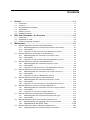


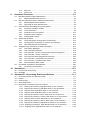
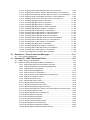
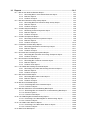


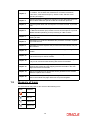

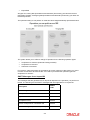
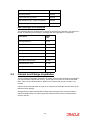

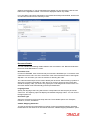


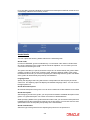
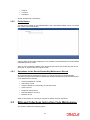
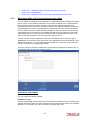
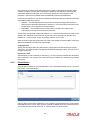
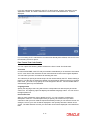

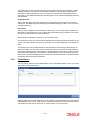
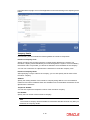

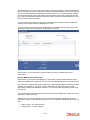
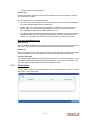


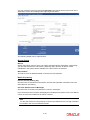



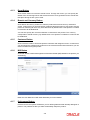
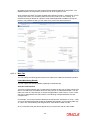


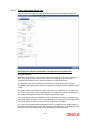


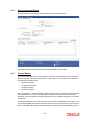




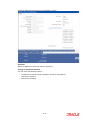
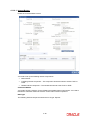



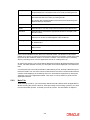
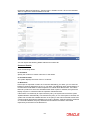



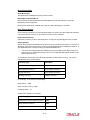


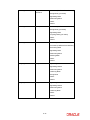

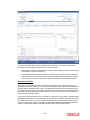

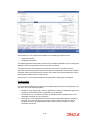


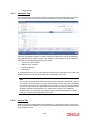


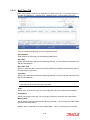







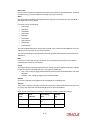
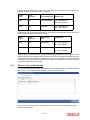
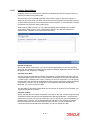

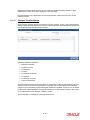

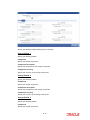

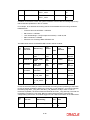
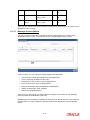
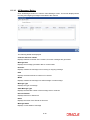
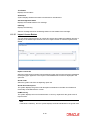
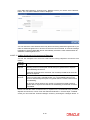
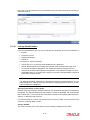
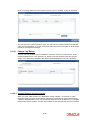
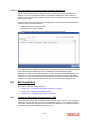


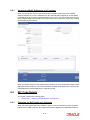
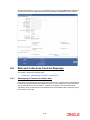
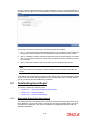
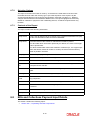
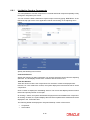

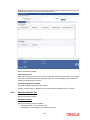
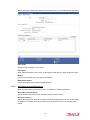

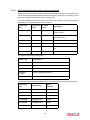
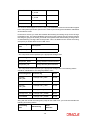
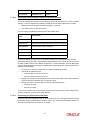
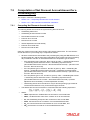





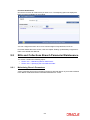









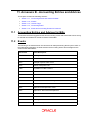
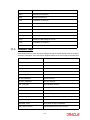
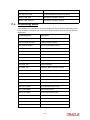


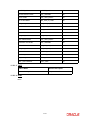
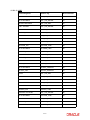

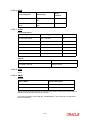
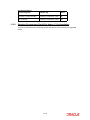


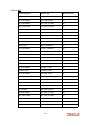


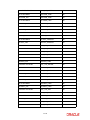
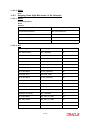
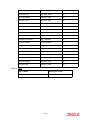
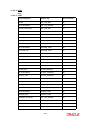
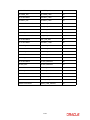
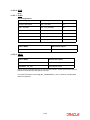
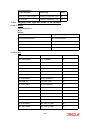

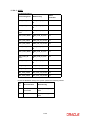
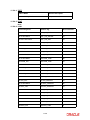


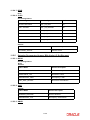
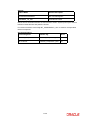
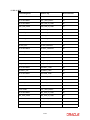
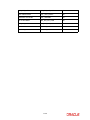


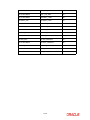
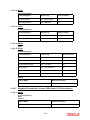


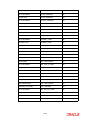
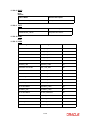
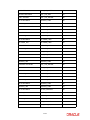


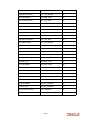
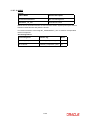
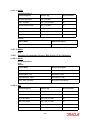


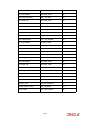

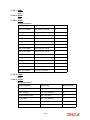
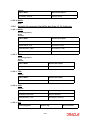
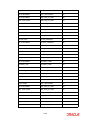



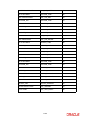
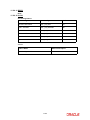
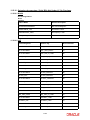
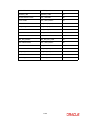
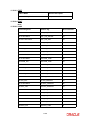


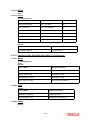






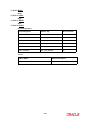
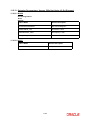

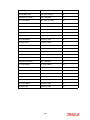

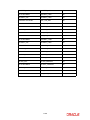
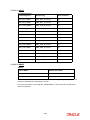
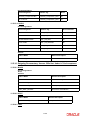
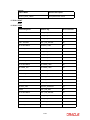

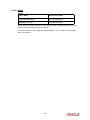
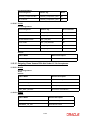


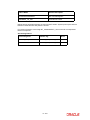


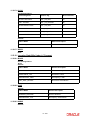


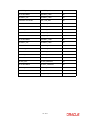
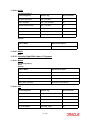

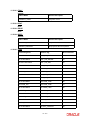


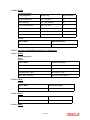



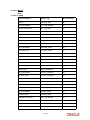
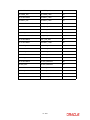
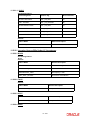
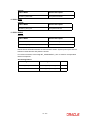
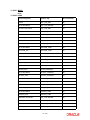
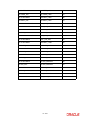
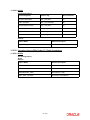
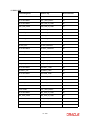

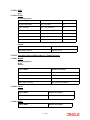

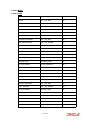
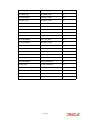
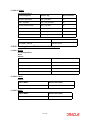
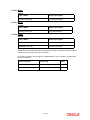
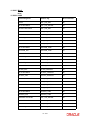


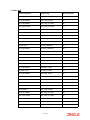

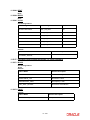
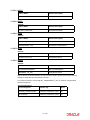
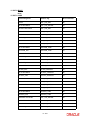

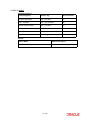
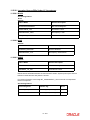
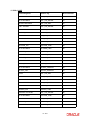
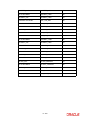
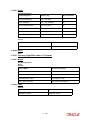





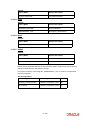
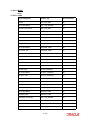
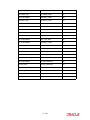
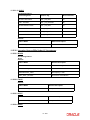
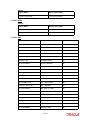

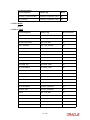
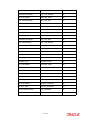



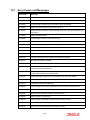







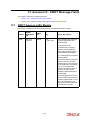

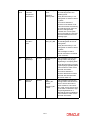


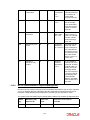

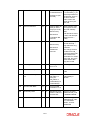
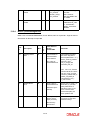
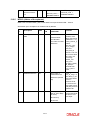
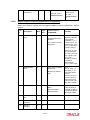
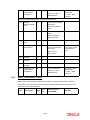
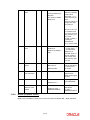
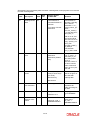


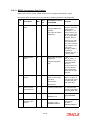
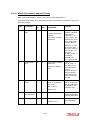

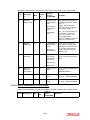
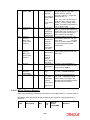
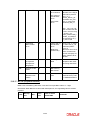
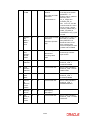
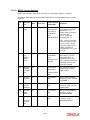
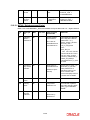
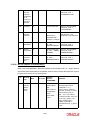

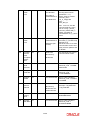
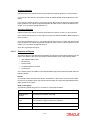
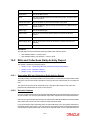

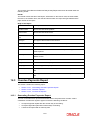

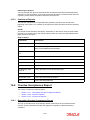
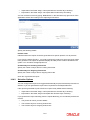
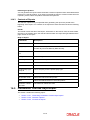

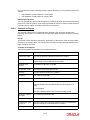
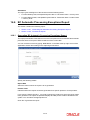

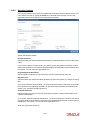


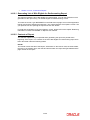
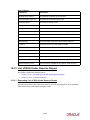
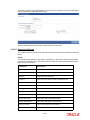

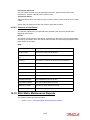






![[January] [2010] Oracle Part Number E51712-01](http://vs1.manualzilla.com/store/data/005963836_1-7094ec60d76539196cdb565251425f84-150x150.png)