1
Fiber-Lite
®
WARNING
Risk of electrical shock.
Remove power plug before lamp
replacement and wait for
hot lamp to cool.
LAMP MODULE REPLACEMENT
1. Turn the illuminator intensity control fully counterclockwise (the 0 position) and run the illuminator with the
fan for several minutes. Wait until the nosepiece is cool to the touch. Press the ON(1)/OFF(0) rocker switch
to the OFF(0) position.
2. Remove the AC line cord from the AC power receptacle.
3. Release lamp module from the power supply by turning both retaining screws counterclockwise using a
straight blade screwdriver. NOTE: Both retaining screws will be disengaged from the power supply, but will
remain in place in the lamp module.
4. Remove the lamp module from the power supply by slowly pulling outward.
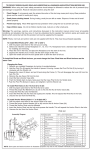
5. Release the lamp module by unlatching the quick disconnect lamp cord. See Fig 6.
6. Attach new lamp module by connecting the quick disconnect lamp cord.
7. Insert lamp module into power supply. Make sure lamp cord does not interfere.
8. Secure lamp module by tightening the (2) retaining screws
5. Release the lamp module by unlatching the quick disconnect lamp cord. See Fig 6.
6. Attach new lamp module by connecting the quick disconnect lamp cord.
7. Insert lamp module into power supply. Make sure lamp cord does not interfere with housing.
8. Secure lamp module by tightening the (2) retaining screws clockwise.
9. Reattach AC line cord and the illuminator is ready for service.
LAMP MODULE
Fig 6
LAMP BRACKET
LAMP
QUICK DISCONNECT LAMP CORD
LAMP SOCKET
DOLAN-JENNER INDUSTRIES, 159 Swanson Rd., Boxborough, MA 01719, U.S.A., 978-263-1400, FAX: 978-264-0292
5