1
PHONE
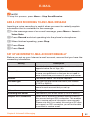
• Voice mail number: When you insert your SIM card into your
phone, the phone automatically detects and sets your voicemail
number.
• Text messages service center: When you insert your SIM card
into your phone, SMS accesses the number by default. If not,
you can manually enter the numbers obtained from your service
provider.
• Country code: You can enter a country code used will be
automatically added before a phone number when dialing.
• Area code: You can enter an area code. The code used will be
automatically added before a phone number when dialing.
2 Press Done.
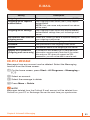
CALL WAITING
Turn call waiting notifications on and off. During a phone conversation,
you will be notified of an incoming call if this option is selected.
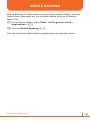
1 On the home screen, press Start > All Programs > More >
Settings > Phone > Call Waiting.
2 Select or clear Provide call waiting notifications, then press Done.
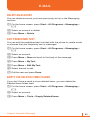
CALLER ID
When you place a call, your phone number can be displayed to or
hidden from the person to whom you are calling. Using this option, you
can enable or disable the display of your caller identification. You can
choose from Everyone, No one, or Only my contacts.
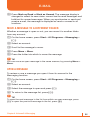
CHANNELS
This option allows you to set the cell broadcast (CB) message receipt
and set up broadcast channels from which you want to receive CB
messages.
• Enable channels: Select to enable the receipt of CB messages.
• Receive channel list: Select to receive a list of all available
broadcast channels from the network.
• Language: Select your preferred languages to display CB
messages.
Chapter 14. Settings
193