1
Solution 4+4
Operators Manual
35
Changing Domestic Phone Numbers
2
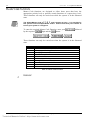
This option allows the Master Code holder to view and program the required
telephone numbers that the system will call in the event of an alarm. For a
more detailed description, refer to "Domestic Dialling Reporting" on page 48
for further information.
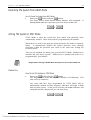
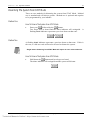
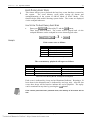
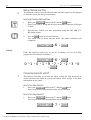
How To Change Domestic Phone Numbers
1.
Enter your
followed by 2 and the
button.
Three beeps will be heard and the STAY and AWAY indicators will begin
to flash.
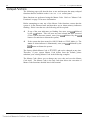
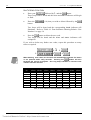
If there are telephone numbers already programmed, they will be
displayed one digit at a time via the zone indicators on the codepad.
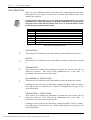
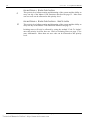
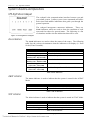
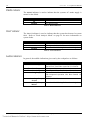
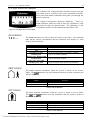
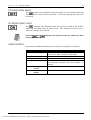
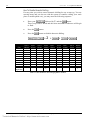
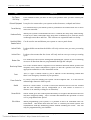
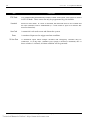
Refer to "Table 17: Zone Indicators For Changing Phone Numbers" on
page 36 for the indicators and their meanings.
If there are no telephone numbers programmed, a further two beeps will
be heard after entering this mode. These two beeps are normally heard
after the last digit of the last phone number has been displayed.
2.
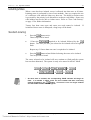
Enter all the digits for
, one digit at a time. You will notice as
each digit is entered, the corresponding codepad indicators will
illuminate.
3.
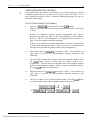
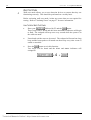
After you have entered all the digits of the first telephone number press
the
button if there is more than one phone number to be
programmed. This will insert a break between the first telephone number
and the second telephone number. If there is only one telephone number,
button to exit this mode.
press the
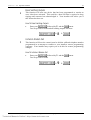
4.
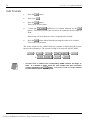
Enter all the digits for
, one digit at a time. You will notice as
each digit is entered, the corresponding codepad indicators will
illuminate.
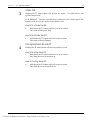
5.
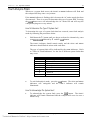
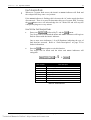
After the last digit of the second telephone number, press the
to exit this mode unless a third telephone number is required.
+
+
+2+
+
Electronics Design and Manufacturing Pty Limited
Technical Manuals Online! - http://www.tech-man.com
button
+
ISSUE125.DOC