1
Ubicore 3.2 Installation Guide - Linx & Postgres
Section 3 Installing Ubicore
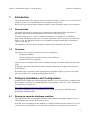
$ /opt/ubicore/db/bin/init_db.sh -m 3.1-3.2
This will migrate the DB to 3.2 format.
To check which upgrades are possible, supply the -l flag, e.g.
$ /opt/ubicore/db/bin/init_db.sh -l
3.3
Configuring Ubicore
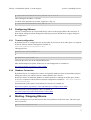
Ubicore is configured to run on port 8080 and to connect to the postgres DB on the same host. If
these default settings should be changed, the following sections describe how to apply changes to
the configuration.
3.3.1
Tomcat configuration
By default Ubicore is configured to run on port 8080. If you wish to run on other ports it is required
to edit the Ubicore runtime configuration available in
ubicore\tomcat\conf\server.xml.
Changing the line:
<Connector port="8080" />
to
<Connector port="80" />
will make the server run on the standard HTTP port.
More documentation on Apache Tomcat server.xml configuration is available on:
http://tomcat.apache.org/tomcat-5.5-doc/config/
3.3.2
Database Connection
By default Ubicore is configured to connect a PostgreSQL database on the local machine using the
default port (5432), the schema ‘ubicore’ and the database user ‘ubicore’.
Should you choose to install the database on another machine or running on another port, schema
or user, it is required to edit the Ubicore runtime configuration available in ubicore\tomcat\
conf\server.xml.
Documentation for the Apache Tomcat Resource directive is available on:
http://tomcat.apache.org/tomcat-5.5-doc/jndi-datasource-examples-howto.html
Documentation for the PostgreSQL URL is available on:
http://jdbc.postgresql.org/documentation/81/connect.html
4
Starting / Stopping Ubicore
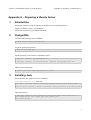
Before starting the server you may need to edit a few parameters in the start script. The start script
can be located at:
ubicore/bin/ubicore.sh
5