1
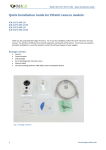
IMAGO IVN-x2P3 NB 2.8 – Quick Installation Guide
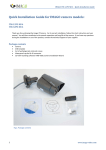
Fig. 2: Camera IVN-x2P3 NB 2.8
Fig.3: Camera interior with sensor module
lock
Fig. 4 Dismantled cap of the RJ-45
connector
Fig. 5 Assembled cap of the RJ-45
connector
The first access to the camera
•
•
•
•
•
•
3
After connecting the camera to the power supply and the data network the camera can be accessed via a web
browser; the camera starts about 60 seconds.
The default setting of the camera:
o IP address:
192.0.0.64 (DHCP Client not enabled)
o User name:
admin
o Password:
12345
The camera can be found on the network using the application of the recording software iVMS-4200 on the
attached CD or can be downloaded at www.imago-video.com
Run the installation file from the CD (as a standard iVMS-4200.exe), accept the license agreement and follow the
instructions on the screen
After installation run the software iVMS-4200 Client and log in - default login data:
www.imago-video.com