1
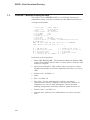
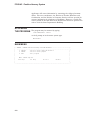
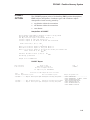
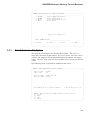
BACMEM (Business Advisory Council Members)
_________________________________________________________________________
| BACMEM - Business Advisory Council Main Menu
|
| -------------------------------------------------------------------- |
|
1. BACSCN
- Council Member Maintenance
|
|
2. BACRPT
- Council Member Report
|
|
3. BACTAP
- Create Data Submission File
|
|
4. EXIT
- Exit program
|
|
|
|
|
|
|
|
|
|
|
|
|
|
|
|
|
|
|
|
Report file: BACRPT.TXT
|
|
|
|
|
|
|
|
Menu: BACMEM Option> ____________________________
|
|
|
|
xx Accept
xx Help
xx Exit
xx Next
|
|
|
|________________________________________________________________________|
3.2.3
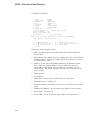
Data Submission File Option
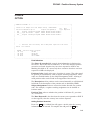
The program will bring up the district’s IRN number. The user is to
check the correctness of this number. If it is not correct, enter the correct
number. The program will automatically display the district and county
names. The user must enter the last two digits of the current year for this
report.
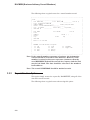
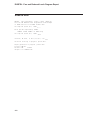
The following shows a typical data submission file screen:
__________________________________________________________________________
| BACTAP - Data Submission Creation Program
|
|
|
|
District IRN
: 064432
|
|
Report Year
: 90
|
|
|
|
District Name : Sample City SD
|
|
District County: Fulton
|
|
|
|
|
|
|
|
|
|
|
|
|
|
|
| Tape submission file creation complete.
1 records written to file. |
|
|
|
|
|
|
| BACTAP - Business Advisory COUNCIL submission data creation
|
|
xx Accept
|
|
xx Help
|
|
xx Exit
|
|
xx Cancel
|
|________________________________________________________________________|
3–3