1
LifeSync® System User’s Manual 39 Maintenance & Troubleshooting
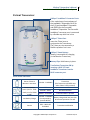
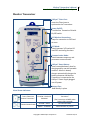
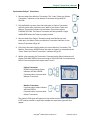
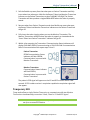
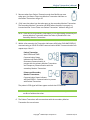
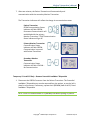
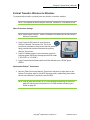
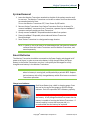
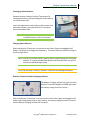
E. Monitor Transceiver Set Up – Temporary 12 Lead 1. Insert Token into Token port on the top of the second Monitor Transceiver. 2. Place the third partially charged battery in the second Monitor Transceiver, confirming that the plastic film contact cover has been removed. 3. Press Power On/Off switch. Confirm that all indicators light for approximately one second and an audible BEEP is heard, this is a user interface test. Confirm that the YELLOW Low Battery Charge indicator is flashing and that an audible tone continues to beep. 4. Connect the second Monitor Transceiver to the Power Supply and plug to AC Power. 5. Press ECG Mode switch several times confirming that both indicators function. Select ECG 12 Lead mode. 6. Press Communication Mode switch several times, confirming that both indicators function. Select TEMP Communication Mode. 7. Connect lead wires from the 12 lead ECG machine to the second Monitor Transceiver, matching colors and lead markings. 8. Remove the V – BROWN lead of 3/5 LeadWear® Disposable from the Patient Simulator. 9. Remove Precordial LeadWear® Disposable from package and connect electrode snaps on Precordial LeadWear® Disposable to Patient Simulator, including V1 – RED lead. 10. Insert Precordial LeadWear® connector into GREEN connector port. Leave 3/5 Lead LeadWear® Connector in place. F. Transceiver Synchronizing – Temporary 12 Lead 1. Remove Token from the ECG machine Monitor Transceiver. Confirm “Insert Token Into Patient Transceiver” Status indicator on this Monitor Transceiver glows SOLID YELLOW. 2. Insert Token into Token port on the side of Patient Transceiver. Wait for Return Token To Monitor Transceiver Status indicator on Patient Transceiver to FLASH YELLOW. Confirm that Patient Transceiver produces a single BEEP when the Token is fully seated. 3. Remove Token from Patient Transceiver. Confirm that Return Token To Monitor Transceiver Status indicator goes OFF. 4. Place Token back into Token port of the ECG machine Monitor Transceiver. Confirm that the Monitor Transceiver produces a single BEEP, and that the “Insert Token Into Patient Transceiver” Status indicator goes OFF. Confirm that Communication Status indicators on all three transceivers flash GREEN (both “PERM” and “TEMP” on the Patient Transceiver). Confirm that the proper ECG signals appear on both ECG equipment displays, and that the ECG signals agree with the ECG Patient Simulator settings. 5. Wait for two minutes. After two minutes, the ECG machine Monitor Transceiver stops receiving signals from the Patient Transceiver. Confirm that the Communication Status indicator on the ECG machine Monitor Transceiver SOLID Copyright© 2008 LifeSync Corporation LS‐164 Rev 10/10