1
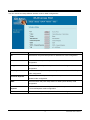
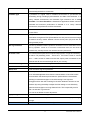
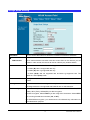
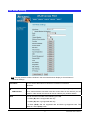
select the optimal rate. If obstacles or interference are present, the system will
automatically fall back to a lower rate.
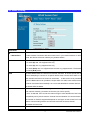
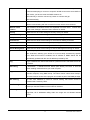
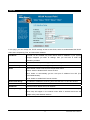
Preamble Type
A preamble is a signal used in wireless environment to synchronize the
transmitting timing including Synchronization and Start frame delimiter. In a
"noisy" network environment, the Preamble Type should be set to Long
Preamble. The Short Preamble is intended for applications where minimum
overhead and maximum performance is desired. If in a "noisy" network
environment, the performance will be decreased.
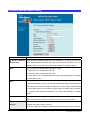
Broadcast SSID
Select enabled to allow all the wireless stations to detect the SSID of this
Access Point.
IAPP
IAPP (Inter Access Point Protocol) is designed for the enforcement of unique
association throughout a ESS (Extended Service Set) and a secure exchange
of station’s security context between current access point (AP) and new AP
during handoff period.
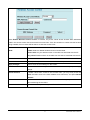
802.11g Protection
The 802.11g standard includes a protection mechanism to ensure mixed 802.11b and
802.11g operation. If there is no such kind of mechanism exists, the two kinds of
standards may mutually interfere and decrease network’s performance.
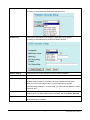
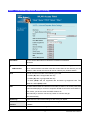
TX Power Level
For countries that impose limit on WLAN output power, it might be necessary
to reduce TX (transmit) power. There are 7 TX Power Levels to choose
from — select a level to make sure that the output power measured at the
antenna end will not exceed the legal limit in your country.
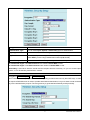
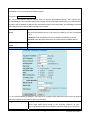
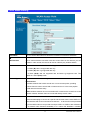
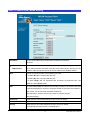
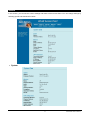
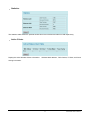
Enable Watch dog
Check and enable this watch dog function
Watch Interval
Setup the interval time for watch dog function between 1 to 60 mins
Watch Host
Enter the watch dog host ip address .
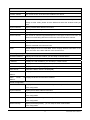
ACK Timeout
When a packet is sent out from one wireless station to the other, it will waits
for an Acknowledgement frame from the remote station. If the ACK is NOT
received within that timeout period then the packet will be re-transmitted
resulting in reduced throughput. If the ACK setting is too high then
throughput will be lost due to waiting for the ACK Window to timeout on lost
packets. By having the ability to adjust the ACK setting we can effectively
optimize the throughput over long distance links. This is especially true for
802.11a and 802.11g networks
You can set as default for auto adjustment.
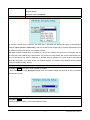
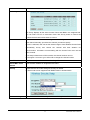
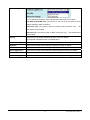
Apply Change
Press to save the new settings on the screen.
Reset
Press to discard the data you have entered since last time you press Apply
Change.
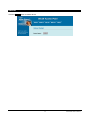
Access Control
Press the setup button for detail configurations
26
WL5470AP User’s Manual