1
PWS6600 Installation
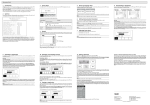
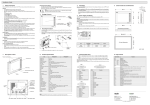
1.11 Dip Switches
Dip Switches
SW 1
SW 2
SW 3
ON
ON
OFF
OFF
SW 5
ON
OFF
SW 6
ON
OFF
SW 7
ON
OFF
SW 8
ON
OFF
SW 9
ON
SW 10
ON
OFF
9
SW 4
ON
OFF
ON
OFF
Function
Reserved
Reserved
Operation Mode
Runs user application
Runs burn-in test program
Updates BIOS
Runs bench test program
Communication Parameters
The HMI uses parameters defined on the Configuration Screen for
controller communications
The HMI uses parameters defined in ADP for controller communications
Password
The HMI asks the operator to enter a password after power-on selftest
No password is required to start the HMI
System Menu
The HMI displays System Menu
The HMI runs user application without displaying System Menu
Default user level
The default user level is set to 1 if the HMI requires no password to
start its operation
The default user level is set to 9 if the HMI requires no password to
start its operation
COM 1 Port
For RS485 this switch has to be set ON
COM 2 Port
For RS485 this switch has to be set ON
For RS422 this switch has to be set OFF
Beijer Electronics, MAEN849