1
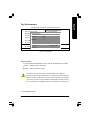
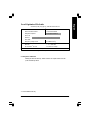
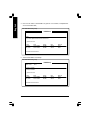
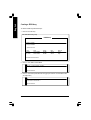
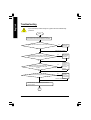
Is memory LED on and CPU fan running?
No
The problem could
be caused by
power supply, CPU,
memory or CPU/
memory socket
itself.
Yes
Failure has been excluded.
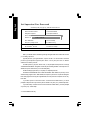
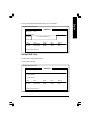
No
Check if there is display.
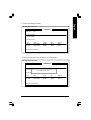
Yes
Perhaps your VGA
card / VGA slot or
monitor is defective.
Failure has been excluded.
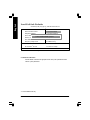
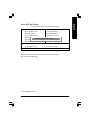
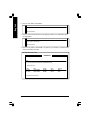
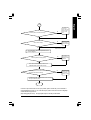
Turn off the system. Reboot after keyboard and mouse
have been plugged in.
No
Check if keyboard is working properly.
It is possible that
your keyboard or
keyboard connector
is defective.
Yes
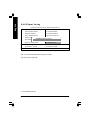
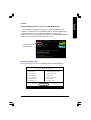
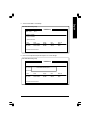
Press <Del> to enter BIOS setup. Choose "Load
Optimized Defaults" and save then exit setup.
Turn off the system and re-connect the IDE cable. Check
if the system can reboot successfully.
Failure has been excluded.
No
The problem was
probably caused by
the IDE device /
connector or cable.
Yes
Reinstall Windows OS, and reinstall add-on cards and cables.
Then try to reboot the system.
Failure has been excluded.
END
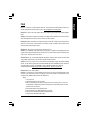
If the above procedure unable to solve your problem, please contact with your local retailer or
national distributor for help. Or, you could submit your question to the service mail via Gigabyte
website technical support zone
(http://www.gigabyte.com.tw). The appropriate response will be provided ASAP.
- 119 -
Appendix
English
A