1
Interior
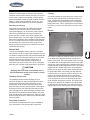
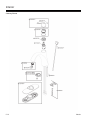
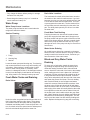
The display receives the information from the three
sender pads via a single, two-conductor wire, and
displays the level information in percent of full on a
three-digit, LED display. When the front panel button
for a particular tank is pressed, the display powers
up and displays the level for that tank. If the button is
pressed and released, the display will show the level
for about 5 seconds and then shut down automatically.
If another button is pressed before the display shuts
down, then the new level will immediately be shown. If
the same button is pressed twice, the display will hold
on that tank and continue to show updated levels for
5 minutes before shutting off. This allows the user to
monitor the filling or draining of the tank. By pressing
two buttons at once, the diagnostic functions can be
accessed.
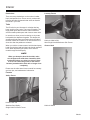
Sender pads are installed and stuck to the sides of
the holding tank. Sender pads can be cut to match the
height of the tank, it also auto calibrates itself so it can
read from empty to full. The sender scans the water
level through the tank wall using digital techniques
programmed into the sender microprocessor.
To Read a Water or Sewer Tank Level
1. Press the button corresponding to the tank to be
checked and release it, the display will show the
levels in percent on the LED display. If no other
button is pressed, then the display shuts off after
about 5 seconds.
2. If another button (including BATT) is pressed
before the 5 second time is up for the first button,
the display will immediately switch to show the new
level or voltage. The 5 second time-out is restarted
every time a button is pressed.
3. To continuously display a reading, press and
release the desired button, and then press the
same button a second time. When the button is
released, the display will be on hold mode, which
is indicated by the decimal point on the right hand
side turning on. While the display is in the hold
mode it will recheck the level once per second
so the user can watch the level change while the
tank is being filled or drained. The display will
automatically shut off after 5 minutes in hold mode.
To end the hold mode before the 5 minutes is up,
press any tank button, and the display will shut off.
Classic
To Read the Battery Voltage
1. Press the BATT button and release it, the display
will show the battery voltage on the LED display.
2. If no other button is pressed, then the display will
shut down after about 5 seconds. If the BATT
button is held down, the display will continuously
recheck the voltage and show the updated value.
The reading may flicker back and forth between
two values.
3. If another button is pressed before the 5 second
time is up for the BATT button, the display will
immediately switch to show the value for the new
button. The 5 second time-out is restarted every
time a button is pressed.
4. There is no hold mode for the battery voltage.
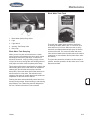
To Program the LED Brightness
1. The display needs to enter the brightness
programming mode. To do this, press and hold
the BATT button; the display will show the battery
voltage.
2. While continuing to hold the BATT button, press
and hold the GREY button. Continue to hold
both buttons for approximately 5 seconds until
the display shows “bri“ to indicate the brightness
programming mode. When this occurs, release
both buttons.
3. Press the GREY tank button to increase
brightness, or the FRESH tank button to decrease
brightness.
4. When the display shows the correct brightness,
press the BATT button to exit the programming
mode.
5-21
5