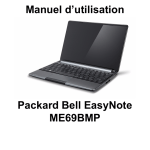
1
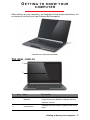
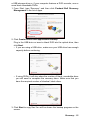
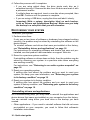
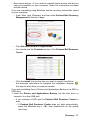
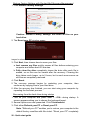
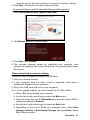
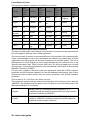
Quick Start Guide Packard Bell EasyNote ME69BMP TABLE OF CONTENTS Starting your computer Wireless connection........................................... Registration........................................................ Software installation........................................... Recovery............................................................ Having trouble?.................................................. 3 Touchpad gestures ......................................... 11 3 Recovery 12 3 Creating a recovery backup ............................ 4 Creating a drivers and applications backup .... 4 Recovering your system.................................. 4 Reinstalling drivers and applications........ Returning to an earlier system Getting to know your computer 5 snapshot .................................................. Top view - display .............................................. 5 Returning your system to its factory Top view - keyboard .......................................... 6 condition................................................... Left view............................................................. 7 Recovering from Windows ....................... Right view .......................................................... 7 Recovering from a recovery backup ........ Base view .......................................................... 8 Using the keyboard 9 Regulatory information Special keys ............................................... 9 Environment Touchpad 18 19 19 21 24 34 11 Software license Touchpad basics.............................................. 11 12 14 16 16 36 Copyright © 08/2013. All Rights Reserved. Packard Bell EasyNote ME69BMP Quick Guide This revision: 5 August 2013 Table of Contents - 1 Please use this space to write down important information about your computer. Product name: Serial Number: Date of purchase: Place of purchase: Visit registration.packardbell.com and discover the benefits of being a customer of Packard Bell. Remark: All images are for reference purposes only. Actual configuration may vary. 2 - Quick start guide STARTING YOUR COMPUTER Thank you for purchasing this Packard Bell computer! This guide has been designed to introduce you to the features of your computer and assist in your computing experience. After setting up and starting your computer, as shown in the setup instructions, it will ask you questions that will help you connect to the Internet. Your computer will then configure installed software. WIRELESS CONNECTION To connect to a wireless network, first check the wireless features of your computer are on, and that the router or modem you want to connect to is also correctly configured. • If wireless is not on, press the Windows key ( ) + W, type "Wireless" and then click on Wireless. Click the toggle switch under Wi-Fi to enable the wireless connection. Click again to disable. • To connect to a network, press the Windows key ( ) + W, type "Wireless" and then click on Connect to a network. Select your network and enter the password if required. • After a short delay, your computer should connect to the Internet. If your network is not detected, or your computer does not connect to the Internet, please refer to your ISP or router’s documentation. After your computer starts and you can use it, open Internet Explorer and follow the instructions. Alternatively, use a network cable to connect directly to a network port on your router. Please refer to your ISP or router’s guide. REGISTRATION When using your computer for the first time, it is recommended that you register it. This gives you access to some useful benefits, such as: • Faster service from our trained representatives. • Membership in the Packard Bell community: receive promotions and participate in customer surveys. • The latest news from Packard Bell. How to register During the initial startup of your computer, a window will invite you to register. Please fill in the information and click Next. The second window you'll see contains optional fields that will help us to provide you with a more personable customer service experience. Starting your computer - 3 Another option Another way to register your Packard Bell product is to visit our website at registration.packardbell.com. Choose your country and follow the simple instructions. After registering, you will be sent a confirmation email with important information that you should keep in a safe place. SOFTWARE INSTALLATION Your computer will automatically install software and prepare your computer for use. This may take some time, please do not turn off your computer; wait until the installation has finished. RECOVERY You should create recovery discs as soon as you are able. The Packard Bell Recovery Management program allow you to create recovery discs and then to restore or reinstall applications and drivers provided by Packard Bell. HAVING TROUBLE? Packard Bell provides several options to support your purchase. Packard Bell support Make sure you write down your computer serial number, date and place of purchase and model name on the area provided in this guide; save your proof of purchase. Before you call us, please write down any error message that accompanies the problem, and have the computer in front of you and switched on if possible. Having these items to hand when contacting us will ensure better and quicker service. Packard Bell website Remember to visit www.packardbell.com - Check out the support section for up-to-date information, help, drivers and downloads. Warranty and contact information You can find information about the warranty for your computer and how to contact technical support in your computer’s Warranty. 4 - Quick start guide GETTING TO KNOW YOUR COMPUTER After setting up your computer, as illustrated in the setup instructions, let us show you around your new Packard Bell computer. Packard Bell EasyNote ME69BMP TOP VIEW - DISPLAY 1 2 # Icon Item Description 1 Webcam Web camera for video communication. A light next to the Webcam indicates that the webcam is active. 2 Touchscreen Displays computer output, supports multi-touch input. Getting to know your computer - 5 TOP VIEW - KEYBOARD 1 6 2 3 4 # Icon Item 5 Description 1 Power button Turns the computer on and off. 2 Microphone Internal microphone for sound recording. 3 Touchpad Touch-sensitive pointing device which functions like a computer mouse. - See "Touchpad" on page 11. Power indicator Indicates the computer's power status. Indicates the computer's battery status. 4 Battery indicator - Charging: The light shows amber when the battery is charging. - Fully charged: The light shows blue when in AC mode. Communication indicator Indicates the computer’s wireless connectivity device status. 5 Click buttons (left and right) The left and right side of the button function as left and right selection buttons. 6 Keyboard 6 - Quick start guide For entering data into your computer. - See "Using the keyboard" on page 9. LEFT VIEW 1 # Icon Item 2 3 4 5 6 Description 1 DC-in jack Connects to your computer’s AC adapter. 2 HDMI port Supports high-definition digital video connections. 3 External display (VGA) port Connects to a display device (e.g., external monitor, LCD projector). 4 Ventilation and cooling fan Allows the computer to stay cool. 5 Card reader 6 Headphones / speaker jack - Do not cover or obstruct the openings. Accepts Secure Digital (SD) cards. - Push to remove/install the card. Only one card can operate at any given time. Connects to audio line-out devices (e.g., speakers, headphones). - Supports compatible 3.5 mm headsets with built-in microphone. Note: The External display (VGA) port and the HDMI port cannot be used at the same time. RIGHT VIEW 1 # Icon Item 2 Description Connects to USB devices. 1 USB ports - If a port is black, it is USB 2.0 compatible, if it is blue it is also USB 3.0 compatible (see below). Getting to know your computer - 7 # Icon Item Kensington lock slot Description Connects to a Kensington-compatible computer security lock. - Wrap the computer security lock cable around an immovable object such as a table or handle of a locked drawer. Insert the lock into the notch and turn the key to secure the lock. Some keyless models are also available. 2 Information on USB 3.0 • Compatible with USB 3.0 and earlier devices. • For optimal performance, use USB 3.0-certified devices. • Defined by the USB 3.0 specification (SuperSpeed USB). BASE VIEW 1 3 2 4 5 # Icon Item Description 1 Battery bay Houses the computer's battery pack. 2 Battery lock Locks the battery in position. 3 Battery release latch Releases the battery for removal. Insert a suitable tool and slide to release. 4 Ventilation and cooling fan Allows the computer to stay cool. 5 Speakers Deliver stereo audio output. 8 - Quick start guide - Do not cover or obstruct the openings. USING THE KEYBOARD Your computer has a compact keyboard with an embedded numeric keypad. Special keys Your computer’s keyboard includes keys that activate special functions. The function of each key is clearly marked with an icon. Icon Function Description Fn Hotkey for second function Activates a second function on certain keys. E.g. press the Fn key to activate the F1 to F12 keys. Help Opens the help menu. Communication Enables/disables the computer’s communication devices. Display toggle Switches display output between the display screen, external monitor (if connected) and both. Screen blank Turns the display screen backlight off to save power. Press any key to return. Touchpad toggle Turns the internal touchpad on and off. Speaker toggle Turns the speakers on and off. Volume down Decreases the sound volume. Volume up Increases the sound volume. Brightness down Decreases the screen brightness. Brightness up Increases the screen brightness. Hotkeys The computer uses hotkeys (key combinations) to access function keys and navigation commands. To activate hotkeys, press and hold the Fn key (bottom left) before pressing the other key in the hotkey combination. Hotkey Function Fn + Special keys Function (see page 9) keys Description Activates the F1 to F12 keys. Using the keyboard - 9 Note: It is not necessary to press the Fn key to use the F1 to F12 function keys when starting your computer or when using the BIOS. To swap the hotkey and special function of the F1 to F12 keys, change the function key setting in the BIOS (to open the BIOS press F2 when starting your computer, then select the Main menu and change Function key behavior to Function keys). 10 - Quick start guide TOUCHPAD TOUCHPAD BASICS The touchpad controls the arrow (or 'cursor') on the screen. As you slide your finger across the touchpad, the cursor will follow this movement. Press the left or right side of the button located beneath the touchpad to perform selection and execution functions. These two areas are similar to the left and right buttons on a mouse. Tapping on the touchpad is the same as clicking the left side of the button. Note: The touchpad is sensitive to finger movement; the lighter the touch, the better the response. Please keep the touchpad and your fingers dry and clean. The cursor is controlled by some basic gestures: • Single-finger slide: Slide a finger across the touchpad to move the cursor. • Single-finger tap: Lightly tap the touchpad with your finger, to perform a 'click', which will select or start an item. Quickly repeat the tap to perform a double tap or 'double click'. • Drag: Press and hold the left side of the selection button, or tap twice anywhere on the touchtap, then slide a second finger across the touchpad to select all items in an area. TOUCHPAD GESTURES Windows 8 and many applications support touchpad gestures that use one or more fingers. Note: Support for touchpad gestures depends on the active application. These allow you to control applications with a few simple gestures, such as: • Swipe in from edge: Access Windows tools by swiping into the center of the touchpad from the right, top or left. • Swipe in from right edge: Toggle the charms. • Swipe in from top edge: Toggle the app commands. • Swipe in from left edge: Switch to the previous app. • Two-finger slide: Swiftly scroll through web pages, documents and playlists by placing two fingers on the touchpad and moving both in any direction. • Two-finger pinch: Zoom in and out of photos, maps and documents with a simple finger-and-thumb gesture. Touchpad - 11 RECOVERY If you are having trouble with your computer, and the frequently asked questions in the User’s Manual do not help, you can 'recover' your computer - i.e. return it to an earlier state. This section describes the recovery tools available on your computer. Packard Bell provides Packard Bell Recovery Management, which allows you to create a recovery backup, a drivers and applications backup, and to start recovery options, either using Windows tools, or the recovery backup. Note: Packard Bell Recovery Management is only available with a pre-installed Windows operating system. Important: We recommend that you create a Recovery Backup and Drivers and Applications Backup and as soon as possible. In certain situations a full recovery will require a USB recovery backup. CREATING A RECOVERY BACKUP To reinstall from a USB storage drive, you must first create a recovery backup. The recovery backup includes the entire original contents of your computer’s hard drive, including Windows and all factory-loaded software and drivers. Using this backup will restore your computer to the same state as when you purchased it, while giving you an option to retain all settings and personal data. 12 - Quick start guide Note: Since the recovery backup requires at least 16 GB of storage after formatting, it is recommended to use a USB drive with a capacity of 32 GB or larger. 1. From Start, type 'Recovery' and then click Packard Bell Recovery Management in the list of apps. 2. Click Create Factory Default Backup. The Recovery Drive window opens. Make sure Copy contents from the recovery partition to the recovery drive is selected. This provides the most complete and safest recovery backup. 3. Plug in the USB drive then click Next. Recovery - 13 • Since the recovery backup requires at least 16 GB of storage after formatting, it is recommended to use a USB drive with a capacity of 32 GB or larger. 4. You will be shown the backup progress on the screen. 5. Follow the process until it completes. 6. After creating the recovery backup, you can choose to delete the recovery information on your computer. If you delete this information, you can only use the USB recovery backup to restore your computer, if you lose or erase the USB drive, you cannot restore your computer. 7. Unplug the USB drive and label it clearly. Important: Write a unique, descriptive label on the backup, such as 'Windows Recovery Backup'. Make sure you keep the backup in a safe place that you will remember. CREATING A DRIVERS AND APPLICATIONS BACKUP To create a Drivers and Applications Backup, that contains the factoryloaded software and drivers needed by your computer, you may use either 14 - Quick start guide a USB storage drive or, if your computer features a DVD recorder, one or more blank recordable DVDs. 1. From Start, type 'Recovery' and then click Packard Bell Recovery Management in the list of apps. 2. Click Create Drivers and Applications Backup. Plug in the USB drive or insert a blank DVD into the optical drive, then click Next. • If you are using a USB drive, make sure your USB drive has enough capacity before continuing. • If using DVDs, it will also show the number of blank, recordable discs you will need to complete the recovery discs. Make sure that you have the required number of identical, blank discs. 3. Click Start to copy files.You will be shown the backup progress on the screen. Recovery - 15 4. Follow the process until it completes: • If you are using optical discs, the drive ejects each disc as it completes burning it. Remove the disc from the drive and mark it with a permanent marker. If multiple discs are required, insert a new disc when prompted, then click OK. Continue until the process is complete. • If you are using a USB drive, unplug the drive and label it clearly. Important: Write a unique, descriptive label on each backup, such as 'Drivers and Applications Backup'. Make sure you keep the backup in a safe place that you will remember. RECOVERING YOUR SYSTEM To recover your system: 1. Perform minor fixes. If only one or two items of software or hardware have stopped working correctly, the problem may be solved by reinstalling the software or the device drivers. To reinstall software and drivers that were pre-installed at the factory, see "Reinstalling drivers and applications" on page 16. For instructions on reinstalling software and drivers that were not preinstalled, see that product’s documentation or support Web site. 2. Revert to a previous system condition. If reinstalling software or drivers does not help, then the problem may be solved by returning your system to a previous state when everything was working correctly. For instructions, see "Returning to an earlier system snapshot" on page 18. 3. Reset your operating system. If nothing else has solved the problem and you want to reset your system, but keep your user information, see "Returning your system to its factory condition" on page 19. 4. Reset your system to its factory condition. If nothing else has solved the problem and you want to reset your system to factory condition, see "Returning your system to its factory condition" on page 19. Reinstalling drivers and applications As a troubleshooting step, you may need to reinstall the applications and device drivers that came pre-installed on your computer from the factory. You can reinstall using either your hard drive or the backup you have created. • Other applications - If you need to reinstall software that did not come pre-installed on your computer, you need to follow that software’s installation instructions. 16 - Quick start guide • New device drivers - If you need to reinstall device drivers that did not come pre-installed on your computer, follow the instructions provided with the device. If you are reinstalling using Windows and the recovery information stored on your computer: • From Start, type 'Recovery' and then click Packard Bell Recovery Management in the list of apps. • Click Reinstall Drivers or Applications. • You should see the Contents section of the Packard Bell Resource Center. • Click the install icon for the item you want to install, then follow the onscreen instructions to complete the installation. Repeat this step for each item you want to reinstall. If you are reinstalling from a Drivers and Applications Backup on a DVD or USB drive: 1. Insert the Drivers and Applications Backup into the disc drive or connect it to a free USB port. • If you inserted a DVD wait for Packard Bell Resource Center to start. • If Packard Bell Resource Center does not start automatically, press the Windows key + <E>, then double-click on the optical drive icon. Recovery - 17 • If you are using a USB drive, press the Windows key + <E>, then double-click on the drive that contains the backup. Double-click on ResourceCenter. 2. You should see the Contents section of the Packard Bell Resource Center. 3. Click the install icon for the item you want to install, then follow the onscreen prompts to complete the installation. Repeat this step for each item you want to reinstall. Returning to an earlier system snapshot Microsoft System Restore periodically takes a 'snapshot' of your system settings and saves them as restore points. In most cases of hard-toresolve software problems, you can return to one of these restore points to get your system running again. Windows automatically creates an additional restore point each day, and also each time you install software or device drivers. Note: For more information about using Microsoft System Restore, from Start, type 'Help' and then click Help and Support in the list of apps. Type 'Windows system restore' in the Search Help box, then press Enter. Returning to a restore point 1. From Start, type 'Control Panel' and then click Control Panel in the list of apps. 2. Click System and Security > Action Center, then click Recovery at the bottom of the window. 3. Click Open System Restore, then Next. 4. Click the latest restore point (at a time when your system worked correctly), click Next, then Finish. 5. A confirmation window appears; click Yes. Your system is restored using the restore point you specified. This process may take several minutes, and may restart your computer. 18 - Quick start guide Returning your system to its factory condition If your computer experiences problems that are not recoverable by other methods, you may need to reinstall everything to return your system to its factory condition. You can recover from either your hard drive or the recovery backup you have created. • If you can still run Windows and have not deleted the recovery partition, see "Recovering from Windows" on page 19. • If you cannot run Windows, your original hard drive has been completely re-formatted or you have installed a replacement hard drive, see "Recovering from a recovery backup" on page 21. Recovering from Windows Start Packard Bell Recovery Management: • From Start, type 'Recovery' and then click Packard Bell Recovery Management in the list of apps. Two options are available, Restore Factory Settings (Reset my PC) or Customized Restore (Refresh my PC). Restore Factory Settings deletes everything on your hard drive, then reinstalls Windows and all software and drivers that were pre-installed on your system. If you can access important files on your hard drive, back them up now. See "Restore Factory Settings with Packard Bell Recovery Management" on page 20. Customized Restore will attempt to retain your files (user data) but will reinstall all software and drivers. Software installed since you purchased your PC will be removed (except software installed from the Windows Store). See "Customized Restore with Packard Bell Recovery Management" on page 21. Recovery - 19 Restore Factory Settings with Packard Bell Recovery Management 1. Click Restore Factory Settings. Caution: 'Restore Factory Settings' will erase all files on your hard drive. 2. The Reset your PC window opens. Images for reference only. 3. Click Next, then choose how to erase your files: a. Just remove my files quickly erases all files before restoring your computer and takes about 30 minutes. b. Fully clean the drive completely cleans the drive after each file is erased, so no files can be viewed after the recovery. Cleaning the drive takes much longer, up to 5 hours, but is much more secure as old files are completely removed. 4. Click Reset. 5. The recovery process begins by restarting your computer, then continues by copying files to your hard drive. 6. After the recovery has finished, you can start using your computer by repeating the first-start process. Recovering from the hard drive during startup 1. Turn on your computer and press <Alt> + <F10> during startup. A screen appears asking you to choose the keyboard layout. 2. Several options are now presented. Click Troubleshoot. 3. Click either Refresh your PC or Reset your PC. Note: "Refresh your PC" enables you to restore your computer to the default factory condition with files intact. "Reset your PC" completely 20 - Quick start guide removes all your files and resets your computer to factory settings. 4. Click Next. The process will take several minutes. Customized Restore with Packard Bell Recovery Management 1. Click Customized Restore (Retain User Data). 2. The Refresh your PC window opens. 3. Click Next, then Refresh. 4. The recovery process begins by restarting your computer, then continues by copying files to your hard drive. This process takes about 30 minutes. Recovering from a recovery backup To recover from a recovery backup on a USB drive: 1. Find your recovery backup. 2. If your computer does not have a built-in keyboard, make sure a keyboard is attached to your computer. 3. Plug in the USB drive and turn on your computer. 4. If it is not already enabled, you must enable the F12 Boot Menu: a. Press <F2> when starting your computer. b. Use the left or right arrow keys to select the Main menu. c. Press the down key until F12 Boot Menu is selected, press <F5> to change this setting to Enabled. d. Use the left or right arrow keys to select the Exit menu. e. Depending on the type of BIOS your computer uses, select Save Changes and Exit or Exit Saving Changes and press Enter. Select OK or Yes to confirm. Recovery - 21 f. Your computer will restart. 5. During startup, press <F12> to open the boot menu. The boot menu allows you to select which device to start from, select the USB drive. a. Use your arrow keys to select USB Device, then press Enter. b. Windows starts from the recovery backup instead of the normal startup process. 6. Select your keyboard type. 7. Select Troubleshoot and then choose the type of recovery to use: a. Click Advanced then System Restore to start Microsoft System Restore: Microsoft System Restore periodically takes a 'snapshot' of your system settings and saves them as restore points. In most cases of hard-to-resolve software problems, you can return to one of these restore points to get your system running again. b. Click Reset your PC to start the reset process: Reset your PC deletes everything on your hard drive, then reinstalls Windows and all software and drivers that were pre-installed on your system. If you can access important files on your hard drive, back them up now. See "Reset your PC from the recovery backup" on page 22. c. Click Refresh your PC to start the refresh process: Refresh your PC will attempt to retain your files (user data) but will reinstall all software and drivers. Software installed since you purchased your PC will be removed (except software installed from the Windows Store). See "Refresh your PC from the recovery backup" on page 23. Reset your PC from the recovery backup Caution: Reset your PC will erase all files on your hard drive. 1. The Reset your PC window opens. Images for reference only. 2. Click Next. 3. Select the operating system to recover (normally only one option is available). 4. Choose to keep any changes to the hard drive: 22 - Quick start guide a. If you have deleted the recovery partition or otherwise changed the partitions on the hard drive and want to keep these changes, select No. b. To completely restore your computer to Factory Settings, select Yes. 5. Choose how to erase your files: a. Just remove my files quickly erases all files before restoring your computer and takes about 30 minutes. b. Fully clean the drive completely cleans the drive after each file is erased, so no files can be viewed after the recovery. Cleaning the drive takes much longer, up to 5 hours, but is much more secure as old files are completely removed. 6. Click Reset. 7. After the recovery has finished, you can start using your computer by repeating the first-start process. Refresh your PC from the recovery backup 1. The Refresh your PC window opens. 2. Click Next. 3. Select the operating system to recover (normally only one option is available). 4. Click Refresh. 5. The recovery process begins by restarting your computer, then continues by copying files to your hard drive. This process takes about 30 minutes. Recovery - 23 REGULATORY INFORMATION PREVENTION OF HEARING LOSS - Caution: Permanent hearing loss may occur if earphones or headphones are used at high volume for prolonged periods of time. - A pleine puissance, l’écoute prolongée du baladeur peut endommager l’oreille de l’utilisateur. CAUTION when listening: To protect your hearing, follow these instructions. - Increase the volume gradually until you can hear clearly and comfortably. - Do not increase the volume level after your ears have adjusted. - Do not listen to music at high volumes for extended periods. - Do not increase the volume to block out noisy surroundings. - Decrease the volume if you can’t hear people speaking near you. RADIO DEVICE REGULATORY NOTICE - Note: Regulatory information below is for models with wireless LAN and/or Bluetooth only. WIRELESS ADAPTER REGULATORY INFORMATION USA — FCC and FAA The FCC with its action in ET Docket 96-8 has adopted a safety standard for human exposure to radio frequency (RF) electromagnetic energy emitted by FCC certified equipment. The wireless adapter meets the Human Exposure limits found in OET Bulletin 65, supplement C, 2001, and ANSI/IEEE C95.1, 1992. Proper operation of this radio according to the instructions found in this manual will result in exposure substantially below the FCC’s recommended limits. - The following safety precautions should be observed: Do not touch or move antenna while the unit is transmitting or receiving. - Do not hold any component containing the radio such that the antenna is very close or touching any exposed parts of the body, especially the face or eyes, while transmitting. - Do not operate the radio or attempt to transmit data unless the antenna is connected; this behavior may cause damage to the radio. Use in specific environments: - The use of wireless adapters in hazardous locations is limited by the constraints posed by the safety directors of such environments. - The use of wireless adapters on airplanes is governed by the Federal Aviation Administration (FAA). - The use of wireless adapters in hospitals is restricted to the limits set forth by each hospital. Antenna Use In order to comply with FCC RF exposure limits, low gain integrated antennas should be located at a minimum distance of 20 cm (8 inches) or more from the body of all persons or at a minimum distance as specified by the FCC module grant conditions. FCC grants can be viewed from the FCC Equipment Authorization website at https://fjallfoss.fcc.gov/ oetcf/eas/reports/GenericSearch.cfm by entering the FCC ID printed on the module label. 24 - Quick start guide Explosive Device Proximity Warning Warning: Do not operate a portable transmitter (including this wireless adapter) near unshielded blasting caps or in an explosive environment unless the transmitter has been modified to be qualified for such use Antenna Warnings - Warning: To comply with the FCC and ANSI C95.1 RF exposure limits, it is recommended that for the wireless adapter installed in a desktop or portable computer, the antenna for this wireless adapter to be installed so as to provide a separation distance of at least 20 cm (8 inches) from all persons or at the minimum distance as specified by the module grant conditions. FCC grants can be viewed from the FCC Equipment Authorization website at https://fjallfoss.fcc.gov/oetcf/eas/ reports/GenericSearch.cfm by entering the FCC ID printed on the module label. - Warning: The wireless adapter is not designed for use with high-gain directional antennas. Use On Aircraft Caution - Caution: Regulations of the FCC and FAA prohibit airborne operation of radiofrequency wireless devices (wireless adapters) because their signals could interfere with critical interfere with critical aircraft instruments. Local Restrictions on 802.11a, 802.11b, 802.11g and 802.11n Radio Usage - Caution: Due to the fact that the frequencies used by 802.11a, 802.11b, 802.11g and 802.11n wireless LAN devices may not yet be harmonized in all countries, 802.11a, 802.11b, 802.11g and 802.11n products are designed for use only in specific countries, and are not allowed to be operated in countries other than those of designated use. As a user of these products, you are responsible for ensuring that the products are used only in the countries for which they were intended and for verifying that they are configured with the correct selection of frequency and channel for the country of use. Any deviation from the permissible power and frequency settings for the country of use is an infringement of national law and may be punished as such. Wireless Interoperability The wireless adapter is designed to be interoperable with other wireless LAN products that are based on direct sequence spread spectrum (DSSS) radio technology and to comply with the following standards: - IEEE Std. 802.11b compliant Standard on Wireless LAN - IEEE Std. 802.11g compliant Standard on Wireless LAN - IEEE Std. 802.11a compliant Standard on Wireless LAN (applies to devices supporting 802.11a) - IEEE Std. 802.11n draft 2.0 compliant on Wireless LAN - Wireless Fidelity certification, as defined by the Wi-Fi Alliance The Wireless Adapter and Your Health The wireless adapter, like other radio devices, emits radio frequency electromagnetic energy. The level of energy emitted by the wireless adapter, however, is less than the electromagnetic energy emitted by other wireless devices such as mobile phones. The wireless adapter operates within the guidelines found in radio frequency safety standards and recommendations. These standards and recommendations reflect the consensus of the scientific community and result from deliberations of panels and committees of scientists who continually review and interpret the extensive research literature. In some situations or environments, the use of the wireless adapter may be restricted by the proprietor of the building or responsible representatives of the applicable organization. Examples of such situations may include: Regulatory information - 25 - Using the wireless adapter on board airplanes, or - Using the wireless adapter in any other environment where the risk of interference with other devices or services is perceived or identified as being harmful. If you are uncertain of the policy that applies to the use of wireless adapters in a specific organization or environment (an airport, for example), you are encouraged to ask for authorization to use the adapter before you turn it on. FCC Radio Frequency Interference Requirements (applies to device supporting 802.11a) This device is restricted to indoor use due to its operation in the 5.15 to 5.25 GHz and 5.470 to 5.725 GHz frequency ranges. FCC requires this product to be used indoors for the frequency ranges 5.15 to 5.25 GHz and 5.470 to 5.725 GHz to reduce the potential for harmful interference to co-channel mobile satellite systems. High power radars are allocated as primary users of the 5.25 to 5.35 GHz and 5.65 to 5.85 GHz bands. These radar stations can cause interference with and /or damage this device. No configuration controls are provided for this wireless adapter allowing any change in the frequency of operations outside the FCC grant of authorization for U.S operation according to Part 15.407 of the FCC rules. USA — Federal Communications Commission (FCC) This device complies with Part 15 of the FCC Rules. Operation of the device is subject to the following two conditions: - This device may not cause harmful interference. - This device must accept any interference that may cause undesired operation. - Note: The radiated output power of the adapter is far below the FCC radio frequency exposure limits. Nevertheless, the adapter should be used in such a manner that the potential for human contact during normal operation is minimized. To avoid the possibility of exceeding the FCC radio frequency exposure limits, you should keep a distance of at least 20 cm between you (or any other person in the vicinity), or the minimum separation distance as specified by the FCC grant conditions, and the antenna that is built into the computer. Details of the authorized configurations can be found at www.fcc.gov/oet/ea/ by entering the FCC ID number on the device. Interference Statement This wireless adapter has been tested and found to comply with the limits for a Class B digital device, pursuant to Part 15 of the FCC Rules. These limits are designed to provide reasonable protection against harmful interference in a residential installation. This wireless adapter generates, uses, and can radiate radio frequency energy. If the wireless adapter is not installed and used in accordance with the instructions, the wireless adapter may cause harmful interference to radio communications. There is no guarantee, however, that such interference will not occur in a particular installation. If this wireless adapter does cause harmful interference to radio or television reception (which can be determined by turning the equipment off and on), the user is encouraged to try to correct the interference by taking one or more of the following measures: - Reorient or relocate the receiving antenna of the equipment experiencing the interference. - Increase the distance between the wireless adapter and the equipment experiencing the interference. - Connect the computer with the wireless adapter to an outlet on a circuit different from that to which the equipment experiencing the interference is connected. - Consult the dealer or an experienced radio/TV technician for help. 26 - Quick start guide - Note: The adapter must be installed and used in strict accordance with the manufacturer's instructions as described in the user documentation that comes with the product. Any other installation or use will violate FCC Part 15 regulations. Canada — Industry Canada (IC) This device complies with RSS210 of Industry Canada. Cet appareil se conforme à RSS210 de Canada d'Industrie. - Caution: When machine supports and using IEEE 802.11a wireless LAN, this product is restricted to indoor use due to its operation in the 5.15- to 5.25 GHz frequency range. Industry Canada requires this product to be used indoors for the frequency range of 5.15 GHz to 5.25 GHz to reduce the potential for harmful interference to co-channel mobile satellite systems. High power radar is allocated as the primary user of the 5.25 to 5.35 GHz and 5.65 to 5.85 GHz bands. These radar stations can cause interference with and/or damage to this device. The maximum allowed antenna gain for use with this device is 6dBi in order to comply with the E.I.R.P limit for the 5.25 to 5.35 and 5.725 to 5.85 GHz frequency range in point-topoint operation. To comply with RF exposure requirements all antennas should be located at a minimum distance of 20 cm, or the minimum separation distance allowed by the module approval, from the body of all persons. - Attention: l’utilisation d’un réseau sans fil IEEE802.11a est réstreinte à une utilisation en intérieur à cause du fonctionement dans la bande de fréquence 5,15 5,25 GHz. Industry Canada requiert que ce produit soit utilisé à l’intérieur des bâtiments pour la bande de fréquence 5,15 - 5,25 GHz afin de réduire les possibilités d’interférences nuisibles aux canaux co-existants des systèmes de transmission satellites. Les radars de puissances ont fait l’objet d’une allocation primaire de fréquences dans les bandes 5,25 - 5,35 GHz et 5 65 - 5 85 GHz. Ces stations radar peuvent créer des interférences avec ce produit et/ou lui être nuisible. Le gain d’antenne maximum permissible pour une utilisation avec ce produit est de 6 dBi afin d’être conforme aux limites de puissance isotropique rayonnée équivalente (P.I.R.E.) applicable dans les bandes 5,25 - 5,35 GHz et 5,725 - 5,85 GHz en fonctionement point-à-point. Se pour conformer aux conditions d'exposition de RF toutes les antennes devraient être localisées à une distance minimum de 20 cm, ou la distance de séparation minimum permise par l'approbation de module, du corps de toutes les personnes. This Class B digital apparatus complies with Canadian ICES-003. Cet appareil numérique de la classe B est conforme a la norme NMB-003 du Canada. "To prevent radio interference to the licensed service, this device is intended to be operated indoors and away from windows to provide maximum shielding. Equipment (or its transmit antenna) that is installed outdoors is subject to licensing." « Pour empêcher que cet appareil cause du brouillage au service faisant l'objet d'une licence, il doit être utilisé a l'intérieur et devrait être placé loin des fenêtres afin de fournir un écran de blindage maximal. Si le matériel (ou son antenne d'émission) est installé à l'extérieur, il doit faire l'objet d'une licence. » European Union List of applicable countries This product must be used in strict accordance with the regulations and constraints in the country of use. For further information, contact the local office in the country of use. Please see http://ec.europa.eu/enterprise/rtte/implem.htm for the latest country list. Regulatory information - 27 List of National Codes This equipment may be operated in the following countries:i Country ISO 3166 2 Country letter code ISO 3166 2 letter code Country ISO 3166 2 Country letter code Austria AT Germany DE Malta MT Belgium BE Greece GR Cyprus CY Hungary Czech Republic CZ Denmark DK ISO 3166 2 letter code United Kingdom GB Netherlan NT ds Iceland IS HU Poland PL Liechtenstei LI n Ireland IE Portugal PT Norway Italy IT Slovakia SK Switzerland CH NO Estonia EE Latvia LV Slovenia SL Bulgaria BG Finland FI Lithuania LT Spain ES Romania RO France FR Luxembo urg LU Sweden SE Turkey TR Specific Absorption Rate (SAR) Information This device meets the EU requirements on the limitation of exposure of the general public to electromagnetic fields by way of health protection. The limits are part of extensive recommendations for the protection of the general public. These recommendations have been developed and checked by independent scientific organizations through regular and thorough evaluations of scientific studies. The unit of measurement for the European Council's recommended limit for mobile devices is the "Specific Absorption Rate" (SAR), and the SAR limit is 2.0 W/ kg averaged over 10 gram of body tissue. It meets the requirements of the International Commission on Non-Ionizing Radiation Protection (ICNIRP). For body worn operation, this device has been tested and meets the ICNIRP exposure guidelines and the European Standard, for use with dedicated accessories. Use of other accessories which contain metals may not ensure compliance with ICNIRP exposure guidelines. The low band 5.15 -5.35 GHz is for indoor use only. This equipment complies with the essential requirements of the European Union directive 1999/5/EC. See Statements of European Union Compliance, and more details refer to the attached Declaration of Conformity. English Hereby, Acer Inc., declares that this notebook PC is in compliance with the essential requirements and other relevant provisions of Directive 1999/5/EC. Finnish Acer Inc. vakuuttaa täten että notebook PC tyyppinen laite on direktiivin 1999/5/EY oleellisten vaatimusten ja sitä koskevien direktiivin muiden ehtojen mukainen. 28 - Quick start guide Dutch French Hierbij verklaart Acer Inc. dat het toestel notebook PC in overeenstemming is met de essentiële eisen en de andere relevante bepalingen van richtlijn 1999/5/EG Bij deze verklaart Acer Inc. dat deze notebook PC voldoet aan de essentiële eisen en aan de overige relevante bepalingen van Richtlijn 1999/5/EC. Par la présente Acer Inc. déclare que l'appareil notebook PC est conforme aux exigences essentielles et aux autres dispositions pertinentes de la directive 1999/5/CE Par la présente, Acer Inc. déclare que ce notebook PC est conforme aux exigences essentielles et aux autres dispositions de la directive 1999/5/CE qui lui sont applicables Swedish Härmed intygar Acer Inc. att denna notebook PC står I överensstämmelse med de väsentliga egenskapskrav och övriga relevanta bestämmelser som framgår av direktiv 1999/5/ EG. Danish Undertegnede Acer Inc. erklærer herved, at følgende udstyr notebook PC overholder de væsentlige krav og øvrige relevante krav i direktiv 1999/5/EF German Hiermit erklärt Acer Inc., dass sich dieser/diese/dieses notebook PC in Übereinstimmung mit den grundlegenden Anforderungen und den anderen relevanten Vorschriften der Richtlinie 1999/5/EG befindet". (BMWi) Hiermit erklärt Acer Inc. die Übereinstimmung des Gerätes notebook PC mit den grundlegenden Anforderungen und den anderen relevanten Festlegungen der Richtlinie 1999/5/EG. (Wien) Greek ΜΕ ΤΗΝ ΠΑΡΟΥΣΑ Acer Inc. ΔΗΛΩΝΕΙ ΟΤΙ notebook PC ΣΥΜΜΟΡΦΩΝΕΤΑΙ ΠΡΟΣ ΤΙΣ ΟΥΣΙΩΔΕΙΣ ΑΠΑΙΤΗΣΕΙΣ ΚΑΙ ΤΙΣ ΛΟΙΠΕΣ ΣΧΕΤΙΚΕΣ ΔΙΑΤΑΞΕΙΣ ΤΗΣ ΟΔΗΓΙΑΣ 1999/5/ΕΚ Italian Con la presente Acer Inc. dichiara che questo notebook PC è conforme ai requisiti essenziali ed alle altre disposizioni pertinenti stabilite dalla direttiva 1999/5/CE. Spanish Por medio de la presente Acer Inc. declara que el notebook PC cumple con los requisitos esenciales y cualesquiera otras disposiciones aplicables o exigibles de la Directiva 1999/5/CE Portuguese Acer Inc. declara que este notebook PC está conforme com os requisitos essenciais e outras disposições da Directiva 1999/5/ CE. France Pour la France métropolitaine : 2,400 - 2,4835 GHz (Canaux 1à 13) autorisé en usage intérieur 2,400 - 2,454 GHz (canaux 1 à 7) autorisé en usage extérieur Pour la Guyane et la Réunion : Regulatory information - 29 2,400 - 2,4835 GHz (Canaux 1à 13) autorisé en usage intérieur 2,420 - 2,4835 GHz (canaux 5 à 13) autorisé en usage extérieur Pour tout le territoire Français : Seulement 5,15 -5,35 GHz autorisé pour le 802.11a L'utilisation de cet equipement (2,4 GHz WLAN) est soumise à certaines restrictions : - La puissance maximale autorisée en intérieur est de 100 mW pour 2400 2483,5 MHz. - La puissance maximale autorisée est de 100 mW en extérieur pour 2400 2454 MHz. - La puissance maximale autorisée est de 10 mW en extérieur, 2454 - 2483,5 MHz. Pour les dernières restrictions, voir www.art-telecom.fr. Italy The use of these equipments is regulated by: 1.D.L.gs 1.8.2003, n. 259, article 104 (activity subject to general authorization) for outdoor use and article 105 (free use) for indoor use, in both cases for private use. 2.D.M. 28.5.03, for supply to public of RLAN access to networks and telecom services. L’uso degli apparati è regolamentato da: 1.D.L.gs 1.8.2003, n. 259, articoli 104 (attività soggette ad autorizzazione generale) se utilizzati al di fuori del proprio fondo e 105 (libero uso) se utilizzati entro il proprio fondo, in entrambi i casi per uso private. 2.D.M. 28.5.03, per la fornitura al pubblico dell’accesso R-LAN alle reti e ai servizi di telecomunicazioni. Belgium Dans le cas d'une utilisation privée, à l'extérieur d'un bâtiment, au-dessus d'un espace public, aucun enregistrement n'est nécessaire pour une distance de moins de 300 m. Pour une distance supérieure à 300 m un enregistrement auprès de l'IBPT est requise. Pour les enregistrements et licences, veuillez contacter l'IBPT. In geval van privé-gebruik, buiten een gebouw, op een openbare plaats, is geen registratie nodig, wanneer de afstand minder dan 300 m is. Voor een afstand groter dan 300 m is een registratie bij BIPT vereist. Voor registraties en licenties, gelieve BIPT te contacteren. Brazil Este equipamento opera em caráter secundário, isto é, não tem direito a proteção contra interferência prejudicial, mesmo de estações do mesmo tipo, e não pode causar interferência a sistemas operando em caráter primário. Pakistan Pakistan Telecommunication Authority (PTA) Approved. Morocco The operation of this product in the radio channel 2 (2417 MHz) is not authorized in the following cities: Agadir, Assa-Zag, Cabo Negro, Chaouen, Goulmima, Oujda, Tan Tan, Taourirt, Taroudant and Taza. The operation of this product in the radio channels 4, 5, 6 and 7 (2425 - 2442 MHz) is not authorized in the following cities: Aéroport Mohamed V, Agadir, Aguelmous, Anza, Benslimane, Béni Hafida, Cabo Negro, Casablanca, Fès, Lakbab, Marrakech, Merchich, Mohammédia, Rabat, Salé, Tanger, Tan Tan, Taounate, Tit Mellil, Zag. Japan *+]ゾቒ⸳␔ቊቑቢ∎䞷ቑሶቋ 30 - Quick start guide Korea 鲮뼩ꓩꟹ鱉끩끞닆놹볁뿱겕閵鱚ꫦ넩넽넁 Taiwan 䶻◐ℛ㬬 倢⨚㆞崜巘⚗㫋⃚⇝┮䘖⺓櫊榊㳮᧨槭倢峀♾᧨⏻⚇ᇬ⟕壮㒥∎䞷劔⧖ₜ㈦㝔呹帙㦃櫊䘖ᇬ ┯⮶┮䘖㒥帙㦃☮岼岗⃚䔈㊶♙┮厌ᇭ 䶻◐⥪㬬 ⇝┮䘖⺓櫊榊㳮⃚∎䞷ₜ㈦㈀檎歪咹⸘⏷♙㞍⚗㽤抩≰ 倢䤋䚍㦘㞍䚍廰㣑᧨㑘䵚☂ ⋫䞷᧨₵㟈⠓咂䎰㞍㣑㡈㈦儋儛∎䞷ᇭ ⓜ檔⚗㽤抩≰᧨㖖∬榊≰㽤尞⸩⇫㯼⃚䎰偩抩≰ᇭ ⇝┮䘖⺓櫊榊㳮檗㉜♦⚗㽤抩≰㒥ぴ㯼ᇬ䱠⸇♙携䣑䞷榊㽱懊⺓㊶榊㳮岼⌨⃚㞍ᇭ MODIFICATIONS TO THE PRODUCT CE Marking Packard Bell cannot be held responsible for unauthorized modifications made by the user and the consequences thereof, which may alter the conformity of the product with the CE Marking. Radio frequency interference The manufacturer is not responsible for any radio or TV interference caused by unauthorised modifications to this equipment. CONNECTIONS AND REMOTE EARTHS PELV (Protected Extra Low Voltage) To ensure the extra-low voltage integrity of the equipment, only connect equipment with mains-protected electrically-compatible circuits to the external ports. SELV (Safety Extra Low Voltage) Every input and output of this product is classified as Safety Extra Low Voltage. Remote earths To prevent electrical shock, connect all local (individual office) computers and computer support equipment to the same electrical circuit of the building wiring. If you are unsure, check the building wiring to avoid remote earth conditions. Building supply Only connect the equipment to a building supply that is in accordance with current wiring regulations in your country. In the U.K., these are the IEE regulations. POWER SUPPLY AND CABLES Power supply The power supply socket-inlet and socket-outlet (if equipped) are classified as Hazardous Voltage. You must unplug the power supply cord and remove or disable the battery to disconnect the equipment from the power supply. In that aim, the socket-outlet should be installed near to the equipment and should be easily accessible. Input rating: Refer to the rating label on the bottom of the computer and ensure that your power adapter complies with the specified rating. Under no circumstances should the user attempt to disassemble the power supply. The power supply has no user-replaceable parts. Inside the power supply are hazardous voltages that can cause serious personal injury. A defective power supply must be returned to your dealer. Regulatory information - 31 Power cables and plug This Product requires a three-wire grounded power cord and plug. The plug only fits in a grounded power outlet. Make sure the power outlet is properly grounded before inserting the plug. Do not insert the plug into a non-grounded power outlet. Contact your electrician for details. The cord length must not exceed 2.5 metres. To prevent electrical hazards, do not remove or disable the ground contact on the power cord. Replace the power cord if it gets damaged. Contact your dealer for an exact replacement. In Europe, the plug must be rated for 250 VAC, 10 amp minimum. The plug must display an international agency approval marking. The cord must be suitable for use in the end-user country. Consult your dealer or the local electrical authorities if you are unsure of the type of power cord to use in your country. Cables For cables which are not delivered with the Product in the computer's packaging: The EMC performance of the system is guaranteed only if the cable and interface use efficient shielding. The use of shielded interface cable is required for USB, IEEE1394, serial, printer, game, analog or digital audio/ video, PS2, TV or FM antennas, and generally all high-speed cable interfaces. Use only UL Listed No. 26AWG or larger telecommunication cords. Only Ethernet LAN or RTC modem cable can have length exceeding 3 metres. Packard Bell recommends that you add a ferrite core round clip to each cable connecting your computer to a hardware device that was not included with your computer. - Ferrite reference: 28A-2029 from Steward (two loops) During product certification, Packard Bell used the following cable quality: - USB2.0 Certified Cables from Hama 46778 - IEEE1394 shielded FireWire from Hama 50011 - RCA-RCA shielded Audio/Video Cables from Thomson KHC001M, KHC012M, KHC028M - Stereo Jack shielded Audio cables from Hama 43330H, 42714H Heat Build-up and Portable Computers The AC adapter and the underside of the computer can become hot after prolonged use. Sustained physical contact with either should be avoided. CHASSIS COVER REMOVAL AND REPLACEMENT Before removing the chassis cover to service or modify the equipment, you must disconnect all power and modem cords, and remove or disable the battery. - Caution: Some components inside the computer can become hot after prolonged use. You then must close the chassis before you plug in and switch on the equipment. LASER COMPLIANCE STATEMENT The optical devices are tested and certified to be compliant with International Electrotechnical Commission IEC60825-1 and European EN60825-1 standards for Class 1 laser products. Class 1 laser products are not considered hazardous. The optical devices are designed such that there is never human access to laser radiation above a Class 1 level during normal operation or prescribed maintenance conditions. 32 - Quick start guide The optical devices installed in your computer are designed for use solely as components of such electronic product and therefore do not comply with the appropriate requirements of Code of Federal Regulation Sec. 1040.10 and Sec. 1040.11 for COMPLETE laser products. Because exposure to laser radiation is extremely hazardous, under no circumstances should the user attempt to disassemble the laser device. PACKAGING The packaging of this product is compliant with the European Environmental Directive 94/ 62/EC from December 20th 1994 and its equivalent in the French Legislation by the Decree 98-638 from july 20th 1998. COMPLIANT WITH RUSSIAN REGULATORY CERTIFICATION Regulatory information - 33 ENVIRONMENT OUR COMMITMENT TO ENVIRONMENTAL PROTECTION Environment has been at the heart of our products. Packard Bell is committed to limit the environmental impact of its products during product life cycle. Starting at design phase, with a very strict procurement policy, maximum attention is given to electronic components in order to limit their weight in heavy metals such as lead, cadmium, chromium, mercury, etc. Suppliers are asked, for each part of any product, to respect all regulations. As far as end-of-life products are concerned, measures have been taken to anticipate and facilitate the recycling of all our products. Thus, all plastic parts heavier than 25 grams used in Packard Bell products are labelled ISO 11469. This label allows a quick recognition of the material and eases its valorisation. Likewise, desktop computers are designed to be easily dismantled, with screws being replaced by clips. PRODUCT DISPOSAL The 2002/96/EC Directive, known as Waste Electrical and Electronic Equipment (WEEE) Directive, requires that used electrical and electronic products must be disposed of separately from normal household waste in order to promote reuse, recycling and other forms of recovery and to reduce the quantity of waste to be eliminated with a view to reducing landfill and incineration. The crossed-out dustbin logo is there to remind you that these products must be sorted separately for disposal. These rules concern all Packard Bell products and also all accessories, such as keyboard, mouse, speakers, remote control, etc. When you have to dispose of such products, make sure that they are correctly recycled by checking with your local authority, or by returning your old equipment to your retailer if you are replacing it. For information, visit www.packardbell.com/recycling. Battery disposal (when applicable) Before disposing of your equipment ensure that you have removed any batteries that may be fitted in the equipment. European law states that batteries must be collected for disposal separately from household waste. Do not throw your used batteries in the dustbin. Dispose of your used batteries via a battery collection scheme where available, or ask your distributor or local authority what infrastructures you can use. Your efforts will enable the safe collection, recycling and destruction of used batteries and will help protect the environment and reduce health hazards. - Caution: Risk of explosion if battery is replaced by an incorrect type. Dispose of used batteries according to the instructions. Mercury advisory For electronic products containing a non-LED-backlit LCD/CRT monitor or display: Lamp(s) inside this product contain mercury and must be recycled or disposed of according to local, state or federal laws. For more information, contact the Electronic Industries Alliance at www.eiae.org. for lamp-specific disposal information, check www.lamprecycle.org. ENERGY STAR Packard Bell's ENERGY STAR qualified products save your money by reducing energy cost and protecting the environment without sacrificing features or performance. Packard Bell is proud to offer our customers products with the ENERGY STAR mark. 34 - Quick start guide What is ENERGY STAR? Products that are ENERGY STAR qualified use less energy and prevent greenhouse gas emissions by meeting strict energy efficiency guidelines set by the U.S. Environmental Protection Agency. Packard Bell is committed to offering products and services worldwide that help customers save money, conserve energy and improve the quality of our environment. The more energy we can save through higher energy efficiency, the more we reduce greenhouse gases and the risks of climate change. More information refers to www.energystar.gov or www.energystar.gov/powermanagement. - Note: Information in this section may not apply to your computer. Packard Bell ENERGY STAR qualified products: - produce less heat and reduce cooling loads in warmer climates. - automatically go into "display Sleep" and "computer Sleep" mode after 10 and 30 minutes of inactivity, respectively. - wake from "Sleep" mode if the keyboard is pressed or mouse is moved. - save more than 80% energy when in "Sleep" mode. ENERGY STAR and the ENERGY STAR mark are registered U.S. marks. Environment - 35 SOFTWARE LICENSE - Note: Most of the software applications are already preinstalled on your Packard Bell computer. They are ready to use or to set up. However, some titles require a CD or DVD to run. You will find these discs in your computer's packaging. Packard Bell License Agreement (CD and/or DVD Products). This copy of the original is your proof of license. Please treat it as valuable property. Important! Read carefully before installing the software. The following License Agreement applies to you. This is a legal agreement between you (either individual or an entity) and Packard Bell. By installing the software you are agreeing to be bound by the terms of this Agreement. If you do not agree to the terms of this Agreement, promptly return your entire computer system, the unopened software packet(s), if any, as well as the accompanying terms (including written materials or other container(s)) in the place you obtained them for a full refund. PACKARD BELL SOFTWARE LICENSE 1. Grant of License This Packard Bell License Agreement (“License”) permits you to use one copy of the specified version of the Packard Bell SOFTWARE identified above (which may include at least one CD or DVD disc) on any single computer, provided the SOFTWARE is in use on only one computer at any time. If you have multiple Licenses for the SOFTWARE, then at any time you may have as many copies of the SOFTWARE in use as you have Licenses. The SOFTWARE is “in use” on a computer when it is loaded into the temporary memory (i.e. RAM) or installed in the permanent memory (e.g. hard disk, CD and/or DVD, or other storage device of that computer, except that a copy installed on a network server for the sole purpose of distribution of other computer is not “in use.” If the anticipated number of users of the SOFTWARE will exceed the number of applicable Licenses, then you must have a reasonable mechanism or process in place to assure that the number of persons using the SOFTWARE concurrently does no exceed the number of Licenses. If the SOFTWARE is permanently installed on the hard disk or the storage device of a computer (other than a network server) and one person uses that computer more than 80% of the time it is in use, then that person may also use the SOFTWARE on a portable or home computer. 2. Copyright The SOFTWARE is owned by Packard Bell or its suppliers and is protected by United States copyright laws and international treaty provision. Therefore, you must treat the SOFTWARE like any other copyrighted material (e.g. a book or musical recording) except that you may transfer the CD and/or DVD disc portion of the SOFTWARE, if any, to a single hard disk provided you keep the original solely for backup or archival purposes. You may not copy the CD and/or DVD disc portion of the SOFTWARE or the written materials accompanying the SOFTWARE. 3. Other restrictions You may not rent or lease the SOFTWARE, but you may transfer the SOFTWARE and accompanying written materials on a permanent basis provided you retain no copies and the recipient agrees to the terms of this Agreement. You may not reverse engineer, decompile or disassemble the SOFTWARE. Any transfer of the SOFTWARE must include the most recent update and all prior versions. 36 - Quick start guide THIRD PARTY SOFTWARE OR FREE SOFTWARE LICENSE INFORMATION Software pre-loaded, embedded or otherwise distributed with the products provided by Gateway does contain free or third party software programs (the “Free Software”), which are licensed under the terms GNU General Public License (the “GPL”). The Free Software is marked as such. Your copying, distribution and/or modification of the Free Software shall be subject to the terms of the GPL. The Free Software is distributed in the hope that, but it will be useful WITHOUT ANY WARRANTY; without even the implied warranty of MERCHANTABILITY or FITNESS FOR A PARTICULAR PURPOSE. The provisions of the GNU General Public License shall always apply. You may access www.gnu.org directly to obtain a copy of the GPL or write to the free Software Foundation, Inc. and request a copy. The address of the Free Software Foundation, Inc is: 59 Temple Place - Suite 330, Boston, MA, 02111-1307, USA. For a period of three (3) years as commencing from your receipt of this software, you may obtain a complete machine-readable copy of the source code for the Free Software under the terms of the GPL without charge except for the cost of media, shipping, and handling, upon a written request to us. Contact us if you have any further questions. Our mailing address is 8F, 88, Sec. 1, Hsin Tai Wu Rd., Hsichih, New Taipei City 221, Taiwan. Ver.: 01.01.02 Software license - 37















![MC9190-G Series Regualtory Guide [English] (P/N 72-139207](http://vs1.manualzilla.com/store/data/006123969_1-af935cf4e56c4bdb7f9a84280c3b8932-150x150.png)