1
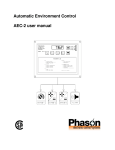
Automatic Environment Control
AEC-2 user manual
3KDVRQ ,QF
$OO ULJKWV UHVHUYHG
3ULQWHG LQ &DQDGD
5HY LIMITED WARRANTY
This warranty applies only to the Automatic Environment Control (AEC-2). If you need warranty
service, return the product and original proof of purchase to your dealer.
Phason Inc. (Phason) warrants this product subject to the following terms and conditions.
This warranty is valid only to the original purchaser of the AEC-2, for two years from the
manufacturing date. The manufacturing date is stated in the first eight digits of the serial number in the
form year-month-day.
Phason hereby warrants that should the AEC-2 fail because of improper workmanship, Phason will
repair the AEC-2, effecting all necessary parts replacements without charge for either parts or labor.
&RQGLWLRQV
Installation must be done according to our enclosed installation instructions.
The AEC-2 must not have been previously altered, modified, or repaired by anyone other than
Phason.
The AEC-2 must not have been involved in an accident, misused, abused, or operated or installed
contrary to the instructions in our user and/or installation manuals. Phason's opinion about these
items is final.
The person requesting warranty service must be the original purchaser of the AEC-2, and provide
proof of purchase upon request.
All transportation charges for products submitted for warranty must be paid by the purchaser.
Except to the extent prohibited by applicable law, no other warranties, whether expressed or implied,
including warranties of merchantability and fitness for a particular purpose, shall apply to the AEC-2.
Any implied warranties are excluded.
Phason is not liable for consequential damages caused by the AEC-2.
Phason does not assume or authorize any representatives, or other people, to assume any obligations or
liabilities, other than those specifically stated in this warranty.
Phason reserves the right to improve or alter the AEC-2 without notice.
i
Service and technical support
Your dealer will be happy to answer all technical questions that will help you use the AEC-2
Before contacting your dealer or Phason, check the following:
Read this manual for information about the feature with which you are having trouble.
If you still have a problem with the AEC-2, collect the following information:
− Model/serial number
− A description of the problem
0\ GHDOHU·V QDPH
+RZ WR FRQWDFW P\ GHDOHU
6WUHHW32 %R[
&LW\
6WDWH3URYLQFH
=LS3RVWDO
3KRQH
)D[
(PDLO
:HE VLWH
7HUUDFRQ 3ODFH
:LQQLSHJ 0DQLWRED
&DQDGD
5- *
ii
3KRQH
)D[
(PDLO
:HE VLWH
VXSSRUW#SKDVRQFD
ZZZSKDVRQFD
Table of contents
Features of the AEC-2 ........................................................................................................... 1
Getting started ....................................................................................................................... 2
AEC-2 electrical ratings .................................................................................................. 4
Equipment list ................................................................................................................. 5
Getting to know the AEC-2 ................................................................................................... 6
Definition of terms .......................................................................................................... 7
Adjusting the AEC-2 ............................................................................................................. 8
Selecting a new operating program ................................................................................. 8
Changing parameter settings ........................................................................................... 9
Setup parameters ........................................................................................................... 11
Programming tips .......................................................................................................... 11
Reloading the factory programs .................................................................................... 13
AEC-2 operation .................................................................................................................
Factory program C operation ........................................................................................
Cutback speed operation ...............................................................................................
Parameter descriptions ..................................................................................................
Parameter ranges ...........................................................................................................
Factory programs ..........................................................................................................
14
14
16
18
21
22
Methods of use .................................................................................................................... 23
Programs ....................................................................................................................... 23
Alert messages .................................................................................................................... 24
Care and maintenance ......................................................................................................... 26
Power factor correction ....................................................................................................... 27
Appendix A - Wiring diagrams ......................................................................................... A-1
Appendix B - Self-test procedure ...................................................................................... B-1
Appendix C - Troubleshooting guide ................................................................................ C-1
Appendix D - Blank program tables ................................................................................. D-1
iii
Phason
AEC-2 user manual
Features of the AEC-2
The Automatic Environment Control (AEC-2), is a microprocessor based product designed to efficiently
control the environment in livestock buildings. It connects to a variable speed fan, a combination of
secondary fans and heaters and an alarm system. When operating, the AEC-2 measures and displays the
room temperature. While monitoring the temperature it controls the connected ventilation and heating
equipment according to the programmed settings to keep the temperature at the desired point. The
program settings can be adjusted in order to change the turn on points and other parameters of the stages.
The following is a list of the standard features of the AEC-2.
•
Digital display of temperature, alerts and settings
•
8 programs with pre-programmed factory settings which can be easily changed
•
A built-in keyboard to allow easy adjustment of settings
•
2 stages of user definable relay contacts to control secondary fans or heaters
•
A relay to signal high or low temperature, power interruptions or low line voltage alerts
•
Internal memory is retained during power failures
•
115/230 VAC operation @ 12.5 full load amps output for variable speed fan (with RFI noise
suppressor to eliminate radio and T.V. interference)
•
3 second full power turn on for variable speed output to minimize fan freeze-up
•
Transient protected
•
Compact design, 18cm/7" (H) x 23cm/9" (W) x 9.5cm/3.75" (D)
•
Non-corrosive, fire retardant enclosure
•
2-year warranty
•
Extendable sensor
101404 rev. 3
1
AEC-2 user manual
Phason
Getting started
Congratulations on the purchase of your new AEC-2 environment control! This manual has been
prepared to help you get the utmost in satisfaction from your AEC-2. It contains detailed information
regarding the installation and operation of the control. The Getting Started section will step you through
the installation and configuration of your AEC-2. The following steps refer to other sections of this user's
guide for additional information. For this reason, it is not necessary to read through the entire document
from front to back, but rather in the order that the information is needed.
CHECKING RATINGS OF EQUIPMENT
STEP 1
Y
Read the AEC-2 ELECTRICAL RATINGS on page 4.
Y
Fill in the EQUIPMENT LIST on page 5.
WARNING: The equipment to be connected to the AEC-2 control must not
draw more current than what the AEC-2 stages are rated for. Use of equipment
that is rated higher than the AEC-2 will result in damage to the control and will
void the warranty.
STEP
STEP
2
2
3
INSTALLATION
Y
Follow the instructions in Appendix A for installing and wiring the AEC-2
and equipment. Be sure to read the General Warnings section in Appendix
A before installation.
TESTING
Y
Turn to Appendix B and follow the instructions there to test the operation of
the equipment installed and to ensure that it is connected properly.
2002-12-16
Phason
AEC-2 user manual
SETTING UP
STEP
4
Y
Read through the ADJUSTING THE AEC-2 section starting on page 8 and
get familiar with the programming procedures.
Y
Configure the AEC-2 according to the type of equipment connected.
Y
Mark the changes in the Blank Program Tables in Appendix D.
PUTTING CONTROL INTO SERVICE
STEP
5
Y
Read the AEC-2 OPERATION section starting on page 14.
Y
Select the most useful factory program, see page 22.
Y
Make changes to the program as desired, see page 9.
Y
Mark the changes in the Blank Program Tables in Appendix D.
METHODS OF USE
STEP
6
101404 rev. 3
Y
Read the METHODS OF USE section starting on page 23.
3
AEC-2 user manual
Phason
AEC-2 electrical ratings
ALERT RELAY
RATINGS:
0.2 Amps, 230 VAC
0.4 Amps, 24 VAC
2 Amps, 30 Vdc for
resistive loads
STAGE 3
MAXIMUM RATINGS:
6 FLA at 230 VAC
6 FLA at 115 VAC
360 Watts tungsten
STAGE 2
MAXIMUM RATINGS:
6 FLA at 230 VAC
6 FLA at 115 VAC
360 Watts tungsten
VARIABLE SPEED
MAXIMUM RATINGS:
TEMP SENSOR
Standard sensor:
30 Feet long.
12.5 FLA (full load amps)
115 or 230 VAC
NOTE: This is not a wiring diagram. All wiring diagrams are located in Appendix A.
4
2002-12-16
Phason
AEC-2 user manual
Equipment list
Make and Model # of fan(s):
Variable Speed
Stage 1
Max. Total Current Draw of fan(s):
Maximum 12.5 FLA. See the Warning
section in Appendix A.
Operating Voltage:
Make and Model # of fan/heater:
Cool / Heat
Stage 2
Max. Total Current Draw: *
Operating Voltage:
Make and Model # of fan/heater:
Cool / Heat
Stage 3
Max. Total Current Draw: *
Operating Voltage:
Alert
Alert relay connected to:
* A power contactor must be used if the maximum total current draw is greater than the maximum
ratings of the internal relay. See the maximum ratings section on page 4.
101404 rev. 3
5
AEC-2 user manual
Phason
Getting to know the AEC-2
6
1
PROGRAM button - used to select the
desired operating program.
7
UP button -used to increase the value of a
parameter.
2
STORE button - used to save selected
programs and parameter settings in
memory.
8
STAGE 1 indicator light.
3
PARAMETER button - used to scroll
through the parameter list.
9
STAGE 2 indicator light.
4
Digital display - shows the temperature
and settings.
10
STAGE 3 indicator light.
5
RETURN button - used to return back to
normal operation.
11
Complete parameter list.
6
DOWN button - used to decrease the value
of a parameter.
2002-12-16
Phason
AEC-2 user manual
Definition of terms
NORMAL OPERATION The AEC-2 is in normal operation when it is displaying the room temperature.
When alerts occur, the display will alternately flash the alert message and the
room temperature.
PROGRAMS
Programs consist of Main, Differential, Alerts and General parameters. The
AEC-2 has eight programs which can be selected and reprogrammed by the
user.
OPERATING PROGRAM The AEC-2 operates according to the parameters in the operating program.
Any one of the programs may be selected as the operating program.
PARAMETER LIST
The parameter list is printed on the front of the AEC-2 and also shown on
page 21. It is a list of all the parameters that may be programmed by the user.
PARAMETERS
Parameters are the individual settings which may be programmed. Read the
PARAMETER DESCRIPTIONS section on page 18 for an explanation of
each parameters. There are five parameter categories.
1) Main - The MAIN parameters control the main operation of the control.
2) Differential - These parameters are programmable differentials. They are
the number of degrees above or below the temperature set point the particular
stage starts or turns on.
3) Alerts - These parameters set the point at which the temperature alerts
activate.
4) General - GENERAL parameters are common to all programs. These
parameters can have only one setting which is the same in all programs.
5) Setup - SETUP parameters control the overall operation of the unit. These
parameters have only one setting which is the same in all programs.
101404 rev. 3
7
AEC-2 user manual
Phason
Adjusting the AEC-2
Selecting a new operating program
As livestock matures, often a change in the room climate is needed. The AEC-2 has eight different
programs in memory for eight different climate settings. Any one of the programs can be chosen as the
operating program. In order to change the operating program of the AEC-2, follow the instructions listed
below. For a list of the factory settings in the programs see Table 2, on page 22.
1)
Press the PROG button once.
The AEC-2 will display the current operating program, (A,
b, C, d, E, F, g or H). The display will flash the program
name and Pr.
2)
Press the PROG button a number of times until the desired
program is displayed.
By pressing the PROG button, the program names are
displayed one after another. To change to a different
operating program, press the PROG button until the proper
program is displayed.
3)
Press the STORE button to enter the desired program into
memory.
When the correct program is displayed, pressing the
STORE button will tell the AEC-2 to use the selected
program as the operating program. After Stor is displayed,
the AEC-2 returns to normal operation.
8
2002-12-16
Phason
AEC-2 user manual
Changing parameter settings
Follow the steps below to view and/or edit the parameters in any program. After the parameters have been
edited, the changes should be marked in the Blank Program Tables in Appendix D for future reference.
1)
Press the PROG button until the program that you want to edit
is displayed.
The display will flash the program letter, (A to H) and Pr.
NOTE: If the operating program is to be edited, step 1 may be
skipped. The parameters of the operating program will be
displayed by default.
2)
Press the PARM button once.
The first (left most), digit shows the program that is being
edited.
The second digit indicates if the program is the operating
program. An o means the program is the operating program, a
blank means it is not the operating program.
The two right most digits show the parameter number to
be edited.
3)
Press the UP or DOWN key to turn memory protect off.
The display will show Ao 0 and then °FF indicating memory
protect has been turned off. The parameters can now be
adjusted. If memory protect is not turned off, the parameters
can only be viewed. Attempting to adjust the parameters while
memory protect is on will result in an Err message being
displayed.
101404 rev. 3
9
AEC-2 user manual
4)
Press the PARM button to step through the parameter list
until the desired parameter is reached.
Refer to the front cover of the AEC-2 control or Table 1 on
page 21 for the parameter list.
5)
Use the UP / DOWN buttons to adjust the setting.
Phason
The parameter can be adjusted to any value with in the valid
range. The ranges are shown on page 21.
6)
Press STORE to save the setting in memory.
The display will show Stor for 1 second indicating the new
setting has been stored in memory. If the PARM button is
pressed before pressing STORE the next parameter will
appear and the previous one will change back to its previous
setting.
Continue through the parameter list by pressing the PARM
button and making changes to the settings where needed.
Follow the same procedure shown in steps 4 to 6 above.
7)
To return to normal operation (displaying of room temperature)
at any time, press the RETURN button.
When RETURN is pressed, memory protect is automatically
turned back on. If a parameter has been changed but the value
has not been stored, pressing RETURN will change the
parameter's setting to the last stored setting and then press
RETURN again to return to normal operation.
NOTE: If the AEC-2 is left displaying a parameter it will revert back to normal operation in 1 minute
automatically. If STORE was not pressed the displayed parameter will change back to its previous value.
10
2002-12-16
Phason
AEC-2 user manual
Setup parameters
The setup parameters should be programmed when the installation has been completed to configure the
AEC-2, and then generally the parameters do not need to be reprogrammed. These parameters are
different than the other parameters because they can have only one setting and cannot be edited in the
normal way. Each setup parameter setting is common to all programs. Follow the instructions below to
access the setup parameters.
When the setup parameters have been programmed the blank program table in Appendix D should be
filled in with the new settings for future reference. It is important that the Configuration decal, included
with the AEC-2, is marked correctly and affixed to the side of the AEC-2 when the setup parameters have
been programmed. The Configuration decal provides a handy reference when you need to check the mode
of operation of the staged outputs.
To Edit the Setup Parameters
Press the PARM button once to enter the edit mode. If you wish
to edit the setup parameters, you must turn off memory protect
now. See page 9 to turn off the memory protection.
Next press the PROG and PARM buttons simultaneously to
access the setup parameters. The Setup parameters can be
adjusted as desired and stored in the same way the normal
parameters can. After the setup parameters have been changed
and stored, press the RETURN button to return to normal operation.
Programming tips
Scrolling Backwards
When viewing or editing the parameters, sometimes it is helpful
to scroll backwards through the parameter list. To do this, press
the PARM and UP buttons simultaneously. Instead of the AEC-2
displaying the next parameter on the list, it will display the
previous parameter.
101404 rev. 3
11
AEC-2 user manual
Phason
Selecting a Parameter to Edit
The parameters are stored in a table in memory which is similar to the Factory Program Table on page 22.
Any parameter in any program can be edited when memory protection has been turned off. Follow these
procedures when editing parameters to become more efficient.
To move down to the next parameter press the PARM button.
To move up or backwards to the previous parameter press the PARM and UP buttons simultaneously.
To move right press the PROG button until the desired program is displayed, then press the PARM button
once to edit the same parameter number that was being edited before.
To Move
ª
©
¨
Button(s)
PARM
PARM and UP
PROG
An example where this method of programming is useful would be a situation where the temperature set
point of each program needs to be changed. This could be done by turning off memory protection and
changing the temperature set point in the operating program, (the operating program is displayed with an
o and the program name). Then press the PROG button two times to edit the next program. Press the
PARM button and edit the parameter. To continue to the next program press the PROG button two times
again. Remember that STORE must be pressed after each change to save the new setting in memory.
Fast Editing
When editing the setting of a parameter by adjusting it up or down,
hold down either button and then press the other one. This will
change the setting ten times faster. If you want to increase the
setting, hold down the UP button and then press the DOWN
button. The setting will increase ten times faster. To decrease the
setting ten times faster, hold down the DOWN button and then
press the UP button.
12
2002-12-16
Phason
AEC-2 user manual
Reloading the factory programs
The factory programs can be reloaded if so desired to replace the existing programs. If the existing
programs are not operating properly or need to be changed back to the original factory programs, follow
the steps below to reload the factory programs.
When the factory programs are reloaded, all of the existing programs including the setup parameters will
be replaced. The AEC-2 will begin with program A as the operating program. The programs and most
importantly the setup parameters will need to be reprogrammed for the equipment that is connected. Pay
close attention to the configuration of Stages 2 and 3.
1) Turn off the power to the AEC-2.
2) Hold down the PROG and STORE buttons.
3) While holding the buttons down, turn the power back on. The
display will flash Stor for two seconds and then the AEC-2 will
be in the normal operating mode, displaying the room
temperature and a power failure alert.
101404 rev. 3
13
AEC-2 user manual
Phason
AEC-2 operation
Factory program C operation
Figure 2 shows the operation of each stage of the AEC-2. This particular diagram shows when the stages
will turn on and off if the AEC-2 is operating according to the factory settings in program C. Some
settings are listed here but the entire factory program table can be found on page 22. The circled numbers
correspond to the parameter numbers. Use these numbers to cross reference the parameters in the diagram
to their descriptions.
NOTE: All stages have a programmable hysteresis, parameter 18, which is not shown on the diagram.
PARAMETER SETTINGS
1 Temp Set (Start P-Band)
2 Stage 1 Min Vent
3 Cutback Speed
4
5
6
7
Stage 1 Off-Set-Back
Stage 1 P-Band
Stage 2 Turn On
Stage 3 Turn On
8 Low Temp Alert
9 High Temp Alert
85.0°F
20
99
-5.0
3.0
5.0
-2.0
-7.0
13.0
NOTE: When the variable speed stage turns on, it will run full speed for three seconds and then decrease
to the required speed.
EXAMPLE
As an example, say the temperature is 75°F and rising. At this point Stage 3 (heat) will be on and the Low
Temperature Alert. When the temperature rises to 78°F the Low Temp Alert will turn off. At 80°F the
Stage 1 fan will begin the Off-Set-Back (OSB) region. The Stage 1 fan will run at full speed for three
seconds and then slow down to the Minimum Ventilation setting.
When the temperature reaches 83°F Stage 3 (heat) will turn off. At 85°F the Stage 1 P-Band starts. While
the temperature rises in the P-Band the Stage 1 fan will increase in speed. At 88°F Stage 1 will reach full
speed.
When the temperature rises to 90°F Stage 2 (cool) turns on. At 98°F the High Temperature Alert will turn
on.
14
2002-12-16
Phason
AEC-2 user manual
Figure 2: Factory program C operation diagram
101404 rev. 3
15
AEC-2 user manual
Phason
Cutback-speed operation
Figure 3 shows the operation of each stage of the AEC-2. This diagram is the same as the one shown in
Figure 2 with one exception; parameter 3 has been changed from 99 to 20, (see the parameter settings
below). This change causes the speed of the Stage 1 fan to cutback when a ON/OFF stage, that is set to
cooling, turns on.
The circled numbers in the diagram correspond to the parameter numbers. Use these numbers to cross
reference the parameters in the diagram to their descriptions.
NOTE: All stages have a programmable hysteresis, parameter 18, which is not shown on the diagram.
PARAMETER SETTINGS
1 Temp Set (Start P-Band)
2 Stage 1 Min Vent
3 Cutback Speed
4
5
6
7
Stage 1 Off-Set-Back
Stage 1 P-Band
Stage 2 Turn On
Stage 3 Turn On
8 Low Temp Alert
9 High Temp Alert
85.0°F
20
20
-5.0
3.0
5.0
-2.0
-7.0
13.0
NOTE: When the variable speed stage turns on, it will run full speed for three seconds and then decrease
to the required speed.
EXAMPLE
As an example, say the temperature is 75°F and rising. At this point Stage 3 (heat) will be on and the Low
Temperature Alert. When the temperature rises to 78°F the Low Temp Alert will turn off. At 80°F the
Stage 1 fan will begin the Off-Set-Back (OSB) region. The Stage 1 fan will run at full speed for three
seconds and then slow down to the Minimum Ventilation setting.
When the temperature reaches 83°F Stage 3 (heat) will turn off. At 85°F the Stage 1 P-Band starts. While
the temperature rises in the P-Band the Stage 1 fan will increase in speed. At 88°F Stage 1 will reach full
speed.
When the temperature rises to 90°F Stage 2 (cool) turns on. When Stage 2 turns on Stage 1 will cut back
in speed according to the Cutback Speed setting, (parameter 3). This will happed for any stage set for
cooling operation. As the temperature continues to rise, the Stage 1 fan will start the P-Band again. The
Stage 1 fan will increase in speed and reach full speed again at 93°F.
At 98°F the High Temperature Alert will turn on.
16
2002-12-16
Phason
AEC-2 user manual
Figure 3: Cutback speed operation diagram
101404 rev. 3
17
AEC-2 user manual
Phason
Parameter descriptions
MAIN PARAMETERS
0
MEMORY PROTECTION [On/Off] - ensures parameters are not changed by accident. Memory
protect must be turned off every time the parameters are edited. The memory protect parameter
cannot be stored and is turned on automatically when the control is returned to normal operation.
1
TEMPERATURE SET (Start P-Band 1) [32.0 - 110.0°F, 0.0 - 43.3°C] - is the target room
temperature. All differentials and alerts are referenced to this setting. It is the starting point of the
Stage 1 P-Band (parameter #6).
2
STAGE 1 MINIMUM VENTILATION [Minimum Idle (#16) - 99] - is the idle speed in % of full
power at which the Stage 1 fan will idle at. It cannot be adjusted below the setting of the Minimum
Idle (#16) parameter.
3
CUTBACK SPEED [Minimum Idle (#16) - 99] - is the speed in % of full power that the Stage 1 fan
will slow down to when a secondary cooling stage turns on. It cannot be adjusted below the setting of
the Minimum Idle (#16) parameter. When a secondary cooling stage turns on, the Stage 1 fan will
slow down to the Cutback Speed setting and then increase in speed as the temperature rises. The
Stage 1 fan will be at full speed again when the temperature has risen the amount of the P-Band.
DIFFERENTIALS
4
STAGE 1 OFF-SET-BACK [IDLE, -20.0 - 0.0°F, -11.1 - 0.0°C] - is a range of degrees below the
Temp Set where the Stage 1 fan will be at idle speed, and below this range the fan will be off. Idle
means the fan will run at the Min Vent setting at all temperatures below the Temp Set. If Temp Set
(#1) is set to 80°F and Stage 1 Off-Set-Back (#4) is set at -8°F the fan will idle when the temperature
is between 72°F and 80°F, but will be off below 72°F.
5
STAGE 1 P-BAND [0.0 - 16.0°F, 0.0 - 8.9°C] - The proportional band is a range of degrees above
the Temp Set where the Stage 1 fan increases in speed proportionally to the temperature. If Temp Set
(#1), is set to 80°F and Stage 1 P-Band (#5) is set at 5°F the variable speed fan will start to increase
speed at 80°F and will be at full speed at 85°F. The P-Band will be restarted when a secondary
cooling stage turns on.
6
STAGE 2 TURN ON [-10.0 - 15.0°F, -5.5 - 8.4°C, OFF] - is the number of degrees above or below
the Temp Set at which Stage 2 will turn on. If the Temp Set (#1) is set to 80°F and Stage 2 Turn On
(#6) is set to 5°F, Stage 2 will turn on at 85°F. The Stage 2 Operation (#14) parameter regulates what
mode Stage 2 operates in, heat or cool.
7
STAGE 3 TURN ON [-10.0 - 15.0°F, -5.5 - 8.4°C, OFF] - is the number of degrees above or below
the Temp Set at which Stage 3 will turn on. If the Temp Set (#1) is set to 80°F and Stage 3 Turn On
(#7) is set to -5°F, Stage 3 will turn on at 75°F. The Stage 3 Operation (#15) parameter regulates what
mode Stage 3 operates in, heat or cool.
18
2002-12-16
Phason
AEC-2 user manual
ALERTS
8
LOW TEMPERATURE ALERT [OFF, -36.0 - 0.0°F, -20.0 - 0.0°C] - is the number of degrees
below the Temp Set that a low temperature alert will be generated, (A Lt). This alert may be disabled
by adjusting it to OFF.
9
HIGH TEMPERATURE ALERT [0.0 - 36.0°F, 0.0 - 20.0°C, OFF] - is the number of degrees above
the Temp Set that a high temperature alert will be generated, (A Ht). This alert may be disabled by
adjusting it to OFF.
GENERAL PARAMETERS
General parameters have one setting common to all programs. When they are changed in one program,
they change in all of the programs.
10 LOW POWER ALERT [ON - OFF] - When the line voltage drops below the proper operating level,
a low power alert will be displayed (A LP). This alert may be disabled by adjusting it to OFF. When
disabled, the display will still flash A LP but the alert relay will not activate.
11 ALERT LATCHING [ON - OFF] - When this parameter is turned ON, all alerts will be displayed
on the AEC-2 and will continue to flash after the alert condition is gone. They can be reset by
pressing the RETURN button. This feature is useful to keep track of the alerts that occur during times
when the control is not being supervised. For example; in the morning the AEC-2 could be checked
for alerts that occurred during the night and then the alerts could be cleared. If this parameter is turned
OFF, the display will only show the alert when the condition is present. When the alert condition is
gone, the alert will no longer be displayed.
12 VENTILATION [ON - OFF] - When this parameter is turned OFF, the variable speed outputs and
cooling stages are turned off completely and all alerts will not be displayed. The heating stages are
not affected. Ventilation may be turned OFF when a room is vacant to conserve energy. When it is
turned OFF the AEC-2 will display V°FF. DO NOT use this to shut down fans to work on the fans or
electrical wiring. Ensure the breakers are turned off.
101404 rev. 3
19
AEC-2 user manual
Phason
SETUP
The setup parameters are common to all programs and can only have one setting. They cannot be
accessed by the same procedure as the normal parameters. This has been done to protect these parameters
from accidentally being changed. Follow the instructions on page 11 to program these parameters.
13 TEMPERATURE UNITS [°F - °C] - This parameter programs the AEC-2 to display temperature in
degrees Fahrenheit or degrees Celsius.
14 STAGE 2 OPERATION [HEAT - COOL] - This parameter programs the Stage 2 output to operate
as a heating stage or a cooling stage. When it is set to HEAT, the stage will be on below the Stage 2
Turn On (#6). If it is set to COOL, the stage will be on above the Stage 2 Turn On (#6).
15 STAGE 3 OPERATION [HEAT - COOL] - This parameter programs the Stage 3 output to operate
as a heating stage or a cooling stage. When it is set to HEAT, the stage will be on below the Stage 3
Turn On (#7). If it is set to COOL, the stage will be on above the Stage 3 Turn On (#7).
16 STAGE 1 MINIMUM IDLE [0 - 99] - This is the minimum idle preset in percent of full speed. The
Stage 1 Min Vent (#2) and Cutback Idle (#3) cannot be adjusted below this setting. For example; if it
is programmed to 20 the Stage 1 Min Vent (#2) parameter cannot be adjusted below 20. It is
recommended that this parameter be programmed to correspond to the lowest speed at which the
motor can still operate.
17 STAGE 1 POWER FACTOR COMPENSATION [0.5 - 2.5] - This is set at the factory to 1.0 and
should only be adjusted if the Stage 1 variable speed fan does not operate properly with the AEC-2.
18 HYSTERESIS [0.5 - 2.5°F, 0.3 - 1.4°C] - This is the number of degrees of difference between the
turn-on point and turn-off point for all stages. It is the number of degrees above the turn-on point that
a heating stage will turn off, and the number of degrees below the turn-on point that a cooling stage
will turn off.
20
2002-12-16
Phason
AEC-2 user manual
Parameter ranges
#
PARAMETERS
MAIN
0
Memory Protection
1
Temp Set (Start P-Band)
2
Stage 1 Min Vent
3
Cutback Speed
DIFFERENTIALS
4
Stage 1 Off-Set-Back
5
Stage 1 P-Band
6
Stage 2 Turn On
7
Stage 3 Turn On
ALERTS
8
Low Temp Alert
9
High Temp Alert
GENERAL
10
Low Power Alert
11
Alert Display Latching
12
Ventilation
SETUP
13
Units °F or °C
14
Stage 2 Operation
15
Stage 3 Operation
16
Stage 1 Minimum Idle
17
Stage 1 P.F. Compensation
18
Hysteresis
Table 1: Adjustable ranges of the parameters
101404 rev. 3
RANGES
°F
°C
ON / OFF
32.0 to 110.0
0.0 to 43.3
Min Idle (parm #16) to 99 %
Min Idle (parm #16) to 99 %
IDLE, -20.0 to 0.0
0.0 to 16.0
-10.0 to 15.0, OFF
-10.0 to 15.0, OFF
IDLE, -11.1 to 0.0
0.0 to 8.9
-5.5 to 8.4, OFF
-5.5 to 8.4, OFF
OFF, -36.0 to 0.0
0.0 to 36.0, OFF
OFF, -20.0 to 0.0
0.0 to 20.0, OFF
ON / OFF
ON / OFF
ON / OFF
°F / °C
HEAT / COOL
HEAT / COOL
0 to 99 %
5 to 25
0.5 to 2.5
0.3 to 1.4
21
AEC-2 user manual
Phason
Factory programs
The AEC-2 is preprogrammed with the factory settings as shown below. See the GETTING TO KNOW
THE AEC-2 section for instructions for selecting a program. Select the most useful program and make
changes where necessary.
#
PARAMETERS
MAIN
Temp Set (Start P-Band)
Stage 1 Min Vent
Cutback Speed
DIFFERENTIAL
4
Stage 1 Off-Set-Back
5
Stage 1 P-Band
6
Stage 2 Turn On
7
Stage 3 Turn On
ALERTS
8
Low Temp Alert
9
High Temp Alert
GENERAL
10 Low Power Alert
11 Alert Display Latching
12 Ventilation
SETUP
13 Temperature Units
14 Stage 2 Operation
15 Stage 3 Operation
16 Stage 1 Minimum Idle
17 Stage 1 P.F. Compensation
18 Hysteresis
Table 2: Factory Programs
1
2
3
22
PROGRAM NAMES (A-H)
C
d
E
F
A
b
g
H
95
20
99
90
20
99
85
20
99
80
20
99
72
20
99
70
20
99
65
20
99
60
20
99
-3
3
5
-1
-3
3
5
-1
-5
3
5
-2
-5
5
7
-2
-5
5
7
-2
-5
5
7
-2
-5
8
10
-2
-3
8
10
-2
-3
6
-3
8
-7
13
-10
18
-15
23
-15
25
-15
30
-10
35
ON
ON
ON
°F
COOL
HEAT
20
10
0.5
2002-12-16
Phason
AEC-2 user manual
Methods of use
Programs
The AEC-2 has eight programs from which one can be selected as the operating program. To take
advantage of the programs, adjust them for different climate settings. They could be used for different
kinds of livestock or used at different stages of maturity of the particular livestock. Time is saved by
simply changing the program, instead of adjusting every parameter. Remember to mark all changes to the
programs in the Blank Program Tables in Appendix D to keep track of the settings.
101404 rev. 3
23
AEC-2 user manual
Phason
Alert messages
ALERT
DESCRIPTION
Error - an incorrect key has been pressed
Alert High Temperature - temperature is above the high temp alert setting
Alert Low Temperature - temperature is below the low temp alert setting
Alert Low Power - the line voltage is low
Alert Probe Disconnect - the temperature sensor is disconnected
Alert Probe Short - the temperature sensor is short circuited
Alert Power Failure - indicates a power interruption has occurred
Alert Internal Error - indicates an internal error has occurred
Ventilation Off - ventilation has been turned off in the program
24
2002-12-16
Phason
AEC-2 user manual
REASONS FOR ALERTS TO ACTIVATE
The Err message appears when an incorrect key has been pressed or if an attempt
has been made to change a parameter while memory protect is on. The Err
message will appear for 2 seconds and then disappear.
The high temperature alert appears when the room temperature is above the high
temperature alert setting (parameter #9). Check if the fans are operating properly.
This alert may occur on very hot days when the desired room temperature cannot
be maintained.
The low temperature alert appears when the room temperature is below the low
temperature alert setting (parameter #8). Check if the heater is operating properly.
The low power alert turns on when the line voltage drops below 180 for 230 VAC
operation or below 90 for 115 VAC operation. This indicates a problem with the
electrical service of the building. The control may operate erratically if the voltage
drops below these levels.
This indicates the temperature sensor is disconnected. The sensor wire may be
broken or damaged somewhere.
This alert indicates the temperature sensor is short circuited. The sensor or wire
may be damaged somewhere.
NOTE: When a A Pd or a A PS alert occurs, the heating and cooling stages will turn off and the
variable stages will run at idle speed.
The Power Failure alert appears when there has been an interruption in the power.
The control will continue operating properly and the alert can be cleared by
pressing the RETURN button.
When this alert appears it indicates an internal error has occurred. To clear this
alert check through the parameters; adjust and store the ones that are incorrect.
Next, turn the power off and then back on and the alert will be cleared. NOTE: A
parameter must be changed and stored and the power turned off and on before the
alert will be cleared. Another way to clear the alert is downloading the factory
programs. This will reset all the parameters to the factory settings and then they
must be programmed to the desired settings again. Consult your dealer or Phason
for information to prevent this problem from happening again.
V°FF is displayed when VENTILATION (parameter #12), is turned OFF. When
this is displayed, the variable speed stages and the cooling stages will be turned
off. The heating stage(s) will operate normally.
101404 rev. 3
25
AEC-2 user manual
Phason
Care and maintenance
Moisture will not cause a problem with the control if the proper care is taken in installation. The control's
enclosure is made of fire retardant plastic and is sealed with a rubber gasket. The sensor entry is sealed
with a liquid tight cable connector.
Caution should be taken when washing the room with a high pressure washer. DO NOT direct a high
pressure washer at the control. In order to clean the control, wipe it with a damp cloth.
Be sure the power is off before cleaning to avoid electrical shock.
MAINTENANCE
•
To prevent damage to the control, after the first two weeks of operation remove the cover from the
unit and check for moisture inside. Be sure to turn off the power to the control before opening the
cover.
•
If moisture is present, wipe it out with a dry cloth and check the cable entry points and rubber gasket
for proper sealing.
•
If the cable connectors are not sealing, apply RTV or Silicon II sealant around the cable.
•
WARNING: If a sealant is used, be aware that some silicone sealants release acetic acid while
curing. This can cause corrosion damage to the control. Let silicone cure completely (1 to 3 days),
before closing the control or the control may be damaged and the warranty VOID.
•
Check the control again after two weeks to ensure that it is properly sealed.
•
The control should be opened and inspected once a year for moisture. Proper care and maintenance
will extend the life of the control.
26
2002-12-16
Phason
AEC-2 user manual
Power factor correction
Adjusting the P-Band to correct for a particular power factor may improve your ventilation system's
performance. Power factor correction is generally unnecessary and there is no danger of damage being
done to the control or motor if it is not done. As a result of different power factors between the many
makes and models of fan motors, the actual P-Band may be less then the P-Band setting displayed by the
control.
If the power factor of the motor is available, use the chart of correction numbers, (listed in the table
below), and CALC 1 below to calculate the P-Band setting required in order to get the desired P-Band. A
power factor of 0.8 or greater will cause an insignificant change to the P-Band and does not need to be
corrected.
CALC 1:
P-BAND SETTING = DESIRED P-BAND x CORRECTION
NUMBER
Example 1:
To have a 6°F P-Band with a motor which has a power factor of
0.7, set the P-Band to 7.5°F. ie. 6°F x 1.25 = 7.5°F
1.0
0.9
0.8
0.7
0.6
0.5
1.00
1.05
1.10
1.25
1.33
1.60
If the power factor is not known the correction number may be measured. Follow the steps below.
1) Set the Minimum Ventilation parameter, (#2) to the desired value.
2) Set the P-Band to 10°F, parameter # 5.
3) Observe the ROOM TEMPERATURE.
4) Adjust the TEMP SET, (#1) to equal the ROOM TEMPERATURE. Now, the Stage 1 fan will be
running just above minimum ventilation.
5) Slowly decrease the TEMP SET, (parameter # 1) and listen to the fan increase in speed.
6) Observe the TEMP SET, (FULL SPEED TEMP SET) at which the motor reaches full speed.
7) Calculate the Correction number for the motor as follows:
CALC 2:
10°F
FULL SPEED TEMP SET - ROOM TEMPERATURE
= Correction number
Example 2: ROOM TEMP = 75°F and FULL SPEED TEMP SET = 82°F
Correction Number =
101404 rev. 3
10°F
82°F - 75°F
= 1.43 Now use CALC 1 above to find the P-Band setting.
27
AEC-2 user manual
28
Phason
2002-12-16
Phason
AEC-2 user manual
Appendix A - Wiring diagrams
Installation overview ......................................................................................................... A-2
General warnings .............................................................................................................. A-3
Mounting instructions ....................................................................................................... A-4
Grounding and sealing ...................................................................................................... A-4
230 VAC control and stage 1 ............................................................................................ A-5
115 VAC control and stage 1 ............................................................................................ A-5
Temperature sensor ........................................................................................................... A-6
4-zone averaging ............................................................................................................... A-6
Manually extending sensor ............................................................................................... A-7
Alert siren installation ....................................................................................................... A-8
Alarm panel installation .................................................................................................... A-8
230 VAC heat/cool stages ................................................................................................. A-9
115 VAC heat/cool stages ................................................................................................. A-9
Heat/cool stage furnace ................................................................................................... A-10
Heat/cool bypass switch .................................................................................................. A-11
Variable stage bypass switch .......................................................................................... A-11
101404 rev. 3
A-1
AEC-2 user manual
Phason
Installation overview
ALERT RELAY
STAGE 3
STAGE 2
VARIABLE SPEED
TEMP SENSOR
Page
A-8
Pages
A-9
A-10
Pages
A-9
A-10
Page
A-5
Pages
A-6
A-7
Wiring diagrams and instructions for the different stages are located on the pages listed above. First read
the General Warnings and Mounting Instructions sections, then follow the instructions given for each
stage.
A-2
2002-12-16
Phason
AEC-2 user manual
General warnings
BE SURE POWER IS OFF BEFORE DOING ANY WIRING.
Install all equipment according to the applicable local electrical codes.
Most variable speed fan motors draw more current at fractional speeds than at full speed. Fan motor
specifications show current draw at full speed. The increase in current draw may be as much as two times
the rated current. Current over 12.5 Amps will cause overheating and eventual failure of the AEC-2.
Please check current requirements for the fan motor by either measuring current draw at all speeds from
idle to full speed or consult the dealer for information on the particular fan.
CAUTION:
Stages 1 and 2 are for control of shaded pole, permanent split capacitor or universal
motors only.
DO NOT mount power contactors inside the AEC-2 enclosure. Power contactors create electrical noise
which may cause the AEC-2 to work improperly.
Warning: Phason controls are designed and manufactured to provide reliable performance, but they are
not guaranteed to be 100% free of defects. Even reliable products may experience occasional failures, and
this possibility should be recognized by the User. If Phason products are used in a life support ventilation
system where failure could result in loss or injury, the user should provide adequate back-up ventilation,
supplementary natural ventilation or an independent failure alarm system. The user's lack of such
precautions acknowledges their willingness to accept the risk of such loss or injury.
A false 'A PF' alarm is due to electrical noise caused by high voltage transients in certain installations.
Electrical noise varies according to the type of equipment installed, the wiring layout and many other
factors. It's effects are not apparent in most installations but over time it can cause degradation of
electronic circuits and of relays and power contactors. These transients can cause unreliable operation of
your equipment if they are not properly controlled. Therefore, snubbing filters must be installed on all
inductive loads for installations of this type. The filters must be connected in parallel with the load so the
snubbing filter may absorb the transient energy.
PHASON has snubbing filters available for different types of equipment.
101404 rev. 3
A-3
AEC-2 user manual
Phason
Mounting instructions
To mount the AEC-2, remove the four screws in the front cover and lift off the cover. The cover can be
unplugged from the bottom to make wiring easier. Mount the box to the wall with the four wood screws
provided with the control. Insert the screws into the large holes in each corner of the box and tighten.
Use the knockouts provided at the bottom of the enclosure for mounting cable connectors. DO NOT make
additional holes in the enclosure. This should not be done and will void the warranty! All wires should
enter the enclosure through the electrical-knockout holes provided and all grounds should be connected to
the ground plate. When installing a control, close attention should be taken to route the wires, inside the
control, away from the control's electronics so that wires are not draped across the components which
may result in a part being broken or damaged which will affect the reliability of your control.
DO NOT mount the bottom enclosure rotated 180° which places the electric-knockouts at the top of the
enclosure. This should not be done and may void warranty! When this is done corrosion causing
moisture is more likely to enter the control and wiring will be prone to contact with the electronic
circuitry which may cause damage to components as stated above.
Grounding and sealing
A - Connect all ground wires to ground studs.
B - Use 3/4" liquid tight wire connectors for large
holes.
C - Use 1/2" liquid tight wire connectors for small
holes.
D - Use RTV silicone or Silicon II sealant to seal
cable entry points if liquid tight wire connectors
are not used.
If silicone is used, be aware that some silicone sealants release acetic acid while curing. This
can cause corrosion damage to the control. Let silicone cure completely (1 to 3 days), before
closing the control or the control may be damaged and the warranty VOID
A-4
2002-12-16
Phason
AEC-2 user manual
230 VAC control and stage 1
Connect the power mains to the BLACK and
WHITE wires. Connect the variable speed fan
to the BLUE and WHITE wires.
A - Set voltage selector switch to the 230
VAC position.
B - Stage 1 fuse type: 15 Amp, 250 VAC
ceramic fuse.
Wire according to applicable local electrical codes.
115 VAC control and stage 1
Connect the power
mains to the BLACK and WHITE wires.
Connect the variable speed fan to the BLUE
and WHITE wires.
A - Set voltage selector switch to the 115
VAC position.
B - Stage 1 fuse type: 15 Amp, 250 VAC
ceramic fuse.
Wire according to applicable local
electrical codes.
101404 rev. 3
A-5
AEC-2 user manual
Phason
Temperature sensor
Connect the sensor to terminals 4 and 5.
A) The temperature sensor can be extended if
so desired. An extended sensor can be ordered
from PHASON. To manually extend the
sensor, follow the instructions on page A-7.
When installing the extended sensor, do not
run the cable next to other power cables and
when crossing over other cables, cross at 90o.
4-zone averaging
Connect the sensor to terminals 4 and 5.
The AEC-2 is capable of monitoring the
temperature in four areas and operating
accordingly to the average. To take advantage
of this option, you must connect four
temperature sensors to the unit. To manually
extend the sensor, follow the instructions on
page A-7.
A) The AEC-2 can operate with one or four
probes connected.
A-6
2002-12-16
Phason
AEC-2 user manual
Manually extending the sensor
To extend the sensor, use 2 wire 18 or 20 AWG
jacketed cable. To splice two wires together follow
the steps below and refer to the diagram.
A) Slide pieces of heat shrink tubing on the wire
ends as shown.
B) Strip the ends of wire and twist together.
C) Using a soldering iron and solder, connect the
twisted wire ends together.
D) Slide the heat shrink tubing over the soldered
connection.
E) Heat tubing with a hot air gun (paint stripper).
F) When finished, the splice should be completely
sealed.
NOTE: If the unit operates erratically with the
extended sensor, try running the extended sensor on
a different path or shortening it. Check to be sure
that the sensor cable is not run alongside other
electrical wires or near electrical equipment. When
crossing electrical wires, it is best to cross at 90o
101404 rev. 3
A-7
AEC-2 user manual
Phason
Alert siren installation
Connect alert to terminals 14, 15 and 16.
14 - COMMON
15 - NORMALLY OPEN
16 - NORMALLY CLOSED
A - See the AEC-2 Electrical Ratings section
for the alert relay ratings.
B & C - Use a backup battery and an
appropriate charging system.
D - The siren ratings must not be greater than
the alert relay ratings.
E - Alert disable switch.
Alarm panel installation
Connect the alarm panel / auto-dialer to
terminals 14, 15 or 16.
14 - COMMON
15 - NORMALLY OPEN
16 - NORMALLY CLOSED
A - See the AEC-2 Electrical Ratings section
for the alert relay ratings.
B - Consult the Alarm Panel / Auto-dialer
owner's manual for proper installation
guidelines
A-8
2002-12-16
Phason
AEC-2 user manual
230 VAC heat/cool stages
Connect Stage 2 to terminals 26 and 27.
Connect Stage 3 to terminals 24 and 25.
A - Relay Ratings: 6 FLA at 230 VAC, 360 Watts
Tungsten
B - 230 VAC power contactor. A power contactor
can be ordered from PHASON. Be sure the
power contactor is rated for the particular load.
C - Load type: fan or heater.
Install according to applicable local electrical codes.
115 VAC heat/cool stages
Connect Stage 2 to terminals 26 and 27.
Connect Stage 3 to terminals 24 and 25.
A - Relay Ratings: 6 FLA at 115 VAC, 360 Watts
Tungsten
B - 115 VAC power contactor. A power contactor
can be ordered from PHASON. Be sure the
power contactor is rated for the particular load.
C - Load type: fan or heater.
Install according to applicable local electrical codes
101404 rev. 3
A-9
AEC-2 user manual
Phason
Heat/cool stage furnace
Connect Stage 3 to terminals 26 and 27.
Connect Stage 4 to terminals 24 and 25.
A - Relay Ratings: 2.2 FLA, 230 VAC
4.4 FLA, 115 VAC
B - This configuration shows the AEC-2 connected
to the power mains for a gas fired furnace or
brooder.
C - Use a suitable junction box for the wire
connections.
Heat/cool stage furnace
Connect Stage 2 to terminals 26 and 27.
Connect Stage 3 to terminals 24 and 25.
A - Relay Ratings:
2.2 FLA, 230 VAC
4.4 FLA, 115 VAC
B - In this configuration the AEC-2 is
connected to the thermostat inputs of a gas fired
furnace or brooder.
Gas furnaces using hot-surface
ignition or glow plugs may draw a
higher current than indicated and
require a power contactor. Consult furnace agent for details
A-10
2002-12-16
Phason
AEC-2 user manual
Heat/cool bypass switch
A - A bypass switch may be installed so the stage
can be operated manually, turned off, or controlled
automatically by the AEC-2. When the switch is in
the right position the stage will be controlled
automatically. When the switch is in the center
position the stage will be off, and when the switch
is in the left position (manual position) the stage
will be fully on.
Connect a "SPDT center off" switch. This switch
can be ordered from PHASON.
This switch is NOT a disconnect switch.
Variable stage bypass switch
A - A bypass switch may be installed so the fan can
be operated manually, turned off, or controlled
automatically by the AEC-2. When the switch is in
the upper position the fan will be controlled
automatically. When the switch is in the center
position the fan will be off, and when the switch is
in the lower position (manual position) the fan will
be on full speed.
Connect a "SPDT center off" switch. This switch
can be ordered from PHASON.
This switch is NOT a disconnect switch.
101404 rev. 3
A-11
AEC-2 user manual
A-12
Phason
2002-12-16
Phason
AEC-2 user manual
Appendix B - Test procedure
Built-in test procedure ....................................................................................................... B-2
Input test ............................................................................................................................ B-2
Memory test ...................................................................................................................... B-2
Display test ........................................................................................................................ B-3
Variable stage test ............................................................................................................. B-3
Relay test ........................................................................................................................... B-3
Reset test ........................................................................................................................... B-4
101404 rev. 3
B-1
AEC-2 user manual
Phason
Built-in test procedure
The AEC-2 has a built in test procedure. The test should be performed after the control has been installed
and may be used at any time to check the operation of the control. The test procedure tests the circuitry in
the control and each stage individually. Follow the instructions below to step through the test procedure.
If an alert system is connected, be aware that it is normal for the alert to be activated during
most of the test procedure.
In order to start the test procedure, power to the AEC-2 must be
off. Then, while holding the UP and DOWN buttons in, turn on
the power. The AEC-2 will start up in the test mode.
Input test
1) Press the PROG button once. The AEC-2 will display a number.
This number should be between 100.0 and 125.0.
Press the PROG button again and the AEC-2 will display the
temperature. If the temperature displayed is not correct, check if the
sensor is installed properly.
Memory test
2) Press the STORE button. The AEC-2 will display PASS if the
factory programs are in memory. It will display FAIL if the programs
in memory have been changed in any way from the factory settings.
See Reloading the Factory Programs under the Getting To Know The
AEC-2 section in this user's guide to reload the factory programs.
B-2
2002-12-16
Phason
AEC-2 user manual
Display test
3) Press the PARM button to perform the display test. The AECwill display 8888 and then will count from 0 to 9 on each digit.
the display test is done the AEC-2 will flash "t ds" which stands
test display.
2
After
for
Variable stage test
4) Press the UP button once. This will start the
variable speed fan test. The display should be
flashing tSP1 and °FF, ("tSP1" means test variable
speed stage 1). Press the UP button again. Now the
display should flash tSP1 and FuLL, and the Stage
1 fan should be running full speed. Press UP again
and the fan should be running at approximately
half speed, and the display should flash tSP1 and HALF. Press UP again and the fan will run at low
speed. The display will flash tSP1 and Lo. NOTE: Some fans may not operate at this low speed. Pressing
the UP button again will restart the Stage 1 fan test.
If at any time during this test the fans do not operate properly, refer to the troubleshooting guide in
Appendix C.
Relay test
5) Press the DOWN button to start the relay test. The display
will flash t rL and ALAr, ("t rL" stands for test relay), and the
alert should be on. Press the DOWN button again and the
display will flash t rL and St 2. Now Stage 2 should be on and
the alert will be off. Press DOWN again and the display will
flash t rL and St 3, and Stage 3 will turn on and Stage 2 will
turn off. Press the DOWN button again and the display will
flash t rL and ALL. Now Stages 2 and 3 will be on. Pressing DOWN again will restart the relay test cycle.
If any of the stages did not function properly when activated, refer to the troubleshooting guide in
Appendix C.
101404 rev. 3
B-3
AEC-2 user manual
Phason
Reset test
6) Press the RETURN button. This will return the AEC-2 to
normal operation. The display will flash t SA for one second and
then reset itself, ("t SA" stands for test sanity circuit). When the
control is in normal operation the display will be flashing the room
temperature and a power failure alert, (A PF). Press the RETURN
button to clear the alert. Other alerts might be displayed if the
AEC-2 has not yet been programmed, but this is a normal
occurrence.
This completes the test procedure for the AEC-2. If at any point during this test the AEC-2 or attached
equipment did not function properly, refer to the troubleshooting guide in Appendix C.
B-4
2002-12-16
Phason
AEC-2 user manual
Appendix C - Troubleshooting guide
Troubleshooting ................................................................................................................ C-2
101404 rev. 3
C-1
AEC-2 user manual
Phason
Troubleshooting
Problem
No Power/Display
Stage 1 Fan does not
run
Stage 1 fan runs full
speed
Cause
Circuit breaker at service panel is off or
tripped
15 Amp, ABC-15 Fuse open
Wiring incorrect
115/230 VAC switch in the wrong
position
Wiring incorrect
15 Amp, ABC-15 Fuse open
Minimum ventilation setting is too low
(Parameter 2)
Stage 1 Minimum Idle setting is too low
(Parameter 16)
Temperature Set setting above room
temperature (Parameter 1)
Room temperature below range of Stage 1
Off-Set-Back (Parameter 4)
Ventilation is turned off (Voff)
(Parameter 12)
Fan is faulty
Wiring incorrect
Minimum ventilation setting is too high
(Parameter 2)
Stage 1 P-Band is set to 0 (Parameter 5)
Room temperature is above the
Temperature Set (Parameter 1)
Solution
Reset the circuit breaker
Replace fuse
Correct wiring
Set the switch to the correct
setting
Correct wiring
Replace fuse(s)
Increase minimum ventilation
settings
Increase minimum idle setting
Adjust Temperature Set to
desired temperature
Adjust Off-Set-Back to cover
required range
Change Ventilation to on
Replace fan
Correct wiring
Decrease the minimum
ventilation setting
Increase the Stage 1 P-Band
Adjust the Temperature Set to
the desired temperature
Adjust P.F. Compensation
(Parameter 17)
Correct wiring
Stage 1 fan runs
erratically
P.F. Compensation is not set correctly
Stages 2 or 3
Relay(s) not operating
loads
Wiring incorrect
Turn On settings for the stages are
Adjust the Turn On settings
incorrect (Parameters 6/7)
The wrong Setup parameters are selected
Correct the Setup Parameter
(Parameters 14/15)
settings
Ventilation is turned off (Voff)
Change Ventilation to on
(Parameter 12)
Note: This is only applicable to stages in cooling mode
Replace Fan/Heater
Fan/Heater is faulty
Alert relay is not
operating the alarm
system
Wiring incorrect
Correct wiring
Alert message on
display
Alert condition is present or has occurred
See Alert section. Clear the
alert condition by pressing
RETURN.
C-2
2002-12-16
Phason
AEC-2 user manual
Appendix D - Blank program tables
Blank parameter chart ....................................................................................................... D-2
Blank setup parameter chart .............................................................................................. D-2
101404 rev. 3
D-1
AEC-2 user manual
Phason
Blank parameter chart
When changes to the programs are made the changes should be marked in the tables below. This will
provide a quick reference chart to refer to when reprogramming the AEC-2 in the future.
Parameters
#
Program names (A-H)
A
b
C
d
E
F
g
H
Main
1
Temp Set (Start P-Band)
2
Stage 1 Min Vent
3
Cutback Speed
Differential
4
Stage 1 Off-Set-Back
5
Stage 1 P-Band
6
Stage 2 Turn On
7
Stage 3 Turn On
Alerts
8
Low Temp Alert
9
High Temp Alert
General
10
Low Power Alert
11
Alert Display Latching
12
Ventilation
Blank setup parameter chart
#
Setup (hidden parameters)
13
14
15
16
17
18
Temperature Units
Stage 2 Heat or Cool
Stage 3 Heat or Cool
Stage 1 Minimum Idle
Stage 1 P.F. Compensation
Hysteresis
D-2
Setting
2002-12-16
D-2
2002-12-16