1
Chapter 2 — Quickstart
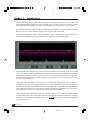
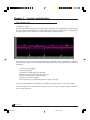
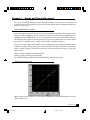
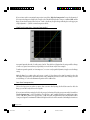
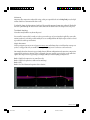
The basic overview
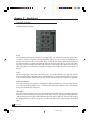
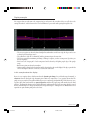
Individual band controls
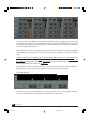
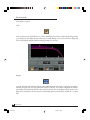
RANGE
Sets the maximum gain change for a band. If set to a negative value (–10), the band is a compressor; positive values
(6) make the band into an upward or downward expander. If RANGE is set to zero, then the band will have no
dynamic action (therefore, can be used as an EQ). Range sets both the ratio and the maximum gain change. You
may have noticed there is no Ratio control! Instead, the RANGE control serves as both a type of ratio control and a
way to also control the maximum gain reduction in each band. To achieve higher ratios, simply increase the RANGE
value, and possibly lower the THRESHOLD, if required. Increasing the KNEE to higher values also increases the ratio at
the knee.
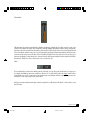
Gain
This is the output level for a band (also called “makeup gain”); you can also think of this as an “EQ” gain control. If
there is no dynamic change in the band, then this control simply boosts or cuts the band; if dynamic processing does
occur, this is the “fixed level” that the band’s gain will return to when that band is not compressing or expanding.
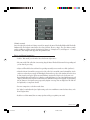
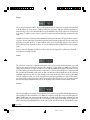
Attack and Release
These work just as in any other compressor, controlling how quickly the dynamic process reacts to a signal (how fast
it acts at the start, and how quickly it “lets go”). The RELEASE time utilizes Waves ARC auto-release technology first
developed for the Renaissance Compressor.
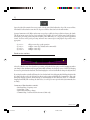
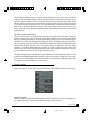
Threshold
This is also the same as in classic compressors, and controls the point at which a band is responding to signal level.
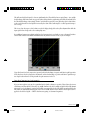
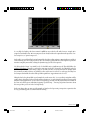
In the C4, the Threshold will be the center of the RANGE value, that is, if RANGE is –8dB, then the Threshold marks the
–4dB gain reduction point (you’ll have 4dB of Gain Reduction if the signal is equal to the Threshold). This results in
the standard behavior for a soft-knee compressor: you will observe compression or expansion below the threshold
value.
4
C4 Plug-In Manual
C4 Version 3
4
7/14/00, 2:31 PM