1
Using the Software
Updating the Hardware Software
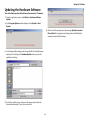
To install software updates of the AdvanceCommunicator™ hardware:
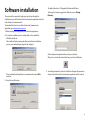
1 From the application menus select Options > Hardware Software
Update.
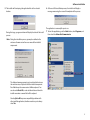
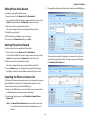
2 In the Program Update window displayed, select Update > Start
Update.
5 At the end of the update process the message Update Succeeded,
Please Wait will be displayed and the application will initialize the
communication with the hardware.
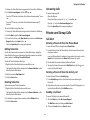
3 In the displayed Open dialog, select the update file. The default location
displayed in the dialog is the HardwareUpdate directory under the
application directory.
4 To start the update process, disconnect the power adaptor from the
AdvanceCommunicator™ base, then re-connect it.
26