1
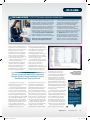
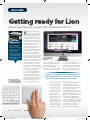
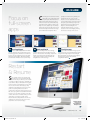
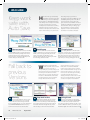
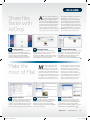
OS X LION THE LION LICENCE / OS X 10.7 for home, education and business iStockPhoto Lion is downloaded from the Mac App Store, and it follows the same licencing rules as other Mac apps bought from Apple’s online downloads shop. This means if you have more than one Mac, you can install the new operating system on all of them at no extra charge. Apple has also announced volume licencing deals for business and education users. Business customers can buy Lion or Lion Server directly from Apple or by using the Business Store found at http://store.apple.com/uk-business. Business volume licences cost $29.99 each or $49.99 for maintenance contracts, and a minimum Business users of Lion can take advantage of volume licencing deals offered by Apple at its online store. version of OS X; Snow Leopard for the App Store, then Lion. Not that this is a huge expense. Snow Leopard sells for just £26, and Lion is even more affordable at a penny shy of £21. As older versions of OS X cost £89 for a single-user licence, the combined cost of Lion and Snow Leopard is not much more than half the price. With Lion, Apple makes a complete break from PowerPC Macs by abandoning Rosetta, the dynamic translator used to run applications written for PowerPC processors on Intel machines. Snow Leopard downgraded it to an optional install, but it’s been removed from Lion triangle to its left, if it’s not already open. Highlight Applications and click on the Kind column header at the top of the window to sort your apps according to their type. Intel or Universal applications run fine in Lion, but PowerPC apps must be updated or replaced; they cannot be used with the new operating system. Lion greatly expands the range of multi-touch gestures available to Mac users. The new OS adds a fourfingered pinch to open Lion’s Launchpad feature, an iOS-like application launcher. Unpinching with four fingers takes you back to the desktop, or if you’re already there, “A three-fingered upward flick summons Mission Control, Lion’s combined Exposé, Dashboard and Spaces feature“ completely. This means PowerPC applications cannot run on Macs using the new operating system. Apple famously described Rosetta as ‘the most amazing software you’ll never see’. It works so well you don’t notice it’s there, so it’s worth checking if you’re running applications you’ve long since forgotten were written for the PowerPC architecture. From the menu, select About This Mac. In the window that opens, press the More Info button at the bottom to open the System Profiler, showing even more about your Mac. In the left-hand column (labelled ‘Contents’), open the Software list by clicking on the of 20 licences must be purchased. Education users can volume-licence the Apple Software Collection, consisting of Lion, iLife and iWork, through the Education Store or by contacting their Apple Education Account Representative. Prices start at $39, with a minimum order of 25 licences. Volume-licence customers receive a single App Store code for each transaction; after using this code to download Lion, the installer is downloaded to your Applications folder, from where you can retrieve it and copy it to an external drive, optical disc or network location. You can then use it to install Lion on all Macs for which you have licences. Updates to the new OS come through Software Update, so there’s no need to enter an Apple ID. hides all windows. A three-fingered upward flick summons Mission Control, Lion’s combined Exposé, Dashboard and Spaces feature, and flicking three fingers downwards gives a single-app Exposé. Another gesture carried over from iOS is Tap to Zoom. With your pointer on a specific part of a web page, tapping with two fingers zooms in on it to give a clearer view. You can also enlarge and shrink web pages using pinch and unpinch. These extra gestures will certainly be welcomed by Apple notebook users, and if you own a desktop Mac, it might be time to buy a Magic Trackpad. Apple’s standalone device features the same multi-touch controls and glass finish as the trackpads built into the MacBook Pro range, but it’s almost 80% larger. Like the Magic Mouse and wireless keyboard, it connects to your Mac over Bluetooth. If you’re planning on buying a new iMac or Mac Pro from Apple’s online store, you can opt for a Magic Trackpad instead of (or indeed as well as) a Magic Mouse, or you can buy one from your local Apple Store or reseller for £60. So how do you go about upgrading? After purchasing from the Mac App Store, the new OS downloads and installs automatically. The download is around 4GB, and after buying it once, you can install it on all your personally authorised Macs. This is generous given previous versions of OS X were also sold as ‘family packs’, with licences for up to five machines. If you’ve already bought Lion and want to install it on another Mac, August 2011 MAC237.news_feat.indd 27 If you’re planning to upgrade to Lion, you need to update or abandon all your PowerPC applications. DID YOU KNOW THIS? If you bought a new Mac from Apple or an authorised reseller between 6 June and OS X 10.7’s release, you might qualify for a free upgrade to Lion through Apple’s Up To Date programme. See http://bit.ly/loVdmr for more details. MacFormat.co.uk 27 7/1/11 3:41:59 PM