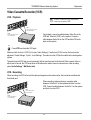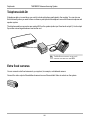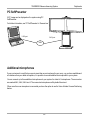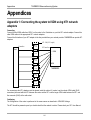
1
User Manual
Software version E2/B7
D12690-05
This document is not to be reproduced in whole or in part
without permission in writing from:
1
TANDBERG Videoconferencing System
PLASMA MONITORS:
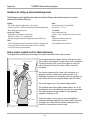
Panel sticking and after-image lag
Avoid displaying the same images continuously
over a long period of time on the TANDBERG 8000 monitors.
Displaying the same images such as still images for a long time may cause after-image lagging. This may occur
in the following two cases:
1. After image lagging due to remaining electrical load
When image patterns with very high peak luminance are displayed for more than 1 minute, after-image lagging
may occur due to the remaining electric load. The after-images remaining on the screen will disappear when
moving images are displayed. The time for the after-images to disappear depends on the luminance of the still
images and the time they had been displayed.
2. After-image lagging due to sticking
When images of the same pattern are displayed continuously for several hours or displayed for a short period of
time every day, after-images may remain on the screen due to the sticking of the fluorescent materials. In this
case, these images may decrease if moving images are displayed after them, but basically they will not
disappear.
Solving after-image lagging problems
If you have got after-image lagging on your monitors, you can reduce the problem to an acceptable level by
displaying a white image on the monitors for a few hours. This can be accomplished by focusing the camera
towards a white paper and setting maximum brightness. See the ‘User Manual’ for details.
NOTE: Warranty may be invalidated if the precautions listed above are not followed.
2
TANDBERG Videoconferencing System
Trademarks and copyright
COPYRIGHT © 2003, TANDBERG
Philip Pedersensvei 22
1366 Lysaker, Norway, Tel: +47 67 125 125, Fax: +47 67 125 234
All rights reserved. This document contains information that is proprietary to TANDBERG. No part of this publication may be reproduced,
stored in a retrieval system, or transmitted, in any form, or by any means, electronically, mechanically, by photocopying, or otherwise, without
the prior written permission of TANDBERG. Nationally and internationally recognized trademarks and tradenames are the property of their
respective holders and are hereby acknowledged.
Portions of this software are © 1996-2003 RADVision Ltd. All intellectual property rights in such portions of the Software and documentation
are owned by RADVision and are protected by United States copyright laws, other applicable copyright laws and international treaty provisions.
RADVision and its suppliers retain all rights not expressly granted.
Disclaimer
The information in this document is furnished for informational purposes only, is subject to change without prior notice, and should not be
construed as a commitment by TANDBERG.
The information in this document is believed to be accurate and reliable, however TANDBERG assumes no responsibility or liability for any
errors or inaccuracies that may appear in this document, nor for any infringements of patents or other rights of third parties resulting from its
use. No license is granted under any patents or patent rights of TANDBERG.
This document was written by the Technical Support Department of TANDBERG, Norway. We are committed to maintaining a high level of
quality in all our documentation. Towards this effort, we welcome your comments and suggestions regarding the content and structure of this
document. Please fax or mail your comments and suggestions to the attention of:
Product Support Department
TANDBERG, Philip Pedersensvei 22
1366 Lysaker, Norway
Tel:
+47 67 125 125
Fax:
+47 67 125 234
Environmental Issues
Thank you for buying a product which contributes to a reduction in pollution and thereby helps save the environment.
Our products reduce the need for travel and transport and thereby reduce pollution.
Our products have either none or few consumable parts (chemicals, toner, gas, paper).
Our products are low energy consuming products.
Battery handling:
Batteries for the Remote Control are Long Life and Alkaline batteries saving the environment, please follow guidelines on the packing material
for handling and disposal of the batteries.
Waste handling:
No need to send material back to TANDBERG as there are no consumables to take care of. Please contact your local dealer for information on
recycling the product by sending the main parts of the product for disassembly at local electronic waste stations, marking recyclable parts so the
waste station can disassemble and re-use these parts.
Production of products:
Our factories employ the most efficient environmental methods for reducing waste and pollution and ensuring the products are recyclable.
3
TANDBERG Videoconferencing System
Operator Safety Summary
For your protection, please read these safety instructions completely before operating the equipment and keep this manual for future
reference. The information in this summary is intended for operators. Carefully observe all warnings, precautions and instructions both
on the apparatus and in the operating instructions.
Equipment Markings
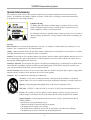
The lightning flash symbol within an equilateral triangle is intended to alert the user to the
presence of uninsulated “dangerous voltages” within the product’s enclosure that may be of
sufficient magnitude to constitue a risk of electrical shock.
The exclamation mark within an equilateral triangle is intended to alert the user to the presence of
important operating and maintenance (servicing) instructions within literature accompanying the
equipment.
Warnings
Water and moisture - Do not operate the equipment under or near water - for example near a bathtub, kitchen sink, or laundry tub, in a wet
basement, or near a swimming pool or in areas with high humidity.
Cleaning - Unplug the apparatus from the wall outlet before cleaning or polishing. Do not use liquid cleaners or aerosol cleaners. Use a lint-free
cloth lightly moistened with water for cleaning the exterior of the apparatus.
Ventilation - Do not block any of the ventilation openings of the apparatus. Install in accordance with the installation instructions. Never cover
the slots and openings with a cloth or other material. Never install the apparatus near heat sources such as radiators, heat registers, stoves, or
other apparatus (including amplifiers) that produce heat.
Grounding or Polarization - Do not defeat the safety purpose of the polarized or grounding-type plug. A polarized plug has two blades with one
wider than the other. A grounding type plug has two blades and a third grounding prong. The wide blade or third prong is provided for your
safety. If the provided plug does not fit into your outlet, consult an electrician.
Power-Cord Protection - Route the power cord so as to avoid it being walked on or pinched by items placed upon or against it, paying particular
attention to the plugs, receptacles, and the point where the cord exits from the apparatus.
Attachments - Only use attachments as recommended by the manufacturer.
Accessories - Use only with a cart, stand, tripod, bracket, or table specified by the manufacturer, or sold with the
apparatus. When a cart is used, use caution when moving the cart/apparatus combination to avoid injury from tip-over.
Lightning - Unplug this apparatus during lightning storms or when unused for long periods of time.
ISDN cables - CAUTION - To reduce the risk of fire, use only No. 26 AWG or larger telecommunication line cord.
Servicing - Do not attempt to service the apparatus yourself as opening or removing covers may expose you to
dangerous voltages or other hazards, and will void the warranty. Refer all servicing to qualified service personnel.
Damaged Equipment - Unplug the apparatus from the outlet and refer servicing to qualified personnel under the
following conditions:
When the power cord or plug is damaged or frayed
If liquid has been spilled or objects have fallen into the apparatus
If the apparatus has been exposed to rain or moisture
If the apparatus has been subjected to excessive shock by being dropped, or the cabinet has been damaged
If the apparatus fails to operate in accordance with the operating instructions
4
TANDBERG Videoconferencing System
Contents
Introduction ........................................................................................ 7
Menu structure ................................................................................... 8
TANDBERG 8000 Videoconferencing System ................................ 9
At a glance — the TANDBERG 8000 system .................................................. 9
Installation ........................................................................................ 13
IMPORTANT
PLEASE READ THIS
SECTION CAREFULLY FOR
OPTIMAL SYSTEM SET-UP.
Precautions ................................................................................................... 13
Unpacking ..................................................................................................... 13
Installing ........................................................................................................ 15
System configuration..................................................................................... 18
Getting started .................................................................................. 21
System start-up ............................................................................................. 21
Welcome menu ............................................................................................. 21
Basics ........................................................................................................... 22
Making and ending calls ................................................................................ 23
Directory ........................................................................................................ 28
Microphone on/off .......................................................................................... 31
General use ...................................................................................... 31
Adjusting volume ........................................................................................... 31
View outgoing video (selfview) ...................................................................... 31
Do Not Disturb / Sleep Mode ......................................................................... 33
Controlling the Main Camera ......................................................................... 34
Selecting video sources ................................................................................ 34
Voice Activated Camera Positioning .............................................................. 35
Presets .......................................................................................................... 36
Far end camera control (FECC) ................................................................... 37
Sending and receiving snapshots ................................................................. 38
Duo Video ...................................................................................................... 39
MultiSite (MCU) .............................................................................................. 41
PC SoftPresenter .......................................................................................... 45
PC Presenter ................................................................................................ 45
Web-interface ................................................................................................ 46
5
TANDBERG Videoconferencing System
Advanced use .................................................................................. 48
Main menu ..................................................................................................... 48
Call quality ..................................................................................................... 49
Presentations ................................................................................................ 51
Utilities ........................................................................................................... 53
MCU services ................................................................................................ 56
Audio Settings ............................................................................................... 60
Video Settings ............................................................................................... 67
Terminal Settings ........................................................................................... 71
Network Configuration ................................................................................... 71
LAN Settings .................................................................................................. 84
Call Settings .................................................................................................. 91
Dataport configuration ................................................................................... 94
Language ...................................................................................................... 96
Software Options .......................................................................................... 96
Diagnostics ................................................................................................... 97
Peripheral Equipment .................................................................... 101
Interfaces .................................................................................................... 101
Dual Monitor ................................................................................................ 103
Document camera ...................................................................................... 104
Multiple controllable cameras ...................................................................... 105
Tracker ........................................................................................................ 106
AudioScience microphone .......................................................................... 106
Video Cassette Recorder (VCR) ................................................................. 107
Telephone Add-On ....................................................................................... 108
Extra fixed cameras .................................................................................... 108
PC SoftPresenter ........................................................................................ 109
Additional microphones ............................................................................... 109
Appendices .................................................................................... 110
Index ............................................................................................... 121
6
TANDBERG Videoconferencing System
Introduction
This User Manual is provided to help you make the best use of your TANDBERG system. The TANDBERG
system offers superior audio and video quality in a fully-featured unit.
Main Features:
• Supports videoconferencing via both IP and ISDN networks.
• Selection of up to 3 Mbps call quality.
• Built-in MultiSiteTF *- a maximum of 5 sites including a minimum of 1 telephone call can participate in joint
meetings, each benefiting from the same superb audio and video quality. Both Continuous Presence and Voice
Switched mode is supported. A combination of ISDN and IP participants is possible. The TANDBERG
videoconferencing system can also be used purely as an audio-bridge (with an ISDN connection).
• Secure ConferenceTF - Embedded encryption for both Point to Point and Multipoint call privacy and security.
• Natural Presenter Package* consisting of:
Duo VideoTF - allows participants at the far end to simultaneously watch a presenter on one screen and a
live presentation on the adjoining screen.
Digital ClarityTF - participants enjoy presentations of exceptionally high quality resolution video.
PC PresenterTF - an easily accessible PC connection plugsupporting XGA resolution.
PC SoftPresenterTF - show PC images via your LAN connection. This feature is supporting XGA
resolution.
• Natural VideoTF - 60 fields per second true interlaced picture.
• DownspeedingTF - if channels are dropped during a videoconferencing session, the connection is automatically
maintained without interruption.
• Streaming – allows broadcasting of audio/video via an IP network.
• W.A.V.E (Wide Angle View) Camera - delivers the widest angle of view in the industry.
• Natural Audio ModuleTM - specifically designed for videoconferencing, this audio system creates an
exceptionally realistic environment.
• Web-interface for streaming, text chat/closed captioning, system management, diagnostics and software
uploads.
• Worldwide compatibility with other standards-based videoconferencing systems.
TIP
* - option. To check which options are installed, press MENU and the Quick key ‘System Info’.
TF- TANDBERG first.
7
IN THIS GUIDE, WE’VE INCLUDED
HELPFUL TIPS AND NOTES. THEY APPEAR
LIKE THIS ONE.
TANDBERG Videoconferencing System
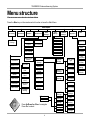
Menu structure
The on-screen menu structure is shown below.
Press the MENU key on the remote control to enter or leave the Main Menu.
Main Menu
Call Quality
Utilities
Presentations
MCU Services
Audio
Settings
Video
Settings
Terminal
Settings
Diagnostics
Exit
Focus
Advanced
Settings
Inputs
Level Settings
Outputs
Level Settings
Whitebalance
Echo Control
Video Name
AGC Settings
VGA Settings
Quick Menu
Channel
Status
Call Status
VNC Settings
Tones&Volume
Restore Audio
Defaults
System Info
Brightness
Test
Subsystem
Network
ISDN-BRI
Settings
LAN
Settings
ISDN Switch
Type
Take Chair
Call
Settings
Release Floor
Release
Chair
Network
Profiles
Terminal
Names
Floor to
Site #
Data Port 1
View Site #
Rel. Floor to
site #
Data Port 2
End View
Disconnect
Site #
Language
Line 5 Setup
Software
Options
Line 6 Setup
Request Floor
Chair Control
Terminate
Meeting
Line 1 Setup
Leas. E1/T1
Settings
Line 3 Setup
Ext.network
Settings
ISDN-PRI
Settings
IP Precedence
Diffserv
OK
Line 2 Setup
Press UP/DOWN/LEFT/RIGHT to navigate.
Press OK to select.
Streaming
Settings
H.323
Settings
Adv. H.323
IP Settings
SNMP
8
Line 4 Setup
Adv. ISDN
Settings
PRI Switch
Type
Channel
Hunting
Line
Settings
Adv. PRI
Settings
System
Selftest
View Current
Settings
Restore
Defaults
TANDBERG Videoconferencing System
TANDBERG 8000
Videoconferencing System
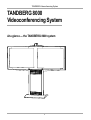
At a glance — the TANDBERG 8000 system
9
TANDBERG Videoconferencing System
W.A.V.E. II Camera
The Main Camera is mounted on top of the monitor. The Main Camera includes a high quality color camera with a
fast pan/tilt/zoom action. The Main Camera is controlled by the system’s infra-red remote control and operates
pan/tilt, focus and zoom.
You can pre-store up to ten camera positions using the remote control.
Monitor(s)
The monitor displays the far-end and near-end videoconferencing sites in addition to the menus, video from
connected video sources and high-resolution images.
You can also connect a second monitor for displaying self-view, still images and Duo Video.
Codec
The Codec is the heart of the system. The main task for the Codec is the compression of outgoing video, audio
and data, the transmission of this information to the far end and the decompression of the incoming information.
Hence the name Codec.
10
TANDBERG Videoconferencing System
Remote control
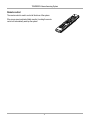
The remote control is used to control all functions of the system.
If the screen saver is activated (black monitor), touching the remote
control will automatically wake up the system.
11
TANDBERG Videoconferencing System
Table microphone
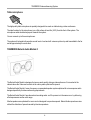
The high quality table microphone is specially designed to be used on a table during a video conference.
The ideal location for the microphone is on a flat surface at least 2m (6.5 ft) from the front of the system. The
microphone cable should always point towards the system.
You can connect up to three microphones.
The system will automatically equalize sound levels. Loud and soft voices are picked up and transmitted to the far
end at approximately the same level.
TANDBERG Natural Audio Module II
The Natural Audio Module is designed to improve audio quality during a videoconference. It is mounted in the
cabinet above the Codec and consists of an audio system optimized for speech.
The Natural Audio Module II uses a frequency-compensated speaker system optimized for voice response and is
designed specifically for videoconferencing requirements.
The Natural Audio Module II provides natural sounding audio - as if the person is in the same room - by delivering
a flat response across the vocal range.
Monitor speakers are optimized for music and not designed to reproduce speech. Natural Audio reproduces voice
without the distortion of speech caused by television speakers.
12
TANDBERG Videoconferencing System
Installation
Installation
Precautions
•
•
•
•
•
•
•
•
•
•
•
•
Never install telephone wiring during a lightning storm.
Never install telephone jacks in wet locations unless the jack is specifically designed for wet locations.
Never touch uninstalled telephone wires or terminals unless the telephone line has been disconnected at the network interface.
Use caution when installing or modifying telephone lines.
Avoid using a telephone (other than a cordless type) during an electrical storm. There may be a remote risk of electrical shock from
lightning.
Do not use the telephone to report a gas leak in the vicinity of the leak.
The socket outlet shall be installed near to the equipment and shall be easily accessible.
Never install cables without first switching the power OFF.
1TR6 network type is not approved for connection directly to the telecommunications network. This network type is only to be used
behind a PABX.
X.21 network type is not approved for connection directly to the telecommunications network. This network type is only to be used
together with already approved equipment, and is not meant for direct connections to the telecommunication networks.
V.35/RS-449/RS-366 network type is not approved for connection directly to the telecommunications network. This network type is
only to be used together with already approved equipment, and is not intended for direct connection to the telecommunication
networks.
This product complies with directives: LVD 73/23/EC, EMC 89/366/EEC, R&TTE 99/5/EEC
Unpacking
To avoid damage to the unit during transportation the system is delivered as separate components:
• Base
• Monitor Frame
• Plasma Monitor (one or two, depending on configuration)
Together with the Base you will find the monitor connector units, the monitor rear covers and the accessories box
which will contain the following:
• W.A.V.E. II Camera
• Table Microphone
• Remote Control and Tracker with batteries
• Cables
• Documentation
13
Installation
TANDBERG Videoconferencing System
Unpacking the Base
Due to the weight of the system, the base should be placed in its permanent location as soon as it is unpacked.
Unpacking and Installing the Monitor Frame
Lift the monitor frame out of the box. Do not remove the straps or packaging that are around the rack.
Place the rack on top of the base. Make sure that the cables from the base do not get stuck in between.
You will find 4 bolts sticking out at the rear end of the base. Use the 4 nuts to fasten the monitor frame in place.
You can now remove the straps and packaging from the monitor frame.
NOTE THE FRONT COVER IS MADE WITH PLASTIC AND SHOULD BE TREATED WITH CARE.
IMPORTANT: Put your fingers in the holes on the side of the plastic cover and carefully flip down the plastic
cover. Two persons should carry out this operation to avoid too much stress on the plastic cover.
4 hexagonal-shaped screws should be used to secure the monitor frame to the top of the Base. There are 2 holes
located on each side.
14
TANDBERG Videoconferencing System
Installation
Installing
Installing the monitor(s)
We recommend that there are 3 people present when installing the monitor(s).
•Remove the plastic plugs located on the back of the monitor(s). Check to see where the holes in the monitor
frame are located.
•Take the monitor(s) and place it (them) inside the monitor frame.
•Secure each monitor with the 8mm hexagonal-shaped screws.
NOTE REMEMBER THAT THERE SHOULD BE A GAP ON EACH SIDE OF THE MONITOR.
•Remove the protective plastic film from the monitor front.
NOTE BE CAREFUL WHEN REMOVING THE PLASTIC FILM. DO NOT PULL THE PLASTIC OFF THE MONITOR AT A 90ºANGLE AS THIS MAY DAMAGE THE
SCREEN. INSTEAD YOU SHOULD REMOVE THE PLASTIC FILM BY PULLING IT PARALLEL WITH THE SCREEN AT A 180º ANGLE.
•The monitor connector units should be mounted at the rear of each monitor. Please see the instructions that
comes with the connector (video) unit for correct installation.
Installing the camera
Take the camera and remove the plastic backing from the double-sided pads on the base of the unit. Place the
camera centrally on top of the monitor, in line with the front of the screen.
NOTE THE CAMERA SHOULD BE ALIGNED WITH THE FRONT EDGE OF THE MONITOR TO ENSURE THAT THE IR-SENSOR IN THE CAMERA CAN PICK UP
SIGNALS FROM THE REMOTE CONTROL.
15
Installation
TANDBERG Videoconferencing System
Connecting cables
All cables needed in standard configuration are connected to the codec. Connect these cables to the other parts
of the system:
1. Power cable
Connect the system power cable to an electrical distribution socket.
2. Monitor cables
Connect to the input of each monitor the S-Video cable, the 9 pin DSUB and the power cable. You will find the
cables coiled up in the base. There will be a coil for each monitor. Switch on the monitors.
In addition, a VGA cable should be connect to the second monitor (the one intended for showing outgoing video).
3. Microphone cable
NOTE THE VGA INPUT ON THE MONITOR WILL BE ACTIVATED WHEN:
1) PRESSING PC.
2) DUO VIDEO IS ACTIVE.
Connect the microphone cable to the microphone.
4. Camera cable
Connect the camera and the camera cable.
5a. ISDN cables - using BRI interface
Connect the ISDN cables to the ISDN sockets (S/T-interface) provided by the service provider. Your main number
will be the number associated with the socket to which ISDN cable number 1 is connected.
NOTE THE SYSTEM DOES NOT HAVE A BUILT-IN NETWORK TERMINATOR. IF YOUR WALL SOCKET PROVIDES YOU WITH AN ISDN U-INTERFACE, YOU WILL NEED
AN NT1 BETWEEN YOUR SYSTEM AND YOUR ISDN LINE, SEE APPENDIX 1.
5b. ISDN cable - using the PRI interface
If you are using the PRI interface, the E1/T1 cable should be connected to a CSU (Channel Service Unit). You will
need a CSU between your system and the PRI line from your network provider, see Appendix 3.
5c. Other networks - using the External Network interface
If you are using other networks, please refer to ‘External Network Settings’ and ‘Appendix 2’.
16
TANDBERG Videoconferencing System
Installation
6. LAN cable
• To use the system on LAN, connect a LAN cable from the ‘Ethernet’ connector on the system to your LAN.
Monitor configuration
• Power up the system by using the power rail in the bottom of the base.
If the system does not start, check the following:
• Check that the monitors are receiving power by looking at the right hand side. You should see a red light. The
monitor must have power in order to be switched on by the codec.
• Check that the codec is switched on.
• If there is still no signal on the monitor, press ‘Y/C’ on the monitor remote control in order to select the S-video
input on the monitor.
• Press ‘SCREEN’ on the monitor remote control in order to select which view type is to be used on the monitor.
Recommended view is FULL. This is a 16:9 mode that utilizes the full size of the monitor. Point the remote
control towards the lower right of each monitor (where the IR sensor is located) in order to switch mode. For the
second monitor, this must also be done for the VGA input: Press ‘RGB [D-sub]’ to select this input, then
‘SCREEN’ until the FULL view is shown.
Securing the cables
It is important that the wires are secured inside the base so that they don’t get in the way of the covers, which are
to be screwed on to the back.
Attaching the back covers
Screw the two back covers on to the base. The lower of the two covers should be attached first.
17
Installation
TANDBERG Videoconferencing System
System configuration
• Switch the system on by activating the power switch on the codec (located on the right hand side at the rear of
the codec). A green light is shown (located in the center on the front of the codec).
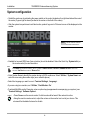
• After the system has performed a self-test routine, product logo and a ‘Welcome’ menu will be displayed on the
monitor.
NOTE THESE SETTINGS ARE ESSENTIAL
FOR OPTIMAL SYSTEM SET-UP.
• Enabled but unused ISDN lines (lines not active) should be disabled. Select the Quick Key ‘System Info’ (on
the remote control) to view line status.
menu
PRESS MENU ON THE REMOTE CONTROL. SELECT THE MENU ‘TERMINAL SETTINGS’, ‘NETWORK’, ‘ISDN-BRI SETTINGS’. SELECT THE
RELEVANT ‘LINE SETUP’ MENU AND SET ‘ENABLED: OFF’.
• Enter System Name to identify the system during an MCU conference. Select ‘Utilities’, ‘System Name’ and
enter the name using the number keys (as on a mobile phone).
• Select the language you want to use in ‘Terminal Settings’, ‘Language’.
• If you are using two monitors, set ‘Utilities’, ‘Dual Monitor: On’.
• To activate MultiSite and/or Presenter, enter an option key (see paperwork accompanying your system), see
‘Terminal Settings’, ‘Software Options’.
connect
• Press CONNECT on the remote control. A dial tone should be heard if the network is active.
• Using the monitor remote control, adjust the volume on the monitor to a level of your choice. This
volume will be the default volume for all calls.
18
TANDBERG Videoconferencing System
Installation
ISDN configuration
For each installation of the system it is necessary to configure the unit. All configuration parameters are available
via the menu system. If you are using an external IMUX or special networks, the external equipment may also
need to be configured.
• Press MENU on the remote control. Select the menu ‘Terminal Settings’, then ‘Network’.
Set ‘Current Network’ to the network you want to use.
Specify the settings for the selected network in one of the menus.
For details, follow the instructions in chapter ‘Terminal Settings’, ‘Network Configuration’ in this manual.
For further information refer to the examples in:
Appendix 1: Connecting the system to ISDN using NT1 network adapters
Appendix 2: Connecting the system to the Switched 56 network
19
Installation
TANDBERG Videoconferencing System
LAN configuration
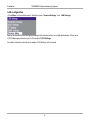
• Press MENU on the remote control. Select the menu ‘Terminal Settings’, then ‘LAN Settings’.
Specify the necessary LAN settings according to the instructions from your LAN administrator. If there is an
H.323 Gatekeeper present on your LAN, see also ‘H.323 Settings’.
For details, follow the instructions in chapter ‘LAN Settings’ in this manual.
20
TANDBERG Videoconferencing System
Getting started
Getting started
System start-up
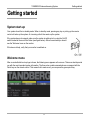
Your system should be in standby mode. When in standby mode, pressing any key or picking up the remote
control will wake up the system. An incoming call will also wake up the system.
If the system does not respond, make sure the system is switched on by using the On/Off
switch located at the rear of the Codec (see figure below). After a few seconds you should
see the ‘Welcome’ menu on the monitor.
If this does not help, verify that your monitor is switched on.
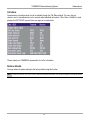
Welcome menu
After a user-definable boot-up logo is shown, the following menu appears on the screen. This menu should provide
you with the most important system information. The three color-coded commands shown correspond with the
Quick keys on the remote control. This means that to make a call, you can press the green quick-key.
21
Getting started
TANDBERG Videoconferencing System
Basics
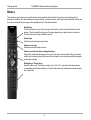
The system’s most commonly used functions are accessible directly from the remote control by single key
presses. In addition, the user interface is represented by on-screen menus. Individual items within the menus and
lists can be selected by moving a white highlighter bar to the desired option.
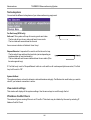
Quick Keys
The three buttons on top of the remote control refer to the blocks at the bottom of the
screen. The text inside the blocks will change depending on which menu is selected.
The three Quick Keys have different colors.
Preset keys
Activate pre-stored camera positions.
Video source keys
Activate connected video sources.
Camera control and menu navigation keys
Frequently used keys allowing you to control your own camera and the far end camera,
control your volume, select and move self-view, switch your microphone off and navigate
in the menu system.
Dialing keys / Preset keys
Used to make a call. The twelve number keys, (0-9), #, * operate in the same way as
on a modern push-button telephone. These buttons are also used when entering a name
into a text field.
22
TANDBERG Videoconferencing System
Getting started
Making and ending calls
Making a call
connect
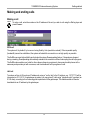
To make a call, enter the number or the IP-address of the unit you wish to call using the Dialing keys and
press CONNECT.
ISDN call
The system will, by default, try to connect using Quality: Auto (see table overleaf). If the requested quality
(bandwidth) cannot be established, the system will establish a connection on as high quality as possible.
The SoftMux ensures high reliability and includes the unique Downspeeding feature. If channels are dropped
during a meeting, Downspeeding automatically maintains the connection without interrupting the call in progress.
The SoftMux also enables you to dial to other videoconferencing equipment, phones and mobile phones in the
same way and provides you with on-screen, real-time feedback on the progress of a call.
LAN call
To make a call via a LAN, enter an IP-address by using a * as the ‘dot’ in the IP-address, e.g. 123*3*0*12 will be
interpreted as 123.3.0.12. If a gatekeeper is present, you may place IP-calls using “telephone-style” numbers (an
E.164 alias), according to the numbering plan implemented in the gatekeeper. The dialed number will then be
translated into an IP-address by the gatekeeper.
23
Getting started
TANDBERG Videoconferencing System
Access Code
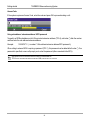
If the system requires an Access Code, enter the code and press OK to proceed making a call:
Using sub-address / extension address / MCU password
To specify an ISDN sub-address or its LAN equivalent extension address (TCS-4), add a star (*) after the number
and then enter the sub-address/extension address.
Example:
12345678*10 ( <number>*<Sub-address/extension address/MCU password>)
When calling to external MCU’s requiring a password (TSC-1), this password can be added after the star (*). If no
password is specified, a menu will prompt you to enter the password (after connected to the MCU).
TIP
SUB-ADDRESS IS USED TO ADDRESS DIFFERENT SYSTEMS ON THE SAME ISDN LINE.
TCS-4 IS USED TO ADDRESS DIFFERENT SYSTEMS ON A LAN, WHEN DIALING IN VIA A GATEWAY.
24
TANDBERG Videoconferencing System
Selecting / setting default quality (bandwidth)
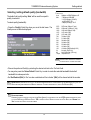
The default call quality setting ‘Auto’ will be used if no specific
quality is selected.
Getting started
TYPE OF CALLS
Auto
Max
384kbps on ISDN/768kbps on IP
* 768kbps on ISDN-BRI
* 1472/1920kbps (23/30Ch)
on ISDN-PRI (T1/E1)
* 3Mbps(3072kbps) on IP
3072
2560
1920
1472
1152
768
512
384
320
256
192
128
64
H0
Teleph
3072 kbps (3Mbps, IP only)
2560 kbps (2,5Mbps, IP only)
1920 kbps (2Mbps, 30B)
1472 kbps (23B)
1152 kbps (18B)
768 kbps (12B)
512 kbps (8B)
384 kbps (6B)
320 kbps (5B)
256 kbps (4B)
192 kbps (3B)
128 kbps (2B)(Bonding/H.221)
64 kbps (1B)(H.221)
1xH0 (384 kbps) (PRI only)
Telephone Call
To select quality (bandwidth):
• Press the ‘Quality’ Quick Key when you are in the dial menu. The
Quality menu will then be displayed:
NOTE SOME SOFTWARE VERSIONS AND NETWORKS
DO NOT SUPPORT ALL CHANNEL SELECTIONS.
• Choose the preferred Quality by selecting the desired call rate in the ‘Call rate’ field.
• You may also press the ‘Set as Default’ Quick Key in order to make the selected bandwidth the default
bandwidth for subsequent calls.
• Set ‘Set Restrict (56k)’ to ‘On’ to make a restricted call. An indicator ‘(56k)’ will be shown behind the number.
TIP
RESTRICTED CALL A RESTRICTED CALL IS A CALL TO A 56 KBPS NETWORK. BY DEFAULT THE SYSTEM WILL DIAL AN UNRESTRICTED CALL (A CALL TO A
64 KBPS NETWORK) AND DOWNSPEED TO 56KBPS IF NECESSARY. TO FORCE A RESTRICTED CALL, SELECT ‘SET RESTRICT (56K)’
TIP
DIALING TWO NUMBERS
SOMETIMES (ESPECIALLY WHEN CALLING TO AND WITHIN NORTH AMERICA) IT IS NECESSARY TO DIAL BOTH ISDN NUMBERS WHEN MAKING A VIDEO
CALL USING 2X64 KBPS OR 2X56 KBPS. SELECT ‘128’ IN THE QUALITY MENU. WHEN YOU RETURN TO THE DIAL MENU, BOTH ‘NUMBER:’ AND
‘2ND:’ ARE DISPLAYED. ENTER THE SECOND NUMBER.
25
Getting started
TANDBERG Videoconferencing System
Selecting / setting default network
To select a specific network, press the ‘Net’ Quick Key when you are in the Dial menu.:
1 Highlight the network to be used in your call.
2 Press ‘Select’ to select network or press ‘Set as Default’ to set the selected network as your preferred
choice for this and all subsequent calls.
If ‘Auto’ is selected, the system will select a network based upon the following criteria:
• If an IP-address (e.g. 123*3*0*12 ) is entered, ‘LAN’ (H.323) is selected.
• If the first digits in the number match those set in ‘H.323 Prefix’ under ‘H.323 Settings’, ‘LAN’ is selected.
• In other cases, ‘ISDN’ (H.320) is selected*.
If you want to assign a specific prefix to the network selection or if you want to define your own network
configuration, see ‘Network Profiles’ in ‘Call Settings’, ‘Terminal Settings’.
* - ISDN indicates both ISDN-BRI, ISDN-PRI, Leased E1/T1 and External Networks.
26
TANDBERG Videoconferencing System
Getting started
Answer a call
connect
To answer a call, press CONNECT.
Manual answer of a call is needed if the autoanswer facility is switched off. See ‘Utilities’ in
‘Advanced use’.
End a call
disconnect
TIP
To end a call, press DISCONNECT.
ENDING A CALL
SWITCHING OFF THE MONITOR(S) WILL NOT DISCONNECT
A CALL. TO DISCONNECT A CALL YOU SHOULD PRESS THE
DISCONNECT KEY.
Correcting keying mistakes
delete
To delete the last digit (or character) entered, press DELETE.
27
Getting started
TANDBERG Videoconferencing System
Directory
The directory is a local phone book that stores up to 100 directory entries including the last number dialed. The
entries are sorted alphabetically. The entries can be point-to-point entries or MultiSite entries (see menu below).
The MultiSite entries will not be displayed when you are in a call.
By using the dataport file system or external management systems like the TANDBERG Management Suite, it is
possible to store 400 additional entries. These entries can only be changed from the dataport or the management
system.
When the system receives an incoming call and the calling party’s number is found in the directory, the calling
party’s name will be displayed instead of the number on the status line.
directory
Press DIRECTORY to bring up the following menu:
TIP
WHEN LAST NUMBER DIALED IS
HIGHLIGHTED, THE SECOND QUICK KEY
STATES ‘STORE ENTRY’. THIS MAKES IT
POSSIBLE TO STORE LAST DIALED
NUMBER.
To find an entry, key in the first letter, for example T, and scroll with the up/down arrows.
TIP
connect
THE LEFT/RIGHT ARROWS WILL MOVE ONE PAGE UP/DOWN.
To dial the selected entry press CONNECT. To edit the selected number before dialing, press OK (only
point-to-point entries).
28
TANDBERG Videoconferencing System
Getting started
Add New Entry
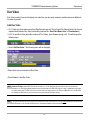
When selecting ‘Add New Entry’, an empty directory entry is displayed:
Move to ‘Name’ and enter characters using the number keys on your remote control (as on mobile phones).
Use ‘0’ to enter ‘space’, use ‘#’ to switch between upper- and lower case.
1
Move to ‘Number’, key in the number and press OK on the remote control. Specify only one number. If two
numbers are required, both numbers should be specified (2x64 or 2x56 calls).
2
3
Select ‘Quality’ to specify call rate to be used.
4 Select ‘Set Restrict(56K)’ to ‘On’ to restrict the call rate. (A restricted call is a call to a 56Kbps network.
5
Select ‘Net’ to specify the network profile to be used. See ‘Selecting / setting default network’.
6 Select ‘Save’ to save the entry and return to the Directory menu.
Delete Entry
When ‘Delete Entry’ is pressed, the selected entry is deleted.
Edit Entry
To edit an entry, highlight the entry you want to edit and press ‘Edit Entry’. Edit the entry and select ‘Previous
Menu’ to return to the Directory menu.
Delete Entry
To delete an entry, highlight the entry and press DELETE.
29
Getting started
TANDBERG Videoconferencing System
Add MultiSite Entry
When selecting ‘MultiSite Entry’, an empty MultiSite directory entry is displayed:
1
Move to ‘Name’ and enter the MultiSite meeting name.
Select ‘Add Site’ to add meeting members by searching for point-to-point entries in the directory list. See
below for details.
2
3
Select ‘Quality’ to override the suggested bandwidth per site.
TIP
4
QUALITY PER SITE: AUTO, FUNCTIONALITY
EXAMPLE: THE SYSTEM HAS MAXIMUM CAPACITY 512KBPS. TWO ENTRIES ARE ADDED, ONE WITH 384KBPS AND ONE WITH 128KBPS.
1) SINCE ALL SITES MUST USE THE SAME BANDWIDTH, QUALITY PER SITE WILL BE 128KBPS.
2) IN ADDITION, MAXIMUM BANDWIDTH PER SITE CANNOT EXCEED THE TOTAL BANDWIDTH AVAILABLE DIVIDED BY THE NUMBER OF SITES. IN THIS CASE,
THE MAXIMUM BANDWIDTH PER SITE CANNOT EXCEED 512/2=256KBPS. IF THE BANDWIDTH IN 1) IS HIGHER THAN THIS BANDWIDTH, THE ‘QUALITY
PER SITE’ SETTING MUST BE REDUCED TO CORRESPOND WITH THE TOTAL CAPACITY OF THE SYSTEM.
When finished, select ‘Save’ to save the Multisite entry.
Add Site
Highlight the entry you want to add to the meeting and press OK. If you do not find the entry you need, select
‘Add New Entry’ to add an new point-to-point directory entry.
NOTE GLOBAL ENTRIES WILL NOT BE AVAILABLE FOR FOR MULTISITE ENTRIES.
30
TANDBERG Videoconferencing System
General use
General use
Adjusting volume
+
Press the VOLUME keys to adjust the volume level. An on-screen indicator will show the current level.
-
View outgoing video (selfview)
selfview
Press the SELFVIEW key to view your outgoing video.
To change the image being viewed on the monitor during a call press SELFVIEW until the desired
image is shown (far end/selfview/still image or Duo Video).
move pip
Press MOVE PIP to move your selfview as a Picture-in-Picture to different corners of the screen or to
switch it off.
Microphone on/off
mic off
To mute your microphone during a call, press MIC OFF. An on screen indicator will appear when the
microphone is off. In a call, if audio is detected, the on-screen symbol will start to flash. Pressing MIC
OFF one more time will activate the microphone again.
NOTE MIC OFF WILL MUTE AUDIO INPUTS MIC1-3 AND AUDIO4. IT WILL NOT MUTE AUDIO FROM THE AUX AND VCR INPUTS.
31
General use
TANDBERG Videoconferencing System
On Screen Symbols
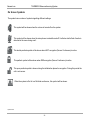
The system has a number of symbols signalling different settings.
This symbol will be shown when the volume is turned off on the system.
This symbol will be shown when the microphone is muted/turned off. It will also start to flash if audio is
detected in the room during a call.
This double padlock symbol will be shown when AES* encryption (Secure Conference) is active.
This padlock symbol will be shown when DES encryption (Secure Conference) is active.
This open padlock symbol is shown during the initialization phase for encryption. During this period the
call is not secure.
When the system is On Air in a Multisite conference, this symbol will be shown.
* Optional feature
32
TANDBERG Videoconferencing System
General use
Do Not Disturb / Sleep Mode
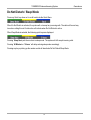
Press any Quick key when not in a call to activate the Quick Menu.
When Do Not Disturb is activated, the system will not accept any incoming calls. The caller will hear a busy
tone when calling this unit. A status line will indicate when Do Not Disturb is active.
When Sleep Mode is selected, the following quick-keys are displayed:
Pressing ‘Sleep Now’ puts the monitors in sleep mode. The system will still accept incoming calls.
Pressing ‘60 Minutes’ or ‘3 Hours’ will delay entering sleep mode accordingly.
Pressing any key or picking up the remote control will deactivate Do Not Disturb/Sleep Mode.
33
General use
TANDBERG Videoconferencing System
Controlling the Main Camera
Moving / zooming camera
To control the Main Camera use the keys below:
for pan/tilt and
zoom
for zooming.
OK
NOTE
IF THE MENU SYSTEM IS ACTIVE, THE ARROW KEYS WILL NAVIGATE IN THE MENUS.
Focusing camera
The Main Camera is set to autofocus by default. If the Main Camera is moved (pan/tilt/zoom), autofocus will be
switched On automatically for 5 seconds.
To manually focus the Main Camera, see ‘Video Settings’ in ‘Advanced use’.
Selecting video sources
Press:
main cam
aux
doc cam
vcr
pc
to select the video source to be transmitted to the far end.
NOTE WHEN SELECTING THE DOC CAM OR PC VIDEO SOURCES THE SYSTEM WILL AUTOMATICALLY REQUEST FLOOR WHEN CONNECTED TO A MCU
CONFERENCE AS MULTISITE HOST OR CONNECTED TO AN EXTERNAL MCU.
34
TANDBERG Videoconferencing System
General use
Voice Activated Camera Positioning
Through Voice Activated Camera Positioning and the use of two or three microphones, the camera will
automatically view the current speaker.
Setup
Before using camera tracking, the camera positions used must be stored at presets P7 (Mic1), P8 (Mic2) and/or
P9 (Mic3).
EXAMPLE: THE CAMERA POSITION STORED AT P7 MUST BE RELATED TO MIC1, THEREFORE ALL PARTICIPANTS WHO ARE LOCATED CLOSEST TO MIC1
SHOULD BE INCLUDED IN THE P7 CAMERA POSITION ETC. WHEN CAMERA TRACKING IS ACTIVATED AND A PERSON CLOSE TO MIC1 SPEAKS, P7 WILL BE
AUTOMATICALLY SELECTED.
Activating
presets Enable Camera Tracking by pressing ‘CamTrack On’ in the ‘Preset 0-9’ menu, which is activated by
pressing the P button on the remote control. An on-screen indicator ‘CamTrackOn’ will appear.
P
When activating another video source (e.g., document camera), camera tracking will be temporarily
disabled until you re-select MainCam or a MainCam preset.
mic off
Pressing MIC OFF will temporarily disable camera tracking.
A Voice Detector makes the system more tolerant of noise and ensures the camera not to be moved by
noise such as paper shuffling, etc.
Deactivating
Disable Camera Tracking by:
• moving the camera manually.
• activating a MainCam preset when MainCam is already activated.
• disconnecting the call.
An on-screen indicator ‘CamTrackOff’ will appear.
TIP
THE CAMERA TRACKING SPEEDS MAY BE ALTERED IN THE ‘VIDEO SETTINGS’ MENU. SEE ‘ADVANCED USE’ FOR FURTHER DETAILS.
35
General use
TANDBERG Videoconferencing System
Presets
The preset buttons enable you to pre-store up to ten different settings. Each preset is able to store:
• Video source
• Camera position, pan/tilt/zoom/focus/brightness (if Main Camera)
• Audio source selection (see ‘Audio Settings’ in ‘Advanced use’)
Selecting presets
P2
P1
P3
To select a pre-stored camera position, audio and video source, use the keys P1 P2 P3 or
press P until the on-screen indicator ‘Preset 0-9’appears and use 0-9 to activate P0-P9
presets. To exit ‘Preset’ mode, press OK.
P1-P3 are the same presets as when pressing P and then a number key 1-3.
Storing presets
To store the current camera position, audio and video source:
store
•
Press STORE once and wait for the on-screen indicator to appear.
•
Then press one of the keys P1 P2 P3 or a number key 0-9.
Storing preset 10 to 15
F 012
3456
789A
• Select which preset to be used on the TANDBERG Tracker (see separate documentation).
BCDE
To store preset 10-15 the TANDBERG Tracker has to be used:
• Press STORE once on the TANDBERG Remote Control and wait for the on-screen indicator to appear.
• Then press the ‘single person’ button on the TANDBERG Tracker.
See the Tracker section in ‘Peripheral Equipment’ for more information about the TANDBERG Tracker.
36
TANDBERG Videoconferencing System
General use
Far end camera control (FECC)
far end
Press the FAR END key until the ‘FarEndCamera’ on-screen indicator is displayed.
For this feature to operate the far end must support ‘Far end camera control’ (H.281).
While activated you will be able to control the far end’s camera (pan/tilt/zoom/focus) and presets.
To control the far end camera use the keys below:
for pan/tilt and
OK
zoom
for zooming.
Far end presets can be activated by pressing the keys P1 P2 P3 or the number keys 0-9 to activate presets P0P9.
Selection of far end videosources is achieved by pressing the buttons below when in FarEndCamera mode:
main cam
aux
doc cam
vcr
pc
NOTE IT DEPENDS ON THE FAR END SYSTEM CONFIGURATION IF THE FAR END DOCUMENT CAMERA IS DISPLAYED WHEN DOC CAM IS PRESSED.
To prevent others controlling your camera, select ‘Far End Camera Control:Off’ in ‘Utilities’.
37
General use
TANDBERG Videoconferencing System
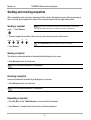
Sending and receiving snapshots
When a snapshot is sent, received or requested, it will be stored in the graphics memory. When a new image is
sent or received, the old image will be erased. When disconnecting the call, the image will be erased.
Sending a snapshot
snapshot
NOTE WHEN IN A MCU CONFERENCE AS MULTISITE HOST OR CONNECTED TO AN EXTERNAL
MCU, SENDING A SNAPSHOT WILL AUTOMATICALLY INITIATE A FLOOR REQUEST.
• Press SNAPSHOT.
• To send a snapshot from another video source (e.g. the document camera), select source:
main cam
aux
doc cam
vcr
pc
TIP
SEE ‘PRESENTATIONS’ MENU FOR AUTOMATIC SETUP OF THIS OPERATION.
• Press SNAPSHOT.
Viewing a snapshot
The last sent or received snapshot will automatically be displayed on your screen.
• Press SELFVIEW to return to normal view.
NOTE REQUIRES ‘AUTO-DISPLAY SNAPSHOT: ON’ IN ‘PRESENTATIONS’
Receiving a snapshot
A received snapshot will automatically be displayed on your screen.
• Press SELFVIEW to return to normal view.
NOTE REQUIRES ‘AUTO-DISPLAY SNAPSHOT: ON’ IN ‘PRESENTATIONS’
Requesting a snapshot
• Press FAR END until the ‘FarEndCamera’ on screen indicator is displayed.
• Press SNAPSHOT . A snapshot from the far end is automatically displayed.
38
TANDBERG Videoconferencing System
General use
Duo Video
Duo Video is useful if you want to display live video from your document camera or another camera in addition to
live video of yourself.
Add Duo Video
• Alt.1: Press any other video source than MainCam during a call. This will open Duo Video directly if the far end
supports the automatic Duo Video functionality (requires also ‘Duo Video Mode: Auto’ in ‘Presentations’).
• Alt.2: To open Duo Video (also older versions of Duo Video), press CONNECT during a call. This will bring up the
following menu:
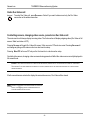
• Select ‘Add Duo Video’. The following menu will be displayed:
• Select video source to transmit on Duo Video.
• Press CONNECT to add Duo Video.
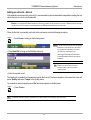
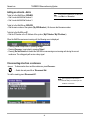
NOTE AUTOMATIC DUO VIDEO HANDLES DUO VIDEO WITHIN THE SAME CALL. IT IS NOT NECESSARY TO MAKE A NEW CALL AND THE CONNECT TIME
DECREASES A LOT. DUO VIDEO BORROWS BANDWIDTH FROM THE MAIN CONNECTION. WHEN DUO VIDEO IS CLOSED, THE BANDWIDTH IS RETURNED
TO THE MAIN CONNECTION. THIS DUO VIDEO IS ALSO UNI-DIRECTIONAL AND HENCE, EASIER TO USE. WHEN IN AN MULTISITE CALL, THE MULTISITE
CAN TRANSMIT THIS DUO VIDEO TO THE OTHER PARTICIPANTS SUPPORTING THIS DUO VIDEO VERSION.
NOTE IF THE FAR END SUPPORTS DUO VIDEO, BUT NOT THE AUTOMATIC DUO VIDEO, PRESS ‘QUALITY’ TO SELECT EXTRA BANDWIDTH TO BE USED BY DUO
VIDEO. AN EXTRA CALL WILL BE MADE AND DUO VIDEO WILL NOT BORROW BANDWIDTH FROM THE MAIN CONNECTION.
39
General use
TANDBERG Videoconferencing System
End a Duo Video call
disconnect
To end a Duo Video call, press DISCONNECT. Select if you want to disconnect only the Duo Video
connection or the whole connection.
Controlling camera, changing video source, presets in a Duo Video call
The main monitor will always display incoming video. The 2nd monitor will display outgoing video (Duo Video in full
screen / Main local video in PIP).
Pressing SELFVIEW will toggle Duo Video full screen / Main source in PIP and vice versa. Pressing SELFVIEW will
not change anything on the main monitor in a dual monitor setup.
Pressing MOVE PIP will move PIP only on the 2nd monitor in a dual monitor setup.
Controlling the camera, changing video source and using presets will affect the video source currently displayed in
full screen mode.
EXAMPLE: IF DUO VIDEO IS SHOWN IN FULL SCREEN ON THE 2ND MONITOR, PRESSING ANY OF THE VIDEO SOURCE BUTTONS WILL CHANGE DUO
VIDEO SOURCE. IF THE MAIN CONNECTION IS SHOWN IN FULL SCREEN, PRESSING ANY OF THE VIDEO SOURCE BUTTONS WILL CHANGE THE MAIN
CONNECTION SOURCE.
If both connections are selected to display the same video source, Duo Video will be closed.
NOTE IN ORDER TO SHOW DUO VIDEO PRESENTATIONS WITH SUPERIOR
QUALITY, THE VGA INPUT ON THE PLASMA MONITOR WILL BE
ACTIVATED WHEN DUO VIDEO IS ACTIVE.
40
TANDBERG Videoconferencing System
General use
MultiSite (MCU)
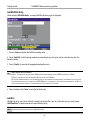
The system has a built-in multipoint conference unit (MCU), MultiSite, which has the capability to establish
meetings with up to 4 video sites (5 if at least one site is a telephone call, ISDN/analogue/mobile).
The video calls in a conference must be connected using the same bandwidth.
A conference can consist of any combination of ISDN/IP
sites.
It is possible to have telephone meetings with up to 5
participants.
The MultiSite supports both Voice Switched and
Continuous Presence mode (see ‘MCU Services’ in
‘Advanced use’ for description of these modes).
Establishing a conference is done by first making a call
to one site. When a call is established with the first site,
the other sites are connected one by one.
It is possible to either dial out to the sites or the sites
can dial in to the MultiSite.
TIP
SEE ‘UTILITIES’, ‘CONTINUOUS PRESENCE’ TO CHANGE MODE.
Both ISDN, IP and mixed ISDN/IP conferences can be
encrypted if all systems supports encryption.
For encrypted calls, there is a maximum bandwidth of 768 Kbps for the whole conference. This means that a 3
site conference will have a maximum bandwidth of 384Kbps per connection, while a 4 site conference will have a
maximum bandwidth of 256 Kbps per connection.
NOTE THE SYSTEM SUPPORTS MIXED MULTISITE WITH V.35 AND IP, BUT THE IP SITE MUST BE ADDED AFTER THE V.35 IS UP AND RUNNING.
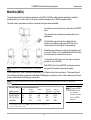
MULTISITE - WHICH QUALITY CAN BE USED ON EACH SITE?
4 SITES
4 SITES
3 SITES
(2MBPS VERSION)
+ 1 PHONE
BRI (768 KBPS)
256 KBPS
192
384
PRI-E1(1920 K)
512
512
768
PRI-T1(1472 K)
384
384
512
LAN (3MB)
768
768 *
1152
3 SITES +
1-2 PHONES
320
768
512
1152 *
MIX ISDN/LAN EXAMPLE: IF 4 SITES ARE CONNECTED, TWO LAN SITES AND ONE ISDN SITE CAN BE CONNECTED
256 KBPS (768 KBPS VERSION). NOTE - 4 SITES INDICATES YOURSELF + THREE OTHER SITES.
* - REQUIRES 1-3 ISDN CHANNELS AVAILABLE.
VERSION) OR
41
ON
P-TO-P +
1-3 PHONES
512
1472
1152
1920 *
512
KBPS
(2MBPS
NOTE WHEN MIXING ISDN
AND LAN SITES, THE
TOTAL BANDWIDTH
LIMITATION IS THE SAME
AS FOR THE ISDN
BANDWIDTH.
General use
TANDBERG Videoconferencing System
MultiSite cascading
By connecting four MultiSite systems together, it is possible to connect up to 10 video sites (including the four
MultiSite sites) plus 4 audio sites (telephones), see drawing below.
The host can connect up to 3 other video systems with MultiSite functionality. The host can use Voice Switched
or Continuous Presence mode.
The cascaded systems connect to two other video sites plus one audio site each. These systems will
automatically run Voice Switched mode and transmit a full screen image to the host.
NOTE ALL CONNECTIONS CAN BE ANY COMBINATION OF ISDN/IP.
Establishing MultiSite meetings using Directory
It is possible to pre-define meetings using the Directory. All sites will then be connected automatically instead of
having to add sites one by one.
• Press DIRECTORY.
• Highlight a MultiSite entry and press CONNECT.
See ‘Directory’ section for further information.
42
TANDBERG Videoconferencing System
General use
Adding an extra site - dial out
First establish a normal point-to-point call. It is recommended to plan the bandwidth usage before making the first
call so that you do not run out of bandwidth.
EXAMPLE: IF THE SYSTEM HAS 512KBPS AVAILABLE AND YOU WANT TO CONNECT 3 SITES IN ADDITION TO THE HOST, 128KBPS SHOULD BE SELECTED
FOR THE FIRST CALL. THE SYSTEM WILL THEN AUTOMATICALLY USE 128KBPS WHEN CONNECTING THE OTHER SITES.
When the first site is connected, add a site to the conference using the following procedure:
connect
• Press CONNECT to bring up the following menu:
NOTE IF THE MULTISITE SYSTEM DOES NOT HAVE ENOUGH
BANDWIDTH TO ADD ANOTHER SITE, THE SYSTEM
WILL AUTOMATICALLY DOWNSPEED TO ALLOW AN
• Press ‘Add Site’ to bring up the MultiSite dial menu.
ADDITIONAL SITE TO BE ADDED TO THE
CONFERENCE. REQUIREMENT: FAR END MUST
SUPPORT DOWNSPEED AND MUST HAVE ENOUGH
BANDWIDTH.
TIP
CONNECT THE SYSTEM WITH THE LOWEST
BANDWIDTH FIRST IN ORDER TO OPTIMIZE
CONNECTION TIME.
• Enter the number to call.
The Quality will, by default, be the same as used by the first call. To place a telephone call instead of a video call,
press ‘Quality’ and select ‘Teleph’ in the Quality menu.
To use another network operator, press ‘Net’ and select operator in the Net menu.
connect
TIP
• Press CONNECT
IT IS POSSIBLE TO CONNECT SEVERAL TELEPHONES, E.G. 2 VIDEO SYSTEMS + 3 TELEPHONES (A TOTAL OF 5 SITES).
43
General use
TANDBERG Videoconferencing System
Adding an extra site - dial in
To dial in to the MultiSite on ISDN-BRI:
• Site 2 must dial MultiSite Number 2.
• Site 3 must dial MultiSite Number 3.
TIP
TO FIND THE DIAL-IN NUMBERS FOR THE MULTISITE,
PRESS ‘MENU’ AND ‘SYSTEM INFO’
To dial in to the MultiSite on ISDN-PRI:
• Dial the main number of the system (‘My ISDN Number’). All sites can dial the same number.
To dial in to the MultiSite on IP:
• Dial the IP Number or the IP Address of the system (‘My IP Number’/‘My IP Address’).
When the MultiSite receives an incoming call, the following menu is displayed:
• Pressing CONNECT is equivalent to pressing ‘Accept’.
• Pressing DISCONNECT is equivalent to pressing ‘Reject’.
• Pressing ‘Do Not Disturb’ will disable the MultiSite from answering more incoming calls during the current
conference. The calling party will receive a busy signal.
Disconnecting sites from a conference
disconnect
To disconnect a site or end the conference, press DISCONNECT.
• Select site and press OK or ‘Disconnect Site’.
To end the meeting press ‘Disconnect All’.
NOTE EACH SYSTEM WILL BE IDENTIFIED BY A
SYSTEM NAME (IF SUPPORTED) AND THE
NUMBER OF THE FAR END.
44
TANDBERG Videoconferencing System
General use
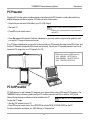
PC Presenter
Plugging a PC into the system is made extremely simple through the PC Presenter, avoiding the need for any
additional hardware such as a projector, PC/Video converter or extra cables.
• Connect the pre-connected VGA cable to your PC (VGA Output).
• Start your PC.
NOTE IN ORDER TO SHOW PC IMAGES WITH SUPERIOR QUALITY, THE
VGA INPUT ON THE PLASMA MONITOR WILL BE ACTIVATED WHEN
PRESSING PC.
• Press PC on your remote control.
• Press SELFVIEW until the indicator ‘Selfview‘ is displayed on your main monitor (single monitor system) or until
you see the PC image on the second monitor.
If no PC image is displayed on your monitor, make sure that your PC transmits the image to the VGA Output, and
that the PC transmits a supported VGA-format (see tip below). Consult your PC-operating manual to see how to
transmit a VGA image from your PC (typically: Fn+F5).
VGA-FORMATS SUPPORTED (VESA COMPLIANT)
·VGA 640X480 60,72,75,85 HZ
·SVGA 800X600 56,60,72,75,85 HZ
·XGA 1024X768 60,70,75 HZ
PC SoftPresenter
PC SoftPresenter is used to display PC images on your system without using a VGA cable (PC Presenter). The
TANDBERG video conferencing system and your PC must be connected to a LAN. In addition, VNC (Virtual
Network Computing) server software must be installed on the PC.
NOTE ‘PC: VNC’ MUST BE SET IN ‘VIDEO SETTINGS’.
To show the PC image:
• Start the VNC software on your PC.
• Press PC on your remote control. Use UP/DOWN to activate PAGE UP/PAGE DOWN on the PC.
For setup information and details, see ‘VNC Settings’ in ‘Advanced use’.
45
General use
TANDBERG Videoconferencing System
Web-interface
It is possible to access and maintain the system remotely via a local area network (LAN) using a standard Webbrowser.
Connect your system to a local area network.
LAN
Configure your codec:
• Press MENU, select ‘Terminal Settings’, ‘LAN Settings’
• Specify IP-assignment ‘DHCP’ or ‘Static’. If DHCP is selected no other settings are needed. If Static is
selected, ‘IP-address’, ‘IP-subnet mask’ and ‘Gateway’ must be specified.
Example:
IP-assignment:
IP-address:
IP-subnet mask:
Gateway:
NOTE THE SYSTEM MUST BE RESTARTED BEFORE CHANGES IN THE
‘LAN SETTINGS’ MENU CAN TAKE EFFECT.
Static
196.9.200.129
255.255.255.0
196.9.200.21
See ‘LAN Settings’ in ‘Advanced use’ for further information.
• Start your Web-browser. In the address field type the IP-address of the codec. Enter the password and the
Web-page of the codec will be shown. The default password is ‘TANDBERG’.
46
TANDBERG Videoconferencing System
General use
Text Chat / Closed Captioning
While in an ISDN or IP call to another system supporting Text Chat (T.140), select ‘Text Chat’ from the Web-page
of the codec. Enter text in the window displayed. When selecting ‘Send Text’, the text will be displayed on the
local and far-end monitor as shown below:
The local Text Chat window can be closed manually from the Web-interface by pressing ‘Close Window’. It will
also close automatically after a few minutes without activity.
Streaming
To view streaming, select ‘Streaming’ from the Web-page of the codec. See separate ‘Streaming’ section in
this manual for further information.
Snapshots
Snapshots of current stream (if MultiSite), selfview, far end and DuoVideo streams are accesible via http. See
Appendix 5 for descriptions of the possible snapshot files.
47
Advanced use
TANDBERG Videoconferencing System
Advanced use
Main menu
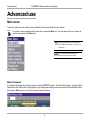
The menu system can be used to select available functions and utilities for the system.
menu
To enter the menu system and the main menu, press the MENU key. You may leave the menu system at
any time by pressing the MENU key.
TIP
A MENU STRUCTURE MAP IS PROVIDED IN THE
SECTION ‘MENU STRUCTURE’ AT THE FRONT OF
THIS MANUAL.
NOTE IN THE FOLLOWING MENU DIAGRAMS THE
DEFAULT SETTINGS ARE HIGHLIGHTED.
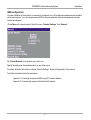
Menu Password
It is possible to password protect the menus on the TANDBERG system. To activate this feature, specify a Menu
Password in the Utilities menu. By doing this, only dialing and camera control commands will be available. When
pressing the MENU key, the user will be asked to enter the Menu
48
TANDBERG Videoconferencing System
Advanced use
Call quality
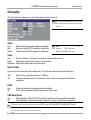
The Call Quality menu allows you to select the preferred quality of your call.
NOTE DUE TO ACTIONS OR LIMITATIONS AT THE FAR END YOU
MAY NOT ALWAYS BE ABLE TO ACHIEVE THE SELECTIONS
YOU WANT.
Audio
Auto
High
Normal
Optimized audio quality depending on bandwidth.
High audio quality (G722) regardless of bandwidth.
Telephone quality (G728) regardless of bandwidth.
TIP
AUTO
CHANNELS:
G722.1 IS SELECTED.
5-30 CHANNELS: G722 IS SELECTED.
Video
Auto
Will select ‘Motion’ or ‘Sharpness’ depending on selected video source*.
Motion
Optimized for smooth motion video for all video inputs.
Sharpness Optimized for sharp video for all video inputs.
Natural Video
Choose at what level Interlaced video capabilities (iCIF) will be transmitted and enabled. When set to
‘Auto’
‘Off’
Natural Video will be transmitted from 768Kbps.
Interlaced capabilities will not be transmitted. This is useful if far end cannot handle these
capabilities.
H.264
Auto
Off
Optimized video quality depending on what is available.
H.264 video compression and decompression will not be used.
VGA Resolutions
Auto
Off
TIP
*
**
VGA capabilities (VGA/SVGA/XGA**) and SIF capabilities will be transmitted and enabled.
VGA capabilities will not be transmitted. Useful if far end can not handle these capabilities.
SIF CAPABILITIES WILL ENABLE BETTER VIDEO QUALITY FOR NTSC SYSTEMS (SIF: 352X240, ISIF: 352X480, 4SIF: 704X480).
- MainCam/Aux/VCR will select ‘Motion’. DocCam/PC will select ‘Sharpness’.
- E2 Only
49
1-4
Advanced use
TANDBERG Videoconferencing System
Advanced call quality
NOTE THE ‘AUTO’ SETTINGS ARE RECOMMENDED
CHOICES FOR MOST CASES. THE OTHER AUDIO,
VIDEO AND RESOLUTION SELECTIONS MADE IN THIS
MENU WILL OVERRIDE THE SELECTIONS MADE IN THE
‘CALL QUALITY’ MENU AND ARE NOT
RECOMMENDED TO BE CHANGED FOR NORMAL USE.
Audio
Auto
G.722.1
G.722
G.728
G.711
Off
The setting of ‘Audio: Auto/High/Normal’ in ‘Call Quality’ will be used.
Compressed high quality audio (7 kHz).
High quality audio (7 kHz).
Compressed normal quality audio (telephone quality, 3.1 kHz).
Normal quality audio (telephone quality, 3.1 kHz).
No audio is transmitted.
RESOLUTION, AUTO FUNCTIONALITY
TIP
(IF SUPPORTED BY FAR END):
WHEN ‘VIDEO: MOTION’ :
LOW BANDWIDTHS: CIF, SIF
HIGH BANDWIDTHS: ICIF,ISIF
WHEN ‘VIDEO: SHARPNESS’ :
4CIF, 4SIF, VGA, SVGA, XGA*
Video
Auto
H.264*
H.263
H.261
Off
Optimized video quality depending on available bandwidth.
Bandwidth efficient video compression and decompression.
Normal video compression and decompression.
Legacy video compression and decompression.
No video is transmitted.
Resolution
Auto
4CIF
CIF
QCIF
The setting of ‘Video: Auto/Motion/Sharpness’ in ‘Call Quality’ will be used, see tip above.
Digital Clarity (704 x 576 pixels), only for H263.
High resolution video (352 x 288 pixels).
Low resolution video (176 x 144 pixels).
H.331
Off
On
Standard two-way communication with quality negotiation between both sides.
Used when broadcasting a video conference from one site to many others, e.g. via satellite,
where there is no possibility to negotiate quality between the receivers and the originator due to
one-way communication.
Status Format
Provides call quality feedback on the status line.
Auto
Video off/on, Audio off/normal/high
Advanced Shows video/audio standards (Example: Video: H261 CIF, Audio: G722).
*- E2 Only
50
TANDBERG Videoconferencing System
Advanced use
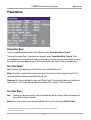
Presentations
Presentation Mode
To send a snapshot immediately after pressing SNAPSHOT select ‘Presentation Mode: Normal’.
To preview the image before it is transferred as a snapshot, select ‘Presentation Mode: Preview’. When
pressing SNAPSHOT you will be allowed to view your snapshot, e.g. from the document camera, before sending it
as a snapshot by pressing SNAPSHOT again. The far end will not see the snapshot while you are adjusting it.
Duo Video Quality *
Auto: Optimized video depending on selected video source and bandwidth in use**.
Motion: Duo Video is optimized for smooth motion video. This mode is ideal if the image from two W.A.V.E.
cameras should be simultanously transmitted to the far end.
Sharpness: Duo Video is optimized for sharp video, Digital Clarity. This mode is ideal when using a document
camera or a PC on Duo Video. If the far end does not support 4CIF live video, CIF will be selected.
Duo Video Mode *
Auto:
Pressing any video source during a call will automatically open Duo Video (if the far end supports the
automatic Duo Video functionality).
Manual: Duo Video must be opened by pressing CONNECT during a call and selecting ‘Add Duo Video’.
* - Requires option ‘Presenter’ and H263 video. To check which options are installed, see the ‘System Info’ menu in ‘Diagnostics’.
** - 4CIF: PC and DocCam, otherwise CIF.
51
Advanced use
TANDBERG Videoconferencing System
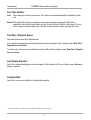
Duo Video Number*
Auto
When adding Duo Video in a conference, Duo Video is connected automatically if supported by the far
end.
Manual When adding Duo Video in a conference and connected towards a system with no Duo Video
capabilities, enter the Duo Video Number into the ‘Number’ field in the ‘Add Duo Video’ menu. This can
be the number to another system (only video will be transmitted to the system receiving Duo Video).
Duo Video / Snapshot Source
Select which video source Duo Video transmits.
If you want the document camera to be the default source when using Duo Video / snapshot, select ‘Duo Video /
Snapshot Source: DocCam’.
To use the same video source as on the first connection for Duo Video / snapshot, select ‘Duo Video / Snapshot
Source: Current’.
Auto-Display Snapshot
Select On to automatically display a received snapshot. If this selection is Off, you will have to press SELFVIEW to
display a snapshot.
Snapshot Filter
Select On to remove any instability in the high quality snapshot.
* - Requires option ‘Presenter’. To check which options are installed, see the ‘System Info’ menu in ‘Diagnostics’.
52
TANDBERG Videoconferencing System
Advanced use
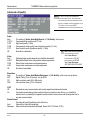
Utilities
Autoanswer
On:
The system will automatically answer all incoming calls.
On+MicOff:
The system will automatically answer all incoming calls and switch the microphone off when
the call is connected. Press MICOFF to switch the microphone on.
Off:
You must manually answer all incoming calls by pressing the CONNECT key.
Far end camera control
On: The far end will be able to:
•
•
•
•
Off:
Control your camera
Select your video sources
Activate your presets
Request snapshots
None of the four features above on the local system can be accessed by the far end, however you will still
be able to control the camera on the far end.
Dual Monitor
On:
Selfview, snapshots and Duo Video will be displayed on the 2nd monitor.
Off:
The 2nd monitor shows Selfview only.
53
Advanced use
TANDBERG Videoconferencing System
Auto-PIP
On:
Your selfview will automatically be displayed as a PIP (Picture-In-Picture) whenever the camera position
or video source is changed. Picking up the remote control will also display your selfview.
Welcome Menu
The Welcome menu can be shown when the system is not in use, and when sleep-mode is not activated.
On:
The Welcome Menu is shown when the system is not in sleep mode.
Off:
The Welcome Menu is not shown.
Logo:
If a logo is uploaded to the system, it will be shown when this button is selected. See also Appendix 5.
Continuous Presence
On:
The screen is divided into three or four squares, each displaying the video image of a different participant.
Off:
The active site will be displayed in full screen during a MultiSite conference. Also called Voice Switched
mode.
TIP
TO DISPLAY YOUR SITE IN FULL SCREEN WHEN ‘ON’ IS SELECTED, PRESS THE QUICK KEY ‘REQUEST FLOOR’.
MCU status line
On:
The MultiSite/MCU/DuoVideo indicators will be displayed and provide information about the conference.
Off:
The MultiSite/MCU/DuoVideo indicators will not be displayed.
Auto:
The MultiSite/MCU/DuoVideo indicators will be displayed for a few seconds and then timed out. When
grabbing the remote control, the indicators will be shown again.
System Name
Identifies the system:
•
•
•
•
•
during an MCU conference call.
when using the Web-interface.
when the codec is acting as an SNMP Agent.
towards a DHCP server.
as an H323 ID. Other systems can call in using this name instead of IP-number/IP-address.
54
TANDBERG Videoconferencing System
Advanced use
Menu Password
Enter the code whch should be entered to get access to the menu system on the TANDBERG system. When
pressing the ‘Menu’ button on the remote control, the user will be asked to enter the Password written here.
Web Snapshots
The system is able to generate JPEG snapshots and provide them to the world outside by request (as ‘http get’ or
via ftp). See Appendix 5 for descriptions of the possible snapshot files.
On:
Snapshots generation is enabled.
Off:
Snapshots generation is disabled.
NOTE SNAPSHOTS ARE NOT GENERATED IF THE CONFERENCE IS SECURE.
55
Advanced use
TANDBERG Videoconferencing System
MCU services
A Multipoint Control Unit (MCU) enables several sites to participate in the same conference.
An MCU conference can have different modes:
Voice Switched means that the image of the person currently speaking will be broadcast to all the other
conference participants. This will remain the case until another participant starts to speak.
Continuous Presence shows several participants on the same screen at the same time.
Chairman Control functionality enables one participant to control the meeting by selecting which of the
conference participants is to be broadcasted to the other participants.
NOTE THIS SYSTEM HAS AS AN OPTIONAL BUILT-IN MCU, MULTISITE, WHICH SUPPORTS UP TO 3 VIDEO CALLS (4 SITES) AND ONE TELEPHONE CALL. THE
MULTISITE SUPPORTS BOTH VOICE SWITCHED AND CONTINUOUS PRESENCE MODE, SEE SECTION ‘MULTISITE’.
The system can also control external MCUs in a very flexible manner using the functions described below.
TIP
DURING AN MCU CONFERENCE, A STATUS LINE WILL PROVIDE INFORMATION ABOUT THE CONFERENCE. TO REMOVE THIS STATUS LINE, SELECT
‘UTILITIES’, ‘MCU STATUS LINE: OFF’.
56
TANDBERG Videoconferencing System
Advanced use
Quick Menu
When connected to an MCU
TIP
PRESS ANY QUICK KEY WHEN IN A MULTIPOINT CONFERENCE TO ACTIVATE THE QUICK MENU.
This menu provides access to the most commonly used MCU functions.
If ‘ Request Floor’ is selected, ‘Request Floor’ will change to ‘Release Floor’.
If ‘ View Site#’ is selected, ‘View Site #’ will change to ‘End View’.
Selecting ‘Take Chair’ will send a request to take chair. If granted, the Quick keys will be:
If ‘Floor to Site#’ is selected, ‘Floor to Site#’ will change to ‘Rel. Floor To Site’.
If ‘Release Chair’ is selected, you will return to the original Quick menu.
When MultiSite
If ‘Voice Switched’ is selected, ‘Voice Switched’ will change to ‘Cont. Presence’. This setting can also be
changed in the ‘Utilities’ menu.
57
Advanced use
TANDBERG Videoconferencing System
Request floor
When requesting the floor, the MCU will broadcast your video in full screen to all other participants in the
conference. If the MCU conference has a chairman, a floor request is sent to the chairman.
You will remain ‘On Air’ until either you select ‘Release Floor’ or the chairman decides to release the floor to
another participant.
NOTE
FLOOR WILL AUTOMATICALLY BE REQUESTED WHEN SENDING A SNAPSHOT OR SELECTING THE DOC CAM OR PC VIDEO SOURCES.
Release floor
You choose ‘Release Floor’ to take you ‘Off Air’. You should do this when you wish to make the floor available to
the other participants in the conference.
Terminal Names
Allows you to see the site numbers or name (if supported) of other sites connected in the conference.
View site # *
Allows you to view any participant in the conference other than the participant currently ‘On Air’.
End view
Allows you to stop viewing the site previously chosen with ‘View Site #’, and returns your view to the site that is
currently ‘On Air’.
TIP
‘VIEW SITE’ AND ‘END VIEW’ CAN BE USED BY ALL CONFERENCE PARTICIPANTS.
* - NOT supported by the MultiSite
58
TANDBERG Videoconferencing System
TIP
Advanced use
IN ORDER TO MAKE USE OF CHAIR CONTROL FEATURES THE MCU
MUST SUPPORT CHAIR CONTROL (H.243).
Chair control *
You select ‘Chair Control’ and ‘Take Chair’ to assume the role of chairman of the ‘meeting’. As chairman, you
may control which site you and the other sites see.
Take chair
Allows you to request chairmanship of the conference. If no one else is currently chairman the MCU will give you
the chair.
Release chair
Allows you to release the privileges of chairmanship of the conference.
Floor to site #
Allows the chairman to select which of the conference participants is to be broadcast to all other participants.
Release Floor To Site
Allows the chairman to release the floor.
Disconnect site #
Allows the chairman to disconnect any participant in the conference.
Terminate meeting
Allows the chairman to terminate the conference altogether.
* - NOT supported by the MultiSite
59
Advanced use
TANDBERG Videoconferencing System
Audio Settings
Audio Inputs
By default, all inputs are enabled. Just plug in an audio source and it is active. Audio inputs that are On will
automatically be mixed. Select Off to prevent audio/noise from unused inputs or if you want to disable a specific
input. The activated audio sources are stored on presets.
Mic 1,2 and 3 are intended for electret type microphones. The microphone inputs are balanced with 24V phantom
power.
Audio input 4 is intended for connection to an external microphone amplifier or an external fixed mixer.
NOTE EXTERNAL MIXER
WHEN USING AN EXTERNAL MIXER, IT IS VERY IMPORTANT THAT THIS IS A FIXED MIXER. AUTOMATIC, SMART AND OTHER TYPES OF ADAPTIVE MIXERS
MIGHT CAUSE THE ECHO CANCELLER TO MALFUNCTION.
Audio input 5 is intended for connection to external playback devices or to telephone add-on hybrids.
60
TANDBERG Videoconferencing System
Advanced use
As there is no acoustic echo canceller on this input it should not be connected to any microphones. The audio
source connected to this input will be heard from the local speaker.
Audio input 6 is intended for connection to a VCR. It can also be connected to other external playback devices.
As there is no acoustic echo canceller on this input it should not be connected to any microphones. The audio
entering this input will be heard from the local speaker. If ‘Auto’ is selected, the audio from the VCR will only be
heard when VCR is selected as videosource.
Mix Mode
‘Auto’ automatically adjusts the weighting of each microphone to obtain the best possible audio and minimizes
the background noise. ‘Auto’ will also attenuate the VCR audio level when someone talks into a microphone.
‘Fixed’ will maintain a constant weighting for all microphones.
Level Settings
Adjust the audio input levels according to which external audio equipment is connected. The on-screen audio level
indicator will make it easier to set the correct input level settings. The input level should be adjusted so that the
average level reaches the preferred level marker.The audio inputs are adjustable in steps of 1.5 dB from 0 dB to 22.5
dB.
The default levels for Mic 1,2 and 3 are set for use with an Audio Technica AT871 microphone in an average
videoconferencing room. The gain can be adjusted correctly for a wide range of microphones.
A few examples of microphone levels are:
Audio Technica AT871
+3dB (default with system)
Audio Technica AT851R
+7dB
TANDBERG Audio Science
+19.5dB
Audioinputs 4, 5 and 6 are set to a default level which is adhered to by most manufacturers of audio-visual
equipment and is a level at which most audio-visual equipment (CD-players, VCRs) will work.
61
Advanced use
TANDBERG Videoconferencing System
Audio Outputs
Audio out 1 is intended for connection to TANDBERG Natural Audio, televisions or audio amplifiers.
Audio out 2 is intended for connection to audio recording equipment or to a telephone add-on hybrid. The signal is
a mix of audio from both the far end and local end (not from Audio in 5).
Audio out 3 is intended for connection to a VCR or other recording equipment. The signal is a mix of audio from
far end and local end (not from Audio in 6).
Audio Module: Select Natural Audio Module according to the type of Audio Module installed if this is not
automatically detected.
NOTE NEVER CONNECT AUDIO OUT 2 OR AUDIO OUT 3 TO A LOUDSPEAKER PLACED IN THE SAME ROOM AS THE MICROPHONES CONNECTED TO THE
SYSTEM. DOING THIS WILL CAUSE “HOWLING” AND POSSIBLE DAMAGE TO THE SPEAKER SYSTEM.
If an output is ‘Off’, no audio will be sent to that output.
Level Settings - Outputs
Adjust the audio output levels according to the parameters of the external audio equipment connected. These
levels should only be adjusted when installing new audio equipment. The default settings are correct for the
TANDBERG Natural Audio module and for most consumer electronics devices (televisions, VCRs, etc.).
The volume keys on the remote control adjust the level of output 1 (the speaker output). The volume control has
no effect on outputs 2 and 3.
62
TANDBERG Videoconferencing System
Advanced use
Echo Control
Each of the 3 microphone inputs and Audio input 4 have a separate echo canceller. One echo canceller per input
provides more sophisticated control than having one common canceller for all microphones.
Echo control is normally set to ‘On’ to prevent the far end from hearing their own audio. Once selected, echo
cancellation is active at all times. The echo canceller continously adjusts itself to the audio characteristics of the
room and compensates for any changes it detects in the audio environment. If the changes in the audio
conditions are very significant the echo canceller may take a second or two to re-adjust.
You can choose to switch off the echo canceller for the available audio sources.
NOTE ECHO CONTROL SHOULD BE SWITCHED ‘OFF’
IF EXTERNAL ECHO CANCELLATION OR PLAYBACK EQUIPMENT IS USED. IT IS YOUR ECHO CANCELLER
THAT IMPROVES THE AUDIO QUALITY EXPERIENCED BY THE OTHER SITE. WHEN YOU HEAR AN ECHO OF YOUR OWN AUDIO IT IS MOST LIKELY THE FAR
END’S ECHO CANCELLER THAT IS MALFUNCTIONING.
Noise Reduction
In addition to echo cancellation, the system has built-in noise reduction (NR).
NR reduces constant background noise (e.g. noise from air-conditioning systems, cooling fans etc.). In addition, a
highpass filter (Humfilter) reduces very low frequency noise.
Choose On+NR to activate both Echo Control and Noise Reduction.
63
Advanced use
TANDBERG Videoconferencing System
Room Size
This setting allows optimization of the echo canceller to the acoustic size of the room. Hard walls, many windows
etc. might require higher settings than expected. Carpets, curtains etc. might require lower settings. Adjust the
setting (NOTE: on the far end) if one of the following symptoms occur:
•
•
There is still some echo of your own audio. Increase the setting.
The system adapts slowly to acoustic changes in the room. Decrease the setting.
After a change, the system will need a few seconds to re-adjust.
Motion
If you experience echo caused by movements in the room, increase the value.
64
TANDBERG Videoconferencing System
Advanced use
Automatic Gain Control (AGC) Settings
Select ‘On’ to allow automatic adjustments (Automatic Gain Control) of audio levels. When ‘On’, the AGC
maintains the audio signal level at a fixed value by attenuating strong signals and amplifying weak signals. Very
weak signals, i.e. noise alone, will not be amplified.
Example: In most conferences, the participants will speak at different levels, and be at different distances from the
microphones. As a result, some of the participants would be harder to hear than others. The AGC corrects this
problem by automatically increasing the microphone levels when “quiet” or “distant” people speak, and by
decreasing the microphone levels when “louder” people speak.
NOTE TO ENSURE CORRECT BEHAVIOUR OF THE AGC, IT IS CRUCIAL THAT THE LEVELS ON THE INPUT CONNECTORS ARE ADJUSTED CORRECTLY USING THE
AUDIO INPUT LEVEL SETTINGS. THE AGC WILL NOT COMPENSATE FOR SEVERE MISADJUSTMENT OF INPUT LEVELS.
When applying a weak signal in the presence of strong background noise, the AGC might amplify the background
noise as well as the signal. Therefore, in noisy environments, it is advisable to turn the AGC off.
Tips for improving the echo canceller performance:
• Place all microphones as far as possible from the loudspeaker. Minimum loudspeaker-microphone distance
should be 1 meter.
• Place all microphones as close as possible to the persons speaking. By using several microphones, the ratio
distance loudspeaker-to-mic/mic-to-speaker can be increased. Increasing this ratio improves the echo canceller
performance. Avoid distances above two meters from any participant to his/her closest microphone. If
necessary, use several microphones. Also avoid placing microphones less than one meter from any person.
• Place all microphones as far as possible from noise sources.
• Reduce the volume setting. Ensure that the loudspeaker does not distort the audio.
65
Advanced use
TANDBERG Videoconferencing System
• The echo canceller tries to estimate the echo path from the speaker system to the microphones. Moving objects
change this path, therefore try to avoid moving objects. Be especially aware of large objects and objects placed
close to either the microphone or the speaker system as these objects will cause severe changes to the echo
path.
• Avoid putting paper sheets etc. on the microphone.
• Avoid moving the microphone or loudspeaker.
• In the event of poor echo cancelling, allow the canceller to adapt. After each change, the echo canceller
requires a few seconds to adapt. Do not change the settings without allowing the echo canceller to adapt to
the new audio environment.
• In the presence of low frequency noise, enable the noise reduction (NR).
Alert Tones & Volume
To help distinguish between incoming video calls and ordinary telephone calls, different ringing tones may be
selected. You may also select different volume levels for the ringing tone.
Alert Speaker
The system also has an internal, call alerting speaker.
On: The internal speaker will warn you of an incoming call even though the monitor may not be switched on.
Key Tones
The Key Tones may be switched on and off.
Restore Audio Defaults
There are many audio settings and the codec could easily be made unusable by configuring these by mistake. It
is therefore possible to return all audio settings to their factory default settings by using Restore Audio Defaults.
66
TANDBERG Videoconferencing System
Advanced use
Video Settings
NOTE THE CAMERA TRACKING MODE ENTRY WILL
NOT BE AVAILABLE IF NOT USING THE WAVE
CAMERA.
Camera Tracking Mode
Select the camera tracking mode:
Slow:
The system waits a while before zooming in on a single person speaking. Suitable when wide-angle
images are preferred over close-up images.
Norm:
Should be used in regular meetings.
Fast:
The system quickly zooms in on a single person speaking. Suitable when close-ups are preferred over
wide-angle images.
Document Camera
Users of a document camera with an S-video output can configure the system to activate an S-video input when
pressing ‘doc cam’ on the remote control.
Video2: Video Input 2 (S-video) will be activated when pressing ‘doc cam’ on the remote control.
Video3: Video Input 3 (Composite) will be activated when pressing ‘doc cam’ on the remote control.
PC*
Configure what should be activated when pressing PC.
VGA:
Pressing PC will activate the VGA input on the system (default).
VNC:
Pressing PC will use VNC to show images from your PC (see ‘VNC Settings’ for further information).
* - Requires option ‘Presenter’. To check which options are installed, see the ‘System Info’ menu in ‘Diagnostics’.
67
Advanced use
TANDBERG Videoconferencing System
Focus
To manually adjust the focus select ‘Manual’ and use the arrow keys to adjust.
Brightness
To manually adjust the brightness select ‘Manual’ and use the arrow keys to adjust.
Whitebalance
In Auto mode the whitebalance is continuously updated. To update the whitebalance manually, select ‘Manual’
and press OK.
TIP
A WHITE OBJECT SHOULD BE HELD IN FRONT OF THE CAMERA A FEW SECONDS BEFORE AND AFTER SELECTING MANUAL WHITEBALANCE.
Video Name
As a default each video input corresponds to the name used on the remote control.
To edit the name, use the number keys on the remote control.
68
TANDBERG Videoconferencing System
Advanced use
VGA Settings
NOTE IF YOU SET ‘VGA OUT’ TO ‘MAIN’, MAKE SURE
YOU HAVE A VGA-MONITOR CONNECTED TO THE
VGA-OUTPUT ON THE SYSTEM. IF YOU DO NOT
HAVE A VGA-MONITOR CONNECTED, YOU WILL
NOT BE ABLE TO SEE THE MENU SYSTEM!
NOTE ICIF WILL NOT BE AVAILABLE WHEN VGA OUT IS
MAIN OR DUAL.
VGA Out
To enhance the local video quality, a VGA monitor may be connected.
Main:
Should be used if you want to use a VGA monitor as your main monitor. Video outputs 1 and 3 will
be disabled.
Dual:
Should be used if you want to use a VGA monitor as your dual monitor. Video outputs 2 and 4 will
be disabled.
Loop:
Should be used if you want to use a TV monitor as your main monitor.
VGA Out Quality
VGA Out Quality changes the resolution of the VGA signal available on the ‘VGA Out’ connector at the rear of the
codec.
Auto:
Will sense the resolution on the ‘VGA input’ port and use the same resolution on the ‘VGA Out’ port.
VGA:
Will force ‘VGA out’ to VGA(640X480).
SVGA: Will force ‘VGA out’ to SVGA(800X600).
XGA*:
Will force ‘VGA out’ to XGA(1024X768).
* - E2 Only
69
Advanced use
TANDBERG Videoconferencing System
VNC Settings*
NOTE VNC SERVER SOFTWARE SETUP
• BOTH THE PC AND THE VIDEOCONFERENCING SYSTEM
MUST BE CONNECTED TO THE SAME LAN.
• A VNC SERVER MUST BE INSTALLED ON THE PC. FREE
SOFTWARE CAN BE DOWNLOADED FROM HTTP://
WWW.UK.RESEARCH.ATT.COM/VNC
• INSTALL THE SOFTWARE BY RUNNING THE DOWNLOADED
FILE.
• TO CONFIGURE THE VNC SERVER SOFTWARE :
• SELECT “ACCEPT SOCKET CONNECTIONS”.
• SELECT “AUTO” FOR “DISPLAY NUMBER”. ‘DISPLAY
NUMBER’ IN THE SYSTEM MUST THEN HAVE THE VALUE
0.
• ENTER A PASSWORD IN THE “PASSWORD”-FIELD. MUST
CORRESPOND WITH THE ‘VNC SETTINGS’ ON YOUR
SYSTEM.
Address
The IP-address of the PC with the VNC software installed. To find the IP-address of the PC, select ‘Command
Prompt’ from the Startup-menu. Type ‘ipconfig’ and press ENTER.
Display Number
The display number for VNC is 0 and upwards. If you are using WinVNC, double-click on the icon on the toolbar
to view ‘WinVNC properties’. This number should correspond with ‘Display Number’ in this menu.
Password
Enter the same password as specified in WinVNC properties. The password will be shown as asterisk signs (*)
the next time you enter the menu.
Start using VNC
To activate VNC, press ‘PC’ on the remote control. Please make sure that ‘PC’ is set to ‘VNC’ in the ‘Video
Settings Menu’. See also ‘PC SoftPresenter’ section for further information.
* - Requires option ‘Presenter’. To check which options are installed, see the ‘System Info’ menu in ‘Diagnostics’.
70
TANDBERG Videoconferencing System
Advanced use
Terminal Settings
This menu provides basic network setup for the unit and should be used when installing the system.
Network Configuration
Before using the system it is necessary to specify which network to use and define its settings.
If you want to use your system via ISDN-BRI you should select ‘Current Network: ISDN-BRI’ and enter the
‘ISDN-BRI Settings’ menu to set the BRI parameters.
If you want to use your system via ISDN-PRI you should select ‘Current Network: ISDN-PRI’ and enter the
‘ISDN-PRI Settings’ menu to set the PRI parameters.
71
Advanced use
TANDBERG Videoconferencing System
If you want to use your system via Leased E1/T1, you should select ‘Current Network: Leased E1/T1’ and enter
the ‘Leased E1/T1 Settings’ menu to set the Leased E1/T1 parameters.
NOTE BOTH ‘LEASED E1/T1’ AND ‘ISDN-PRI’ USES THE SAME PHYSICAL INTERFACE ON THE CODEC MARKED ‘E1/T1’.
If you want to use special networks and connect using RS449, V.35, X.21 or connect to ISDN via an external
IMUX you should select ‘Current Network: External’ and enter the ‘External Network Settings’ menu to set
the External Network parameters.
72
TANDBERG Videoconferencing System
Advanced use
ISDN-BRI Settings
NOTE IF NATIONAL ISDN IS SELECTED, PRESS THE
QUICK KEY ‘AUTO BRI CONFIG’ TO REQUEST AN
AUTOMATIC CONFIGURATION OF THE LINE AND
SPID SETTINGS (SWITCH MUST SUPPORT GR2941-CORE).
NOTE MANDATORY ISDN-BRI SETTINGS
TO MAKE SURE YOUR SYSTEM WILL WORK PROPERLY USING ISDN-BRI, MAKE THE FOLLOWING SETTINGS:
- SET ISDN SWITCH TYPE
- ENTER ISDN LINE NUMBERS (+ SPIDS IF REQUIRED)
- DISABLE UNUSED LINES
ISDN switch type
Select the type of ISDN network connected to your unit.
NOTE 1TR6 SHOULD ONLY BE USED IF YOU ARE
OPERATING THE SYSTEM BEHIND A PABX.
73
Advanced use
TANDBERG Videoconferencing System
Line setup
This menu allows you to program the numbers associated with your ISDN line.
If you want to use this ISDN line, you need to set ‘Enabled: On’ and enter the numbers of your ISDN line. If some
of the ISDN lines are not to be used, set ‘Enabled: Off’. Line 1 should always be enabled.
National ISDN and AT&T Custom ISDN might require SPID numbers associated with your ISDN numbers. If you
have received two different SPID numbers for each ISDN line from your telephone company, you must program
both.
Example:
ISDN BRI 1:
ISDN BRI 2:
ISDN BRI 3:
ISDN BRI 4:
ISDN BRI 5:
ISDN BRI 6:
Numbers
67838498
67838498
23478060
23478070
23478420
23478430
23478520
23478530
23478540
23478550
23478560
23478570
SPIDS
016783849800
016783849810
012347806000
012347807000
012347842000
012347843000
012347852000
012347853000
012347854000
012347855000
012347856000
012347857000
74
TANDBERG Videoconferencing System
Advanced use
Advanced ISDN settings
Subaddress
Using a subaddress enables you to connect up to eight ISDN terminals to the same ISDN telephone number
and line. The terminals are addressed by using different subaddresses.
To call a terminal with a subaddress, separate the ISDN telephone number and the subaddress with a ‘*’.
Example: 12345678*2 (Up to four digit subaddresses are possible)
NOTE THIS SERVICE HAS LIMITED ACCESS ON SOME ISDN NETWORKS.
75
Advanced use
TANDBERG Videoconferencing System
MSN (Multiple Subscriber Number)
The use of MSN (Multiple Subscriber Number) enables you to attach different ISDN terminals, with different numbers,
to the same physical ISDN telephone line. If ‘Validate Numbers’ is set to ‘On’ only calls to those numbers specified
in the Line Setup menus will be answered. This service can be ordered from your telephone company.
Parallel dial
ISDN line number 12345600 / 601 / 602
Line 1 Setup, Number1: 600
Validate Numbers (MSN): On
Line 1 Setup, Number1: 601
Validate Numbers (MSN): On
Call 12345601
Line 1 Setup, Number1: 602
Validate Numbers (MSN): On
Ringing
On
Channels will be dialed and connected in parallel when setting up a BONDING call.
Off
Channels will be dialed one by one which may increase the dialing time.
Send Own Numbers
On
The system will send its own numbers to the far end.
Off
The system will not send its own numbers to the far end, but please note that the network may still send
your numbers to the far end.
Sending Complete
On
The system will send the ISDN message information element ‘Sending Complete’.
Off
The system will not send ‘Sending Complete’.
76
TANDBERG Videoconferencing System
Advanced use
ISDN-PRI Settings
NOTE THE T1 FORMAT IS PREDEFINED TO ESF AND THE
LINE CODE IS B8ZS. THIS IS NOT CONFIGURABLE.
NOTE MANDATORY ISDN-PRI SETTINGS
TO MAKE SURE YOUR SYSTEM WILL WORK PROPERLY USING ISDN-PRI, CONFIGURE THE FOLLOWING SETTINGS:
- SET PRI SWITCH TYPE
- ENTER PRI LINE NUMBER
Number
Enter the main number for your PRI line. If this number is programmed and ‘MSN: On’ (see ‘Validate numbers’
in ‘Advanced ISDN Settings’) only calls to this number will be answered.
PRI Switch Type
Select the type of PRI switch to which your unit is connected.
77
Advanced use
TANDBERG Videoconferencing System
Below is a list of common ISDN-PRI/T1 switches.
Type
Manufacturer
PRI Switch Type setting
ATT 4 ESS
AT&T
AT&T ISDN
ATT 5 ESS
AT&T/Lucent
AT&T ISDN or National ISDN*
DMS 100
Northern Telecom
National ISDN
DMS 250
Northern Telecom
National ISDN
* Settings will depend on configuration of the switch. PRI Switch Type is not changed when Restoring Defaults.
Channel Hunting
Max Channels
Maximum number of channels the unit may use at any given time.
Low Channel
The lowest numbered B-channel that may be used by the unit when selecting channels
for outgoing calls.
High Channel
The highest numbered B-channel that may be used by the unit when selecting channels
for outgoing calls.
Search
Specifies where the system will start searching for available B-channels for outgoing
calls.
Codec 1
Low Channel: 10
High Channel: 20
Max Channel: 6
PRI line
PRI 1
PRI 2
Codec 2
or
PBX
Channel hunting is normally used in conjunction with PRI daisy-chaining with
TANDBERG units in the daisy-chain. If only TANDBERG units are used in the
daisy-chain, default setting should be used, as these units will find available Bchannels automatically.
Max Channels may be used for PRIs that are provisioned for a lower number of
channels.
Max Channels may be used as mechanism to ensure that there is bandwidth
available to codecs further down the chain when Daisy-Chaining.
Channels: 1-9
will be available for
the codec/PBX
‘High Channel’, ‘Low Channel’ and ‘Search’ may be used for PRIs provisioned with
specific requirements for B-channel usage.
78
TANDBERG Videoconferencing System
Advanced use
In the example on the previous page, the unit will start searching for available B-channels at channel 20, since
‘Search’ is set to ‘High’ and ‘High Channel’ is set to 20. The unit will not search for channels below 10, since ‘Low
Channel’ is set to 10. Furthermore if the user tries to make an 8 channel call, the call will be established with 6
channel, since ‘Max Channels’ is set to 6.
Line Settings
‘T1 Cable Length 1’ specifies the distance to the CSU connected to the ‘E1/T1 1’ port on codec 1. Cable Length 2
specifies the cascading distance from the ‘E1/T1 2’ port on codec 1 to the ‘E1/T1 1’ port on codec 2. Possible
values are 0-115 feet, 80-215 feet, 180-310 feet, 280-410 feet, 375-510 feet, 475-605 feet, 575-690 feet.
CRC-4 is used for most E1-PRI configurations. You can turn it off if not supported by your E1 network equipment.
For further information refer to appendix 3: Connecting the system to PRI/T1.
Advanced ISDN Settings
This is the same menu as for ISDN-BRI. The settings will be common for ISDN BRI and ISDN PRI. Please refer to
section ‘ISDN-BRI Settings’.
79
Advanced use
TANDBERG Videoconferencing System
Advanced ISDN-PRI Settings
NSF - Non Standard Facility. Your network provider may require a service selection in your ISDN configuration.
Enter the Service code here.
Valid NSF service codes are from 1 to 31. Enter 0 to disable NSF service codes.
Example:
AT&T offers several digital switched services. These include SDN with service code 1 and ACCUNET with service
code 6.
Example:
Below is a list of common service profiles. As these profiles may
change, contact your service provider to get the correct profile.
Service profiles for AT&T:
NSF Service
Disable
SDN (including GSDN)
Megacom 800
Megacom
Accunet
Long Distance
International 800
MultiQuest
Call Redirection Service
0
1
2
3
6
7
8
16
23
80
Service profiles for Sprint:
NSF Service
Reserved
Private
Inwatts
Outwatts
FX
TieTrunk
0
1
2
3
4
5
Service profiles for MCI:
NSF Service
VNET/Vision
800
PRISM1, PRISMII, WATS
900
DAL
1
2
3
4
5
TANDBERG Videoconferencing System
Advanced use
Leased E1/T1 Settings
NOTE E1/T1 ARE STANDARD G.703 INTERFACES
Call Control
Auto:
Manual:
The call connects automatically when video data is present.
The call has to be connected manually.
Network Interface
Indicates if the network is of type E1 (30 channels) or T1 (24 channels). E1 will be default for PAL versions, T1
default for NTSC versions.
Max Channels
Indicates the maximum number of channels the codec is allowed to use on the E1/T1 interface. When E1 is
selected, maximum is 30 channels. When T1 is selected, maximum is 24 channels.
Start Channel
Indicates the first E1/T1 channel the codec is allowed to use. This setting might be used if the E1/T1 line is
shared with other equipment.
T1 Line Coding
Indicates how the signals on the line should be coded. If parts of the line between the systems use restricted
coding, this should be selected,
NOTE ALL SETTINGS MUST BE IDENTICAL ON BOTH SIDES OF THE LEASED E1/T1 CONNECTION.
Line Settings
This is the same menu as for ISDN-PRI. Please refer to section ‘ISDN-PRI Settings’.
81
Advanced use
TANDBERG Videoconferencing System
External network settings
NOTE THE PHYSICAL INTERFACE ON EXTERNAL
NETWORKS IS ONE NON-STANDARD 26 PIN
CONNECTOR. SPECIAL CABLES ARE
REQUIRED.
Before using the system together with external network equipment, you must specify the network parameters on
this page.
NOTE THE SYSTEM HAS SUPPORT FOR UP TO 768KBPS/2MBPS USING THE EXTERNAL NETWORK (RS449/V.35/X.21) INTERFACE.
Call Control
‘RS366 Dialing’ is the only dialing protocol and would normally be used together with network clocking ‘RS449/
V35 Compatible’ when the external equipment uses RS366 ports.
‘Leased Line’ is a non-dialing protocol and should be used when two codecs are connected in a point to point
connection. Use ‘Leased Line’ when the handshaking signals DTR and CD are available. DTR and CD
correspond to the X21 network’s C and I signals.
‘Data Triggered’ mode uses TxData (transmit data), RxData (receive data) and clock signals only. Use ‘Data
Triggered’ when no handshake signals are available.
‘Manual’ should be used when no handshake signals are available, and the external equipment requires a
constantly connected line.
TIP
TO MAKE AN IP CALL WHEN ‘LEASED LINE’ IS SELECTED, ENTER A NUMBER BEFORE PRESSING CONNECT TO ACTIVATE THE DIAL MENU.
82
TANDBERG Videoconferencing System
Advanced use
Network clocking
The network clock setting specifies the number of physical external clock signals.
Use ‘RS449/V35 Compatible’ when the external equipment provides two clock signals, one for transmit and one
for receive. The difference between RS449 and V35 is the cable only.
Use ‘X21 Compatible’ when the external equipment provides a common clock signal for both transmit and
receive.
Cable Specification, V.35
V.35/RS-366 cable
Signal Name
Frame ground
Signal ground
TX(A), transmit data
TX(B)
RX(A), receive data
RX(B)
RCLK(A), rcv clock
RCLK(B)
TCLK(A), xmt clock
TCLK(B)
DTR
RI
RLSD
RS366 DPR
RS366 ACR
RS366 CRQ
RS366 PND
RS366 DLO
RS366 NB1
RS366 NB2
RS366 NB4
RS366 NB8
RS366 GND
Female
26pin DSUB
Pin number
1
19,23
11
12
13
14
15
16
17
18
26
24
22
2
3
4
5
6
7
8
9
10
19
Male 34pin
Winchester
Pin number
A
B
P
S
R
T
V
X
Y
AA
H, C
L, J
F
Cable Marking
NET
DSU V.35
Male 25pin
DSUB
Comments
Twisted pair
Twisted pair
Twisted pair
Twisted pair
2
3
4
5
22
14
15
16
17
7
DSU RS366
83
Advanced use
TANDBERG Videoconferencing System
LAN Settings
Streaming*
NOTE WHEN STREAMING, A MULTISITE OR A DUO VIDEO
CALL CAN NOT BE MADE.
NOTE AN ON-SCREEN INDICATOR IS SHOWN WHEN STREAMING IS
ACTIVE.
Address
Address is defined as the IP-address of a streaming client, streaming server or a multicast address. Giving an
address in the range 224.0.0.1-239.255.255.255 will broadcast the stream to any host that has joined the
specified multicast group. Specifying normal broadcast address 255.255.255.255 will broadcast to any
members on the LAN.
Address Port
If several codecs are streaming to the same IP-address, different ports have to be used in order for the client to
know which stream to receive. If the first codec streams on port 2240 and the second codec on port 2250, the
client has to specify which port to listen to. Video is transmitted on the specified port, audio is transmitted on
the port number 4 above the specified video port, in this case 2244 and 2254.
TTL/Router Hops
This is used for streaming data to limit how many routers the data should pass before it is rejected. If TTL is
set to 2, data will not traverse more than 2 router hops.
* - Please contact your TANDBERG representative for further information.
84
TANDBERG Videoconferencing System
Advanced use
Streaming Source
Auto
Enables streaming of both local and far end video. Selection of which site to be streamed is done
using voice switching (the site that speaks is streamed).
Local Only the local video will be streamed.
Remote Only the far end video will be streamed.
Local and far end audio is always streamed.
Allow Remote Start
On
Off
Streaming can be started from external user interfaces like the Web-browser or Telnet session.
Streaming can only be started from the Video Conferencing System using the remote control, or by
using the Dataport. This will prevent activation of streaming using Web browser or Telnet sessions.
Announcements
On
Off
The codec will announce to the network that it is streaming. This enables a streaming client (e.g. a PC)
to connect to the codec’s streaming session. Used by Cisco IP/TV.
No announcement packets will be transmitted.
Video Rate
Defines the Video streaming rate from the system. Range is 16kbps - 320kbps. In addition, audio (G.711)
streaming rate is 64kbps, providing a maximum streaming rate of 384kbps.
Password
Set password so that only participants entering correct password will be able to view the streaming session.
Entering a password will prevent unauthorized people from accessing the streaming session.
Start/Stop Streaming
By pressing the Quick Key labeled ‘ Start Streaming ‘, the Streaming session will start. To stop the stream, press
the same quick-key, which will be labeled ‘ Stop Streaming ‘ while the streaming-session is active. Pressing
Disconnect will also stop the streaming session.
How to view streaming
After streaming is started, an easy way to view the streamed audio/video is to start your Web-browser and enter
the IP-address of the streaming system. After the Web page of the codec is shown, click on ‘Streaming’.
Alternatively, enter http://<codec ip-address>/stream.sdp.
85
Advanced use
TANDBERG Videoconferencing System
H.323 Settings
E.164 alias
This is the E.164 address of the codec. The E.164 address is equivalent to a telephone number, sometimes
combined with access codes. Valid characters are 0-9,* and #.
When using a gatekeeper the codec will send a message to the gatekeeper containing both the E.164 address
and the system name of the codec. The codec will not register with the gatekeeper if the E.164 alias is not set.
Use Gatekeeper
Auto - The codec will automatically try to register on any available gatekeeper. If a gatekeeper responds to the
request sent from the codec within 30 seconds this specific gatekeeper will be used. If no gatekeeper responds,
the codec will not use a gatekeeper for making H.323 calls and hence an IP-address must be specified manually.
Manual - The codec will use a specific gatekeeper identified by ‘Gatekeeper IP-address’.
Off - The codec will not use a gatekeeper and an IP-address must be used in order to make an H.323 call.
Gatekeeper IP-address
This is the gatekeeper IP-address if you specify ‘Use Gatekeeper: Manual’.
H.323 Prefix
When dialing a number prefixed with digits specified by ‘H.323 Prefix’, and with ‘Net: Auto’, an H.323 call will be
placed. Example: H.323 Prefix is ‘555’. Dialling ‘55582’ with ‘Net:Auto’ will select LAN.
Register
Pressing ‘Register’ will send a gatekeeper registration request. This request will also be sent when leaving the
menu.
86
TANDBERG Videoconferencing System
Advanced use
Advanced H.323 Settings
NOTE THESE SETTINGS ONLY HAVE AN
EFFECT IF THEY ARE SUPPORTED BY
YOUR IP INFRA STRUCTURE.
RSVP
Auto
Off
Resource Reservation Protocol enables the endpoints to request the optimal amount of bandwidth for the
duration of an IP video conference.
Resource Reservation Protocol is switched off.
NAT
NAT, Network Address Translation, is used in small LAN’s, often home offices, when a PC and a
videoconferencing system is connected to a router with NAT support. NAT support in the videoconferencing
system enables proper exchange of audio/video data when connected to an external videoconferencing system
(when the IP traffic goes through an NAT router).
When NAT is On, the NAT Server Address will be shown in the startup-menu: ‘My IP Address: 10.0.2.1 (NAT)’
NAT Address
This must be the external/global IP-address to the router with NAT support. Packets sent to the router will then be
routed to the codec.
In the router, the following ports must be routed to the codec’s IP-address:
Port 1720
Port 5555-5560
Port 2326-2365
Please contact your TANDBERG representative for further information.
H.323 Ports
Static
When selecting static H323 ports for TCP connections the ports 5555 or 5556 will be used for
Q931 and H245 respectively.
Dynamic
The operating system will allocate which ports to use when opening a TCP connection.. The
reason for doing this is to avoid using the same ports for subsequent calls as some firewalls
consider this as a sign of attack.
87
Advanced use
TANDBERG Videoconferencing System
QoS Type
Off
No QoS is used
Diffserv
Diffserv QoS method is used. Please see below for details.
IP Precedence
IP Precedence QoS method is used. Please see below for details.
IP Precedence
Used to define which priority audio, video,
data and signalling should have in the
network. Higher numbers indicate higher
priority. The priority ranges from 0(off) - 7 for
each type of packets .
Auto will provide the following priority:
Audio
4
Video
4
Data
3
Signalling 6
IP Type of Service (TOS)
Helps a router select a routing path when multiple paths are available.
Delay
Throughput
Reliability
Cost
Tells the router to minimize the delay
Tells the router to maximize the throughput
Tells the router to maximize the reliability
Tells the router to minimize the cost
Diffserv
Used to define which priority Audio, Video, Data and Signaling packets should have in an IP network. The priority
ranges from 0 to 63 for each type of packets.
88
TANDBERG Videoconferencing System
Advanced use
IP Settings
NOTE CHANGES IN THIS MENU WILL NOT HAVE
ANY EFFECT BEFORE THE SYSTEM IS
RESTARTED.
IP-assignment
DHCP (Dynamic Host Configuration Protocol) can be selected when a DHCP server is present.
DHCP: IP-address, IP-subnet mask and Gateway are not used because these parameters are assigned by
the DHCP server.
Static: The codec’s IP-address and IP-subnet mask must be specified in the IP-address field.
IP-address
IP-address defines the network address of the codec. This address is only used in static mode. In DHCP-mode,
the assigned IP-address can be found on the Welcome Menu.
IP-subnet mask
IP-subnet mask defines the type of network. This address is only used in static mode. Your LAN-administrator will
provide the correct value for this field.
Gateway
When using DHCP, the default gateway will be set automatically. If the LAN utilizes static IP addresses, IP
address, subnet mask, and default gateway must be specified by the LAN administrator.
89
Advanced use
TANDBERG Videoconferencing System
Ethernet Speed
Auto
10/Half
10/Full
100/Half
100/Full
The codec will auto-detect the speed/duplex on the LAN.
The codec will connect to the LAN using 10Mbps speed/Half Duplex.
10 Mbps speed/Full Duplex.
100 Mbps speed/Half Duplex.
100 Mbps speed/Full Duplex.
Restart
Pressing the Quick key ‘Restart’ will restart your system without having to use the On/Off switch on the codec. If
IP-assignment is changed, it is sufficient to use this Quick key to restart the system.
SNMP Settings
SNMP Trap Host
SNMP (Simple Network Management Protocol) is used for monitoring and configuring of different units in a
network. The codec’s SNMP Agent responds to requests from SNMP Managers (a PC program etc.). SNMP
traps are generated by the agent to inform the manager about important events.
SNMP Trap Host identifies the IP-address of the SNMP manager.
Traps can be sent to multiple SNMP Trap Hosts. Enter the IP address of up to three SNMP managers. All traps
will then be sent to the hosts listed.
SNMP Community
SNMP Community names are used to authenticate SNMP requests. SNMP requests must have a ‘password’ in
order to receive a response from the SNMP agent in the codec.
NOTE THE SNMP COMMUNITY NAME IS CASE SENSITIVE.
90
TANDBERG Videoconferencing System
Advanced use
Call Settings
Incoming MCU calls
On:
Off:
When you are in a call, the system will provide a visual and audible indications of an incoming call and
ask you to accept/reject the call.
The system will not accept incoming calls when you are in a call.
Incoming telephone calls
On:
Off:
The system will accept incoming telephone calls.
The system will not accept incoming telephone calls. This is useful to prevent incoming calls from
systems other than videoconferencing systems.
Fallback to telephony
On
Off
Enables fallback from video calls to telephony/speech calls.
Disables fallback.
Access Code
On
Off
When pressing CONNECT or any number to make a call, an Access Code menu will be shown. The
user will then have to enter the correct Access Code in order to make a call.
No Access Code is necessary to make a call.
91
Advanced use
TANDBERG Videoconferencing System
Encryption (Secure Conference)
Auto
The system will try to set up calls using encryption.
Point to point calls: If the far end system supports encryption, the call will be encrypted. If not, the
call will proceed without encryption.
MultiSite calls: In order to have encrypted MultiSite calls, all sites must support encryption. The
padlock symbol will indicate encryption mode (AES or DES). If there is a mix of AES and DES
encryption, only the symbol for DES encryption (single padlock) will be displayed.
IP MultiSite calls: Sites supporting encryption will be encrypted and sites not supporting encryption
will not be encrypted. The padlock symbol will be shown on the MultiSite if all sites support
encryption. The padlock symbol will be shown on the site connected to the MultiSite if this
connection to the MultiSite is encrypted.
If the far end supports encryption, the systems will initiate encryption after the call is connected (an
‘open padlock’ symbol will be displayed). When encryption has been established, a ‘closed padlock’
symbol will be displayed.
Off
The system will not send or receive encrypted data.
Technical encryption information like encryption algorithm and encryption check code can be found in the ‘Call
Status’ menu.
Encryption Mode
Auto
The system will try to use the most secure encryption - AES, dependent on the capabilities of the
other sites. If AES-encryption is not supported by all the other sites, DES encryption will be tried.
AES
The system will try to use AES* with 128 bits encryption when setting up calls. If AES is not
supported by the other site(s), no other type of encryption will be initiated.
DES
The system will always try to set up the call using DES with 56 bits encryption on ISDN and IP. If
DES is not supported by all other sites, no other type of encryption will be initiated.
TIP
BOTH AES AND DES ENCRYPTION IS SUPPORTED FOR MIXED ISDN/IP CALLS. IN ADDITION AES -AND DES ENCRYPTED SITES CAN BE
CONNECTED AT THE SAME TIME.
TIP
THE MULTISITE CAN RUN 4 ENCRYPTED SITES AT 128 KBPS AND 3 ENCRYPTED SITES AT 256KBPS.
92
TANDBERG Videoconferencing System
Advanced use
Max Call Length
This feature will automatically end both incoming and outgoing calls when the call time exceeds the specified
‘Max Call Length’.
Max Call Length can have the following values: 0-999(minutes), where 0 is Off.
A few minutes before the specified time is reached, a Quick-Key menu will appear. Users will be asked if he/she
wants to extend the specified ‘Max Call Length’:
Network Profiles
This menu defines the settings listed when pressing the Quick key ‘Net:’ while in the dial menu.
This menu consists of 6 network profiles, a prefix can be added for each profile. If you add a prefix to a profile, this
prefix will automatically be added to the number being dialed.
TIP
EXAMPLE:
0 IS ADDED AS A CALL PREFIX TO THE 2ND PROFILE, ISDN. IF YOU ENTER 12345678 IN THE DIAL MENU AND SELECT ‘ISDN’, THE NUMBER
DIALED WILL BE 012345678.
Using the three last profiles you can enter the name of a profile, prefix and network selection. This is useful if you
have a fixed prefix for your service provider.
93
Advanced use
TANDBERG Videoconferencing System
Dataport configuration
The system provides two standard RS232 serial ports to allow a computer to be connected for data transfer and
control purposes.
NOTE WHEN CONNECTING TO A PC THE CONNECTING CABLE MUST BE A STRAIGHT THROUGH RS232 CABLE.
Dataport 1
If you wish to connect a PC to Dataport 1, you
must ensure that the PC and the system are
identically configured. The available settings
are:
Dataport 1 supports 4 different modes:
Data mode
Provides a transparent data channel. This
channel can be used for many different
purposes such as file transfer, application
sharing and more. When using this mode, it is
necessary to have a TANDBERG system at
the far end.
Control mode
The control interface provided by the Dataport supports a subset of the Hayes command set as well as a
comprehensive set of system specific commands.
This mode maintains communication with the Dataport’s command interpreter at all times. All features available
from the hand-held remote control can be accessed through the dataport.
Modem
Allows you to control the system externally via a PC as in Control Mode. Once a call is established, Dataport 1
will automatically switch to Data mode. When the call disconnects, Dataport 1 switches back to Control Mode.
T.120
Provides a data channel supporting the T.120 standard for data communication. Using T.120 software on your PC,
you can communicate with other T.120 systems using your PC and your system. Dataport 1 is used for monitor
control cable on the TANDBERG 8000. This means that to enable T.120, this cable must be disconnected from
the codec, which is not recommended.
94
TANDBERG Videoconferencing System
Advanced use
Dataport 2
Dataport 2 is dedicated to the main camera and will not be available in standard configuration.
The Codec will automatically detect WAVE cameras. If you are using a camera supporting the VISCA protocol,
select ‘Mode: VISCA’.
If ‘Mode: Auto’ and no camera is connected to the Dataport 2, the Baudrate, Parity, Databits and Stopbits
settings will be enabled.
For more details on connecting to the Dataport, see ‘Peripheral Equipment’.
95
Advanced use
TANDBERG Videoconferencing System
Language
The system supports 11 different languages for its on-screen menus.
Select the preferred language and press OK to save.
Software Options
The system requires a valid option key to activate Security (contains Secure Conference AES), MultiSite and/or
Presenter functionality. A restart of the system is required after entering a new option key. If the option key is
invalid, the original key will be used.
The following options are available
1. No option
2. NPP (Presenter)
3. MultiSite + NPP
4. Security + NPP
5. Security + NPP + MultiSite
The TANDBERG 8000 have option 5 installed as standard.
96
TANDBERG Videoconferencing System
Advanced use
Diagnostics
Allows testing of individual system components and displays the current system settings.
System info
Select ‘ System Info’ to view system numbers, line status, software version and other useful information.
Channel status
Comprehensive information about the call progress is available through the Channel Status window.
This window indicates the various stages each B-channel goes through whilst establishing a connection.
Status - BRI
Idle
Calling
Connected
Sync
Active
Releasing
Released
Comments
the channel is idle
when calling — the network has acknowledged the call
when connection is established
when the channels are synchronised
when all available channels are connected
waiting for the network to confirm a release of the call
when disconnected - the network has acknowledged the disconnection
97
Advanced use
TIP
TANDBERG Videoconferencing System
PRESS MENU AND THEN ’CALL STATUS’ TO BRING THIS MENU UP WHEN NOT IN THE MENU SYSTEM.
The numbers used to call out to the far end are shown in the window. If an error occurs a cause code will be
displayed on the right hand side of the window.
Cause codes
The most common cause codes (for ISDN) are:
1216 17 18 21 28 29 31 34 41 58 65 69 81 88 100 102 127 -
Unallocated (unassigned) number
No route to specified transit network (WAN)
Normal clearing
User busy
No user responding
Call rejected
Invalid number format (incomplete number)
Facility rejected
Normal, unspecified
No circuit/channel available
Temporary failure
Bearer capability not presently available
Bearer service not implemented
Requested facility not implemented
Invalid call reference value
Incompatible destination
Invalid information element contents
Recovery on timer expiry
Internetworking, unspecified
255 - TANDBERG specific. undefined cause code
98
TANDBERG Videoconferencing System
Advanced use
Call status
Comprehensive information about the call is available through the Call Status window. The menu has two
columns, one for transmitted and one for received audio/video/data information. If Duo Video or MultiSite is used,
pressing the LEFT/RIGHT keys will show one page per connected site.
Please contact your TANDBERG representative for further information.
Restore defaults
You may restore all system settings to the factory default using this function.
NOTE THIS DEFAULT SETTING WILL NOT AFFECT YOUR CALL DIRECTORY INFORMATION, NETWORK TYPE, LINE SETUP NUMBERS OR YOUR SPID NUMBERS
99
Advanced use
TANDBERG Videoconferencing System
Test subsystem
You can test the different subsystems of your videoconferencing equipment.
Far End Loop (ISDN only)
SetLocal: This system will loop all incoming audio and video.
· The far end will see its own video and hear its own audio.
· The local side will see and hear the far end.
An on-screen indicator will indicate ‘Local Loop’.
RequestRemote: A request will be sent to set the far end in loop.
· The far end will see and hear the local side (varies depending on
implementation of loop functionality).
· The local side will see its own video and hear its own audio (if the
far end supports loop).
If ‘Far End Loop’ is set to ‘RequestRemote’ while in a call and the call is subsequently disconnected, ‘Far End
Loop’ will be set to ‘Off’.
System Selftest
The system performs a check to determine internal hardware integrity. Test Network is useful when you want to
check if your network connection is active.
View current settings
This window will display all the system settings. Use the arrow keys to scroll through the list.
IP Address Conflict Check
The codec will give a warning if there is an IP conflict. This check may be initiated by the user by selecting IP
Address Conflict Check.
100
TANDBERG Videoconferencing System
Peripherals
Peripheral Equipment
Using the optional peripheral devices outlined in this chapter and the many others available, you will be able to
build your own applications for use with the system, thereby better integrating the system into your business
environment.
This chapter will explain how to connect peripheral equipment to your system. First of all however, we
recommend you examine the figure below detailing the available connectors on the back of the system Codec.
Interfaces
101
Peripherals
TANDBERG Videoconferencing System
5 Video Inputs
• 2 video inputs supporting S-Video through Mini-DIN connectors.
• 2 video inputs supporting composite signals through RCA connectors.
• 1 VGA input supporting resolutions VGA(640x480), SVGA(800X600) and XGA*(1024x768) (auto sensing).
The standard camera uses one of the S-Video inputs. The system will automatically adapt to a PAL or NTSC
input.
5 Video Outputs
• 2 S-Video outputs, Mini-DIN connectors.
• 2 composite video outputs, RCA connectors.
• 1 VGA output supporting resolutions VGA(640x480), SVGA(800X600) and XGA*(1024x768).
The first Mini-DIN connector and the first RCA connector provide main video (incoming/outgoing video and menus).
The two other connectors provide selfview/still image/Duo Video. The S-Video outputs are used by default by the
monitors. The outputs are always active.
The format of the output will be either PAL or NTSC depending on your country’s standard video format.
6 Audio Inputs
• 3 microphone inputs (balanced, 24V phantom powered) via XLR connectors.
• 3 audio inputs (line level) via RCA connectors.
All audio inputs are active by default. For further information, refer to section ‘Audio Settings’.
3 Audio Outputs
• 1 output (line level) via RCA connector providing audio from far end in addition to dial tones. This output is used
by the Natural Audio module (if installed).
• 1 AUX output (line level) via RCA connector providing a mixed signal between audio from the local side (except
from the AUX input) and audio from the far end. This output is intended for connection to a telephone add-on
system.
• 1 VCR output (line level) via RCA connector providing a mixed signal between audio from the local side (except
from the VCR input) and audio from the far end. This output is intended for connection to a VCR.
* E2 only
102
TANDBERG Videoconferencing System
Dual Monitor
The Dual Monitor can be used to show full screen selfview, snapshots and Duo Video.
To use the system in the Dual Monitor configuration:
• Connect ‘Video Out 2’ (preferably) otherwise 4 on the system to a video input on the dual monitor.
• Set ‘Dual Monitor: On’ in ‘Utilities’ menu.
Alternatively you can use a PC monitor as your second monitor:
• Connect ‘VGA Out’ on the system to your PC monitor.
• Set ‘VGA Out: Dual’ in ‘VGA Settings’ menu.
103
Peripherals
Peripherals
TANDBERG Videoconferencing System
Document camera
A document camera can be used for showing text, diagrams and a variety of graphical material as well as small
three-dimensional objects. To use a document camera with your system:
• Connect the document camera to the DocCam input on the Codec.
doc cam
• Press DOC CAM on the remote control to select the document camera as the video source.
• See also ‘Presentations’ for easy access to still image transfer from document camera.
If you want to use S-Video from the document camera, you can connect the document camera to the Aux input
on the codec and set ‘Document Camera: Video2’ in ‘Video Settings’. Pressing DOC CAM on the remote control
will then activate the S-Video input on the codec.
104
TANDBERG Videoconferencing System
Peripherals
Multiple controllable cameras
Attaching multiple cameras to one system expands visibility and is useful in large group applications.
The system is able to control up to 4 WAVE-cameras. Optional WAVE cameras are supplied with the necessary
cabling. In addition, a external power supply for the camera is needed.
WAVE-camera number two must be connected to video input 2, camera number three must be connected to
video input 3, and so forth.
105
Peripherals
TANDBERG Videoconferencing System
AudioScience microphone
TANDBERG's award-winning AudioScience microphone is a ceiling-mounted, wide coverage, boundary
microphone, that can eliminate the need for table microphones. It is designed to pick up the audio from all
conference participants seated within in its pick-up area, defined by a quarter-sphere of approximately 14 foot
(4.25m) radius extended in front of, and to the sides of the microphone.
Please contact your TANDBERG representative for further information.
Tracker
The Tracker is a small infrared remote control device made to used to steer the system
camera to any desired location within the room. Typically, several Trackers would be used
with each system.
106
789A
For more information, contact your local TANDBERG representative.
F 012
3456
Beneath the battery in the tracker, there is a switch which can be set to 16 different positions
between 0 and F. For preset 10 to 15, the numbers 9 to F should be selected. Please refer
also to ‘Presets’ in the ‘General Use’ - section.
BCDE
Each Tracker has two buttons:
• One ‘Single person’ button to point the camera at a specific person/location.
• One ‘‘Group’button to point the camera at all participants.
TANDBERG Videoconferencing System
Peripherals
Video Cassette Recorder (VCR)
VCR - Playback
TIP
TO SIMPLIFY CONNECTING A VCR, THE NECESSARY
CONNECTORS ARE MARKED ‘VCR’
Video
Codec: Video Input 4 (VCR)
VCR: Video Output
Audio
Codec: Audio Input 6 (VCR)
VCR: Audio Output
For playback, connect a cable between Video Out on the
VCR and ‘VideoIn 4 (VCR)’ on the system. Connect a
cable between Audio Out on the VCR and the VCR audio
input on the system.
vcr
Press VCR to activate the VCR input.
Make sure that ‘Audio In 6 (VCR)’ is On (see ‘Audio Settings’). If audio from VCR is too low, this level can be
adjusted in ‘Audio Settings’, ‘Inputs’, ‘Level Settings’. The audio from the VCR will be audible in the local speaker
system.
The audio from the VCR and your microphone(s) will be mixed and sent to the far end. When a person talks on
either local or far end, the VCR audio level will be reduced to make it easier to comment on a video recording
when ‘Audio Settings’, ‘Mix Mode: Auto’.
VCR - Recording
When recording, the VCR will record the video as it appears on the main monitor, the local audio and the audio
from the far end.
Video
Codec: Video Output 3
VCR: Video Input
When recording a videoconference, connect a cable
between ‘VideoOut 3’ on the system and Video In on the
VCR. Connect a cable between ‘AudioOut 3’ on the system
and Audio In on the VCR.
Audio
Codec: Audio Output 3
VCR: Audio Input
107
Peripherals
TANDBERG Videoconferencing System
Telephone Add-On
A telephone add-on is used when you want to include a telephony participant in the meeting. You can also use
this functionality when you want to have conference participants in an adjacent room with its own microphone and
speaker system.
The telephone add-on connectors are marked AUX on the system (audio input 5 and audio output 2). Audio output
2 provides a mixed signal between local and far end.
TIP
THE MULTISITE HAS THE ABILITY TO ADD UP TO 4
ADDITIONAL TELEPHONE CALLS USING ISDN.
Extra fixed cameras
You can connect extra fixed cameras to your system, for example, a whiteboard camera.
Connect the video output of the additional camera to one of the available Video in sockets on the system.
108
TANDBERG Videoconferencing System
Peripherals
PC SoftPresenter
A PC image can be displayed on the system using PC
SoftPresenter.
For further information, see ‘PC SoftPresenter’ in ‘General use’.
LAN-port
LAN-port
LAN
Additional microphones
If your environment is such that you require more than one microphone for your room, e.g. you have a whiteboard
at a distance from your table microphone, it is possible to connect additional microphones to your system.
You can connect up to three additional microphones to your system for a total of 4 microphones. The connectors
are marked Mic1, Mic2, Mic3 and 4. The connected microphones will by default be mixed.
When more than one microphone is connected you have the option to use the Voice Activate Camera Positioning
feature.
109
Appendices
TANDBERG Videoconferencing System
Appendices
Appendix 1: Connecting the system to ISDN using NT1 network
adapters
Connecting
Connect the first ISDN cable from ISDN 1 on the codec to the S-interface on your first NT1 network adapter. Connect the
other ISDN cables to the appropriate NT1 network adapters.
Connect the U-interface of your NT1 adapter to the line provided from your network provider. TANDBERG can provide NTadapters.
NT- 384 (NT-1 triple)
NT1
U-interface
U
S/T
S/T-interface
Wall
1
2
3
4
5
6
NT1
U
S/T
NT1
U
S/T
ISDN
8000
NT1
U
TANDBERG
S/T
NT1
U
S/T
NT1
U
S/T
For convenience the NT1 adapters could be placed inside the cabinet. If needed, use the shorter ISDN cable (RJ45
connectors) delivered with the NT1 between the codec and the NT1 and the longer ISDN cable between the NT1 and
the connector (RJ45) at the wall socket.
Configuring
The configuration of the codec is performed in the same manner as described in ISDN BRI Settings.
The NT1 should be powered up and you should check that the network is active. Please check your NT1 User Manual.
110
TANDBERG Videoconferencing System
Appendices
Appendix 2: Connecting the system to the Switched 56 network
Using Telesync TS-256 SW56/ISDN adapter
Connecting the system to the SW56 network using a Telesync Adapter is described below.
NOTE: There are different Telesync Adapters for different configurations of SW56 networks. The network types tested
with the system are SW56 2Wire and 4Wire.
Connecting
Connect the system ISDN1 cable to the BRI S/T interface on the Telesync Adapter. Connect the two SW56 cables from
the Telesync adapter Line 1 and Line 2 to the SW56 network.
Line
1
Circuit #1
ISDN1
BRI S/T
Circuit #2
SW56
Line
2
Telesync Adapter
TANDBERG
Configuration of Telesync Adapter
No configuration of the Telesync Adapter is necessary.
Configuration of the system
Select network type to ‘National ISDN’.
LINE 1 SETUP
NUMBER1:
NUMBER2:
SPID1:
SPID2
program with number from the first SW56 line
program with number from the second SW56 line
program with number from the first SW56 line
Leave blank
LINE 2 SETUP
NUMBER1:
number from the third SW56 line
NUMBER2:
number from the fourth SW56 line
SPID1:
Leave blank
SPID2
Leave blank
And so on for the other lines.
How to call
Important: Use the Quick key ‘Set Restrict (56k)’ in the Quality menu to specify a restricted call (56k) when you dial a
number.
Set Restrict (56k)
Example:
One number dialing enter:
Two number dialing enter:
Number:
1703111222
(56k)
Number:
2nd:
1703111222
1703111223
(56k)
111
Appendices
TANDBERG Videoconferencing System
Appendix 3: Connecting the system to PRI/T1
Using CSU adapter
Connecting the system to the ISDN network via the E1/T1-interface using an Adtran T1 ESF CSU ACE will allow up to 1.54
Mbps transmission. The E1/T1-interface must be connected to a CSU approved according to IEC 60950, UL 1950 or
equivalent standard.
NOTE: The PRI-line will run the AT&T 4ESS, 5ESS and National ISDN protocols in addition to Euro ISDN (E1).
Wall
Adtran
CSU
Codec
PRI-interface
ISDN E1/T1 (1)
NET
CPE
*RJ-48C type interface
ISDN E1/T1 (2)
Codec
ISDN E1/T1 (1)
Connecting to Adtran T1 ESF CSU ACE
Connect the PRI cable from the Codec to the input marked CPE on the Adtran CSU (straight through category 5 cable is
recommended). Connect to the network via the NET connector on the Adtran CSU. When two Codecs are cascaded,
connect the second Codec to the E1/T1 port 2 on the first Codec using a T1 crossover cable.
Configuration of the system
Press MENU on the remote control. Select ‘Terminal Settings’, ‘Network’.
Select ‘Current Network: PRI’ and specify your PRI number, max. channels, cable length (between Codec and CSU) and
switch type:
ISDN-PRI Settings
Number:
____________________
Max Channels: |||||| 12
Cable Length 1: |—— 0-133 ft
Cable Length 2: |—— 0-133 ft
PRI Switch Type
Channel Hunting
Advanced ISDN Settings
Configuration
Adtran T1 ESF CSU ACE
PreviousofMenu
NOTE CASCADED CONNECTION: REMEMBER TO
PROGRAM NUMBERS AND MSN. OTHERWISE,
THE FIRST CODEC WILL ANSWER ALL CALLS.
Enter ‘2)CONFIG’ menu using SCROLL and ENTER buttons.
- Enter ‘3)TERMINAL’ menu. Check
‘1)FORMAT:ESF’, ‘2)CODE: B8ZS’ , ‘3)SET LBO: 0-133’ (Corresponding to
‘Cable Length’
setting on the Codec.
- Go to main menu and enter ‘1)NETWORK’ menu. ‘7)SET LBO: 0.0 (According to information from Telco).
- Also, other network parameters should be set according to information from your Telco.
112
TANDBERG Videoconferencing System
Appendices
Appendix 4: Environmental considerations
This section explains how to carry out basic adjustments and simple tests to ensure that you send and receive the best
possible image and audio quality when using your system.
Iris control and lighting
By default the system camera will use an automatic iris to compensate for changes in lighting. In addition to this feature
you may further assist the system to maintain the best possible image quality by paying special attention to
environmental lighting and background colors as described below. Remember the system will send live images of
yourself and your immediate surroundings.
•Avoid direct sunlight on the subject matter i.e. yourself, the background or onto the camera lens as this will create harsh
contrasts.
•If light levels are too low you may need to consider using artificial lighting. As described above, direct illumination of the
subject matter and camera lens should be avoided.
•When using artificial lighting, ‘daylight’ type lamps will produce the most effective results. Avoid colored lighting.
•Indirect light from shaded sources or reflected light from pale walls, often produces excellent results.
•Avoid harsh side lighting or strong light from above. Strong sunlight from a window or skylight may put part or all of the
subject matter in shadow or cause silhouetting.
•If you still have problems with the iris and lighting, manual adjustment of the camera parameters might help - see ’Video
Settings’ menu.
•Dim scenes can also be improved by manually adjusting the camera brightness setting.
Background
The appearance of the picture background is very important but easily overlooked. It is important to remember that the
camera also shows what is behind you when in a videoconference. To ensure a suitable background we recommend you
consider the following:
•Use a neutrally colored background with a medium contrast and a soft texture, e.g. a plain curtain with no heavy patterns
or strong colors that may adversely tint the whole scene.
•Avoid moving backgrounds such as curtains blowing in a draught, moving objects, or people walking behind as this may
both reduce image quality and distract the attention of the calling party.
•Do not place the camera facing a doorway.
Loudspeaker volume
The audio system will use the Natural Audio module. The volume of the audio system is controlled by the Volume Control
keys on the system remote control.
The default volume level can be set by adjusting the volume on the TV monitor using the TV monitor’s own remote control.
113
Appendices
TANDBERG Videoconferencing System
Guidelines for setting up videoconferencing rooms
The following are a set of guidelines to consider when either building a videoconferencing room, or using an
existing room for videoconferencing.
Lighting:
- Low Contrast desired for light intensity. No dark spots.
- Intensity @ table 800 - 1400 Lux as measured with an Incident light meter.
- Block sunlight from entering room.
Seating Area (Table):
- Should allow all participants to see Monitors.
- Should allow camera to “see” all participants.
- Non-shiny non-patterned preferably light grey surface (if table used).
Walls:
- Color: Generally high contrast color desired. Light blue is commonly used.
- Acoustically reflective surfaces (such as glass or concrete) should be
covered with curtains or sound treatment.
Audio:
- Noise Floor preferred less than 44dBC.
- Reverb Time .3 to .5 sec.
- Ventilation:
- Keep in mind Noise Floor.
- Velocity = Noise. Therefore keep velocity of air low.
Room:
- Should be located away from noise
- Should not have windows
- Doors should be located off camera
How to prepare a typical room for videoconferencing
The diagram below shows a typical room designed to obtain the best results when using the system.
The microphone should be placed at the front of the table to ensure
that all speech will be detected. The best position for the microphone
is at least 2 meters (6.5 feet) in front of the system on a plain, flat
table with at least 0.3 meters (12 inches) of table in front of the
microphone.
1–3: Prestored camera views
Grand Vison
Document camera
system
Microphone
1
3
The document camera should be close to the chair person or a
designated controller of the document camera for ease of use.
(Remember to arrange all the peripherals so that one participant can
reach each of them to point, change the display, tape, and so forth).
The camera supports up to 15 pre-stored camera positions.
Leader
The illustration shows three possible camera positions; one for all
the participants, one for the whiteboard and one for the main speaker.
The remaining presets are then available for other peripheral
equipment, for example: a VCR.
2
Table
Board
Position the system in such a way as to avoid the possibility of
somebody inadvertently walking into the camera’s field of view when
entering the room. Other than the conference participants, there
should be no moving items in the sent image.
114
TANDBERG Videoconferencing System
Appendices
Appendix 5: Using the file system
It is possible to access a file system within the TANDBERG system by using ftp:
DOS-window:
ftp <IP-address of codec>, or
Web-browser:
ftp:// <IP-address of codec>
Description of the different files
all.prm
- all settings in the system (including directory)
dir.prm
- directory entries
event.log
- logs fault sitations etc.
sw.pkg
- the system software
globdir.prm - file containing up to 400 entries. These entries can not be edited from the TANDBERG
Videoconferencing system, but can be edited as a text-file.
Files accessible only by ‘ftp get /tmp/snapshots/xxx.jpg’ or ‘http://<IP-address of codec>/tmp/snapshots/xxx.jpg’:
main.jpg
- Snapshot of current stream if MultiSite.
local.jpg
- Snapshot of selfview
farend.jpg
- Snapshot of decoded stream if point-to-point.
duovideo.jpg - Snapshot of the encoded stream if transmitting DuoVideo, the decoded stream if receiving
DuoVideo.
Description of the different folders
user
- a folder to be used for custom logos etc.
remote - a folder used for software upgrade of the far end TANDBERG system
What can be done by using the file system?
· software upgrade of the far end TANDBERG system (B3 or above) via ISDN
· upload of custom logos
Software upgrade
· Connect to the system you want to upgrade using ISDN.
· Copy the software file to a folder on your harddisk.
· Open a DOS-window and go to this folder.
· Type ftp <IP-address of your local codec).
· Enter password: <Release Key of far end system>
· Go to the remote folder, type “cd remote”
· Upload the software file, type put <s0xxxxxx.pkg>
· Wait until the following is shown:
226 Closing data connection.
5437569 bytes sent in 808.01 seconds (6.73 Kbytes/sec)
ftp>
· Restart the far end codec.
The far end system should now be upgraded. For further information, please contact your TANDBERG representative.
115
Appendices
TANDBERG Videoconferencing System
Custom logos
· Go to the folder where your logo is located.
NOTE LOGO MAX SIZE: E1: 704X480, B6: 320X200, FILE-FORMAT: JPG. IF THE FILE IS TOO LARGE, NO LOGO WILL BE DISPLAYED.
· Type “ftp <IP-address of your local codec>”.
· Go to the user folder, type “cd user”
· Upload the logo, type “put <startup.jpg>”.
The new logo will be displayed the next time you restart your system.
116
TANDBERG Videoconferencing System
Appendices
Appendix 6: Security
The TANDBERG Videoconferencing Unit has several features both to protect from unauthorized use and system
access:
Access Code:
When ‘Access Code’ is enabled, the user will be asked to enter an access code before he/she is able to make a call.
The system will verify if the entered access code is valid by checking the code with the allowed codes listed in the
‘access.txt’ file on the ftp-server in the codec.
If no ‘access.txt’ file is uploaded to the codec, registration of the code will be done without validation. E.g. you can enter
whatever code you want and have access to the system.
The ‘access.txt’ file is a plain text file with one line per access code as shown below:
1234
1250
A1
B2
ABC
To upload this file to the codec, follow these steps:
· Open a DOS-window and go to the folder where the ‘access.txt’ file is located.
· Type ftp <IP-address of your local codec>.
· ‘User:’, press Enter or enter IP-password.
· Type “bin” and press Enter
· Go to the user folder, type “cd user”.
· Upload the ‘access.txt’ file, type ‘put access.txt’.
· Exit from ftp, type ‘bye’.
Menu Password:
Access to the menu system on the TANDBERG Videoconferencing unit can be controlled using password protection.
This is done by using the following dataport command:
menupassword set <pin-code>. The pin-code should be maximum 5 - five digits. To erase the menu password, enter
an empty pin-code.
117
Appendices
TANDBERG Videoconferencing System
Streaming password
By setting a streaming password in the streaming menu on the TANDBERG codec, a password have to be entered on
the streaming client to be able to see the videostream from the TANDBERG Videoconferencing Unit.
IP Password
By setting a IP Password on the TANDBERG codec, all access to the system using IP (Telnet, FTP, WEB) requires a
password. This password can be enabled from telnet or dataport using the command: ippassword <ip-password>.
The default IP password is ‘TANDBERG’.
To remove this password, use the command: ippassword ””. From telnet, this is only possible by first entering the
correct password.
Services
The different IP services on the TANDBERG codec - FTP, Telnet, HTTP, SNMP and H.323 can be disabled to prevent
access to the system. By using the commands below, the services can be independently enabled/disabled:
services <telnet/ftp/http/h323/remote-parameter/remote-software> <enable/disable>
services <snmp> <read-only/enable/disable>
services <telnetchallenge> <enable/disable> [port]
SNMP Security alert
This function will notify any Management Application (such as TMS - TANDBERG Management Suite) if anyone tries to
perform Remote Management on the TANDBERG Codec using a illegal password. The Security alert that is sent to the
Management Application will contain information about the IP address and the service (WEB, Telnet, FTP) being used
for the attempt.
If TMS is used, email notifications or alarms about the attempt can be sent to specified persons.
118
TANDBERG Videoconferencing System
Appendices
Encryption
All TANDBERG systems support both AES* and DES encryption. By default this feature is enabled such that
when connecting with any other video system or MCU, a TANDBERG system will attempt to establish a secure
conference using AES* or DES encryption. The TANDBERG system will attempt this for both IP and ISDN
connections. Where a remote system or MCU supports encryption, the highest common encryption algorithm will
be selected on a port by port basis.
The type and status of the encryption negotiated is indicated by padlock symbols and on-screen messages.
Encryption on the TANDBERG systems is fully automatic, and provides clear security status indicators;
An open padlock indicates that encryption is being initialized, but the conference is not yet encrypted.
Single padlock indicates DES encryption.
Double padlock indicates AES encryption.
In addition to on-screen indicators the ‘Call Status’ menu provides two information fields regarding call encryption.
The first field is the ‘Encryption Code’ which will identify either ‘AES’ or ’DES’. The second field is the ‘Encryption
Check Code’ and is comprised of an alphanumeric string. This string will be the same for systems on either side
of an encrypted conference. If the Check Codes do not match this would indicate that the call has been exposed
to a ‘Man In The Middle’ attack.
When a TANDBERG codec with MultiSite functionality hosts a conference, the highest possible encryption
algorithm will be negotiated on a site by site basis. MultiSite conferences can therefore support a mix of AES
and DES encrypted endpoints in the same conference.
A conference will only be as secure as its ‘weakest link’. Even though conference participants may have
negotiated and be running AES encryption, if just one participant has negotiated DES encryption, the AES
system will display the single padlock symbol to advise all users of the lowest encryption mechanism currently in
effect.
All TANDBERG endpoint supporting DES encryption can upgrade to AES encryption by applying TANDBERG’s
AES Encryption option. Please contact your TANDBERG representative for more information.
The standards supporting the encryption mechanisms employed by TANDBERG are: AES*, DES, H.233, H234
and H.235 with extended Diffie Hellman key distribution via H.320, H.323 and Leased Line connections.
NOTE THE TANDBERG AES IMPLEMENTATION IS VALIDATED AS CONFORMING TO THE ADVANCED ENCRYPTION STANDARD (AES) ALGORITHM, AS
SPECIFIED IN FEDERAL INFORMATION PROCESSING STANDARD PUBLICATION 197, ADVANCED ENCRYPTION STANDARD, BY THE THE NATIONAL
INSTITUTE OF STANDARDS AND TECHNOLOGY (NIST)
* - Optional feature
119
Appendices
TANDBERG Videoconferencing System
Appendix 7: Declaration of Conformity
120
TANDBERG Videoconferencing System
Index
A
Access Code 24, 91, 117
Add Duo Video 39
Add MultiSite Entry 30
Add New Entry 29
Adding an extra site 43, 44
Additional microphone 109
Adjusting volume 31
Advanced call quality 50
Advanced ISDN settings 75
Advanced use 48
AES 92, 119
Alert Speaker 66
Audio
inputs 60, 102
outputs 62, 102
quality 49
setup 60
sources 60
AudioScience microphone 106
Auto BRI Config 73
Autofocus 34
Automatic Gain Control 65
B
Background 113
Basics 22
Battery handling 3
Boot up Logo 116
C
Cable Specification, V.35 83
Cables 16
Call
making a LAN call 23
restricted 25
Call control 82
Call Quality menu 49
Call Settings 91
Call status 99
Camera 10
controlling 34
extra camera 108
tracking modes 67
Cause codes 98
Chairman functionality 56
Channel status 97
CIF 50
Closed Captioning 47
Codec 10
Connecting cables 16
Continuous Presence 56
Control mode 94
Copyright 3
Correcting keying mistakes 27
D
Data mode 94
Dataport configuration 94
Declaration of Conformity 117, 120
DES 92, 119
DHCP 89
Diagnostics 97
Dial in to MultiSite 44
Dialing 23
Digital Clarity 51
Directory
Add New Entry 29
Edit Entry 29
Name 29, 30
Disconnecting sites 44
Do not disturb 33
Document Camera 67
Document camera 104
Downspeeding 23
Dual Monitor 38, 103
Duo Video 39
Duo Video / Still Image source 52
Duo Video Mode 51
Duo Video Quality 51
121
Index
E
Echo Control 63
Edit/Delete Entry 29
Encryption 92, 119
encryption 41
Ending a call 27
Environmental Issues 3
Ethernet Speed 90
Euro ISDN cause codes 98
External mixer 60
External network settings 82
Extra cameras 108
F
Far end camera control 37, 53
FECC 37
file system 115
Floor to site # 59
Focus 68
G
G.711 50
G.722 50
G.722.1 50
G.728 50
Gateway 89
General use 31
Getting started 21
Graphics
Receiving 38
Sending 38
Guidelines for making rooms 114
H
H.261 50
H.263 50
H.264 49, 50
H.281 37
H.323 Ports 87
H.331 50
How to prepare a typical room for
videoconferences 114
Index
HumFilter 63
I
Incoming MCU calls 91
Installation 13
Intelligent Call Management (ICM) 10
Interfaces 101
Introduction 7
IP Address Conflict Check 100
IP Password 118
IP-address 89
IP-subnet mask 89
Iris control and lighting 113
ISDN switch type 73
ISDN-BRI Settings 73
ISDN-PRI/T1 Settings 77
TANDBERG Videoconferencing System
Multiple cameras 105
Multipoint Control Unit (MCU) 56
MultiSite (Built-in) 41
MultiSite cascading 42
N
NAT Address 87
Natural Audio module 12
Natural Video 7, 49
Network configuration 71
Network Profiles 93
NT1 16
NTSC 102
O
On Screen Symbols 32
K
P
Key Tones 66
PAL 102
Parallel dial 76
PC 67, 109
PC Presenter 45
PC SoftPresenter 45, 109
Peripherals 101
Phantom power 60
Picture-in-Picture 31
PIP 31
Precautions 13
Presentations 51
Preset buttons 36
Presets
selecting 36
storing 36
PRI/T1 interface 16
Production of products 3
L
Leased E1/T1 81
Level Settings
Outputs 62
Line setup 74
Logo 116, 119
Loudspeaker volume 113
M
Main camera 10
MCU services 56
Menu Access 117
Menu Access Code 48, 55
Menu Password 117
Menu structure 8
Menu system 48
Microphone
levels 61
on/off 31
Monitor configuration 17
Motion 49
Moving camera 34
MSN (Multi Subscriber Number) 76
Q
Quality 25
Quick keys 22
R
Release chair 59
Release floor 58
122
Request floor 58
Requesting a still image 38
Restart 90
Restore Audio Defaults 66
Restore defaults 99
Restrict 110
Restricted call 25
S
Seating Area 114
Security 117
Selecting network 26
Selecting video sources 34
Send Own Numbers 82
Services - security 118
Sharpness 49
Snapshot 52
Snapshots 47
SNMP 118
SNMP Agent 90
SNMP Community 90
SNMP Manager 90
SNMP Security alert 118
SNMP Trap Host 90
SNMP traps 90
SoftMux 23
Software Options 96
Start-up 21
Status Format 50
Still image
filter 52
receiving 38
requesting 38
sending 38
viewing 38
Storing presets 36
Streaming password 118
sub-address 24
Subaddress 75
System configuration 18
System info 97
System overview 9
System set-up 71
System start-up 21
TANDBERG Videoconferencing System
T
T.120 94
Table microphone 12
Take chair 59
Telephone Add-On 108
Terminal ID 58
Terminal settings 71
Terminate meeting 59
Text Chat 47
To adjust the volume 31
To answer a call 27
To call a terminal with a SUB-address 75
To connect a PC to Dataport 1 94
To end a call 27
To enter/leave the menu system 48
To manually focus the Main Camera 34
To select a preset 36
To store the current camera position 36
To use the dataport for PC applications 109
Tracker 106
Trademarks 3
View
current settings 100
outgoing video 31
Viewing a still image 38
VNC 67
VNC Settings 70
Voice Activated Camera Positioning 35
Voice Switched 56
Volume 31
W
Waste handling 3
WAVE Camera 10
WAVE-camera 105
Web Snapshots 55
Welcome menu 21
Whitebalance 68
WWW-interface 46
X
XGA 49, 50, 69, 102
U
Unpacking 13
Using a SUB-address 75
Utilities 53
V
VCR - Playback 107
VCR - Recording 107
VGA Resolutions 49
VGA Settings 69
Video 49
input 67
inputs 34, 102
mode 50
outputs 102
sources 34
Video call 23
Video cassette recorder (VCR) 107
123
Index