Download
Hyperion User Manual - Human Resource Services
1
2
3
4
5
6
7
8
9
10
11
12
13
14
15
16
17
18
19
20
21
22
23
24
25
26
27
28
29
30
31
32
33
34
35
36
37
38
39
40
41
42
43
44
45
46
47
48
49
50
51
52
53
54
55
56
57
58
59
60
61
62
63
64
65
66
67
68
69
70
71
72
73
74
75
76
77
78
79
80
81
82
83
84
85
86
87
88
89
90
91
92
93
94
95
96
97
98
99
100
101
102
103
104
105
106
107
108
109
110
111
112
113
114
115
116
117
118
119
120
121
122
123
124
125
126
127
128
129
130
131
132
133
134
135
136
137
138
139
140
141
142
143
Transcript
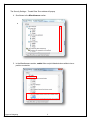
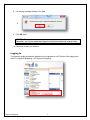
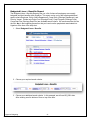
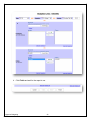
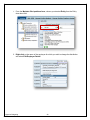
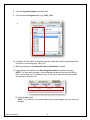
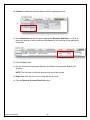
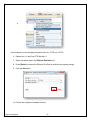
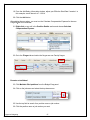
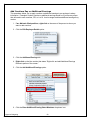
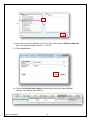
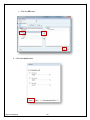
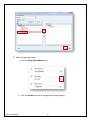
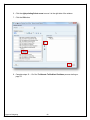
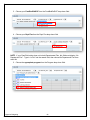
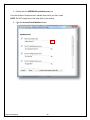
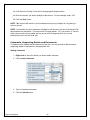
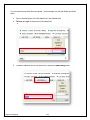
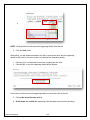
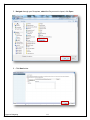
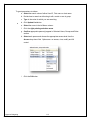
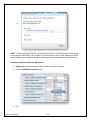
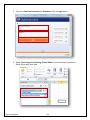
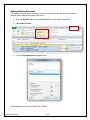
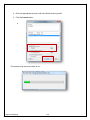
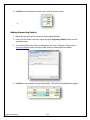
2. Double-click the OPERBUD-PopulateAccount rule.
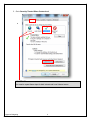
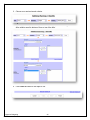
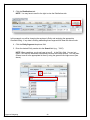
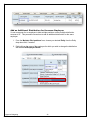
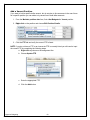
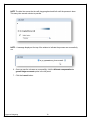
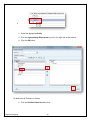
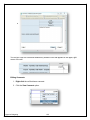
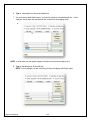
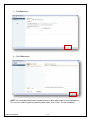
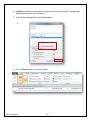
From the Runtime Prompts window, indicate the account you wish to add.
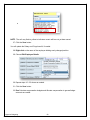
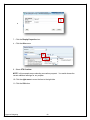
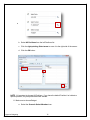
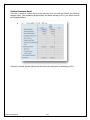
NOTE: Do NOT change any of the other fields in this window.
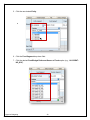
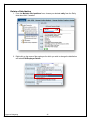
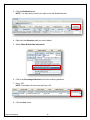
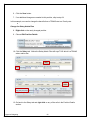
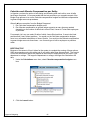
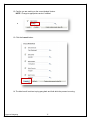
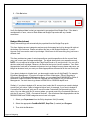
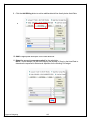
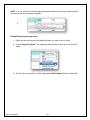
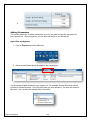
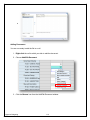
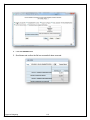
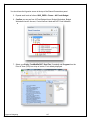
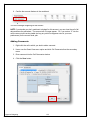
3. Click the Account Select Members button.
Hyperion Budgeting
94