1
Settings
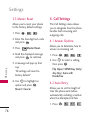
3.5 Master Reset
4. Call Settings
Allows you to reset your phone
to the factory default settings.
The Call Settings menu allows
you to designate how the phone
handles both incoming and
outgoing calls.
1. Press
,
,
.
2. Enter the four-digit lock code
and press
.
3. Press
Master Reset.
4. Read the displayed message
and press
to continue.
S ett i n g s
5. A message will pop up that
says
“All settings will revert to
factory default.”
6. Use
to highlight an
option and press
.
Revert/ Cancel.
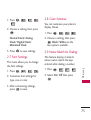
4.1 Answer Options
Allows you to determine how to
answer an incoming call.
1. Press
,
,
.
2. Use
to select a setting,
then press
.
Flip Open/ SEND Key Only/
Any Key/ Auto with
Handsfree
4.2 Auto Retry
Allows you to set the length of
time the phone waits before
automatically redialing a number
when the attempted call fails.
1. Press
76
,
,
,
,
.