1
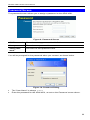
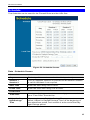
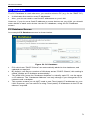
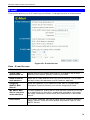
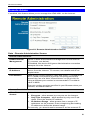
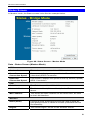
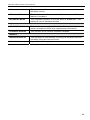
Setup
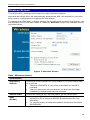
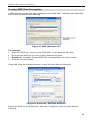
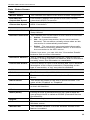
Options
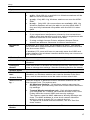
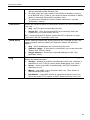
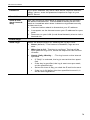
Mode
Channel No.
Broadcast
SSID
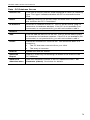
Select the desired mode:
•
g & b - Both 802.11.g and 802.11b Wireless stations will be
able to use the ADW-4301.
•
g only - Only 802.11g Wireless stations can use the ADW4301.
•
b only - Only 802.11b connections are available. 802.11g
Wireless Stations will only be able to use the ADW-4301 if
they are fully backward-compatible with the 802.11b standard.
•
Select the Channel you wish to use on your Wireless LAN.
•
If you experience interference (shown by lost connections
and/or slow data transfers) you may need to experiment with
different channels to see which is the best.
•
If using multiple Access Points, adjacent Access Points
should use different Channels to reduce interference.
If enabled, the ADW-4301 will broadcast its SSID. This allows
PCs and other wireless stations to detect this Access Point and
use the correct SSID.
If disabled, PC users will have to manually enter the SSID and
other details of the wireless interface before they can connect to
this Access Point.
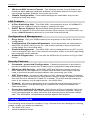
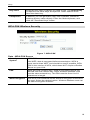
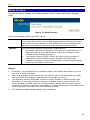
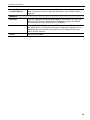
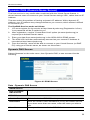
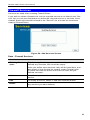
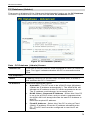
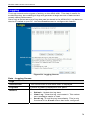
Wireless Security
Current Setting
The current Wireless security is displayed. The default value is
disabled.
Configure
Button
Click this button to access the Wireless security sub-screen, and
view or change the settings. See the following section for details.
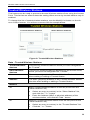
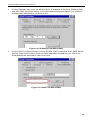
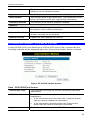
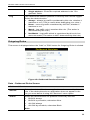
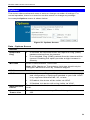
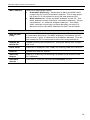
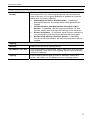
Access Point
Enable Wireless
Access Point
Allow access
by …
Enable this if you want to use Wireless Access Point function. If
disabled, no Wireless stations can use the Access Point function, and all connections must be make via the wired LAN.
Use this feature to determine which Wireless stations can use
the Access Point. The options are:
• All Wireless Stations - All wireless stations can use the
access point, provided they have the correct SSID and security settings.
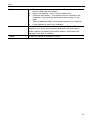
•
Set Stations
Button
Trusted Wireless stations only - Only wireless stations
you designate as "Trusted" can use the Access Point, even
if they have the correct SSID and security settings.
This feature uses the MAC address to identify Wireless stations. The MAC address is a low-level network identifier
which is unique to each PC or network device.
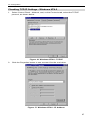
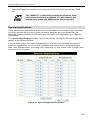
To define the trusted wireless stations, use the "Set Stations" button.
Click this button to manage the trusted PC database.
17