1
UK
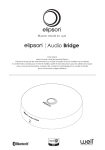
Thank you for choosing an Elipson audio product. Elipson’s Audio Bridge allows you to direct
sound from several sources to your Planet LW speakers. Please read the following information
carefully before using your new product.
I. CONTENTS
• Audio Bridge Case
• Power Source Adaptor
• User Notice
II. SET UP
1. CONNECTING TO ELIPSON PLANET LW SPEAKERS
procedure will need to be done once (the device will store your speakers in its memory).
To make this procedure easier, please place your two Planet LW speakers close to one
another.
Make sure that there are no well dongles hooked up (USB or iPhone)
1. Plug the Audio Bridge in to the power source and set the switch to «ON»
(«Well» button light will take 10 seconds to turn on)
2. Turn on your Planet LW speakers (they should blink with a white light on the front)
3. With your speaker remote control, press and hold the «ON» button for 6 seconds. At
that point, the lights should begin to blink quickly. If one of the speakers does not blink
quickly, repeat the procedure and aim the remote directly at it
4. Press continuously (6 seconds) on the «well» button on the back of the Audio Bridge. The
«well» logo on the front side of the Audio Bridge should now be blinking quickly
5. While pointing toward the Planet LW speakers, press once on the «play» button on the
remote control
6. After 20 seconds, the white lights on the Planet LW speakers should no longer be blinking
Your Planet LW speakers are now connected to the Audio Bridge
8