1
Contents
1
2
Notice
s
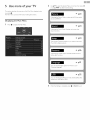
Use more of your TV
22
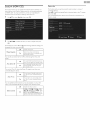
Displaying the Main Menu
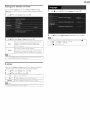
Picture
2_2_
23
Important
6
Sound
24
Positioning the TV
6
Setup
24
Regulatory notices
Environmental care
6
6
Autoprogram
Channet list
2_4
25
Add channels
25
Antenna confirmation
25
Get staked
7
Features
7
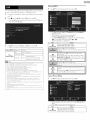
Caption settings
2_6
Supplied accessories
7
Symbols used in this User Manual
7
Child and ratings lock
Channel loci<
2_7
2_7
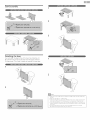
Stand assembly
8
Setting US movie and TV ratings
28
8
Canadian English or Canadian French ratings
2_9
Change PIN
2_9
Attaching the base
Managing cables
Installingthe remote
Remote control
9
control batteries
1I
11
Connecting the antenna or the cabte
Connecting a set-top box, Blu-ray disc / DVD recorder via
I2_
connectors
and Analog Audio
I 2
Selecting your connection quality
HDNI - Highest quality
I3
I3
Component
Composite
(Y Pb Pr) - High quality
- Basic quality
Connecting your devices
HDNI Digital connection
HDNI-DVI connection
Component
Composite
Analog Video Connection
Analog Video Connection
Digital Audio Output
PC connection
Connection
USB Memory Stick
Initial setup
4 Use your TV
Switching on your TV and putting it in Standby mode
Adjusting volume
Switching channels
Watching
channels from an external device
Sleep timer
Switching audio mode
EasyLinl< options
Changing picture format
TV screen information
EasyLinl< (HDNI
Device list
I3
Video (Motion JPEG)
13
I3
13
your TV software
3t
32_
32_
33
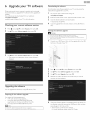
Checking your current software version
33
Upgrading the software
33
7 Useful tips
I4
31
32
Picture (JPEG)
6 Upgrade
30
30
31
Language
USB
I3
I4
2_9
CEC)
Setting your location to home
E-sticker
I2_
Plugging in the AC power cord
26
PC settings
9
I 0
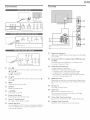
Control panel
Terminals
composite
Features
34
FAQ
34
Troubleshooting
35
Information
36
Glossary
Maintenance
36
36
9 Specifications
37
10 Warranty
38
I4
I5
I5
I6
I8
I8
I8
I8
I9
I9
I9
20
20
2I
8