1
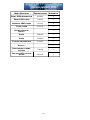
PBS ADMINISTRATION ORGANIZATION
The PBS Administration documentation contains information on how to set up and maintain
your Passport Business Solutions system. PBS administration is needed to support all the other
installed modules.
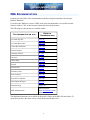
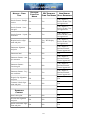
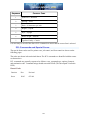
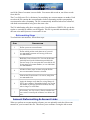
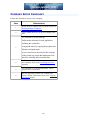
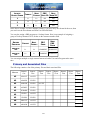
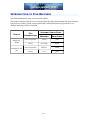
The chapters of this manual are informally grouped into the following:
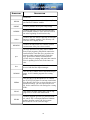
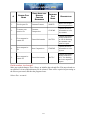
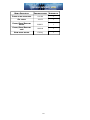
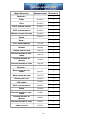
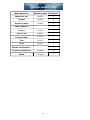
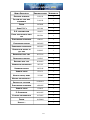
FOR INFORMATION ON THIS
GROUP
REFER TO CHAPTERS
Software Installation
2, 3
User and menu configuration
4, 5
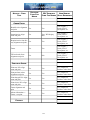
Company configuration and printer
setup
6, 7, 8, 9
Limiting menu access (security)
10
Designing custom Lookups
11
Data file administration
12, 13, 14
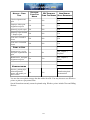
Appendices
A, B, C, D, E, F, G, H
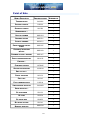
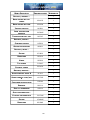
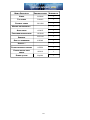
The chapter topics are described below:
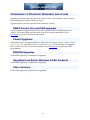
Software Installation
This section defines Passport Software requirements for the supported operating environments and
installation of Passport Software.
•
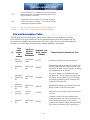
Chapter 2 - PBS Installation contains information on how to install a Passport Business Solutions system.
•
Chapter 3 - Workstation Install-Configure contains steps to install and configure a workstation
for accessing PBS.
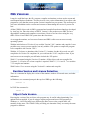
Company Configuration
This section describes the primary set up of a company in PBS.
•
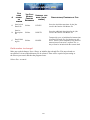
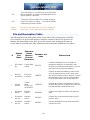
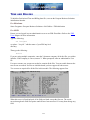
Chapter 4 - PBS Users describes how to set up users and user security in your Passport Business Solutions system. The difference between Administrative and General Users is defined.
•
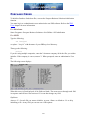
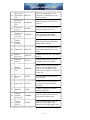
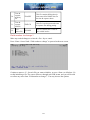
Chapter 5 - PBS Menus describes custom menus in Passport Business Solutions. Custom
menus can be defined that display, on screen, only those functions that a user accesses. This
chapter tells you how to define custom menus and how to associate them with users.
2