1
46
CHAPTER 4. SPECIAL DOCUMENT CLASSES
4.6.4
Use of ERT
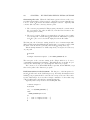
The use of ERT is optional, and is reduced to three commands, which affect
the look of the page. If you started writing your paper by using the ijmpd.lyx
template, the ERT needed is already in its place; you usually don’t need to delete
it. You may only change the first ERT to specify the information printed to the
top of odd and even pages (authors’ names and short paper’s title, respectively).
This ERT must have the form \markboth{Authors’ Names}{Short Paper’s
Title}.
4.7
Kluwer
by Panayotis Papasotiriou
4.7.1
Overview
The Kluwer package is a set of macros produced by Kluwer Academic Publishers
that facilitates electronic manuscript submission to the journals they publish.
Most known of them (at least in my domain of interest) are Astrophysics and
Space Science and Solar Physics, but there are many others (see a complete list
at http://www.wkap.nl/jrnllist.htm/JRNLHOME). The Kluwer package may
be downloaded from the site http://www.wkap.nl/kaphtml.htm/STYLEFILES.
A complete user guide is contained in that package (but it can also be downloaded separately).
LYX supports many features of the package but not everything. However, the
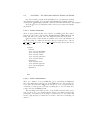
ERT needed is reduced to some “peculiar” commands of the package (see 4.7.4).
I have recently used LYX to write an article submitted to the Astrophysics and
Space Science without any problem.
4.7.2
Writing a paper
The easiest way to write a paper is to start with the Kluwer template file. Click
on File ! New from Template, then choose the kluwer.lyx template. This will
give an (almost) empty document that includes the most common fields found
in a manuscript and a short description of their use. As in most templates,
simply overwrite the existing text (including the brackets, <>) with the correct
information.
4.7.3
Preparing a paper for submission
As in the AASTEX package, before you submit your paper to a journal you must
“postprocess” it as follows.
1. Export your paper as a LATEX file. To do this, click on File ! Export ! LateX.
2. Edit the resulting .tex file with a text editor and make the following
changes