1
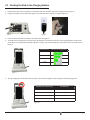
6.0 - Battery Charge Times
Depending on the configuration of power supply, CR4405 sled, iPhone, and spare battery docked in the Charging Station, charge time
can be as little as 2-4 hours.
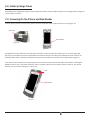
7.0 - Powering On the iPhone and Sled Reader
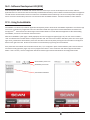
With the phone inserted in the sled, if the phone is off, press the button on the top of the sled to turn it on (Figure 15).
Power On
Home Button
Figure 15
Figure 16
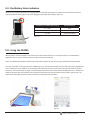
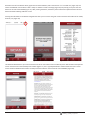
The CR4405 sled can be powered on by pressing the scan button on the right side of the sled (Figure 17). The sled’s upper right
LED (Figure 17) will flash red, pause for approximately 10 seconds to boot up, then flash green indicating the sled is ready for use.
Powering off the reader is done by pivoting the battery latch counter-clockwise to unlock and removing the battery (Figure 2).
If you wish to wake the reader from sleep, simply push the scan button and the barcode illumination LEDs will flash, indicating the
CR4405 is ready to scan. If the reader sleeps for 2 hours it will power off. Press the scan button to power it back on. The LED will
flash red, boot up, and then flash green, ready to scan.
LED
Scan Button
Figure 17
D018433_01_CR4405_User_Manual
4