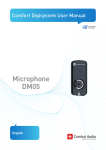
Download DM-05 DigiSystem Mini Microphone Manual
Transcript
User Manual Microphone Mini DM-05 English Microphone Mini DM-05 1 User Manual Table of Contents Page Introduction to the Comfort Digisystem 3 Presenting the Microphone Mini DM-05 3 Functions of the Microphone Mini DM-05 4 Getting Started 5 First Time Use 6 Settings 7 Pairing 8 More Functions 11 Radio Range and Channels 12 Attached Accessories 14 Other original Accessories 14 Trouble Shooting 15 Service and Warranty 16 Technical Data 16 Important Safety Instructions 17 2 Microphone Mini DM-05 Introduction to the Comfort Digisystem Thank you for choosing Comfort Digisystem. The products are easy to use, whether you use a hearing aid or not. Before using the product, please read this User Manual carefully. Using the Microphone Mini DM-05 transmitter, the signal is transferred digitally, resulting in an excellent clear sound. Technology Comfort Digisystem is fitted with SecureStream Technology - a type of digital technology allowing eavesdrop-secure radio transfer in real time. SecureStream Presenting the Microphone Mini DM-05 The Microphone Mini DM-05 is the world's smallest wireless microphone for the digital transfer of sound to earpieces. This radio signal is encoded so that no one else can hear what is being said. The microphone is extremely discreet and can be simply attached to clothes with a clip. The Microphone Mini DM-05 is equipped with a voice AGC (Automatic Gain Control) to maintain a comfortable sound level at all times. The DM-05 is pre-programmed with 10 channels. Additional channels can be used in combination with other Digisystem products. Microphone Mini DM-05 3 Functions of the Microphone Mini DM-05 Charging socket On / Off Hole to secure neck pendant Clips Omnidirectional microphone Pairing button Function indicator 4 Microphone Mini DM-05 Getting Started Charging The Microphone Mini DM-05 is chargeable. Charge the DM-05 at least two hours before you use it for the first time. An empty battery is fully charged within two hours. During charging, the function indicator shows red. Once the function indicator shows green the unit is fully charged and switches to automatic float charging. The unit is automatically switched off when charging. A fully charged battery has an operating time of up to six hours. Battery lifetime is up to five years. You must not change the battery yourself; please contact your point of purchase. Connecting a charger to the Microphone Mini DM-05 Please note: Only use the charger supplied by Comfort Audio AB. Microphone Mini DM-05 5 First Time Use Switch on the transmitter by pressing the On/Off button for around two seconds. Function indicator ON. The Microphone Mini DM-05 s a microphone for closer range. It works best within approx. 30 cm. Attach the DM-05 to your clothes using the clip. The DM-05 is supplied with a neck pendant, which can be connected to the unit to make sure that you do not drop it. Other functions are explained later in this manual. 6 Microphone Mini DM-05 Settings As the DM-05 does not have a display/menu, the unit's functions are controlled by means of the pairing button. The current function is displayed by the function indicator. In addition to the pairing functions (see section Pairing), there is also the facility to activate three modes. To do this, press the pairing button and hold it down immediately after starting up the unit (within two seconds). A selected mode can always be cancelled by switching off the DM-05 and starting it up again. Change channel 0 sec 5 sec Change code 10 sec 15 sec Factory reset 20 sec Change channel When the pairing button is held down for five seconds, the function indicator shows a constant green light. If you release the pairing button when the function indicator is green, the Change channel mode is activated. Press the pairing button briefly the number of times corresponding to the desired channel (1-10), see section Radio Range and Channels. After a pause of two seconds, the entry process ends and the selected channel is shown by the same number of green flashes in the function indicator. Change code If the pairing button is instead held down for ten seconds, the function indicator will switch to a red light. If you release the pairing button when the function indicator is red, Change code mode is activated. Press the pairing button twice in quick succession to generate a random Microphone Mini DM-05 7 code, and at the same time the pairing information is transmitted (make sure that other Digisystem units to be paired are activated to receive pairing information). Five red flashes in the function indicator confirm that the pairing information (channel and code) has been sent. Factory reset If the pairing button is instead held down for 20 seconds, the function indicator will switch to an alternating red and green light. The Factory reset mode is now activated. To perform a factory reset, press the pairing button once quickly. The function indicator flashes the number of times corresponding to the channel, see section Radio Range and Channels. The channel and code are now reset to the factory settings. Pairing In contrast to other Comfort Digisystem transmitters, the Microphone Mini DM-05 does not have a display and must therefore be paired using the pairing button, see section Pairing (via pairing button). Pairing To use a receiver and transmitter together, they must be paired. All transmitters and receivers are default paired at the factory and will work together. To prevent eavesdropping, a new code key must be generated and transmitted between the units by pairing. Transmitting/receiving of pairing information along with a new code can be performed from any Comfort Digisystem unit. To pair units without a display, see sections Pairing (via pairing button) and Pairing (Connector DT-10). Pairing information or a new code key can be received by a several activated units. Comfort Digisystem units with both transmitters and 8 Microphone Mini DM-05 receivers built-in can be paired separately. When opening the pairing menu, choose the concerning unit (transmitter/receiver). In units with both transmitters and receivers, the pairing button controls the transmitter. The code key is always the same for the transmitter and the receiver when these are built-in in the same unit. The easiest way to get the same code key in the whole Digisystem, is to generate a new code key from the combined unit; in that way the built-in receiver gets the same code as the rest of the system. Pairing (via menu) Select Receive info on one unit. Ready to receive pairing info is shown in the display. Select New code on the other unit; select Yes. Generate new code and send info? is shown in the display. Select Yes (Now both the channel and the coding information have been sent, and sound transfer is eavesdrop-secure). To pair another unit into your coded system, select Send info instead on one of your paired units. Pairing (via pairing button) (The only way of pairing units without a display, with the pairing button) Two brief presses activate the Send info button. One long press activates the Receive info button. You can also go straight to the Pairing menu item via the pairing button. One brief press opens the Pairing menu on items with a display. Pairing (Connector DT-10) The connector cannot send information, only receive it. To activate the position Receive info, the connector must be in operation (position I or II) and connected to an operating hearing aid. The selector is then quickly moved to position 0 and back to the operating position (I or II). The connector can now receive pairing info. If no info is Microphone Mini DM-05 9 received by the connector, after a short time this returns automatically to the previous setting. 10 Microphone Mini DM-05 More Functions Function indicator (LED) The function indicator shows the unit's status depending on its setting. When the DM-05 starts, the function indicator shows which channel is selected (1-10) by flashing green 1-10 times. If another channel has been paired in, this is indicated by the green lamp lighting for four seconds when the unit is started up. On normal operation the indicator flashes every other second. During charging the indicator shows red. When the charging is completed, the indicator shows green. When the battery gets low, the indicator flashes red every other second. Once the unit has been set to receive pairing information, the indicator flashes green quickly. When receiving pairing information, the indicator shows green for four seconds. When sending pairing information, the indicator flashes red five times. A constant green light indicates Change channel mode. A constant red light indicates Change code mode. An alternating red/green light indicates Factory reset mode. Microphone Mini DM-05 11 Radio Range and Channels The transmitter and receiver have built-in antennas. The radio range between the units is around 30 metres. This may however vary depending on the particular environment you are in. Like all radio systems, Comfort Digisystem communicates on specific channels. If you use two transmitters on the same channel or a neighbouring one, there may be interference. Other electronic equipment can also interfere with radio transmissions. In most European countries, channels 1-3 (863.250 864.750 MHz) may be used for hearing products. However, you should always check with the frequency assignment authority in your own country which channels are free and which require a licence. Frequency range of each model Art. no. DG15101 (F2) 768 - 818 MHz Pre-programmed channels DG15101 1. A53 - 768.800 MHz 2. A46 - 771.600 MHz 3. A35 - 776.000 MHz 4. A25 - 780.000 MHz* 5. A15 - 784.000 MHz 6. C25 - 790.400 MHz 7. C12 - 795.600 MHz 8. D45 - 802.000 MHz 9. D34 - 806.400 MHz 10.D15 - 814.000 MHz * Factory-set channel 12 Microphone Mini DM-05 Art. no. DG15001 (F1) 818 - 872 MHz Pre-programmed channels DG15001 1. 1 - 2. 2 - 3. 3 - 4. E85 - 5. E71 - 6. E42 - 7. E19 - 8. E4 - 9. B15 - 10.B4 - 863.250 MHz 864.000 MHz* 864.750 MHz 820.000 MHz 825.600 MHz 837.200 MHz 846.400 MHz 852.400 MHz 857.200 MHz 861.600 MHz * Factory-set channel In addition to these selectable channels, channels within the frequency range of each DM-05 model can be set by means of pairing with other Digisystem units. Microphone Mini DM-05 13 Attached Accessories Safety neck pendant Charger Other original Accessories Car charger The car charger is designed for cars with a 12 volt (-) earthed electrical system. The charger has short-circuit and automatic overload protection. Disconnect the charger from the socket after use. Charging stand For other accessories, please visit our website, www.comfortaudio.com 14 Microphone Mini DM-05 Troubleshooting The transmitter and receiver do not start Charge the transmitter and receiver. Remember to press the On/Off button down for 2 seconds to switch the unit on. Check that the charger is connected to the plug socket. Poor speech intelligibility The distance between the transmitter and the receiver may be too long. The range is around 30 metres. The distance between the microphone and the person who is talking may also be too long; move the microphone nearer to the person talking. Try to change channel/environment. Poor range and interference In some environments involving, e.g., concrete, iron or sheet metal structures, the range may be reduced. There may also be equipment nearby causing interference. Change channel. No sound Check that the transmitter and receiver are set to the same channel. Loud hissing noise (no sound transfer) Check that the units are paired. Microphone Mini DM-05 15 Service and Warranty Comfort Audio AB provides a comprehensive warranty for two years as from the date of delivery. This covers all defects of manufacture and materials. Defects caused by careless handling or intervention inside the product or its accessories are not covered by the warranty. Under normal use, battery lifetime is up to five years. Contact your point of purchase once it is time to change the battery. You are always welcome to contact us at Comfort Audio if you have any questions. Technical Data Type of transmitter: Range: Dimensions: Weight: Frequency range: Antenna: Operating time: Battery: Charging time: Microphone: SST - SecureStream Technology Approx. 30 m 58 x 27 x 14 mm incl. clip 16 g DG15101 (F2) 768 - 818 MHz DG15001 (F1) 818 - 872 MHz Built-in Up to six hours Chargeable Li-Polymer Approx. two hours Built-in, omnidirectional ! 16 Microphone Mini DM-05 Important Safety Instructions Read these before using your product 1) Read these instructions. 2) Keep these instructions. 3) Heed all warnings. 4) FolIow all instructions. 5) Do not use this apparatus near water. 6) Clean only with dry cloth. 7) Do not use near any heat sources such as radiators heat registers stoves, or other apparatus (including amplifiers) that produce heat. 8) Do not defeat the safety purpose of the polarized or grounding-type plug. A polarized plug has two blades with one wider than the other. A grounding type plug has two blades and a third grounding prong. The wide blade or the third prong are provided for your safety. If the provided plug does not fit into your outlet consult an electrician for replacement of the obsolete outlet. (Only when using polarized plug) 9) Protect the power cord from being walked on or pinched particularly at plugs convenience receptacles. and the point where they exit from the apparatus. 10) Only use attachments/accessories specified by Comfort Audio AB. 11) Unplug this apparatus during Iightning storms or when unused for long periods of time. 12) Refer all servicing to qualified service personnel. Servicing is required when the apparatus has been damaged in any way such as power-supply cord or plug is damaged Iiquid has been spilled or objects have fallen into the apparatus, the apparatus has been exposed to rain or moisture does not operate normally or has been dropped. 13) Start listening at a low volume. 14) Too high a volume can seriously damage your Microphone Mini DM-05 17 hearing. 15) Don’t dissasemble the product. 16) Should the product break open because of damage, service should only be done by qualified service personnel. 17) Never use a transmitter or receiver set to a non-permitted frequency. Check with the frequency authority in the country where the equipment is to be used. 18) The product contains sensitive electronic equipment and must be handled carefully. 19) Never charge product in closed, unaired spaces such as handbags, cases or other closed storage bags. 20) Only use batteries and power supply specified by Comfort Audio AB. 21) You must not change the battery yourself; please contact your point of purchase. 22) CAUTION! Danger of explosion if battery is incorrectly replaced. 23) The product shall not be exposed to excessive heat such as sunshine, fire or the like. Subject to change 18 Microphone Mini DM-05 Microphone Mini DM-05 19 Comfort Audio AB Box 154, SE-301 05 Halmstad, Sweden Tel. +46 (0)35 15 23 00 Fax +46 (0)35 15 23 23 [email protected] www.comfortaudio.com 20 Microphone Mini DM-05 MA0158 Ver 1.1 Rev A Manufactured by: