1
Introduction
The Prius Mini-Scanner displays information
on the operation of a Toyota Prius gasoline /
electric hybrid car. You can use the information to drive the car as economically as possible, to understand how it works and to watch
for any problems that might develop.
The Mini-Scanner obtains information from
the various computers or “Electronic Control
Units” (ECUs) in the car. It does this using
the On-Board Diagnostic (OBD-II) data bus.
All Prius have this, so no modifications are
necessary and installation is fully reversible.
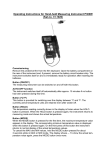
Photo 1 – The Mark II Prius Mini-Scanner
You can position the Mini-Scanner behind the steering wheel where most cars have their
main instrument cluster. The driver can then glance at the display without taking his or
her eyes from the road for any longer than is usual. It is also possible to locate the MiniScanner for use by a passenger.
Over 50 data items can be retrieved from the car's ECUs and displayed. Some represent
vehicle operating data that would be present in any car, such as engine r.p.m. and coolant
temperature. Other items are specific to a gasoline / electric hybrid vehicle, such as the
battery state-of-charge and current and the torque of the traction motor. Finally, many
items give you diagnostic and trouble-shooting information, such as the temperature of
the motors, battery and inverter electronics. The Mini-Scanner can retrieve “Diagnostic
Trouble Codes” (DTCs) from the main ECUs. This is the information that Toyota service
centers use to locate problems with the vehicle.
Road Safety
When installed and used properly, the Prius Mini-Scanner should be no more distracting
to the driver than the speedometer or Multi-Function Display. Do not try to use the MiniScanner when it is not properly secured or mount it in such a way that the driver must
take his or her eyes off the road for more than a moment. I strongly recommend that the
driver not use the buttons while the car is moving. To study the displayed information
closely in this situation, have someone else drive the car and operate the Mini-Scanner
from a passenger seat. A long adapter cable is available as an accessory for this purpose.
However you choose to use the Mini-Scanner, I accept no responsibility for any failure to
drive your car in a safe manner. If you find the Mini-Scanner distracting to the driver,
please return it for a refund of the purchase price.
About this Manual
In this User Manual, I will tell you how to install, operate and look after your Prius MiniScanner. All the information you can get from your car is described. In many cases its
relevance to owning and driving your Prius is explained. But, before we plunge into the
detailed stuff, let's take a quick look at how the Mini-Scanner works and think about what
we might do with the data it will give us. If you are desperate to plug the Mini-Scanner in
and start it up, follow the procedure in the printed Read Me First / Quick Start Guide.
Page 1