1
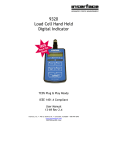
INSTRUCTION MANUAL
Model 9830
CAL
TARE
PK
SP1
VAL
SP2
SP1
MODE
TARE
DISP
CAL
RESET
SP2
RCAL
Strain Gage Indicator with
Enhanced Performance Features
ADVANCED FORCE MEASUREMENT
7401 E. BUTHERUS DR.
SCOTTSDALE, AZ 85260
www.interfaceforce.com
TABLE OF CONTENTS
DESCRIPTION and SPECIFICATIONS ............... 1
INSTALLATION and WIRING .............................. 2
SWITCH and FUNCTION DEFINITIONS ............ 6
OPERATING INSTRUCTIONS ........................... 10
CALIBRATION INSTRUCTIONS ........................ 14
SERIAL RS232 COMMUNICATIONS ................. 17
FIGURES
Figure 1
Figure 2
Figure 3
Figure 4
Figure 5
Figure 6
Model 9830 Front Panel View ........... 3
Model 9830 Rear Panel View ............ 3
Transducer Wiring ............................. 4
I/O (Input/Output) Wiring ................... 4
Location of Switches, Jumpers and
Potentiometers ................................... 5
Location of Jumpers for
AC Line Voltage Selection ................ 5
DESCRIPTION
The Model 9830 is an enhanced performance, microprocessor-based
digital indicator capable of interfacing directly to a low level strain gage load
cell transducer. An internal, high gain, fully-differential amplifier and a
16-bit analog-to-digital converter combine to accurately digitize the input
signal. A 5Vdc@ 60mA or 10Vdc@120mA, short circuit protected,
transducer excitation supply is also provided. Self-calibrating +- 10Vdc
and 4-20mA analog output signals are standard with this instrument. A
programmable digital filter with exponential smoothing and programmable
motion window provide optimum response to step inputs. A front panel
RCAL switch provides a convenient calibration feature. TARE and
CALIBRATION are easily performed via front panel pushbuttons.
SPECIFICATIONS
Excitation voltage:
Excitation current:
Input amp gain:
Input impedance:
Input bias current:
Zero tempco:
Gain tempco:
CMRR:
Signal input range:
5 or 10Vdc, internal jumper selectable
60mA @ 5Vdc, 120mA @ 10Vdc
100 or 200
1000 megohm (min)
10nA (max)
1uV/degC (typ)
20ppm/degC (typ)
120dB @ 50-60Hz
+- 25mV at Input amp gain = 200
+- 50mV at Input amp gain = 100
Max internal counts: +- 32,768 over signal input range
Max display range: +- 99,999
Sensitivity:
0.8uV/internal count at input amp gain = 200
Conversion rate:
120 samples/second
Analog Filter:
2-pole, 1000Hz low pass
Digital Filter:
Exponential smoothing filter with adjustable
smoothing constant and filter window
+- 0.01% +- 1 internal count
Nonlinearity:
Step Response:
25ms (without digital filtering)
+- 10Vdc and 4-20mA (self-calibrating)
Analog Outputs:
Serial Output:
Bi-directional RS232 with internally selectable
baud rates
Operating range:
-10 to 50 degC
Input Power:
115 or 230 Vac (solder pad jumper selectable)
Pkg dimensions:
3.78W x 1.89H x 5.13D
INSTALLATION AND WIRING
INSTALLATION
The Model 9830 enclosure is designated for panel mounting in a 1/8 DIN
cutout. The cutout dimensions are shown below.
1.772"
45mm
(+0.024, -0.000)
92 mm
3.622"
(+0.032, -0.000)
To panel mount the 9830, perform the following steps.
1. Rotate the four pawl screws ( outside screws in each corner)
several turns counter-clockwise to retract the pawls. Make sure
the pawls retract enough to clear the back of the mounting
panel.
The pawls may be retracted to accomodate panel
thicknesses up
to 0.25 inches (6.35mm).
2. Insert the instrument into the panel cutout.
3. Position the pawls so that their elongated dimension overlaps the
panel cutout, then tighten the screws. Do not over-tighten.
4. Installation complete.
WIRING
Reference Figures 3 and 4 for TRANSDUCER and I/O wiring information.
Power is applied with a 3-prong AC power cord. The instrument is
protected by a 250V, 250mA fast acting 5mm fuse. The fuse holder is an
integral part of the input power connector. A spare fuse is provided in the
fuse holder. Internal solder jumpers are provided to allow 115Vac or
230Vac operation (Reference Figure 6 on page 5).
Case Screw
(1 of 4 inside screws)
These 4 screws hold the front panel
to the instrument case.
Pawl Screw
(1 of 4 outside screws)
These 4 screws are used to mount
the instrument in a panel.
Peak (Max) or
Valley (Min)
Annunciators
Model 9830
CAL
Status LEDS
(See Status Definition)
TARE
PK
SP1
VAL
Mode Selection
Switch S1
SP2
SP1
MODE
TARE
DISP
Decrement or Tare
Selection Switch S2
(Dual Function Switch)
CAL
RESET
Step Switch S4
SP2
RCAL
Increment or Calibrate
Selection Switch S3
(Dual Function Switch)
Reset or Menu Exit
RCAL Switch S7
Switch S6
(Dual Function Switch)
Display Selection
Switch S5
Figure 1. Model 9830 Front Panel View
Fuse Holder
(250V, 250mA, 5mm fuse)
Input / Output Connector
(15-pin Male D-Sub)
I/O
J2 1
8
!
9
J1
Line
50/60 Hz
15
115V .10A
TRANSDUCER
6
9
1
5
Transducer Connector
(9-pin Female D-Sub)
Figure 2. Model 9830 Rear Panel View
230v .05A
FUSE
220/240v T250v 250ma
AC Power Connector
(3-prong grounded IEC connector)
P1
|
|
|
|
|
|
|
|
|
|
|
|
|
|
|
|
Transducer
Chassis Gnd
1
3
6
4
9
J1
|
|
|
|
|
|
|
|
|
|
|
|
|
|
|
|
Vexc(+)
Sig (+)
Vexc(-)
Sig (-)
Chassis Gnd
Figure 3. Transducer Wiring
9 pin
25 pin
Gnd
5
7
TXD
3
2
DSR
6
6
DTR
4
20
RXD
2
3
< 50V @10mA
< 50V @10mA
< 50V @10mA
< 50V @10mA
Setpoint Output Common
Analog Output A
Analog Output B
Analog Ground
Remote Zero
+5Vdc @ 25mA
Figure 4. I/O Wiring
P2
|
|
|
|
|
|
|
|
|
|
|
|
|
|
|
|
|
|
|
|
|
|
|
|
|
|
|
|
|
|
|
|
|
|
|
|
|
|
4
2
3
1
10
11
12
13
9
6
7
5
14
15
J2
|
|
|
|
|
|
|
|
|
|
|
|
|
|
|
|
|
|
|
|
|
|
|
|
|
|
|
|
|
|
|
|
|
|
|
|
|
|
Digital Gnd
RXD
DTR
DSR
TXD
SP4
SP3
SP2
SP1
+/-10 Vdc Analog Output
4-20 mA Analog Output
Analog Ground
Remote Zero
Vcc (+5 Vdc Logic Supply)
20mA Analog
Output Adjust
Transformer
For RCAL to generate
a Positive Output
install solder jumper 4.
1
2
3
4
JUMPERS FOR BAUD RATE
1
On
On
On
Off
On
Off
2 3 4 Baud Rate
On On Off
1200
Off On Off
2400
On Off Off
4800
On Off Off
7200
Off Off Off
9600
Off Off Off
19200
For RCAL to generate
a Negative Output
remove solder jumper 4
and install solder jumper 3.
4mA Analog
Output Adjust
Vexc Adjust
Spare
5 Vdc Vexc
50 mV Gain Setting
25 mV Gain Setting
on SW1 off
4
3
RCAL
10V Analog
Output Adjust
NOTE: DO NOT
INSTALL SOLDER
JUMPERS 3 AND 4
AT THE SAME
TIME. THIS WILL
SHORT OUT Vexc.
Note: Jumper shown for default setting of 9600 baud
115
220
Solder jumpers shown (2)
for 115Vac operation.
For 230Vac operation
remove both 115VAC
solder jumpers and add
(1) solder jumper here.
back
Figure 5. Location of Switches, Jumpers and Potentiometers (Top View)
Figure 6. Location of Jumpers for AC Line Voltage Selection (Bottom View)
SWITCH AND FUNCTION DEFINITIONS
Model 9830
SWITCH DEFINITIONS
CAL
TARE
PK
SP1
VAL
SP2
SP1
MODE
TARE
DISP
Mode Selection Switch (S1)
CAL
RESET
SP2
RCAL
S1 S2 S3 S4
S5 S6 S7
S1 is used to cycle through the various programmable functions of the 9830. The
sequence is as follows. The designators, in ( ), identify text that will be displayed.
The settable values are shown in { }
Factory Default Settings
Full Scale CAL Switch Disabled (CAL Off) or Enabled (CAL On)
(CAL Off)
Filter Window Value (bAnd) {001 to 999}
{010}
Filter Value (FILtEr) {00 to 99}
{95}
Decimal Point (dP) {x.xxxx, xx.xxx, xxx.xx, xxxx.x, xxxxx}
{xxxxx}
Calibration Number (CAL) {00001 to +- 99999}
{10000}
Full Scale Number (FS) {00001 to +- 99999}
{10000}
Setpoint 1 to Monitor (SP -) {Instantaneous, Peak, Valley, Peak-Valley} {Instantaneous}
Setpoint 1 to be (SP HI) {High Setpoint} or (SP LO) {Low Setpoint}
{High Setpoint}
Set Setpoint 1 Value (Set SP) {00000 to +- 99999}
{99999}
Setpoint 2 to Monitor (SP -) {Instantaneous, Peak, Valley, Peak-Valley} {Instantaneous}
Setpoint 2 to be (SP HI) {High Setpoint} or (SP LO) {Low Setpoint}
{High Setpoint}
Set Setpoint 2 Value (Set SP) {00000 to +- 99999}
{99999}
Setpoint 3 to Monitor (SP -) {Instantaneous, Peak, Valley, Peak-Valley} {Instantaneous}
Setpoint 3 to be (SP HI) {High Setpoint} or (SP LO) {Low Setpoint}
{High Setpoint}
Set Setpoint 3 Value (Set SP) {00000 to +- 99999}
{99999}
Setpoint 4 to Monitor (SP -) {Instantaneous, Peak, Valley, Peak-Valley} {Instantaneous}
Setpoint 4 to be (SP HI) {High Setpoint} or (SP LO) {Low Setpoint}
{High Setpoint}
Set Setpoint 4 Value (Set SP) {00000 to +- 99999}
{99999}
Hysteresis for Low Setpoints (HL) {000 to 200}
{000}
Hysteresis for High Setpoints (HH) {000 to 200}
{000}
Depress Mode Again to Exit (AgAIn)
While in the Mode Selection sequence, the indicator is no longer monitoring the
input signal. To exit, depress S1, once, after the Decimal Point selection is
completed.
Decrement or Tare Switch (S2)
This switch serves two functions, depending on the present status of S1. If the
meter is in the Mode Selection sequence, this switch decrements the flashing digit.
If the meter is in its normal operating mode, S2 becomes the TARE switch.
Depressing S2 will automatically zero the readout, illuminate the TARE LED and
zero the analog output. Depressing and holding S2 depressed for approximately
3 seconds will UNTARE the readout and extinquish the TARE LED. TARING is
accomplished by storing the reading prior to TARING and subtracting this value from
all subsequent readings.
SWITCH DEFINITIONS (CONT)
Increment or Cal Switch (S3)
This switch serves two functions, depending on the present status of S1. If the instrument
is in the Mode Selection sequence, this switch will increment the flashing digit.
If the instrument is in its operating mode, S3 becomes an AUTO CAL switch. CAUTION: If
CAL function has been activated, depressing this switch will cause the instrument to
recalibrate its full scale reading. Be sure to read the CALIBRATION INSTRUCTIONS
before using this switch.
Step Switch (S4)
When the instrument is in the Mode Selection sequence, this switch allows the user to cycle
through the digits. Used in conjunction with S2 and S3, it allows rapid updating of the Set
Point, Hysteresis and Cal values.
Display Switch (S5)
This switch cycles the readout to display:
Peak-Valley
Peak
Valley
Instantaneous Value
Annunciator(s) Illuminated
Peak and Valley
Peak
Valley
None
While in the Peak-Valley, Peak or Valley readout mode, the RESET switch (S6) resets the
readout to the instantaneous value
Reset or Exit Switch (S6)
This switch also serves two functions, depending on the present status of S1. If the
instrument is in the Mode Selection sequence, this switch is used to Exit this sequence and
return to the normal display mode. Any selections made during the Mode Selection
sequence, prior to that selected just before exiting, will be saved and remembered in
non-volatile memory.
If the instrument is in the normal display mode this switch will reset the Peak, Valley and
Peak-Valley readings to the instantaneous value.
RCAL Switch (S7)
This switch activates a reed relay, which places a fixed resistor across
Sig(-) and Vexc(-) for a positive RCAL reading, or across Sig(+) and Vexc(-) for a negative
RCAL reading. Solder jumpers 3 and 4 determine which RCAL reading is generated
(Reference Figure 6).
FUNCTION DEFINITIONS
Filter Value (FILtEr) {00 to 99}
The 9830 uses a filter based on exponential smoothing, a digital averaging technique where the recent conversions are given more weight than the older
conversions. The weighting factor is the value of (FILtEr). The formula for the exponential filter is:
St = (1-F)Ct-1+FSt-1
where St = the new smoothed value
St-1 = the previous smoothed value
Ct-l = actual value of most recent conversion
F = (FILtEr)/100
Higher (FILtEr) values produce stronger filtering. 99 = maximum filtering.
00 = no filtering. The factory default value is 95, a compromise between display stability and response time appropriate for general purpose work.
Filter Band (bAnd) {001 to 999}
To permit a heavy filter and still have fast response to a step input change, the filter operates only inside a stable band. If two consecutive conversions have
a difference greater than the bAnd B, the filter automatically sets F=0, permitting maximum response. When the difference is again within the bAnd B, the
filter returns to the selected F = (FILtEr)/100 value.
Where B is referred to the input signal in mV,
band value B = (bAnd)/100 on the 50 mV range
band value B = (bAnd)/200 on the 25 mV range
Examples:
1. B = 5.0 mV or 0.5 mV/V with bAnd = 500, 50 mV input range, excitation = 10V
2. B = 2.5mV or 0.5 mV/V with bAnd = 500, 25 mV input range, excitation = 5 V
The factory default is (bAnd) = 10.
Decimal Point (dP) {x.xxxx, xx.xxx, xxx.xx, xxxx.x, xxxxx}
dP allows selection of decimal point locations for display. The locations selectable are shown in
{ } above. The Increment and Decrement switches are used to shift decimal places.
Calibration Number (CAL) {00001 to 99,999}
(CAL) is equal to the desired reading corresponding to the calibration load, whether the load is actual, simulated, or from RCAL. The
number is entered prior to performing the calibration.
Examples:
1. A 75.34 lb weight is being used to calibrate a 100 lb load cell.
(CAL) may be set to 75.340, 75.34 or 75.3
depending on the
resolution desired.
2. A 10,000 lbf load cell is known to have a rated output of
2.123 mV/V. A simulator with 2 mV/V output is used to calibrate
the 9830. (CAL) = 10000*2/2.123 =
9421.
FUNCTION DEFINITIONS (CONT)
Full Scale Number (FS) {00001 to +- 99999}
_ 10V output and the 4-20 mA
(FS) is for scaling the analog outputs of the indicator. Both the +
outputs are automatically scaled by (FS). (FS) = the display value that corresponds to the full
scale spans of the outputs, either 10V or 16 mA. Changing the (FS) has no effect until a
calibration is performed. The scaling is accomplished along with the calibration procedure. The
TARE function operates on the analog output the same as it does on the digital display. The
analog output is a continuously amplified analog signal even though the gain is digitally
controlled. Therefore the polarity of the analog output is always the same as the signal input.
The 4-20 mA output is unipolar and therefore must always be used with a positive input signal.
Examples:
1. A 9830 is to read 10000 on the display and produce 5.000 V output with a
10,000 lbf load cell loaded to capacity. (FS) = 10000*10V/5V = 20000.
2. A 9830 is to read 2000.0 on the display and produce a 10 mA span output
with a 2000 lbf load cell loaded to capacity. (FS) = 2000.0*16mA/10mA = 3200.0.
The output will then be 4 mA at zero load and 14 mA at capacity.
Setpoint 1 to Monitor (SP1 -) {SP1 - , SP1 - , SP1 - , SP1 -- }
This function allows Setpoint 1 to monitor the instantaneous, peak, valley or peak minus valley
displays. The Increment or Decrement switches are used to cycle through the various displays.
To signify which display is being monitored, the least significant 7-segment display will be
illuminated as shown below.
INSTANT
PEAK
VALLEY
PEAK-VALLEY
Setpoint 1 to be (SP1 HI) {SP1 HI, SP1 LO}
This allows Setpoint 1 to be a High or Low Setpoint. The Increment or Decrement switches are
used to cycle through the HI or LO selection.
A High Setpoint is disabled when the compared value is less than the Setpoint value. The High
Setpoint is enabled when the compared value is equal to or greater than the Setpoint value.
A Low Setpoint is disabled when the compared value is greater than the Setpoint value. The
Low Setpoint turns on when the compared value is equal to or less than the Setpoint value.
Set Setpoint 1 Value (SEt SP) {00000 to +- 99,999}
_ 99,999. This value along with the previous
Setpoint 1 can be set for any value from 00000 to +
selection of SP HI or SP LO determines when the optically isolated open-collector output
transisitors are activated and the SP1 annunciator illuminated.
For Setpoints 2, 3 and 4, refer to Setpoint 1 setup, shown above.
Hysteresis Low (HL) {000 to 200}
HL is the hysteresis value for all Setpoints set to SP LO. HL determines the value the displayed
reading must exceed the Setpoint value by before deactivating their respective opto isolated
open-collector output(s).
Hysteresis High (HH) {000 to 200}
HH is the hysteresis value for all Setpoints set to SP HI. HH determines the value the displayed
reading must get below the Setpoint value by before deactivating their respective opto isolated
open-collector output(s).
OPERATING INSTRUCTIONS
TURN-ON INSTRUCTIONS
Reference Figures 3 and 4 for proper input and output signal wiring.
1. Apply power to the instrument.
2. Verify the instrument readout blanks momentarily, then displays
the value of the input signal.
PROGRAM INSTRUCTIONS
Four front panel switches (S1, S2, S3 and S4) allow the user to program Filter Window (bAnd), Filter
1- (FILtEr), Decimal Point (dP), Calibration Number (CAL), Full Scale Number (FS), Setpoint to
Monitor (SP -), Setpoint to be (SP HI), Setpoint Value (Set SP), Hysteresis Low (HL) and Hysteresis
High (HH) values.
Model 9830
CAL
TARE
PK
SP1
VAL
SP2
SP1
MODE
TARE
DISP
CAL
RESET
SP2
RCAL
S1 S2 S3 S4
S5 S6 S7
1. Depress MODE (S1) once.
The text COdE will be displayed. Depress the switches in the sequence shown.
S3 - S2 - S3
The text CAL OFF will be displayed. This disables the CAL function of the
INCREMENT/CAL switch. To enable the CAL function depress the
INCREMENT or DECREMENT switch. The text CAL ON will be displayed.
Depressing the MODE switch will enable the CAL function. To exit the
MODE sequence without enabling the INCREMENT/CAL switch,
depress the RESET switch.
2. Depress MODE (S1) switch once.
The text bAnd followed by the current value of the Filter Window
will be displayed. Use S2, S3 and/or S4 to change the current value.
To store the selected value in non-volatile memory, depress the
MODE switch. To exit the MODE sequence, without storing the new
value in non-volatile memory depress the RESET switch. Reference
Filter Window in the Function Definitions section for more information.
3. Depress MODE (S1) switch once.
The text FILtEr followed by the current setting of the Filter value will
be displayed. Use S2, S3 and/or S4 to change the value.
To store the selected value in non-volatile memory, depress the MODE
switch. To exit the MODE sequence, without storing the new value in
non-volatile memory, depress the RESET switch. Reference Filter Value
in the Function Definitions section for more information.
PROGRAM INSTRUCTIONS (CONT)
4. Depress MODE (S1) switch once.
The text dP followed by the decimal point location will be displayed.
Use S2 or S3 to locate the decimal point. To store the selected value
in non-volatile memory, depress the MODE switch. To exit the MODE
sequence, without storing the new value in non-volatile memory depress
the RESET switch. Reference Decimal Point in the Function Definitions
section for more information.
5. Depress MODE (S1) switch once.
The text CAL followed by the current value of the Calibration Number
will be displayed. Use S2, S3 and/or S4 to change the current value.
To store the selected value in non-volatile memory, depress the MODE
switch. To exit the MODE sequence, without storing the new value in nonvolatile memory depress the RESET switch. Reference Calibration
Number in the Function Definitions section for more information.
6. Depress MODE (S1) switch once.
The text FS followed by the current value of the Full Scale Number
will be displayed. Use S2, S3 and/or S4 to change the current value.
To store the selected value in non-volatile memory, depress the MODE
switch. To exit the MODE sequence, without storing the new value in nonvolatile memory depress the RESET switch. Reference Full Scale
Number in the Function Definitions section for more information.
7. Depress MODE (S1) switch once.
The text SP1 - will be displayed. Use S2 and S3 to change the
parameter SP1 is to monitor. To store the selected parameter in
non-volatile memory, depress the MODE switch. To exit the MODE
sequence, without storing the new parameter in non-volatile memory
depress the RESET switch. Reference SP1 to Monitor in the Function
Definitions section for more information.
8. Depress MODE (S1) switch once.
The text SP1 HI or SP1 LO will be displayed. Depressing S2 or S3
alternates SP1 HI and SP1 LO. To store the selected parameter in nonvolatile memory, depress the MODE switch. To exit the MODE sequence,
without storing the new parameter in non-volatile memory depress the
RESET switch. Reference SP1 HI in the Function Definitions section
for more information.
PROGRAM INSTRUCTIONS (CONT)
9. Depress MODE (S1) switch once.
The text SEt SP will be displayed momentarily, followed by the current
value of Setpoint 1. Use S2, S3 and/or S4 to set a new value. To store
the selected parameter in non-volatile memory, depress the MODE switch.
To exit the MODE sequence, without storing the new parameter in nonvolatile memory depress the RESET switch. Reference Set SP in the
Function Definitions section for more information.
10. Depress MODE (S1) switch once.
The text SP2 - will be displayed. Reference SP1 - setup instructions
on Page 11 to set SP2 -.
11. Depress MODE (S1) switch once.
The text SP2 HI or SP2 LO will be displayed. Reference SP1 HI setup
instructions on Page 11 to set SP2 HI or SP2 LO.
12. Depress MODE (S1) switch once.
The text SEt SP will be displayed momentarily, followed by the current
value of Setpoint 2. Reference SEt SP setup instructions above to set
a new value for Setpoint 2.
13. Depress MODE (S1) switch once.
The text SP3 - will be displayed. Reference SP1 - setup instructions
on Page 11 to set SP3 -.
14. Depress MODE (S1) switch once.
The text SP3 HI or SP3 LO will be displayed. Reference SP1 HI setup
instructions on Page 11 to set SP3 HI or SP3 LO.
15. Depress MODE (S1) switch once.
The text SEt SP will be displayed momentarily, followed by the current
value of Setpoint 3. Reference SEt SP setup instructions above to set
a new value for Setpoint 3.
16. Depress MODE (S1) switch once.
The text SP4 - will be displayed. Reference SP1 - setup instructions
on Page 11 to set SP4 -.
PROGRAM INSTRUCTIONS (CONT)
17. Depress MODE (S1) switch once.
The text SP4 HI or SP4 LO will be displayed. Reference SP1 HI setup
instructions on Page 11 to set SP4 HI or SP4 LO.
18. Depress MODE (S1) switch once.
The text SEt SP will be displayed momentarily, followed by the current
value of Setpoint 4. Reference SEt SP setup instructions above to set
a new value for Setpoint 4.
19. Depress MODE (S1) switch once.
The text HL will be displayed momentarily, followed by the current
value of Hysteresis Low. Use S2, S3 and/or S4 to set a new value
for HL. To store the new value of HL in non-volatile memory, depress
the MODE switch. To exit the MODE sequence, without storing the
new value, depress the RESET switch.
20. Depress MODE (S1) switch once.
The text HH will be displayed momentarily, followed by the current
value of Hysteresis High. Use S2, S3 and/or S4 to set a new value
for HH. To store the new value of HH in non-volatile memory, depress
the MODE switch. To exit the MODE sequence, without storing the
new value, depress the RESET switch.
21. Depress MODE (S1) switch once.
The text AgAIn will be displayed. Depress MODE switch one more
time to exit the MODE sequence.
CALIBRATION INSTRUCTIONS
The Interface Model 9830 can be calibrated using (2) different methods.
1. The first method uses actual or simulated ZERO and FULL SCALE (FS) inputs.
Actual inputs may come from a strain gage transducer loaded with calibrated
weights. Simulated inputs may come from a strain gage bridge simulator.
2. The second method utilizes an RCAL resistor to simulate a load on a strain gage
bridge. The RCAL resistor is activated when the RCAL (S7) switch is depressed.
Reference Figure 3 for location of S7.
ACTUAL OR SIMULATED LOAD METHOD
1. Connect the strain gage transducer to the instrument using
Figure 3 as a reference. Do not apply any load to the transducer.
2. Apply power to the instrument.
NOTE: If the instrument was previously calibrated and no new
calibration is required, do not proceed any further. All previous
calibration information is stored in non-volatile EEPROM and is
ready for use when power to the instrument is reapplied.
3. Calculate the CAL NUMBER (CAL) by verifying the load that will be used to
calibrate the Model 9830.
Example: If a 500 pound load is used to calibrate and the desired
readout is 500.0, the CAL NUMBER will be 5000. The decimal
point can be selected later. If the desired readout
is 500 then the CAL NUMBER will be 500.
4. Calculate the FS NUMBER (FS). This is the value used, by the
microprocessor, to set the full scale analog output.
Example: If the CAL NUMBER is 5000, but the +10 Vdc analog output is
desired at 7500, set the FS NUMBER to 7500. If +10 Vdc is
desired at 5000, set the FS NUMBER to 5000.
5. Program in the CAL NUMBER. Reference PROGRAM INSTRUCTIONS,
Step 5 on Page 11 to set the CAL NUMBER.
6. Program in the FS NUMBER. Reference PROGRAM INSTRUCTIONS,
Step 6 on Page 11 to set the FS NUMBER.
7. The TARE and CAL LED's on the front panel should be illuminated.
8. Depress and hold the TARE (S2) switch. The TARE LED will extinquish
and the instrument will display the UNTARED reading.
CALIBRATION INSTRUCTIONS (CONT)
9. Enable the CAL switch. Reference PROGRAM INSTRUCTIONS Step 1 on
Page 10 to enable the CAL switch.
Note: Enabling the CAL switch allows only one attempt at calibrating the
instrument. If calibration is not successful, repeat the whole
calibration procedure.
10. Apply no load to the transducer.
11. Depress the TARE (S2) switch once. The TARE LED should illuminate and
the readout should be ZERO+ 1 digit.
-
12. Apply the FULL SCALE load to the transducer. If a strain gage simulator is
used, set it to the the desired mV/V setting. The instrument should display a
value greater than 01000. For optimum performance the readout should be
closer to 32000. Ignore the decimal point.
13. Depress the CAL (S3) switch once. The CAL LED should turn on and the
readout will display the CAL NUMBER 1 digit.
+14. The CALIBRATION sequence is now complete.
NOTE: Calibration information (tare and slope values) are maintained in
non-volatile memory and are updated each time the CAL switch
is depressed. TARING the display stores the new tare value, but
does not change the scale factor (slope value).
RCAL METHOD
1. Connect the strain gage transducer to the instrument using Figure 3 as a
reference. Do not apply any load to the transducer.
2. Verify that an internal RCAL resistor is provided with the instrument.
3. Apply power to the instrument.
NOTE: If the instrument was previously calibrated and no new
calibration is required, do not proceed any further. All previous
calibration information is stored in non-volatile EEPROM and is
ready for use when power to the instrument is reapplied.
4. Set the CAL NUMBER to the full scale value provided with the RCAL resistor.
Example: If the RCAL resistor supplied with the instrument creates an
output equivalent to 80% of a full scale 500 pound load, set the
CAL number to 400.00, 0400.0 or 0400.
CALIBRATION INSTRUCTIONS (CONT)
5. The TARE and CAL LED's on the front panel should be illuminated.
6. Depress the TARE (S2) switch once. The TARE LED should
extinquish. The instrument should now display the UNTARED reading.
7. Depress the MODE (S1) switch once. Enable the CAL switch by selecting
CAL ON. Depress the MODE switch once more, then exit the MODE
sequence by depressing RST (S6).
8. Depress the CAL(S3) switch once. The CAL LED should extinquish. The
instrument should now display the UNCALIBRATED reading.
9. With no load on the transducer, verify the readout is approximately zero.
10. Depress the TARE(S2) switch once. The TARE LED should
illuminate and the readout should be ZERO +-1 digit.
11. Depress and hold the RCAL switch. The display should read a value
greater than 01000. For optimum performance the readout should be
closer to 19000. Ignore decimal point.
While holding down the RCAL switch, depress the CAL (S3) switch once.
The CAL LED should turn on and the readout should display the
CAL NUMBER +-1 digit.
12. The RCAL CALIBRATION sequence is now complete.
NOTE: Calibration information (tare and slope values) are maintained in
non-volatile memory and are updated every time CALIBRATION
Steps 9 and 10 are performed. TARING the display does not
change the scale factor (slope value) calculated when Step 10 is
completed.
SERIAL RS232 COMMUNICATIONS
General Information
See Figure 4 on page 4 for RS232 connections and wiring information.
See Figure 5 on page 5 for setting baud rate. The unit is pre-wired for 9600 baud.
The data is transmitted in the following format:
One Start Bit;
Eight Data Bits;
No Parity Bit;
One Stop Bit
Transmissions from the Model 9830 are controlled by sending XOFF (ASCII code
decimal 19, DC3) to suspend character transmission and XON (ASCII code
decimal 17, DC1) to start transmission. All transmissions to the Model 9830,
including XON and XOFF, must terminate with a CR (hex OD) and only a CR.
Note: do not send a line feed.
The RS232 port is active only in the data display mode and will not respond in
while in the MODE sequence.
RS232 Programming Data
The RS232 data is transmitted in 8 sequential bytes, in binary or bit significant format,
depending on the parameter. The data has the following significance.
Byte
1
2
Description
Status Byte: Setpoint Status
The status is contained in one byte and is bit significant
A logical 1 indicates setpoint value exceeded.
Bit
Status of
Bit
Status of
0
1
2
3
SP1
SP2
SP3
SP4
4
5
6
7
Not Used
Not Used
Not Used
Not Used
Function Byte: ID of transmitted function
Value
1
8
65
66
3-6
7
Function
Instantaneous
Peak minus Valley
Peak
Valley
Data Byte: Binary representation of data
The data value is represented in 2's complement where bytes 3 is the most
significant byte and byte 6 is the least significant byte.
Decimal Point Byte:
The decimal is represented as an exponent
The value for x.xxxx is 1
The value for xx.xxx is 2
The value for xxx.xx is 3
The value for xxxx.x is 4
The value for xxxxx is 5
8
EOT Byte: This byte indicates end of transmission - transmitted as hex OA.
SERIAL RS232 COMMUNICATIONS (CONT)
Examples of Transmitted Data
Byte
1
2
3
4
5
6
7
8
Value in Hex
00
01
FF
FF
FB
EB
03
0A
Value in Decimal
0
1
255
255
251
235
3
10
No SP Exceeded
Instantaneous Display
EOT
Displayed Number = -10.45
Byte
Decimal = xxx.xx
1
2
3
4
5
6
7
8
Value in Hex
02
42
FF
FE
76
CE
03
0A
Value in Decimal
2
66
255
254
123
206
3
10
SP 2 Exceeded
Valley Display
Displayed Number = -993.78
EOT
Decimal = xxx.xx
Commands
The XON and XOFF commands only affect the transmission of data from the selected
displayed function. The unit responds to all other commands independent of the XON/
XOFF. All commands are ASCII strings and must terminate with a CR (hex OD) and
only a CR. The RS232 port is active only when in the data display mode and will not
respond to commands if the unit is in the MODE sequence
.
(S)elect Commands
To select or change the function being displayed and being transmitted by the RS232 port,
send the Model 9830 an ASCII string (S$) consisting of two characters, SX, where X is
a hex number.
S$
S0
S8
SA
SB
SE
Function
Instantaneous
Peak minus Valley
Peak
Valley
Reset
Examples written in Basic. These examples assumed that the RS232 port was opened
with buffer #2. The following code changes the displayed and transmitted function.
Example 1
Print #2, "S0"
Changes the function to Instantaneous
Example 2
X$="SA"
Print #2, X$
Changes the function to Peak
SERIAL RS232 COMMUNICATIONS (CONT)
(M)ODE COMMANDS
To change a MODE item, send an 8 character ASCII string to the Model 9830. The 1st
character is always M. The 2nd character identifies the item being changed. The other
characters are the item's new value.
String Transmitted
MA00nnn
MW000nn
MC+nnnnn
ME+nnnnn
MG+0000n
MI+000nn
MJ+0000x
MK+nnnnn
ML+000nn
MM+0000x
MN+nnnnn
MO+000nn
MP+0000x
MQ+nnnnn
MR+000nn
MS+0000x
MT nnnnn
+MU+00nnn
MV+00nnn
Menu Item Changed
Sets Filter Window (bAnd) to nnn where 001 < nnn < 999
Sets Filter 1-alpha (FILtEr) to nn where 00 < nn < 99
Sets Calibration value (CAL) to + nnnnn
Sets Full Scale value (FS) to + nnnnn
Sets decimal pt (dP) to n where 1 < n < 5
Sets SP1 to monitor function (See Table below)
Sets SP1 to HI or LO where x is H or L
Sets the value of SP1 to + nnnnn
Sets SP2 to monitor function
(See Table below)
Sets SP2 to HI or LO where x is H or L
Sets the value of SP2 to + nnnnn
Sets SP3 to monitor function
(See Table below)
Sets SP3 to HI or LO where x is H or L
Sets the value of SP3 to + nnnnn
Sets SP4 to monitor function
(See Table below)
Sets SP4 to HI or LO where x is H or L
Sets the value of SP4 to + nnnnn
- to nnn where 000 < nnn < 200
Sets Hysteresis High (HH)
Sets Hysteresis Low (HL) to nnn where 000 < nnn < 200
nn
00
01
02
03
Function for SP
Instantaneous
Peak-Valley
Peak
Valley
Examples written in BASIC. These examples assumed that the RS232 port was opened
with buffer #2.
The following code changes the indicated menu item.
Example 1
X$ = "ME+12000"
PRINT #2, X$
'changes FS value to +12000
Example 2
PRINT #2, "MI+00003 'changes SP1 to monitor valley
(T)are and (P)reset Commands
String Transmitted
TT
TU
+- nnnnn
TA
Menu Item Changed
Tare or Zero
Untare or Unzero
+- nnnnn
Sets the tare value to
Examples written in BASIC. These examples assumed that the RS232 port was opened
with buffer #2.
Example 1
PRINT #2, "TT"
'initiates an autozero or autotare
Example 2
X$ = "TA-00108"
Print #2, X$
'Set the tare value to -108
MODEL 9830 PROGRAM MENU DIAGRAM
Depress
MODE
START
START
Depress
Depress
MODE
SP3 -
(Enter)
Code
Correct
Code?
no
Exit
Mode
Depress
or
yes
Depress
Increments
Flashing Digit
Decrements
Flashing Digit
Depress
STEP
Steps Flashing
Digit to Right
Depress
Increments
Flashing Digit
Depress
MODE
FILtEr
Depress
MODE
Depress
MODE
SP1 -
Set SP3
Depress
MODE
Depress
Decrements
Flashing Digit
Depress
STEP
Steps Flashing
Digit to Right
Depress
Depress
Depress
Shifts dP to
the Right
Shifts dP to
the Left
SP1 -
SP1
SP4 -
Depress
Depress
MODE
Depress
or
SP1
Depress
MODE
SP1 LO
Increments
Flashing Digit
Set SP1
Depress
Decrements
Flashing Digit
Depress
MODE
Depress
STEP
Steps Flashing
Digit to Right
Depress
SP2 -
Depress
SP2
-
SP2
-
Depress
Depress
MODE
HL
Depress
MODE
Set SP2
TARE Led
turns off
TARE
-
SP3 LO
Is CAL
LED on?
YES
Depress
CAL
CAL Led
turns off
HL
Decrements
Flashing Digit
Depress
STEP
Steps Flashing
Digit to Right
Depress
MODE
Increments
Flashing Digit
Depress
Decrements
Flashing Digit
Depress
STEP
Steps Flashing
Digit to Right
Apply input signal for
zero reading on display
Depress
Depress
Depress
or
SP4 -
Readout
displays 0000
SP4
SP4
-
TARE
TARE Led
turns on
Apply full scale
input signal
Increments
Flashing Digit
Depress
Decrements
Flashing Digit
Depress
STEP
Steps Flashing
Digit to Right
Depress
Increments
Flashing Digit
Depress
Decrements
Flashing Digit
Depress
STEP
Steps Flashing
Digit to Right
Depress
Increments
Flashing Digit
Depress
Decrements
Flashing Digit
Depress
STEP
Steps Flashing
Digit to Right
Depress
Increments
Flashing Digit
Depress
Decrements
Flashing Digit
Depress
STEP
Steps Flashing
Digit to Right
Readout
displays CAL
CAL
CAL Led
turns on
CALIBRATION PROCEDURE
USING RCAL RESISTOR
START
Is TARE
LED on?
YES
Depress
& Hold
TARE Led
turns off
TARE
NO
Depress
Is CAL
LED on?
YES
CAL
CAL Led
turns off
NO
Apply no load to the
strain gage transducer
Depress
CAL
AgAIn
Depress
MODE
SP4 LO
Depress
Depress
MODE
SP2 LO
Depress
Increments
Flashing Digit
Depress
Depress
MODE
HL
Depress
or
Depress
& Hold
Depress
SP4 HI
Depress
MODE
Depress
SP2 HI
Depress
Depress
-
Depress
MODE
SP2 -
YES
NO
Depress
MODE
SP4
SP1 HI
Depress
or
Depress
Depress
dP
SP3
Is TARE
LED on?
NO
Depress
MODE
Depress
SP3 -
SP3
Depress
MODE
SP3 HI
Cal
On
Depress
MODE
bAnd
Depress
Depress
no
2nd
Try?
yes
Cal
Off
CALIBRATION PROCEDURE USING
ACTUAL OR SIMULATED LOADS
Readout
displays 0000
TARE Led
turns on
Readout
displays CAL
CAL Led
turns on
Depress RCAL
&
EXIT
MODE
CAL
switch
Interface 9830 User Manual 13-68 REV C 05-25-2004
ADVANCED FORCE MEASUREMENT
7401 E. BUTHERUS DR.
TEL: (480) 948-5555
SCOTTSDALE, AZ 85260
FAX: (480) 948-1924
www.interfaceforce.com