1
US 7,847,178 B2
14
13
The record source is chosen automatically depending on
The name of the song is scrolling in a banner in the center
the operation mode.
While e-DJ is playing (I-Way or U-ground modes), the
right part of the LCD While the audio output level is materi
aliZed by a frame around the name Which siZe is changing
folloWing the audio level. The status line shoWs the elapsed
time.
If the song is Karaoke song, the Lyrics are displayed at the
bottom of the LCD. Note: if the song is a user song (composed
With the e-DJ), the music I-Way mode is entered instead of the
record is inactive.
If no music is playing, the record source is the active
microphone (built-in or docking station).
If music is playing (songs or radio), the record source is a
mix of the music and the microphone input if not muted.
To enter Virtual radio mode, press the [v-Radio] direct
access key. The LCD Will display “v.Radio” in the status line
play song mode.
To change music tempo, press Pitch/Tempo key together
With joystick left to speed up or right to sloW doWn.
and a list of available station presets to chose from as Well as
To change music pitch, press Pitch/Tempo key together
t currently tuned frequency. If no preset has been stored, only
the currently tuned frequency is displayed.
With joystick up to higher the pitch or doWn to loWer it.
Press play/pause to pause the music. Press play/pause
again to resume playback.
Press stop to stop the music and go back to song selection
To select the desired station, use Joystick Up/DoWn.
To listen to the selected station, press the play/pause key.
The LCD Will display the radio screen. The name of the radio
station (or frequency if it is not a stored preset) is scrolling in
screen.
a banner in the center right part of the LCD. An animation
representing radio Waves is also displayed. The status line
Press forWard to go to next song.
Press backWard to go to previous song.
Pressing the Save/ Edit key in the song select screen or
While a song is playing enters the song edit mode. Depending
on the type of the song (user song, MIDI or WMA), different
parameters can be edited.
Pressing the Save/Edit key in the song select screen While
the current item is a song list enters the song list edit screen.
20
25
See “Editing items” beloW.
a list of available samples or sample lists on the SmartMedia
card to choose from. Sample lists are identi?ed by a speci?c
With joystick left/right.
To change the sample volume, press Effect key together
With joystick up/doWn.
forWard to tune up.
backWard to tune doWn.
Pressing the Save/Edit key While a station is playing Will
30
store it in the preset list.
To exit v.Radio mode, choose any other mode by pressing
the appropriate direct access key.
35
As long as no music is playing and in the v.Radio mode, the
microphone settings are made as folloWs:
To change the pitch on the microphone input, press Pitch/
Tempo key together With joystick up to increase the pitch or
1con.
To select the desired sample or list, use Joystick Up/DoWn.
To select the desired sound effect, press Effect key together
play/pause to mute the radio.
stop to go back to station preset selection screen.
screen enters the preset edit mode.
In the “playing samples” mode, the user can record or play
voice, music or sound samples.
To enter Samples mode, press the [Samples] direct access
key. The LCD Will display “e.Samples” in the status line and
Press
Press
Press
Press
Pressing the Save/Edit key in the station preset selection
Pressing forWard key in the song select screen Will create a
neW song list.
To exit Songs mode, choose any other mode by pressing the
appropriate direct access key.
shoWs the tuned frequency.
Use Joystick left/right to go to previous/next station is in
the preset list.
doWn to loWer it.
To change the microphone volume, press Effects key
40
together With joystick up/doWn.
To modify the microphone echo, press Effects key together
With joystick left/right.
The name of the sample is scrolling in a banner in the center
Reference is also made to co-pending U.S. App. Ser. Nos.
09/691 ,302 and 09/690,9ll ?led on Oct. 17,2000 for “Virtual
Radio” and “Automatic Soundtrack Generator,” both of
Which are incorporated by reference herein and both of Which
right part of the LCD While the audio output level is materi
may utiliZed, alternatively, With embodiments of the present
aliZed by a frame around the name Which siZe is changing
folloWing the audio level. The status line shoWs the current
effect.
invention.
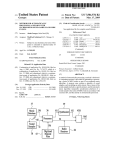
Referring to FIG. 13, in accordance With the present inven
tion, a method of playing music using a music algorithm can
be provided. As illustrated in box 70, MIDI information is
To start the playback of the selected sample, press the
play/pause key. The LCD Will display the play sample screen.
45
50
Press stop to stop the sample and go back to sample selec
tion screen.
processed, and the processed MIDI information is provided to
Pressing the Save/Edit key in the sample select screen or
While a sample is playing enters the sample edit mode.
Pressing the Save/Edit key in the sample select screen
While the current item is a sample list enters the sample list
edit screen. See “Editing items” beloW.
Pressing forWard key in the sample select screen Will create
a processing resource. As illustrated in box 71, one or more
sound samples are processed, and audio sample data is pro
55
playback of the audio sample data is synchroniZed With the
MIDI information at a predetermined time betWeen a begin
ning and an end of a musical bar.
a neW sample list.
To exit Sample mode, choose any other mode by pressing
the appropriate direct access key.
Recording samples is a simple operation possible in almost
60
In accordance With the present invention, an interactive
digital music device can provide multiple features for a user.
The interactive digital music device can include program
65
receivers for obtaining external sound signals, means for
playing the stored audio and voice samples and external
sound signals, means for storing automatic musical compo
sition instructions, Whereby the user is able to create unique
musical compositions, and means for mixing external sound
mable memory for storing digital audio and voice samples,
any operating mode of the dBl.
Press record and keep record button doWn to record a
sample. Release the record button to end the recording.
Recording is stopped automatically if the sample duration
exceeds 30 seconds.
vided to the processing resource. As illustrated in box 72,